⚠️ Important | Libfredo 15.6b introduces important bugfixes for Fredo's Extensions Update

Subcategories

  • The ideal place for beginners to get help using SketchUp
    9k Topics
    60k Posts
    Rich O BrienR
    @dkuucharzak said in Username change: @Rich-O-Brien, I misspelled my intended username. Could you help me change it? I can if the one you need is available. Send a mail to support@sketchucation.com and we sort it out
  • No decsciption available
    209 Topics
    2k Posts
    soloS
    Hey guys I am desperate for very high resolution/quality satellite maps, I use Placemaker and I also use Nearmap but the resolution is not that great, I have tried using AI to upscale but that too does not really solve my issues. Is there another solution?
  • No decsciption available
    821 Topics
    4k Posts
    T
    Hey Mike, I'm sure you figured this out already, but when you first create the attribute type a number with the inch mark like 0" or 0' in the value box and hit enter. This will set the unit for that attribute to inches. This only works for the first time a value is entered. After that first initial value, you will need to use the attribute info dialog to make changes. In addition, you can use 0 to set it to text (not "Default: Text") and 0cm to set it to centimeters. If anyone knows a shortcut for setting the unit to Decimal Number, I would love to hear it!
  • Open the extension store in sketchup

    16
    1 Votes
    16 Posts
    885 Views
    D
    @Gábor Great , I also tried V5 on SKP25 running WIN10 and it logs correctly too. thank you for you fast reaction. Damien
  • Annoying pop up

    11
    0 Votes
    11 Posts
    617 Views
    Dave RD
    @Leggy said in Annoying pop up: so just scale down by 0.001 then export and we should be spot on in mm No. As I wrote: said in Annoying pop up: No need to scale those models down. And as @Box wrote. I've shown examples like this before. The SketchUp model: [image: 1756390018225-53845887723_431de704e7_o.png] And the 3D printed object. [image: 1756390035664-53845887438_c3b7a0281b_c.jpg] No scaling of the model required. The .stl file was exported at Model Units (meters). but the slicer reads the dimensions as millimeters.
  • changing radius on a radius

    11
    0 Votes
    11 Posts
    665 Views
    L
    [image: 1756166628689-festool-36mm-antistatic-hose.jpg.webp] its the dark blue part wrapped around the blade with the flexible tube coming off it
  • Code Error A0B

    15
    0 Votes
    15 Posts
    451 Views
    Rich O BrienR
    @pavulon5 Might be a permissions issue. Repair your SketchUp install by downloading the SketchUp installer. Right-click the .exe and choose Run as Admin and choose Repair when prompted If your device is named using non-alphanumeric characters, áéíóú etc, please change it to only use alphanumeric. Other option is to go to C:\Users\SomeName\AppData\Local\SCF Licenses and delete your signature file. Restart SketchUp to generate a new one and try license. The error is related to the signature file.
  • A dilemna

    6
    0 Votes
    6 Posts
    518 Views
    I
    Isn't triangulation of all faces a native feature when you export your Sketchup model to Collada? Normally, it should be available behind the 'Options...' button in the Sketchup 'Export Model' dialog. Next, there are indeed separate extensions that offer similar functionality, but these may be beyond your needs. So, best is to start with the out-of-the-box feature, and see how it works for your specific requirements.
  • How to Add purchased plugin to a new laptop

    3
    0 Votes
    3 Posts
    381 Views
    J
    Appreciate your help I will give that a try.
  • Saving in SketchUp online

    3
    0 Votes
    3 Posts
    410 Views
    L
    Thanks Dave
  • Saving SKP.in older version

    Moved Solved
    2
    0 Votes
    2 Posts
    392 Views
    Rich O BrienR
    Try this by @alsomar https://sketchucation.com/pluginstore?pln=OldSave
  • Plate Development

    3
    0 Votes
    3 Posts
    403 Views
    Dave RD
    Like this? [image: 1752845143576-screenshot-7_18_2025-8_25_10-am.png]
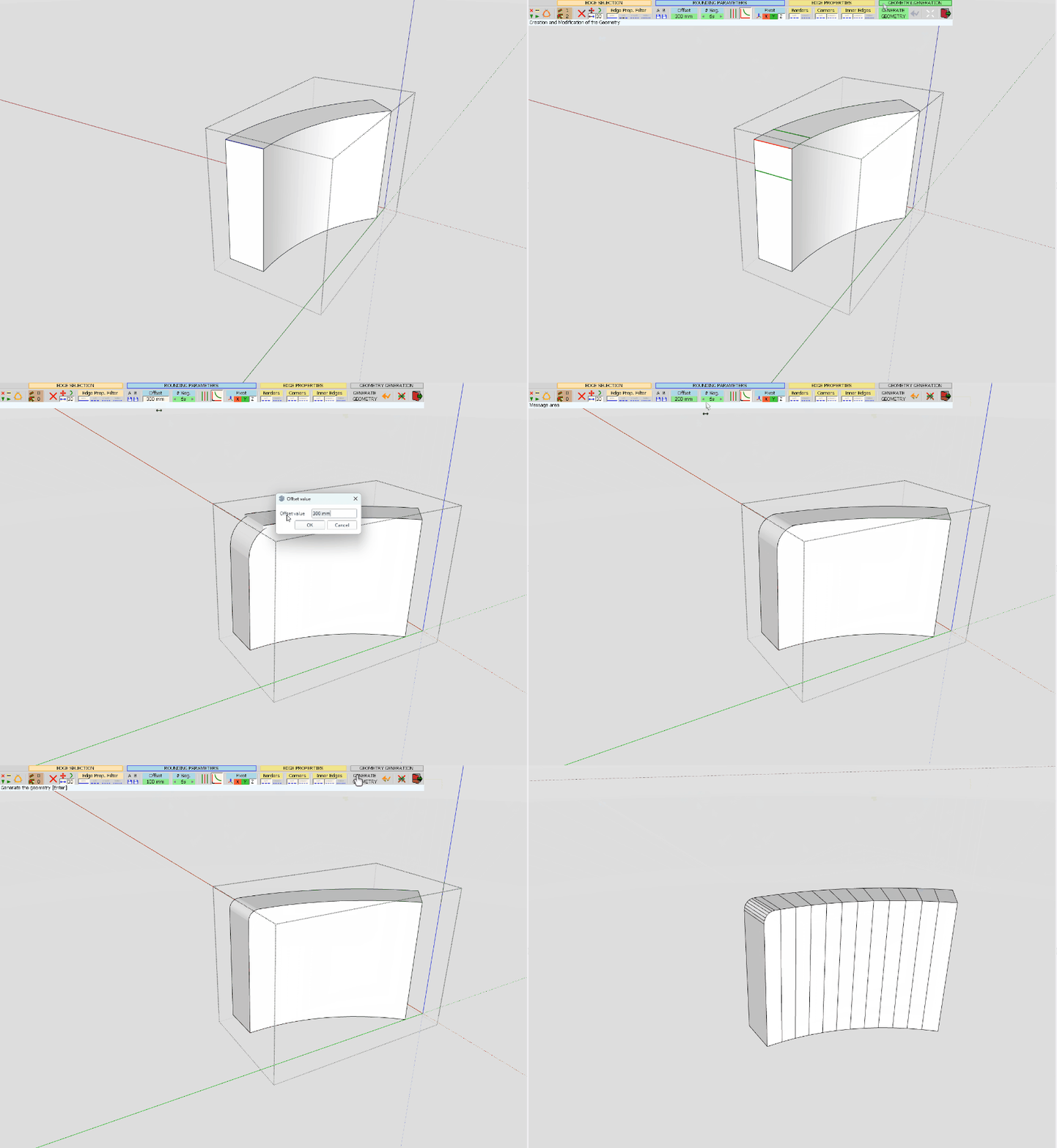
  • Beveled corners without overlaps

    Solved bevel modelling
    5
    1
    0 Votes
    5 Posts
    450 Views
    S
    @Dave-R Ah yeah. That works. Thank you.
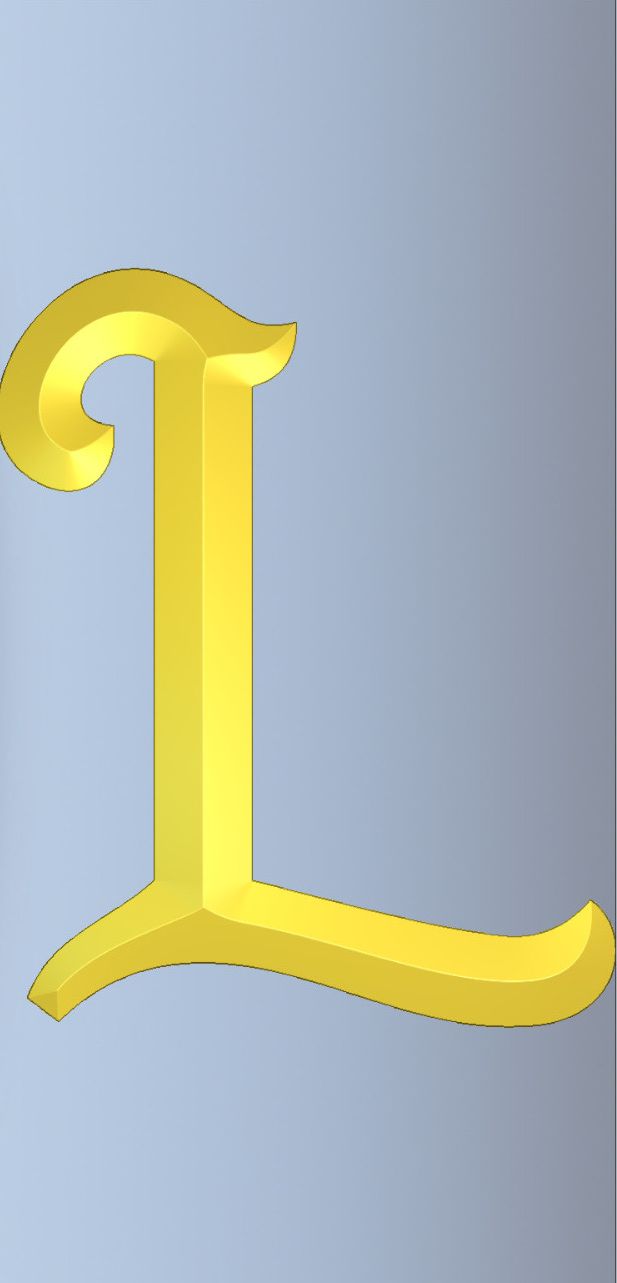
  • Bevel Emboss or Whatever how can i make this in sketch up???

    7
    1
    0 Votes
    7 Posts
    523 Views
    Dave RD
    Did you look at the video on it's ExtensionStore page? https://sketchucation.com/plugin/1103-extrudetools I still don't have time to do a video on the entire process but maybe this will help. I copied out the needed edges from the L I already made for this. Note that the straigh edges at the ends need to be divided into multiple segments and welded to make them curves. Two segments is enough, though. Going through the options I chose to no delete the original curves. Since the entire letter gets done in stages, you can't delete all of the edges after an extrusion because you'll need them for the neighboring steps. [image: 1751719413407-eebyr.gif]
  • I love all the Fredo products

    8
    1 Votes
    8 Posts
    707 Views
    alexpacio2013A
    @rv1974 "OK, but it would have been nice to do it with 'fredo scale'"
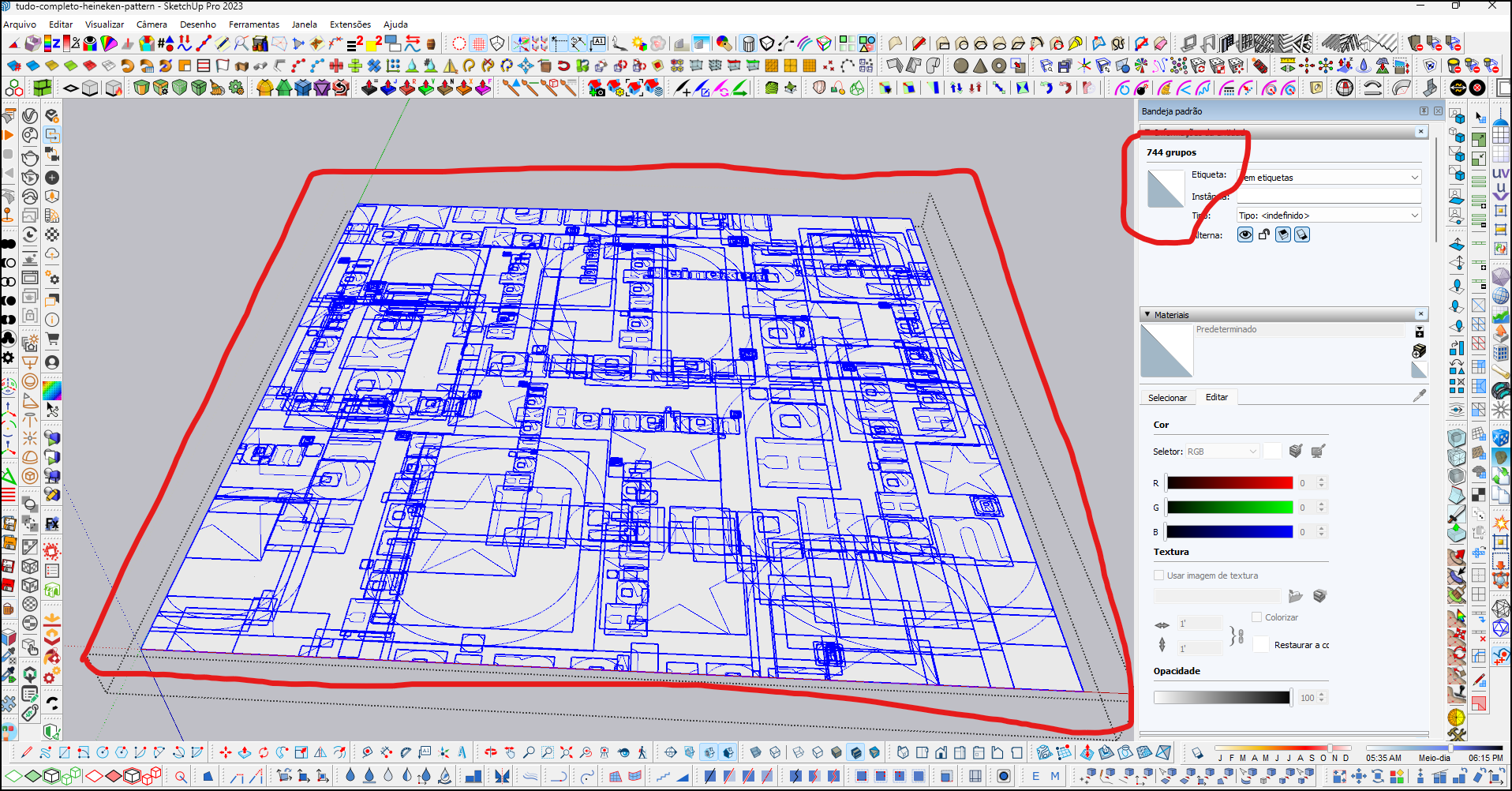
  • How to extrude multiple face groups at once?

    2
    1
    0 Votes
    2 Posts
    433 Views
    Rich O BrienR
    What seems at face value a rather basic operation is actually a lot more complex potentially. Rather than trying to executing a mass extrusion process do a sample extrusion to see what kind of geometry is output. A planar n-gon with 6 entities will result in 22 entities when extruded. Imagine if those 740 groups have ~100 entities each then you are asking Sketchup to create ~300k entities. SketchUp then has to consider other things like its inbuilt tolerance, are there curves etc.... This is not a simple as a simple extrusion if the geometry you are extruding is not efficient.
  • Landscaping around a pond in SketchUp 2021

    2
    0 Votes
    2 Posts
    428 Views
    L
    Could you show us what you are working with? The model as it stands
  • sketchup to unreal workflow

    9
    1 Votes
    9 Posts
    733 Views
    G
    @panixia wow, looks amazing, thanks for sharing
  • Add Location Failed To Load

    6
    1
    0 Votes
    6 Posts
    352 Views
    boofredlayB
    Well I checked online and there was a newer build for 2025 since my last install so I just installed that and it fixed my issue. Thanks for the assistance guys.
  • Formfonts Redux

    10
    2
    3 Votes
    10 Posts
    378 Views
    V
    I had been a member at FormFonts since 2006. I was sad to see it go but I understand the move. I prefer CG Trader over Turbosquid these days. The pricing seems so much more reasonable. Do you model the people from scratch or are you using something like DAZ to start the basic model? Best of luck on this next chapter Alan!
  • Keyboard and mouse input.

    1
    0 Votes
    1 Posts
    33 Views
    No one has replied
  • SU2025 and 3DConnexion 'spacemouse'

    3
    0 Votes
    3 Posts
    108 Views
    grizzlerG
    Thank you. Basic error on my part 🫤
  • Dimensions

    2
    0 Votes
    2 Posts
    73 Views
    Dave RD
    I would set up an edge-on scene and then, in LayOut, place the dimension between the bottom and the apex of the curve. [image: 1745538941837-screenshot-4_24_2025-6_54_15-pm.png]

Advertisement