πŸ”Œ Smart Spline | Fluid way to handle splines for furniture design and complex structures. Download
  • 0 Votes
    22 Posts
    3k Views
    B
    Thanks! Gave it a try but no go, ah well....much appreciated for the help however....
  • Delete Used Components

    Extensions & Applications Discussions
    5
    0 Votes
    5 Posts
    112 Views
    Dave RD
    @Gus-R said in Delete Used Components: Dave, by used I mean existing components. I do use purge unused by I wanted to get rid of a bunch of cabinet pulls. OK. So you could have used the process I described, right clicking on the component thumbnail and selecting Delete. Would be faster than digging though Outliner, especially if the components are nested in groups or larger components.
  • 0 Votes
    3 Posts
    71 Views
    TIGT
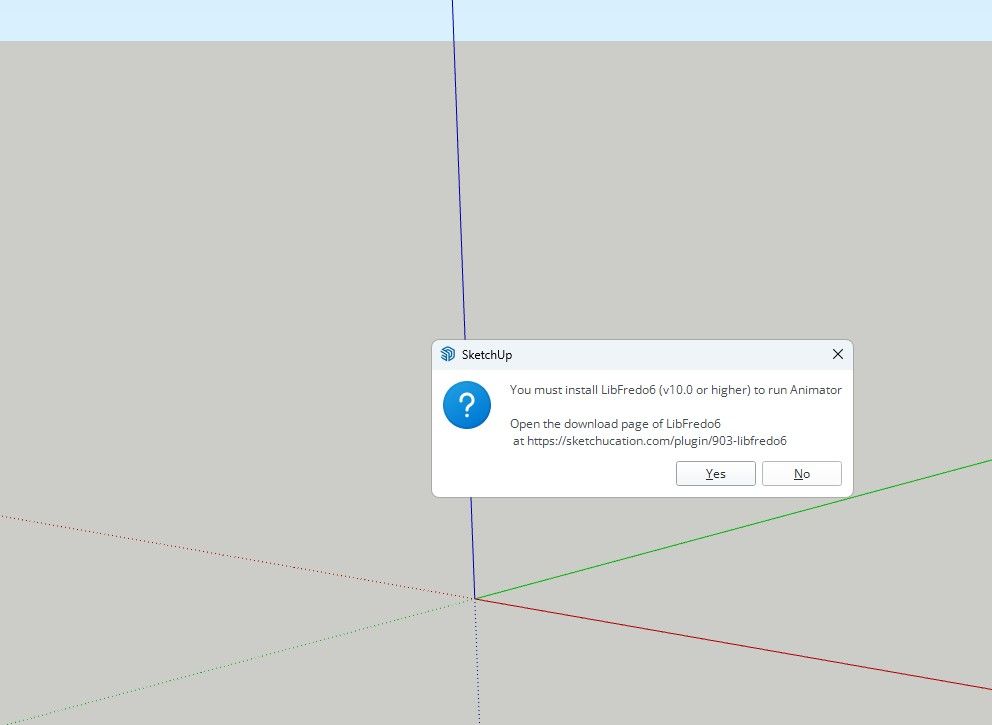
    Also... have you installed the latest LibFredo6 and restarted SketchUp ?
  • 0 Votes
    4 Posts
    106 Views
    Rich O BrienR
    @zain01 said in FREDOSCALE license not recognised: Thanks Rich I wasn't aware you can allocate the seats yourself. Duh You can have 3 seats at anytime active. But you need to release seats to go to a fourth device. You have multiple ways to release: Sketchucation Tools [image: 1768474179400-6038c168-d107-43f5-9832-1ebc19b982bd-image.png] Extension Licesnse Dialog [image: 1768474214181-f74777da-cc23-4d57-9c7b-9f1564c5dde0-image.png] Or your dashboard [image: 1768474253428-cc0fd414-b6dd-4a71-9597-47d95ffa4844-image.png]
  • 0 Votes
    11 Posts
    278 Views
    TIGT
    On PCs in v2026.1 some nitwit swapped the order in the Preferences >Shortcuts listed for the Edit commands for Copy Ctrl+C and Ctrl+Insert, and also the Cut [+X/+Insert] and Paste [+V/+Insert] etc, so the Edit menu now gives you an illogical listing because the long established ones now come second and so they aren't listed in that menu. They still work, Unfortunately they are hardwired and not editable in Preferences>Shortcuts. Hopefully common sense will revert this weirdness in the next update.
  • Rayscaper New Releases

    Extensions & Applications Discussions rayscaper render
    401
    1 Votes
    401 Posts
    30k Views
    A
    @Krass Thank you for your efforts.
  • Poly Haven Scene.

    WIP
    15
    1
    1 Votes
    15 Posts
    290 Views
    Mike AmosM
    https://app.bugsplat.com/v2/crash?database=SU26Win&id=72320#overview
  • FredoScale Compatibility issues with SU 2026

    Plugins
    7
    0 Votes
    7 Posts
    477 Views
    fredo6F
    There is a general problem with the TAB key in SU2026. The Tab key is not sent after a few hits. This concerns mainly Windows, but other weird problems have been detected on Mac. The issue was logged to the Sketchup team. So, we'll probably have to wait for SU2026.2. On my side, I logged the problem with the following video. Bug TAB in SU2026.1.mp4
  • [Plugin] SceneTextureSwitcher v1.3

    Plugins
    6
    2 Votes
    6 Posts
    283 Views
    J
    is there any tutorial or video for this i follow the step but i don't get it why its not working on me
  • Medeek Floor

    Plugins
    143
    1 Votes
    143 Posts
    14k Views
    medeekM
    Version 1.1.3 - 01.13.2026 Enabled custom overhangs for sheathing. Added a "Remove Overhang" parameter to selectively control the sheathing overhang. [image: 1768338040933-floor_su295_800-resized.jpg] Update per customer request. This feature is identical to the overhang feature included with steel decks and will allow the user to set an overhang and then selectively assign specific edges which do not have the overhang enabled. Tutorial #20 explains how this feature works: https://youtu.be/1kIk0HBeyn8
  • [Plugin] Universal Importer - v1.2.6 - 30 July 2024

    Plugins
    446
    1 Votes
    446 Posts
    462k Views
    K
    Hi, Just found your Universal plugin today, I've been wanting something like that for a long time!! It seem to work fine for me exporting dxf files from lightburn except that anything that is a curve is chopped up into dashed lines. Squares come in fine but circles or curves get the dash effect. Any thoughts? Thanks
  • [REQ] PDF Importer

    Plugins
    20
    0 Votes
    20 Posts
    1k Views
    Dave RD
    @FlorinAp that's exactly the same as it's been on Mac forever. The developers have indicated that vector import is on their roadmap.
  • 0 Votes
    5 Posts
    85 Views
    S
    @Rich-O-Brien thanks
  • [Plugin] Zero Tilt Camera

    Plugins
    18
    0 Votes
    18 Posts
    15k Views
    F
    Finally, i think i figured it out - the best description for this one is "perspective perpendicular center view", i used it a lot through the first button of Curic Align View, and now through Dezmo Dice "center (front, left, right, back) view". Somebody please tell me if I'm wrong.! It is very useful, and in SketchUp, there is no way that you can manually and precisely achieve this.
  • Help with plugin

    Extensions & Applications Discussions
    9
    0 Votes
    9 Posts
    247 Views
    Dave RD
    @panixia said in Help with plugin: is definitely not the best for textured models tho. I know that. I was only responding to the OP's comment that SketchUp 2017 won't import .stl files. I agree that other formats would likely be better.
  • 2d tools

    Newbie Forum sketchup
    8
    0 Votes
    8 Posts
    374 Views
    TIGT
    V8.0 is released https://sketchucation.com/pluginstore?pln=2Dtools Or via the ExtensionStore dialog. It fixes a glitch with v2026 whereby some MAC users could not get the TAB key press/up to work to open dialogs in some tools, and some PC users had to press/up 4 times to make TAB work. But <=2025 users had no issues. I've now improved the onKeyUp methods to optimize TAB use in v2026, but it can still be flaky for some users. including me needing 4x press/up! So as an additional option I've added one press/up on the Shift key which will also open the dialogs, in certain tools like LineStyle and Hatching. The Help pages explain this dialog opening more fully. Please try and report back issues...
  • Undo history list

    Plugins
    10
    0 Votes
    10 Posts
    4k Views
    F
    Yes, there is one with a visual history - Samuel Tallet visual_history But, in my experience, it requires some solid CPU...
  • [Plugin] Quick selection

    Plugins
    3
    2
    1 Votes
    3 Posts
    191 Views
    F
    This extension is very useful, with an exception - by default, it selects hidden objects and tags, and there is no way to change that behaviour.
  • 0 Votes
    7 Posts
    216 Views
    TIGT
    A new signed Version 8.0 of the toolset is available as an RBZ in the PluginStore https://sketchucation.com/pluginstore?pln=2Dtools or for AutoInstall/Update through the ExtensionStore dialog. It addresses the TAB keycode weirdness recently reported when trying to open a dialog for certain tools, like LineStyle and Hatching etc. The TAB press/up was itself introduced for >=v2020 when the right-click in empty-space context-menu option was removed from the Ruby API. It had to be a TAB press/up because MAC has always ignore a simple TAB press. Recently it's been found that in v2026 on a MAC a TAB press/up sometimes fails to work at all, and other times on PCs x4 press/up were needed to get TAB to call the dialog - whilst weirdly some users experienced no issues with it at all, on either OS ! I have now error trapped the keycode capture for TAB as best I can, note that on <=v2025 there's no problems with TABx1 press/up [sadly my own PC still needs TABx4 press/up with v2026], and TABx1 may work with v2026 for some users and OSs, BUT as a fallback I've now introduce an alternative additional key press/up - Shift - which [I hope] works with one press/up on any OS and SketchUp version. So if you have any v2026 TAB annoyance you can now just press/up the Shift key instead to open the dialogs. Please try it and report any issues. I've updated the More-Info>Release-Notes and the toolset's Help HTML files to reflect these changes.
  • Drink driving?

    Corner Bar
    6
    0 Votes
    6 Posts
    137 Views
    L
    Looks like a case of poor engineering to me