🔌 Smart Spline | Fluid way to handle splines for furniture design and complex structures. Download

  • [Plugin][$] FredoScale - v3.6a - 01 Apr 24

    Plugins
    1k
    4
    0 Počet hlasů
    1k Příspěvky
    2m Zobrazení
    pilgerP
    @Rich-O-Brien @Mattshiggins I'm having the same issue here. I've tried uninstalling all other extensions and plugins and running Sketchup without any other apps in the background and I still get the same thing. Is there a way to check what is getting focused when I press tab, maybe? To try and find what's stealing the focus? EDIT: or maybe change that tab key to something else that doesn't cause the issue? EDIT 2: updates here: https://community.sketchucation.com/post/1617927
  • Ändern des Bearbeitungsdatums ?

    Deutsch
    3
    0 Počet hlasů
    3 Příspěvky
    140 Zobrazení
    J
    Danke für die Begutachtung der Datei. Es stimmt, es ist eine v23-Datei, die ich mit v24 öffnen wollte. Da der Plan doch viel Arbeit war, würde ich mich freuen, wenn zumindest der Großteil noch verwendbar wäre. Die Hoffnung stirbt zuletzt. Thanks for reviewing the file. It's a v23 file, which I wanted to open with v24. Since the plan was a lot of work, I would be happy if at least the majority still usable. Hope dies last.
  • adding thickness

    SketchUp Discussions
    10
    0 Počet hlasů
    10 Příspěvky
    727 Zobrazení
    Dave RD
    Did you change the number of segments in the corners from the model you shared? I used the geometry in your model and didn't make any changes other than fixing the location of the axes and moving the model to the origin. Out of curiosity what are you expecting for the outside diameter of the round part? What are the expected dimensions for the rectangular part? You say you want the walls to be 1.2 mm thick. If you are selecting 1.2 mm for the offset in your model, the walls will have practically no thickness.
  • Better than Chat GPT...

    Freeware
    7
    1 Počet hlasů
    7 Příspěvky
    368 Zobrazení
    Rich O BrienR
    That looks pretty slick.
  • What are these tools?

    Extensions & Applications Discussions
    3
    1
    0 Počet hlasů
    3 Příspěvky
    162 Zobrazení
    L
    @Rich-O-Brien You are a Star! Thank you.
  • Plugin to quickly open nested Component or Group?

    Solved Plugins
    16
    1 Počet hlasů
    16 Příspěvky
    837 Zobrazení
    F
    Anyway, Curic 2 Level + Curic Copies (or S4U PickUp) does the same thing as this one. I use S4U PickUp cause is better than Curic Copies. And Curic Select++ does the same thing as Curic To Level, but still i find Curic To Level better.
  • [Plugin] Memory Copy (xformclone.rb)

    Plugins
    44
    0 Počet hlasů
    44 Příspěvky
    56k Zobrazení
    F
    There is another one from Eneroth, and i think maybe two more (one may be Tax Engineering, plus another one)
  • Solids for 3D Printing

    SketchUp for 3D Printing
    5
    3
    2 Počet hlasů
    5 Příspěvky
    298 Zobrazení
    Dave RD
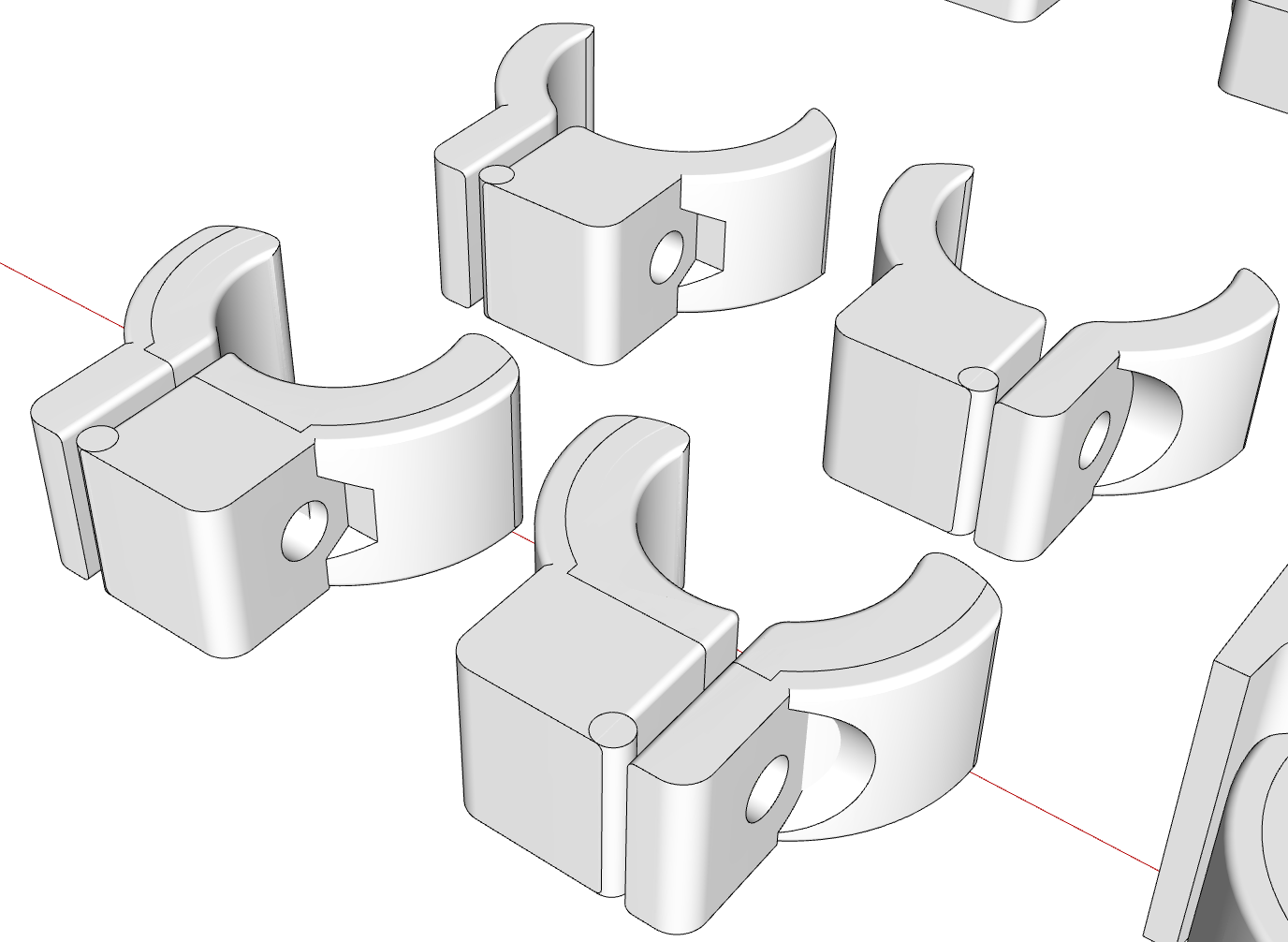
    @Rich-O-Brien thank you. The bolts tighten up enough for what these need to do but I probably should have extended the that side so I could complete the hex recess. I expect then I could tighten the knob enough to break the clamp.
  • I thought I would share this good news

    Corner Bar
    10
    7 Počet hlasů
    10 Příspěvky
    422 Zobrazení
    majidM
    This is really great, and thank you for sharing. You did the right job and well deserve what you got! I wish for way better upcoming days man!
  • [Plugin] Material Browser - v1.1.1 - 15 Nov 2025

    Plugins
    51
    2
    0 Počet hlasů
    51 Příspěvky
    33k Zobrazení
    samuel_tS
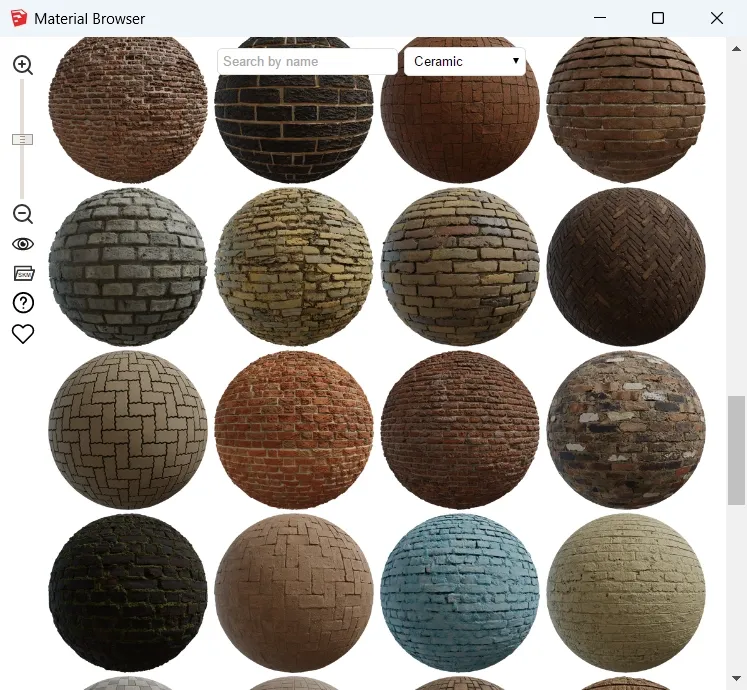
    Hello, Material Browser v1.1.1 is out Here what's new: You can precisely choose which sources to display: [image: 1763247282734-sketchup-2026-material-browser-plugin-v1.1.1-settings.webp] Interface is more reactive and more predictable (status bar). Source logos and material names are proportional to thumbnails. Plugin window can be resized to a smaller width and height. Poly Haven catalog has been extended to 713 textures. Texture downloading is more robust (3 attempts before giving up). On SketchUp open, toolbar position and visibility are restored. It shouldn't emit warnings when SketchUcation Tools is installed. Thanks to @judedouch and @ateliernab for their suggestions. Download latest Material Browser plugin from SketchUcation PluginStore.
  • Problems with canceled commands

    SketchUp Discussions
    7
    0 Počet hlasů
    7 Příspěvky
    340 Zobrazení
    BoxB
    Hardware wears out and software updates change things. When using old software that isn't being updated you need to look at the things that are changing.
  • Beautiful Amsterdam

    Corner Bar
    67
    0 Počet hlasů
    67 Příspěvky
    3k Zobrazení
    majidM
    I wish I could teach how to paint watercolors (online or in person)
  • Victorian Bookcase

    Woodworking
    6
    1
    4 Počet hlasů
    6 Příspěvky
    299 Zobrazení
    Rich O BrienR
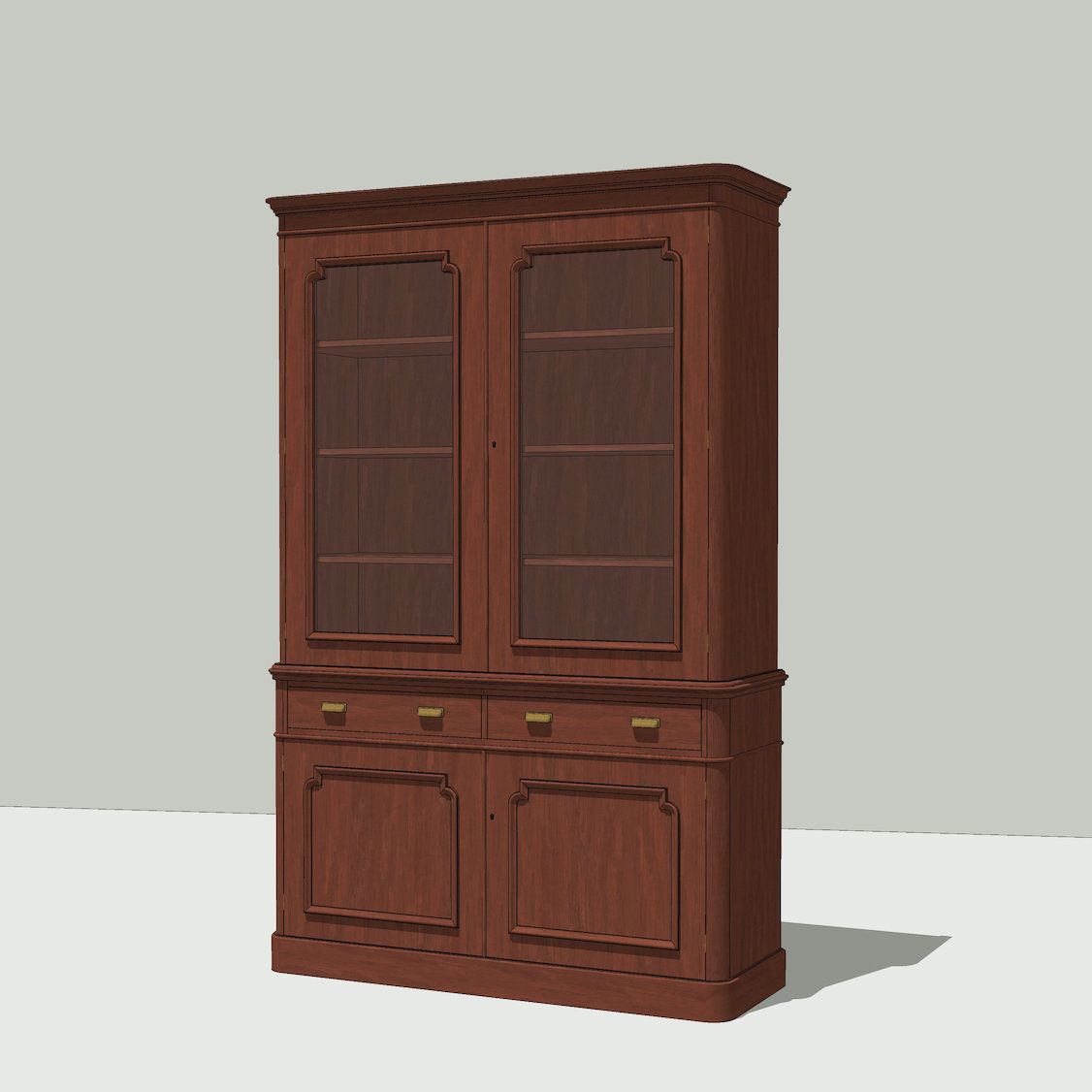
    @pixelcruncher said in Victorian Bookcase: I didn't get the 1st dibs joke Check out the prices... https://www.1stdibs.com/furniture/dining-entertaining/tableware/comprehensive-wmf-stockholm-silver-plated-flatware-kurt-mayer-germany-1960s/id-f_6959303/ ...I think that's the punchline
  • Issue with Curviloft

    Extensions & Applications Discussions
    11
    5
    0 Počet hlasů
    11 Příspěvky
    484 Zobrazení
    Mike AmosM
    @dpd Extrude tools. curviloft-problem.skp
  • Issue with curves glitching in model

    SketchUp Discussions
    3
    0 Počet hlasů
    3 Příspěvky
    183 Zobrazení
    Dave RD
    @icorrea I don't think it has anything to do with the number of curves in your model. It's a fairly simple one. I agree with Rich. If you are having problems it's most likely the graphics card or its drivers. What version of SketchUp are you using? Share a screen shot of what you see. This is what I'm seeing. A few exposed back faces (blue) but no problem working in the model. [image: 1763125116883-glitching.gif]
  • Fredo 6 RoundCorner crashes Sketchup

    Extensions & Applications Discussions
    2
    0 Počet hlasů
    2 Příspěvky
    160 Zobrazení
    Dave RD
    Practically impossible to tell with so little information. What operating system are you using? How large is the bevel you are trying to make? Share the .skp file so we can see what you are working with. Have you tried it with the current version of SketchUp. Presumably you have a current SketchUp subscription so you can update to the current version of SketchUp at no charge.
  • Sketchucation store tools issue V5.0.3

    Extensions & Applications Discussions
    3
    0 Počet hlasů
    3 Příspěvky
    162 Zobrazení
    J
    I appreciate your reply, if I knew there was a compatibility issue I would have never have downloaded it. What led me astray was when I checked this plug-in under the More tab it stated that .....Compatibility: v2017, v2018, v2019, v2020, v2021/22, v2023, v2024, v2025, v2026. Thanks for your help John
  • FFmpeg: Instructions for download and Install

    Animator Beta render plugins extensions
    45
    0 Počet hlasů
    45 Příspěvky
    116k Zobrazení
    S
    Hello, FFmpeg continues to generate 25 fps videos (mp4) 1920x1080 despite of selecting different framerates. please help
  • My Architect ai.

    Corner Bar
    17
    0 Počet hlasů
    17 Příspěvky
    4k Zobrazení
    K
    Thank you..
  • [Plugin][$] Brighter3D rendering plugin (ready for SketchUp 2026) version 4.7.0 released

    Plugins
    4
    2
    2 Počet hlasů
    4 Příspěvky
    241 Zobrazení
    P
    @Brighter3D said in [Plugin][$] Brighter3D rendering plugin (ready for SketchUp 2026) version 4.7.0 released: Thanks, man! Appreciate the props—yeah, I've been wrestling with this for 12 years now. Good to see a fellow pro! Jeez, now I feel very green! Congrats on sticking with it for 12 years. Rayscaper was first launched in February of 2024, so it's been around for almost two years. I should really get a beer with you; I might learn a lot.