sketchucation logo sketchucation
    • Login
    1. Home
    2. dpd
    Oops, your profile's looking a bit empty! To help us tailor your experience, please fill in key details like your SketchUp version, skill level, operating system, and more. Update and save your info on your profile page today!
    ⚠️ Important | Libfredo 15.6b introduces important bugfixes for Fredo's Extensions Update
    D
    Offline
    • Profile
    • Following 0
    • Followers 0
    • Topics 1
    • Posts 5
    • Groups 1

    dpd

    @dpd

    1
    Reputation
    1
    Profile views
    5
    Posts
    0
    Followers
    0
    Following
    Joined
    Last Online

    dpd Unfollow Follow
    registered-users

    Best posts made by dpd

    • RE: Issue with Curviloft

      Thanks again for all the help.
      I think I've figured the workaround for Extension Tools "extrude edges by rails"

      The trick to getting rid of artefacts at junctions seems to be:

      1. With the top and bottom quarter-pie profiles, go to the end of each curve. Make sure the final segment is parallel to x or y axis. In other words, counter the default sketchup behaviour to place equal sized segments for a circle, with segments adjacent to axes at an angle. Make the end segments of profile curves are squared off instead.

      2. Divide the long sections of the rails into many segments (I used 40).

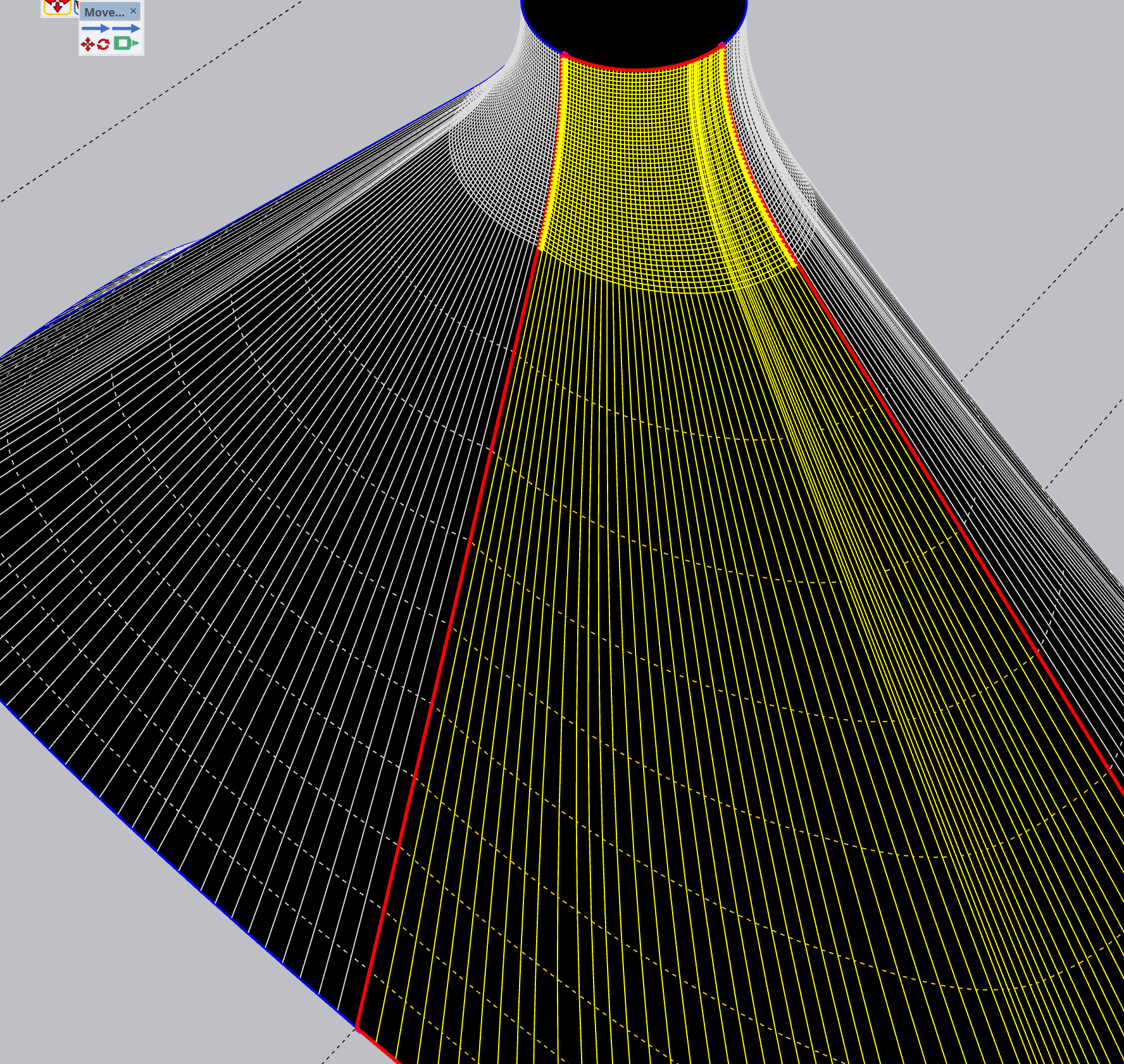
      Result:

      image.png

      posted in Extensions & Applications Discussions
      D
      dpd

    Latest posts made by dpd

    • RE: Issue with Curviloft

      Thanks again for all the help.
      I think I've figured the workaround for Extension Tools "extrude edges by rails"

      The trick to getting rid of artefacts at junctions seems to be:

      1. With the top and bottom quarter-pie profiles, go to the end of each curve. Make sure the final segment is parallel to x or y axis. In other words, counter the default sketchup behaviour to place equal sized segments for a circle, with segments adjacent to axes at an angle. Make the end segments of profile curves are squared off instead.

      2. Divide the long sections of the rails into many segments (I used 40).

      Result:

      image.png

      posted in Extensions & Applications Discussions
      D
      dpd
    • RE: Issue with Curviloft

      Thanks a ton Mike, this looks to be the best so far. Did you use extrusion tools, or curviloft?
      Can you send me the skp with your steps, so I can check if I'm doing it right?

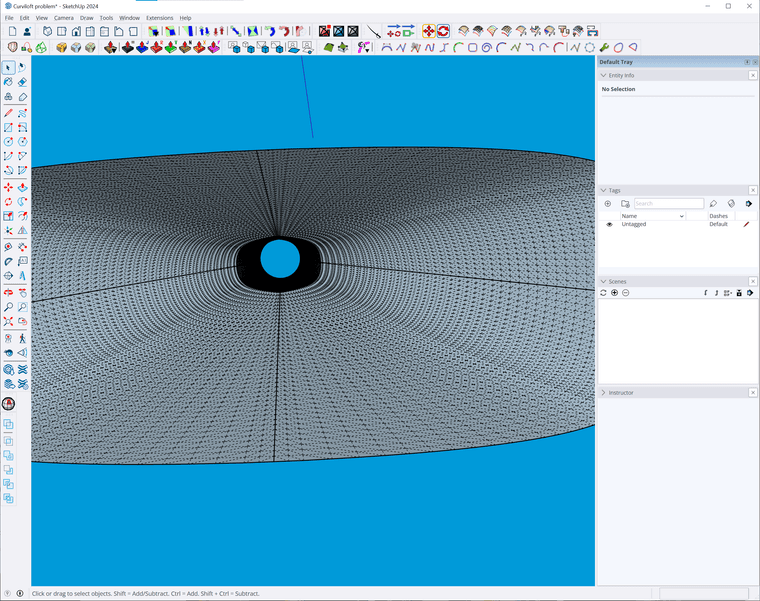
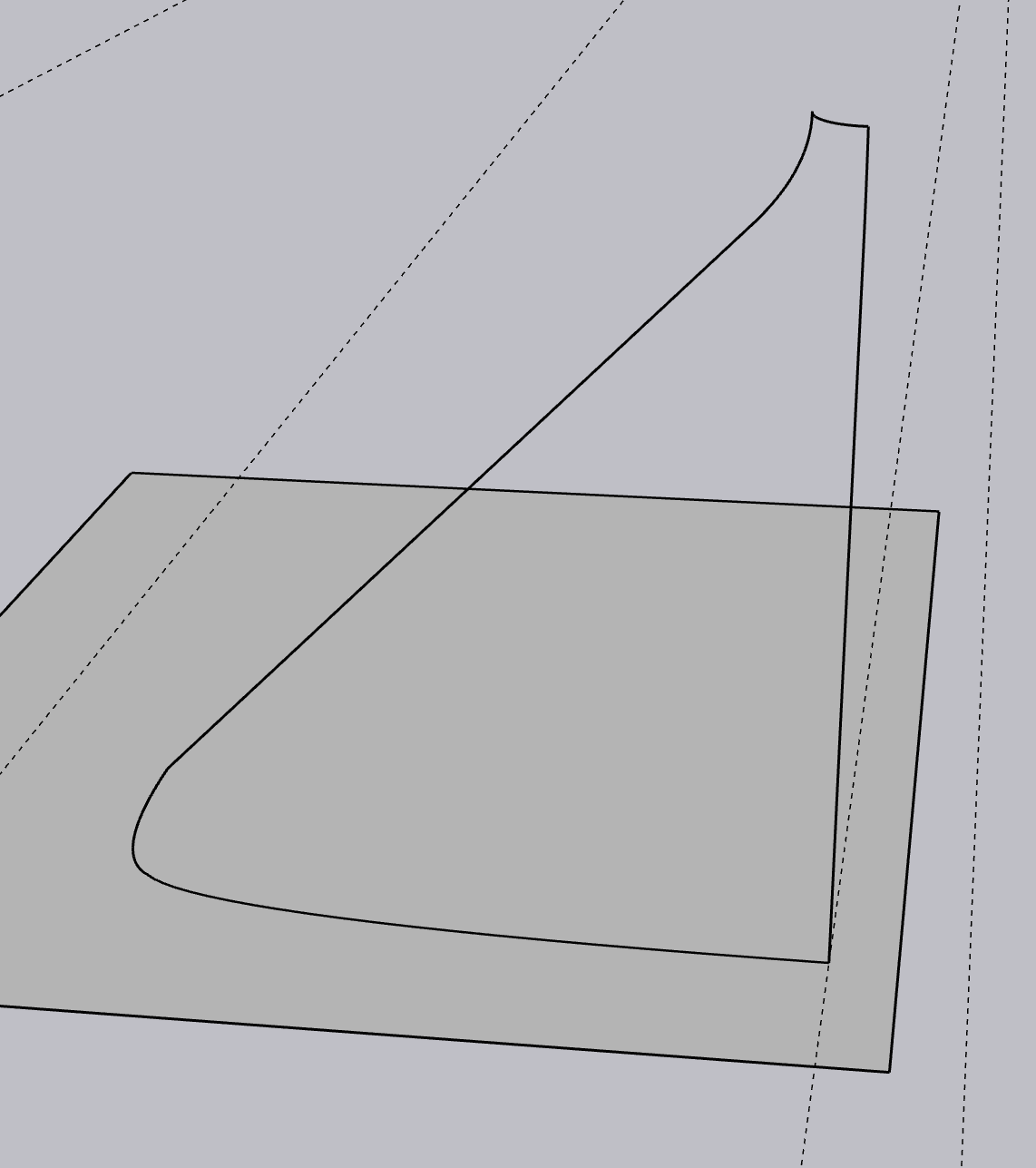
      A bit of context, if you care: The objective is to have the flare rate expand at equal rates from circle to superellipse, as the transition is for the expansion of a high pressure wavefront for a very loud horn speaker. It seems nitpicky, but the ideal is a totally gradual progression in all the expansions: from top to bottom, smaller to bigger, circle to superellipse/rectangle. The superellipse is so that the speaker's output has narrow vertical and wide horizontal coverage for the audience.

      Especially in the high pressure upper area, any tiny divergence in even expansion of energy is visible in a frequency response graph, so it's very good that any tiny divergence is happening after the mid-ring which is down the horn throat a ways, and the upper area is still very even propagation from circle to scaled circle.

      What you produced is very close, except the ideal shape for the mid-ring would not just be the scaled circle, but would also be a halfway shape-merge to the superellipse below. But I think what you made is good enough for rock n roll, considering most of the work I've seen in this area has a much lower poly count, or is made out of heavily sanded plywood in the end πŸ™‚

      I have a couple more ideas to try that are inspired by your tips, and I might give this a shot in Blender to see how it handles the problem. Much appreciated.
      posted in Extensions & Applications Discussions
      D
      dpd
    • RE: Issue with Curviloft

      @Mike-Amos thanks Mike!

      What do you mean by changing the order? Do you mean selecting them in a different order before execution?

      I have been using the skin function with the whole shape selected before pressing the button.

      posted in Extensions & Applications Discussions
      D
      dpd
    • RE: Issue with Curviloft

      Thanks for the replies.
      I made sure that the arcs have the same number of segments (40).

      Curviloft problem.skp

      I tried Extrusion Tools, it had the opposite problem. The seam bulged outward instead of curling inward.

      posted in Extensions & Applications Discussions
      D
      dpd
    • Issue with Curviloft

      Hello!
      Curviloft is awesome! I am trying to use it for this task:
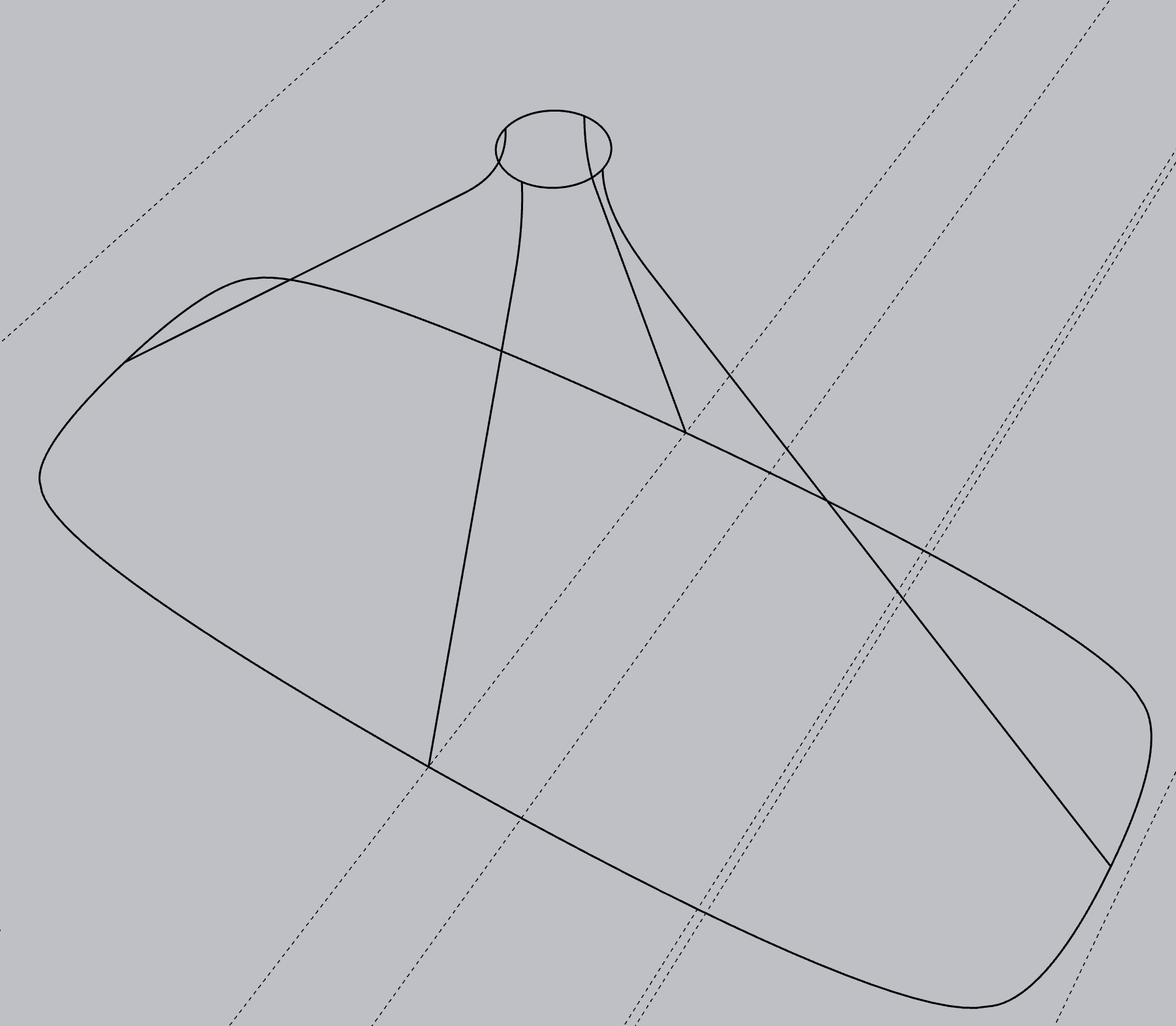
      I want to loft this -

      6ecf74c7-ec5a-4d28-9809-02a1a3b34a62-image.png

      Into this -

      f6f3b16d-1ff6-4d8f-9a7b-2dd207663c6b-image.png

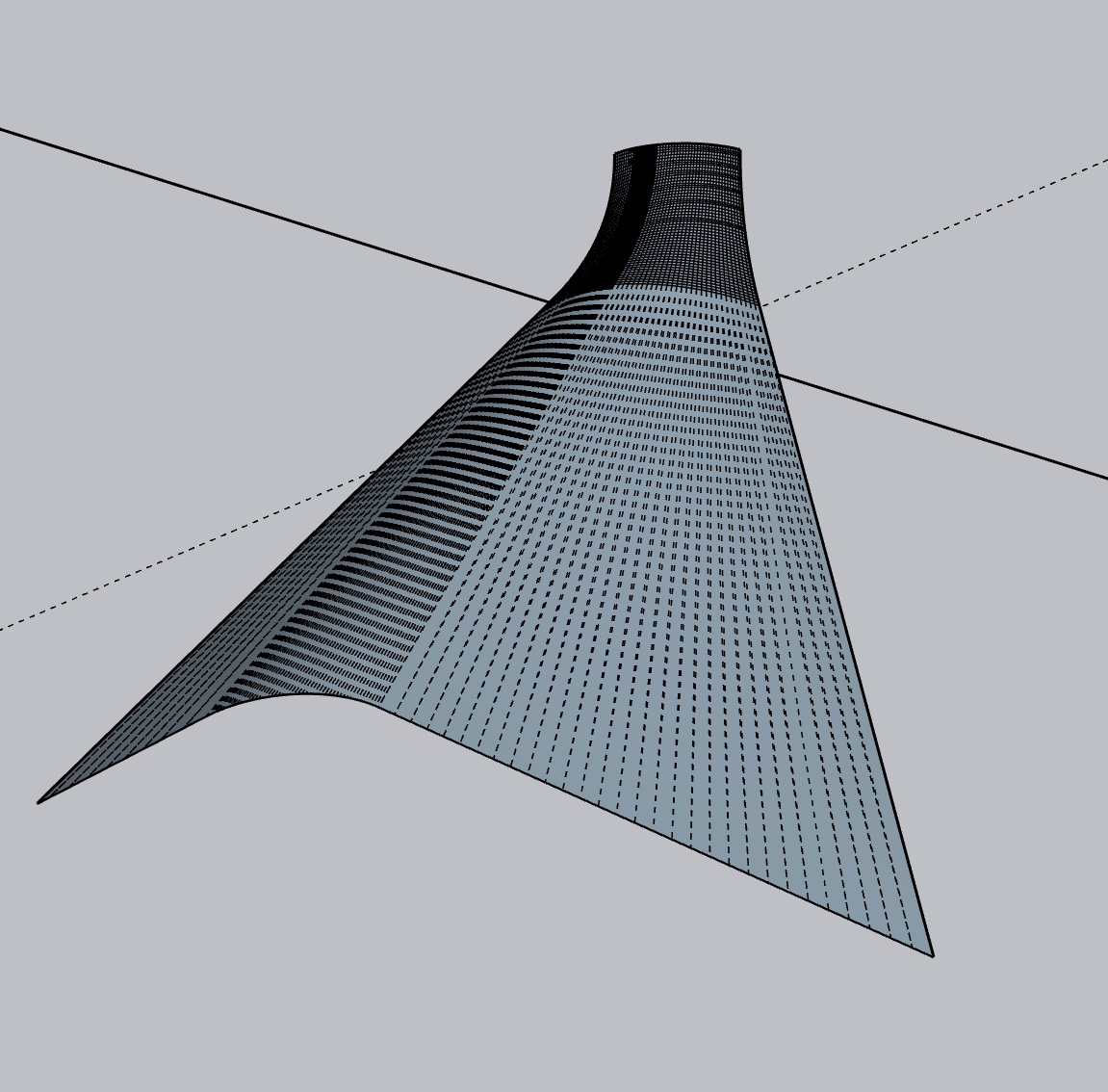
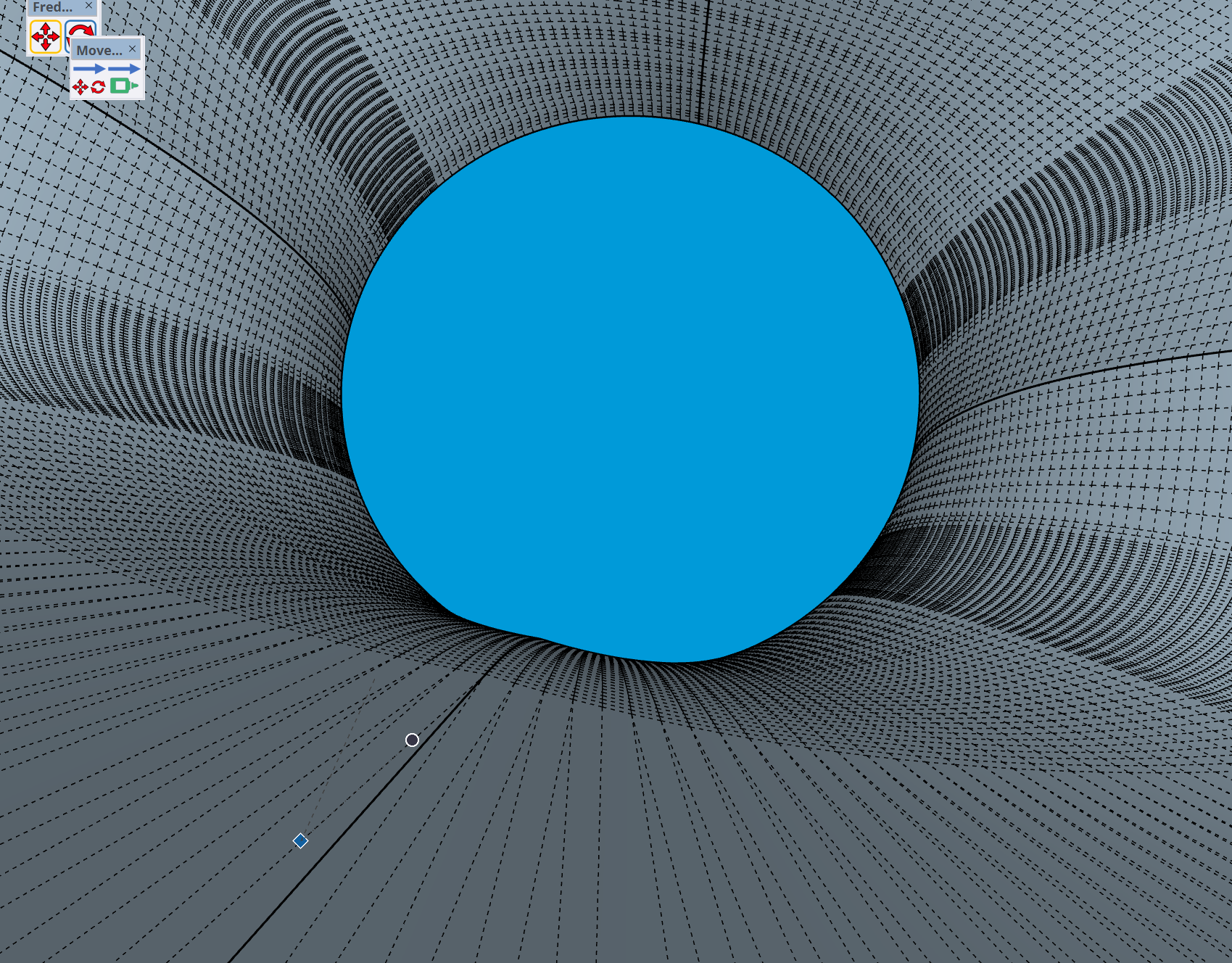
      So far, so good. But the precise shape is important. The result has this deformations (copied into 4 corners):

      eb96482b-52b5-4c9d-81b2-74299688cc5a-image.png

      In all 4 corners where the quarter portion is connected, there is a curl inward. The transition is from a perfect circle to a rounded rectangle with all angles bulging outward, there is no inward crease in the base shape:

      0e174b87-30ed-402e-8015-f858da8edd4d-image.png

      It still happens, whether I do it in quarters, or halves, or the whole shape at once. See the creases going inward where the quadrants meet. I have tried every combination of settings in the curviloft options. What am I doing wrong? Anyone know how to get a basic loft that follows the geometry, without adding the inflection inward?

      0cfa84d9-1e23-45b9-8770-145a78305400-image.png

      Thanks!

      posted in Extensions & Applications Discussions
      D
      dpd