⚠️ Important | Libfredo 15.6b introduces important bugfixes for Fredo's Extensions Update
  • Where can I purchase architectural details

    Newbie Forum sketchup
    5
    0 Votes
    5 Posts
    256 Views
    KrisidiousK
    Indeed he is one of our Members... A quite talented member at that. http://www.nicksonder.com/
  • 0 Votes
    5 Posts
    280 Views
    dukejazzD
    Hey I found this tool Point Merger Tools v 1.2 (25.81 KiB) Downloaded 1021 times [image: O4Kh_pic_0094.jpg] [image: fhUw_pic_0089.jpg] I would like to have your example but since i don't here you can soften inter edges to make two surface of the mesh terrain select inter terrain max distance of gap [image: zKQy_pic_0091.jpg] [image: b7Uh_pic_0092.jpg] now it shoud be good if the poly code count to high it will also lower the count, then do what I did above
  • 0 Votes
    3 Posts
    624 Views
    J
    Right, you do not need this. It was introduced in version 8M1 (Win 8.0.4007, Mac 8.0.4006)
  • Is there a hide lines plugin?

    Newbie Forum sketchup
    5
    0 Votes
    5 Posts
    216 Views
    Jean LemireJ
    Hi Jay, hi folks. Try using the most underused of SU's menu, namely the **Help menu**and its second choice, namely the Help Center. You shall get here: http://support.google.com/sketchup/?hl=en Click on the first item on the menu at the left that reads: Learning SketchUp (a Trimble product) This shall get you here: http://support.google.com/sketchup/bin/answer.py?hl=en&answer=36207 You will see this: •Quick Reference Card- an easy-to-print graphic of tools and their modifier keys. Click that link and you shall get here: http://support.google.com/sketchup/bin/answer.py?hl=en&answer=116693 There are a few links to dowload the cards for SketchUp and Layout and for Windows and Mac OS. Just ideas.
  • Creating ribs...?

    Newbie Forum sketchup
    34
    0 Votes
    34 Posts
    1k Views
    jgbJ
    @box said: @jgb said: You gave up 3 episodes of ST Voyager to do this No no not at all, one eye on model one eye on seven of nine. @jgb said: Seriously, what pluggin is that? Tig's extrusion tools can be found here. http://sketchucation.com/forums/viewtopic.php?t=25362 Two things wrong with your excuse...... You can't do 3D with only one eye. Only one eye on her???? What is wrong with you
  • Grocery Store Entourage?

    Newbie Forum sketchup
    2
    0 Votes
    2 Posts
    224 Views
    soloS
    Best advice is to look here, good models that have been inspected, and the fact that this is paying work, these will not eat your budget. http://www.formfonts.com/index.php?area=1
  • Generate Report???

    Newbie Forum sketchup
    12
    0 Votes
    12 Posts
    3k Views
    TIGT
    I reported that years ago... BUT 'they' still haven't fixed it !
  • Rank Beginniner and Woodworker

    Newbie Forum sketchup
    5
    0 Votes
    5 Posts
    221 Views
    KrisidiousK
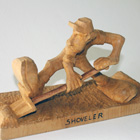
    Thanks for your Service to Our Nation Tom, Both Military and Civil... Dave is the man when it comes to wood working. He'll steer you right. Since he won't toot his own horn I'll do it for him. You might check out his new book. http://store.finewoodworking.com/fine-woodworkings-google-sketchup-guide-for-woodworkers-basics-download-067125.html Although this is a little more on the refined side. Also you might check out the textures in the Shop here on the site. http://sketchucation.com/shop/textures Once you have some textures and you want to make a "collection" look on your material browser window on the far right of the window there is a small arrow directly to the right of the drop down menu, this will allow you to save a library or collection of materials to your materials folder. Now since you're working in what looks to be a more rustic form of carving, if this is indeed a typical example of your work, I will suggest two plugins that will be of great help to you. Thomthom's Vertex Tools which is available here in the shop or on his website. http://www.thomthom.net/software/vertex_tools/ and Artisan http://artisan4sketchup.com/
  • SketchUcation Newbie -- Intro & Question

    Newbie Forum sketchup
    7
    0 Votes
    7 Posts
    194 Views
    GaieusG
    Great (and thanks for confirming)
  • Sketchup orgin?

    SketchUp Discussions sketchup
    38
    0 Votes
    38 Posts
    2k Views
    Dave RD
    Paul, there'd be room on the boat if you wanted to do some drawing work while you're sailing.
  • Cutting curved sections out of rectangles

    Newbie Forum sketchup
    13
    0 Votes
    13 Posts
    855 Views
    D
    OK! This gives me a lot to go on, and this is only one of 20 different styles of rail I'll get trying it, see how quickly i can put this together and maybe just make real dented sections for areas which are fairly standard sizes. Then do as you suggested with textures for the more complex parts. I hadn't thought of this, i'm still getting a feel for the capabilities of this software, let alone how to implement them Really apreciate the help and instruction, great information. Thank you.
  • Illustrator to sketchup

    SketchUp Discussions sketchup
    8
    0 Votes
    8 Posts
    2k Views
    pbacotP
    Nice drawing. Wonder if turning it into SU edges is of use. How do you intend to use it? could it be better used as a texture or in post-pro? I assume you aren't going to make it 3d...
  • Push / Pull and Double Click

    Newbie Forum sketchup
    3
    0 Votes
    3 Posts
    202 Views
    D
    So simple ... at some point I'll start remembering. Thanks Pilou
  • Can't get the color white from both sides

    Newbie Forum sketchup
    14
    0 Votes
    14 Posts
    680 Views
    smarqueS
    Many thanks to Dave R, Krisidious and Jeff Hammond for the in-depth answer. It was a shadow thing. I followed your advice and my problem is solved. I had 2 vertical section cuts through the same room in a house model, each facing in the opposite direction and each one captured on it's own scene. All the parameters for each scene were identical. As I would toggle between the 2 scenes I would get "white" walls / "gray" (shadow / shading) walls effect. It was rather daunting.
  • 0 Votes
    1 Posts
    1k Views
    No one has replied
  • Plug Hole?

    SketchUp Discussions sketchup
    7
    0 Votes
    7 Posts
    296 Views
    pilouP
    Sure
  • Create topo map from G earth

    Newbie Forum sketchup
    5
    0 Votes
    5 Posts
    184 Views
    soloS
    @rich o brien said: There's also this plugin http://sketchucation.com/forums/viewtopic.php?t=31124 I was thinking that myself but could not find it in my search to post.
  • Hello all need help

    Newbie Forum sketchup
    11
    0 Votes
    11 Posts
    1k Views
    gillesG
    You mean Shell? It's Outer shell, tools/outer shell. In free and pro, works only with solids.
  • 0 Votes
    4 Posts
    3k Views
    T
    A second view point? I only have pictures from the birds eye view. There are different pictures with different lightings.
  • Flattening complex model for laser cutting

    Newbie Forum sketchup
    3
    0 Votes
    3 Posts
    201 Views
    W
    you can use "WAYBE" plugin,you can download a demo version from :http://www.waybe.ca/