Sketchucation Tools 5.0.7 | Licensing improvements and bug fixes Learn More

  • 0 Votos
    5 Mensajes
    520 Visitas
    S
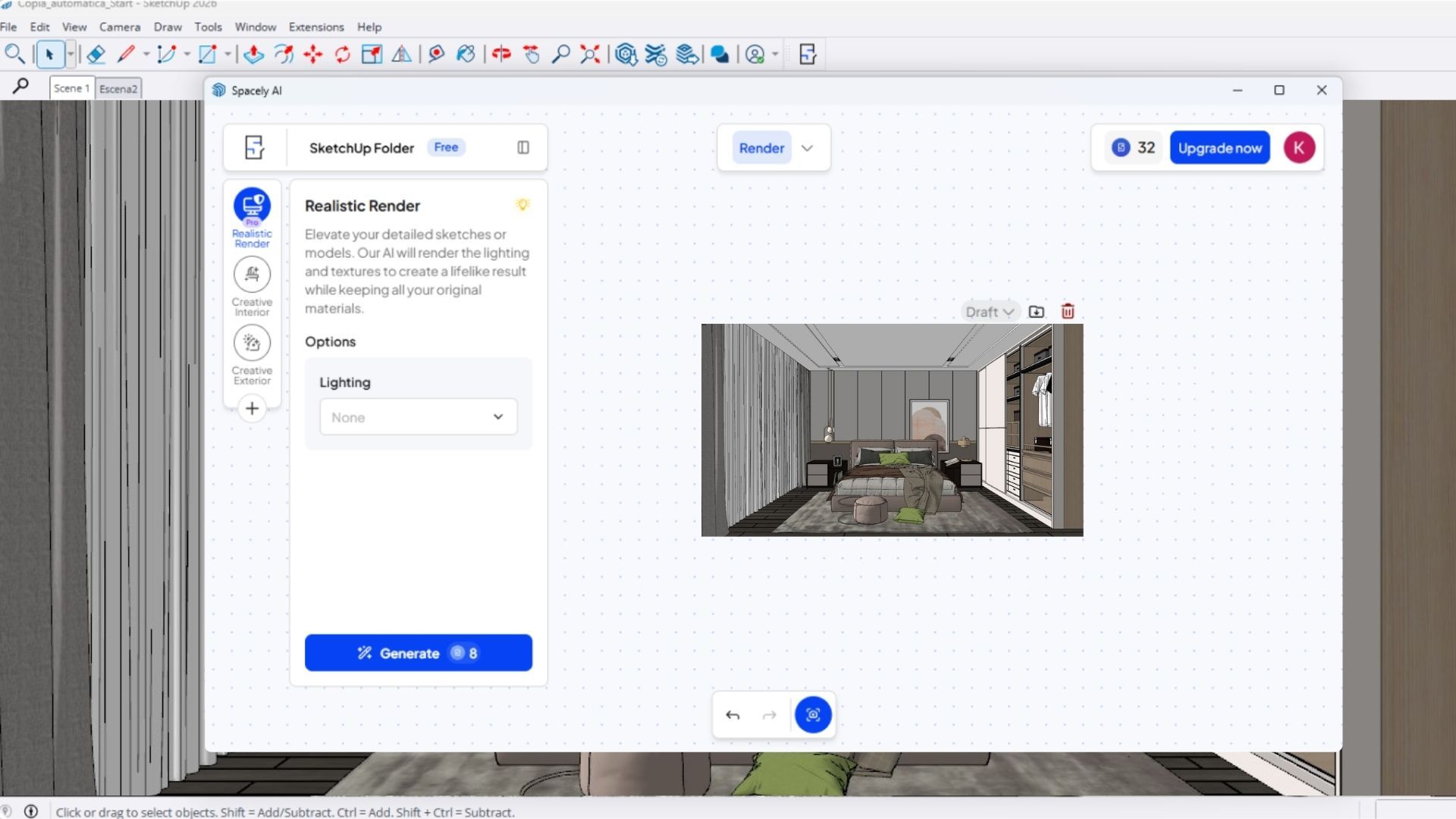
    I use Spacely AI extension (https://www.spacely.ai/), it works pretty great and they have free trial credits too. I would recommend realistic render tool, it has a built-in preset that you can click and choose. Also, they have point & edit tool which allow you to change some part of the render without having to change the 3D model.
  • 1 Votos
    1 Mensajes
    57 Visitas
    Nadie ha respondido aún
  • Style and SKM icons

    Extensions & Applications Discussions
    2
    1 Votos
    2 Mensajes
    72 Visitas
    Rich O BrienR
    Works great! [image: 1779717534197-3612e21d-ae57-431a-bfd2-3baf4d4b17c8-image.jpeg]
  • a 60-Minute comiclike Exercise just for Fun.

    Gallery
    4
    1
    3 Votos
    4 Mensajes
    144 Visitas
    HornOxxH
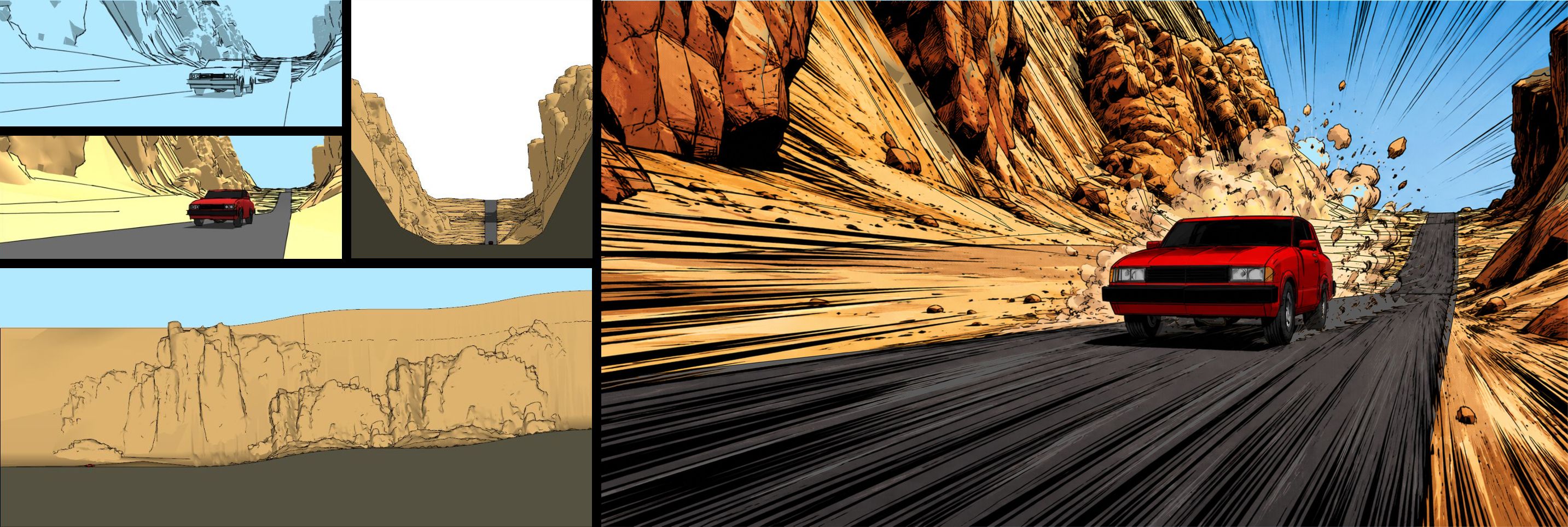
    ...the completely absurd car rampage through Roadrunner Canyon continues! (because it's so much fun) [image: 1779705275795-car-sketchy2_collage2-resized.jpg]
  • Rayscaper 0.9.94 not working

    Extensions & Applications Discussions
    10
    1 Votos
    10 Mensajes
    237 Visitas
    KrassK
    I wrote an answer to your mail box
  • SimFonIA Animation Tools (SAT)

    SketchUp Discussions sketchup
    31
    0 Votos
    31 Mensajes
    7k Visitas
    pilouP
    @huynhminhtriet You can see at my site https://moiscript.weebly.com/ Divers / Manuels / Sauce Tomate(Su) / SimFonia / ... 6 items But i doubt that links are always available! You can try http://www.simfonia.fr/SAT/ at https://archive.org/ your best luck! I will see on my own archives but i doubt, it was a some difficult program!
  • 0 Votos
    1 Mensajes
    55 Visitas
    Nadie ha respondido aún
  • Flowify issue

    Extensions & Applications Discussions
    12
    1
    1 Votos
    12 Mensajes
    425 Visitas
    panixiaP
    @mamoodoo said: I do have to learn to be better organized and be orderly as you said The model I uploaded has as few polygons are possible (given your initial shape). I included plenty of steps and comments on the process. There are a couple of thing that you could learn from that process. The less unnecessary polygons you use, the better. Order of operation matters. Keep your model as modular and low poly as possible before doing the heavy deformations. Add thickness and join modules later on. When you have a big problem, don't try to one-shot at it. Divide it into multiple more manageable problems instead. I hope that can be helpful.
  • New browser based kitbash modeler from AutoDesk

    Freeware
    3
    1 Votos
    3 Mensajes
    120 Visitas
    G
    @Rich-O-Brien Yeah that'd be nice. It seems to look and feel a lot like their old 123D app. I hope they add some sort of texture ability.
  • SCFLicense: Extension Licensing on Sketchucation

    Plugins
    2k
    0 Votos
    2k Mensajes
    1m Visitas
    alexpacio2013A
    Thank you too
  • Fredo Curviloft Stopped Working

    Plugins
    5
    0 Votos
    5 Mensajes
    165 Visitas
    alexpacio2013A
    @TIG I installed version 5.0.6 but it still doesn't work
  • SketchUp 2026 AI Tools

    Extensions & Applications Discussions
    1
    4
    0 Votos
    1 Mensajes
    718 Visitas
    Nadie ha respondido aún
  • [Plugin] ClothWorks v1.8.0 - 28 Apr 2024

    Plugins
    707
    0 Votos
    707 Mensajes
    738k Visitas
    Mike AmosM
    Korean language detected by google. I am a SketchUp 2026 (version 26.2.243.64-bit) user. My graphics card is an NVIDIA GeForce RTX 2070 Super. 포럼 사용자들에게 질문이 있으신가요? poleom sayongjadeul-ege jilmun-i iss-eusingayo? What is your question for the forum?
  • [Plugin] Emboss

    Plugins
    14
    0 Votos
    14 Mensajes
    765 Visitas
    K
    @Didier-Bur Well, obviously the Roundcorner was the first one I tried – and failed exacly like the other popular bevel plugins. As long the bevel plugins can't do the simple and trivial trick to strictly preserve vertexes (even if they would fall back to 0-length edges) and keep the matches between the appropriate vetexes from the original and the beveled contour, it will surely fail on slightly more complex shapes as the concave one in my example. In these circumstances I'll be tempted to develop a workable extension for myself…
  • 1 Votos
    2 Mensajes
    71 Visitas
    Rich O BrienR
    Hi Send me an email at support@sketchucation.com regarding publishing here.
  • Kitchen Cabinets, Noo.

    WIP
    3
    1
    1 Votos
    3 Mensajes
    87 Visitas
    Mike AmosM
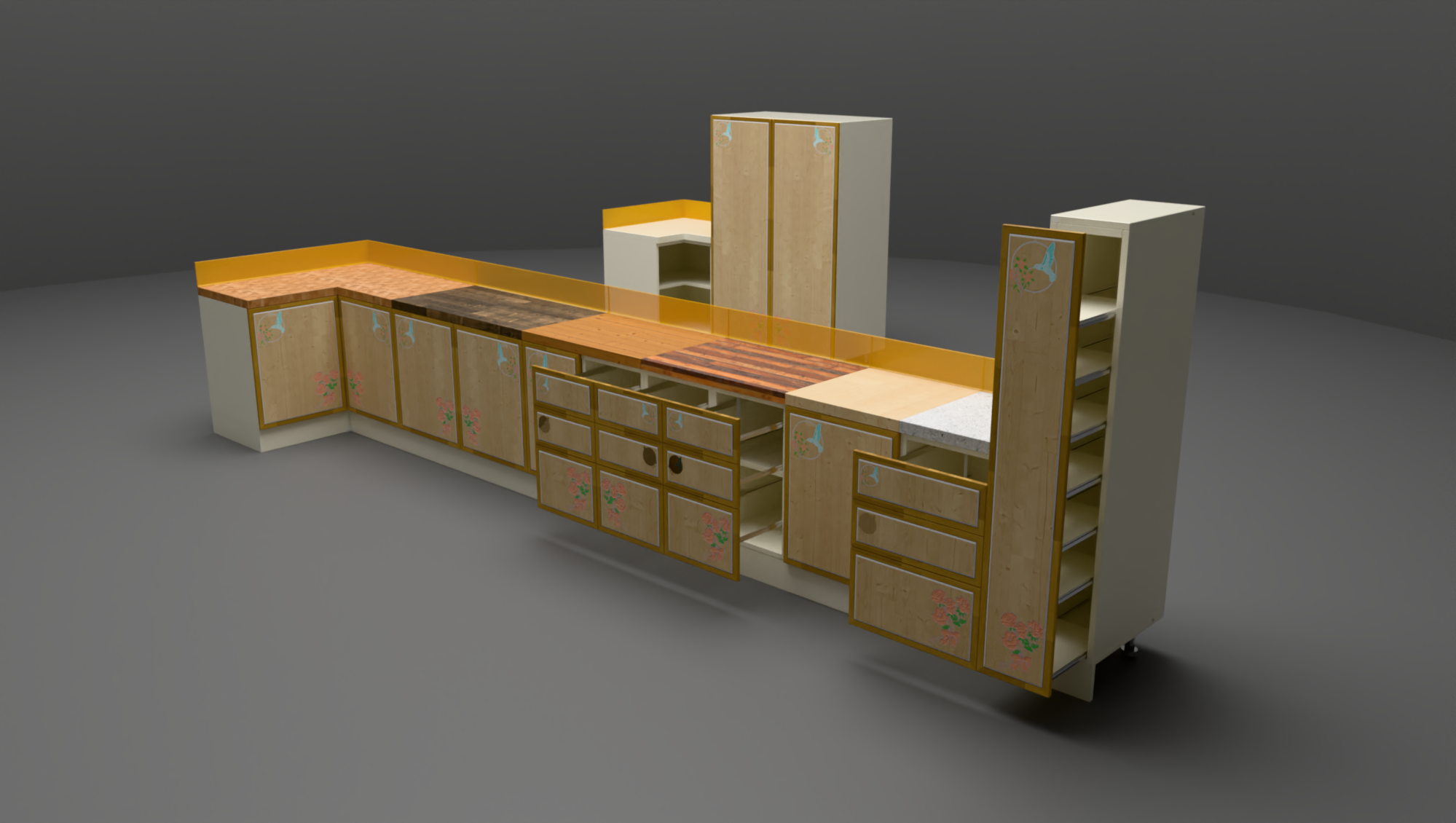
    No, just an HDRI and a mostly closed area. HDRI comes in via the missing "ceiling". [image: 1779284038891-exterior-view-resized.jpg]
  • Rayscaper New Releases

    Extensions & Applications Discussions rayscaper render
    461
    1 Votos
    461 Mensajes
    95k Visitas
    P
    Hey, Rayscaper users! Rayscaper 0.9.94 Beta is available. You can get it via: The SketchUcation store. Direct download: Rayscaper_Win_0.9.94_Beta.rbz. I recommend upgrading to the latest version. What Changed? Fix occasional skewed or corrupted textures in renders. Fix render failures when emissive materials are assigned to a group or component instance instead of directly to faces. (Cheers @krass for helping me find this bug!) Full release notes: rayscaper.com/manual/release-notes Help Me Build the Community If you like Rayscaper, please share your renders (final or work-in-progress, it doesn't matter)! This is motivating and helps me showcase its capabilities to new users. Follow me on X. Happy Rendering! Thomas
  • [Plugin] Layers Panel 1.2.1

    Plugins
    673
    0 Votos
    673 Mensajes
    277k Visitas
    X
    Extension Errors Report SketchUp: 26.1.252 OS: Windows 11 Ruby: 3.2.2 Extension: Layers Panel (1.2.2) Error: LoadError (cannot load such file -- Win32API) <internal:C:/Program Files/SketchUp/SketchUp 2026/SketchUp/Tools/RubyStdLib/rubygems/core_ext/kernel_require.rb>:85:in require' <internal:C:/Program Files/SketchUp/SketchUp 2026/SketchUp/Tools/RubyStdLib/rubygems/core_ext/kernel_require.rb>:85:in require' C:/Users/thana/AppData/Roaming/SketchUp/SketchUp 2026/SketchUp/Plugins/jbb_layers_panel/layers_panel.rb:21:in <module:JBB_LayersPanel>' C:/Users/thana/AppData/Roaming/SketchUp/SketchUp 2026/SketchUp/Plugins/jbb_layers_panel/layers_panel.rb:5:in <top (required)>' C:/Program Files/SketchUp/SketchUp 2026/SketchUp/Tools/extensions.rb:197:in require' C:/Program Files/SketchUp/SketchUp 2026/SketchUp/Tools/extensions.rb:197:in load' C:/Users/thana/AppData/Roaming/SketchUp/SketchUp 2026/SketchUp/Plugins/jbb_layers_panel.rb:51:in register_extension' C:/Users/thana/AppData/Roaming/SketchUp/SketchUp 2026/SketchUp/Plugins/jbb_layers_panel.rb:51:in module:JBB_LayersPanel' C:/Users/thana/AppData/Roaming/SketchUp/SketchUp 2026/SketchUp/Plugins/jbb_layers_panel.rb:35:in `<top (required)>'
  • Edit Signature

    Solved Developers' Forum
    12
    0 Votos
    12 Mensajes
    995 Visitas
    Rich O BrienR
    @onzki Try it now
  • [Plugin] [Re]Scene v1.0.7

    Plugins
    39
    0 Votos
    39 Mensajes
    20k Visitas
    onzkiO
    Hi, has anyone tried this in 2026? I’ve noticed that the [Re]Name button has a glitch. On the first click, it produces strange 3- or 4-digit scene names like Scene 625, Scene 626, Scene 627. When you click the [Re]Name button again, the second time it corrects itself and gives the expected sequence, such as Scene 1, Scene 2, Scene 3, and so on. Thanks!