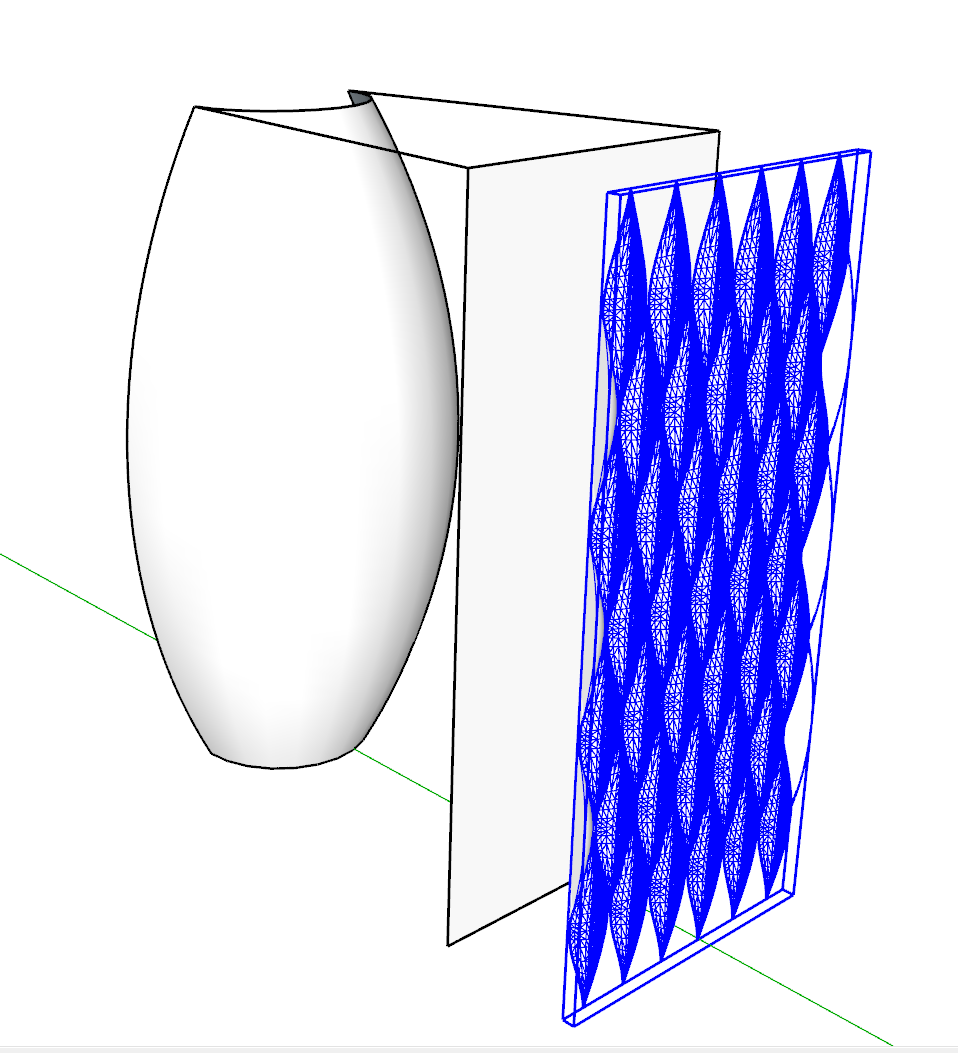
I have this handrail structure modeld that would need to be 3d printed. I would like to make the frame round instead of square. Do you have any ideast how this could be made with round edges?
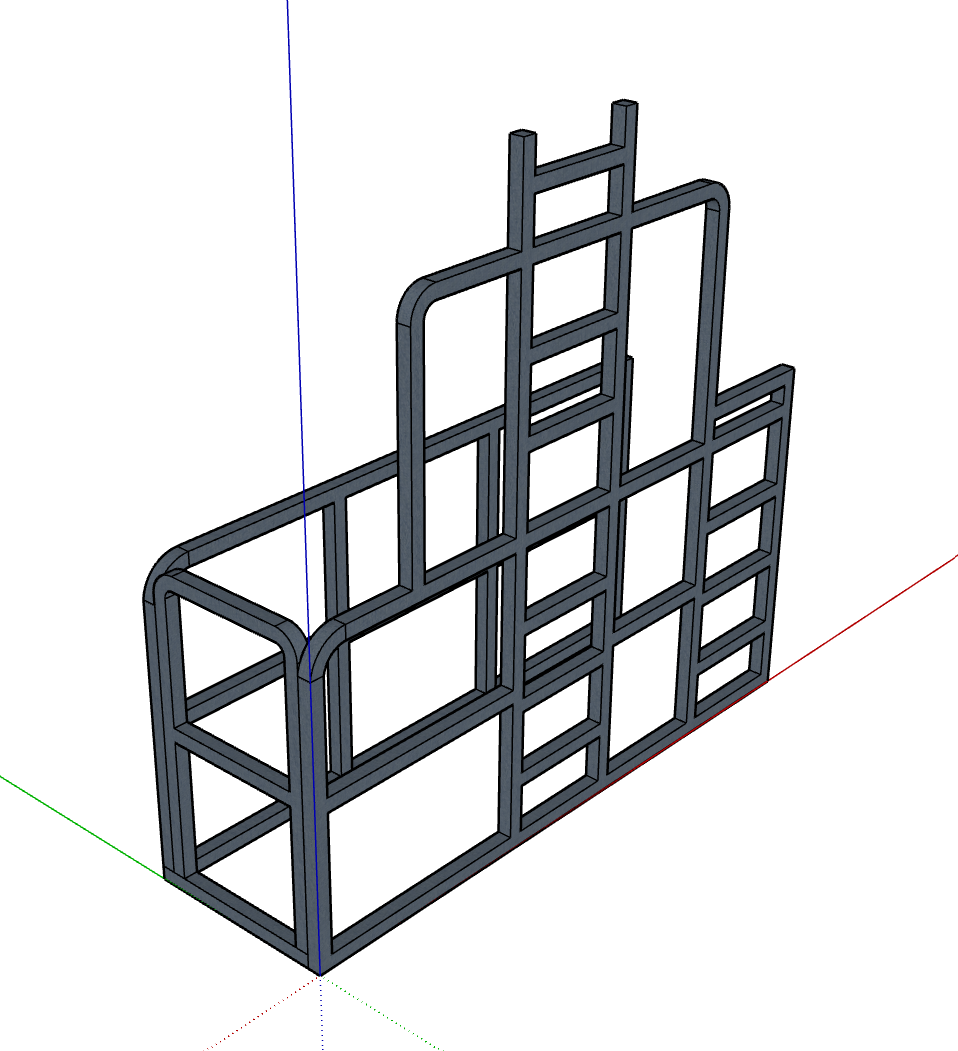
I have this handrail structure modeld that would need to be 3d printed. I would like to make the frame round instead of square. Do you have any ideast how this could be made with round edges?
I have been testing MyArchtectureAI quite some. I also purchased the Pro version with unlimited credits. In my case the results are not that great even when doing editing. There are just too many random AI stuff happening.
I just tested Archfine.com and it gave excellent results. There was editing needed because AI didn't get creative. Unfortunately it was not possible to do more test because it was possible to do only 1 test render with the free version.
It seems that the solutions (Visoid, Archfine, Viz Maker) that use NanoBananaPro are giving the best results. https://vizmaker.vizacademy.co.uk/ has also somekind of integration with Sketchup but it seems to just export the image, no material info or anything. Viz Maker has also quite good edit possibilities.
Lately I have been testing multiple AI Rendering solutions for my Sketchup models. Do you have any experience or recommendations for AI Rendering solutions?
I have been testing for example the below ones but there sems to be so many of these solutions. Based on first round of testing Visoid has given the best results in my use case.
In my case I have used direct Sketchup image export or then I have done a quick rendering in D5 Render and finetuned the D5 output with these tools.
Many of these solutions give nice looking renders but I still find the biggest challenge to be the lack of control. For example, it would be essential to be able to edit/render only certain materials/textures/parts of the model (colors/material IDs).
@Rich-O-Brien Thanks for the suggestion.
I noticed this tool few weeks ago and this would be perfect for "tracing roads" because you can define the road width separately. Unfortunately I have not found a way to include coast line in this tool and the water/sea areas are not properly defined. Hopefully this tool will be even further developed.
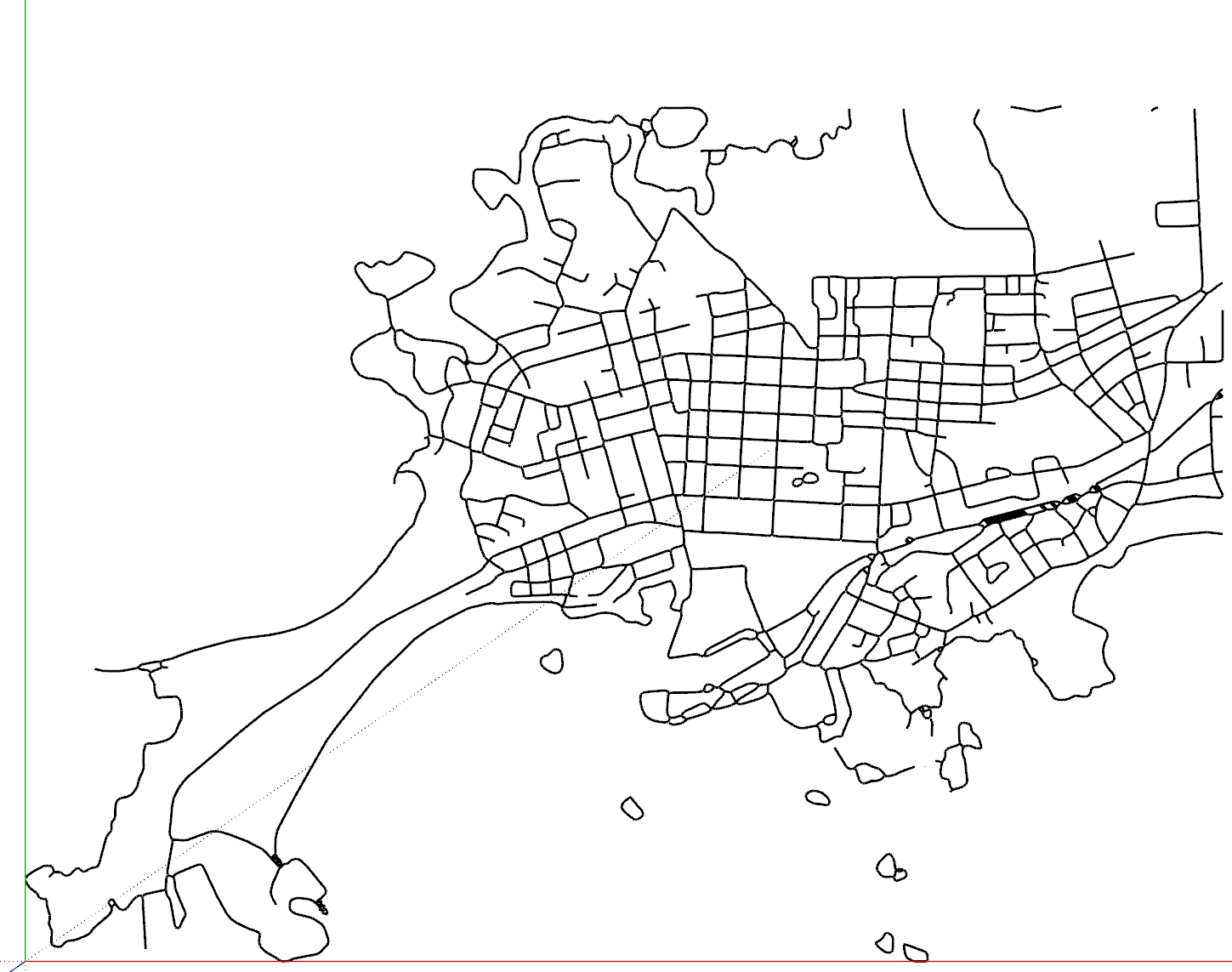
I am getting back to this topic. Qgis seemed to be quite some work to lear so I have been trying to use Inkscape for the purpose. My workflow has been:
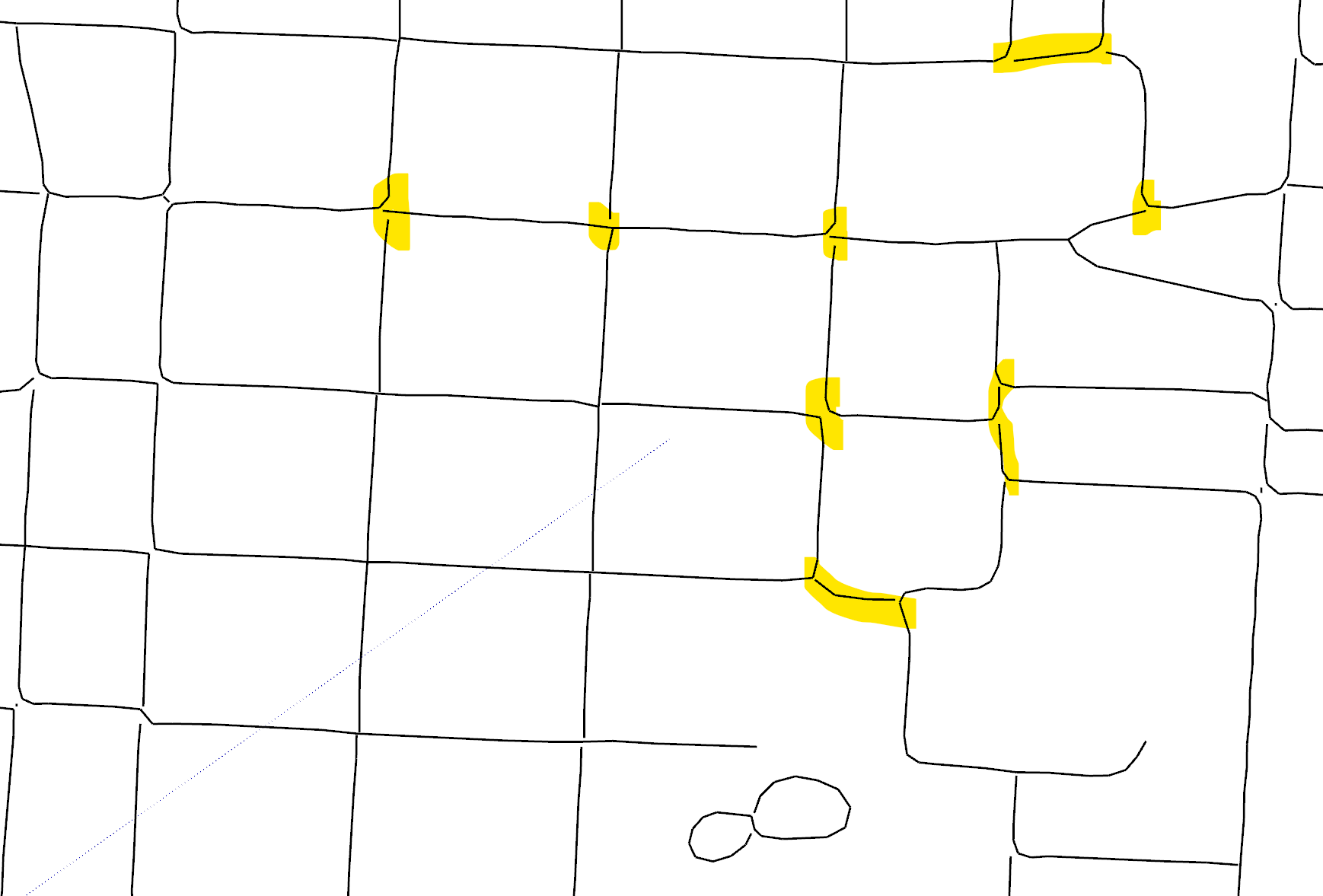
Has anybody else been using similar workflow (Inkscape + dxf export/import)? Do you have the same prblem with lines not connected or have you been able to solve this in Inscape or Sketchup, see below images?
DXF import to Sketchup:
Problem with lines not connected:
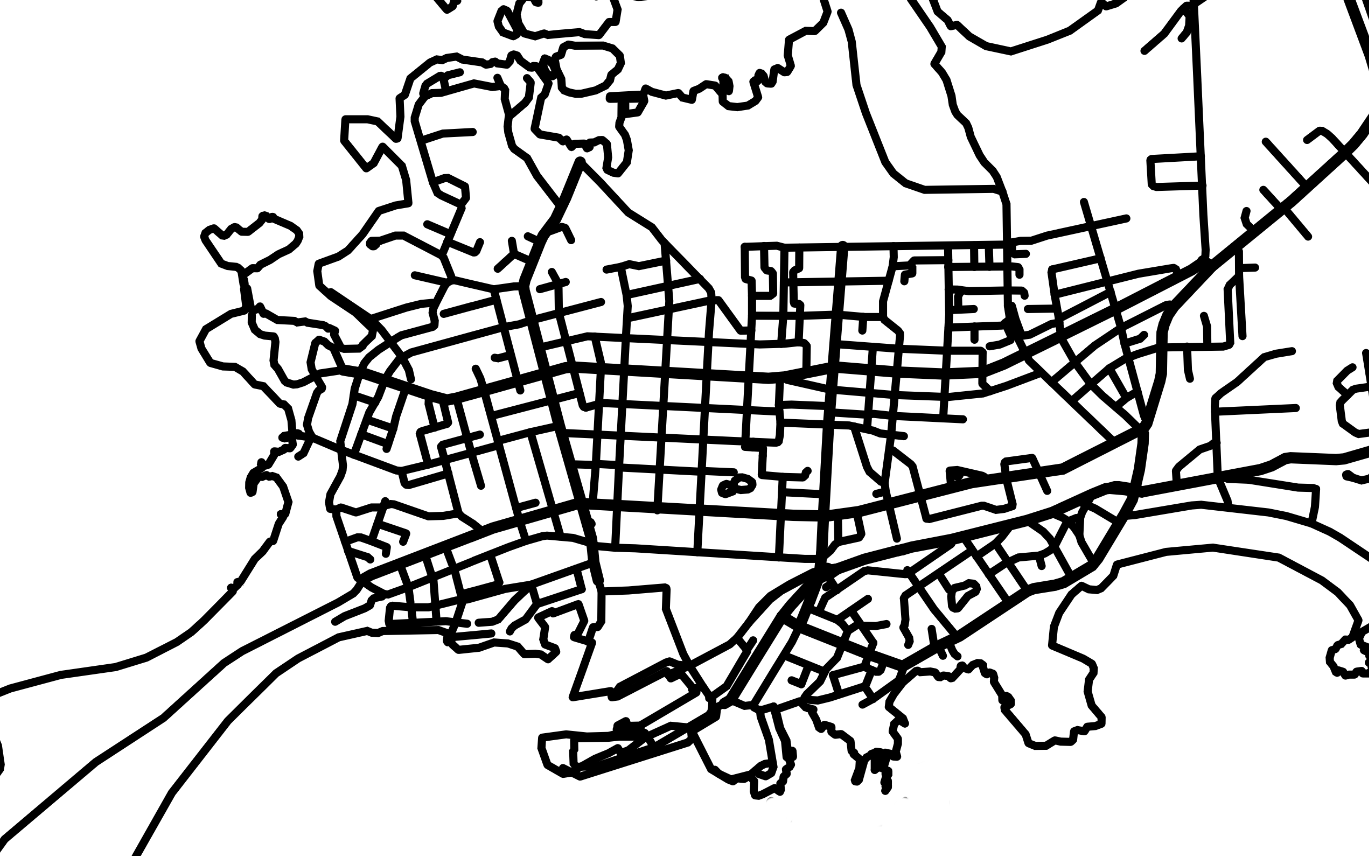
Do you know if there is any simple way or extension to import streetmap data into Sketchup?
I would like to create a wireframe (centerline of each road) out of this map. Before tracing all the roads I wanted to check if there are any tools/extension/workflows to make it easier than just tracing all the roads with pen tool?
My target is to 3D print the road network and I have been using/testing SVG import but when doing this I am not able to control the width of the road that needs to be exact width to have a nice and clean 3D print.
What would be the best way to crate a shell/single surface out of this Cat Mask 3D model?
I would like to create a surface of the "front side" of this model and then create a defined thickness for the model, with Shell type of Plugin, see link to image below. The reason for this is that I plan to 3D print this and therefore I would like to have certain thickness.
My plan was to use a Front view and Prallell Projection Gamera and select only visible faces but this still select also the faces in the back.
Do you have any good ideas/means for selecting only "Front side of the model" in complex geometry like this?

Do you have any ideas/tips/plugins (free or paid) for modeling this kind of vase? I have been thinking about using Flowify Plugin but the geometry gets somehow broken.

I was running D5 Render with my old desktop computer with GTX 1060 and it was running somehow OK, about 4-5min per single render for simple scene. I recently bought a new laptop computer with RTX3060 and I works pretty good, about 40-50sec per similar render.
I have been using D5 Render for a couple of months and I have to say that this is just great for non-commercial use. Earlier I have been using Twilight Render and Thea Render but D5 Render is much easier and quicker to use and I still get the good enough results for non-professional use. The only downside is that you will need decent spec for your computer.