Here's a detail showing some of the screw threads. Added some color in the render.

Oops, your profile's looking a bit empty! To help us tailor your experience, please fill in key details like your SketchUp version, skill level, operating system, and more. Update and save your info on your profile page today!
Urasik Extensions | Lots of new extensions to check out Learn More
 Offline
Posts
-
RE: Overhead Line Shaft Detail
-
RE: A Recent 3D Printing Project
@Rich-O-Brien I'm not open sourcing the print files yet but we'll see. This is going to a friend to test to see if it's even going to be useful.
Cool story about the sock remover. Maybe something like that would happen for me.
-
RE: No context menu fo clothworks.
@ximcix said in No context menu fo clothworks.:
but no context menu when I right-click on a bare surface (not a group or a component).
@ximcix said in No context menu fo clothworks.:
Any suggestions?
Read the instructions.

ClothWorks | SketchUcation
3D SketchUp Community for Design and Engineering Professionals.
(sketchucation.com)
You need to have groups or components for the cloth and collider for Clothworks to work on.
There's no reason fo Clothworks to appear in the context menu if you are right clicking on a face since the extension doesn't work on that context.
-
RE: Cone bending
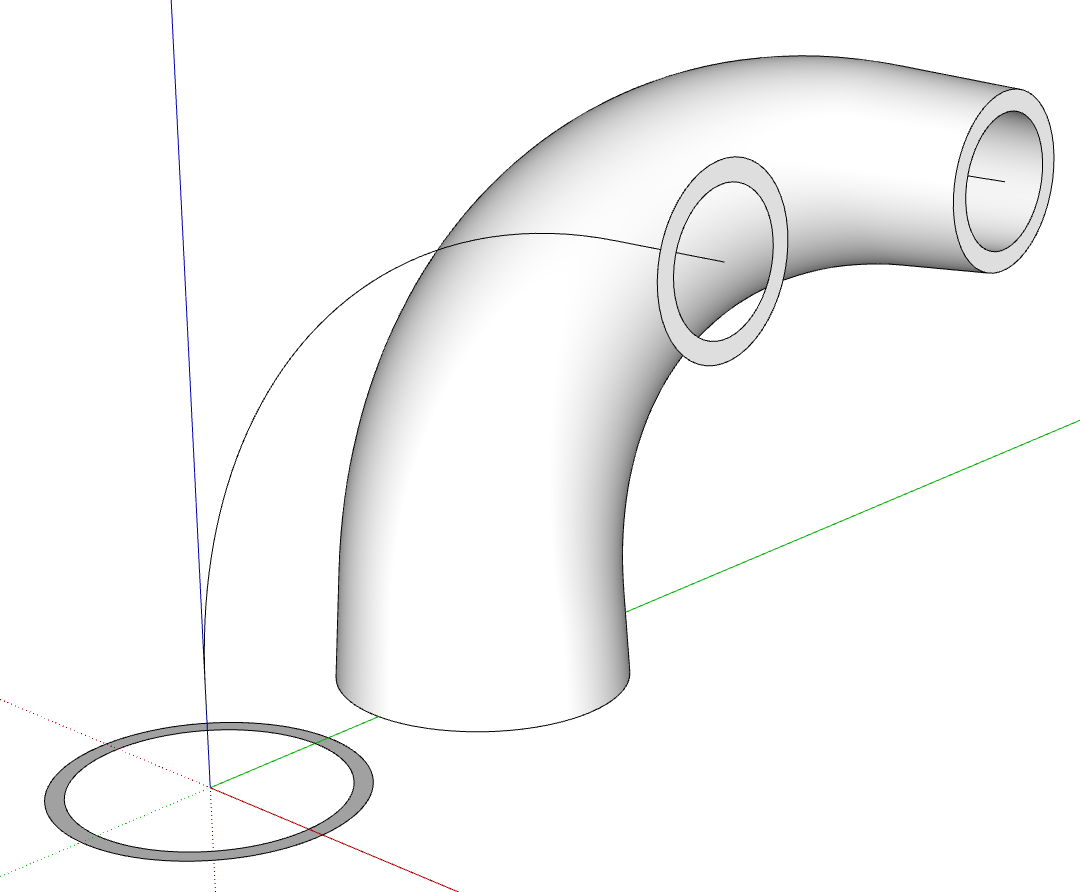
@Christian_33 what version of SketchUp are you using? Can you show an image of the sort of thing you are trying to create?
My first thought is to use Curviloft with a centerline and the shapes at the ends for profiles. Might be other options, too.
With Curviloft.
-
RE: Overhead Line Shaft Detail
Here you go Rich.
Full size:

With a wireframe overlay.

-
RE: A Recent 3D Printing Project
A few more 3D printed things.
The H-shaped thing fits into the back pocket of a waist pack style camera bag and the C-shaped clips attach to it through the fabric with M6 screws. I printed some temporary ones while waiting for proper metal ones to show up. The 3D printed screws worked fine as long as they weren't torqued too tight.
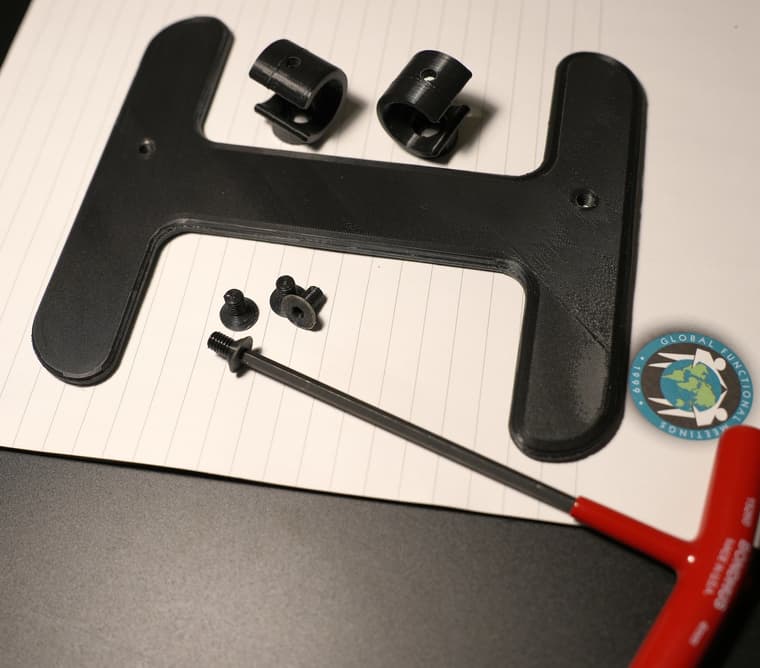
This is a sort of adaptor for attaching the bag on a new chair. The new chair's cross tube is farther back and larger diameter than on the old chair.
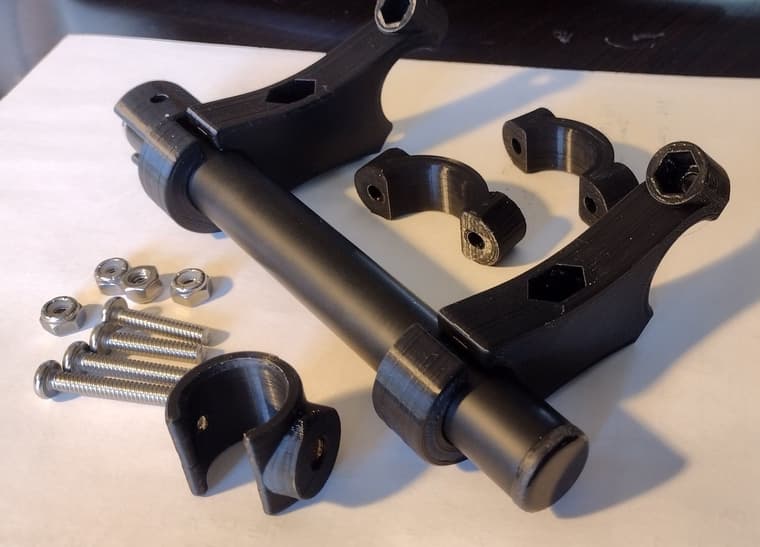
And here's the bag in place on the adapter on the new chair.
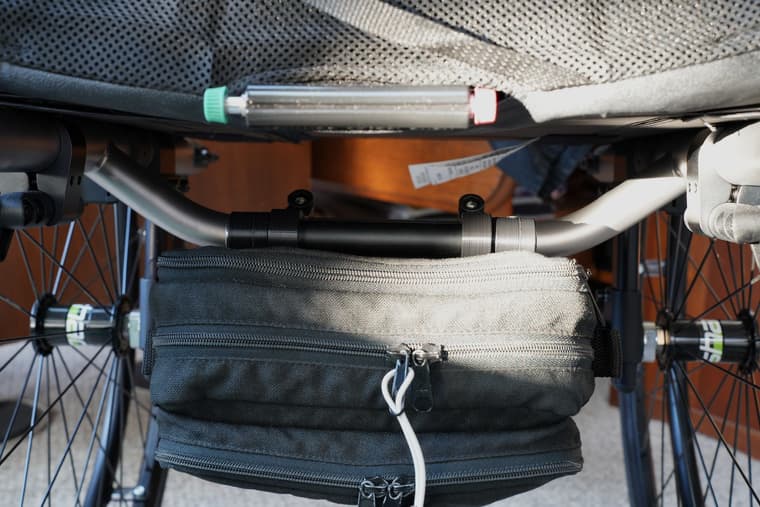
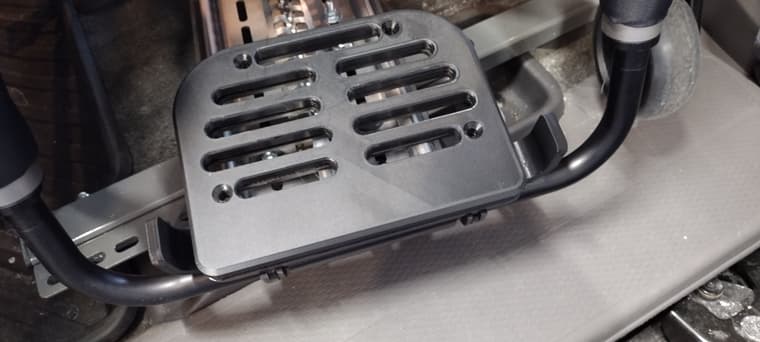
This is an auxilliary footplate with side guards to keep feet from falling off the sides. Temporarily installed for the picture. Waiting for screws and lock nuts to come.
-
RE: JHS Powerbar for SU 2025
Did you try installing it correctly using the Sketchucation ExtensionStore tool?
FWIW, did you use the Sketchucation ExtensionStore tool to install your Sketchucation Bundle? If not, you may have issues with some other extensions. The extension migrator for SU2025 only copies the extensions from a previous installation of SketchUp. It doesn't update them like installing the bundle with the ExtensionStore tool does.
-
RE: problem using V-RAY 5 with SU 2019
Contact Customer Support at Chaos Group so they can help you sort out your license.
-
Overhead Line Shaft Detail
Combining parts I've modeled based on a variety of sources from the late 1800s to very early 1900s. Still need the belt shifter if I can find the details.

AO in Kerkythea under a faces only and a sketchy edges hidden line export.
-
RE: A Recent 3D Printing Project
@Rich-O-Brien thanks Rich. You're right. The bag adapter thing wouldn't be available off the shelf anywhere.
There are alternatives for the footplate thing but as you say, they are much more expensive. A friend had ones made of HDPE installed on her chair.
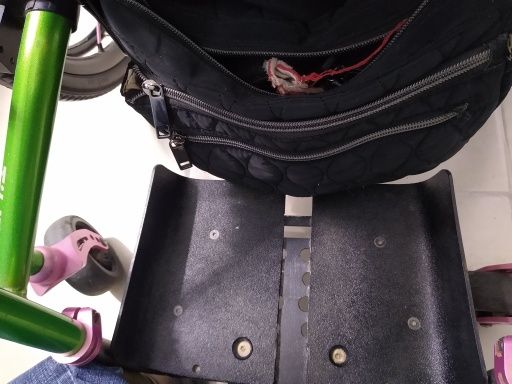
I think the price was about $250 or $300. My version has less than $3 worth of filament in it and I can't charge for the development time.
 My version weighs about a third of the one she has.
@Mike-Amos thank you.
-
RE: 3d dimensions visible for render
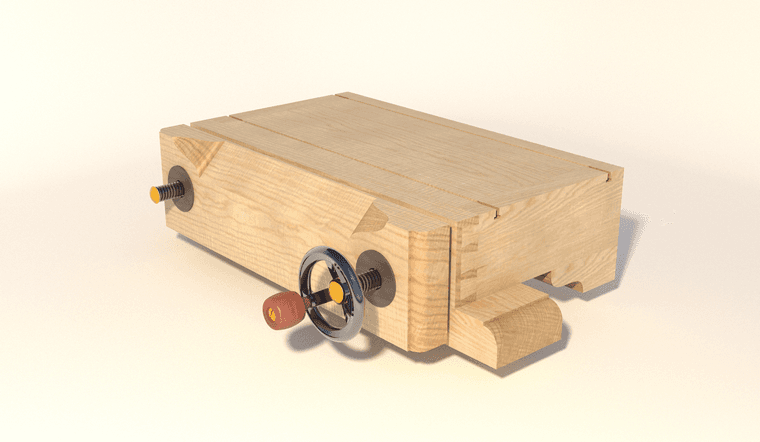
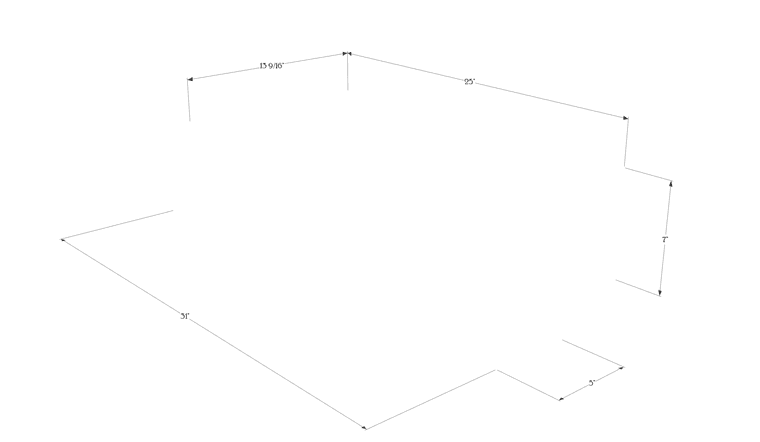
I don't believe there are any extensions to do that. You could use 3D text and drawn 3D dimension and extension lines to create the geometry. I find it's simper and faster to combine a couple of image exports; the render and a dimensions-only image direct from SketchUp. This is a quick 10 second render to show the idea.
The render:
The dimensions-only image export from SketchUp:
And after combining them in an image editor:
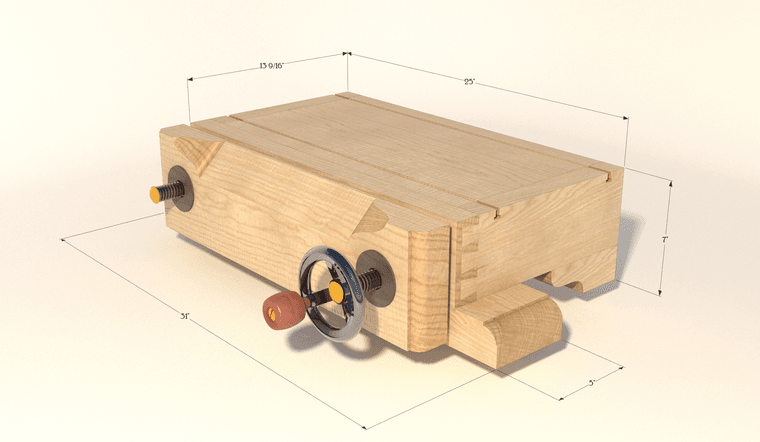
The layer for the dimensions is set to Multiply in the image editor. -
RE: Discussion - object is not a manifold solid !?
@alexpacio2013 said in Discussion - object is not a manifold solid !?:
I guarantee you that Bool tools 2 works and works better than the standard tools even among solids
You're preaching to the choir on that point. I don't use nor even recommend the native Solid Tools.
I guess I have no problem, even for complex objects, with making them solids so I get predictable results when using Bool Tools 2 or Eneroth Solid Tools.
-
RE: Strange corners
Hard to say from just a single image. What orientation was the model in on the bed? What material?
-
RE: Model for 3D print will not make solid (SU 2015)
You're welcome.
@jgb said in Model for 3D print will not make solid (SU 2015):
I never knew about using "tab" in Solid Inspector 2.
It's a good idea to check out the message line at the lower left of the model window whenver you start a tool.

@jgb said in Model for 3D print will not make solid (SU 2015):
Next model I will try using meters instead of centimetres. Just that 10:1 is easier to work with than 100:1 as I have to visualize the model against a ruler to get some sizing correct.
You misunderstand what I told you. There's no need to deal with 10:1 or 100:1 at all. Set the model units to meters. Read millimeters off your ruler and just enter them without doing any math at all. If you measure 15 millimeters on the ruler enter 15 in SketchUp. It'll go in as meters but you don't need to do anything with that. When you export the .stl export it with Model Units set to meters. When you open it in the slicer it'll be in millimeters and you don't have to do anything as far as the scale goes.
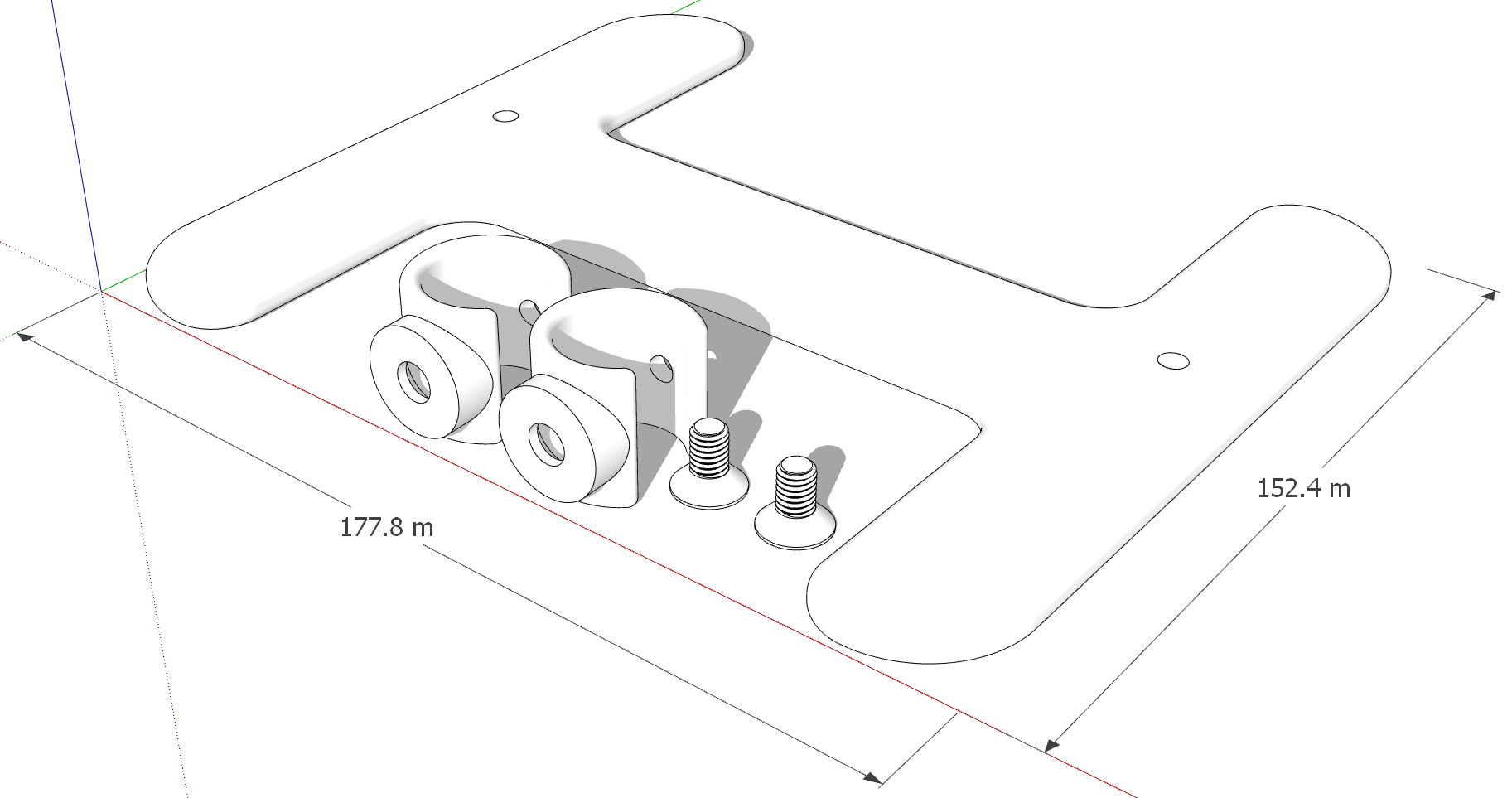
Here's another example. Model in SketchUp with units set to meters. The screws are M6 but the threaded part is modeled at a hair under 6 meters in diameter.
And the 3D printed parts.
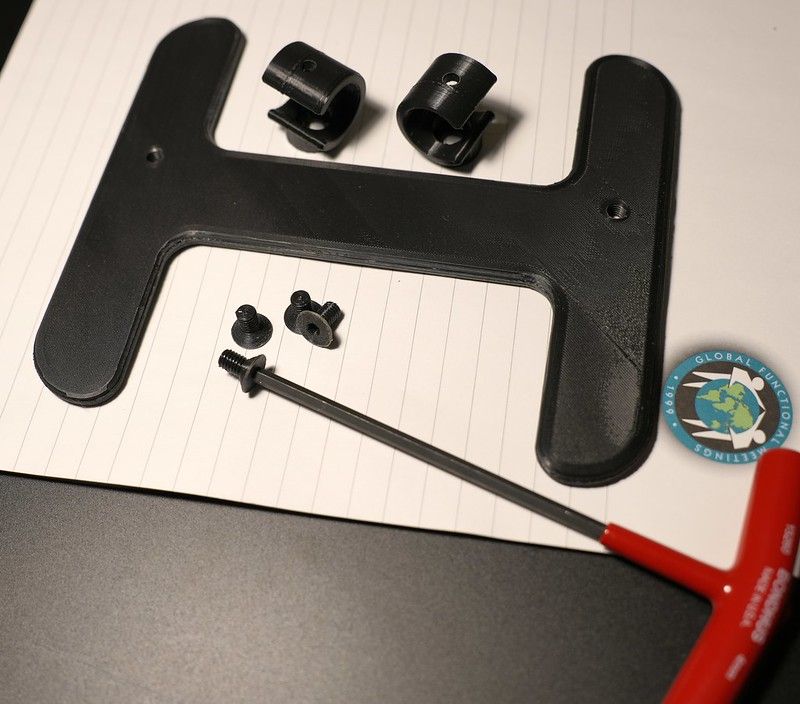
The M6 screws fit into the tapped M6 holes just like their commercially made metal counterparts would.
@jgb said in Model for 3D print will not make solid (SU 2015):
Alternatively, just open the group or component and activate the tool. Saves you from jumping in and out of the object while editing.
Doesn't work for me. What am I missing here?
I guess you'd have to ask Thom Thom about that one.
-
RE: Thread maker plug in
What do you need from these threads? Do you just need to represent threads are are you planning to 3D print them? Or maybe something else?
If I need threads that match existing standards, I find it better to draw the correct profile and extrude it along a helical path. Here are some fairly recent examples.


-
RE: Any good tutorials on BEVEL gear design in SU?
FWIW, here's what it takes to make a solid object from a gear created by SP Gears.
-
RE: Sketchucation Tools 5.0...
Thank you for whatever you did. It works as expected now.
-
RE: Seamless tiling
@panixia that's fine. I was simply demonstrating what it would take for the OP to use the texture image they shared.

