@tuna1957 thank you. It does seem to be working fine. The original side things on the foot plate were PLA which is brittle and one of them got broken. Easy enough to print new ones. The current ones are PETG and seem to be holding but I got a spool of TPU yesterday and made a new set that are a little flexible. Maybe they won't break. We'll see when I get the opportunity to swap them in.
Oops, your profile's looking a bit empty! To help us tailor your experience, please fill in key details like your SketchUp version, skill level, operating system, and more. Update and save your info on your profile page today!
Urasik Extensions | Lots of new extensions to check out Learn More
 Offline
Posts
-
RE: A Bench and a Stool
-
RE: SCFLicense: Extension Licensing on Sketchucation
@danielturnerkaemark said:
but it keeps giving this error
Did you do what was directed in the error message?
-
RE: Laser cutting from Sketchup
If you turn off the tags for the parts you don't want and set up a scene to show the object(s) you're interested in, you should be able to export the view. Or use LayOut. It would be better for setting up the view and getting the desired export.
-
RE: Another Machinist's Model of a Steam Engine.
@ntxdave said in Another Machinist's Model of a Steam Engine.:
@Dave-R Very nice sir!

You said all SketchUp. Did you use any plugins?
Yes, I did use a few extensions. For this latest one TIG's Extrude Edges by Rails, Fredo6's Fredo Corner and Round Corner., and TIG's Tangent Tools, Eneroth Solid Tools, and Bool Tools2 is about all.
By saying "all SketchUp" I meant there was no external rendering done.
And thank you!
-
RE: [PLUGIN] Flowify v1.1.0 (updated 150327)
@camilamichalouski said:
The plugin doesn´t work to SU 22. It´s possible to update?
Flowify dpes work in SketchUp 2022. Looks like your model isn't set up correctly. Share the file so we can see what you've got going on.
-
RE: Large Model Lag: Is it my storage setup or just SketchUp limits?
There are many examples in which SketchUp files, especially larger ones, have been fatally corrupted when they've been saved directly to an external drive location. In many cases the data winds up being replaced with zeroes. Often all of the data is replaced with zeroes.
The general adice is to work on the file while it is saved directly to an internal drive. If you need the file to be on a server drive or out in the cloud, copy it to that location after a successful save to the internal drive.
Also, you should be regularly purging unused content from your models, keeping material file sizes reasonable, and keeping polygon counts under control.
-
RE: Line spacing - Interlignage
I don't have a Mac anymore to be able to make a screen shot for you. In the meantime check out the Help files on the topic of formatting text in LayOut. https://help.sketchup.com/en/layout/formatting-text Specifically under Setting paragraph formatting.
-
RE: [Plugin] SectionCutFace
@charliemortenson55 said in [Plugin] SectionCutFace:
Hello!
I was hoping that this plugin might allow me to color the section fill within a certain group while leaving other section fill to the default style setting.
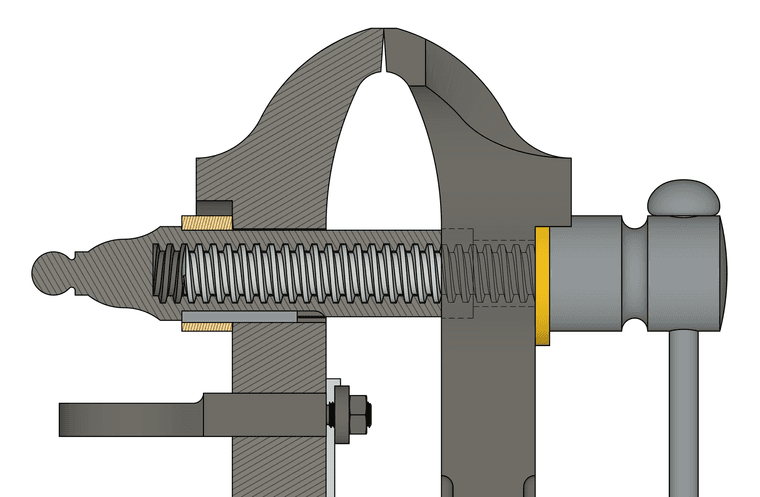
You could have a color/material In Model that is the same as your default fill color and then after creating the section cut face, edit the resulting group and with Hidden Geometry displayed. paint the faces you wish to have a different color or fill. I frequently use a section cut face with different materials applied to different faces and this works perfectly.
Alternatively you can use multiple section cuts through different objects and apply different materials to each section cut face.
This uses one section cut face and two different hatch pattern materials. Some faces with a different rotation and scale for the material, though.
-
RE: Split tool to cut contour lines
@Aartrace1 that seems normal if you are locking and unlocking viewports. Why are you locking the viewports and the layer they are on? No need to do both. I would only lock the layer(s). Then, when you update the SketchUp reference, the viewports will render automatically if Auto Render is enabled.
-
RE: [Plugin] SectionCutFace
@ambro96 said:
Question 01:
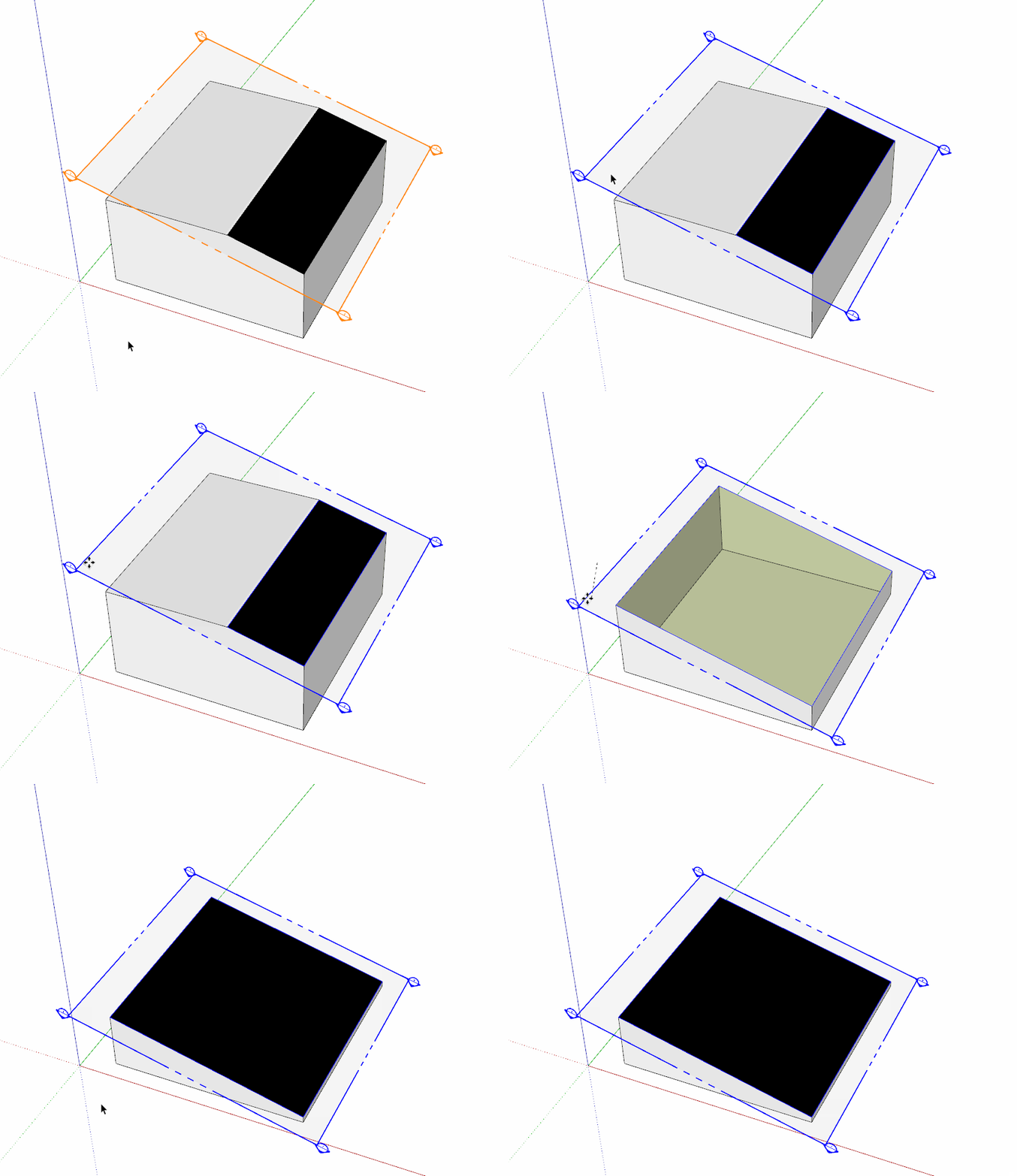
It just seems like Section Faces applied to the Section Cut remain stuck in place and also remain visible in my 3D model once I return to my main 3D perspective Scene. They dont hide as per a standard SketchUp Section Planes doesThey are just geometry like any other faces with edges wrapped up in a group container. And like any other group, if you don't want to see it in certain views, you turn off the tag/layer you have associated with it.
@ambro96 said:
Question 02:
Can they be dynamic, so if i move the section plane, the faces also auto update in the new section plane position?Yes. If you enable that when you create them. Turn on Auto Update. Then it will update after you move the section plane.
-
RE: Another Machinist's Model of a Steam Engine.
@tuna1957 Thank you. Shapers were fairly common in the late 1800s and early 1900s. There are still some in use today, though.
-
RE: Split tool to cut contour lines
You still have to open the group for editing in order to get to the lines. It's a lot like working in SketchUP. When you exploded the viewport you wound up with a scaled drawing group. Also, depending on how the SU file is structured, there may be nested groups--groups inside of a parent group. Double click on the contours until you can select a single contour line.
-
RE: [Plugin] Lines to tubes
@Mahasamaritan said in [Plugin] Lines to tubes:
How can you make Lines to Tubes work in Sketchup 2014?
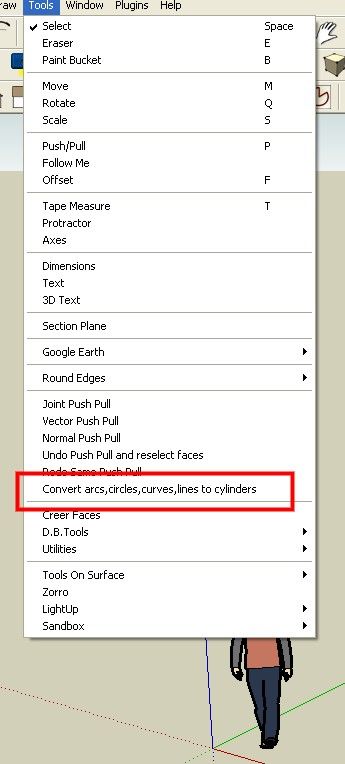
Just install it using the Sketchucation ExtensionStore tool, select the edges and then run it. It works just fine in older SketchUps.
-
RE: How do I show hidden geometry in LayOut?
@kzrdvd also note that the viewports must be rendered as Raster in LayOut. Hidden Geometry will not be displayed in Vector or Hybrid.
Do you really want to show all the hidden geometry in the model or are you wanting to show hidden features as I have on the left in this image?
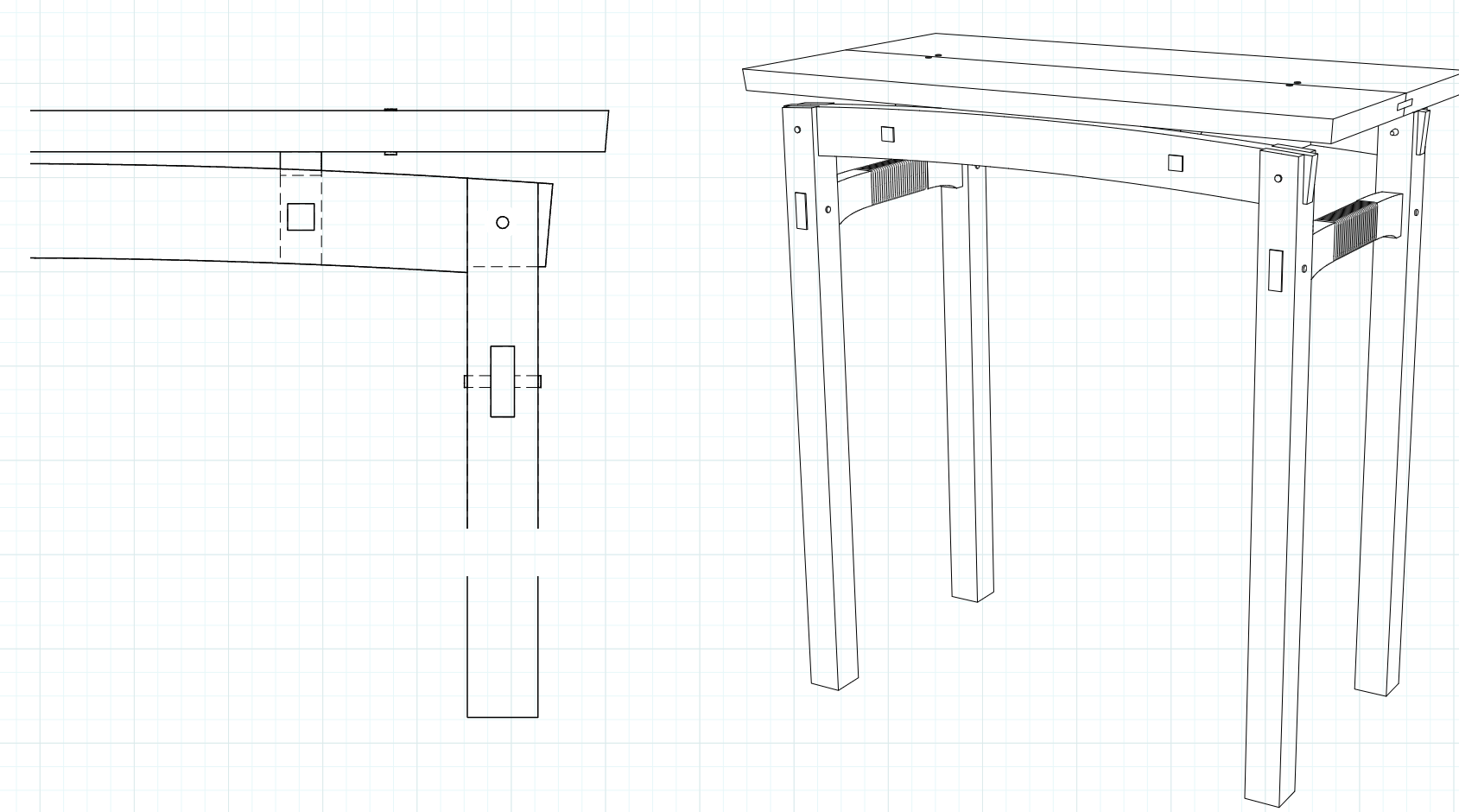
This requires a different method if this is what you want.
-
RE: [Plugin Library] LibFredo6 - v15.9b - 21 Apr 26
@simulat that is typical of incorrect installation on Windows which prevents SketchUp being able to write the required file that stores the toolbar locations. . Correct installation requires right clicking on the installer and choosing Run as administrator. That's not the same as running SketchUp as administrator.
Are you running a cracked version of SketchUp 2020?
-
RE: A Mahogany Lowboy
@HornOxx I'd have a difficult time making one of those legs out of real wood by hand. Getting four to match? Not likely.
-
RE: Unwanted lines showing in hybrid mode
The issue is a graphical thing caused by your model being placed at a huge distance from the origin.
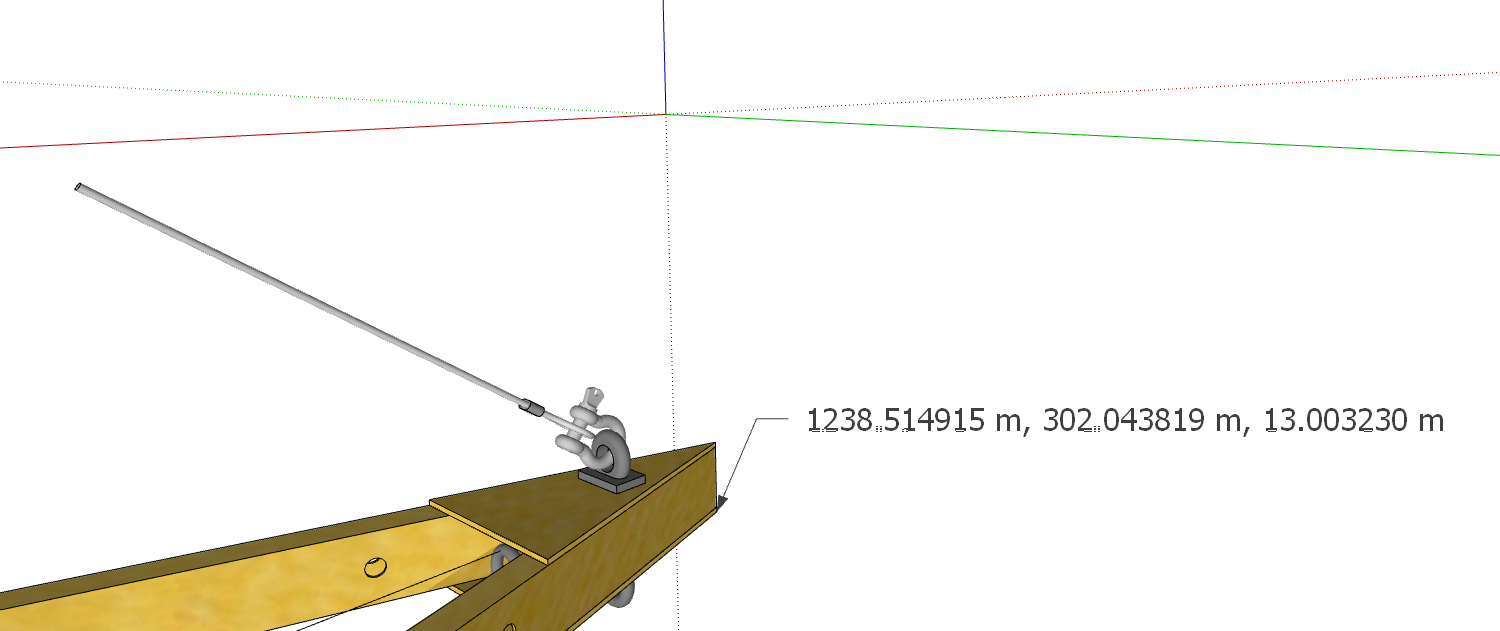
It's more than a kilometer away. Reset the axes and then move your model to the origin and update the camera position for the scenes. for a detail thing like this I would copy the objects of interest into a separate model file so you can keep them close to the origin. An alternative would be to leave the viewport rendered as Raster and remember to disable the Output Override in Document Setup>Rendering.
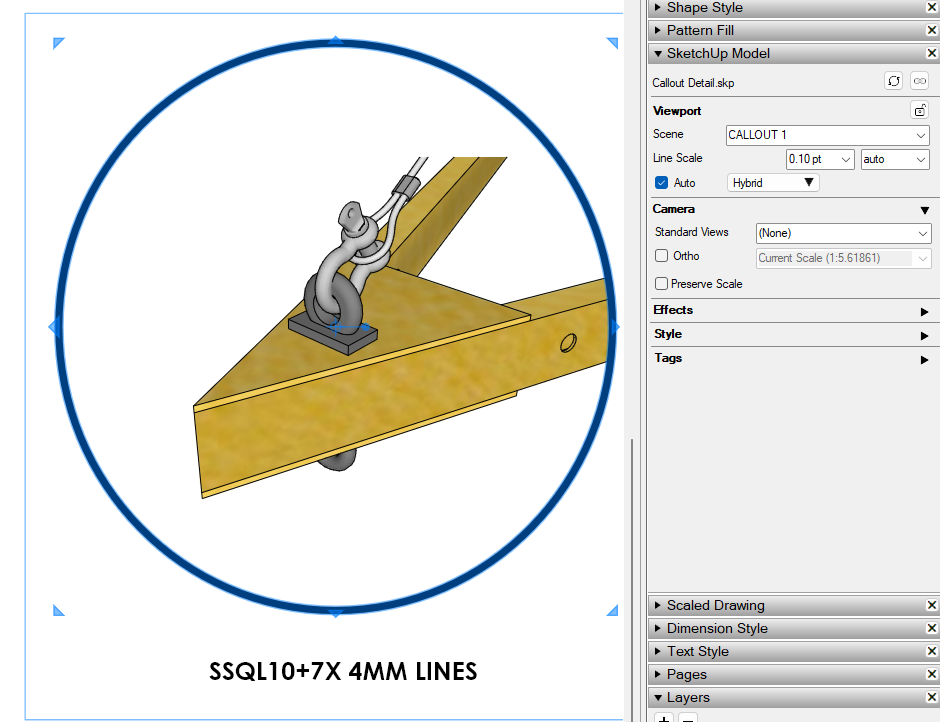
Here I copied that frame object to a new SketchUp file and placed it at the origin. Then I relinked the viewport to that new file. It now renders correctly and it actually updates almost instantaneously when changes are made in the SU model.
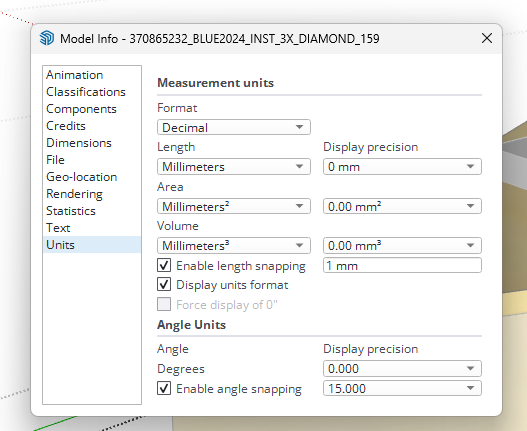
In your model I see you have Length Snapping enabled. This can get in the way of creating accurate models. I would also suggest setting Display Precison higher than the precision you require in your LO file. That'll help you avoid dimensional issues.
In LayOut I see you are modifying the Camera position for the viewport. It would be better to set up the camera position correctly for the scene in the SketchUp model and avoid modifying it in LayOut. That will avoid potential problems that would make your work more difficult.