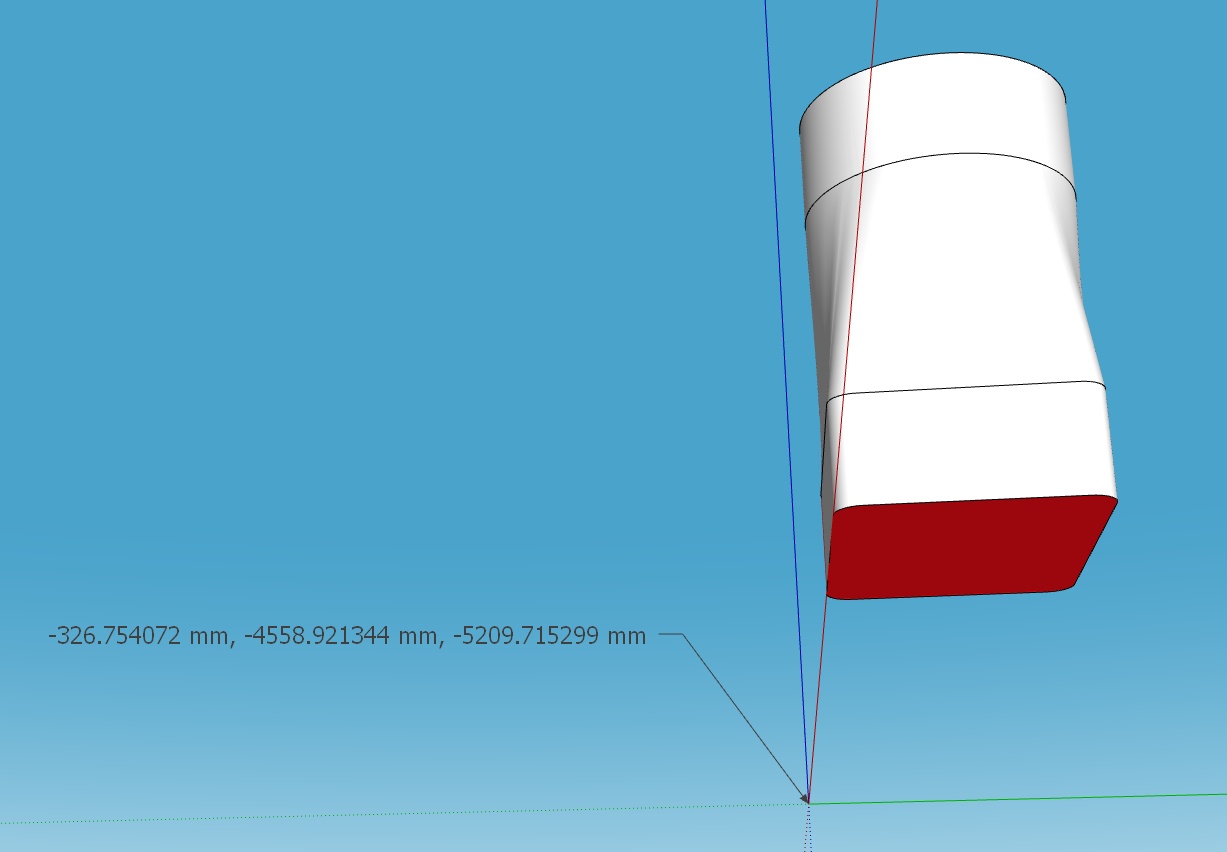
No need for a plugin. Just select all of the geometry, right click on it, choose Intersect Faces>With Selection and then erase the part you want to keep.
Oops, your profile's looking a bit empty! To help us tailor your experience, please fill in key details like your SketchUp version, skill level, operating system, and more. Update and save your info on your profile page today!
Urasik Extensions | Lots of new extensions to check out Learn More
 Offline
Posts
-
RE: Cut through roof
-
RE: Annoying pop up
@Leggy said in Annoying pop up:
so just scale down by 0.001 then export and we should be spot on in mm
No. As I wrote:
said in Annoying pop up:
No need to scale those models down.
And as @Box wrote.
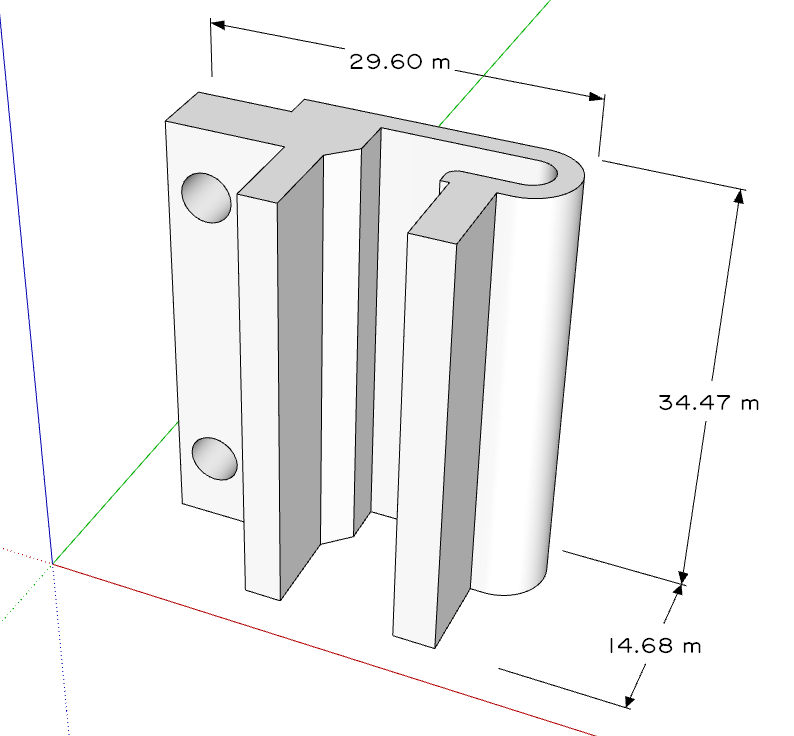
I've shown examples like this before. The SketchUp model:
And the 3D printed object.
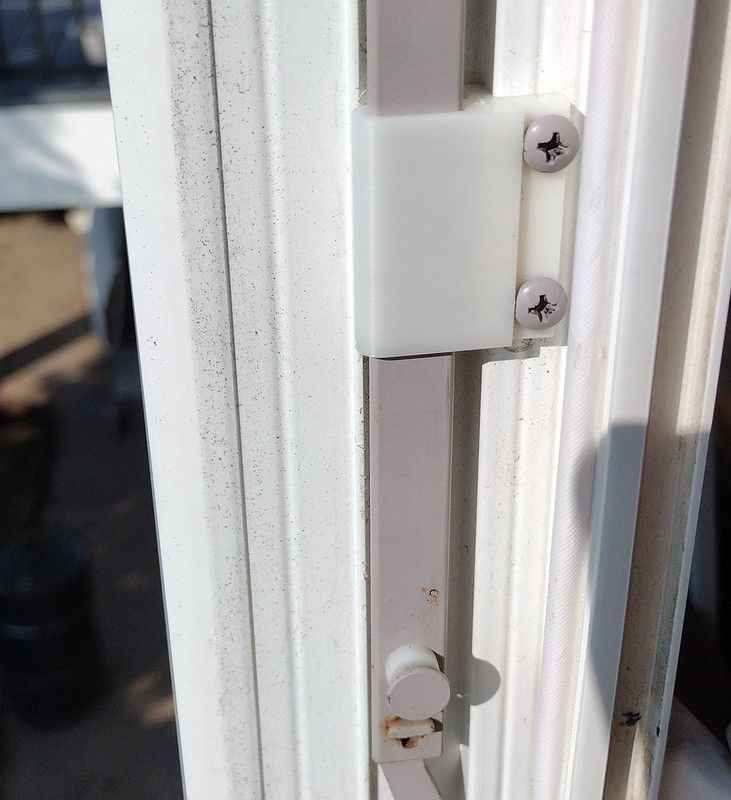
No scaling of the model required. The .stl file was exported at Model Units (meters). but the slicer reads the dimensions as millimeters. -
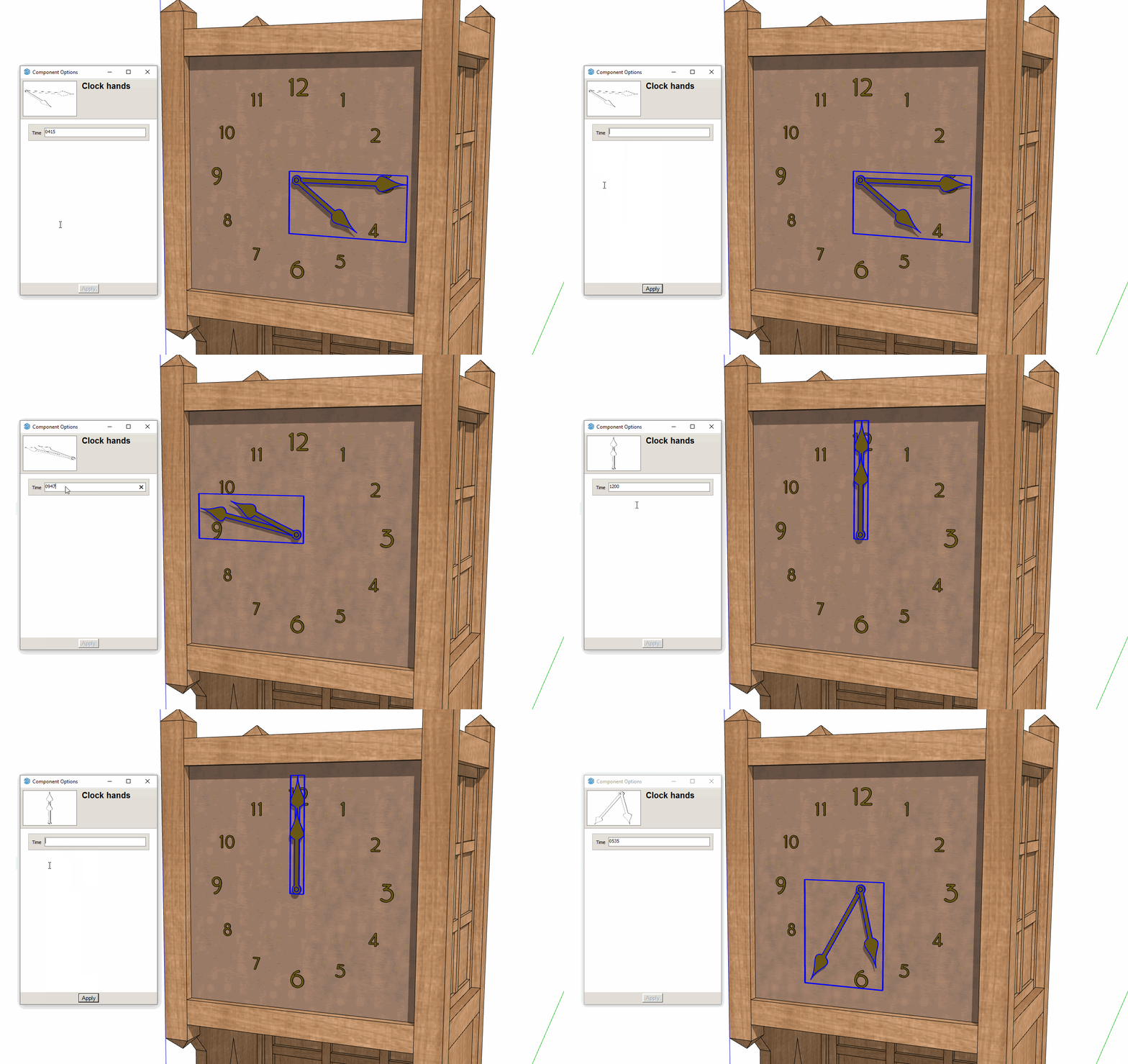
Clock with DC Hands
An experiment to create clock hands that will rotate to the correct time based on a typed time.
-
RE: Box Exercise Discussions
I see a major issue is that your profile is offset inward from the path but more than the radius of the arcs at the ends.
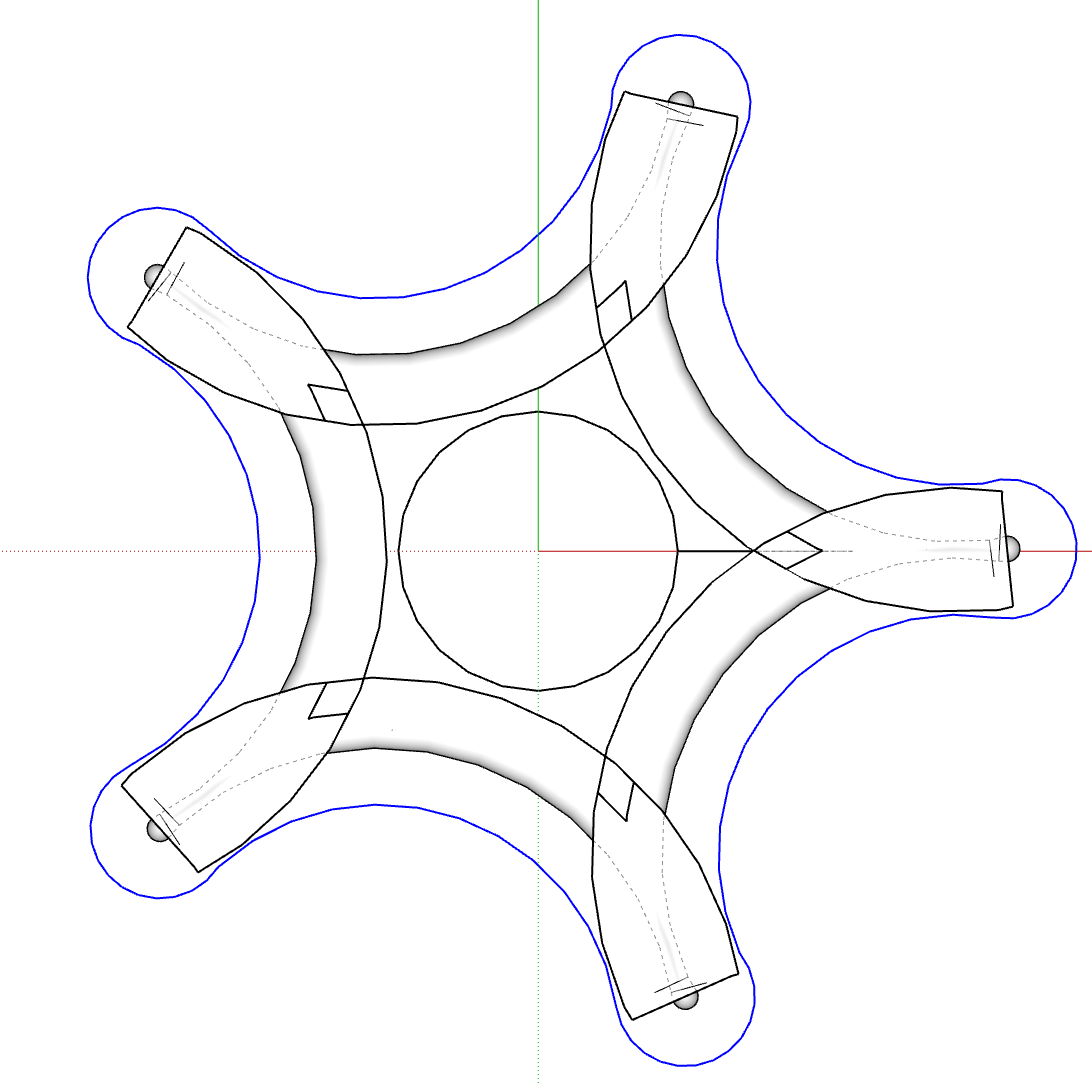
Do you really want the "knobs" at the ends to have that corner.
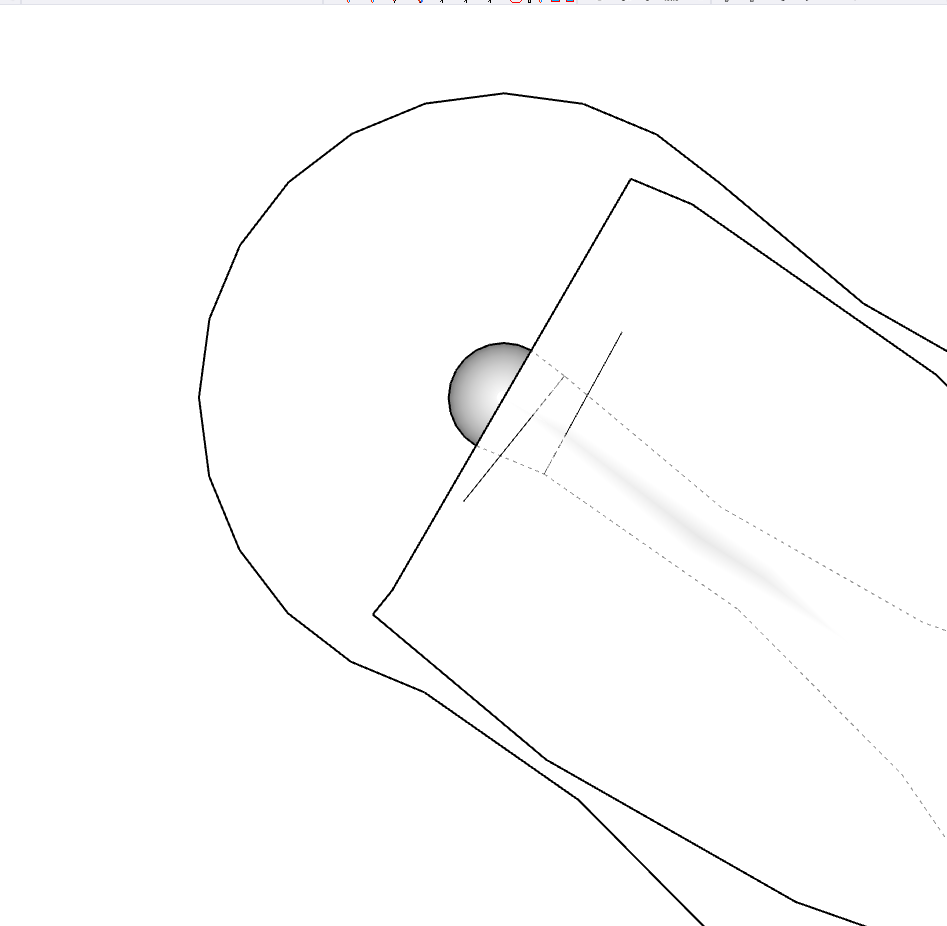
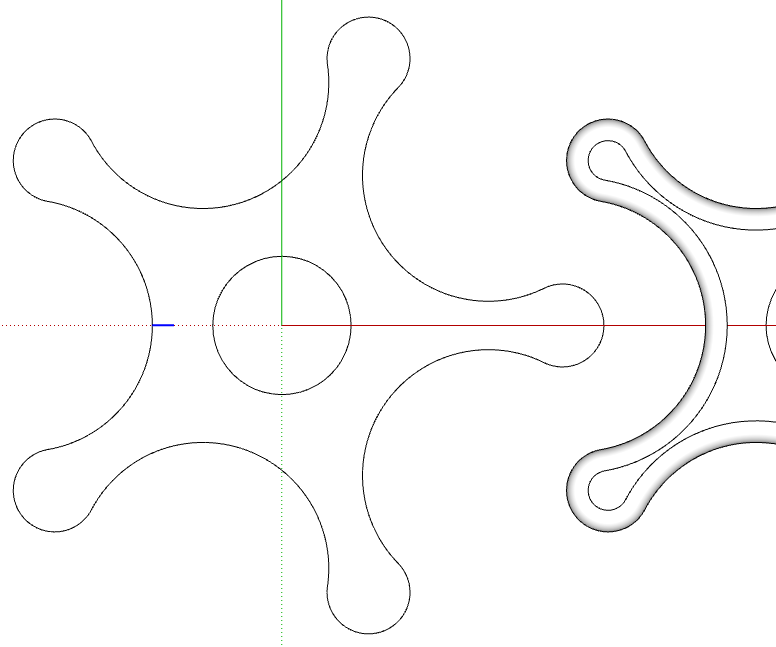
Here the profile (shown selected) is aligned with the path. On the right you can see some of the resulting extrusion. Might be better to put the profile outside the path.
-
RE: Single license SU on two computers
The only legit license for SketchUp is a subscription and has been for a few years. To activate SketchUp you would enter the email address and password you used when you purchased the subscription. You should be able to do that for two activations. That could be on two different machines or two different versions of SketchUp on the same machine.
Presuming you've installed SketchUp 2025 on your PC, what happens when you start it and enter your email address and password?
There isn't a free version of SketchUp for desktop and hasn't been since 2018. There's a 7-day trial but you shouldn't need to use that. Just enter your subscription credentials.
-
RE: Vintage Look
@Rich-O-Brien no, it's not 100% SketchUp. It's a cobination of exported images over an image of paper with stains. It does use one of my sketchy line styles for the edges. The paper image could be used as a watermark but that is kind of limiting when it comes time to edit the image in the image editor.
@majid thank you. As I showed you on the other forum the hatching was done in Foto Sketcher.
-
RE: How to align two groups ?
@Loikkanen123 using inferencing as Rich and Box show makes it easy. You need to be grabbing the object by a point that corresponds to the destination point on the other object.
Another thing to consider is modeling objects in the location you need them so you don't have to move them into place.
-
RE: Softening a border edge
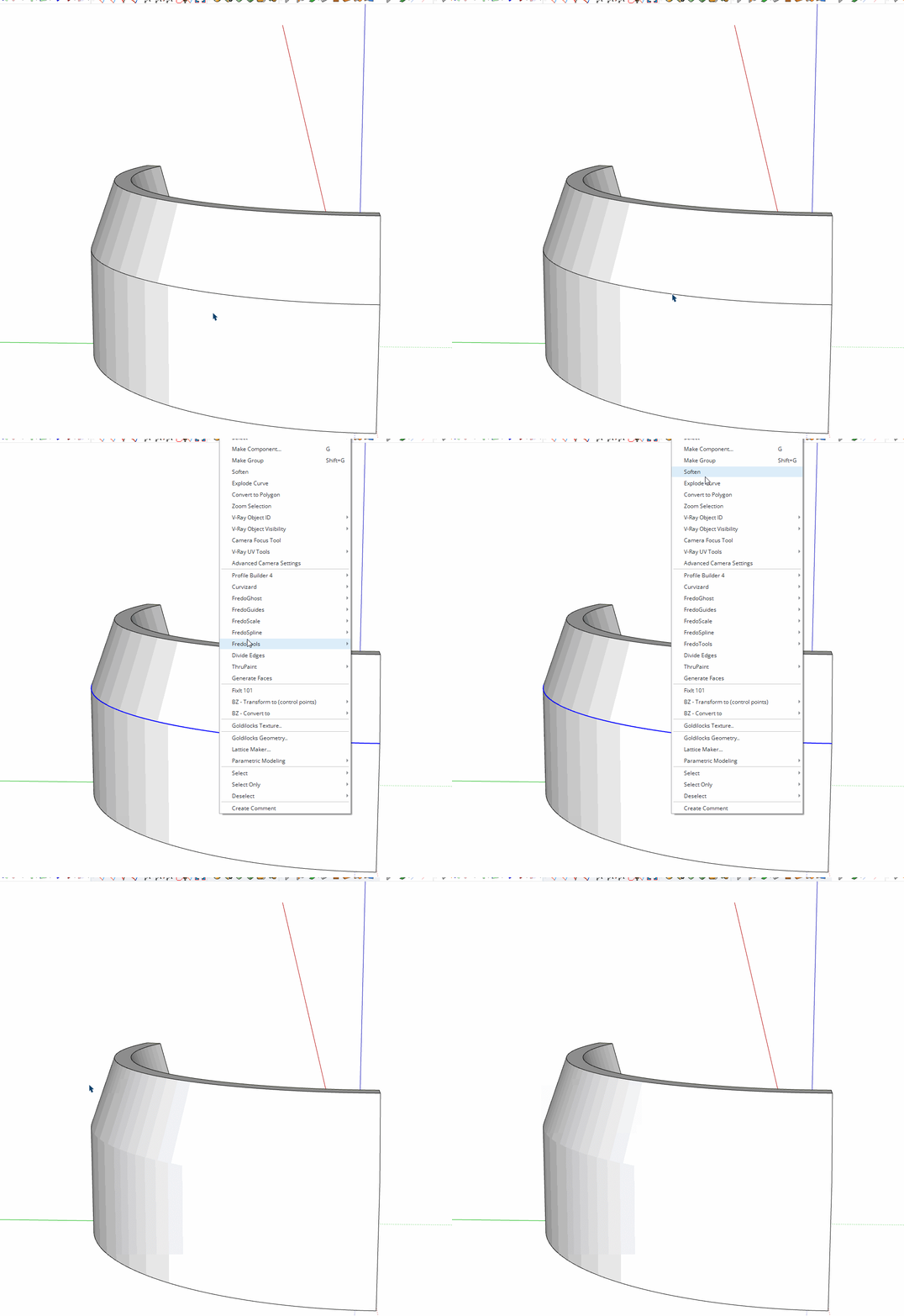
Select all of the edges that you want to soften, right click on the selection, choose Soften. If needed, adjust the slider in the Soften Edges panel in the tray.
-
RE: I am thinking of doing an image looking for comment
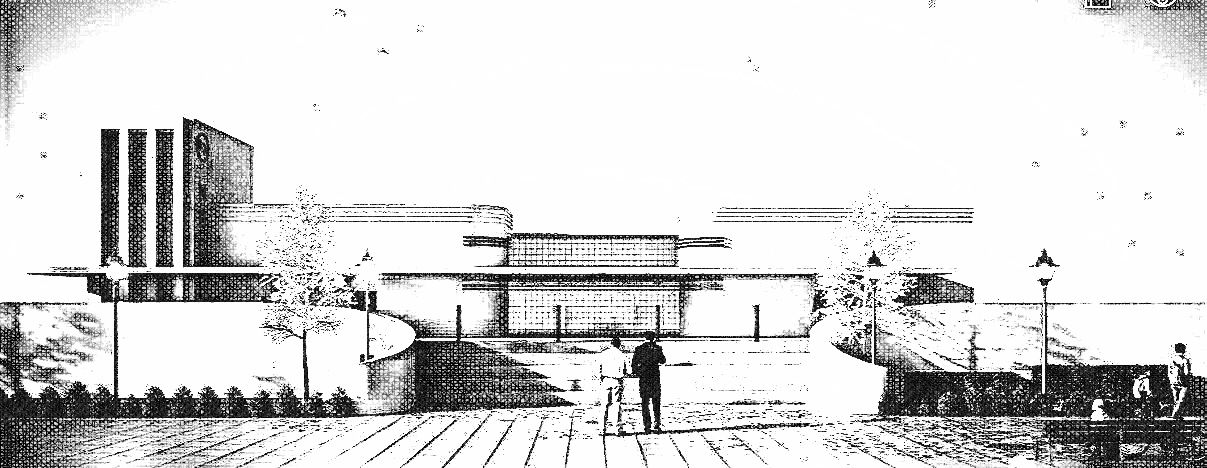
@L-i-am if you wanted to make it look less photographic you could use the rendered image as a basis for a hand-shaded sort of look. Combine it with a hidden line export from SketchUp Maybe use a sketchy line style or the straight line styles. Maybe enable extensions for some of the lines
This is just a quickie shaded thing. I'm not sure it's totally right but a start.
-
RE: Can one save settings in LayOut?
Output Override is a Document Setup setting so yes, you can save that as part of your template like the rest of the Document Setup options.
-
RE: Softening a border edge
@MLUY you could select all the geometry and do the same thing. You'll only soften edges in which the angle between face normals is less than or equal to the angle set in the Soften Edges panel.
-
RE: A Bench and a Stool
Slowly putting things together.
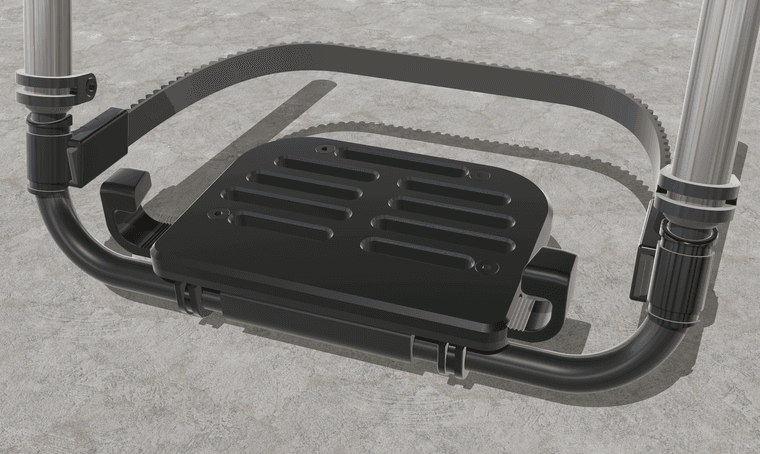
Need to model the rest of the chair I guess. Never done that before.
-
RE: Sketchup 2017 suddenly closes
@hannaconner said in Sketchup 2017 suddenly closes:
I use SU 2017 as a subscription doesn't make sense
You're right. That doesn't make sense since SketchUp 2017 was never available as a subscription. What kind of license do you really have?
@hannaconner said in Sketchup 2017 suddenly closes:
Anytime I try to do a cut and paste or other action that increases or adds to it, it suddenly crashes.
What operating system are you using? What are the specs on your computer? What is the graphics card? Most likely you have exceeded your computer's capability. It's also possible that you have a bad object (component or group) in the model.
You might try purging and otherwise cleaning up the model before trying to add more to it.
You could share the file with us so we can see if it can be fixed. Upload it to DropBox or We Transfer and share the link.
-
RE: Animating multiple component copies simultaneously along path
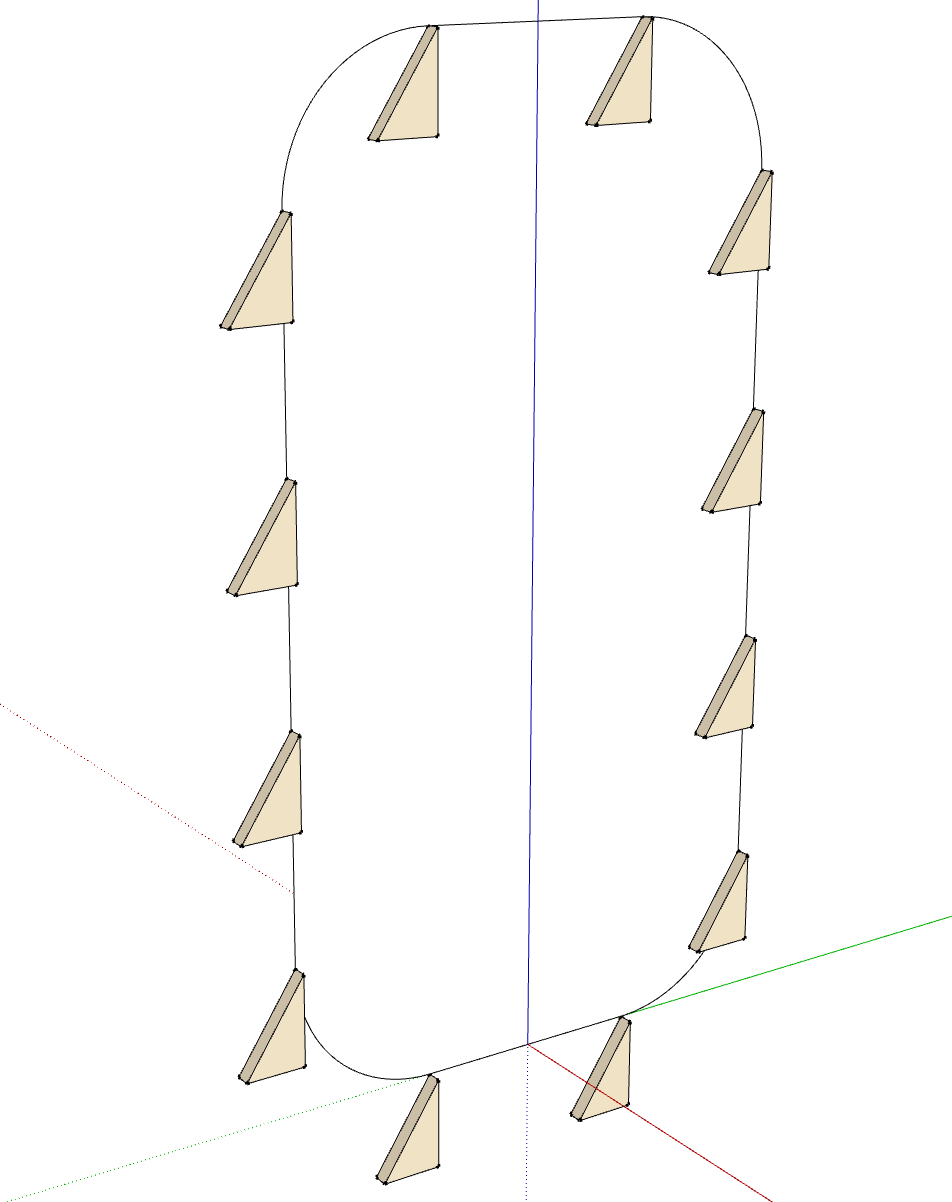
I was curious about animating this sort of thing. I created a very simplistic model to set up the animation and got this. Since all the objects are components it would be a simple matter to flesh out the shelves and the structure. I just did a native animation (tags & scenes), though.
Pater Noster Shelf Animation Concept.mp4
-
RE: A Bench and a Stool
@ntxdave sorry. @Rich-O-Brien beat me to it.
If you want to use Vray for editing, the Studio subscription is less than the Pro sub and buying Vray separately.
-
RE: Mouse and Keyboard combination advice please...
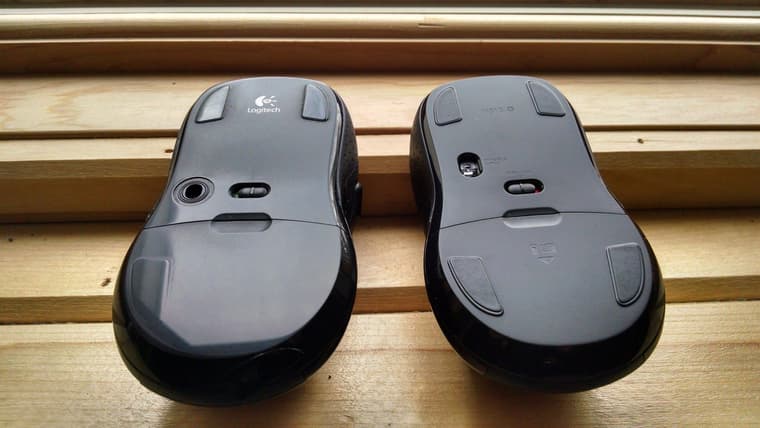
I've had excellent service from my Logitech keyboards and mice. The only time I've had to replace the keyboard is when I've spilled something sugary into it. As far as mice, I've only had to replace them when I wear the feet off and they get too difficult to push around. The one on the left here is close to that point. I've never had any failures of the buttons or wheel.
-
RE: adding thickness
Use Joint Push/Pull for that.
Or you could use Offset on the top and bottom edges of the tapered section. Then use Curviloft to generate the faces for the inner surface. Just work on the tapered section. Once you have the faces on the top and bottom you can extrude them with Push/Pull
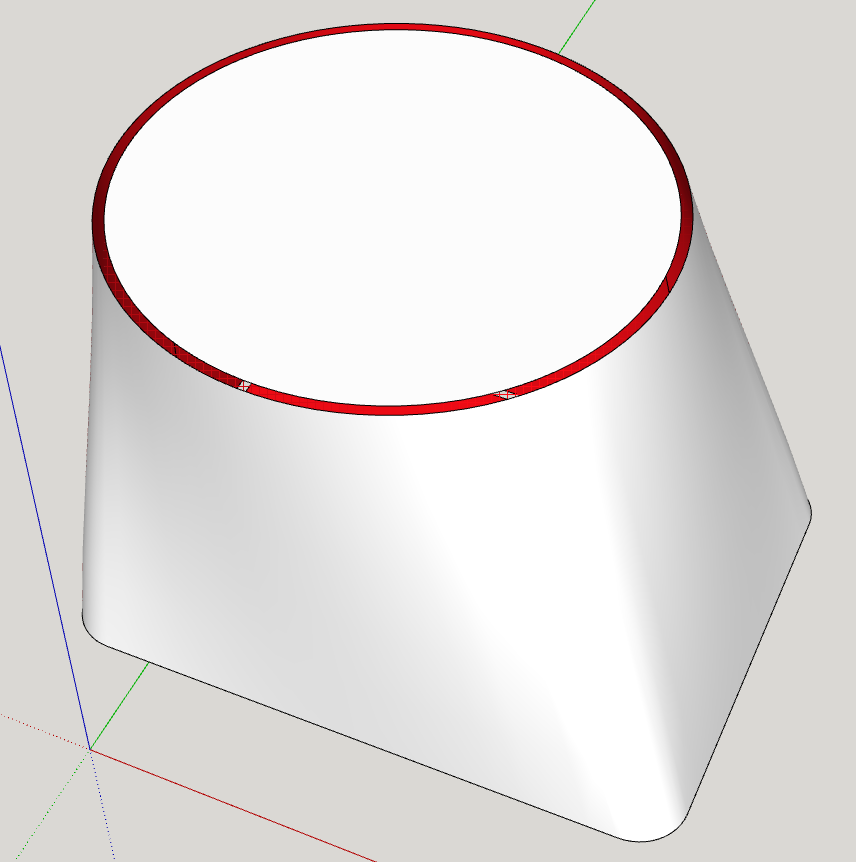
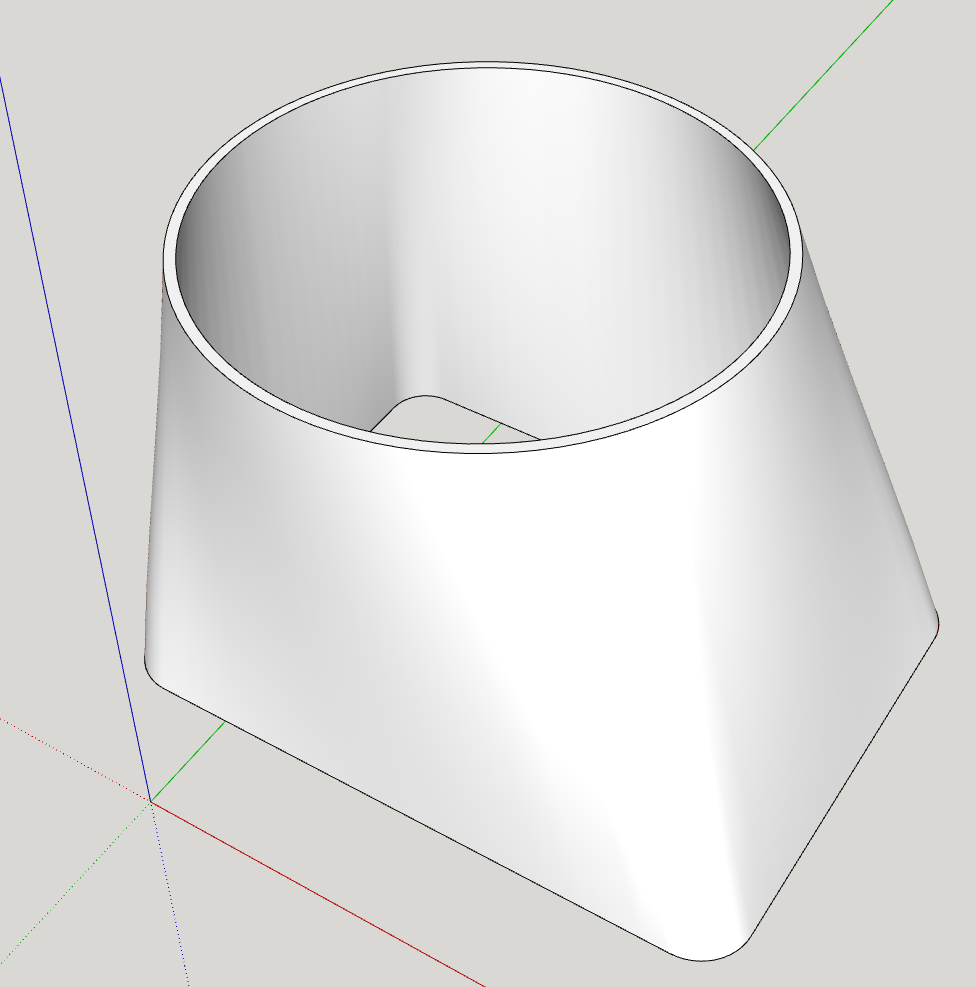
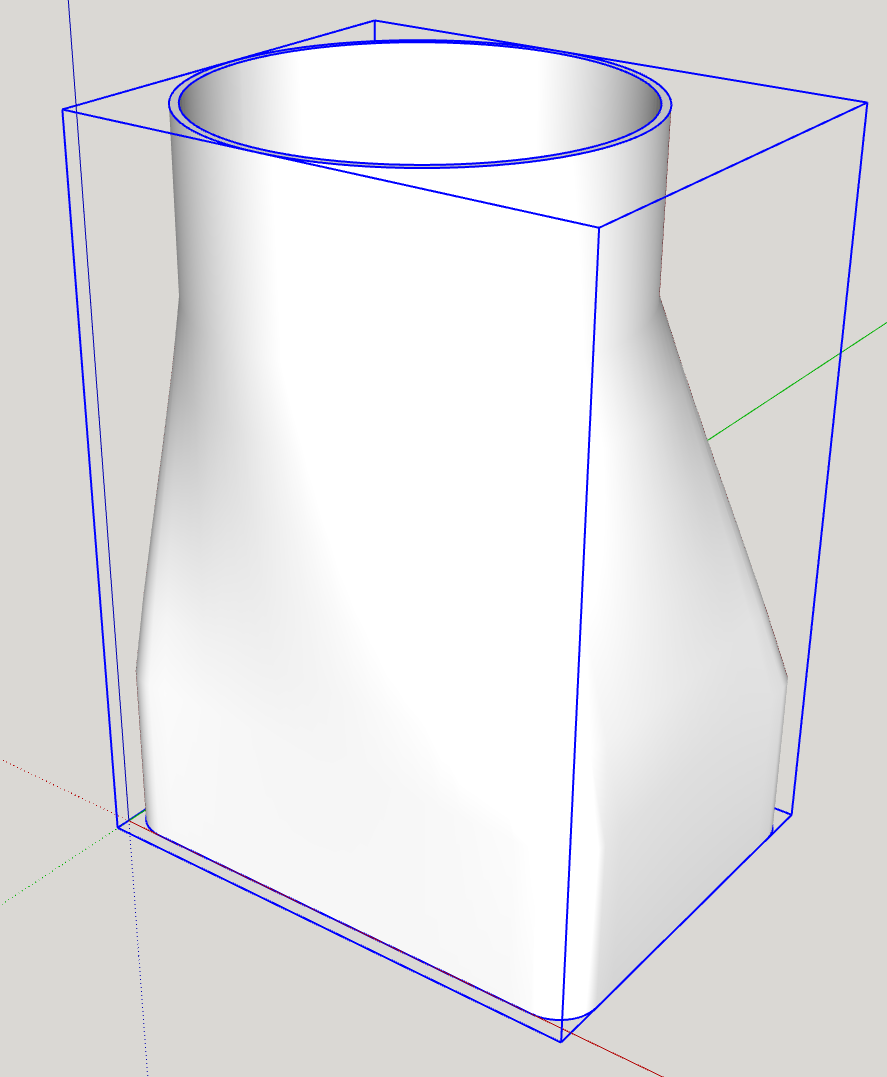
BTW, make sure all of your faces are correctly oriented. You have a reversed face on the bottom. Also reset the model axes and move your model to near the origin.