πŸ”Œ Smart Spline | Fluid way to handle splines for furniture design and complex structures. Download
  • PROGRESS

    sketchup
    3
    0 Votes
    3 Posts
    132 Views
    R
    oh god, it's actually pretty embarrassingly bad this time! alright i might, for the sake of the community and all
  • Help with a project

    sketchup
    5
    0 Votes
    5 Posts
    195 Views
    pbacotP
    As per Pilou, draw the circles you want. Note that when you draw them (by entering "(integer)s" or aftewards, in the entity box you can change the number of sides. Use Push pull to pull them up. You pull out the radius, click, then type in the proper radius. For the horizontal tubes move your view so you are looking at the horizont, choose circle tool. hold it up in the "sky" till you get a red or green circle. hold shift and draw your circle. You can then pull a cylinder that is parallel to the x or y axis. Make it a component. How to position? I would go to an overhead view and turn on hidden geometry. Move your small cylinder from the top edge up or down until you see z axis (blue) indication and press shift. Move up and down and align the top edge with the top of the fat cylinder (a component) (leave top face on the fat cylinder for now). Then with move tool hover on the top edge of the small cylinder and find the "Midpoint" of that edge. Click down move the cylinder to the top edge of the fat cylinder and hover, then move to the center of the top face of the fat cylinder to find "Center" inference. When the move snaps to that point let go or click. Similarly you can use the edges and points on the cylinders to snap / move the small cylinder down to the midpoint of the fat one. Use the rotate tool (with option key down for duplicate)to rotate a second component at 60 deg. Get a blue protractor with the rotate tool then press shift. Hover on the top circle edge of the fat cylinder and then move to the center of the top surface to find the center. Then you can click down to establish center of rotation. No need for shift key then, but use option key and rotate a duplicate component at 60 deg. What is this for. If only for a model or picture that will be viewed as-is. I would not explode the components or affect their geometry. I would not make holes in the cylinder. Instead I select the three components and context menus intersect with selected. this will give the appearance of holes by placing edges in the model. Group these edges for security. If for some reason you need to make holes. You will have to work inside the components. Holes in the side of cylinders in SU can make messy geometry and also may not look smooth, depending on how many sides they have. Main things are rotate and move. Learning to use inferences, and constraining movement on an axis.
  • From SU Pro Demo back to Free Version

    sketchup
    6
    0 Votes
    6 Posts
    220 Views
    M
    The goal of my suggestion above was to remove all SU free and Pro and then downlaod, install SU free. You post indicated you did not get rid of SU Pro. Make sure you use the add / remove programs function and delete any thing associated with SU, run registry cleaner maybe even several times, download and install free. If that odes not work use the windows explorer ( ref start, serach) and do a wild card search of any su files ie * Su pro*, key; etc and maybe you can find the problem file. You will have to run combinations although the suggestion above about the file would be a good start
  • Identify geometry not on an axis

    sketchup
    2
    0 Votes
    2 Posts
    78 Views
    jeff hammondJ
    go: Window -> Styles -> Edit -> Edge Settings set the color to 'By Axis'
  • SU to Xfile using 3Drad problem

    sketchup
    7
    0 Votes
    7 Posts
    939 Views
    K
    Well: I tried create very new skp file Applied two textures and the second one (= the last one) is again invisible in game !! This never happened before, so something must be wrong with my Sketchup or 3DradExporter !! Does anybody know how to fix it? Thanks for helping! Kaja
  • Newbie Q :Bender fr sketchup

    sketchup
    2
    0 Votes
    2 Posts
    75 Views
    massimoM
    Hi, you can try these two depending on what you're going to bend: http://sketchucation.com/forums/viewtopic.php?p=144180#p144180 http://sketchucation.com/forums/viewtopic.php?p=147395#p147395
  • Drawing & Placing Home Rafters

    sketchup
    6
    0 Votes
    6 Posts
    2k Views
    B
    Thanks to everyone for their responces,they help a bunch. bent nail
  • Follow Me on a miter component

    sketchup
    11
    0 Votes
    11 Posts
    3k Views
    GaieusG
    I have a little tutorial on a shape similar to Daves here: http://sketchucation.com/resources/tutorials/36-intermediate/147-inner-bevel-with-a-bit-of-trick Of course, it is not as complex - and the different parts are not separate components but to imagine a basic technique you can develop further...
  • How to make a net?

    sketchup
    18
    0 Votes
    18 Posts
    7k Views
    yitzharY
    @brookefox said: I failed to mention the wireframe, edges only selection as I thought it was clear. Seems it was not, but as you say 'line to tube' doesn't require that. Here's one with the non-radially faced sphere (dome), in which the faces are more approximately equal on the surface. If it is desired that the grid be regular before draping then take the faces only and drape the even grid from '(sandbox) from scratch' or other and drape as Pilou showed. Once draped of course the grid is distorted (except in ortho plan view). can you please explain how you made those constructions beam ? step by step ...
  • How to make a hole straight through the side of a cylinder

    sketchup
    4
    0 Votes
    4 Posts
    948 Views
    S
    I did as you accounted..... i think. I made the small cylinder made it a component slid it trough, selected both cylinders, 'intersect faces'-'with selected' got rid of the two plugs. Like a charm. [image: WLGX_Plug.jpg][image: ugXh_intersect.jpg]
  • Image pasting behind base image

    sketchup
    4
    0 Votes
    4 Posts
    175 Views
    Dave RD
    So you aren't pasting an image, you're copying and pasting geometry? That's an important difference. Are you using Copy and Paste? If you want the copy of the geometry to be next to the original, use the copy function of the Move tool. and move the copy in the desired direction. Hit Ctrl on PC or Option on Mac to invoke the copy function. Your second image doesn't show enough information to see what's really going on. Where do you want the 3D text to appear? I'm guess you aren't really using the standard top view but I can't be sure without seeing the SKP file.
  • Closing faces on a dome shape

    sketchup
    6
    0 Votes
    6 Posts
    303 Views
    J
    Thanks for the feedback so very new to this!!!! But having fun, I realised the inside was a mess but didn't know had messed up the inner circles,was trying to use the protractor tool to get the shape I had made for the 120 deg, cut outs!!! Hope to have more of a play over the weekend!
  • Selecting just the outside face of the model

    sketchup
    11
    0 Votes
    11 Posts
    2k Views
    BurkhardB
    We have it...the Duh thread, make it sticky
  • Realistic Photo Rendering

    sketchup
    5
    0 Votes
    5 Posts
    164 Views
    S
    Thanx for the link Dave!
  • SU files crashing Windows Explorer

    sketchup
    2
    0 Votes
    2 Posts
    392 Views
    charly2008C
    Hi MitchB, please have a look at these links: http://www.articlesbase.com/computer-forensics-articles/how-to-fix-explorer-exe-application-error-1224270.html http://www.tomshardware.co.uk/forum/84229-35-explorer-application-error-instruction-0x020 http://answers.microsoft.com/en-us/windows/forum/windows_xp-performance/explorerexe-application-error-the-instruction-at/51dc55a1-0522-44c5-a732-a59dbfbdd260
  • Follow me tool

    sketchup
    19
    0 Votes
    19 Posts
    789 Views
    S
    Thanks Dave. Bid has been submitted and approved. We are building it. I love my job and Sketchup because we can see all the projects details and then watch it come to life. On top of that I get to build some of it when I have time. I'm building a career from Sketchup and this is my life. I'm grateful to the creators and wizards of this program. Have a good one fellas.
  • Can someone Identify these plugins?

    sketchup
    3
    0 Votes
    3 Posts
    207 Views
    C
    okay, thanks!
  • Projected texture method problem

    sketchup
    8
    0 Votes
    8 Posts
    819 Views
    unclegregU
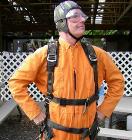
    Thanx for the advice,Dave,I'll work on it tomorrow.The .skp file ended up a whopping 38.5 MB.I'm going to check on the reversed faces and I'm definitely going to delete all the textures and start over.It took me about 3 seconds to get your "dirt missile outfit".Skydiving is still the biggest thrill you can have with someone strapped to your back.
  • Spanning between two points with an object.

    sketchup
    6
    0 Votes
    6 Posts
    717 Views
    sdmitchS
    You can try my Add&Align Component plugin. You can find it on my blog.
  • Select by colour - ruby?

    sketchup
    3
    0 Votes
    3 Posts
    119 Views
    TIGT
    It's built into the Materials Browser context-menus, but that only selects faces in the current active context that use the chosen material, ignoring any groups, instances, edges, text etc using the material. This one-liner copy/pasted+<enter> in the Ruby Console will select everything using the material specified by name - edit the 'mname=' to suit the material you seek... mname="Material1";m=Sketchup.active_model;s=m.selection;s.clear;m.active_entities.each{|e|s.add(e)if e.respond_to?(;material) && e.material && e.material.display_name==mname}

Advertisement