@thomthom Selection Toys
Selection Toys | SketchUcation
3D SketchUp Community for Design and Engineering Professionals.
(sketchucation.com)
@thomthom Selection Toys
3D SketchUp Community for Design and Engineering Professionals.
(sketchucation.com)
@L-i-am Those road reflections are on point
Something feels off with the scale. Maybe its the curb or the camera height throwing me off?
Download nanoCAD Free, a professional-grade CAD software offering comprehensive 2D and 3D design tools with native DWG support. Ideal for engineers and designers seeking a free, reliable solution for creating and editing technical drawings.
(nanocad.com)
There's a free version
I always felt the Entity Info panel was a good place to handle component creation.
If you build some mesh object and isolate it in a wrapper(group) you can add component properties via the Entity Panel.
For me the Entity Panel should be the portal to many actions related to your selection. Currently, it just repeats functions other Panels expose.
I can dream....
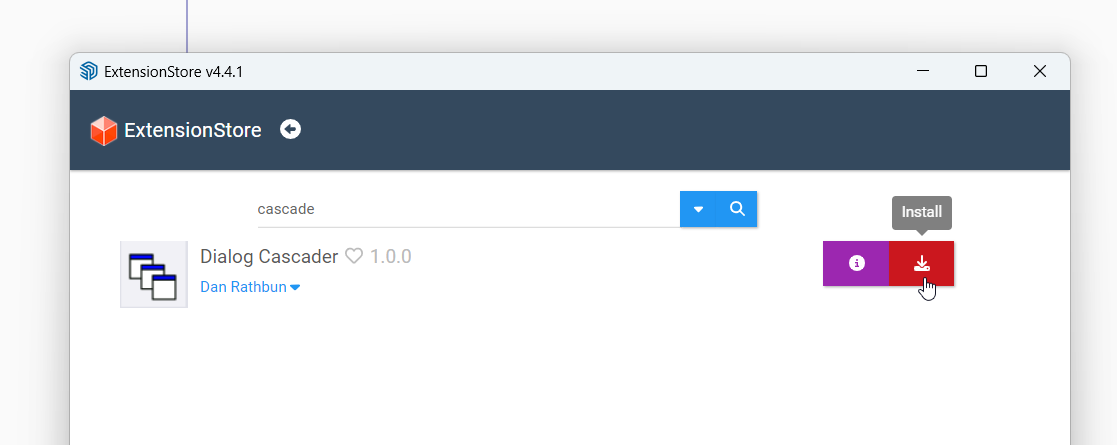
@erikcoleman1992 Install Sketchucation Tools 4.4.1
3D SketchUp Community for Design and Engineering Professionals.
(sketchucation.com)
Then use that to install/update extensions.
Restart SketchUp to complete installations fully.
Fredo's extension require Libfredo to fully function
You can set SketchUp to use max texture size...

I've never found further info on its usage other than its off by default to keep SketchUp performant.
But if your render app is showing lower resolution its likely related to the app rather than SketchUp.
@L-i-am said in new use for an old building:
Rich, your eye is phenomenal
Critiquing is easy. I appreciate that you don't take offense. Pouring hours/days into a render then hearing 'what is that?' or 'why is this there?' can burst a bubble
...I always like to see your scenes. If I ever jump into TM you'd be my go to guy for help.

Plus if your not making mistakes or errors there's no room to improve.
@onzki You can also use @alsomar Old Save extension
3D SketchUp Community for Design and Engineering Professionals.
(sketchucation.com)
Save your file in legacy SketchUp formats. Please note that if you save in older versions of SketchUp, the organization of tags into folders and other features implemented in later versions will be lost.
@leminilab I think its a solution to a very unique problem. SketchUp has its own sorting in the tray using up and down. So it takes a few clicks.
At nearly 400k entities I think you are asking a bit too much of SketchUp.
That step relief would be much more performant as a texture. Or you need to drastically reduce the amount of geometry by a factor of 100.
If the end goal is rendering then a subdividing face and displacement would be the way to go.
Or pull the geometry that is the pattern and work to that as it at least under 60k entities.

The viewport, in essence, is a camera and scenes are camera positions. Since you are moving from SketchUp to some render engine you could do your composition in the render app.
To control the aspect ratio in SketchUp for the camera the render app would need some type of integration. For example, Rayscaper does allow you set and see various composition guides to help frame your shots in SketchUp. Other engines do too.

Otherwise you are dicking around resizing the SketchUp window which is not a rewarding approach.
Maybe install the Rayscaper trial and use its composition tools to frame your shots then go where you need to.
@Mike-Amos said in Homebuild Hi-Fi.:
Rendered in Twilight to give a base level for Rayscaper attempts.
I want to get my greasy paws
on that model to see what we could do in Rayscaper.
Looks great in Twilight. Really nice job
@HornOxx said in How to get and activate a NEW SketchUp Pro:
but where do I get the software from? I can't find a download link anywhere.
https://www.sketchup.com/download/all
@HornOxx said in How to get and activate a NEW SketchUp Pro:
Where can I get the licence key (or is there another way of activating)?
When you login at sketchup.com there's a dashboard area where all your entitlements are. So you can download .exe, manage devices and more....

@HornOxx said in How to get and activate a NEW SketchUp Pro:
How can I control that I get an English language version then?
https://www.sketchup.com/download/all
Then scroll all the way to the bottom of the sketchup.com site and click the Do Not Sell My Info and submit the form so your data remains your commodity.

You can try your boolean cutson this to what issues you hit...
Download: guitar-pick-stool.skp
Use the cardinal point to create the tapered cylinder...

Use Quadface Tools to add some loops...

Use Smoove to bend

Or TrueBend for precision
https://sketchucation.com/pluginstore?pln=tt_truebend

Then try scanning it with your phone using RealityScan or PolyCam.
Rub some talc on it first to dull reflections.
You could then bake the texture to a proper lower poly model with better UVs afterwards.
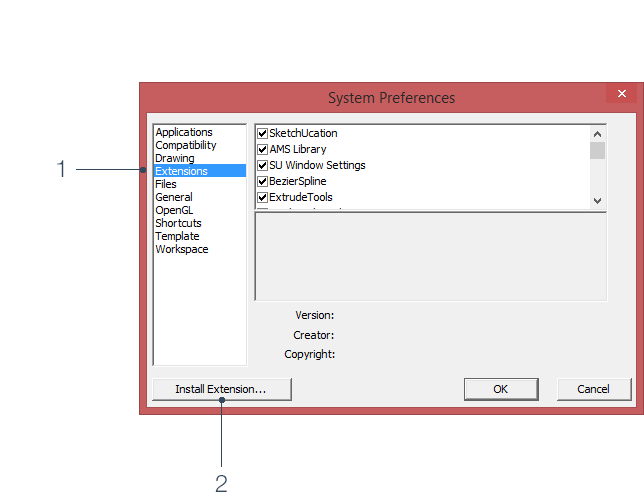
Now that I've thought more you can actually also buy from within SketchUp. If you open the license dialog for any extension that requires a license there a purchase button there.