sketchucation logo sketchucation
    • Login
    1. Home
    2. Mistro11
    3. Posts
    Oops, your profile's looking a bit empty! To help us tailor your experience, please fill in key details like your SketchUp version, skill level, operating system, and more. Update and save your info on your profile page today!
    โš ๏ธ Important | Libfredo 15.6b introduces important bugfixes for Fredo's Extensions Update
    Offline
    • Profile
    • Following 0
    • Followers 0
    • Topics 78
    • Posts 315
    • Groups 1

    Posts

    Recent Best Controversial
    • RE: Best Motherboard for an i7-4930k?

      Thanks for the info numerobis.
      No I don't plan to overclock. Maybe one day out of curiosity.

      Well... for the first time in my PC using history (about 15 years) I have built my system almost from scratch without shop assistance save for doing a post test at Micro Center before leaving the store with my new motherboard. It's a good thing too because the first motherboard did not pass the post test and they promptly made the exchange. The little front panel pins and wires always scared me but I finally did some reading and observing and got it figured out. Maybe laughable to some of you but a big milestone for me. I can't believe that little panel been holding me back from building all on my own.

      This is what I bought:
      i7-4930k and an Intel cooling fan
      Gigabyte x79-UP4 Mobo
      16GB of Crucial Ballistix RAM
      Crucial MX100 256Gb SSD

      I ended up using my case instead of getting a new one: Cooler Master CM 690
      All other parts Hard drives GTX 760 etc. are from my former build so I save a lot because of that. But please note the Motherboard is a placeholder and will become my backup when I get an ASUS board that I really wanted but could not afford right now.
      posted in Hardware
      Mistro11M
      Mistro11
    • RE: Wacom Pen in SketchUp?

      I just bought a Intuos CTH 680 yesterday. This is my first drawing tablet as I'm learning animation. But I wondered if it would be useful in Sketchup, googled the question and found this topic. I tried it out and so far I feel like I can get used to it with practice. It feels comfortable. I just wish my tablet had more buttons. I'm thinking about assigning the middle mouse button to the right-click on the pen for orbit and panning. I can't think of much use for right-clicking in Sketchup. But the only drawback is I'm constantly using keyboard shortcuts going from tape measure to line tool etc. For all who use the tablet, how do you manage switching all the tools?

      Edit: I'm guessing to just tap the tools from the tool bar and menus with the pen....duh?...
      I also just remembered the right-click brings up the all important context menu. I would like to know a good effective way to assign buttons.

      posted in SketchUp Discussions
      Mistro11M
      Mistro11
    • Best Motherboard for an i7-4930k?

      I have a reletively tight budget to build a new system for my 3D rendering needs.

      At first I was going to build a dual quad core processor Xeon machine that ran at least with a speed of 3.5GHz but I recently decided to go for an i7-4930k. This processor seems like a beast that will run anything I have to throw at it. It has 6 cores with HT (I was not really looking for HT technology but with 6 cores at the base, why not). So I decided this is the CPU for my new rig but now I want to learn how to get the best motherboard for it. My current MB is an ASUS P5QL Pro which is still working very well and I still have room to do some upgrades with it. I'm used to the oldschool MB with at least one IDE port as well as SATA, 1 GPU slot and 3-4 PCI slots that I can install various cards in (Firewire, Sound card, etc.) What I am seeing now are boards with 3-4 GPU slots and fewer ports for various cards. I do not immediately plan to use more than 1 GPU and some of the best boards I'm seeing are equipped for a minimum of 3 GPU cards. I was wondering if I missed something or if this is the new standard motherboards for high end CPUs. I'm wondering if there is a good but cheaper priced board that doesn't have 3-4 GPU slots? But don't get me wrong, the main thing I'm looking for is what to look for in a board that will get me the most out of that i7-4930. Any advice is welcome.

      posted in Hardware
      Mistro11M
      Mistro11
    • RE: Win a copy of SketchUp 2014 for ArchViz

      Are we allowed to make more than one comment? I actually wrote a small paragraph until I realized the character limit and had to strip down 3/4 of my post.

      posted in SketchUp Discussions
      Mistro11M
      Mistro11
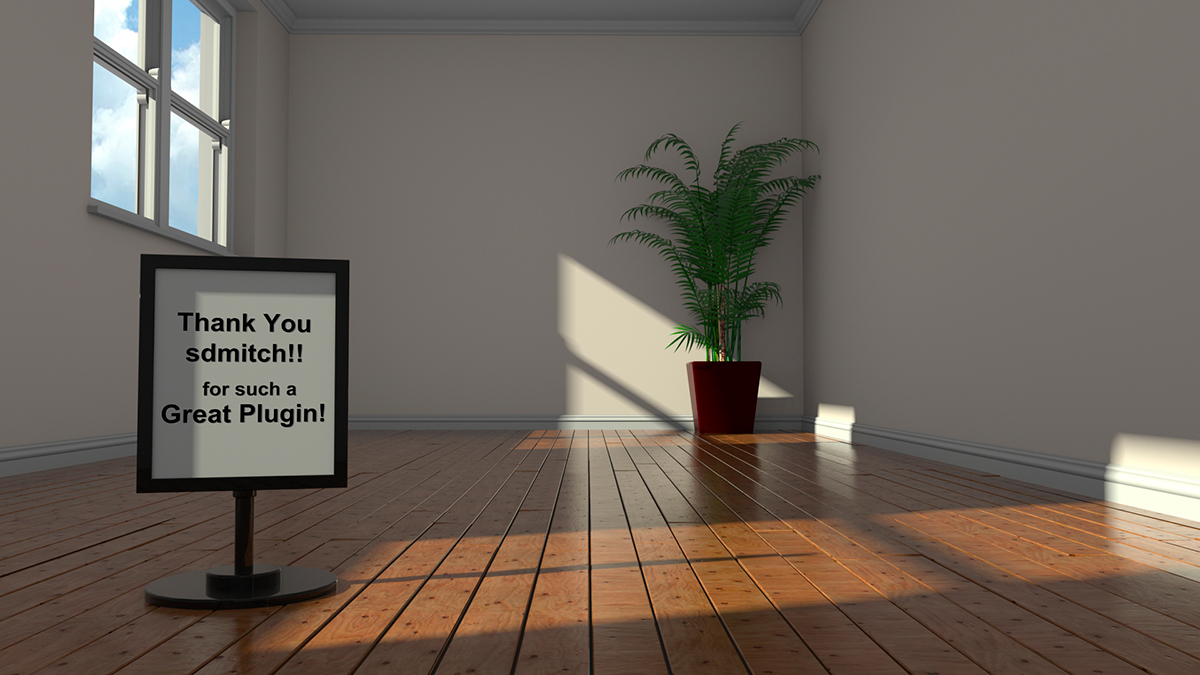
    • RE: [Plugin] FloorGenerator ( Updated 6-Apr-2017)

      ThankYou_sdmitch.jpg

      Hope this render reflects my gratitude. ๐Ÿ‘

      posted in Plugins
      Mistro11M
      Mistro11
    • RE: Interested in roof modelling techniques

      There are some plugins to make roofs. Of course doing it manually will give you more control but then a plugin might make your life easier.

      Instant Roof
      http://www.valiarchitects.com/sketchup_scripts/instant-roof

      1001bit Tools (there is a free and pro version)
      https://extensions.sketchup.com/en/content/1001bit-tools-freeware

      These are the 2 that comes to mind for me. There's probably more solutions.

      posted in Newbie Forum
      Mistro11M
      Mistro11
    • RE: [Plugin]EASYsketch KitchenDesigner looks awesome...

      A subscription for a plugin??? I don't even like subscriptions for full standalone software. What's next, we have to rent models too? Vote with your wallet. Companies do this because people allow themselves to buy into it.

      posted in Extensions & Applications Discussions
      Mistro11M
      Mistro11
    • RE: Any XFrog 3.5 Users Here?

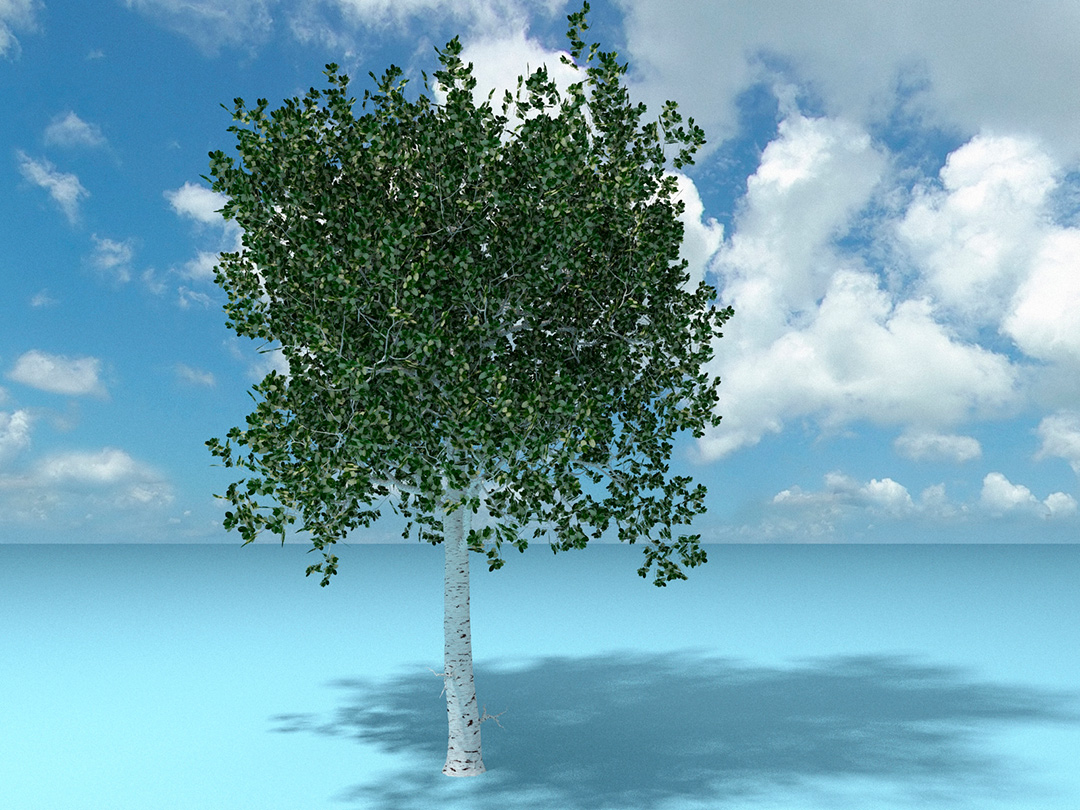
      For anyone following this, it turns out that though some PNG images will work, the native format used for XFrog is TIFF with transparency.

      I'm really getting the hang of using this program now. Once you understand the capabilities of the components along with the parameter controls, you can pretty much let your imagination go wild. there are endless types of models that can be made that are non-plants. You can get a head start with many types of organic modeling. The only downside is figuring out how to get the polycount down.

      An Apple Birch Tree
      MyFirstXTreeFruitWeb.jpg

      posted in Extensions & Applications Discussions
      Mistro11M
      Mistro11
    • RE: Constant 4 sec freezing

      I notice a lot of freezing too. I thought it was just Sketchup doing the autosave thing but then I realized I am experiencing more freezes than I was in SU8. It lasts a few seconds then everything is back to normal. I notice it the most when loading components and sometimes when I'm orbiting the view. I will keep an eye to see if I can spot a pattern.

      posted in SketchUp Discussions
      Mistro11M
      Mistro11
    • Any XFrog 3.5 Users Here?

      I just got my xfrog 3.5 full license yesterday and could use some help as a new user. Their forums are not very active so I will attempt to ask some questions here as well.

      Render done in Kerkythea
      MyFirstXTree.jpg

      I got the hang of using the various tools and got a decent tree made. But I ran into an issue:
      When I try to load some PNG textures from my collection I made in Photoshop, I get an error that says, "bad texture" and then xFrog crashes. I successfully loaded a PNG and later decided to edit that PNG to make a aging leaf version for the older lower branch. I edited the PNG in Photoshop, renamed and saved as PNG. Then when I tried to load it, xFrog crashed after saying "Bad Texture". What's going on here? Is there something to watch for when making or loading PNG files? Why is it that the same texture loads with no problem, then is refused after a simple color edit? I feel like loading from my PNG library is a crap shoot.

      Also I imported my tree into Sketchup but the leaves turned back into boxes. is there a way to get the leaf textures to appear in SU?

      I'm looking for tips on making wind animations too.

      Help is appreciated.

      posted in Extensions & Applications Discussions extensions
      Mistro11M
      Mistro11
    • Question about 3D Browser 12.5

      I see an article titled "3DB 12.5 Released with Sketchup 2014". But when I read the article and went to the site, I saw no reference to it being attached with a copy of SU2014. Can anyone explain the title and what it means to SU2014 users? The title lead me to believe it was somehow bundled with SU2014. Is this simply a discount offer for this community?

      posted in SketchUp Discussions sketchup
      Mistro11M
      Mistro11
    • RE: How to do Walkthrough Camera Animation

      Thanks Kris! Your info and links are very helpful. Got some new toys now.

      posted in SketchUp Discussions
      Mistro11M
      Mistro11
    • RE: How to do Walkthrough Camera Animation

      Thanks for reminding me of those tools. I set my first camera to begin the walk outside the entrance. Now I want to go straight in keeping the height. Is there a way to "lock" the movement as I use the Camera-Walk?

      posted in SketchUp Discussions
      Mistro11M
      Mistro11
    • How to do Walkthrough Camera Animation

      I am doing a project where I have to animate a camera to simulate a first person perspective walking into a building keeping a consistent height. How do I get a natural POV as the camera curves into the building so that the it doesn't feel like the camera is moving sideways on turns. If the camera was going straight in it would be no problem for me. But the animation is to simulate walking in and moving to the right slightly. My first instinct was to animate the camera on a path that has a bezier curve. What is the best method to get this going? BTW, I plan to render the animation in Kerkythea. Any help is appreciated.

      posted in SketchUp Discussions sketchup
      Mistro11M
      Mistro11
    • RE: SPA

      Very nice work! I keep staring at that hall too. Love the texture work.

      posted in Gallery
      Mistro11M
      Mistro11
    • RE: Does DC have a Language??

      Thanks alot Jim! You just saved me from wasting a lot of time. That's exactly what I was looking for.

      posted in Dynamic Components
      Mistro11M
      Mistro11
    • RE: Does DC have a Language??

      I'm finding tutorials here and there by googling. But the straight forward answer I have yet to discover. I'm leaning towards "ruby". Am I right? This is not some secret is it?

      posted in Dynamic Components
      Mistro11M
      Mistro11
    • Does DC have a Language??

      I am attempting to make dynamic Components for the first time. I read that no programming was necessary but after reading some documentation here http://help.sketchup.com/en/article/114549 I have the feeling I have to learn a language to fill in those attribute fields. Is there a chart or standard formulas to study to be fluent at making dynamic components?

      The main reason I turned my attention to DC is to make my own custom staircases but the first thing I attempted to make was a picket fence like in the document above. I am still left lacking an understanding of how one would come up with those formulas. If there is a simple way of writing formulas, any help is appreciated.

      posted in Dynamic Components sketchup
      Mistro11M
      Mistro11
    • RE: [Plugin] 1001bit Tools - Architectural tools for SketchUp

      I want to bring my 1001bits Pro from Sketchup v8 free over to my Sketchup2014 Pro installation. I get a crash every time. I think I'm just doing something wrong. I uninstalled from v8 and copied the plugin files along with my Prokey file I downloaded to my 2014 plugins directory in windows XP. I cannot get it to work. I get a "syntax error" and within the message is "Invalid Break". Is there anything I should be aware of concerning 1001 and SU2014? I tried looking for it through the plugin store but do not see the pro version. Any help is appreciated.

      EDIT: Nevermind, I figured it out. I went to the official site and downloaded from the link to the rbz file. It came in as a regular zip file so I just renamed the extension to rbz and was able to install and put my key in. It works now.

      I left the original post in case anyone else ran into this issue.

      posted in Plugins
      Mistro11M
      Mistro11
    • RE: Cannot get Default Material Back on Faces

      Thanks Cotty. I did try changing the face styles. The style of the model did change but not for what was already colored. I made a model outside the group and the default colors applied. But I don't understand why I cannot paint the default color back to the colored surfaces. I did it before plenty of times. Sometimes it is necessary when working with the UV plugins.

      I will try and remember about the monochrome view. Thanks again.

      posted in SketchUp Bug Reporting
      Mistro11M
      Mistro11
    • 1 / 1