sketchucation logo sketchucation
    • Login
    1. Home
    2. kaas
    3. Posts
    Oops, your profile's looking a bit empty! To help us tailor your experience, please fill in key details like your SketchUp version, skill level, operating system, and more. Update and save your info on your profile page today!
    πŸ”Œ Smart Spline | Fluid way to handle splines for furniture design and complex structures. Download
    K
    Offline
    • Profile
    • Following 0
    • Followers 0
    • Topics 47
    • Posts 864
    • Groups 1

    Posts

    Recent Best Controversial
    • RE: Getting Component Size with Ruby

      Getting the size of an element with Ruby can be done with the boundingbox method.
      http://www.sketchup.com/intl/en/developer/docs/ourdoc/boundingbox

      Just get your box definition into a variable (for instance box_def) and use the methods
      box_def = Sketchup.active_model.definitions["Box"] bbox = box_def.bounds w = bbox.width (same for depth and height)

      posted in Dynamic Components
      K
      kaas
    • RE: [Plugin] UVEditor 0.30

      IT doesnt work with sketchup's materials but only with your own custom materials

      posted in Plugins
      K
      kaas
    • RE: [Plugin] UVEditor 0.30

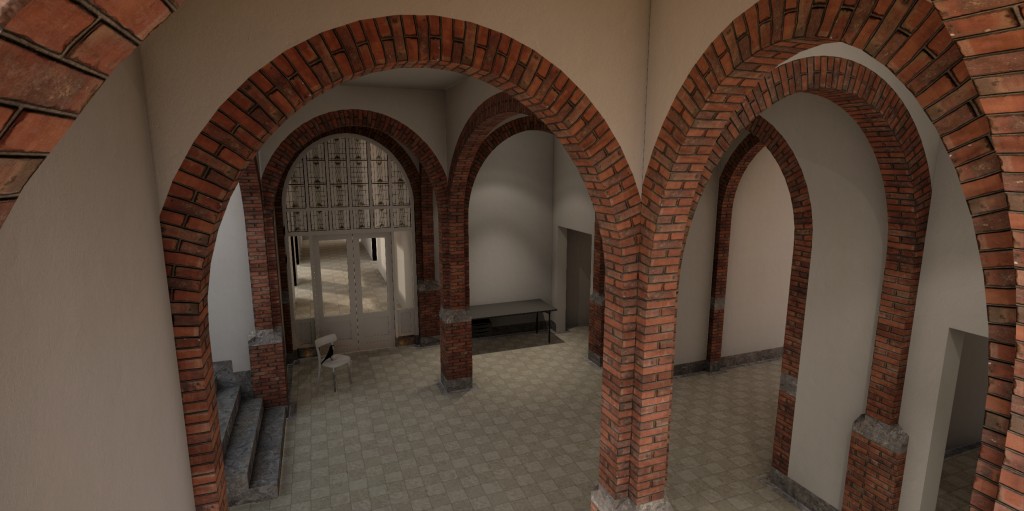
      Recently re-discovered this wonderful plugin. It really helps in refining UVs (in the pic this plugin was used to slightly adjust the QuadFaceTools-mapped-uvs of the curved elements). The plugin still could use some improvements to make it even better (scaling sometimes 'destroys' some uvs) but even in its current state its great to use.

      Thanks for making this Marginal! πŸ‘ πŸ‘


      su_unreal13.jpg

      posted in Plugins
      K
      kaas
    • RE: Bugsplat when i try to complete a line on a suface

      I can confirm the bugsplat. Maybe you can reduce the segment count of that circle? The arc you're trying to draw the line onto has over 1000 segments...

      posted in SketchUp Bug Reporting
      K
      kaas
    • RE: Two things I'd like to see developed next.

      +1 on the UV mapping & editing tool.

      Thanks to many plugins you can easily create all kind of different and complex shapes.
      Material assignment and editing is still lacking the same easy workflow. Even though there are several UV plugins, I really would like to see, and would pay for, an easy to use and full featured UV mapping/editing tool like Marginal started here http://sketchucation.com/forums/viewtopic.php?f=323%26amp;t=57270

      posted in SketchUp Discussions
      K
      kaas
    • RE: [Plugin][$] Curviloft 2.0a - 31 Mar 24 (Loft & Skinning)

      @derei: I never close loops but always work with two halves that I group after the both lofts are done. Works quite nicely.

      posted in Plugins
      K
      kaas
    • RE: Introducing SUbD for SketchUp...

      I guess this would work for furniture as well... or?

      posted in SUbD
      K
      kaas
    • RE: Looking for a variation of a drape plugin

      Drop Vertices by TIG should work.
      http://sketchucation.com/forums/viewtopic.php?t=39251

      posted in SketchUp Discussions
      K
      kaas
    • RE: [Q] Profile builder 2 installs

      I have the exact setup you describe. Works fine on both machines.

      posted in Plugins
      K
      kaas
    • RE: How do sketch this surface?

      Your question is: I have the border curves, I want the shape?

      Extrude tools by TIG should do it nicely.

      posted in SketchUp Discussions
      K
      kaas
    • RE: Request: Quarry Tile

      @massimo said:

      Ok, how about this one? Made it from scratch.

      wow... πŸ‘

      posted in SketchUp Components
      K
      kaas
    • RE: Dwg to sketch up

      Whats the problem? It's fairly easy to move those elements in the same Z position as the rest?

      posted in Newbie Forum
      K
      kaas
    • RE: Animation software

      I use Blender to create movies with captions, effects etc etc. Works just fine.

      posted in SketchUp Discussions
      K
      kaas
    • RE: [Plugin] BezierSpline - v2.2a - 22 Apr 21

      Hi Fredo,

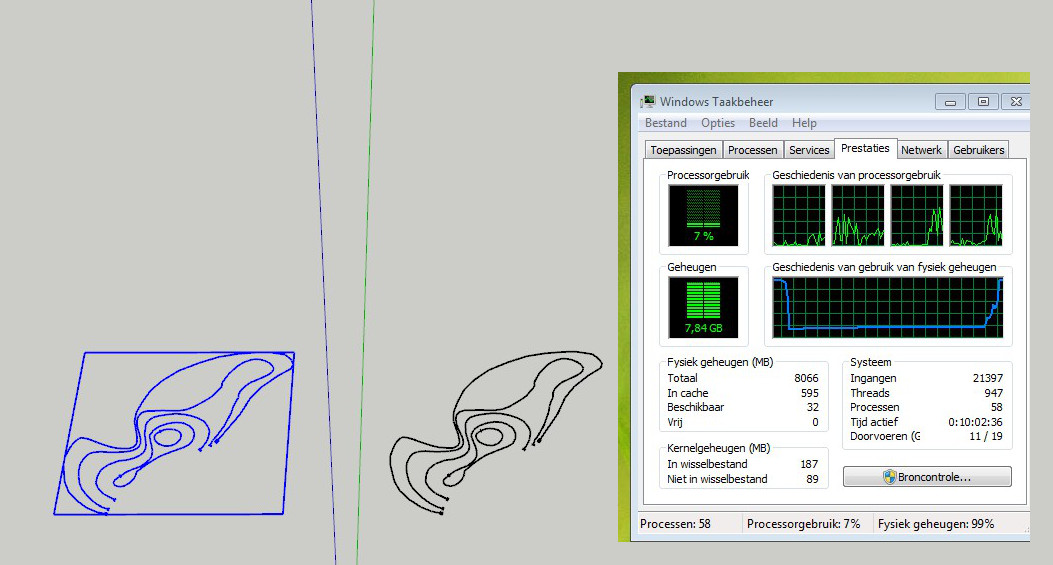
      I ran into a small problem. I have drawn some BezierSpline Curves - Polylines, onto a flat plane. Wanting to make a 3d terrain out of them I grouped the original curves, made a copy and then tried to explode one group to edit the Z for each line.

      Exploding a group containing the polylines also explodes the memory SketchUp uses (V16 win7 X64) and eventually leaves SketchUp non responsive and I need to kill the process.

      I could of course never group the lines but for file management reasons I prefer to do so.

      See pic and attached file if you would like to try.

      regards, Max


      crash.skp


      crash_v16.jpg

      posted in Plugins
      K
      kaas
    • RE: [Plugin] Mesh Importer

      Still something crashing on my system

      "C:\Users\Max\Desktop\volt_v3_base.stl.skp" was not created.
      Error: #<Errno::ENOENT: No such file or directory - C:\Users\Max\Desktop\volt_v3_base.stl.log>
      C:/Users/Max/AppData/Roaming/SketchUp/SketchUp 2016/SketchUp/Plugins/jf-mesh-importer/main.rb:49:in read' C:/Users/Max/AppData/Roaming/SketchUp/SketchUp 2016/SketchUp/Plugins/jf-mesh-importer/main.rb:49:in main'
      C:/Users/Max/AppData/Roaming/SketchUp/SketchUp 2016/SketchUp/Plugins/jf-mesh-importer/main.rb:5:in block in <module:MeshImporter>' SketchUp:1:in call'

      posted in Plugins
      K
      kaas
    • RE: Any suggestions? Making a basin with Curviloft...

      @utiler said:

      ..kaas, Not sure what you mean by this? Can you explain?

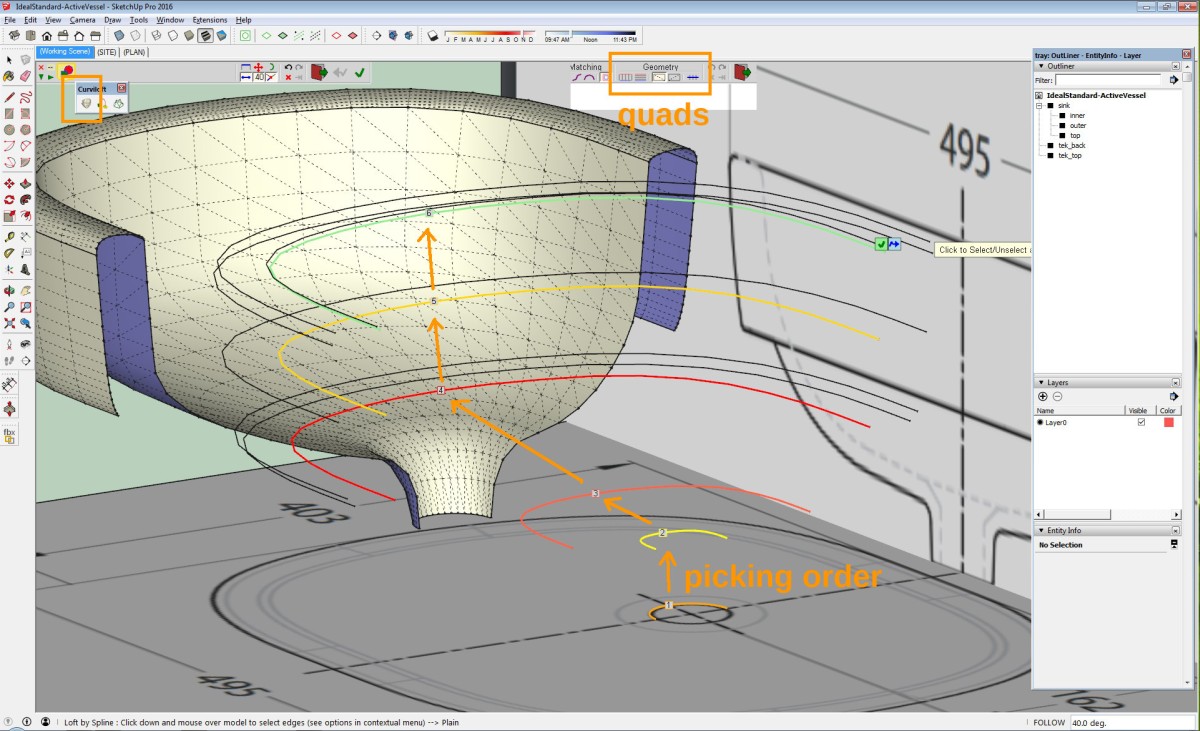
      As often, my comment was a bit too short. I meant to say that you have to pick the contours in the right order or your shape will be messed up (see pic).

      Also, this lofting technique could be used as well for roads for instance. I tend to use quads for the shape type for more easy texturing with the Quad tools (also see pic, I added a small segment of the dialog to the original pic).

      I had a quick(!) go at the sink. To really get the results you desire you have to play a bit with the amount of segments in the contours, the position of the contours and the individual curviloft settings.

      edit: I just noticed that using offset on some of the contours made a few vertices go just over the mirror plane. Something to be aware of.

      sink.jpg


      IdealStandard-ActiveVessel.skp

      posted in SketchUp Discussions
      K
      kaas
    • RE: Any suggestions? Making a basin with Curviloft...

      Using curviloft:

      • do only half and mirror it. That way you don't get problems aligning the starting points of the individual curves.

      • only trace the horizontal contours and put them on the proper Z

      • edit: use the same amount of segments on every part of each contour

      • create a (quad) shape from the contours by picking them in the right order.

      By using curviloft you can control the amount of segments in the curves quite well.
      Thus it's easy to make different quality versions of your object just by controlling the amount of segments.

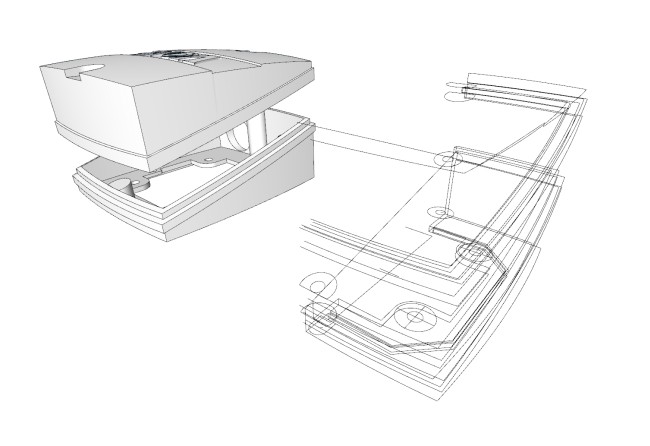
      In the pic an example I did a while ago using curviloft, a terminal box with lots of slightly curved shapes. After the lofting, and after some booleans the model was used for 3d printing.


      3dprint.jpg

      posted in SketchUp Discussions
      K
      kaas
    • RE: [Plugin] Mesh Importer

      Tried the plugin on several stl files. See a glimpse of a dos-cmd-window that auto closes immediately and then this error in the ruby console.

      The dll was already present and installed on my system.
      Win7 X64 , SU v16


      meshimport.jpg

      posted in Plugins
      K
      kaas
    • RE: Sketchup blijft traag

      Hoi Kevin,

      <ik doe dit even in het Engels want op die wijze krijg je veel meer antwoorden.>

      Translation:

      hello Kevin,

      <I'm writing my reply in English so you have a better chance people will reply to this post.>

      With those system specs, your modelling should go fine if your models are not too complex. Could you share more information on you kind of models (a picture or example of model), statistics (number of polygons/edges, textures) etc?

      Some general notes:

      • did you check if you have enabled OpenGl (use hardware acceleration) in SketchUp?
      • you already use a good hierarchy/layer system so you can easily turn off high poly detail while working?
      • you could try running the Goldilocks plugin to identify if you have excessive detail/large models in you scene.
      • SketchUp only uses 1 core of your cpu.

      If you can share more information you have a better chance we can help you identify the problem.

      Regards, Max

      groeten, Max

      posted in SketchUp Discussions
      K
      kaas
    • RE: [Plugin] 3D Text Editor

      ThomThom,

      If I may ask... is there a solution for V16 to prevent this plugin losing focus to SketchUp? If you run this plugin, start typing, at some point the webdialog will loose focus and you're firing keyboard shortcuts instead... This makes working with your plugin a far lesser experience.

      I described the problem already here: http://sketchucation.com/forums/viewtopic.php?f=180%26amp;t=63669 and I found a simple fix (see the same topic - 7th post) but that fix seems to only work for simple code and not for more complex tools...

      I hope you know of a better solution...

      posted in Plugins
      K
      kaas
    • 1
    • 2
    • 16
    • 17
    • 18
    • 19
    • 20
    • 43
    • 44
    • 18 / 44