sketchucation logo sketchucation
    • Login
    1. Home
    2. Gus R
    3. Posts
    Oops, your profile's looking a bit empty! To help us tailor your experience, please fill in key details like your SketchUp version, skill level, operating system, and more. Update and save your info on your profile page today!
    ⚠️ Important | Libfredo 15.6b introduces important bugfixes for Fredo's Extensions Update
    Offline
    • Profile
    • Following 1
    • Followers 2
    • Topics 144
    • Posts 1,060
    • Groups 2

    Posts

    Recent Best Controversial
    • Explode Image

      Is there a new way to explode an image with Sketchup 2022 (latest update) because normally you just right-click on the image and explode it with other options.

      Right now when I right-click on an image the only options showing are for selections: Invert Selection, Make Component and Make Group.

      Reset shortcuts and that wasn't it and it's working in 2021.

      Try it.
      posted in SketchUp Bug Reporting sketchup
      Gus RG
      Gus R
    • RE: Sketchup 2022, worth it?

      Maybe I should try the free version because I'm paying $299.00 a year for mine.

      @box said:

      I've found 2022 to be the fastest most trouble free version I have used.
      So be aware that personal experience can vary greatly.

      posted in SketchUp Discussions
      Gus RG
      Gus R
    • RE: Sketchup 2022, worth it?

      I've never encountered as many glitches and bugs than I have with Sketchup 2022.

      posted in SketchUp Discussions
      Gus RG
      Gus R
    • RE: Space Bar As Enter Functionality In CleanUp - SU 2022 Pro

      Yes. I don't remember when I started using the space key for OK while using CleanUp. I was churning through a bunch of Vray proxies from Vizpark to clear them from errors while trying to debug the V-Ray caused bugplats in Sketchup. It's a close click away when you're in production mode.

      It was working in 2022 before the update and still works in 2021. Both were able to function that way in addition to changing over to the select mode. Not really a big issue. I frequently change around shortcuts for specific tasks I'm working on.

      Sketchup could sure use macros for routine tasks. Always did.

      posted in SketchUp Bug Reporting
      Gus RG
      Gus R
    • Space Bar As Enter Functionality In CleanUp - SU 2022 Pro

      I just updated Sketchup 2022 Pro and seem to have lost the "enter" function for the space bar for certain tasks. Was just using it all afternoon on 2022 and it's still working in 2021. Anyone else experiencing this?

      Was using it as enter for CleanUp. I know it's for Tools/Select but for some reason it was working as "OK" for CleanUp Validity Check both in 2021 and the previous version of 2022.

      posted in SketchUp Bug Reporting sketchup
      Gus RG
      Gus R
    • RE: CPU Overheating Question

      I just noticed that's an Asus P8P67 LE motherboard. My previous computer before upgrading to a new machine has an Asus P8P67 Deluxe motherboard. I replaced the old i7 2500K CPU with a i7-3770K and got a new Deepcool Neptwin CPU fan which I decided not to install because I'd have to remove the motherboard to install the new backplate for the CPU because there wasn't enough access in the back on my Scout case. So look out for anything like that.

      posted in Corner Bar
      Gus RG
      Gus R
    • RE: CPU Overheating Question

      Yeah, could be the thermal paste is old and cracked. Also get some thermal paste cleaner like ArctiClean which I've used before. Get some Q-tips and be careful. Might want to get a can of compressed air and blow out the chassis and a new and better fan/heatsink. Don't let it go because you can fry your motherboard. Don't put too much new thermal paste on the CPU.

      posted in Corner Bar
      Gus RG
      Gus R
    • RE: L - 39 Albatros wood construction model

      Nice work!

      posted in Gallery
      Gus RG
      Gus R
    • Can't Read V-Ray Frame Buffer Status

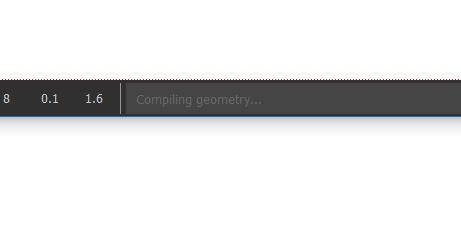
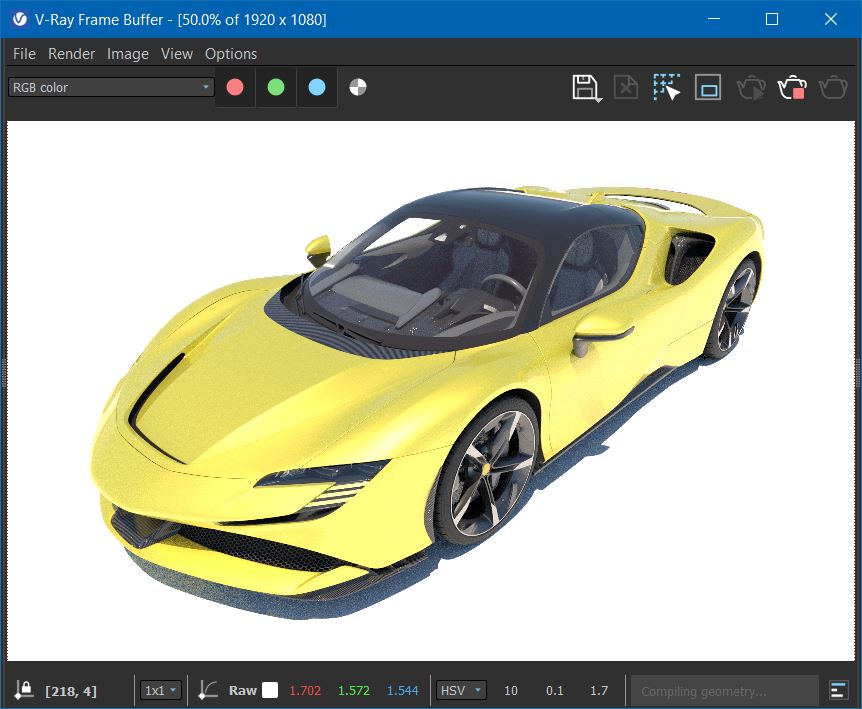
      As the title suggests, I can't or can barely read the V-Ray Frame Buffer (VFB) Status on the lower bar of the VFB while rendering. I was going to ask this question at the Chaos forums but I can't post there since I'm using the trial (free) version of V-Ray for Sketchup. I though maybe adding "VRAY_VFB_UI_SCALE" in System Properties: Environmental Variables to 3 would change the size but that didn't work.

      My screen resolution is at 2560 X 1440 and I know decreasing that will increase the font sizes but not the font color which I can barely read. Anyone have any ideas or is this a bug or something that was overlooked? I know I can see the status under stats in the left column.

      It's on the lower right.

      VFB.JPG

      VFB Status.JPG

      posted in V-Ray render plugins extensions
      Gus RG
      Gus R
    • RE: Push Pull Issue

      Thanks TIG.

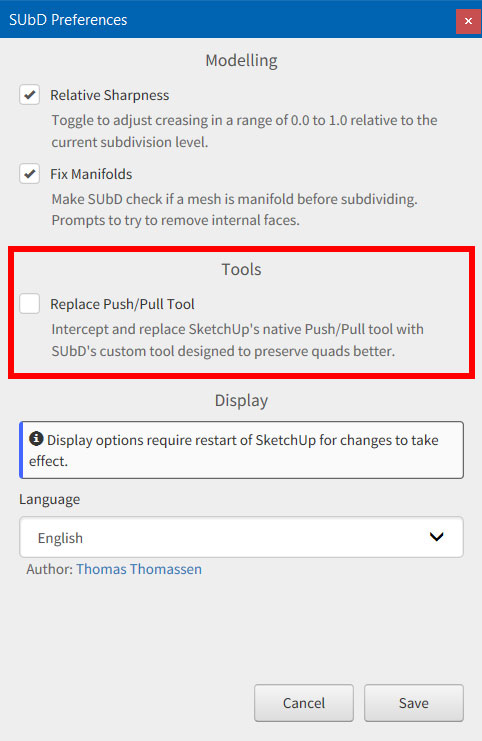
      Yes, it was a copy and paste job and I know that's not the way you're supposed to do it. I did find the culprit and it wasn't a plugin but operator error. I had checked off "Replace Push/Pull Tool" in SUbD Preferences last night. All back to normal now. I guess if anyone has the same issue they can find it here now. 💚

      Now I have to fix (rearrange) the tool bar mess I created.

      SUbD-Preferences.jpg

      posted in SketchUp Discussions
      Gus RG
      Gus R
    • RE: Push Pull Issue

      I'm not seeing that in preferences but I saved the original SU 2022 plugins directory and switched back to that and push/pull is working normally so the culprit is one of the plugins.

      posted in SketchUp Discussions
      Gus RG
      Gus R
    • Push Pull Issue

      SU 2022 Pro.

      I'm not sure if this is a bug but this morning I went to do a push pull and noticed that the tool doesn't release and entering a distance doesn't working either. This might be a compatibility issue with another plugin but was wondering if I'm missing something obvious here. I did a repair for Sketchup and that didn't change anything. Everything is fine in SU 2021 Pro. I could have sworn it was working fine in SU 2022. I'll try and disable recent plugins.

      posted in SketchUp Discussions sketchup
      Gus RG
      Gus R
    • RE: Merging roofs with 2 different pitches with Instant Roof?

      I mostly been using Instant Architect for windows and doors but I was looking around this afternoon and it has dual pitch rood option under parameters. Only problem is that it construct the dual pitch on both sides instead of your example for either a porch or patio. Try messing around with that anyway.

      You'll want to check off "double slope." You can generate one side with the double slope and the other side as a "single slope." The slice each side through the centerline of the ridge and join them together. Keep in mind that Instant Architect does not generate parametric components so it's a matter of trial and error.

      Look here: Instant Roof Nui Roof - Parameters

      And here: Instant Roof

      Maybe contact Chuck at Vali Architects in addition to watching some instructional video he has for the basics.

      posted in Extensions & Applications Discussions
      Gus RG
      Gus R
    • RE: [Plugin] Ellipse script

      It's fine. Just found that Arc Circles + will create an ellipse much the same like the old plugin.

      posted in Plugins
      Gus RG
      Gus R
    • RE: [Plugin] Ellipse script

      Thanks Dave. I just installed that other plugin and it's so-so.

      posted in Plugins
      Gus RG
      Gus R
    • RE: [Plugin] Ellipse script

      Plugin doesn't work in SU 2021 or 2022. Kept trying to create an ellipse in both and I couldn't figure out what I was doing wrong. Fired up the old rig and it worked as usual on SU 2017. Yes, I know it's an oldie. Just a very useful plugin sometimes.

      posted in Plugins
      Gus RG
      Gus R
    • RE: Work smarter not harder in 2022 with LayOut and SketchUp Pro

      Installed SU 2022 and everything went smoothly. Copied my SU 2021 plugins and only had to re-enter my Medeek licenses.

      Everything else is working fine with what I checked so far: Profile Builder 3, Thea Render; Instant Architect; Cloth Works; Medeek Wall, Foundation and Truss; and Skatter 2. Seems a little faster.

      The Tag tool is really handy to change objects, groups or components to the tag your currently set on and works like a "magic wand."

      posted in SketchUp Discussions
      Gus RG
      Gus R
    • RE: Work smarter not harder in 2022 with LayOut and SketchUp Pro

      Never mind. Answered my own question. It's a separate install and both are working fine.

      posted in SketchUp Discussions
      Gus RG
      Gus R
    • RE: Work smarter not harder in 2022 with LayOut and SketchUp Pro

      Thanks Glenn.

      Is this an update or a complete separate install? Will SU 2021 remain in place?

      If it's separate then that means reinstalling plugins and apps. Thea Forum shows it as a separate install. As long as 2021 keeps working I can experiment with SU 2022.

      posted in SketchUp Discussions
      Gus RG
      Gus R
    • RE: Work smarter not harder in 2022 with LayOut and SketchUp Pro

      Has anyone installed the update to 2022 yet to see if there are any compatibility issues with plugins or other apps or should I just go ahead and update to 2022?

      posted in SketchUp Discussions
      Gus RG
      Gus R
    • 1
    • 2
    • 36
    • 37
    • 38
    • 39
    • 40
    • 52
    • 53
    • 38 / 53