sketchucation logo sketchucation
    • Login
    1. Home
    2. Gus R
    3. Posts
    Oops, your profile's looking a bit empty! To help us tailor your experience, please fill in key details like your SketchUp version, skill level, operating system, and more. Update and save your info on your profile page today!
    ⚠️ Important | Libfredo 15.6b introduces important bugfixes for Fredo's Extensions Update
    Offline
    • Profile
    • Following 1
    • Followers 2
    • Topics 144
    • Posts 1,060
    • Groups 2

    Posts

    Recent Best Controversial
    • RE: Residential model...

      Great model, great rendering and great house. Looks like a beach house in Bayhead.

      Don't know about Podium but I'm sure you can find an answer. Might want to ask in the Podium forums if you haven't already.

      posted in Gallery
      Gus RG
      Gus R
    • Brembo Brake Caliper and Rotor

      Well, while waiting for another residential rendering I took on a brake caliper which expanded into the rotor and then some. The caliper is a Brembo A1.37.11/14 caliper and an 09.5890.31/41 rotor that they use in Formula 3000 racing.

      Already started another house since then. Basically this is all basic SU free apps and "Round Edges by Bezier" for the caliper body and "Arcs to Cylinders" for the tube at the bottom. The rendering is done in Kerkythea and the rotor texture is something I found at the CG Cars website in their textures section.

      It's not 100% accurate but I sure spent a great deal of time measuring using the Brembo drawing specs from their site. It's sure easier entering metric data as opposed to the fractional inputs of "Imperial Units."

      Might have the rotor flopped.

      http://img261.imageshack.us/img261/4645/robattobrembobrakes01hs1.jpg

      SU model.

      http://img442.imageshack.us/img442/3803/robattobrembobrakes02jj1.jpg

      Gus

      posted in Gallery
      Gus RG
      Gus R
    • RE: Another Teezer SubSmooth

      Excellent. I bet that took a lot of patience.

      posted in Gallery
      Gus RG
      Gus R
    • RE: Warehouse WIP

      Nice work. Remind me of a lot of the new warehouses they put up around here in the outlying metro areas.

      Looks like a concrete tilt-up. Last one I did was site plan application with all the works and later the construction documents. Typically with the banding details both verical and horizontal including rustication lines.

      posted in Gallery
      Gus RG
      Gus R
    • RE: Residential - Sebastian

      Thanks again.

      Marked, the depth of field is from something I picked up over here,

      301 Moved Permanently

      favicon

      (www.sketchucation.com)

      With a video here,

      It's done in Photoshop. Not sure if it can be done in Paintshop Pro or other apps. It's actually easy to do.

      Honoluludesktop, the grass is straight from SU. I think it's the bluegrass texture if I'm not mistaked. The tree shadow is a tree I place behind the camera which will then cast a shadow on the subject -- in this case being the house. The specific tree in this case is the middle tree found here,

      Error 404 (Not Found)!!1

      favicon

      (sketchup.google.com)

      I like casting shadows on the homes since it frames the house nicely. For the most part I use the "Mover" ruby which allows me to set the tree in the correct place from within a specific scene without having to actually see the tree while it's being moved. Mover is also good when dealing with higher LOD objects which can become difficult to move within a large SU file.

      Gus

      posted in Gallery
      Gus RG
      Gus R
    • RE: Racing Rim and Tire

      Thanks for the comments folks.

      Craig, you were right and I revised the model to reflect a 285/650R18 tire and an 18 X 11 wheel. Should be close enough now I'm hoping and the profile is much lower. The tire is about 25.5 inches in diameter.

      Fred, thanks for the tip. I'll have to match my Kerkythea material with my target rendering methods. In this case being A1 metals. I also found some good information on this at the Kerkythea forum including the following regarding the metal noise

      favicon

      (www.kerkythea.net)

      And a short video on settings

      favicon

      (www.kerkythea.net)

      This image shows the revied wheel/tire dimensions and the new render settings. Much less noise and it actually renders faster with the settings I used from the above linked video.

      http://img354.imageshack.us/img354/5889/robattodunlop04pp6.jpg

      Gus

      posted in Gallery
      Gus RG
      Gus R
    • RE: Residential - Sebastian

      Thanks very much guys. It put a smile on another jobless day.

      Anyone need any rendering work in Denver?

      posted in Gallery
      Gus RG
      Gus R
    • Racing Rim and Tire

      Now for something completely different. For me that is. This is part of a WIP of a model and rendering of the Nissan R89C from 1989. This will include a great deal of experimenting and learning as well as several million bug splats and autosaves. So far I think I may be getting carried away with the face count but it can be managed by merging the final parts in Kerkythea.

      Thus the Nismo racing rim and Dunlop Denloc tire. The center spoke section was done with "Subdivide and Smooth" using mainly curve tangent lines or curves themselves. I divided the spokes into 5 components having a delta 36 degrees with a total of ten. It wasn't easy but I think I got it down considering there aren't many reference photos for this wheel nor the Nissan R89C.

      http://img404.imageshack.us/img404/1909/robattodunlop01ny4.jpg

      http://img201.imageshack.us/img201/4553/robattodunlop02sw4.jpg

      I'm still getting some noise with my metals in Kerkythea. If anyone has the sollution to that please let me know.

      Here's the model in Sketchup itself.

      http://img201.imageshack.us/img201/540/robattodunlop03qj3.jpg

      The font isn't exact since I wanted to finish it up this morning. That would be something to fix in the future. I created the italics by rotating the text -30 degrees on the x axis and -30 degrees on the y axis and then intersected the text onto a plane which I then reversed its rotation to be perpindicular to all axis. The rest was a matter of pulling, intersecting, etc. The brake caliper is a "prop" since the Nissan R89C used Brembo calipers.

      The tire was also made with "Subdivide and Smooth."

      Cheers,

      Gus

      posted in Gallery
      Gus RG
      Gus R
    • RE: Chilean Embassy Addition (WIP) - updated Dec19

      Very nice. I particularly like the second one with the landscape reflection and the overall design of the addition.

      My grandfather used to work copper in Argentina.

      posted in Gallery
      Gus RG
      Gus R
    • Residential - Sebastian

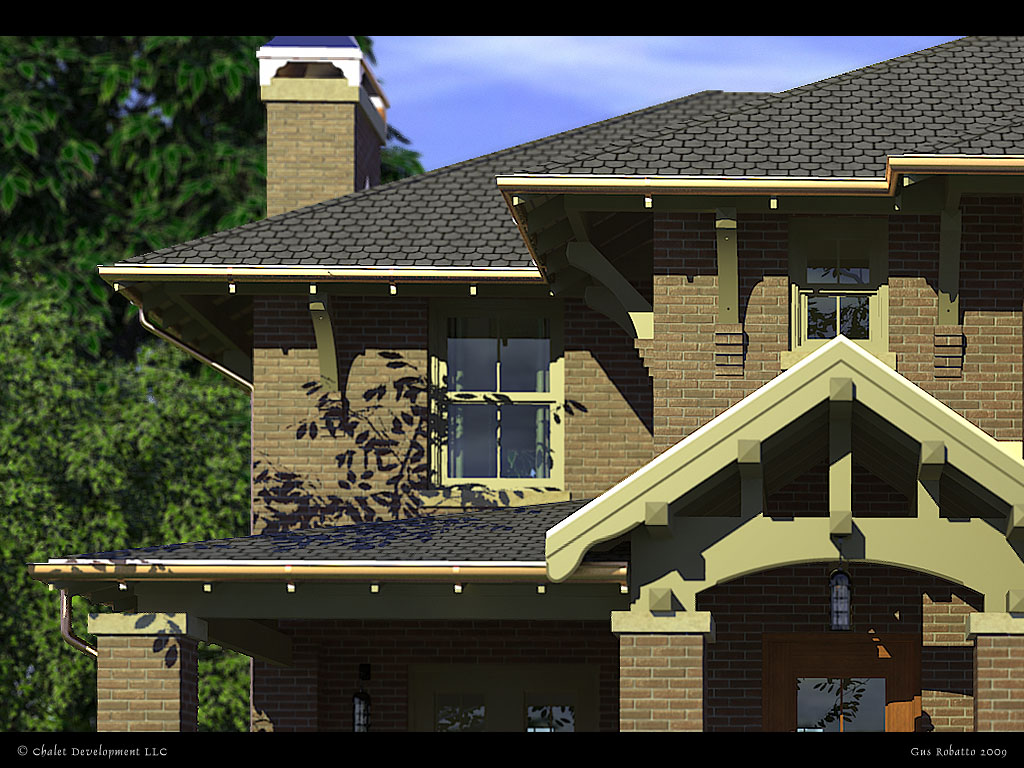
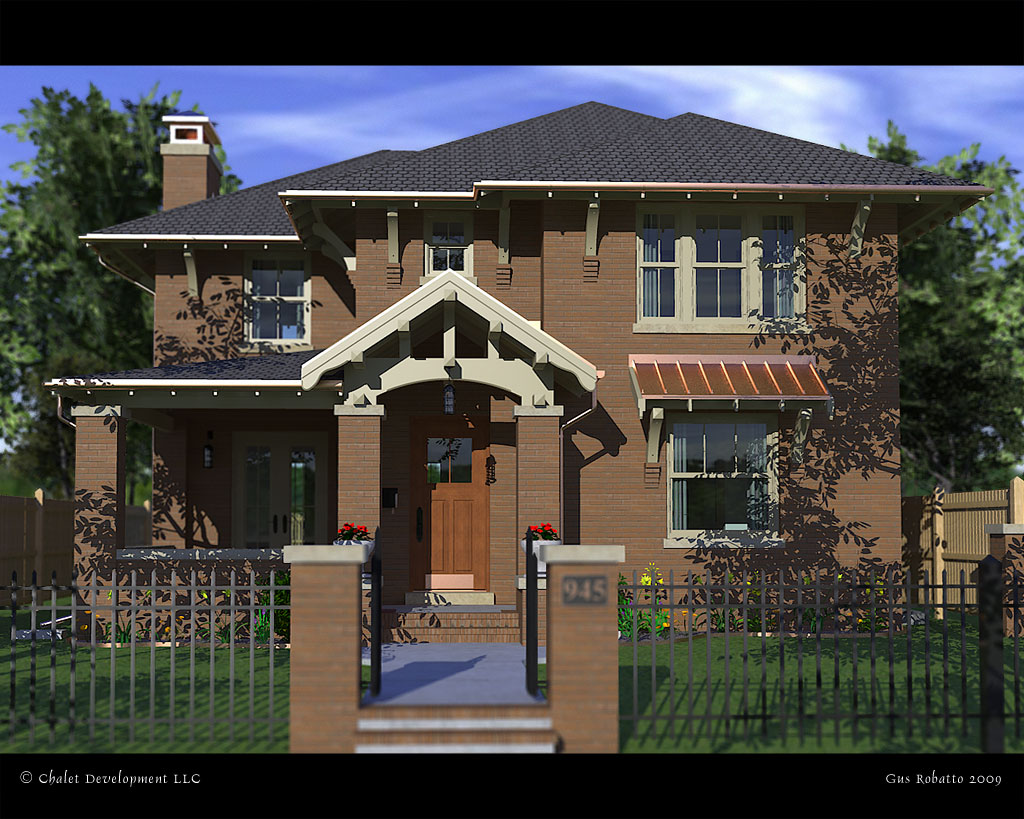
      Latest residential rendering. Essentially these end up on a website at 615 pixels wide. I modeled the complete house including basement window well and garage -- this is just the "front end."

      http://img214.imageshack.us/img214/6111/robattochaletseb01xp5.jpg

      Hidden line x-ray view showing the linework.

      http://img367.imageshack.us/img367/9594/robattochaletseb02rm5.jpg

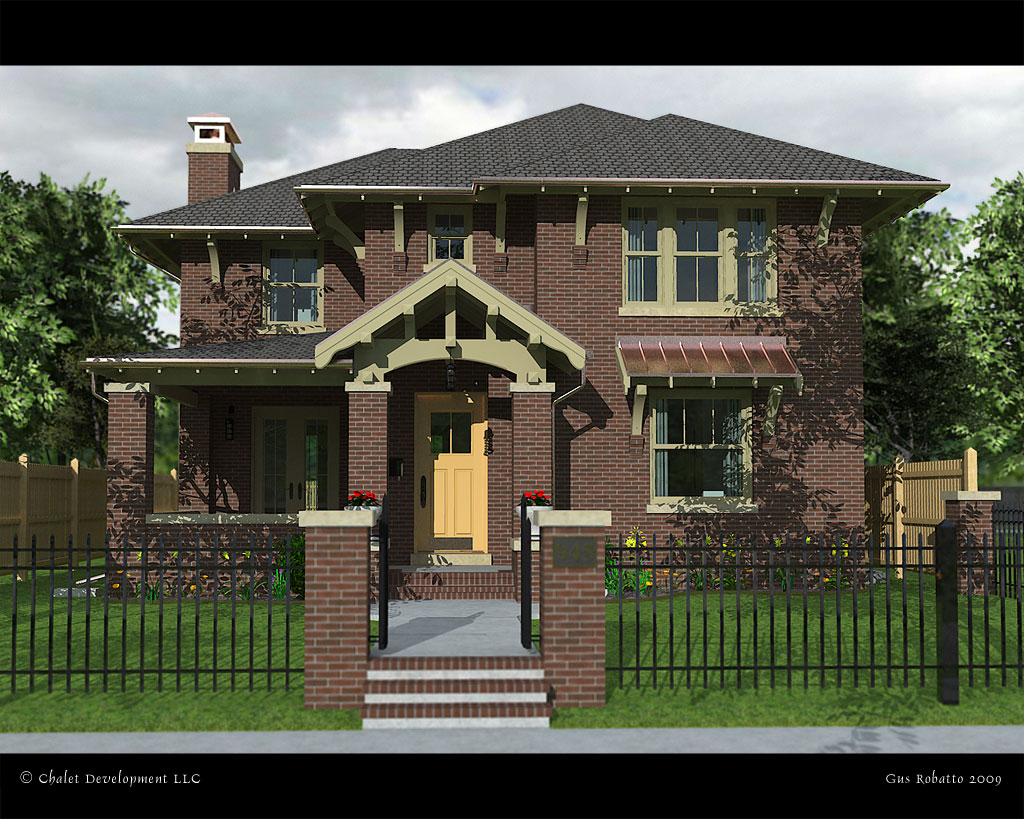
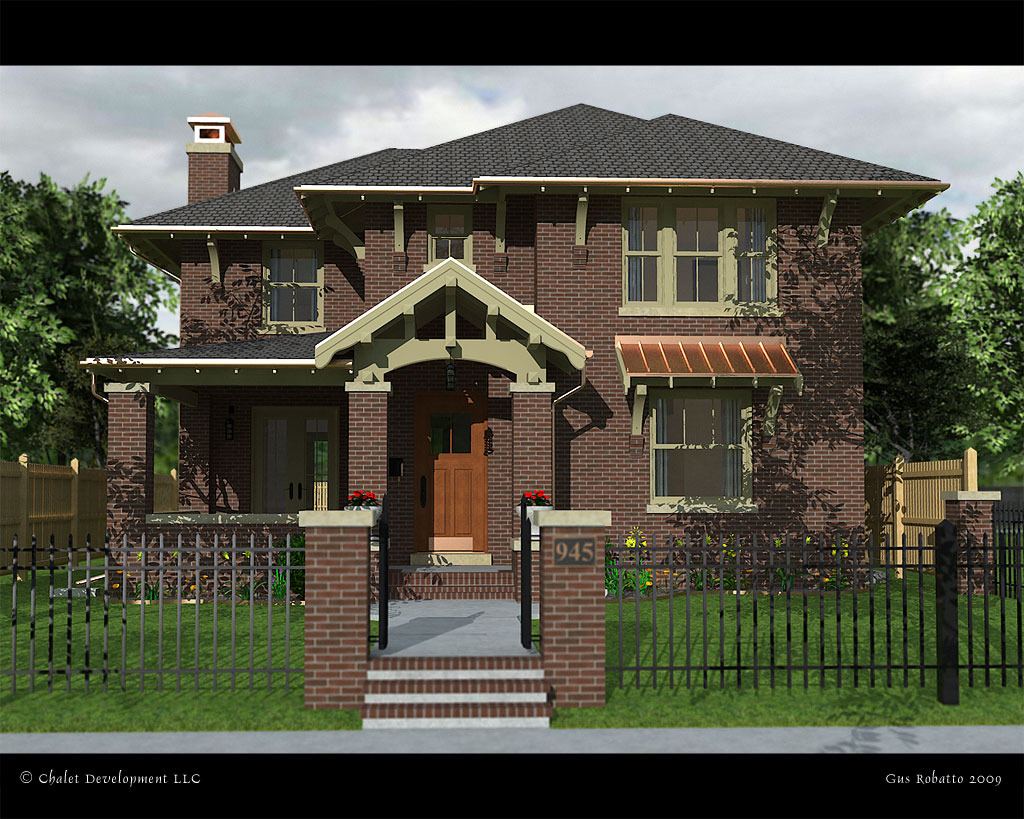
      And experimenting for the first time with some lighting and night lighting in MLT Kerkythea render. Different trim colors.

      http://img528.imageshack.us/img528/4681/robattochaletseb03nv7.jpg

      Kind of fuzzy since I only let it run for about 6 hours on my P4.

      House designed by John Mattingly at Chalet Development.

      Gus

      posted in Gallery
      Gus RG
      Gus R
    • RE: Cad Questions

      Don't forget to move all layers to Layer 0. ❗

      posted in Newbie Forum
      Gus RG
      Gus R
    • RE: Solo Town

      Nice Pete. I love clay renderings. The utility poles add a great sense of place and realism. 2MBs for that is amazing.

      👍

      posted in Gallery
      Gus RG
      Gus R
    • RE: Want to Enhance SketchUp Drawings

      @unknownuser said:

      Check these out as well, especially the 'Dennis Technique'
      http://www.sketchucation.com/forums/scf/viewtopic.php?p=52668#p52668
      May be of some help to you.

      Fabulous link James. Now I'll never get back to work feeling the sudden urge to try some of these techniques. 👍

      posted in SketchUp Discussions
      Gus RG
      Gus R
    • RE: Blending two non-rectangular surfaces

      rshafersr,

      For the example you attached you might want to try this:

      **1. Create the airfoil profile.

      1. Pull that profile out (using the push/pull tool) to your desired length.

      2. Click on the end of the wing and scale from the center node at the trailing edge and push that forward to attain the desired taper.

      3. Then, scale from a midpoint node while holding down the control key to reduce the thickness of the profile.**

      The same would be true with a tapered leading edge or both. For both just scale the tip while holding down ctl + shift.

      There, clear as mud.

      posted in Newbie Forum
      Gus RG
      Gus R
    • RE: Fractal Tree Maker for SketchUp - Free add-on

      Al,

      Thank you very much for this application. Works great and the trees and the options all work like a charm. Even tested it with other leaves as someone suggested -- having converted them to PNGs.

      Thanks again.

      Gus

      posted in Extensions & Applications Discussions
      Gus RG
      Gus R
    • RE: Want to Enhance SketchUp Drawings

      Msm,

      Well, since I have been trying to do the same thing since I started using SU here's what I've learned so far.

      A rough outline towards that end would be:

      1. Styles

      2. Background Image

      3. Photoshop Effects

      4. Scene Setup and Shadows

      5. Styles

      With regards to the first item you can find some pretty good styles here at Sketchucation in the “Components, Materials, and Styles” section. You’ll have to poke around and see if there’s something you like. A quick link would be to grab some here:

      http://sketchupdate.blogspot.com/2008/04/and-winning-styles-are.html

      My favorite of these being by “Mark Pachke of Milwaukee, Wisconsin , Pencil edges with whiteout border.” I do a variation of that using a straight edge line. You can also replace the watermark background image.

      Follow the instructions there regarding saving this model to save those styles:

      http://sketchup.google.com/3dwarehouse/details?mid=99bb0bf50b952c17acb3f41cdf8b819a

      1. Background Image

      As I mentioned in the first section you can replace the background image with a “backdrop” image such as a city, country, or suburban style.

      1. Xero has some free and really good Photoshop effects available at:

      http://www.xero-graphics.co.uk/downloads.htm

      Scroll down and grab all of the plugin sets. Try using ArtGrain, Artifax, or Tekstya. You can also use the built in color pencil effect or watercolor. One thing I like to do is “fade” the effect after applying it since it tones down the effect creating a more pleasant mood. You can also overlay a copied layer of your rendering and manipulate the blending change and vary the fill percentage.

      1. Lastly, scene set-up is important as well as your shadow settings. Best times are after sunrise or before sunset.

      Gus

      posted in SketchUp Discussions
      Gus RG
      Gus R
    • RE: Silvershadows eye candy 2 : BLACK HAWK

      Superb work Silver Shadow.

      I'm wondering now if anyone has ever done the work from Sketchup to Flight Simulator. Would take a few imports at the modeling stage prior to setting up any flight dynamics. Would have to cut down on the LOD for it I'm sure.

      👍

      posted in Gallery
      Gus RG
      Gus R
    • RE: Residential Rendering - Rosalie

      @pbacot said:

      that's a great rendering.

      So this is a direct export of an image from SU?

      Thanks.

      Yep, it's a jpg export from SU. I did it at max quality and 3200 pixels wide. Takes about 45 minutes to generate. The model itself is a bloated 20 MB so it can only really be worked on in what I named a "Work" scene with no color and the landscaping hidden. The trees I use are what basically stops SU given the size of the model.

      Then I added a color pencil effect in PS and faded it by down to 23 percent and increased the contrast by about 12 percent. The brick textures are from Acme brick that has an application which can create a good deal of bricks and mortar colors. They also have CMU (concrete block) textures you can generate. Both of these can vary the course types.

      I'm in the process of learning Kerkythea which may take some time. At this point however using SU to generate these renderings is more cost effective. Of course there are workarounds to this like render farms and sleeping while it renders.

      posted in Gallery
      Gus RG
      Gus R
    • Residential Rendering - Rosalie

      First post here.

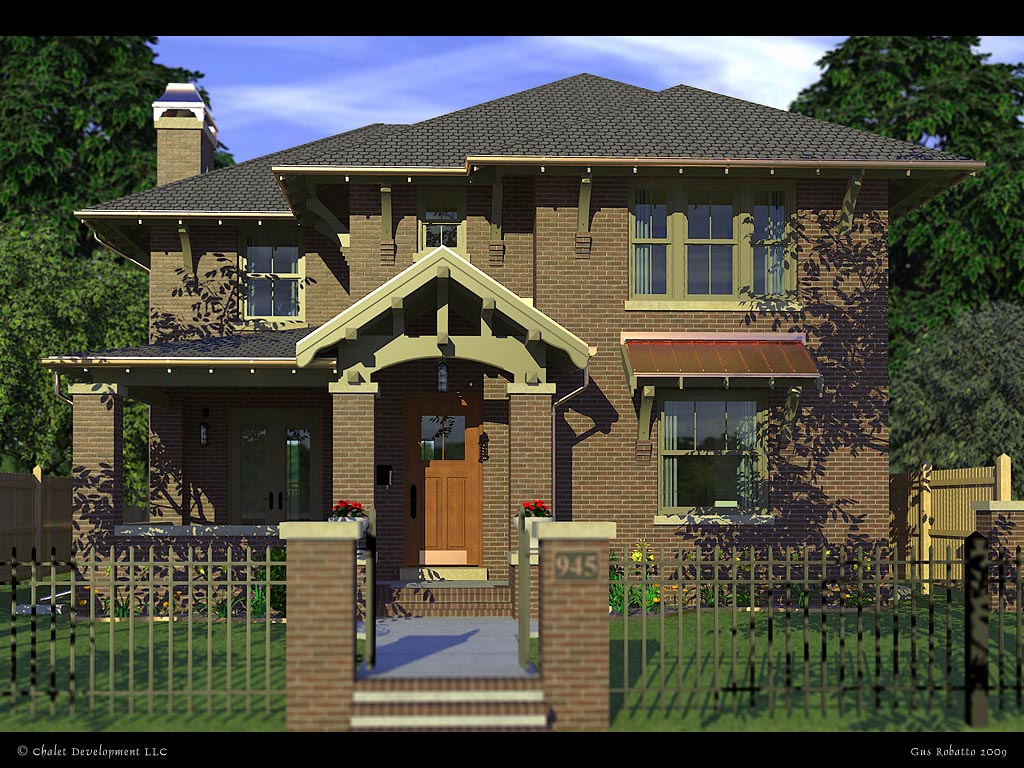
      This is a final rendering I did for Chalet Development here in Denver, Colorado. The house was designed by John Mattingly. It’s a straight ahead SU rendering with some post rendering effects added: faded color pencil effect with some contrast adjustment.

      Other than the landscape objects and the metal fence I did all of the modeling work in SU.

      Thanks,

      Gus

      http://img221.imageshack.us/img221/6158/robattochalet001mr3.jpg

      posted in Gallery
      Gus RG
      Gus R
    • 1
    • 2
    • 49
    • 50
    • 51
    • 52
    • 53
    • 53 / 53