sketchucation logo sketchucation
    • Login
    1. Home
    2. Gus R
    3. Posts
    Oops, your profile's looking a bit empty! To help us tailor your experience, please fill in key details like your SketchUp version, skill level, operating system, and more. Update and save your info on your profile page today!
    ⚠️ Important | Libfredo 15.6b introduces important bugfixes for Fredo's Extensions Update
    Offline
    • Profile
    • Following 1
    • Followers 2
    • Topics 144
    • Posts 1,060
    • Groups 2

    Posts

    Recent Best Controversial
    • RE: House

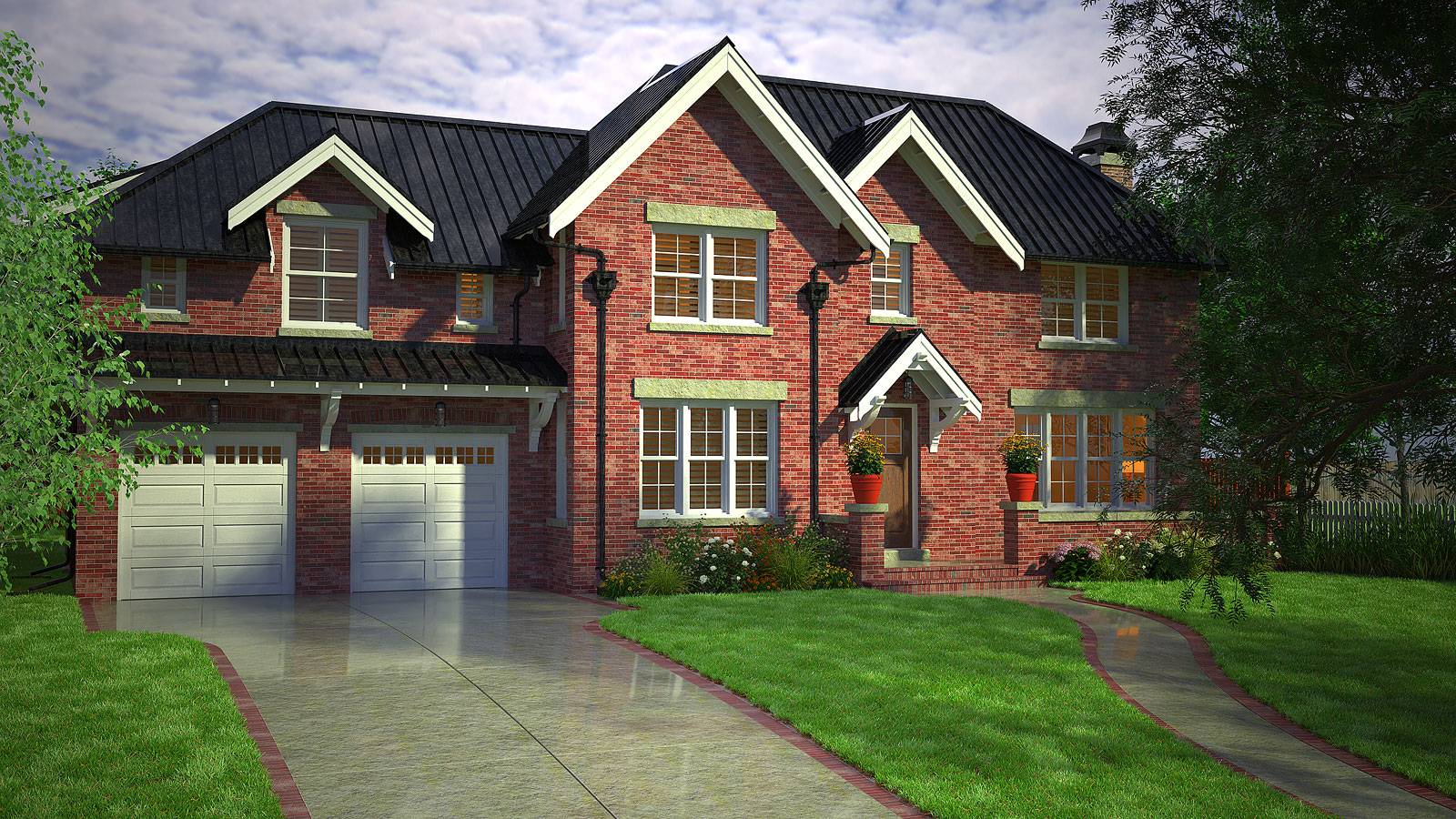
      Thanks all. Most of the landscaping is from Vizpark. The grass is Skatter. I modeled that way back and found a lot of ungrouped geometry. I did all of the modeling by hand for the house.

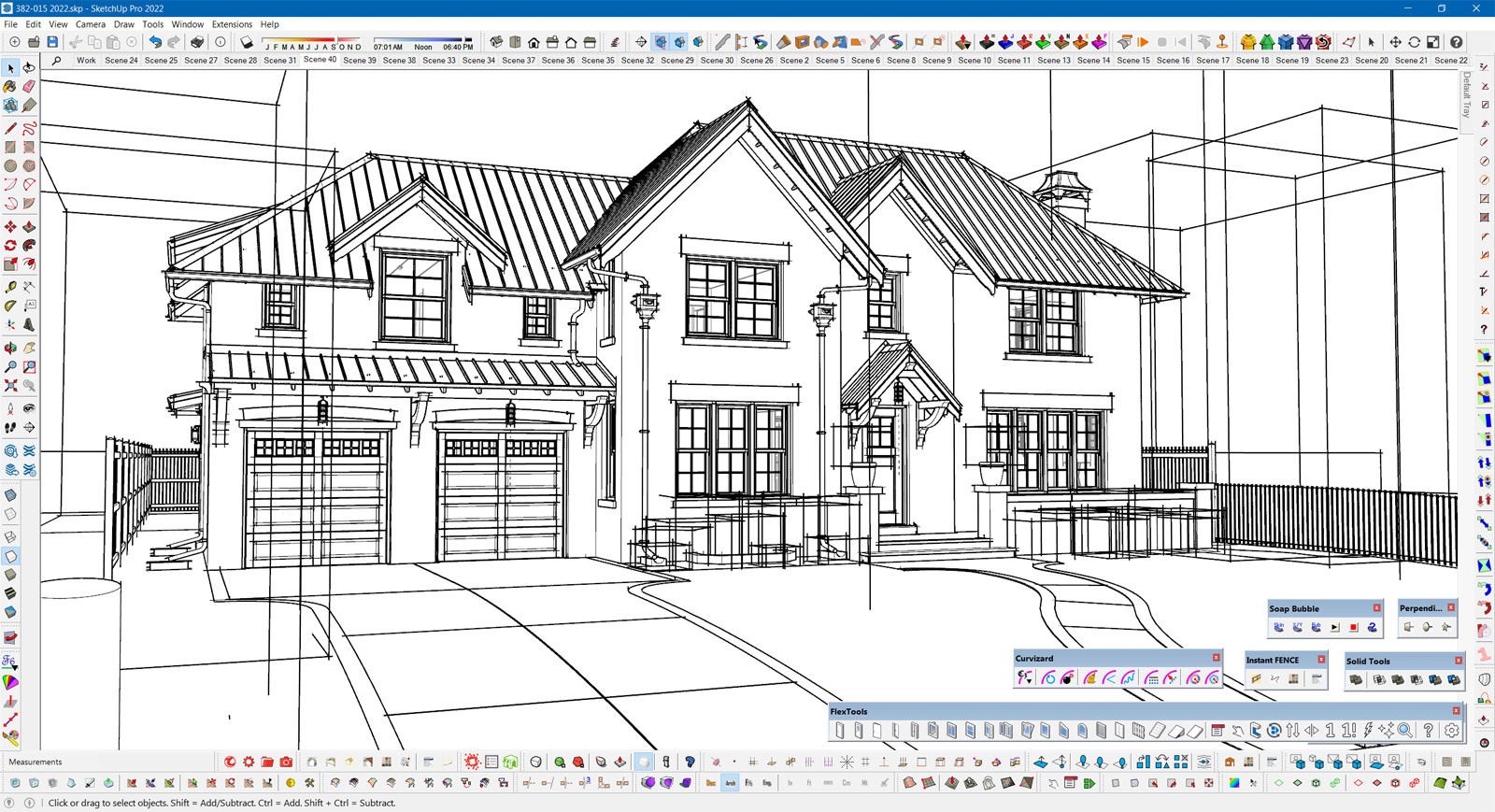
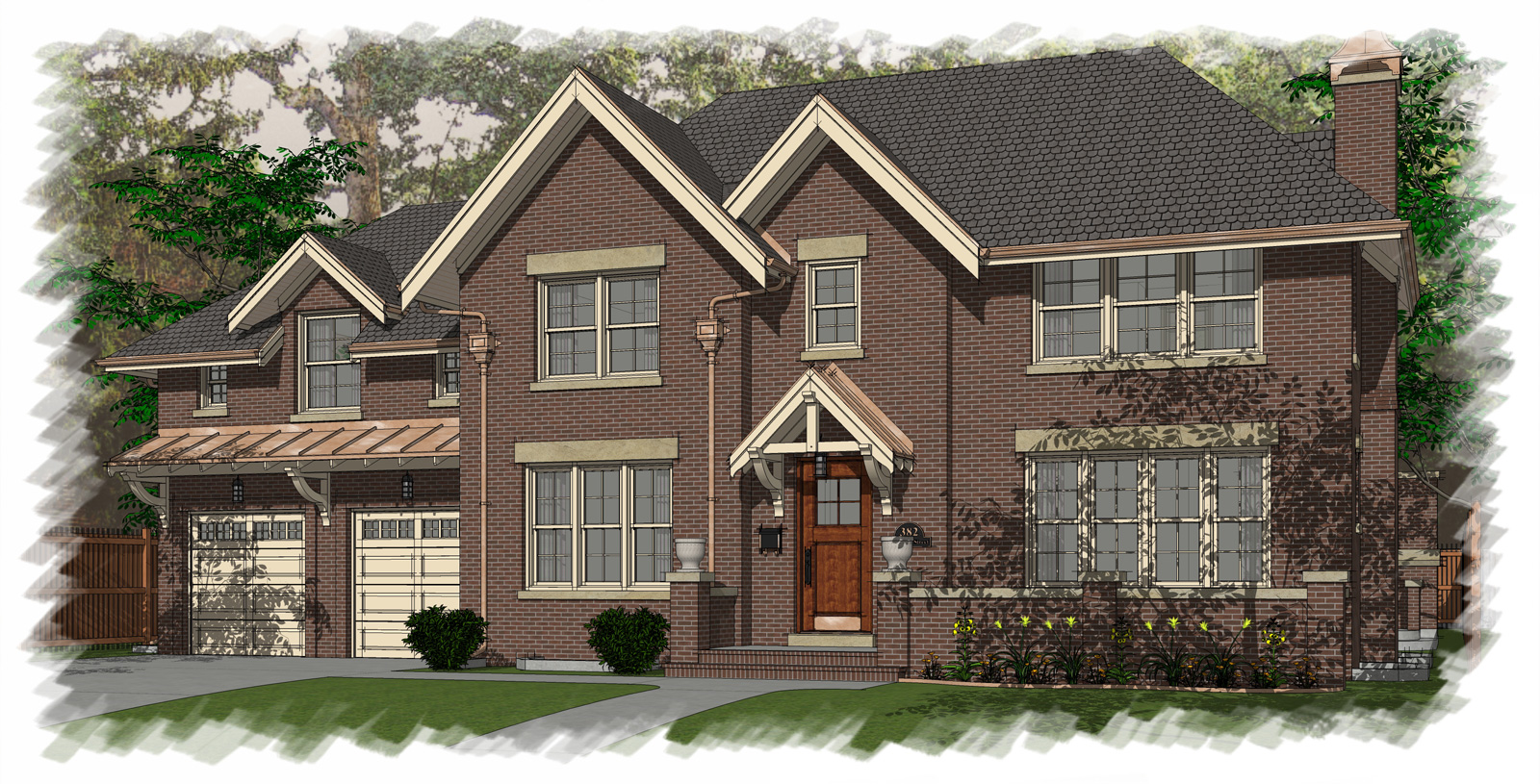
      Here's another one including a work view and the old NPR rendering.

      If anyone has any questions feel free to ask.

      382-014-2022-Scene-31.jpg

      Work-View.jpg

      382-007t.jpg

      posted in Gallery
      Gus RG
      Gus R
    • House

      A Thea Render of a house I modeled for an NPR rendering back in 2008.
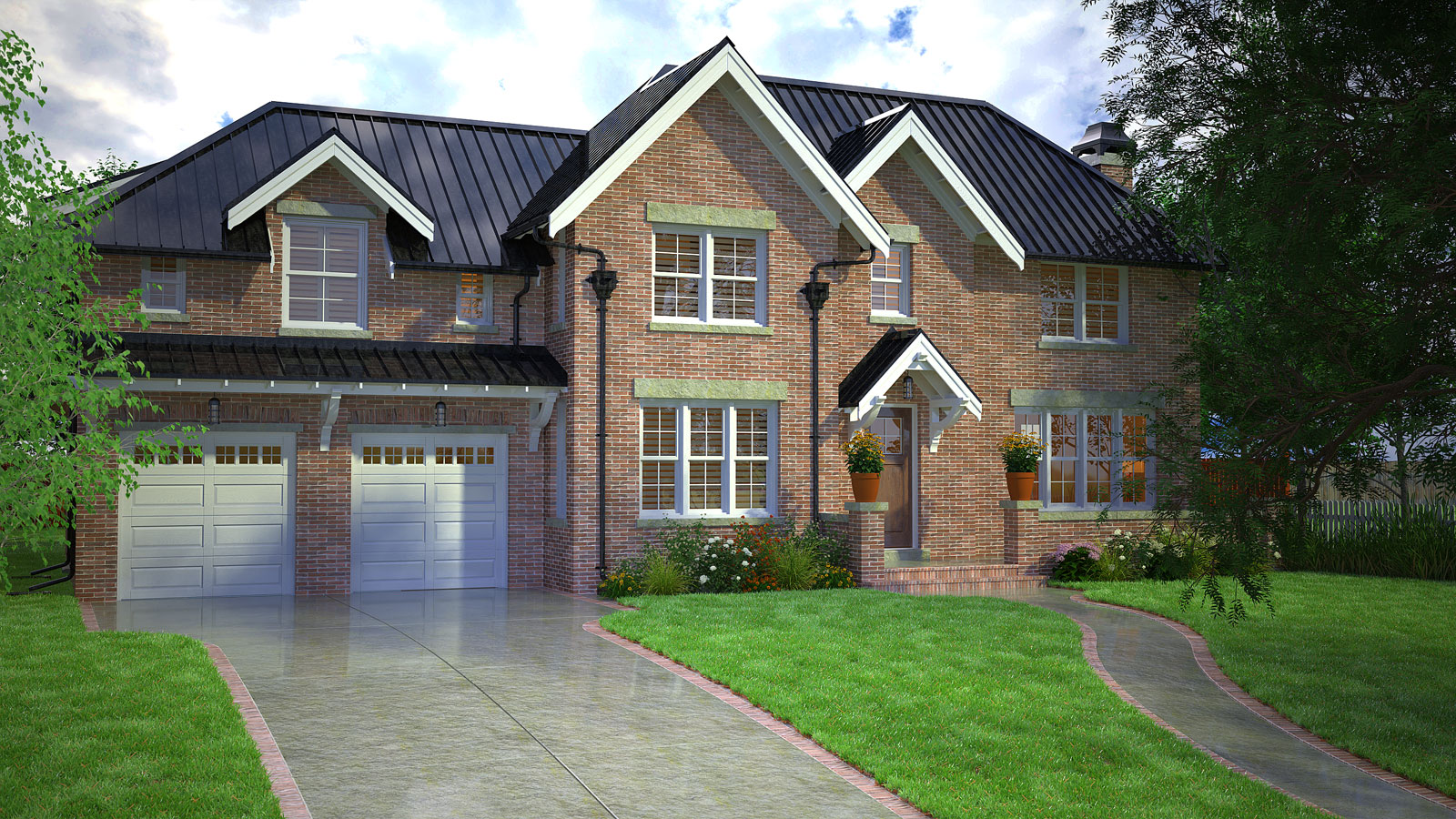

      382-014-2022-Scene-39.jpg

      382-014-2022-Scene-39B.jpg

      Update:

      Found a brick generator from Poligon called Bricks Modern Generator ($35 USD) which uses Adobe Substance Player which if free and available from Adobe. They have other generators for different materials like cloth or flooring. You can save a preset for a typical type of brick you use and change a variety of parameters including color and a color picker that works outside Substance Player's window and on a picture you have open or anything open in your browser.

      You create the bricks in the Substance player using the Poligon SBSAR and then click export to bitmaps where you save to a directory. Then in my case you create materials with Thea Render from bitmaps and the directory where they're located.

      So here's a painted white brick version and a rusticated red brick look.
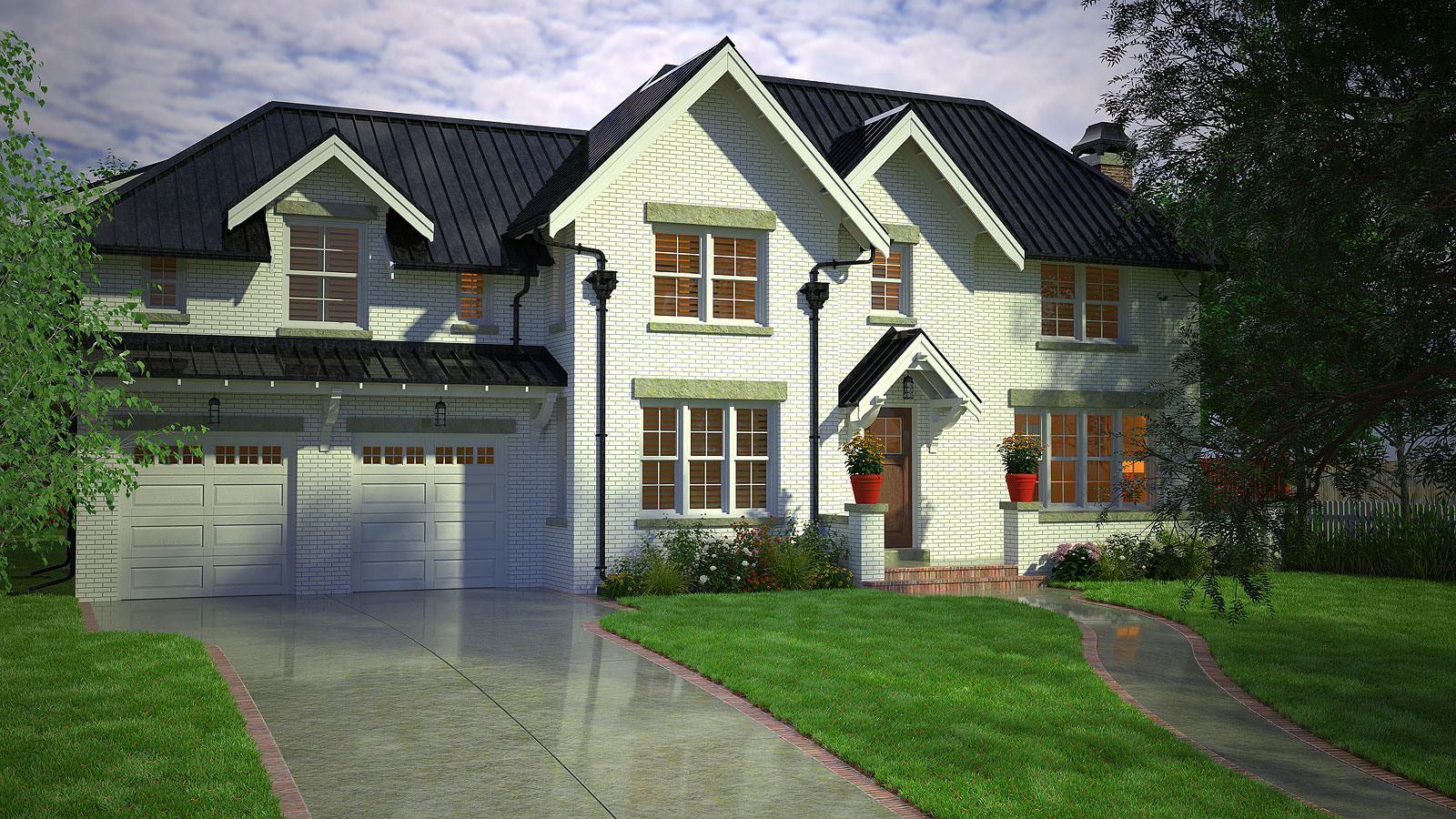
      382-015-2022-White-Brick-Sc.jpg

      382-015-2022-Red-Brick-Scen.jpg

      posted in Gallery
      Gus RG
      Gus R
    • RE: Anybody know what this is called?

      @l i am said:

      @gus r said:

      Can you apply a bevel to the model in your rendering software? You can also create a component of the repetitive sections of the model. If you haven't already. I've been using bevel with Thea Render instead of round corner to save memory.

      Ghanks Gus I tried that but not all are repeat patern so I broke it down to the minimum. Same thing as soon as I select or try to select round or bevel corners blue wheel.......forever.

      Did you try scaling it? Try scaling it by 10X, 100X, or even 1000X. That makes it easier to scale back down. Then try round corner again with the appropriate scale.

      posted in Corner Bar
      Gus RG
      Gus R
    • RE: Anybody know what this is called?

      Can you apply a bevel to the model in your rendering software? You can also create a component of the repetitive sections of the model. If you haven't already. I've been using bevel with Thea Render instead of round corner to save memory.

      posted in Corner Bar
      Gus RG
      Gus R
    • Brick - Seamless Textures/Material

      For several years I was using Acme Brick's texture program but that required manually creating a seamless texture by changing a few brick modules. I discovered that it's been updated to an online seamless textures generator which works really well almost instantly.

      You find that here: Masonry Designer | brick.com

      The seamless textures can be generated under Save: Seamless Tile. The rest is self explanatory.

      posted in SketchUp Components sketchup
      Gus RG
      Gus R
    • RE: Divide Polyline Into Equal Segments

      Thanks Rich.

      posted in Extensions & Applications Discussions
      Gus RG
      Gus R
    • Divide Polyline Into Equal Segments

      I'm trying to divide a polyline with unequal segments into equal segments and I can't seem to remember which plugin to use. Is that Fredo Spline?

      posted in Extensions & Applications Discussions extensions
      Gus RG
      Gus R
    • RE: Texture Position

      That worked! I brought the entire model just short of the origin and everything is back to normal. Thanks Rich.

      posted in SketchUp Discussions
      Gus RG
      Gus R
    • RE: Texture Position

      Gremlins!

      posted in SketchUp Discussions
      Gus RG
      Gus R
    • RE: Texture Position

      Rich,

      OK. This model was generated with al native SU geometry short of using a CAD import of the floor plan which I've done hundreds of time before without encountering this glitch. It's even doing it within the attached model with new geometry composed of simple planes. I tried importing this model into a new SU file and it still doesn't work along the red plane.

      posted in SketchUp Discussions
      Gus RG
      Gus R
    • Texture Position

      I suddenly have this model where I can't position textures within a particular group using the up-down/left-right arrows on the keyboard. Using the mouse works. This only happens on the red plane and not the green plane even outside the group. The texture is directly applied on the surface and not on the group. Anyone ever encounter this? This does not occur in other models.

      Uploaded part of the model. Still doesn't budge on the one side.

      Texture Position Test.skp

      posted in SketchUp Discussions sketchup
      Gus RG
      Gus R
    • RE: Could somebody please identify this cladding?

      I found this called European Style Composite Wood Siding although your sample appears to have horizontal members.

      posted in Corner Bar
      Gus RG
      Gus R
    • RE: Custom Stone Veneer Texture

      Thanks Arengu. I requested the client to get a large image of the stone veneer to no resolve. I ended up getting a texture from someone else that resolved the issue.

      Thanks to everyone else that chimed in.

      posted in SketchUp Components
      Gus RG
      Gus R
    • RE: How To : Fredo6 Round and Sharp corner problems

      You could also do the Round Corner first and then subtract the curved sections with a solid.

      posted in Plugins
      Gus RG
      Gus R
    • RE: Arcs imported from AutoCad look horrific

      @bsquared said:

      @gus r said:

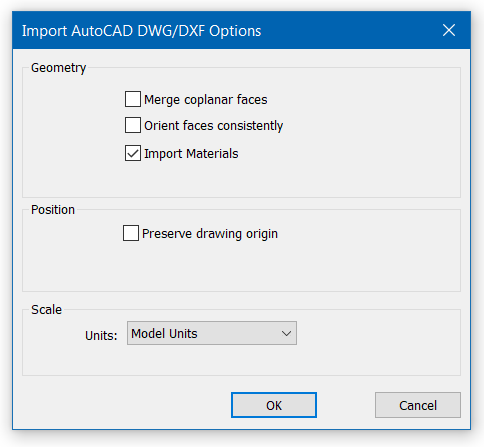
      This is the import settings. It's rather basic.

      [attachment=0:28qxhv9g]<!-- ia0 -->Dwg Import Settings.PNG<!-- ia0 -->[/attachment:28qxhv9g]

      Thanks for checking it out. My new model this morning looked as good as yours, I'm thinking the origin setting might have been the culprit. I'd read on other threads about sketchup not behaving properly when the model is placed really from from the origin. The last import I did, I checked all of those boxes except 'preserve drawing origin'. Perhaps 'merge coplanar faces' and 'orient faces consistently' should remain unchecked?

      I got the origin warning too which I ignored. The only setting I have checked is "import materials."

      Maybe try exploding some polylines?

      Sketchup doesn't use an infinite line for curves. They're always going to be comprised of segments. The more segments or edges the smoother the curve. Draw back is that will eventually create a larger skp and slow down SU.

      posted in SketchUp Discussions
      Gus RG
      Gus R
    • RE: Arcs imported from AutoCad look horrific

      This is the import settings. It's rather basic.

      Dwg Import Settings.PNG

      posted in SketchUp Discussions
      Gus RG
      Gus R
    • RE: Arcs imported from AutoCad look horrific

      @bsquared said:

      @gus r said:

      Can you share a portion of that dwg here?

      I've attached part of the dwg base.

      There has to be some setting involved that I'm not aware of because this is a skp of the imported dwg and it looks fine.

      I just did a straight import of the dwg into SU 2022 Pro.


      Parking Lot.skp

      posted in SketchUp Discussions
      Gus RG
      Gus R
    • RE: Clothworks License Stopped Working

      Back to normal. Updated Sketchucation Store, revalidated license, and it's now showing 1 seat taken. Thanks Dave.

      posted in Plugins
      Gus RG
      Gus R
    • RE: Clothworks License Stopped Working

      Thanks. Was just going to check that.

      @dave r said:

      @gus r said:

      SCF file is in the proper "Users" directory too. Where it shows as "Taken = 0" seems odd.

      Make sure that the Sketchucation Extension Store and the Sketchucation License Manager is up to date. The license panel screenshot makes it look like the SCF Extension Store license manager is old.

      Install the latest version of the Extension Store and then quit and restart SketchUp.

      posted in Plugins
      Gus RG
      Gus R
    • Clothworks License Stopped Working

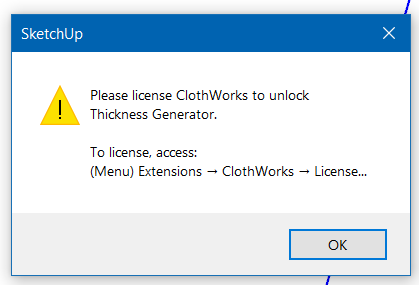
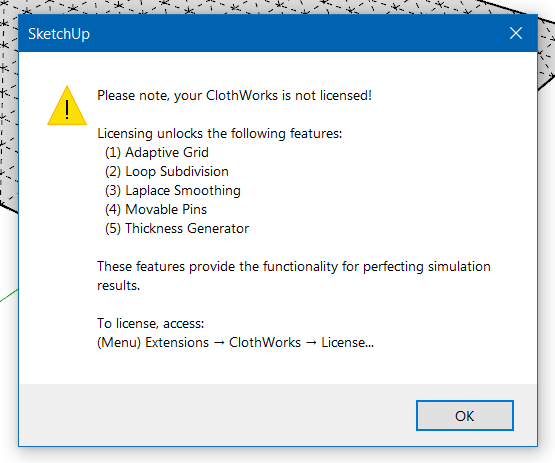
      Went to use Clothworks this morning and when I tried to apply thickness I got this warning.

      Clothworks 02.PNG

      Another instance.

      Clothworks 03.PNG

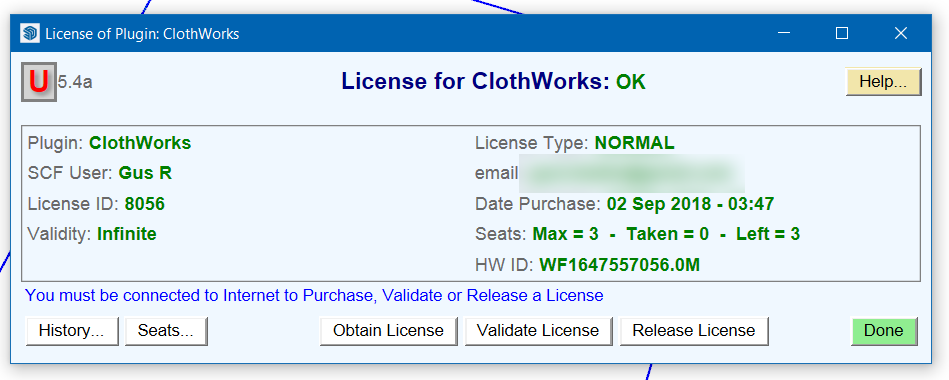
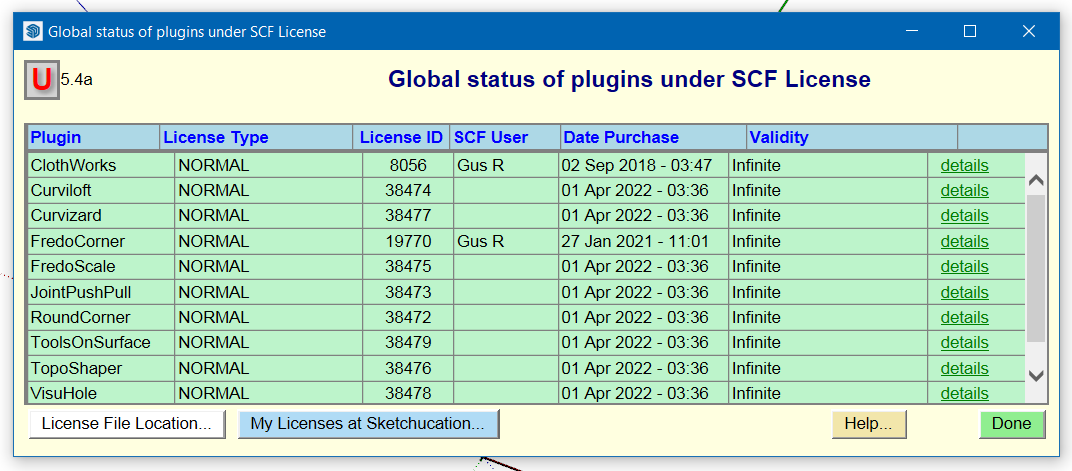
      It's also licensed.

      Clothworks 01.PNG

      Clothworks 04.PNG

      It was working fine just a few weeks ago. SCF file is in the proper "Users" directory too. Where it shows as "Taken = 0" seems odd.

      posted in Plugins
      Gus RG
      Gus R
    • 1
    • 2
    • 34
    • 35
    • 36
    • 37
    • 38
    • 52
    • 53
    • 36 / 53