@bjornkn said:
But the prop doesn't look good/right.
I'm guessing it's because of the perspective and view angle. It looks ok for me. The bees shouldn't fly neither (because of their shape)... but they do 
 Offline
@bjornkn said:
But the prop doesn't look good/right.
I'm guessing it's because of the perspective and view angle. It looks ok for me. The bees shouldn't fly neither (because of their shape)... but they do
Can you post a image with model having hidden geometry on?
I think it's very expressive !
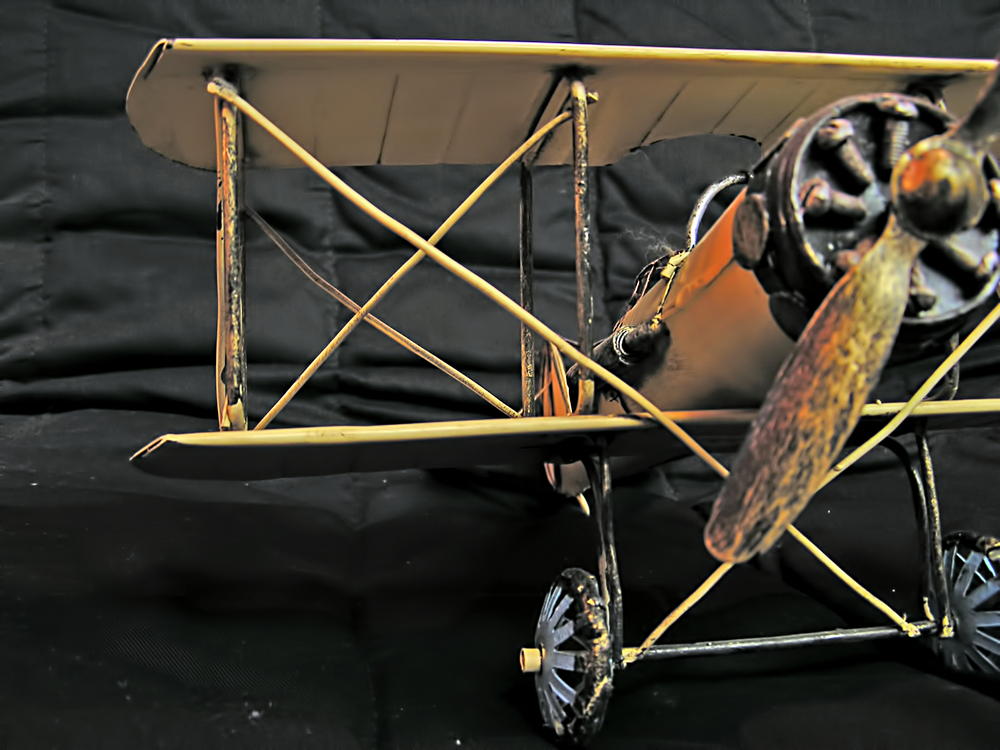
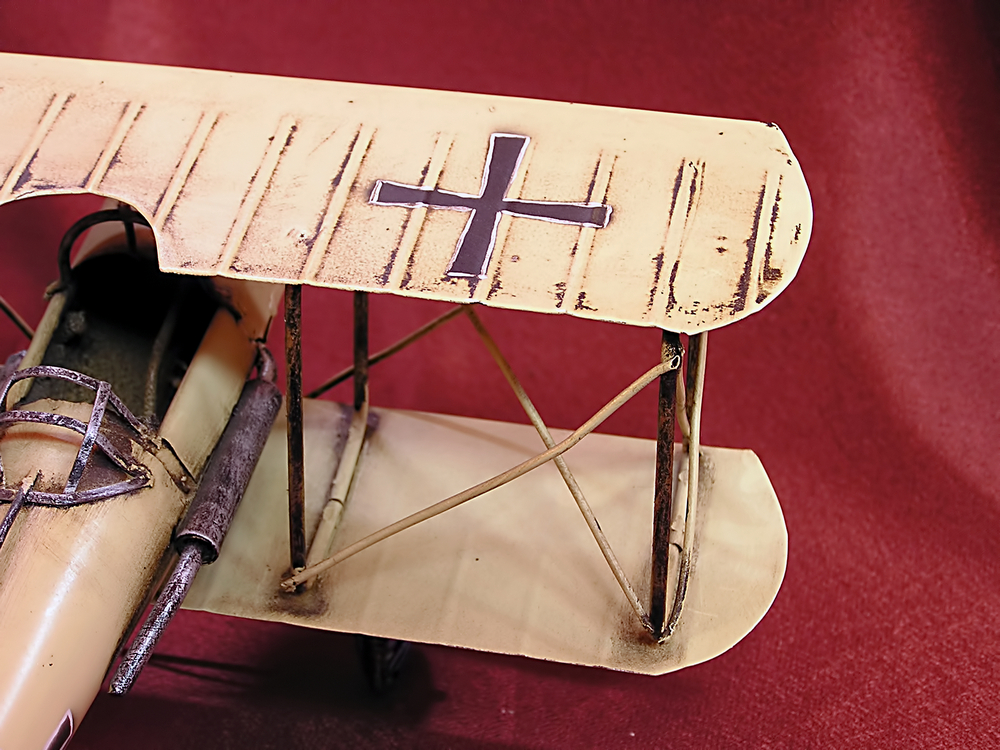
Below you will see two photos of a metallic model, the kind you find in souvenirs shops. Maybe it can inspire you for "dirtying" your model 
@mwm5053 said:
That's strange to say the least.
I exploded group and went to edit- select all and regrouped it now their were you want.
...so, it might be a SketchUp bug? Hmm...
Anyway, the reason for grouping all together is not important, as it was a temporary action. The fact itself is. If it's a bug, it should be fixed.
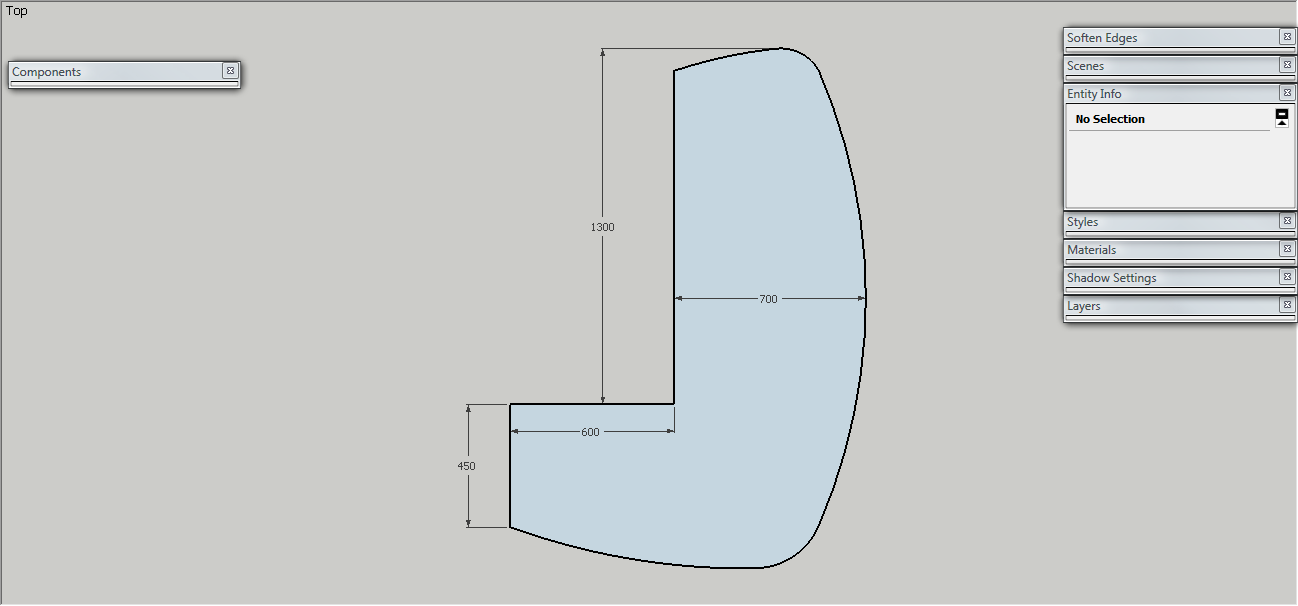
Placed dimensions inside group don't preserve position when I close the group.
Below you can see print-screen, also sketchup model.
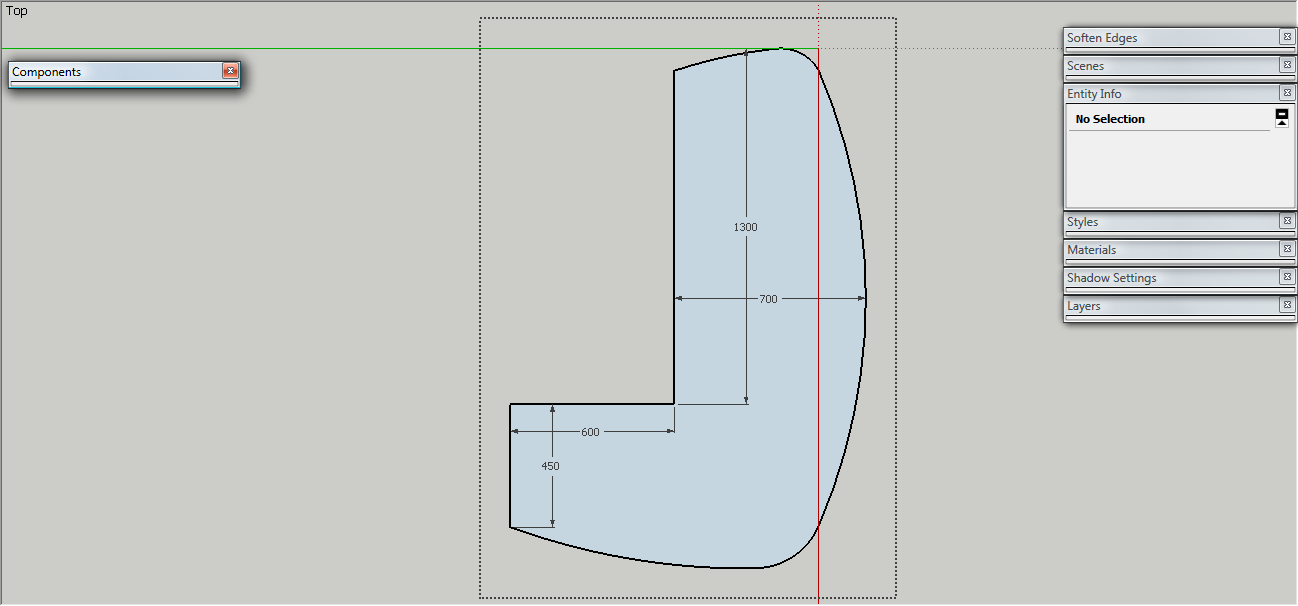
Thank you very much! I made a template with all needed settings.
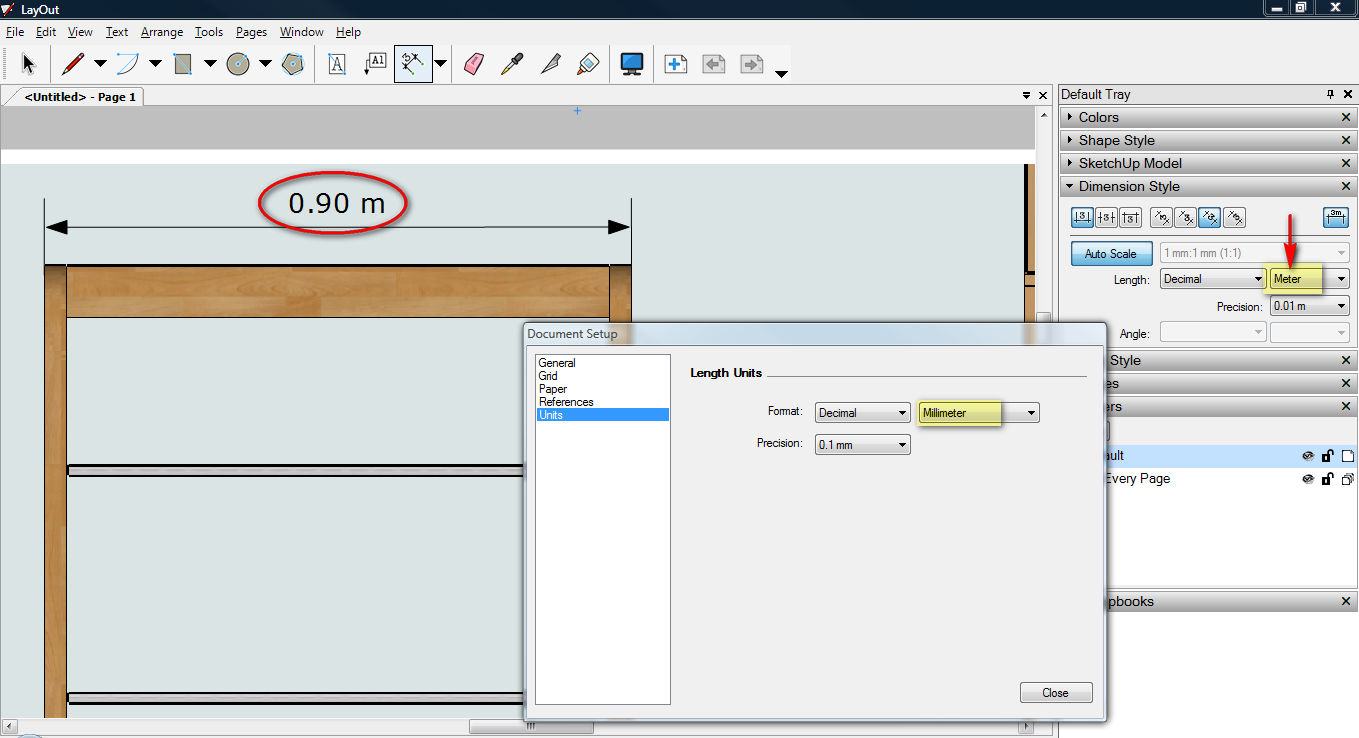
Every dimension I put in Layout, is set in Meters. I can change it in mm from Dimension Style, but is only for selected dimension.
Where from I can change it by default? In Document Setup, Units are set in Millimeters, but it seems to not have any effect.
@broomstick said:
I usually get the same result activating the Bucket (B) and then alt-click on the correct texture. That way when you click with the bucket on other faces, it will apply the material with the collected UVs
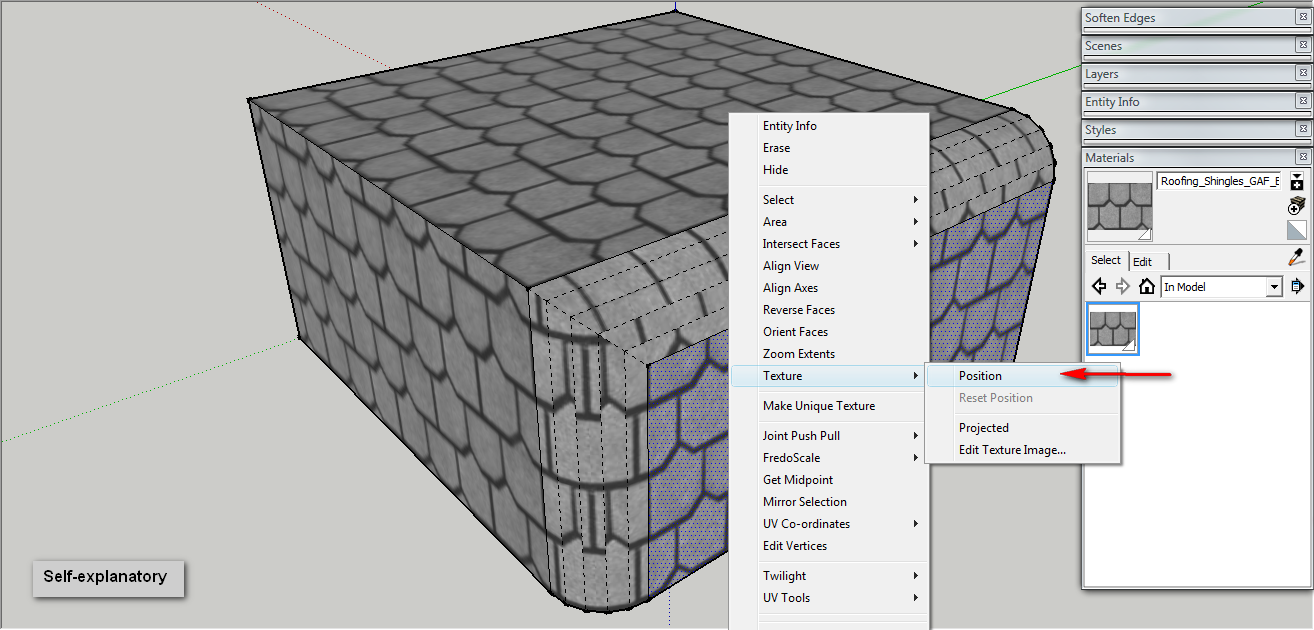
Indeed, but the problem is how to set the "correct texture" because if you sample material from a face where was not "mapped" in some way, it will just sample the material. "Positioning" the texture does exactly that: assign UV on that textured face, so when sampling, you get the UV's too.
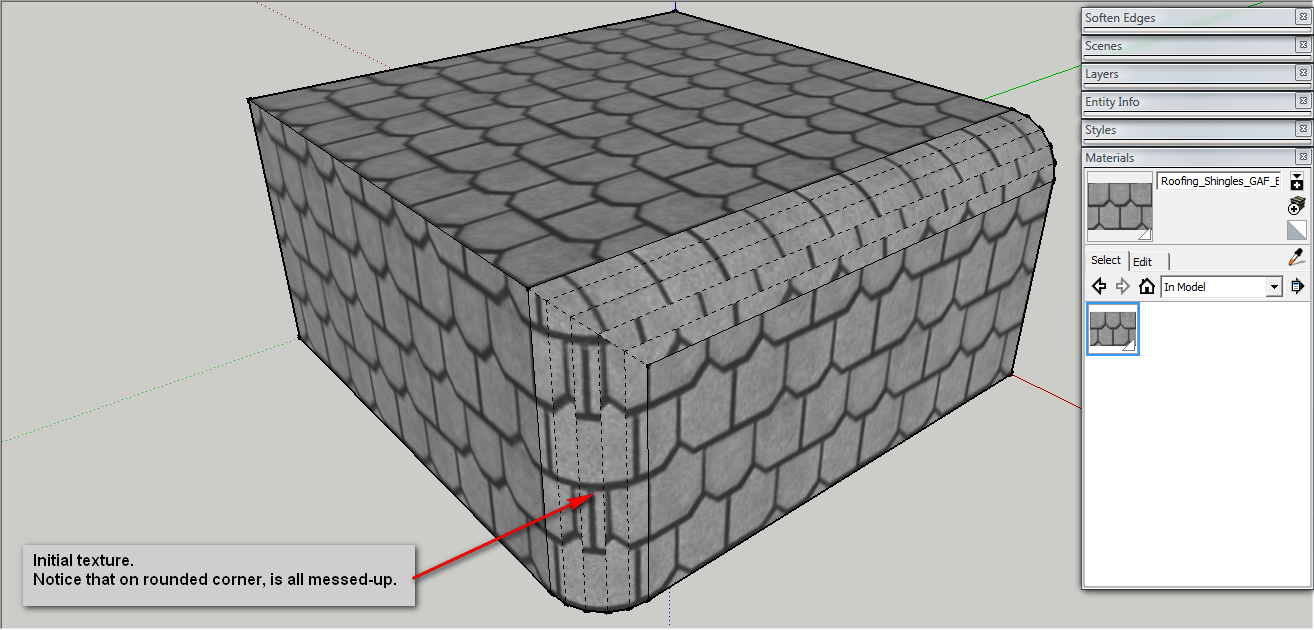
I am often frustrated by lack of UV-mapping in SU. One interesting situation is when you import a image and "use it as texture", then all faces will respect the uv-mapping of the first one.
But what if you don't import that image? how to fold it on a curved surface, without Projecting it (because of distortion implied).
Well, I just figured it how and it very simple. Just follow the steps below:
Enjoy

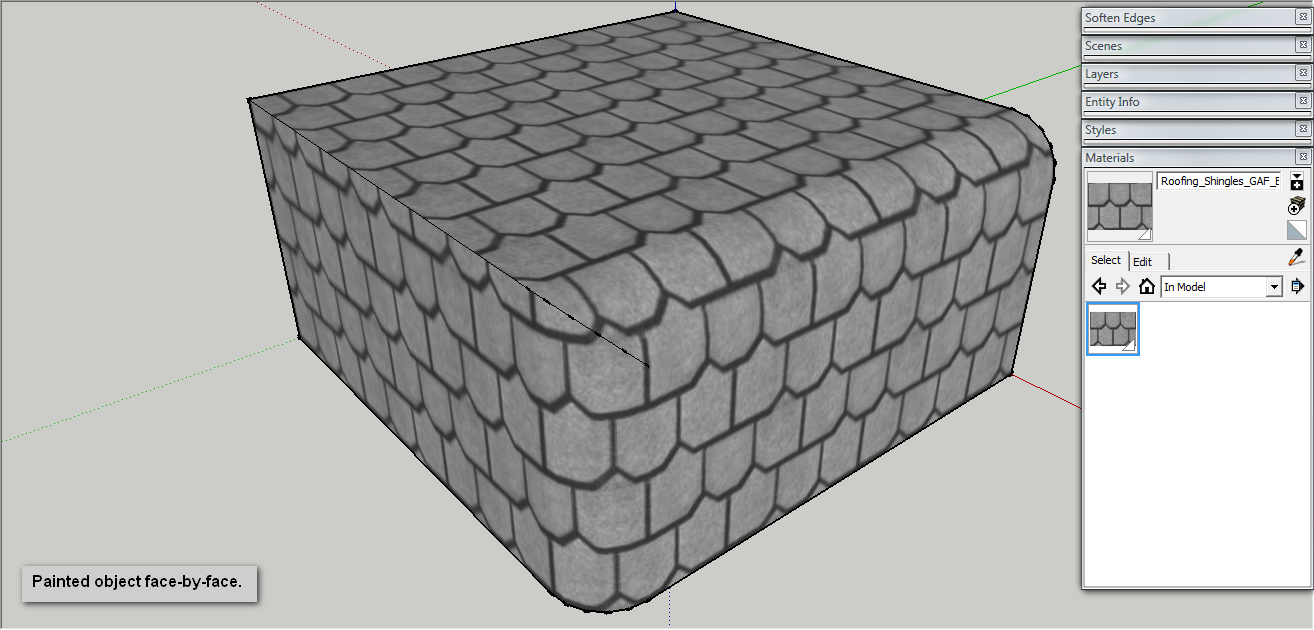
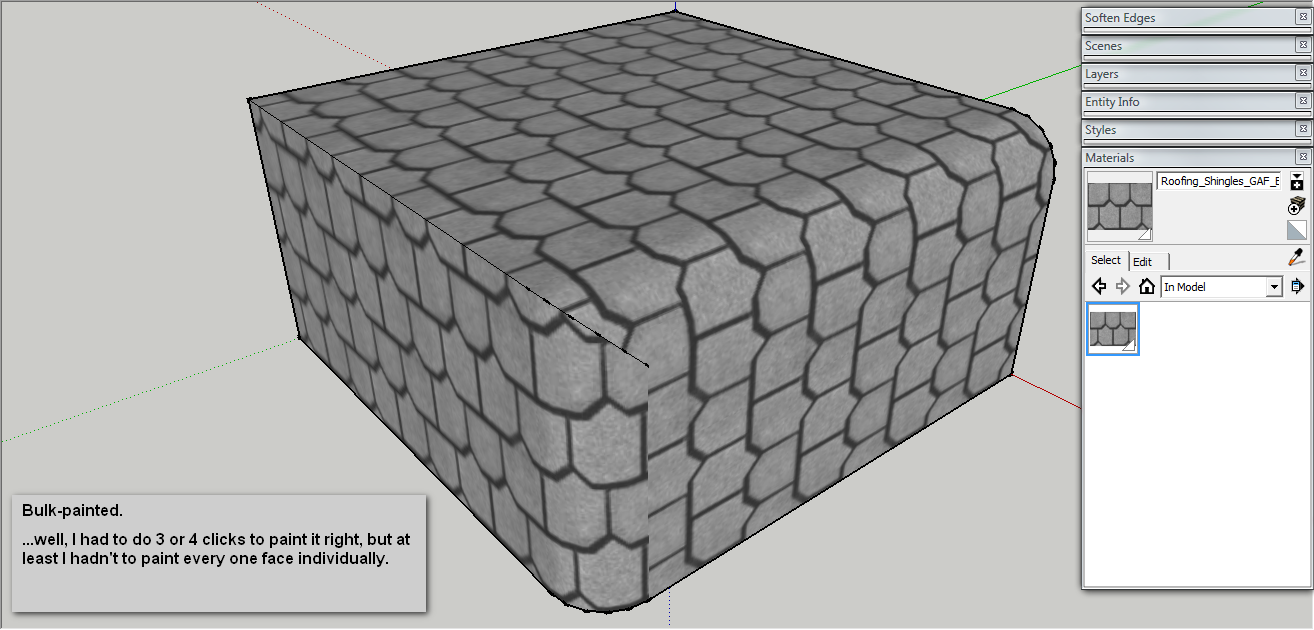
Please put in the first post the final version.
Thank you. I can't wait to try it!
@jgb said:
Me thinks that is a GPU/CPU artifact with your PC, not SU code. Maybe your GPU memory is not big enough (you need a minimum of 512mb for SU to operate smoothly)
On my PC, when coming out of "sleep" my SU active working area stays black for as long as 15 seconds, while the toolbars etc. come up fast.
Mine doesn't stay black but flickers ... like I would minimize and maximize it very fast and it's white. The toolbars appera last ones. And menu windows (materials, components, entity info, and so on) flicker as well, like I would select and deselect them very fast.
Is this behavior caused by not enough video RAM?
Maybe they should optimize the core code, to stop that flickering of main window when restoring it from minimized, sometimes. Also that repeated refresh of Outliner, slow response on deleting materials... but most of all, that flickering and repeated "reloading" or "refreshing" ...i am not even sure what is happening there. I know just is annoying and sometimes it takes long for SketchUp window to be active again (especially when I have a large model opened, or rendering...).
@unknownuser said:
Rendering\Start >>>
in
Settings >> select "17. Path Tracing - Progressive" (or other progressive method)
If it is exterior then 17 will do. If something more complicated you can chose BPT or MLT (18..20)
Thank you very much. It's done.
I had no time to read user manual, is the first time ever when I use it for rendering... and I was in a big hurry.
I made a very complex model at home and I need to render it at the office. At home I have TwilightRender, so I set up the scene, materials, light, render method, everything. Next, I exported it as XML and I try to render it in kerkythea 2.5.2
The problem is that in TW i chosen Progresive (9) as render preset, but in KT it renders biased. Interesting is that at home KT renders progressive. How to set KT at my office to render progressive, as TW does?
I installed KT at home and at the office in same manner, no setting done. The only difference is that my PC is 32bit and at the office is 64bit.
Please, I need help ASAP 
Thank you very much.
I don't know if it has been discussed yet or not, but simple arithmetic operations in VCB should be allowed.
Now, only working operation is division.
If you draw a line and input 1000/2 it will draw a 500 length line. But, if you try 1000*3 or 1000-10 or 500+500, it won't work.
@thomthom said:
Also be sure that all setting where identical between your test. Could be some some checkbox being unticked.
Sorry,my mistake ! the model was on Monochrome style view and I forgot I had materials applied.That is why the Cleanup didn't worked as expected. It overlapped with plugin update, so I thought is a plugin issue.
@thomthom said:
What version compared to which? 3.1.5 has no change in how it cleans compared to 3.1.4...
Got sample model? And screenshot of settings?
Uhh, I just downloaded today last version and replaced the one I had (can't say what version I had) and I noticed that it didn't worked as I expected. Now I'm home. I'll check tomorrow and eventually I'll send you a model.
It seems like your last version doesn't clean as good as the previous did. I wanted to clean some lines from a geometry I modified, but they remained. I had to delete them manually.
awesome works ! ...but is a little annoying to follow a thread with such big images inside posts. Maybe the shown image should be displayed scaled down and for full size to open it in new window? (this is for forum admins)
Again, I remained 

@gaieus said:
Well, I would not necessarily call it "correct" behaviour. Maybe "actual" behaviour.
I said "correct" meaning that is how you said in the earlier post... I was confirming your findings. Sorry for confusion.