sketchucation logo sketchucation
    • 登入
    Oops, your profile's looking a bit empty! To help us tailor your experience, please fill in key details like your SketchUp version, skill level, operating system, and more. Update and save your info on your profile page today!
    🔌 Smart Spline | Fluid way to handle splines for furniture design and complex structures. Download

    Rayscaper New Releases

    已排程 已置頂 已鎖定 已移動 Extensions & Applications Discussions
    rayscaperrender
    407 貼文 11 Posters 40.4k 瀏覽 12 Watching
    正在載入更多貼文
    • 從舊到新
    • 從新到舊
    • 最多點贊
    回覆
    • 在新貼文中回覆
    登入後回覆
    此主題已被刪除。只有擁有主題管理權限的使用者可以查看。
    • majidM 離線
      majid @Rich O Brien
      最後由 編輯

      @Rich-O-Brien, These renders are jaw-dropping!

      My inspiring A, B, Sketches book: https://sketchucation.com/shop/books/intermediate/2612-alphabet-inspired-sketches--inspiring-drills-for-architects--3d-artists-and-designers-

      1 條回覆 最後回覆 回覆 引用 1
      • N 離線
        nickchun
        最後由 編輯

        I've just been trying out Rayscaper, albeit on an underpowered machine with no dedicated GPU.
        I have to say, its been a long time since I've used such an intuitive piece of software, without really needing to refer to the manual. Very much enjoyed using it and will be keeping an eye on it's development. The startup screen humour is genius as well, helps put you in the right frame of mind when starting work.
        Well done

        P 1 條回覆 最後回覆 回覆 引用 3
        • P 離線
          pixelcruncher Extension Creator @nickchun
          最後由 編輯

          @nickchun Thanks for the kind words! That made my day!

          Cheers,
          Thomas

          I'm the developer of Rayscaper: https://rayscaper.com/ - Fast and easy rendering for SketchUp.

          1 條回覆 最後回覆 回覆 引用 1
          • KrassK 離線
            Krass
            最後由 編輯

            Hello, pixelcruncher,
            I wasn't aware of this new version and am very happy to return to Rayscaper for new renderings!

            Krass

            P 1 條回覆 最後回覆 回覆 引用 1
            • KrassK 離線
              Krass
              最後由 編輯

              Hello,
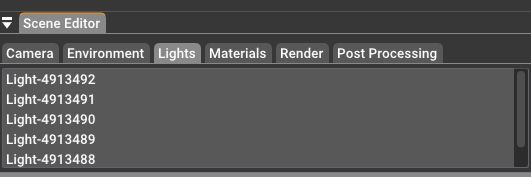
              Is there a way to rename the lights? I'm lost, I can't adjust the intensity of a new bulb because they are numbers and I have to activate or deactivate each light to locate them.... thank you

              Krass

              1 條回覆 最後回覆 回覆 引用 0
              • KrassK 離線
                Krass
                最後由 編輯

                I renamed the light sphere component and that's not the right solution, it disabled them all. And now I can't add any more light spheres, only the spotlights work...

                Krass

                1 條回覆 最後回覆 回覆 引用 0
                • KrassK 離線
                  Krass
                  最後由 編輯

                  ok, that's good, by purging sketchup, I can add sphere lights again

                  Krass

                  1 條回覆 最後回覆 回覆 引用 0
                  • P 離線
                    pixelcruncher Extension Creator @Krass
                    最後由 編輯

                    @Krass said in Rayscaper New Releases:

                    Hello, pixelcruncher,
                    I wasn't aware of this new version and am very happy to return to Rayscaper for new renderings!

                    Great to hear!

                    Hello,

                    Is there a way to rename the lights? I'm lost, I can't adjust the intensity of a new bulb because they are numbers and I have to activate or deactivate each light to locate them.... thank you

                    The lights take the names of the light components. Maybe I can add the option to rename the lights in Rayscaper itself?

                    I renamed the light sphere component and that's not the right solution, it disabled them all. And now I can't add any more light spheres, only the spotlights work...

                    This feels like a bug, do you have a way to reproduce this?

                    Cheers,
                    Thomas

                    I'm the developer of Rayscaper: https://rayscaper.com/ - Fast and easy rendering for SketchUp.

                    1 條回覆 最後回覆 回覆 引用 0
                    • KrassK 離線
                      Krass
                      最後由 編輯

                      Hello pixelcruncher, I will try later tips for renaming the lights component. Now, i'm rendering an image, I'm stucked

                      Krass

                      KrassK 1 條回覆 最後回覆 回覆 引用 0
                      • KrassK 離線
                        Krass @Krass
                        最後由 編輯

                        in this scene, a series of bulbs of the same type and two others for the individual lamps. And I end up with the list of numbers if I want to adjust the intensity... it would be necessary to have noted the number of each light that we add...
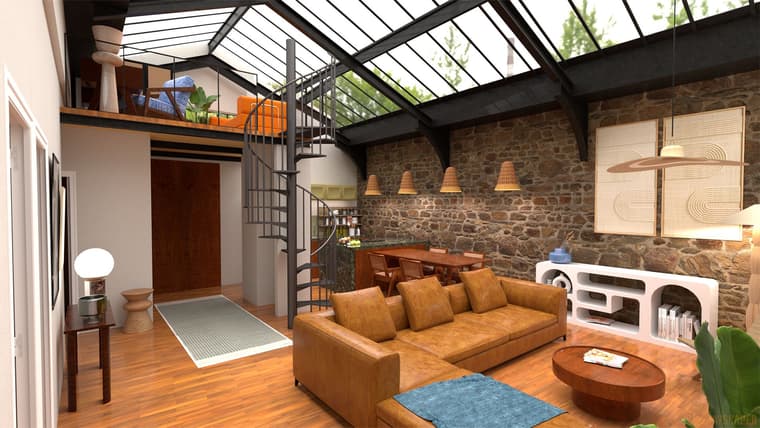
                        eden-rayscaper-2.jpg

                        Krass

                        1 條回覆 最後回覆 回覆 引用 2
                        • KrassK 離線
                          Krass
                          最後由 編輯

                          lights.jpg

                          Krass

                          1 條回覆 最後回覆 回覆 引用 0
                          • Mike AmosM 離線
                            Mike Amos
                            最後由 編輯

                            OK, with the replacement of mats, some issues have been resolved. I have lightened this image to demonstrate what I think it a problem/issue. The cabinet doors here have a texture to them they have not had selected by me. Is this part of the ai changes? If it is, I am not a fan.
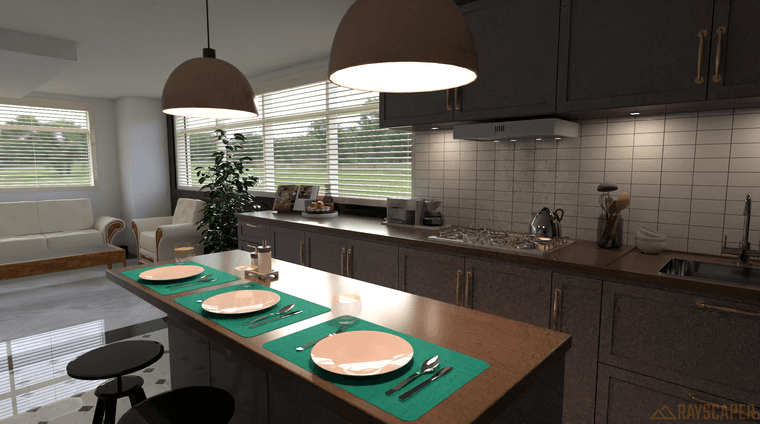
                            4 1000s 2081 x 1160  912945 tri 1m 07s GPU  Post pro increased exposure to 1.75.png

                            Absentia mortis praesentiam vitae probat, vita autem est argumentum constantiae.

                            Rich O BrienR P 2 條回覆 最後回覆 回覆 引用 1
                            • KrassK 離線
                              Krass
                              最後由 Krass 編輯

                              hello,
                              yes, and under the hood and above the stove, the noise is too present (by the way, I like your rendering.) this noise problem on certain dark parts is recurrent with Rayscaper. But can you show a screenshot of the original texture that you applied to the kitchen furniture?Perhaps you could use a stronger emissive material for your light that illuminates the work surfaces, rather than a spotlight or sphere light?

                              Krass

                              1 條回覆 最後回覆 回覆 引用 0
                              • L 離線
                                L i am
                                最後由 編輯

                                Looks like rayscaper is maturing well 👍

                                1 條回覆 最後回覆 回覆 引用 1
                                • Rich O BrienR 離線
                                  Rich O Brien Moderator @Mike Amos
                                  最後由 編輯

                                  @Mike-Amos said in Rayscaper New Releases:

                                  OK, with the replacement of mats, some issues have been resolved. I have lightened this image to demonstrate what I think it a problem/issue. The cabinet doors here have a texture to them they have not had selected by me. Is this part of the ai changes? If it is, I am not a fan.

                                  Can you add more exact info like the number of passes?

                                  That to me is not a texture. Looks like that area of the model is dark and RS is struggling to resolve fully.

                                  Download the free D'oh Book for SketchUp 📖

                                  Mike AmosM 1 條回覆 最後回覆 回覆 引用 0
                                  • KrassK 離線
                                    Krass
                                    最後由 編輯

                                    an old project, rendered with Rayscaper photoshop retouching and AI upscale
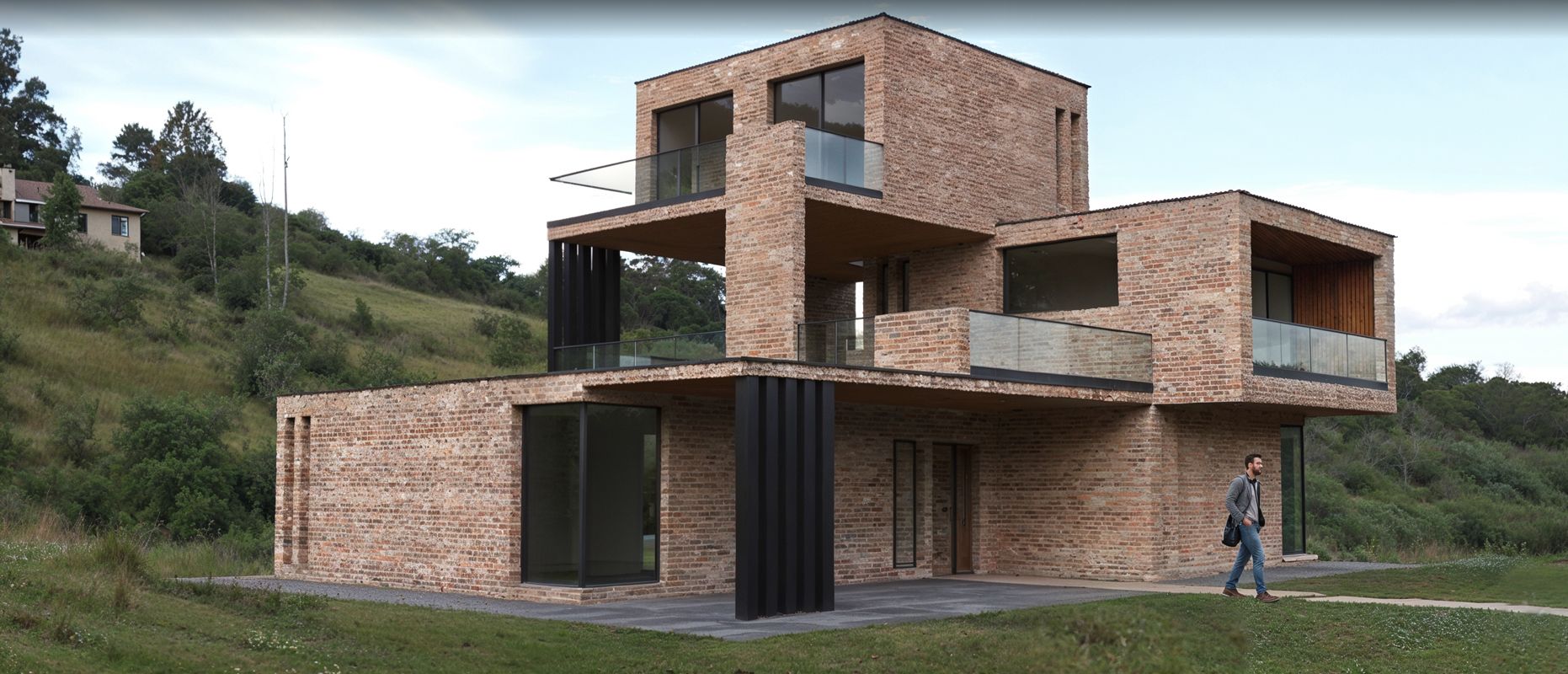
                                    rayscaper-upscaled.jpg

                                    Krass

                                    P 1 條回覆 最後回覆 回覆 引用 2
                                    • KrassK 離線
                                      Krass
                                      最後由 Krass 編輯

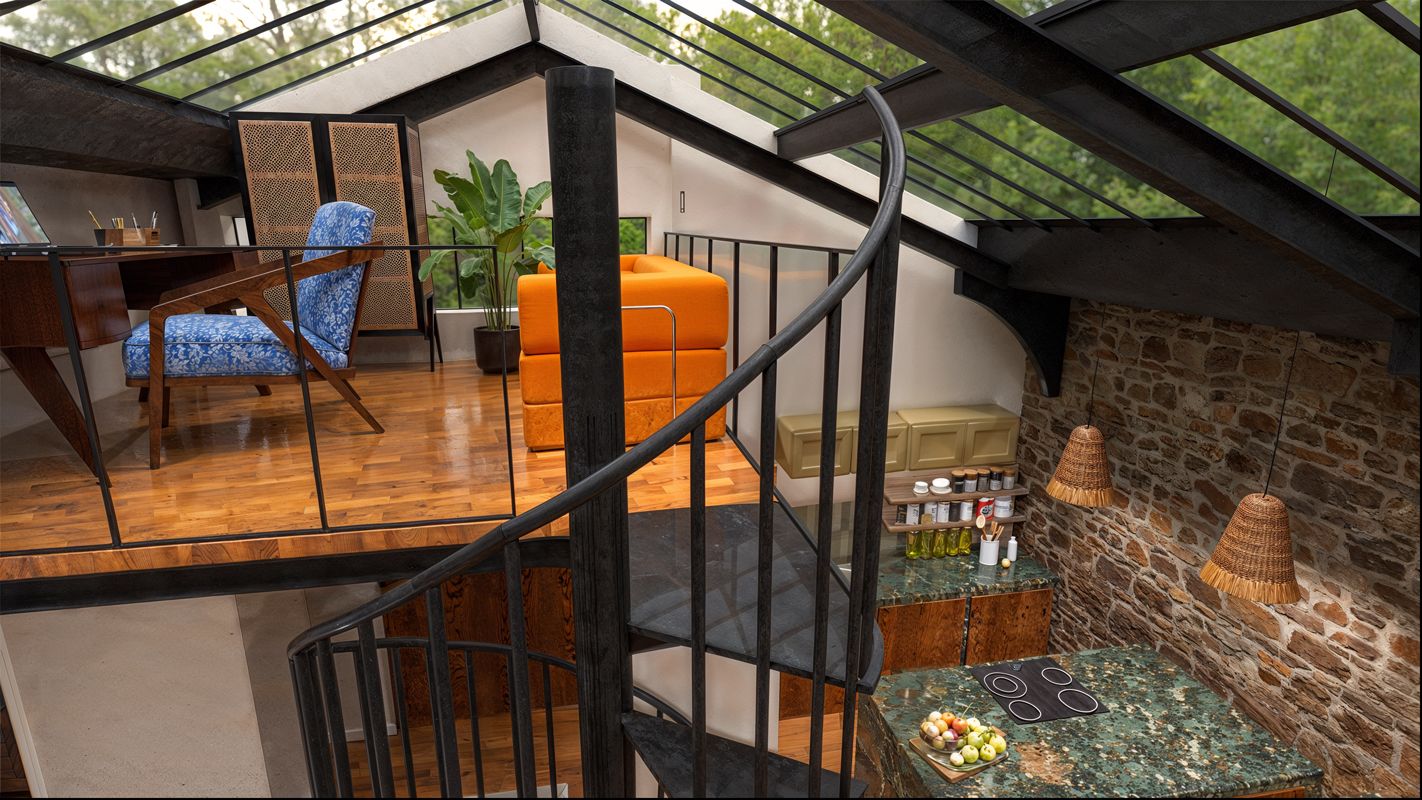
                                      new project with last rayscaper version and light upscale
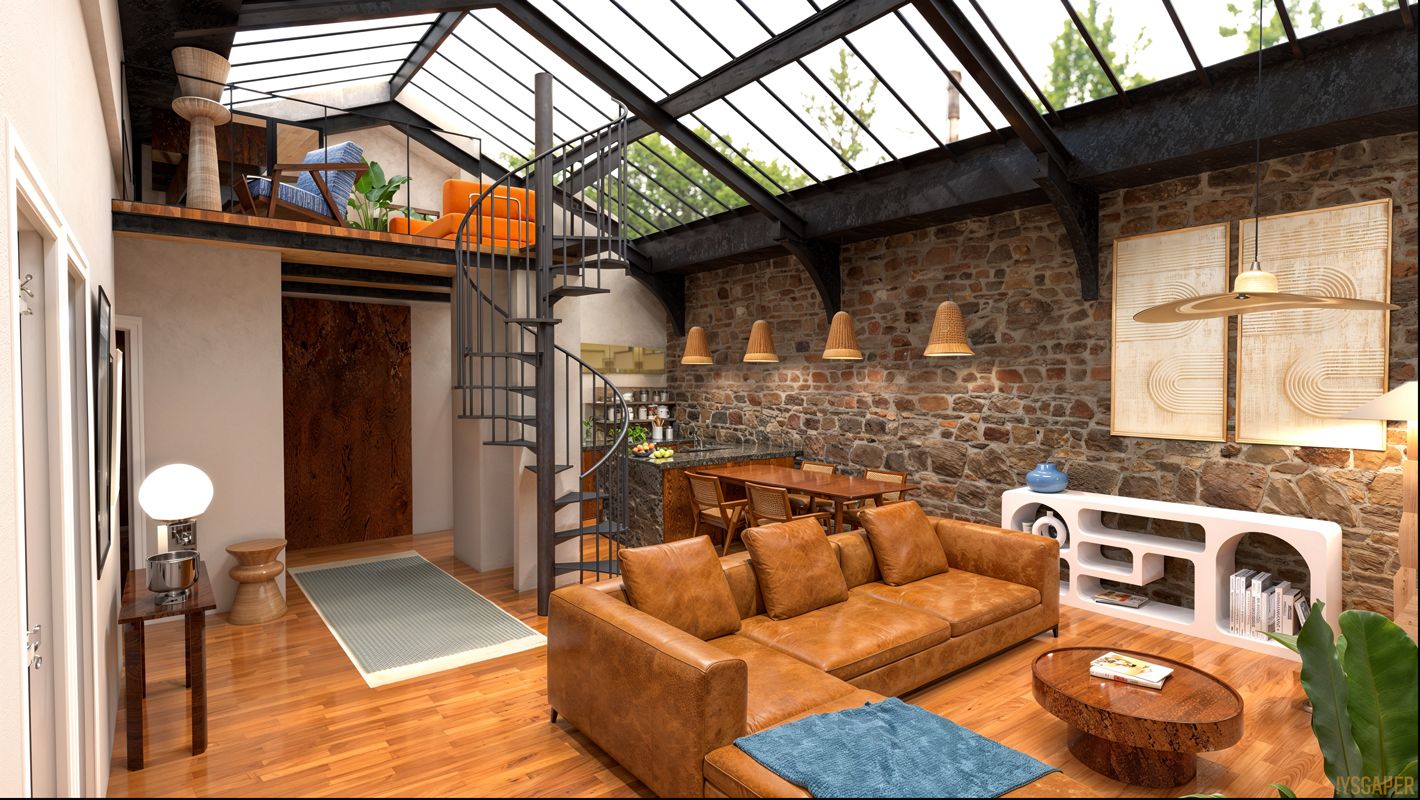
                                      rascaper-web3.jpg

                                      rascaper-web4.jpg

                                      Krass

                                      P 1 條回覆 最後回覆 回覆 引用 1
                                      • Mike AmosM 離線
                                        Mike Amos @Rich O Brien
                                        最後由 編輯

                                        @Rich-O-Brien

                                        Sorry, missed this, I go for the standard setting of 1,000 passes.

                                        Absentia mortis praesentiam vitae probat, vita autem est argumentum constantiae.

                                        1 條回覆 最後回覆 回覆 引用 0
                                        • P 離線
                                          pixelcruncher Extension Creator @Mike Amos
                                          最後由 編輯

                                          @Mike-Amos

                                          Are you talking about the black splotches in the area I annotated below? They are not different textures, just artifacts.
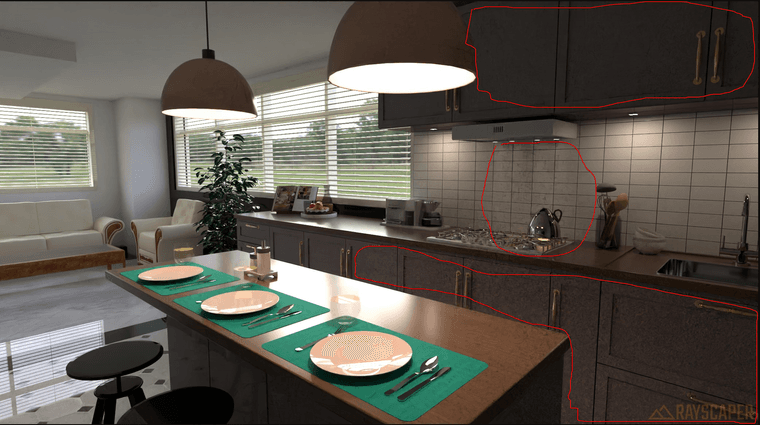
                                          d87fb458-2587-43f0-808d-c56560088637-image.png

                                          Rich already mentioned it, but I think what's happening is that you still have a really noisy render, and then the denoiser will generate these black splotches. You can confirm that by disabling the denoiser and looking at the original image:
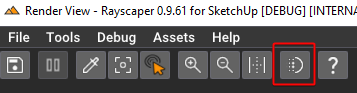
                                          d77632c7-6291-4f20-a26e-b6b2b32da2f3-image.png

                                          Rayscaper is a path tracer and needs to find a path to the light sources. In case it's challenging to find the light source (for example, because they are blocked or can only reach secondary light sources), you would see a lot of noise in the render. As Rich mentioned, Raysaper might be struggling with the glass in the windows and finding it hard to find good light paths to your HDRI image, which is providing the ambient light for your scene.

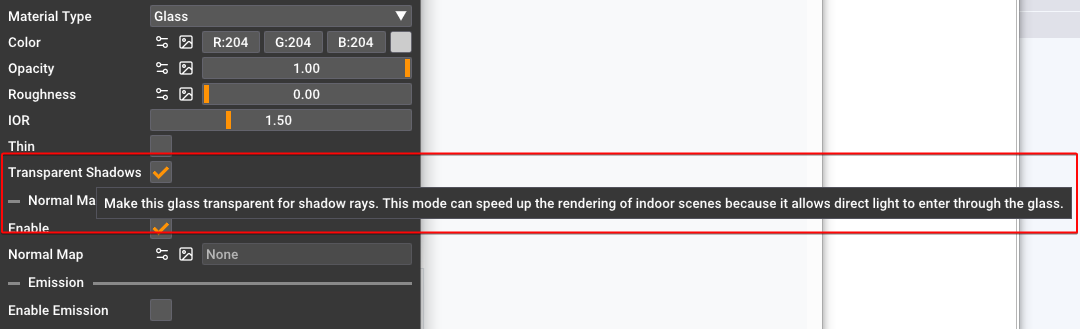
                                          Check that the windows are made of a glass material that has the transparent option checked. This will ensure that the rays that are looking for lights don't see the glass at all. It's as if you don't have any glass for light rays. Of course, you would still see the reflections in the glass when you look at it directly. It's the best of both worlds, although not physically correct.
                                          a48f70e6-e1af-40b2-9e6a-be22e1e2c341-image.png

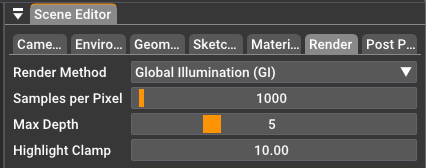
                                          You can also increase the number of samples/px, which will increase the render time.
                                          a663ffdd-99c4-42ee-96cb-5a8dc5439243-image.png

                                          Let me know if this helps. I know it's a bit technical, so I'm happy to clarify.

                                          All the best,
                                          Thomas

                                          I'm the developer of Rayscaper: https://rayscaper.com/ - Fast and easy rendering for SketchUp.

                                          1 條回覆 最後回覆 回覆 引用 0
                                          • P 離線
                                            pixelcruncher Extension Creator @Krass
                                            最後由 編輯

                                            @Krass

                                            Good to see you are getting great results with Rayscaper!

                                            I'm the developer of Rayscaper: https://rayscaper.com/ - Fast and easy rendering for SketchUp.

                                            KrassK 1 條回覆 最後回覆 回覆 引用 0
                                            • 1
                                            • 2
                                            • 5
                                            • 6
                                            • 7
                                            • 8
                                            • 9
                                            • 20
                                            • 21
                                            • 7 / 21
                                            • 第一個貼文
                                              最後的貼文
                                            Buy SketchPlus
                                            Buy SUbD
                                            Buy WrapR
                                            Buy eBook
                                            Buy Modelur
                                            Buy Vertex Tools
                                            Buy SketchCuisine
                                            Buy FormFonts

                                            Advertisement