@Krass
What @fredo6 means is that if you are getting unexpected results, sometimes rather than an explanatory error-message appearing, there's an error message printed out in the Ruby Console [opened in Extensions > Developer submenu] - so seeing that might help you and copy/pasting it into a post can help Fredo see and perhaps resolve the issue...
Global Moderators
Private
Forum wide moderators
Posts
-
RE: [Plugin] Pic2Shape - v1.3a - 17 Dec 25 (Image Contouring)
-
RE: Why dont we have "hidden lines" in vector ??
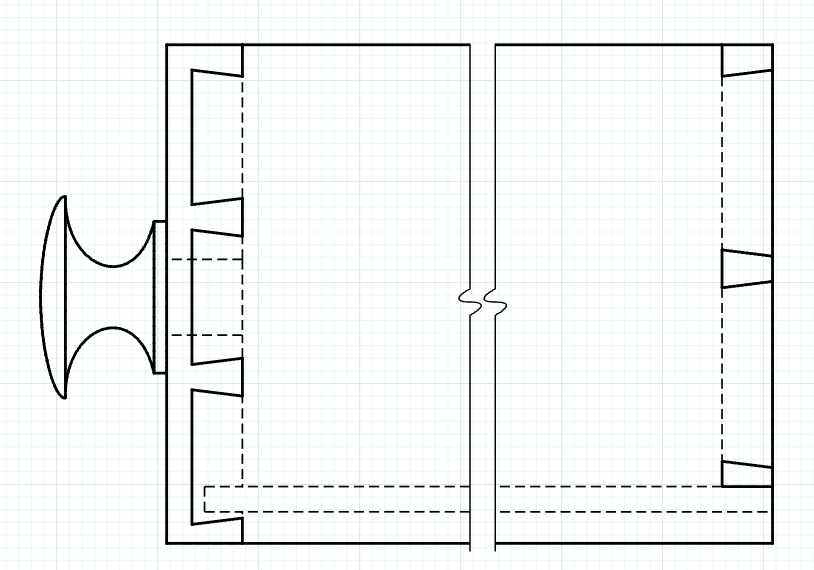
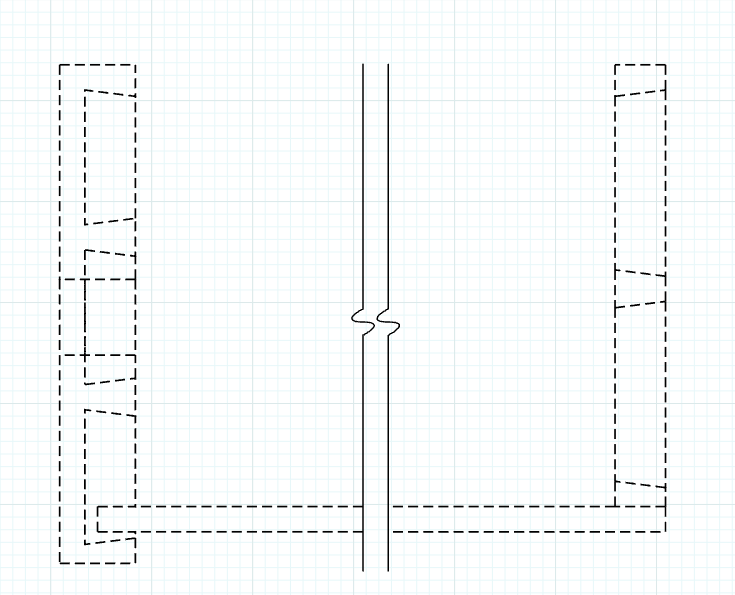
Are you referring to Back Edges? If so, they don't appear in Vector rendered viewports in LayOut because they are a raster thing and Raster line work is not displayed in with Vector or Hybrid rendering. You can leave the viewport set to Raster render and see the back edges. A better way to show them or to show hidden features in LayOut with Vector rendering is to use a suitable style and select a dash style for the tag. With Stacked viewports this is dead simple and gives you better control over what hidden lines are shown and which are not. You have no control over that with the Back Edges face style.
Example:
-
RE: [Plugin] Pic2Shape - v1.3a - 17 Dec 25 (Image Contouring)
@tilo-mar-tin why do you need v 1.1 of this extension?
-
RE: [Plugin Library] LibFredo6 - v16.2b - 22 Sep 26
What does your post actually mean ?
There is a newer version... -
RE: .veg files.
Its been free for a few years. So grabbing it again shouldn't be an issue.
-
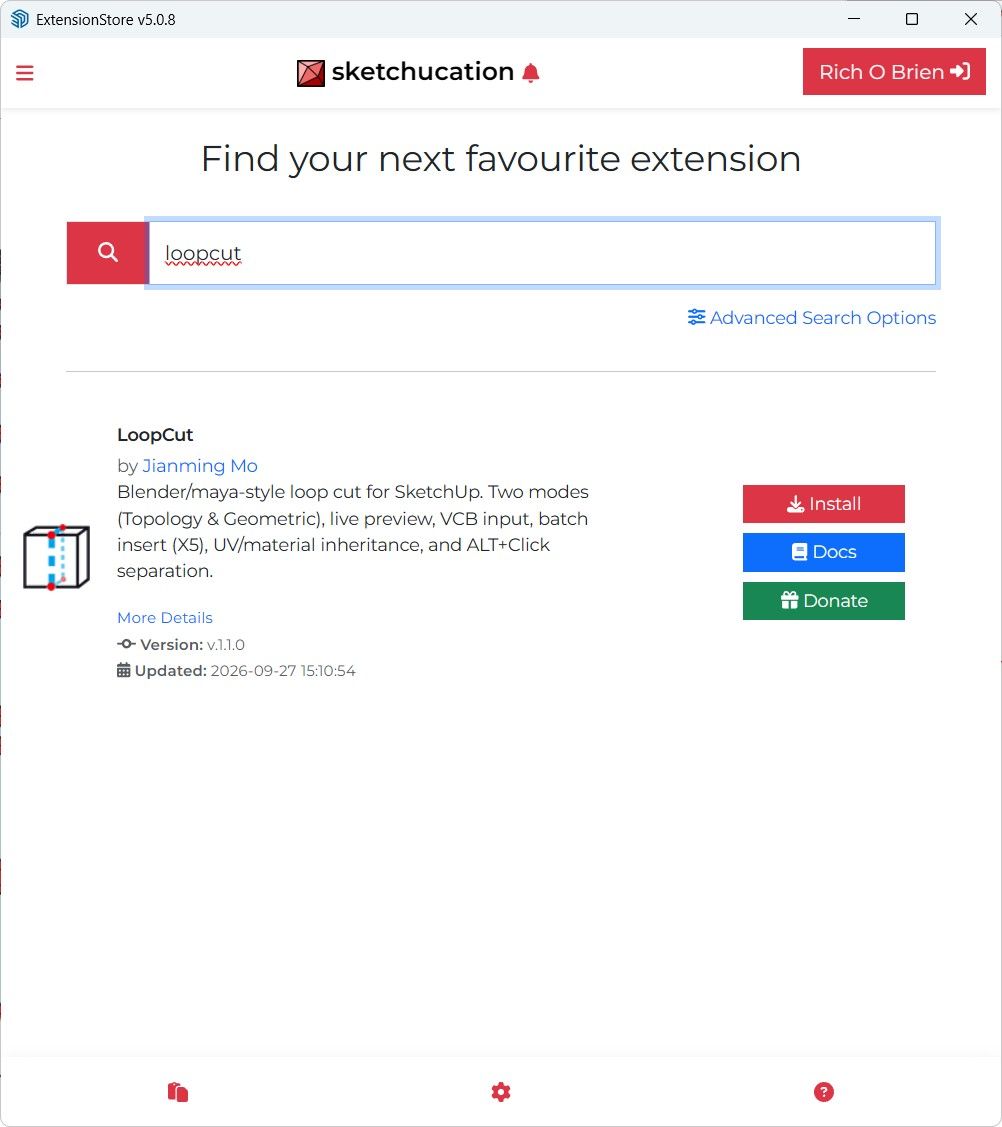
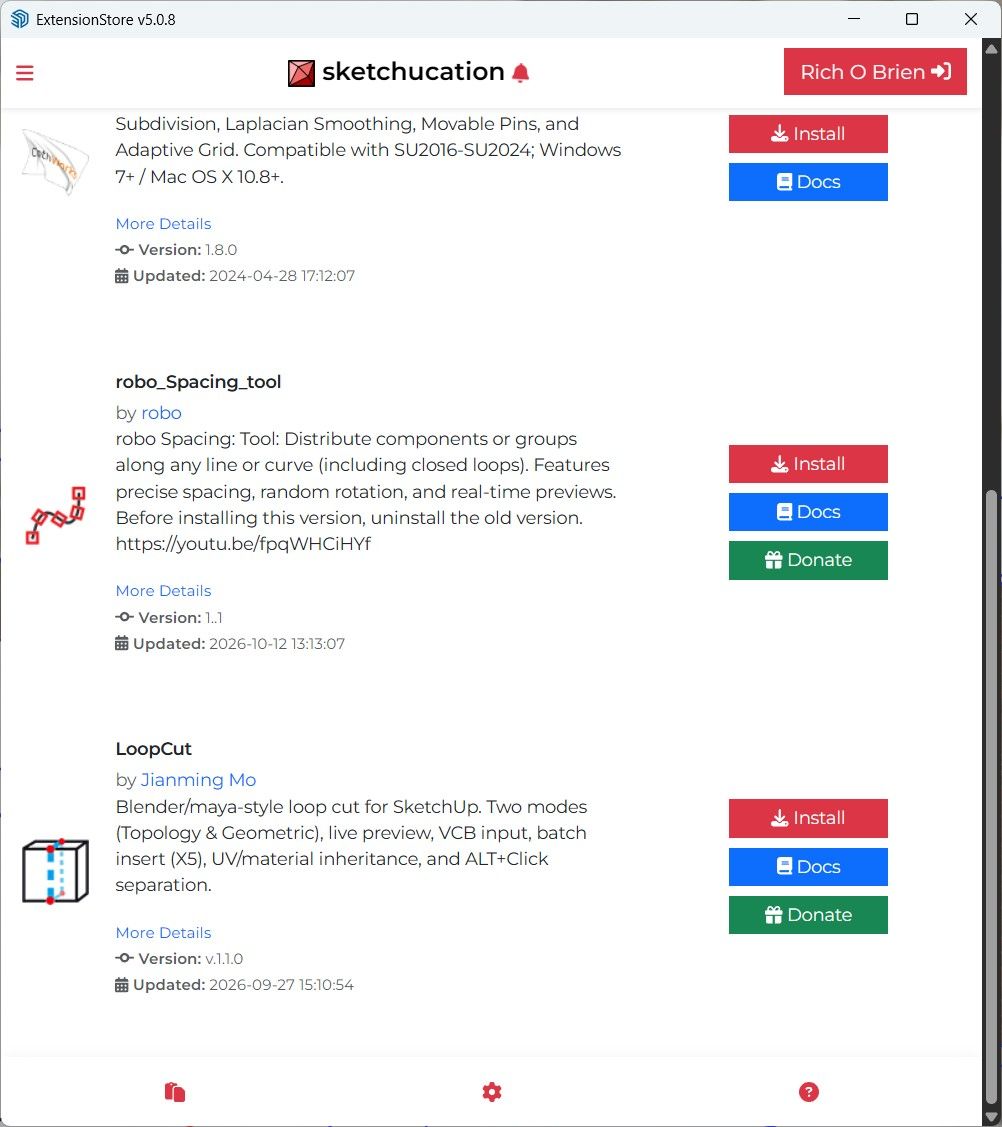
RE: Edge Loop Insert – Insert loops like Maya/Blender
Search using lower case is fine for me...



Member List
|
15,679
Posts
711
Reputation
|
|
0
Posts
0
Reputation
|
|
1,953
Posts
91
Reputation
|
|
9,711
Posts
103
Reputation
|




