πŸ”Œ Smart Spline | Fluid way to handle splines for furniture design and complex structures. Download
  • 0 Votes
    28 Posts
    9k Views
    P
    The official forum to post a bug. Looking to other posts on this forum... I have not the impression that the SU team is on this forum. My bug report on the official SU forum : https://productforums.google.com/forum/m/#!category-topic/sketchup/sketchup-pro/ZEGIk9xpp6U On sketchucation : http://sketchucation.com/forums/viewtopic.php?f=11%26amp;t=57365%26amp;p=521587#p521587
  • Model has been modified outside!

    SketchUp Bug Reporting sketchup
    1
    0 Votes
    1 Posts
    841 Views
    No one has replied
  • 45/45 axon drawing

    SketchUp Discussions sketchup
    6
    0 Votes
    6 Posts
    6k Views
    S
    Hey guys thanks so much. Chris: I was afraid you would say that. I would have preferred a script that does everything at render time and not messing with geometry. I'm just afraid that one time its going to mess something up or texture mapping might get messed up. Definitely worth a shot though. TIG: Thanks for making this. I will have to try it out! Getting the vertical to scale properly will be necessary so thanks for the tip.
  • Lounge-Book

    SketchUp Components, Materials & Styles sketchup
    1
    0 Votes
    1 Posts
    696 Views
    No one has replied
  • Component

    Newbie Forum sketchup
    4
    0 Votes
    4 Posts
    244 Views
    M
    @dominicm143 said: i've saved my old model as a component, and now it won't ... ~dominic muscatella Exactly how? I don't know what's in your model, but try this technique which I'll explain as if you've modeled a house. Explode. Delete everything but the top story and roof. Save as 'attic'. Reload. Delete everything above ground. Save as 'basement'. Continue until you have a collection of tractable pieces. You can now delete the original. (Well, save to another name: my_old_model_that_I_may_not_need.skp.) To rebuild, File/New, then import the parts one at a time, clicking the origin. They should assemble correctly if you import each to the origin. That will give you a collection of small, easy-to-use models. One other technique. If you move everything in the 'attic' model into a layer named 'attic', when you import you will have a single component named 'attic' in a layer named 'attic'. Very handy for SketchUp animations.
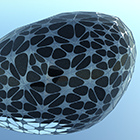
  • I'm a n00b. I need a gazebo drawn up.

    SketchUp Discussions sketchup
    12
    0 Votes
    12 Posts
    1k Views
    J
    looks like he is a hitch hiker... got his free ride and disappeared.
  • My ESC Key Won't Work In SU Anymore?

    SketchUp Discussions sketchup
    7
    0 Votes
    7 Posts
    4k Views
    pbacotP
    Maybe another hotkey combination for "close component" would help if he esc key has hangups according to tools etc.. Works for me to assign another hotkey.
  • Crayon Material Question

    SketchUp Components, Materials & Styles sketchup
    9
    0 Votes
    9 Posts
    2k Views
    pilouP
    Maybe no rapport with above but this free application is terrific! MyPaint
  • Lights with podium

    Newbie Forum sketchup
    3
    0 Votes
    3 Posts
    251 Views
    N
    I would, however my employer's firewall is preventing me from going to that forum. Not sure why but it is. Can you possibly provide a link to this discussion in that forum for me. I'm pretty much desperate at this point. Pathetic, I know, but as you can see from the model, I'm pretty committed at this point to finding a solution to this challenge.
  • !Help - Shadow Issues

    SketchUp Discussions sketchup
    2
    0 Votes
    2 Posts
    220 Views
    Chris FullmerC
    The definitely looks like a case where the buildings are slightly lower than the groundplane. You can right click on the axis and choose "reset" if its an option. And that will show you where the true groundplane is. Two ways to fix it. Move all geometry up above the groundplane. OR open the shadows info dialog box and uncheck the box at the bottom for "On Ground". Then SU won't display shadows on the groundplane. Good luck, Chris
  • Multi Copy Along a Path?

    SketchUp Discussions sketchup
    15
    0 Votes
    15 Posts
    13k Views
    massimoM
    Sorry, but I don't understand your problem. The plugin has two options to choose from: "copy to path nodes" will place your components on every node of your path indipendently from the distance; "copy to spacing" will place your components each other at the input distance indipendently from the nodes. [image: ow6l_Cattura.JPG]
  • Grey areas

    SketchUp Discussions sketchup
    10
    0 Votes
    10 Posts
    3k Views
    N
    One have to set aspect ratio explicitly in SU2Thea and it has a option to revert back to SU default view. But true it wont notify about side effect if one tries to print while aspect ratio is changed.
  • Exporting for full scale printing

    Newbie Forum sketchup
    11
    0 Votes
    11 Posts
    1k Views
    AnssiA
    For objects smaller than about a foot across, the "use model extents" checkbox causes the print to be split on many pages, so the way to print to 1:1 is to zoom in close so that the object to be printed fills the screen. Or then scale the model up by 10 and print to 1:10 scale Anssi
  • Shapebender plugin

    Newbie Forum sketchup
    7
    0 Votes
    7 Posts
    436 Views
    pilouP
    And the last version of the Component Spray by Didier Bur
  • Relink

    Newbie Forum sketchup
    1
    0 Votes
    1 Posts
    153 Views
    No one has replied
  • How to draw a double arc

    Newbie Forum sketchup
    5
    0 Votes
    5 Posts
    316 Views
    Rich O BrienR
    Excellent news! Glad to hear it!
  • 0 Votes
    2 Posts
    529 Views
    pilouP
    @unknownuser said: how to draw on a curved surface. About that try Tools on surface by Fredo 6 @unknownuser said: is there a way to flatten a curved surface? About that try Fredoscale by Fredo6
  • Invalid Model - and then what?!

    SketchUp Discussions sketchup
    4
    0 Votes
    4 Posts
    409 Views
    thomthomT
    In my case I did a Save As after I got that error. And when I reloaded the old file it had not saved. But the one I had done with Save As worked.
  • Where is the german subforum?

    Newbie Forum sketchup
    2
    0 Votes
    2 Posts
    147 Views
    Rich O BrienR
    Hi, Welcome to SCF! you'll find the German sub-forum when you click User Control Panel [image: jlno_UCP.jpg] , then click the User Groups tabs. Select your groups you wish to join and Submit. [image: 44ej_German.jpg] Then you can access the German forum Rich
  • 0 Votes
    4 Posts
    481 Views
    S
    Excellent, thanks for the fast responses, I am a beginner in sketchup modelling, I apreciate a lot your help and share your experience with me. @d12dozr said: It looks like you just need to smooth the remaining lines...select the raw geometry, then right click -> Smooth... and adjust the slider until it looks good. Thanks d12dozr, Soften and Smooth it's a great tool that makes the models look better hiding its lines, thanks, my model looks better now. @gaieus said: It seems that the remaining faces (after cleaning up) are not coplanar. This can of course worked around by smoothing those surfaces like Marcus suggested but also make it harder to texture and work with. Thanks Gaieus, after using Soften and Smooth tool on the models raw I realized that the lines and noncoplanar faces still remain there. The main problem of the model is the high number of noncoplanar faces because that faces make difficult to modify the model, the model have a large amount of faces, therefore, if it's used in a larger model can reduce the performance of Sketchup. It looks like the only solution is intersect the model and delete the lines manually or delete the lines of the noncoplanar faces and redraw those to make a coplanar face. Thanks for your help








