sketchucation logo sketchucation
    • Login
    1. Home
    2. wind-borne
    3. Posts
    Oops, your profile's looking a bit empty! To help us tailor your experience, please fill in key details like your SketchUp version, skill level, operating system, and more. Update and save your info on your profile page today!
    ⚠️ Important | Libfredo 15.6b introduces important bugfixes for Fredo's Extensions Update
    Offline
    • Profile
    • Following 0
    • Followers 0
    • Topics 5
    • Posts 189
    • Groups 1

    Posts

    Recent Best Controversial
    • SU8 Back Edges and Styles

      Back Edges on SU 8 doesn't seem to work with any of the styles I've downloaded here.
      Tried redownloading some styles as originally I had just copied some styles folders from 7 to 8 to start.
      Same result.

      Does work with templates I've tweaked from defaults brought over from SU 7.

      Simple Solution?

      posted in SketchUp Components sketchup
      wind-borneW
      wind-borne
    • RE: Gray Lines

      Do you see the toolbar anywhere?
      Might be the only access.
      Doesn't show as plugin or tool in menus on my computer.


      ColorEdge.png

      posted in Newbie Forum
      wind-borneW
      wind-borne
    • RE: SketchUP 8

      @thomthom said:

      @jim said:

      Did they really not include the Solar North Toolbar in the Free version? Is it maybe just not enabled in the Preferences > Extensions dialog?

      Note - Pro only.

      With a Mac you just move the icons up into the main toolbar.


      SketchUp1.png


      SketchUp.png

      posted in SketchUp Discussions
      wind-borneW
      wind-borne
    • RE: SketchUP 8

      @drewpoeppel said:

      Looks like they removed the solar orientation setting in the geolocation area for manually setting the north angle in you model

      Solar North toolbar now but so far can only toggle on/off.
      Bottom two buttons dead at the moment.
      Do work if I put icons into customized toolbar πŸŽ‰


      SketchUp.png

      posted in SketchUp Discussions
      wind-borneW
      wind-borne
    • RE: Gray Lines

      With ChrisP_ColorEdge plugin you can color your edges in a variety of ways.

      http://forums.sketchucation.com/viewtopic.php?p=251619#p251619


      grays.jpg

      posted in Newbie Forum
      wind-borneW
      wind-borne
    • RE: Mac Question

      @dragoonprogramming said:

      No i am not that bad πŸ˜†

      I am just not a mac user I have tried a few of fredo's plugins but nothing is working...
      Stupid macs 😎

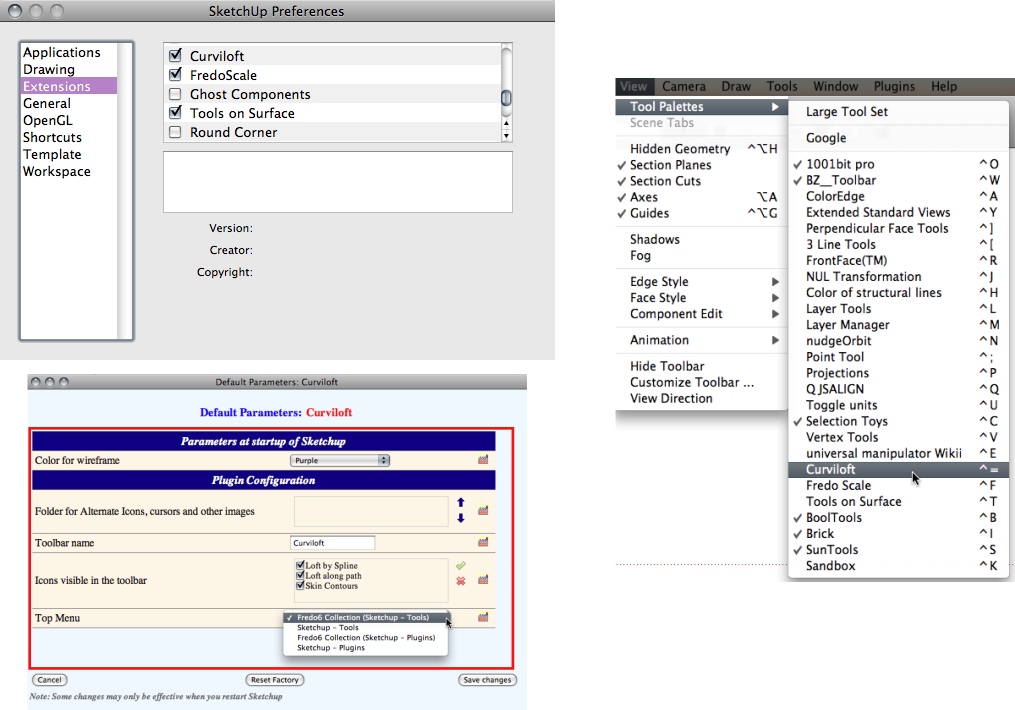
      Well if you have managed to put files in right place, i would check under tool palettes and see if listed.
      If not go to preferences and make sure checked.
      Then check what location you chose for tool to be at.


      SketchUp Mac.jpg

      posted in SketchUp Discussions
      wind-borneW
      wind-borne
    • RE: Problems installing LibFredo6 and FredoScale

      path begins with HD, not with My Mac


      capture-1.png

      posted in Plugins
      wind-borneW
      wind-borne
    • RE: Help! Something wrong with SU shortcuts

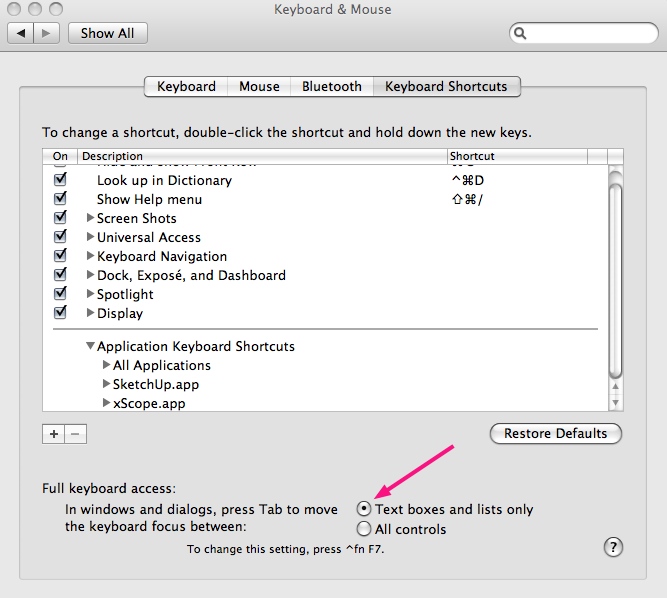
      This happened to me when I tried 'all controls' . As soon as I changed back to what is shown problem disappeared.

      The solution offered by google was just the opposite, so maybe just try changing the setting.

      http://forums.sketchucation.com/viewtopic.php?p=194789#p194789


      keyboard.jpg

      posted in SketchUp Discussions
      wind-borneW
      wind-borne
    • RE: Useful MAC Apps and Hardware [Ongoing Updates]

      @mike lucey said:

      Ruler X111

      http://homepage.mac.com/kyasu/soft/macx.html#rulerx

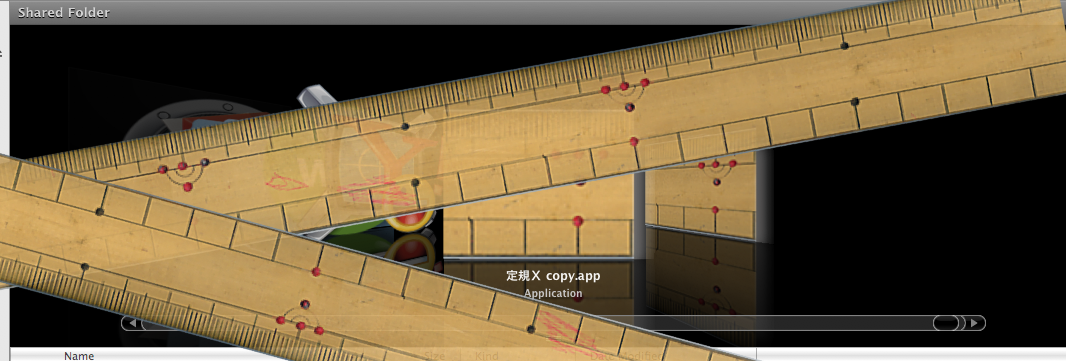
      Its a simple on screen ruler that is capable of being rotated. I quite like the dirty look of it with the red biro marks and all.

      'Right click' brings up a dialog box for accurate control on size, opacity and angle. The instructions are in Japanese! I would like to find a way of having TWO instances of Ruler X111 on the screen but have not managed it so far. If anyone can figure out a way of doing this I would appreciate the advise.

      Mike

      You can duplicate app.


      SU.png

      posted in Hardware
      wind-borneW
      wind-borne
    • RE: Sun elevation and azimut

      LightUp shows similar to your example. here's example I posted awhile back.

      http://forums.sketchucation.com/viewtopic.php?p=226729#p226729

      posted in Developers' Forum
      wind-borneW
      wind-borne
    • RE: Scrollwheel button brings up gadgets instead of middle click

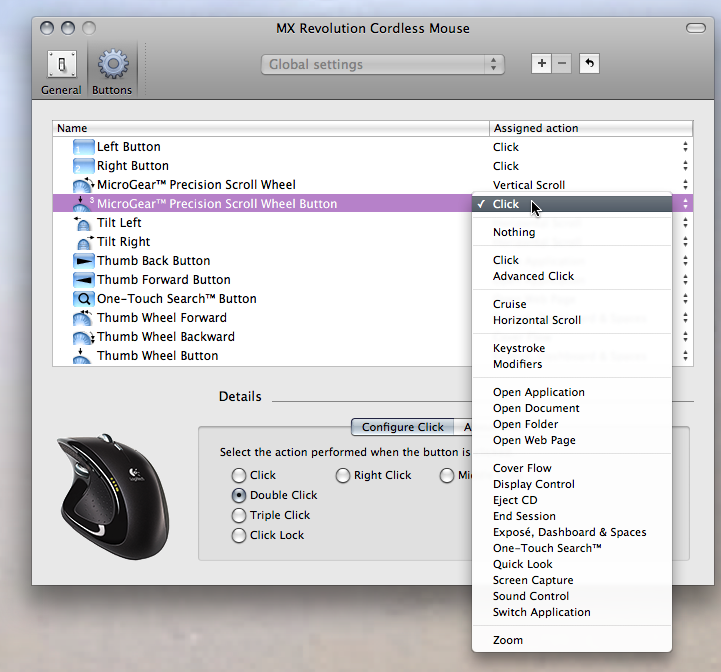
      I use a Logitech MX revolution, probably similar to configure.
      Inside of Logitech control center at System Preferences choose what you want


      Device Manager1.png

      posted in Hardware
      wind-borneW
      wind-borne
    • RE: How do you open downloaded plugins in Sketchup?

      @sally said:

      I've followed the link you suggested to smustard, followed the path they suggest for a mac, but I don't have a folder called plug ins within the sketchup folder, just autosave and old colours. I've put the ruby scripts in with them, but they do not appear when I reopen SU. Can you help please!! thanks, Sally

      the folders you mention are at the end of the user path. you want to be on the HD path.


      Finder.png

      posted in Newbie Forum
      wind-borneW
      wind-borne
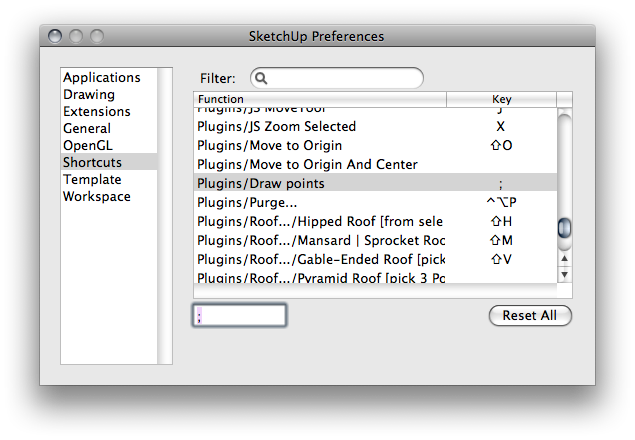
    • RE: PointTool for Mac

      @edson said:

      to tell you the truth, i have a small problem with this tool: it does not load at startup. i always have to go to View>Toolbars to open it.

      If the original tool itself works why not give it
      (a) a keyboard shortcut
      or
      (b) put it in the customizable toolbar?

      Either of these bypass the need for the Point Tool toolbar.


      SketchUp Preferences.png


      SketchUp.png

      posted in Plugins
      wind-borneW
      wind-borne
    • RE: Speed test

      out here in the middle of the ocean the concept of speed is foreign. πŸ˜•
      server a couple islands away.


      Safari.png

      posted in Corner Bar
      wind-borneW
      wind-borne
    • RE: [Plugin] View Direction (1.0.0) β€” 13 March 2010

      I knew I needed but didn't expect to see. πŸ€“
      Thanks ❗

      posted in Plugins
      wind-borneW
      wind-borne
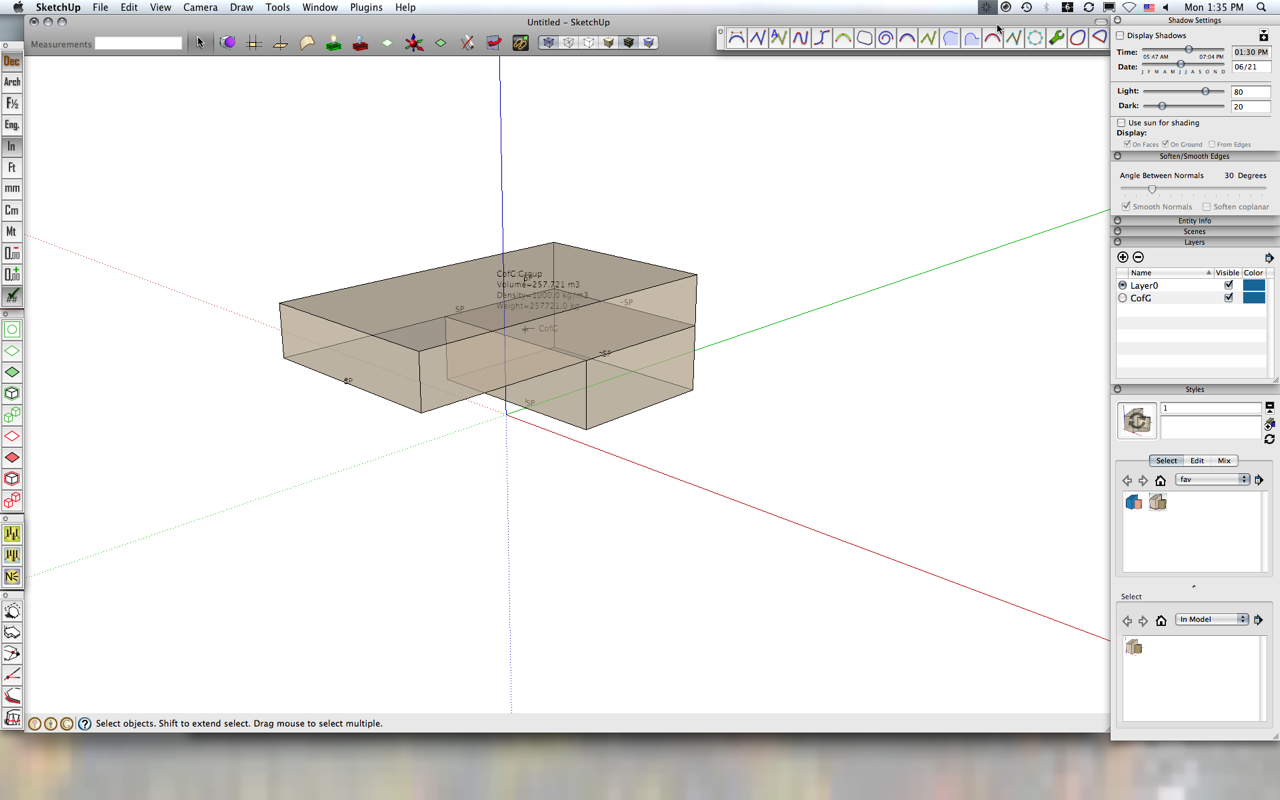
    • RE: [Plugin] Center of Gravity

      works ok on my Mac but TIG Tools folder replaced existing one so extrusion toolbar icons disappeared. I see missing icons on Dave's screenshot also.


      C of G.png

      posted in Plugins
      wind-borneW
      wind-borne
    • RE: Useful MAC Apps and Hardware [Ongoing Updates]

      @tfdesign said:

      I've recently started using MacDraft again, so I've really got to champion MicroSpot's MacDraft Pro once more. I bought this MacDraft some years back, and never really used it, because I was lazy and didn't want to use a single button mouse again. But MacDraft really is something special, and it is very cheap too (at the moment, if bought from other distributors). MacDraft is very fast in Snow Leopard too.

      I use MacDraft regularly but can't give it an enthusiastic thumbs up cause I can't find any way to set up keyboard shortcuts for the tools themselves, only menu items. Dragging open each tool after having to click in the first place is a drag.

      Am I missing something?

      posted in Hardware
      wind-borneW
      wind-borne
    • RE: Place Guide Point

      There are different ones, this is my favorite( inferences and distances between points show as you move)

      http://forums.sketchucation.com/viewtopic.php?f=323&t=13077&hilit=plugin

      another more basic one is included inside this group

      http://forums.sketchucation.com/viewtopic.php?f=323&t=20140&hilit=+plugin

      posted in Plugins
      wind-borneW
      wind-borne
    • RE: That plugin that 'expoldes' all components..

      favicon

      (www.smustard.com)

      posted in Plugins
      wind-borneW
      wind-borne
    • RE: Display Face Normals for graphic input

      Three Line tools has one for normals.

      http://forums.sketchucation.com/viewtopic.php?p=134132#p134132

      posted in SketchUp Discussions
      wind-borneW
      wind-borne
    • 1
    • 2
    • 6
    • 7
    • 8
    • 9
    • 10
    • 8 / 10