sketchucation logo sketchucation
    • Login
    1. Home
    2. wind-borne
    3. Posts
    Oops, your profile's looking a bit empty! To help us tailor your experience, please fill in key details like your SketchUp version, skill level, operating system, and more. Update and save your info on your profile page today!
    ⚠️ Important | Libfredo 15.6b introduces important bugfixes for Fredo's Extensions Update
    Offline
    • Profile
    • Following 0
    • Followers 0
    • Topics 5
    • Posts 189
    • Groups 1

    Posts

    Recent Best Controversial
    • RE: [Plugin] Layers Panel 1.2.1

      @jiminy-billy-bob said:

      As for the toolbar, can't you just hide it in the toolbars options ?

      As far as I am aware manipulating the code is the only way. There have been many threads about toolbar management on OSX concerning automatically displaying toolbars every time SU is opened.

      posted in Plugins
      wind-borneW
      wind-borne
    • RE: [Plugin] Layers Panel 1.2.1

      @jiminy-billy-bob said:

      @wind-borne said:

      Suggestion:
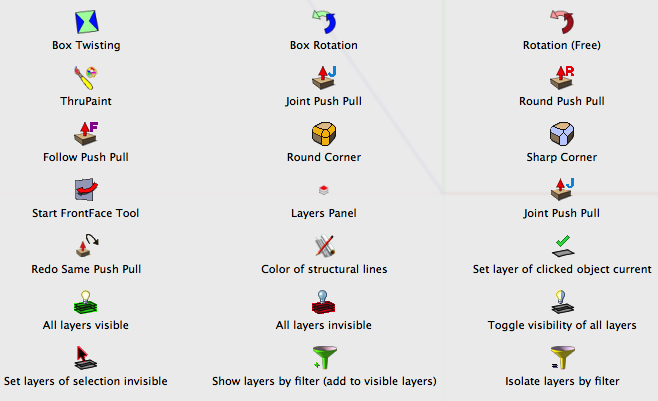
      You might want to enlarge icon for use in main toolbar, barely discernible as shown on top shot.

      Do you have a retina screen ?

      No, here is a shot of your icon surrounded by others in the customize toolbar window.


      tb.png

      posted in Plugins
      wind-borneW
      wind-borne
    • RE: [Plugin] Layers Panel 1.2.1

      @jiminy-billy-bob said:

      It's here guys ! πŸ˜„

      New version 0.9 beta !

      Changelog :

      • OSX support
      • Fixed clicking on layer's name not selecting it

      Download in the plugin store !

      A huge thanks to TT for the OSX support ! πŸ‘ πŸ‘

      It's the first OSX version, so it still has bugs. We need you to find them πŸ˜‰

      Glad to join in.
      Enjoying the ability to group, merge and rearrange β˜€

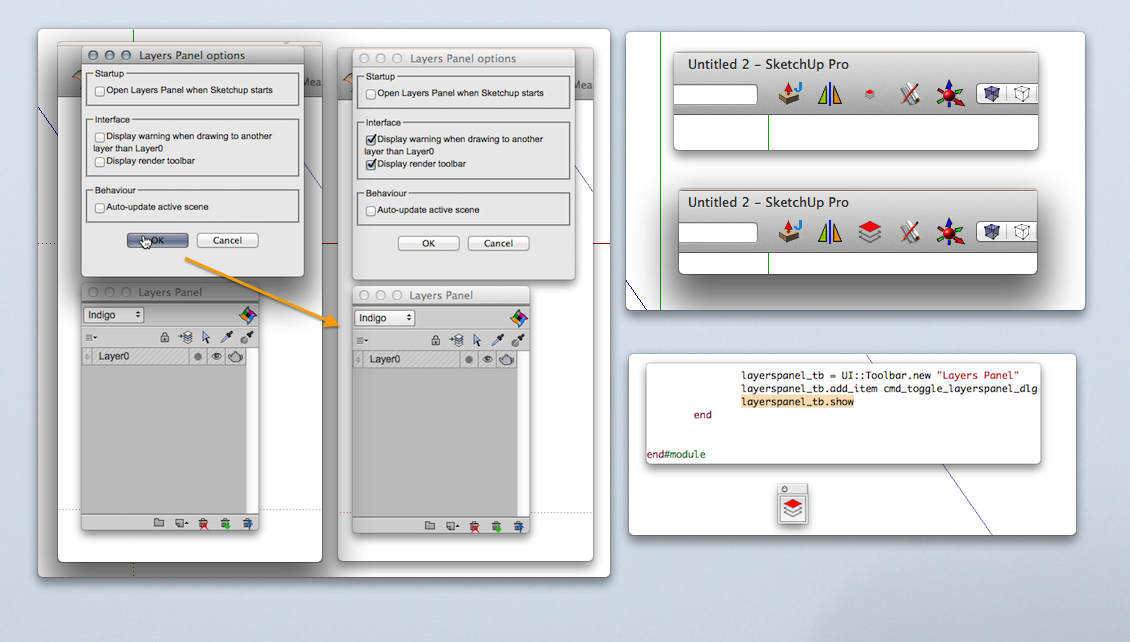
      Problem:
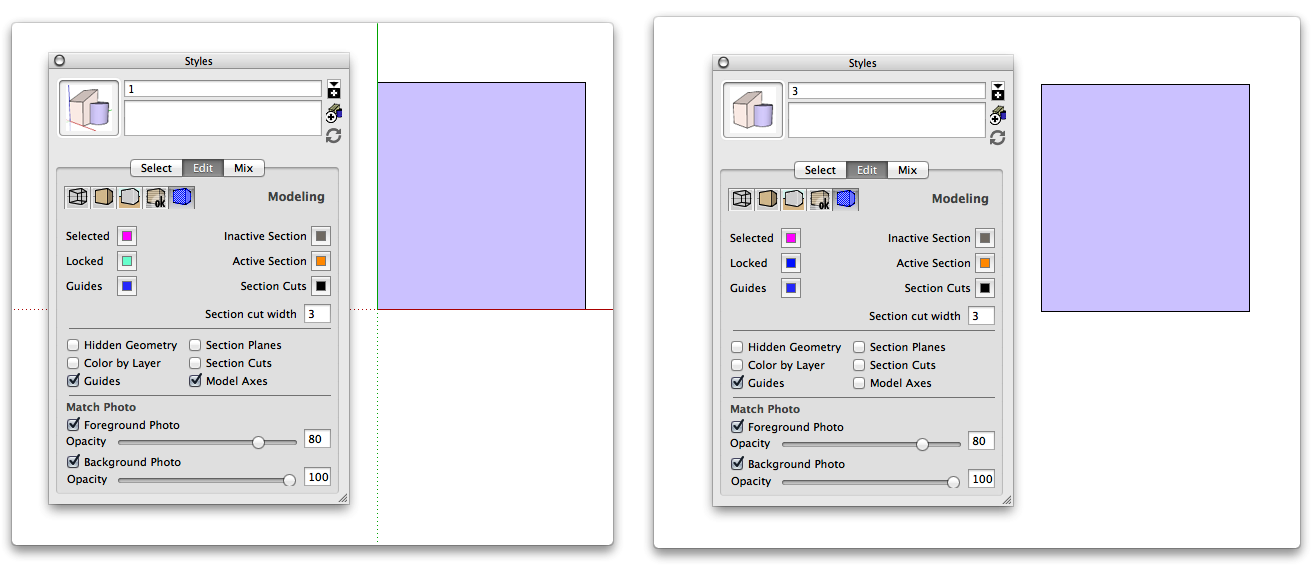
      The options panel doesn't work for me.
      None of the changes take effect.
      Shown, reopening options(right) after setting(left).
      Tried reinstalling and tested on 2013 also, same no go.

      Annoyance:
      Upon closing, Save dialog appears even if no changes made on file with this extension enabled.
      For those of us using shortcuts or main toolbar, having floating toolbar automatically load. Deleted that line for now.

      Suggestion:
      You might want to enlarge icon for use in main toolbar, barely discernible as shown on top shot.

      OSX 10.9, Safari 7.0, SU 8

      Good luck and thanks again...

      lp.png

      posted in Plugins
      wind-borneW
      wind-borne
    • RE: Axes settings save incorrectly in scenes.

      Mac edit


      01.png

      posted in Newbie Forum
      wind-borneW
      wind-borne
    • RE: Topic Voting Anyone?

      @mwm5053 said:

      Here too, voting thumbs working but not seeing any squares like WB reported

      Gabor and I resolved my issue πŸ˜‰

      posted in Ideas Box & Board Issues
      wind-borneW
      wind-borne
    • RE: Topic Voting Anyone?

      @rich o brien said:

      Version of Safari and OS?

      OSX 10.9
      Safari 7.0 (9537.71)

      posted in Ideas Box & Board Issues
      wind-borneW
      wind-borne
    • RE: Topic Voting Anyone?

      @rich o brien said:

      Screenshot of what you see here....

      [attachment=1:2dl0sa27]<!-- ia1 -->Image 6.png<!-- ia1 -->[/attachment:2dl0sa27]

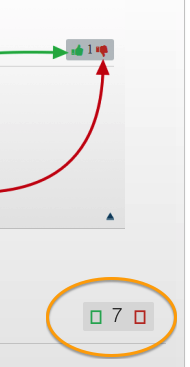
      I've often wondered why I thought all those boxes looked so lame πŸ˜„

      I can vote though


      05.png

      posted in Ideas Box & Board Issues
      wind-borneW
      wind-borne
    • RE: Topic Voting Anyone?

      I foresee a flurry of negative votes but don't us Macnuts deserve more than squares πŸ˜’


      04.png

      posted in Ideas Box & Board Issues
      wind-borneW
      wind-borne
    • RE: Moving lines with the arrow key?

      JS Move will work with a Mac though not as described inside file, also works more consistent if you hold modifier/s down.

      After you enter distance

      Option left/right for x axis
      Control up/down for y axis
      Option up/down for z axis

      Holding down command also .1x
      Holding down shift also 10x

      404 Not Found

      favicon

      (www.pixero.com)

      posted in Newbie Forum
      wind-borneW
      wind-borne
    • RE: Are Solar Panels Facing the Wrong Direction?

      http%3A%2F%2Fwww.forbes.com%2Fsites%2Ftomkonrad%2F2013%2F11%2F22%2Fyour-solar-panels-arent-facing-the-wrong-way%2F%3Fpartner%3Dyahootix πŸ’š

      posted in Hardware
      wind-borneW
      wind-borne
    • RE: Floor plan lines not connecting

      @jasemilly said:

      I have followed a jpeg image of floor plan and the shape won't close so I can't pull the walls up. It's quite a complex floor plan, whats the best method for finding where the faults lie??

      thanks
      Jasemilly

      Stray Lines for diverse displays of faults.

      posted in Newbie Forum
      wind-borneW
      wind-borne
    • RE: Shortcut Keys

      @susteve said:

      Hi,

      I set up some shortcut keys for the different camera views (alt-t = top, alt-r = right and so on).

      I also set up alt-i for isometric but it does not work at all. The other shortcut keys work fine but not this one.

      Is it possible to set up a shortcut key for the isometric view?

      Also is it possible to set up the keypad for shortcut keys? it does not look like you can but maybe someone knows a way around this

      thank you

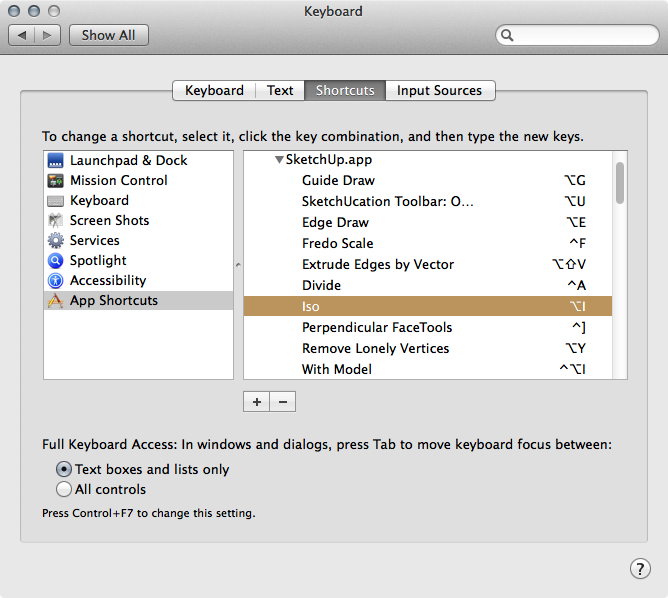
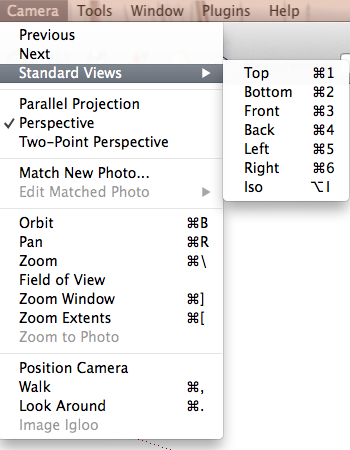
      In SketchUp βŒ₯-i always works as a shortcut for me if set up in System Preferences rather than inside SU.

      Overriides Iso default shortcut of ⌘-7. Reflects in the menu and is functional. If you remove shortcut will revert back to ⌘-7.

      .


      02.png


      Mac menu.png

      posted in SketchUp Discussions
      wind-borneW
      wind-borne
    • RE: Useful MAC Apps and Hardware [Ongoing Updates]

      stumbled across this, free until 11/3

      played around with a few images, powerfully simple and swift for minor tweaks...

      DxO Perspective

      http://a3.mzstatic.com/us/r30/Purple/v4/8a/4f/f0/8a4ff048-75ff-1769-5d5d-1ee1c3c43286/screen800x500.jpeg

      http://a4.mzstatic.com/us/r30/Purple6/v4/4d/57/ba/4d57bab0-7ffd-c411-a17a-6e9ebfc98a60/screen800x500.jpeg

      http://a2.mzstatic.com/us/r30/Purple6/v4/6c/19/94/6c199499-a3c2-9d9b-b9b4-91e6ff54c8a7/screen800x500.jpeg

      http://a5.mzstatic.com/us/r30/Purple4/v4/15/48/42/154842f7-b694-623a-c172-adab6c2de13b/screen800x500.jpeg

      posted in Hardware
      wind-borneW
      wind-borne
    • RE: Mavericks

      @numerobis said:

      I think for the apple users it's a very tough decision...
      If it's free, it can't be any good. πŸ˜†

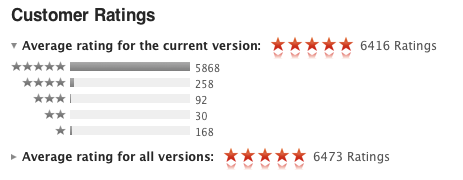
      Looking at the ratings a few minutes ago I imagine critical thinking possibly impaired by the 'free' price tag πŸ˜†

      Downloaded in a little over an hour but haven't installed.


      pop mav.png

      posted in Hardware
      wind-borneW
      wind-borne
    • RE: Color matching from image map ?

      or drag/import image into color picker for a wider range...

      posted in SketchUp Discussions
      wind-borneW
      wind-borne
    • RE: Useful MAC Apps and Hardware [Ongoing Updates]

      @mike lucey said:

      How to enable expanded save dialog as default

      Most of you probably know all about this already but I thought I should mention it for those that don't.

      Apple tend to keep things very simple and the default saving is such a case. This is what the default shows,

      [attachment=0:2xaj0b8r]<!-- ia0 -->How to enable expanded save dialog as default.jpg<!-- ia0 -->[/attachment:2xaj0b8r]

      To achieve a more indepth setup the following needs to be down.

      You will need to use the command line for this, so open up the Terminal and type or copy/paste the following commands.

      Enable expanded save dialog
      defaults write -g NSNavPanelExpandedStateForSaveMode -bool TRUE

      Disable expanded save dialog – revert back to Mac OS X default
      defaults write -g NSNavPanelExpandedStateForSaveMode -bool FALSE

      Link Preview Image
      How to Enable Expanded Save Dialog as Default in Mac OS X

      How to Enable Expanded Save Dialog as Default in Mac OS X

      favicon

      OS X Daily (osxdaily.com)

      for more fluidity, the shortcut ⌘=
      does the same in a flash

      on the other hand,
      DefaultFolderX further expansion of open and save dialogs has been my companion for years πŸ€“

      posted in Hardware
      wind-borneW
      wind-borne
    • RE: Axes help

      Extended Standard Views

      posted in Newbie Forum
      wind-borneW
      wind-borne
    • RE: Problems with adding new textures on a mac

      @sally said:

      Hi Gilles,

      Yes, I've tried a restart, but still can't add new textures to a current file, it's always greyed out. I can get new ones, as I said, but it does seem a little strange that I can't add to existing collections. And it is the same in any SU file, new or existing. Thanks for your continued help, Sally

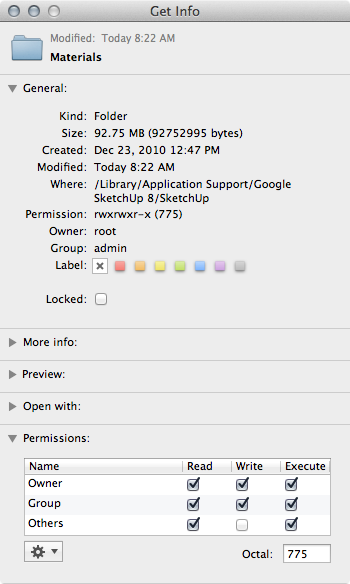
      Sounds like you don't have permissions set for read and write for Materials folder(HD path).

      You are able to create new lists and add to those ok which are normally stored in the other Materials folder(user path).


      Screen Shot 2013-03-18 at 10.23.14 AM.png

      posted in SketchUp Discussions
      wind-borneW
      wind-borne
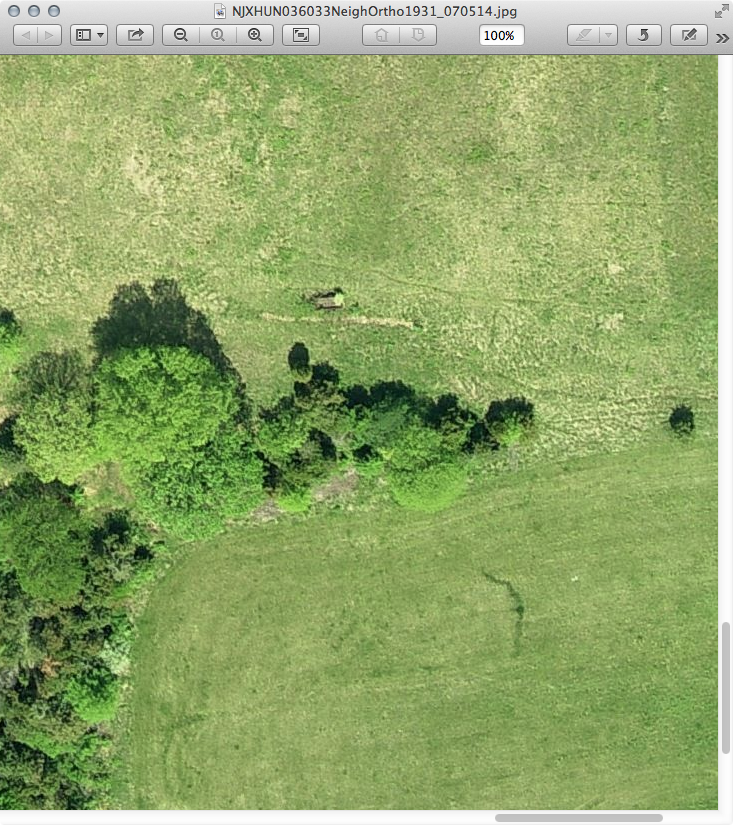
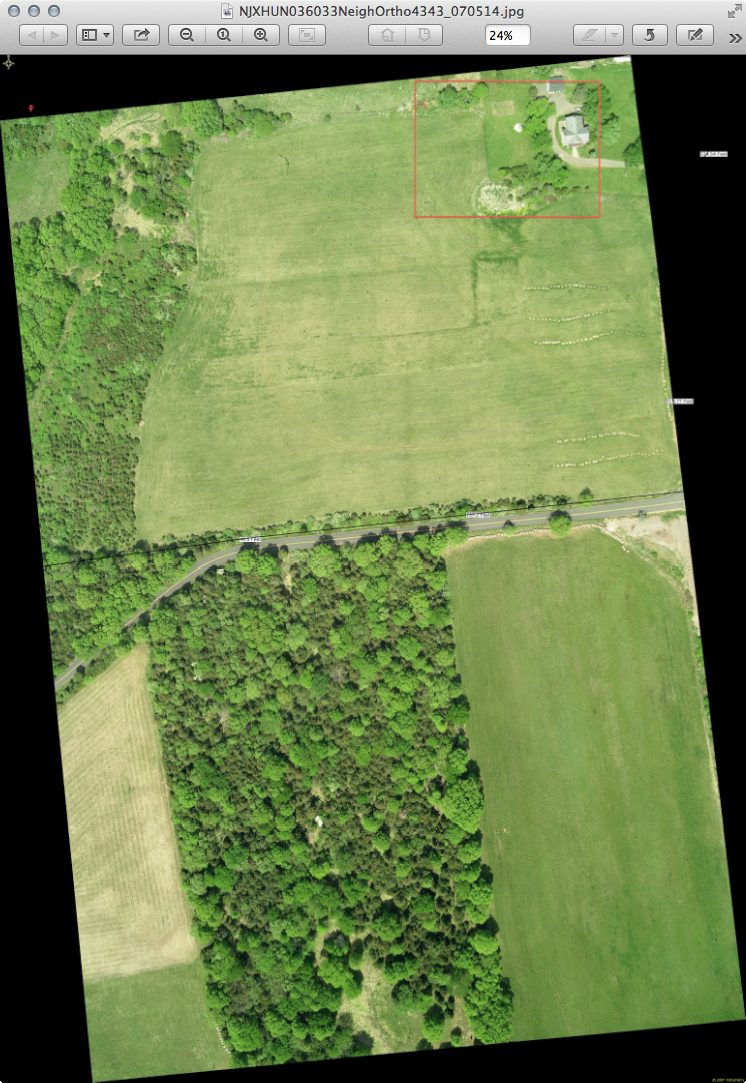
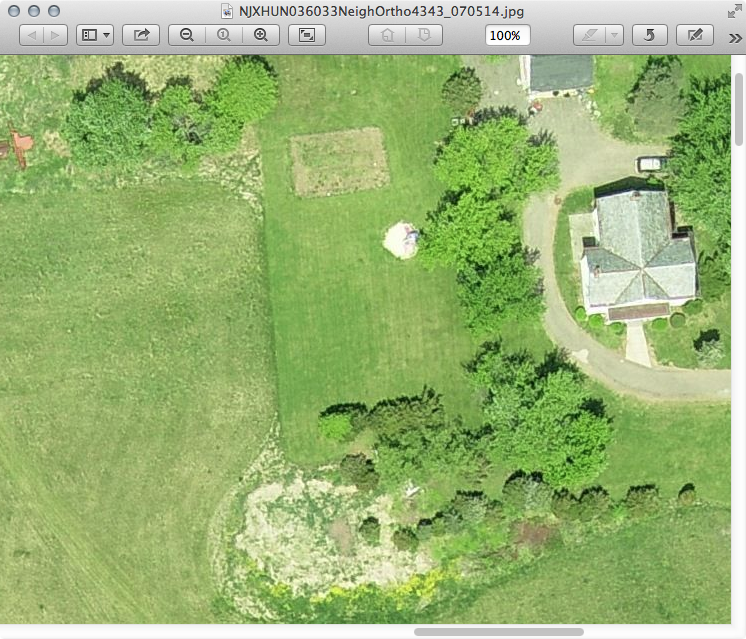
    • RE: Large terrain photo help

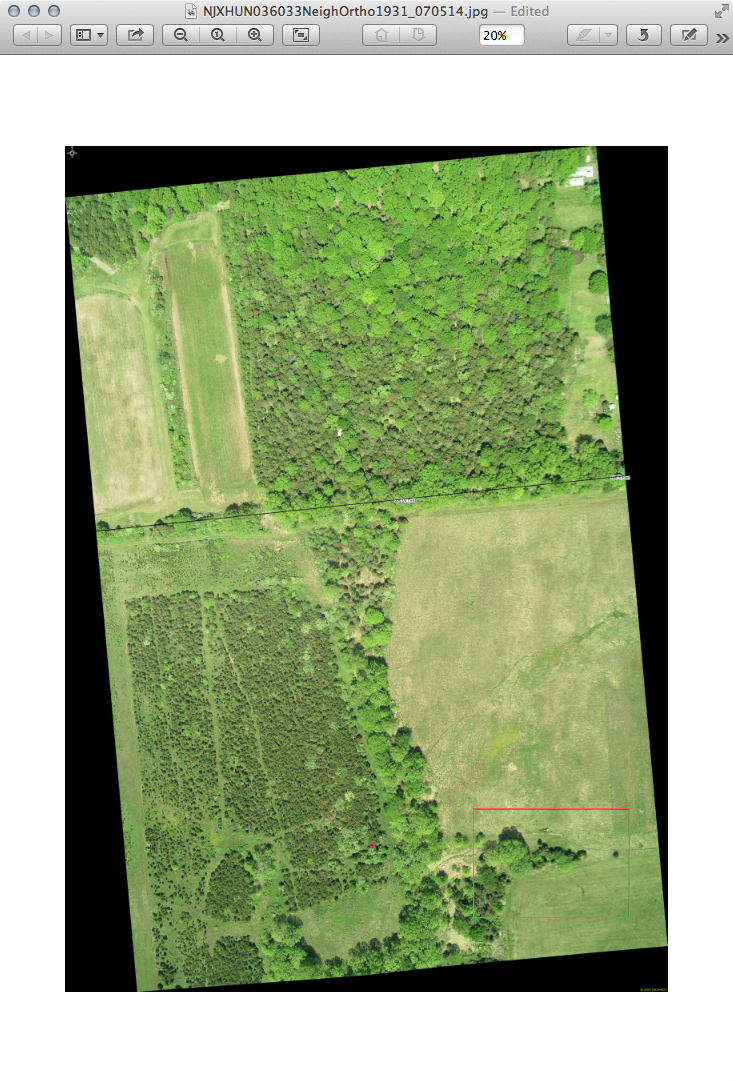
      If you want to stitch together some ~4000x3000 images from 2007 pm me with email address and area you want and I'll send via a Transfer Big Files link.

      jpeg's about 3-4 MB
      png's about 15-20 MB
      tiff's wanna be about 38MB but my connection times out before finishing

      A couple reduced images
      Those property lines are deletable and a dimensioned line can be added to images to resize in SU if needed.


      Screen Shot 2013-03-08 at 4.13.27 PM.png


      Screen Shot 2013-03-08 at 4.11.31 PM.png


      Screen Shot 2013-03-08 at 4.22.32 PM.png


      Screen Shot 2013-03-08 at 3.32.20 PM.png

      posted in SketchUp Discussions
      wind-borneW
      wind-borne
    • RE: Wut R U Listening 2 ?

      60's

      Shapes of Things

      70's

      City Too Hot

      80's

      Fever

      90's

      Words

      00's

      Black Swan

      recent

      We No Who U R

      posted in Corner Bar
      wind-borneW
      wind-borne
    • 1
    • 2
    • 3
    • 4
    • 5
    • 9
    • 10
    • 2 / 10