Oops, your profile's looking a bit empty! To help us tailor your experience, please fill in key details like your SketchUp version, skill level, operating system, and more. Update and save your info on your profile page today!
Check out Febhouse | New extensions for Shadow Analysis in SketchUp Download
R
Offline
Posts
-
RE: [Plugin] ReGlue
@designerbursa
I might be missing something but currently I can do it without any plugin -
RE: 2024 Paint Bucket
I hate this new new brief tap behavior - everything in 3D programs is built around continuous modifier key holding for decades and suddenly Trimble decided to change it like there's nothing more urgent left to do with SU
-
RE: [Plugin] Axyz - v1.1a - 8 June 24
@Rich-O-Brien Yes and no. without copying Select Instances+Axyz works fine.
Maybe you with(?) Fredo could develop a new rock solid version of "select all instances"?
BTW many people request "select all instances" that would copy all instances regardless the context to the memory buffer. the 20 y.o. one that I use can't do that. -
RE: [Plugin] Axyz - v1.1a - 8 June 24
@Rich-O-Brien said in [Plugin] Axyz - v1.0a - 31 May 24:
But your earlier inconsistencies are something I can't replicate my side.
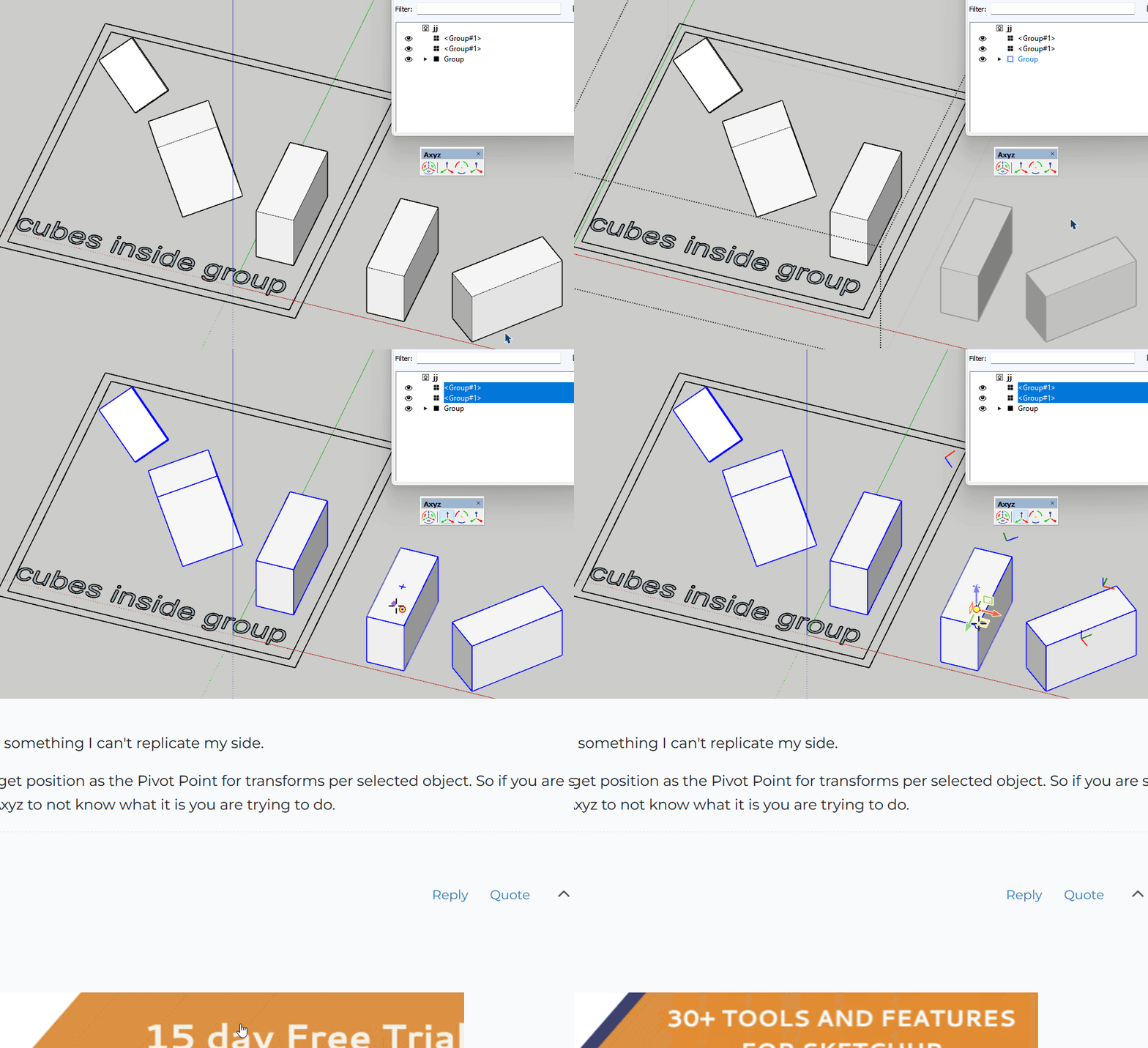
Select all 5 boxes with the plugin from post 8 and try to copy them via Axyz.
I can't just believe you won't crash (however, without copying all transforms would works just fine)
https://drive.google.com/drive/folders/1w-z7EgWlhjf-OuAFX8lRe5ii0wbxVOIg?usp=sharing=====
What exactly do you call "box select"? Blue cage around selected objrcts? but since when it should not happen? -
RE: [Plugin] Axyz - v1.1a - 8 June 24
@Rich-O-Brien said in [Plugin] Axyz - v1.0a - 31 May 24:
Dragging on empty space is reserved for widget sizing.
wow, nice!
I'm super happy SU finally has some intuitive and easy* to use gizmo-based tool especially for local transforms. Thank you and Fredo for creating and sharing!
*- Formerly, for local transforms I had to use s4u transforms but its UI is too extra-terrestrial for me. -
RE: [Plugin] Axyz - v1.1a - 8 June 24
@Rich-O-Brien said in [Plugin] Axyz - v1.0a - 31 May 24:
Ruby console output if you click it?
nothing:
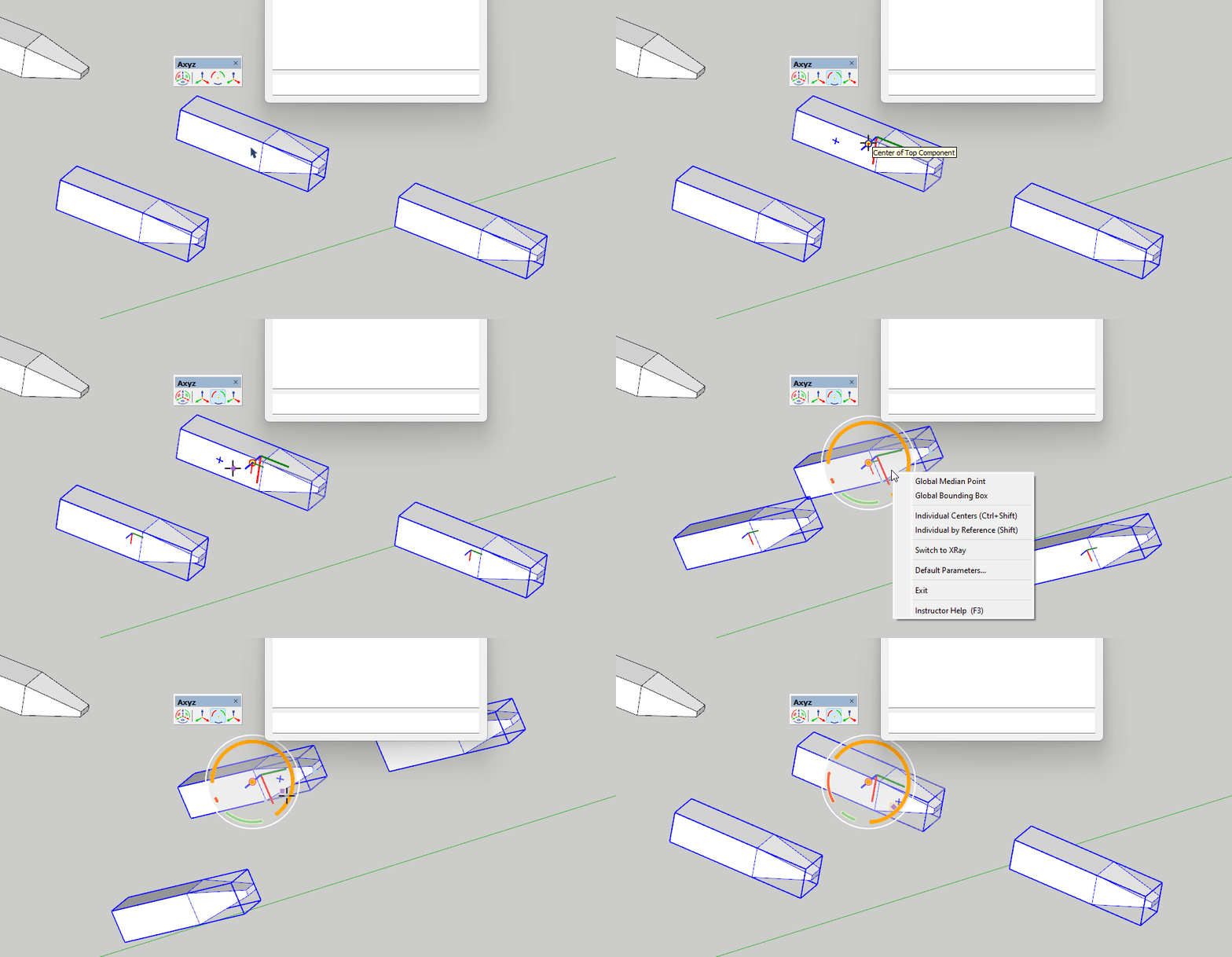
IMHO If the user selects any of AXYZ tools its logical to see the gizmo right from the beginning (based on previous settings); currently even if you set it to individual-center the extra click is still needed.>>Translation nudging is pixel based
it's better then say decibels, but file units would be even more awesome
Here are some other areas where some polishing might be nice:
Sometimes it arbitrarily decides its a good idea to start copying:
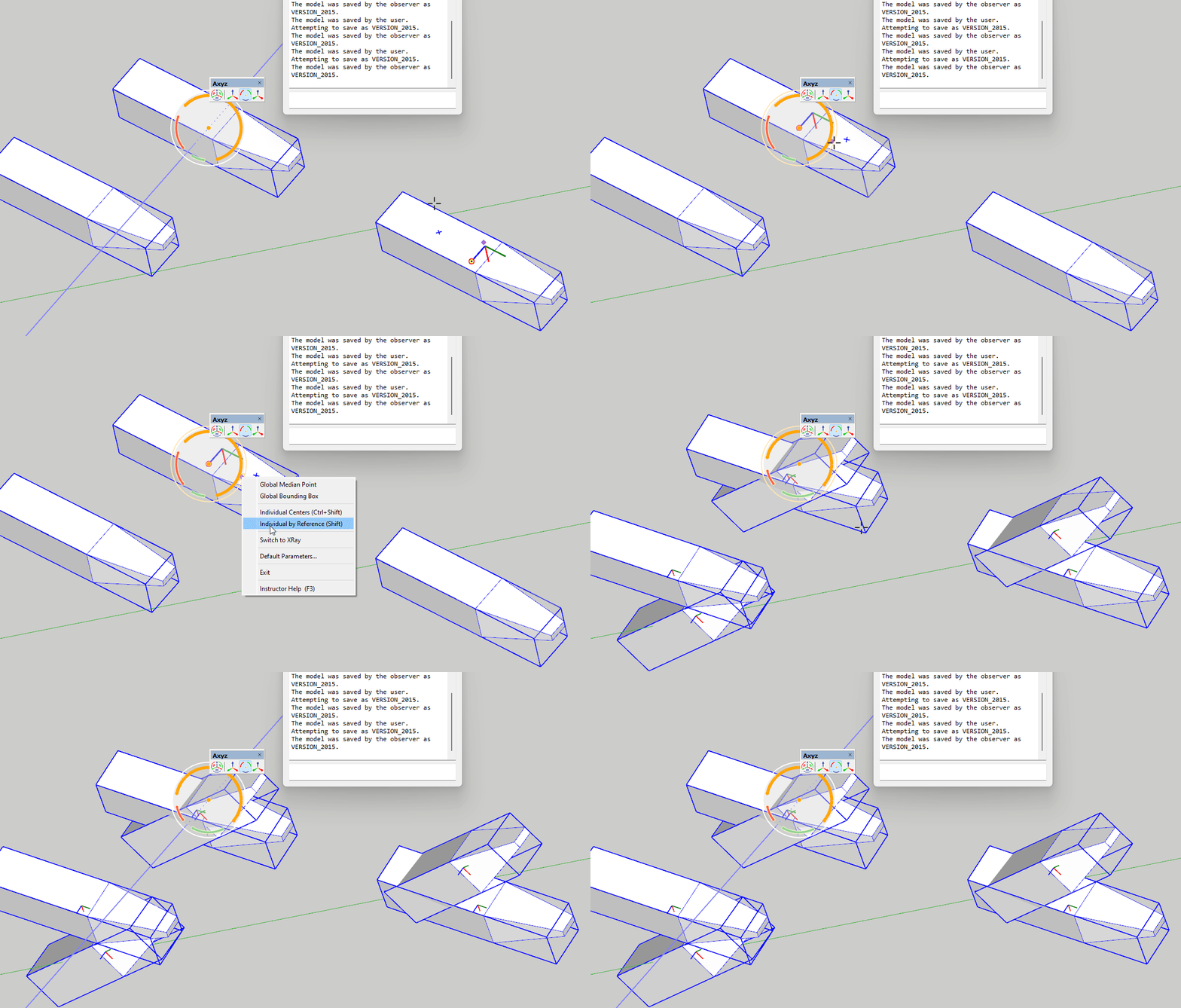
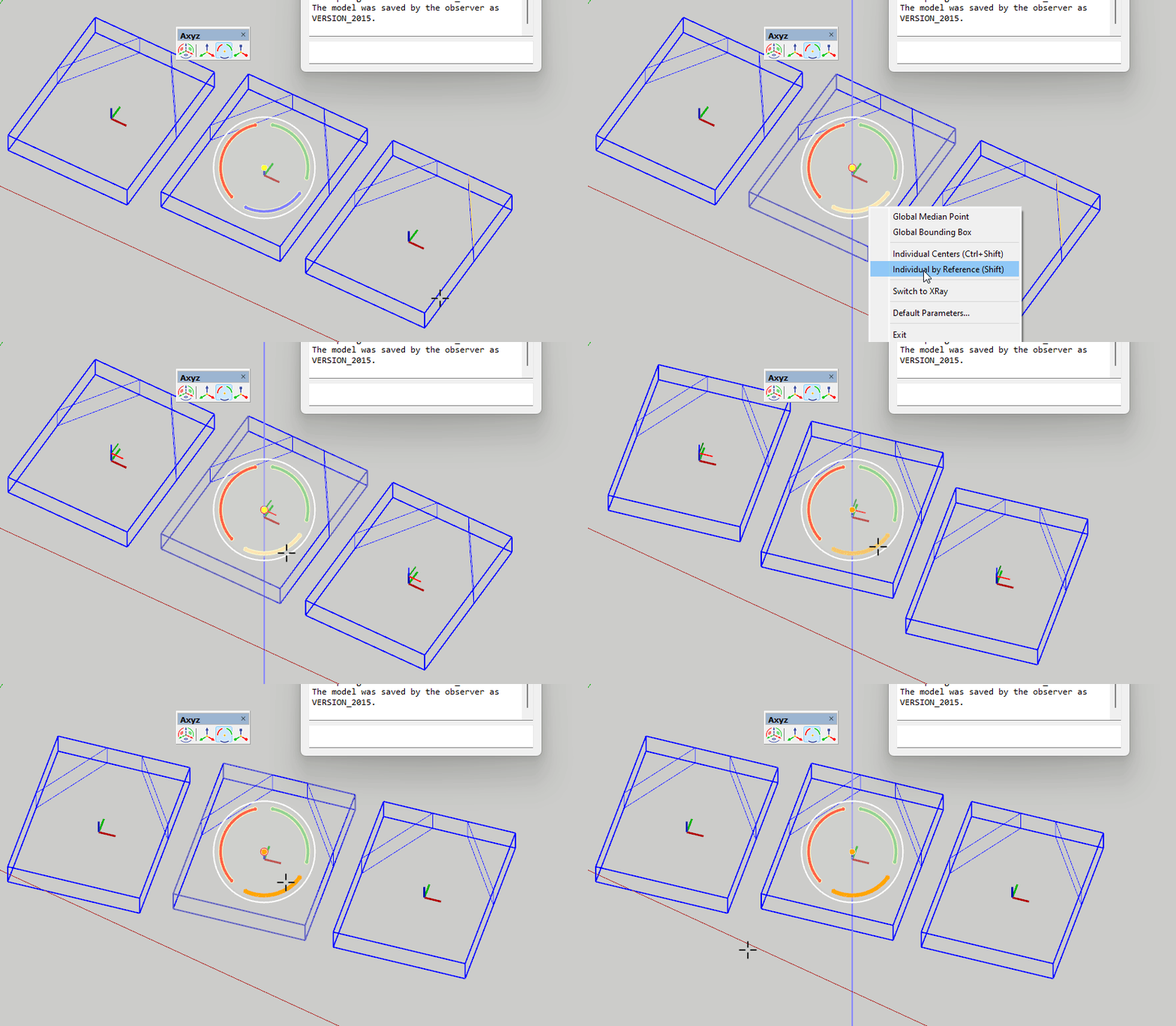
I find it very confusing when staying in individual mode and clicking on it in the RCM for a 2nd time switches you into global (why? it has to be ignored):
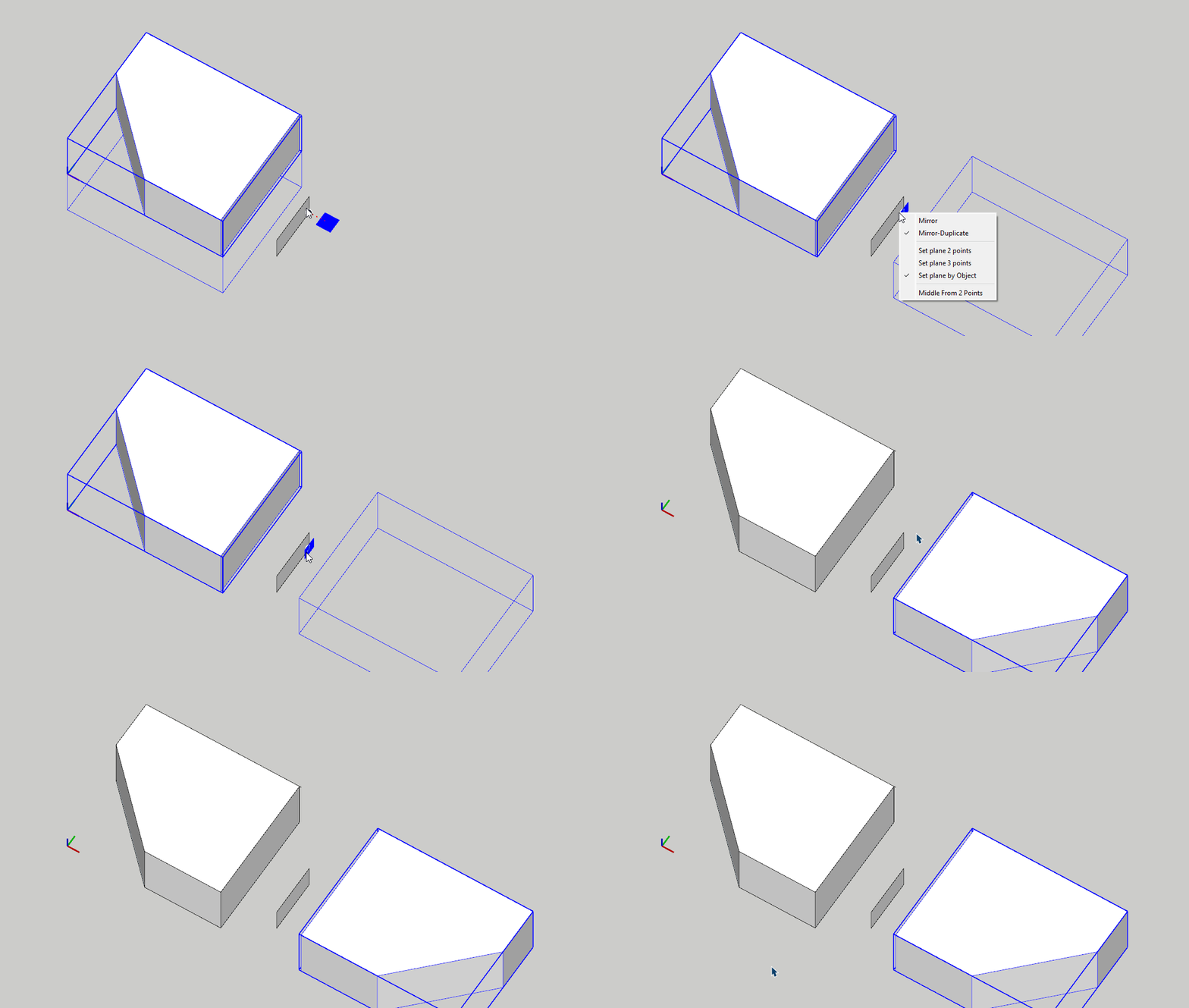
for example, s4u mirror.. clicking on currently being used "copy-duplicate" option for a 2nd time - it won't switch you to another mode, it stays
unchanged:
Apropo, after copying with Ctrl.. is it possible to have only the new instances be selected (without original geometry)? -
RE: [Plugin] Axyz - v1.1a - 8 June 24
@Rich-O-Brien Regading nudging via arrow keys.. Currently it nudges randomly (approx. 0.3-0.5 cm) Is it possible to add some option for setting exact nudge value via VCB ( say typing n10 would set it to 10 units)?
-
RE: [Plugin] Axyz - v1.1a - 8 June 24
@Rich-O-Brien said in [Plugin] Axyz - v1.0a - 31 May 24:
Its also available via context menu if the keyboard shortcut is proving difficult to fire
I don't understand this sentence
once being enabled via context menu, it still has no check mark (V) in the beginning of the corresponding line -
RE: [Plugin] Axyz - v1.1a - 8 June 24
@Rich-O-Brien
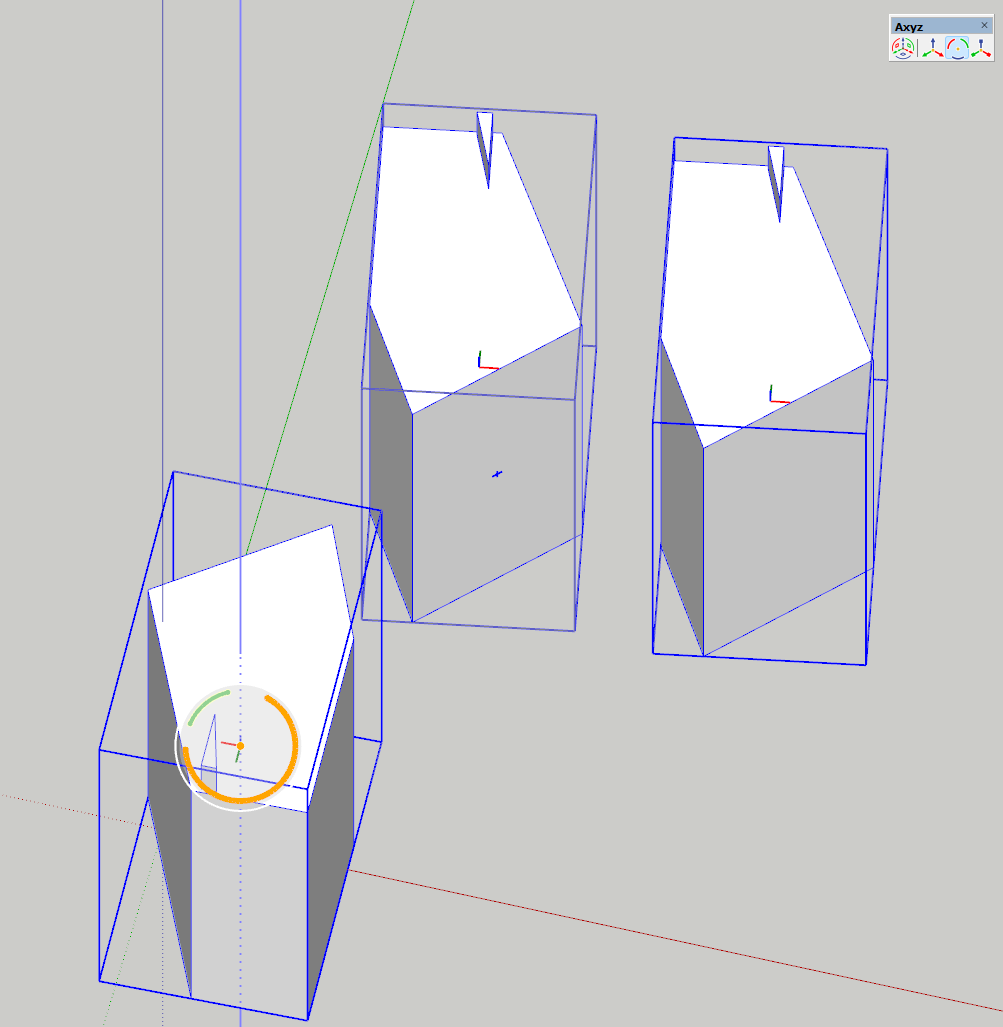
Thanks for explanation! For some reason Ctrl+Shift shortcut is not working on my end plus its impossible to put V next to Individual Centers option in right click menu. Thats why I had difficulties to understand what this option does
In many situations the gizmo looks is extremely confusing. This is what it looks like after local Z rotation: red arch is completely gone, blue one turned to orange and got extended.. I wish it could look closer to the boring normative and predictable industry standard:
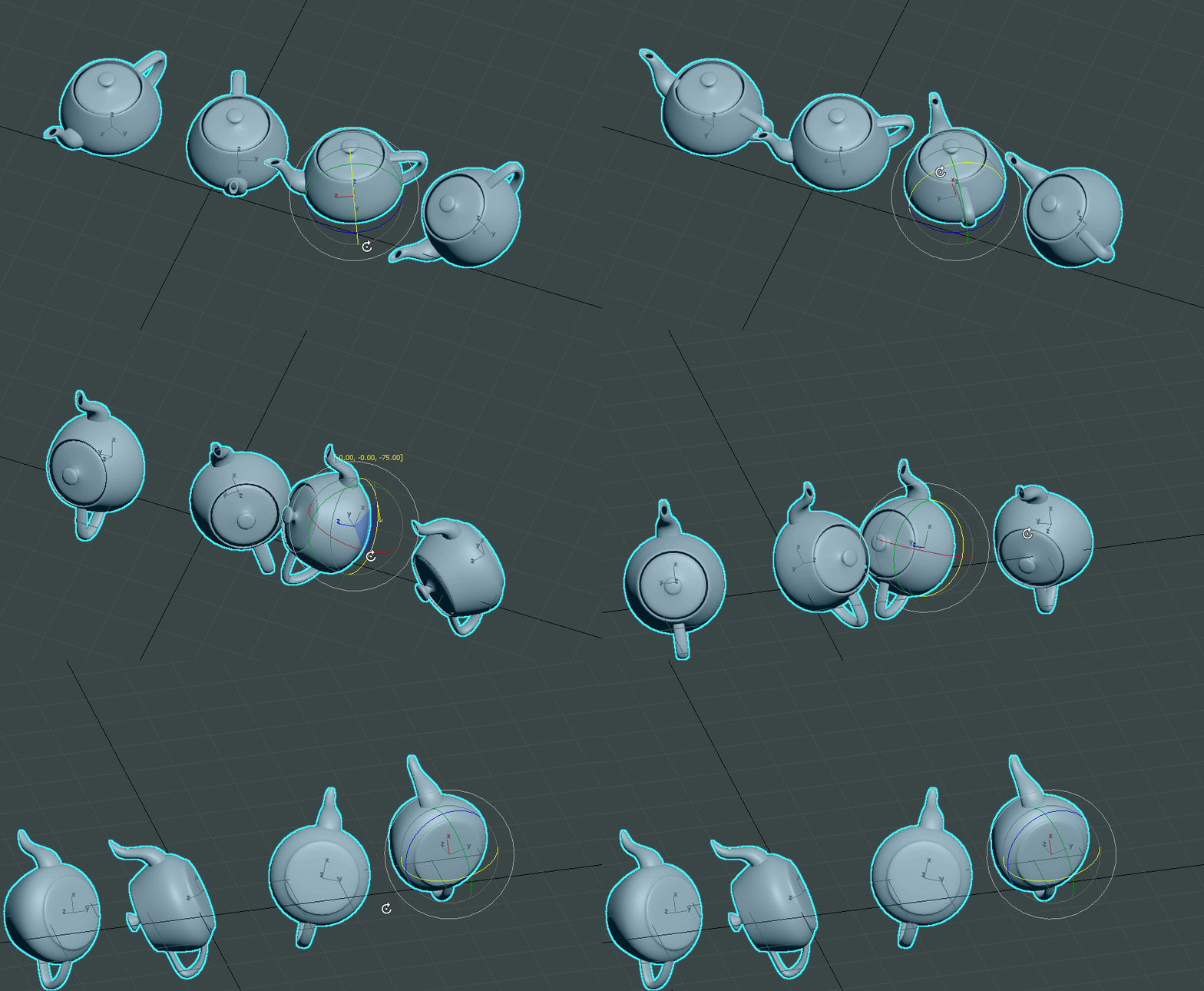
-
RE: [Plugin] Axyz - v1.1a - 8 June 24
I guess I found the reason why it crashes while copying or changing the mode with Shift key:
If I select all the instances (even the ones inserted in other contexts) of a given component with the help of attached script:
https://drive.google.com/file/d/1jDzI4oLmMRXCrZbLmb52X-zLF3FpgWIG/view?usp=sharing
(once installed found at: Edit\Item\Instances\Select all)
the plugin will crash SU . Would it be possible to make Axyz's copying to respect out-of-context selections?P.S. Could anybody clarify those definitions please:
- Individual by Reference (Shift) [default]: by ratio of position of the Widget in the object under the Widget
- Individual Centers (Ctrl-Shift): barycenter of each object
P.P.S. Drag 'n' drop rb and zip files into reply field is not working
-
RE: [Plugin] Axyz - v1.1a - 8 June 24
Very nice thanks for sharing, hope Ahmed will make some video..
Pressing Ctrl (for copy) or Ctrl+Shift when moving objects crashes SU to desktop 100% (Win 11, SU 23)
P.S. It'd be nice if the plugin would remember the last used mode (local). Some easy 90 degree rotating mode would be great addition too. -
RE: [Plugin] LordOfTheToolbars - v3.0a - 21 Apr 26
@fredo6 My latest LOTT (win11, SU24) lost right click (on icons) menu shown by
17628046164 6 posts above. Might it be fixed please? -
RE: [Plugin] ReGlue
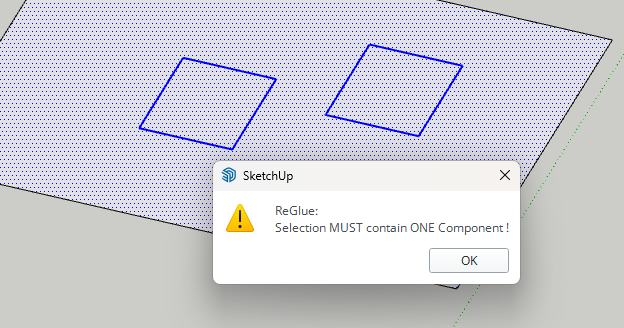
@TIG This plugin reglues multiple components in SU 2022. In v2023 and newer it reglues only one component.
What is the reason for this degradation? Thanks
-
RE: [Plugin] TIG-Smart_offset
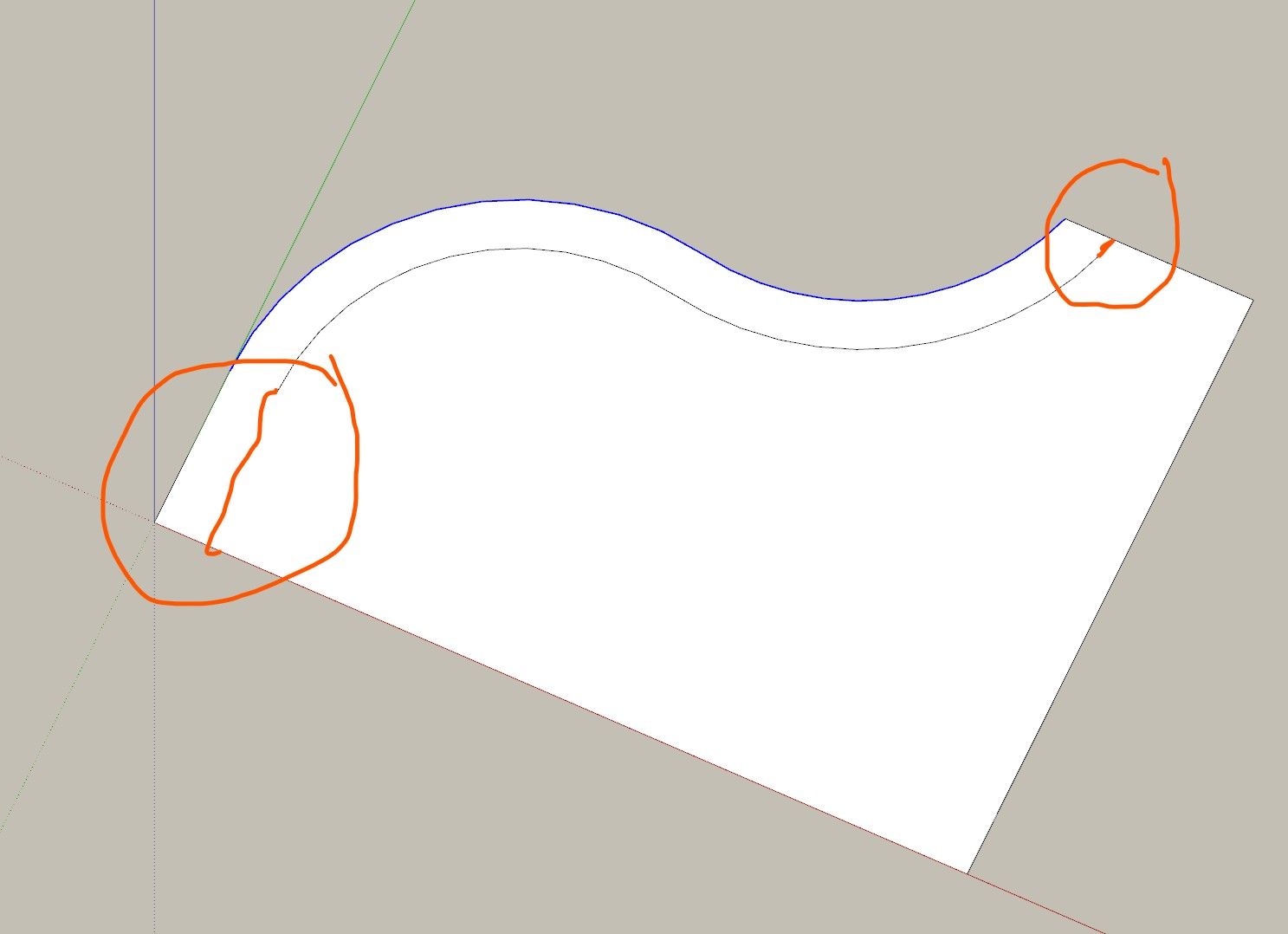
@TIG It'd be Genius Offset if it could perform in 'extend mode' (via modifier key - Alt, Ctrl..)
-
RE: [Plugin] PipeAlongPath
@TIG Fantastic, THANK you so much, this ruby is one of the oldest (almost 20 years!) and most usable ones.
Maybe on 20th Anniversary multiple paths support will be added, who knows..