@panixia you can select, take a look at their properties, replace and delete but not copy to buffer - it always been broken
Oops, your profile's looking a bit empty! To help us tailor your experience, please fill in key details like your SketchUp version, skill level, operating system, and more. Update and save your info on your profile page today!
Check out Febhouse | New extensions for Shadow Analysis in SketchUp Download
R
Offline
Posts
-
RE: [Plugin] Axyz - v1.1a - 8 June 24
-
RE: New Sketchup 2025 glimpse.
@nlipovac disastrous.. they totally forgot its a modeling software - zero improvements, just keep on adding collaborative\AI crap no one needs
-
RE: [Plugin] Axyz - v1.1a - 8 June 24
@panixia its a major PITA in SU: none of plugins copies all instances (incl. ones out of context) to memory buffer
-
RE: [Plugin] ElevationProfile - v1.4a - 17 Dec 25
@fredo6 persistent and real time of course - it'd allow geo editing with "finger on the pulse"
-
RE: [Plugin] ElevationProfile - v1.4a - 17 Dec 25
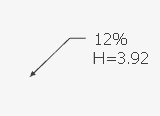
@fredo6 A humble real-life request: Is it possible to add an special Text* tool that, when glued to a face\edge\line in model, would interactively show the slope (in %) and elevation (respecting the project's 0.00 set by user) ?
*- with a leader or some point\cross sign
-
RE: DROP SHADOW BY LAYER - OR TAGS
@TIG said in DROP SHADOW BY LAYER - OR TAGS:
But why what ?
Your question has no context...It does NOT have any for a reason..
Out of general curiosity, could you kindly explain why my bug report is constantly (3 times, if I'm not mistaken)beinng ignored in the attached thread?
Is anything wrong with it?
https://community.sketchucation.com/topic/114843/plugin-2d-tools/782?page=40
Thank you in advance -
RE: Ukraine
@Mike-Amos said in Ukraine:
From a Ukrainian artist

How absolutely touching and poignant
that image is, starts me thinking of the children in Gaza also, I can only shake my headWhat were your thoughts of "children of Gaza" when they raped and murdered thouthands in November 2023 ? How can you compare 2 situations..
-
RE: [Plugin] 2D Tools
@rv1974
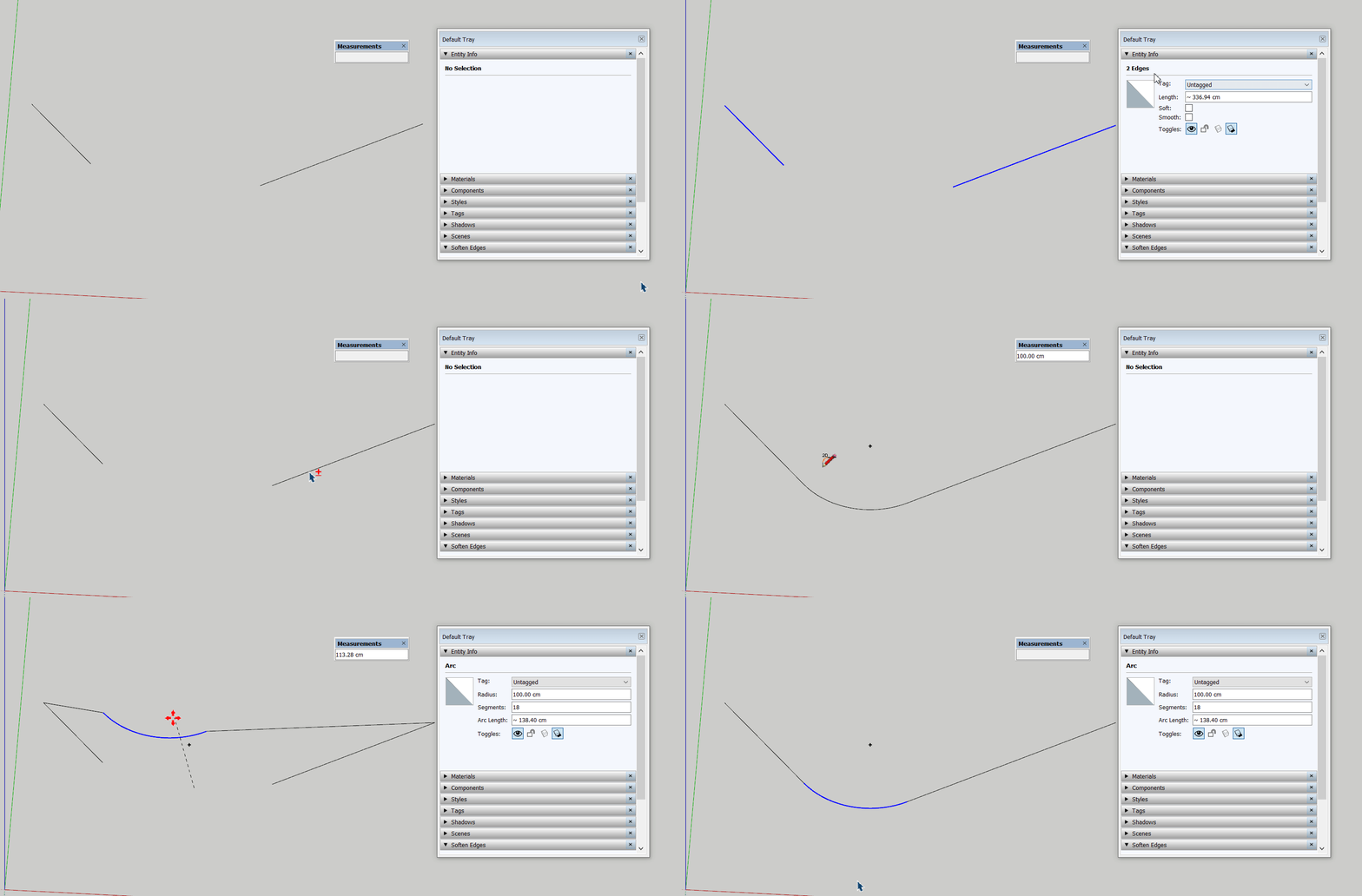
The plugin creates new (extended) edges without deleting the old (shorter) ones.
Some additional extra steps (Edge inspector) are needed every time the fillet tool was used which is ridiculous. Its important because it creates overlapping profiles if this faulty linework will serve as paths in Profile Builder. -
RE: [Plugin] 2D Tools
@TIG any possibility to fix the overlapping lines bug please (described on 7 Dec 23, 3 posts above)? Or at least any comment? Thank you in advance
-
RE: [Plugin][$] FredoSpline - v2.6a - 01 Apr 24
@fredo6 Any chance to make inference work while moving vertices please?
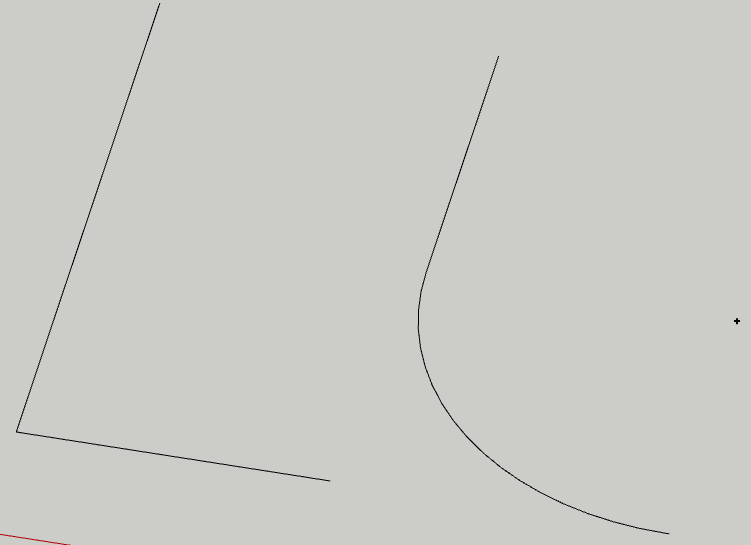
P.S. >>>For rounded corner, the radius is limited to half the length of the shortest connecting edge at the corner..
Why such a strong limitation exists? Say I have L shape 200/100cm.. why the plugin can't create 99 cm fillet?
-
RE: [Plugin][$] FredoSpline - v2.6a - 01 Apr 24
@fredo6
For rounded corner, the radius is limited to half the length of the shortest connecting edge at the corner..
OK, but it should not break scrolling.Deletion of faces happens when you change the number of vertices. It is somehow difficult to maintain the face.
In many situations a banal vertex moving deletes face as well .It seems to me that if you created the curve with a specified plane, the edition of vertices will be along the plane.
Unfortunately - no , it can easily run away from the plane. Also, if there are objects not laying on this plane - SU easily snaps to them.is it possible to implement scrolling\nudging based on exact user defined values ?
currently there are no exact values on radius\tension changing. This feature would be extremely useful in other plugins where scrolling\nudging being used - PaintThru, Axiz etc.
Thank you for attention -
RE: [Plugin][$] FredoSpline - v2.6a - 01 Apr 24
Maybe I missed it, but Its surprising nobody reports this faulty behavior
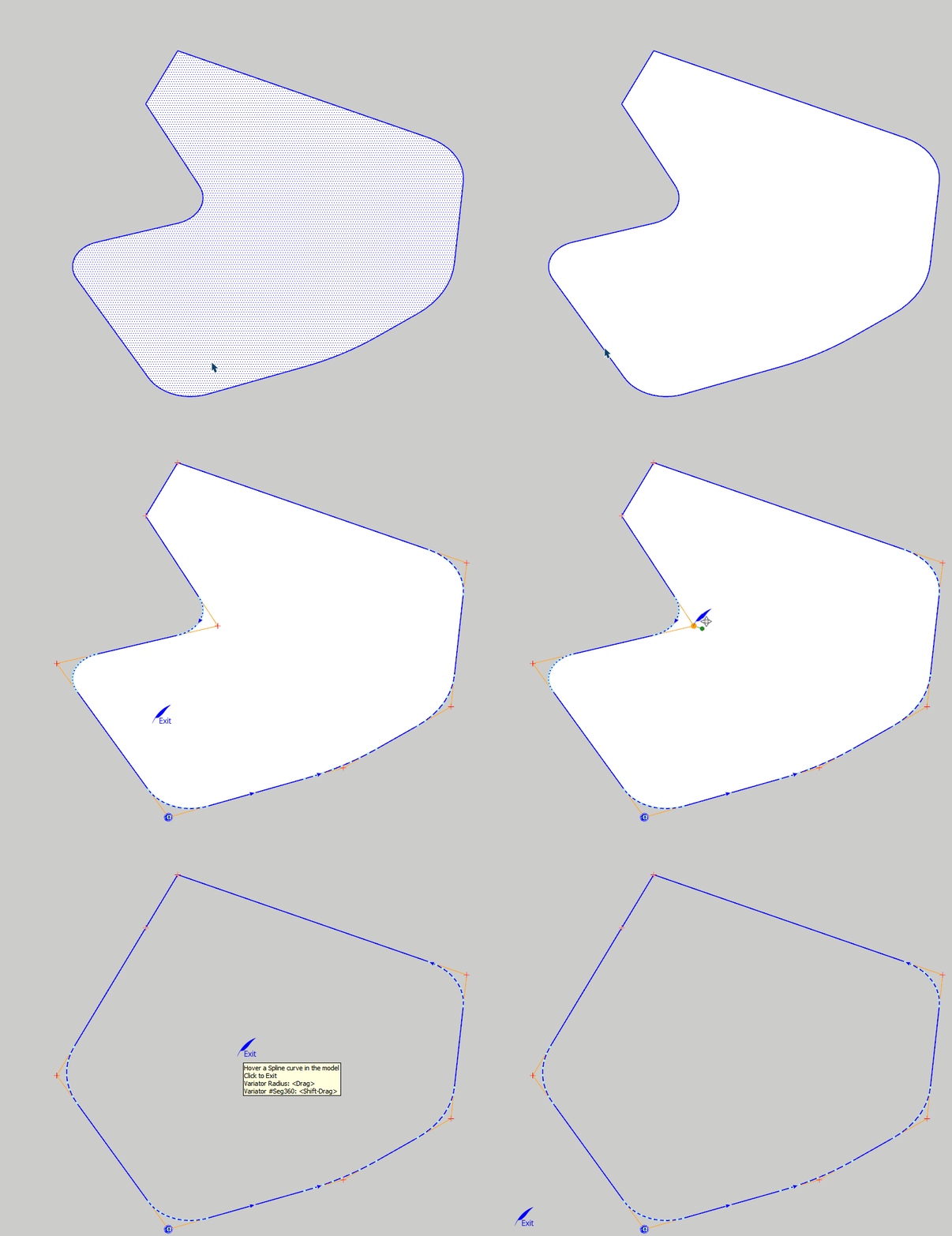
When changing radius with mouse wheel at some stage the plugin jumps to radius 0 and its impossible to change it anymore:
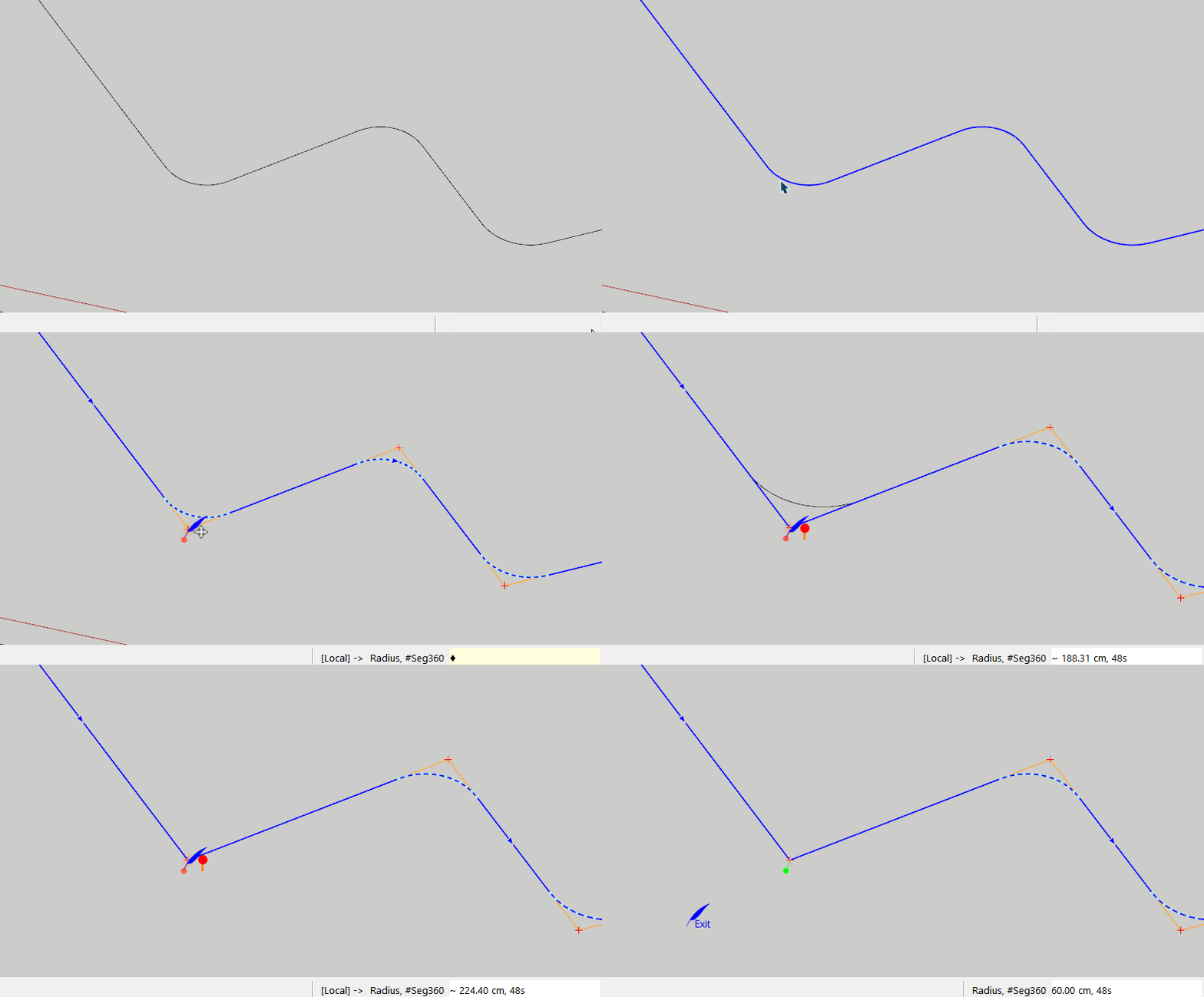
Also, any editing (adding, deleting, moving) in majority of situations would delete existing faces:
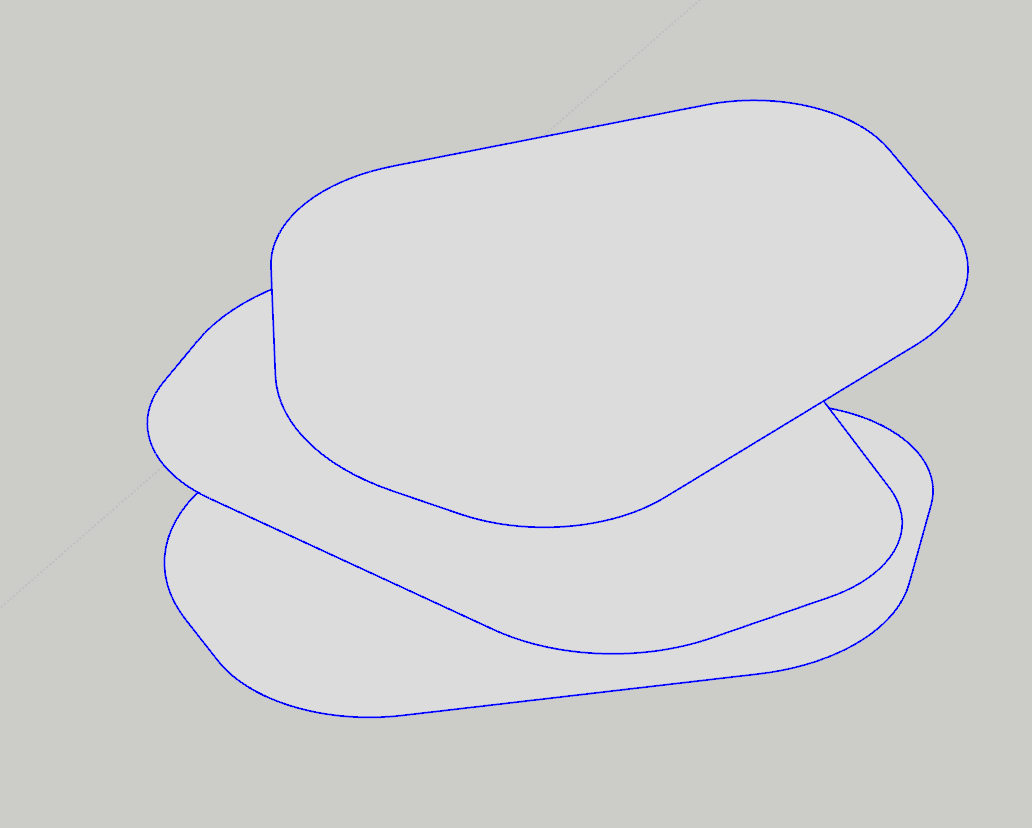
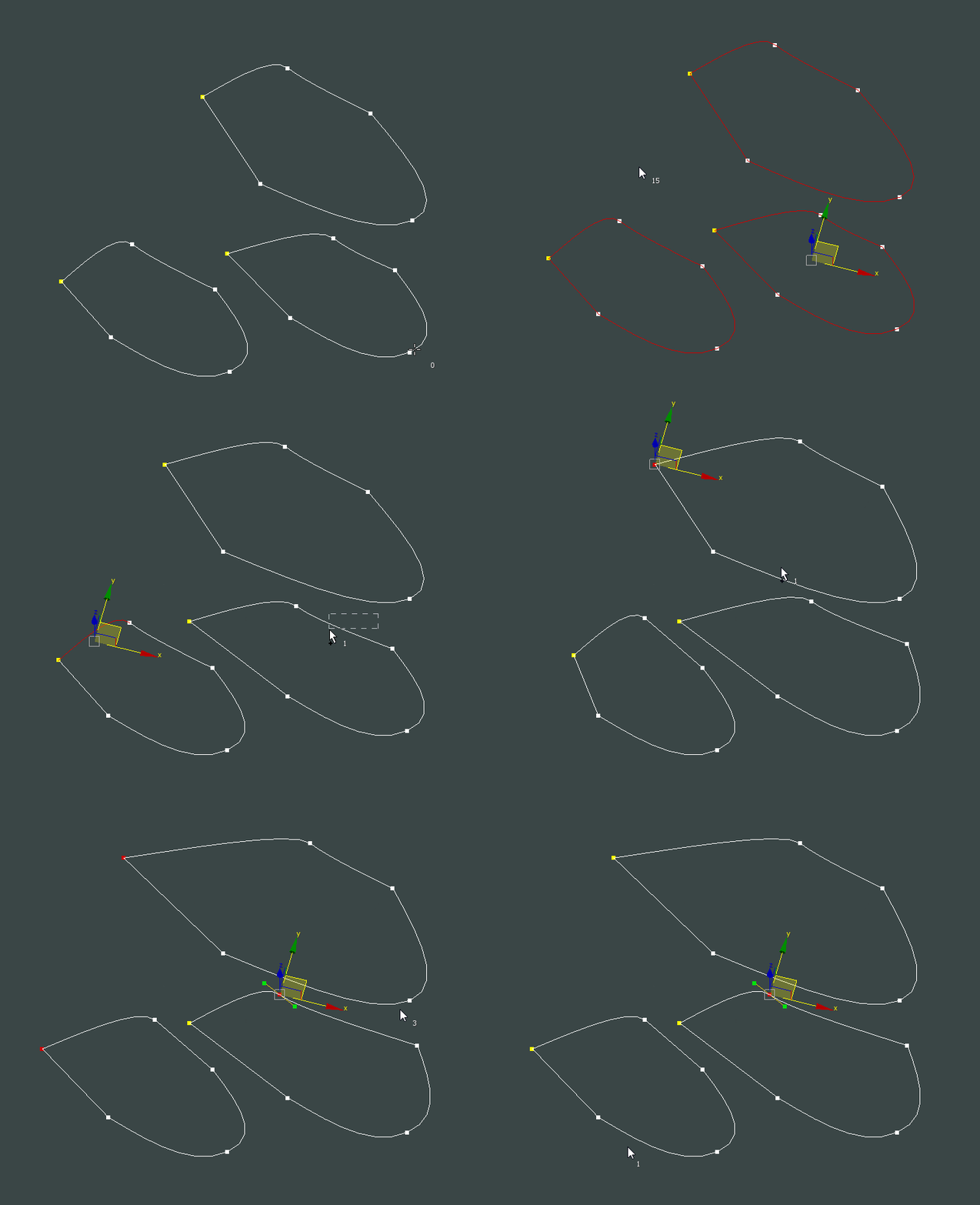
How about editing multiple curve at once:
P.S. Fredo, It was requested in the past and its not implemented, but hope dies last: Is it possible to preserve plane constrains after editing is finished please? Thanks -
RE: [Plugin] ReGlue
@designerbursa I took a closer look.. your version is indeed more advanced and user friendly, many thanks!
P.S. you can cut and paste in place multiple and un-glued components in any SU version to get the same positive result, but your script is less laborious indeed. -
RE: [Plugin] Axyz - v1.1a - 8 June 24
@Rich-O-Brien in scaling it'd be nice to add ability for expressions like +30cm or -30%