@pixero said:
Textures are 128x512 pixels.
Polycount is approx:
Small 2.000 polys
Medium 8.000 polys
Big 20.000 polys
Thanks for the info. The grass looks amazing. For realtime purposes it's a bit high-poly though.
@pixero said:
Textures are 128x512 pixels.
Polycount is approx:
Small 2.000 polys
Medium 8.000 polys
Big 20.000 polys
Thanks for the info. The grass looks amazing. For realtime purposes it's a bit high-poly though.
any information on the texture sizes (pixels) and polycounts (tris)?
or use a texture on a simple plane... but that's not an answer to your original question.
Thanks for the replies but I had it already solved. Maybe the last edited line in the first post should have been more clear about that.
Because Sketchup apparently remembers the last used fbx export settings, also from previous sessions, it turned out to be quite simple code. Just iterate through the selection and do a model.export filename , false where filename would be the name of the group/component I wanted to export with .fbx as suffix.
@dan rathbun said:
...But also wonder why?
Thanks for the reply Dan. In case the 'why' was referring to me: I'm going back and forth between Sketchup & Unreal a zillion times a day. Going file -> export -> 3d model for every single object I need to export was getting on my nerves. With a ruby it's more streamlined now.
I wrongly expected I had to do the export settings (the option hash) in the ruby script but turned out Sketchup is just re-using the last used settings.
I'm trying to write a custom fbx exporter that iterates through a selection of groups / components and creates individual fbx files named like the individual group / component names.
Looking at the API docs http://www.sketchup.com/intl/en/developer/docs/ourdoc/model#export, I can only find an option hash for Collada. I'm looking though for the equivalent for fbx.
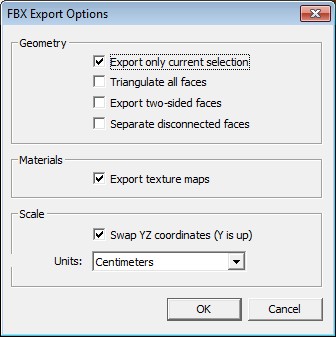
Anyone a suggestion where to find the option hash for fbx? I only need some of the normal export options checked (see pic).
Edit: seems like Sketchup re-uses the last used manual settings. So for now the problem is 'solved'
maybe introduce some colors indicating the local amount of stress in the beams? Red=high, blue=low etc. That way, the picture would tell a lot more.
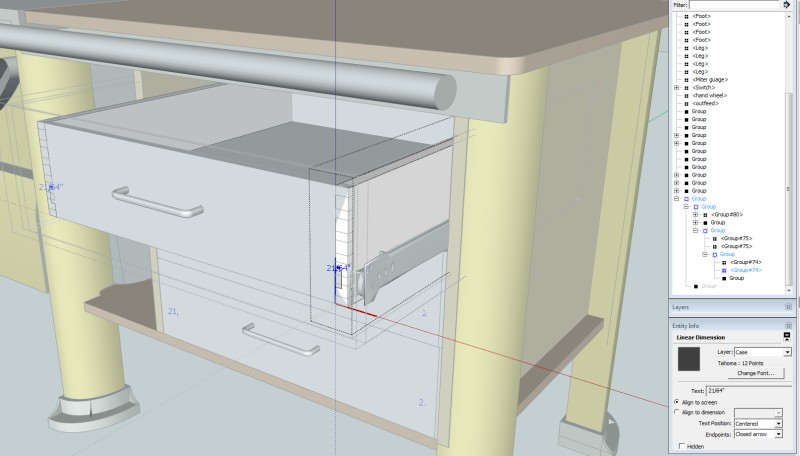
Ever tried using the Outliner? (window-outliner). Its very easy to track your problem. The dimension is embedded in a component named group#74
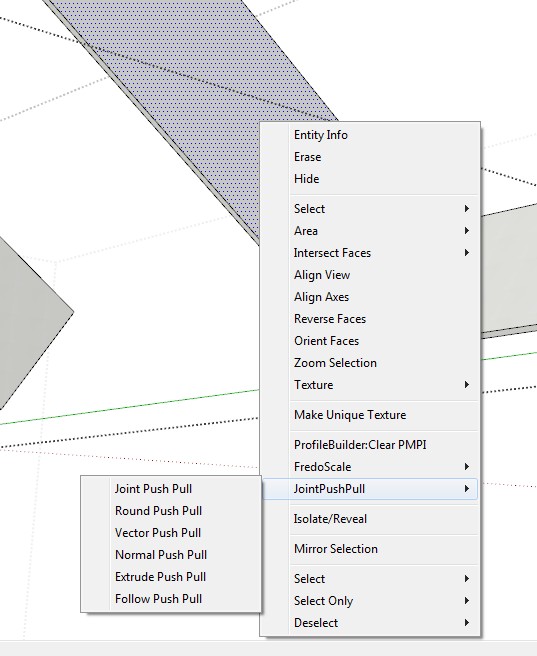
its in the sketchup plugins folder - > DM_profileBuilder2 - Libraries
Slow saving of files could be fixed by disabling 'Redefine thumbnail on save' in 'Model Info - File'. Maybe it helps with your problem as well.
Thanks for the suggestion Jim but screenspace wasn't the problem. It was a windows tablet PC setting (right/left handed) that was causing it.
The last couple of days I noticed the 2nd right-click menu always goes left instead of default right. Can a plugin affect the direction of the right-click menu flyout direction or does my Sketchup need a de-and re-install or is this a Windows7 setting?
Seems to be a known problem when applying custom mapping / using SketchUV. Dale (Whaat) even posted a workflow for it but I can't seem to get it to work:
this workflow still generates multiple materials and textures. I must be missing something. Any suggestions greatly appreciated.
How could I have missed this one. Just tested it. Its absolutely wonderful! Many enhancements over PB1 pro (one of my most used plugins). This one will save you even more time. Great work!! 
@oceanembers said:
...In short, the fix works, but I have no idea why....
I don't think your fix fixes the real problem, by re-applying the material you are destroying the custom mapping cordinates that were applied using Blender.
My quick theory is: by exporting the mapping (Sketch UV) and changing the mapping in a third party plugin and re-importing the mapping in Sketchup it looks visually OK in Sketchup but there might be something fishy with the mapping coordinates 'under the hood' that makes the fbx exporter go wild.
Its just a theory. Still investigating.
Thanks for your reply oceanembers but as you can see in the statistics, there's only one material present in the scene.
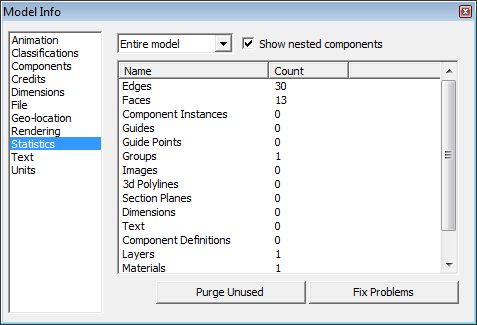
Trying out the fbx-export function I ran into something strange.
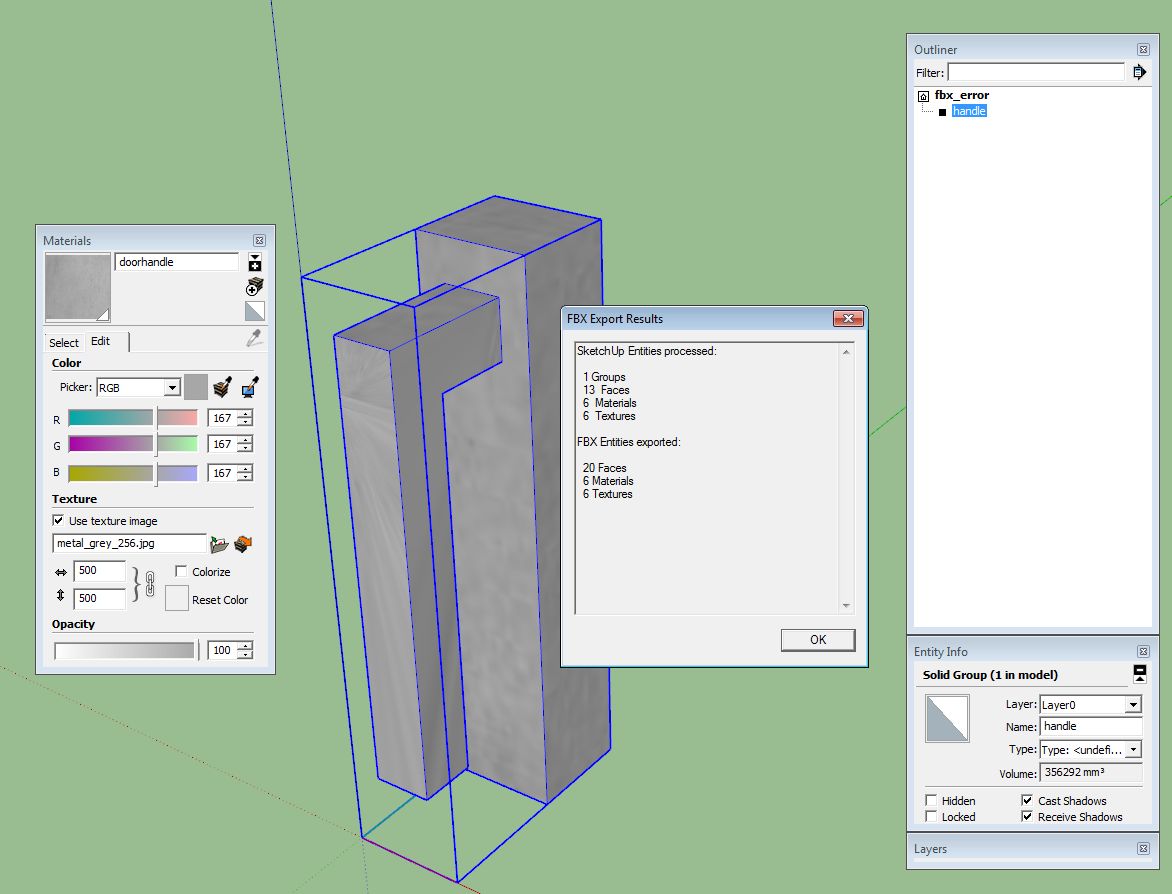
A simple doorhandle, a solid, the mapping coordinates were re-applied in Blender (all in 0-1 space) and re-imported in Sketchup.
When fbx-exporting, several smaller copies / fragments of the same texture are generated. Why?? I fail to see the logic and this behavior is not consistent.
I hope someone has an idea whats going on...
thanks for the tip TIG, will try it soon.
edit: TIG you were right. works fine when keeping the materials closed.
Cmeed: Using Roadkill until now didn't work for me. If I had the uv's layed out right in Roadkill, re-imported the uv's in Sketchup (using SketchUV plugin I bought a long while ago), exporting the model as fbx from Sketchup; for some reason, that fbx export resulted in several small copies of the original texture that I was unwrapping.
Doesn't make sense to me. In Skecthup there's only one material and still several fragments of the same texture are exported.
Importing in Unreal shows the same problem: errors and multiple textures for the same element...
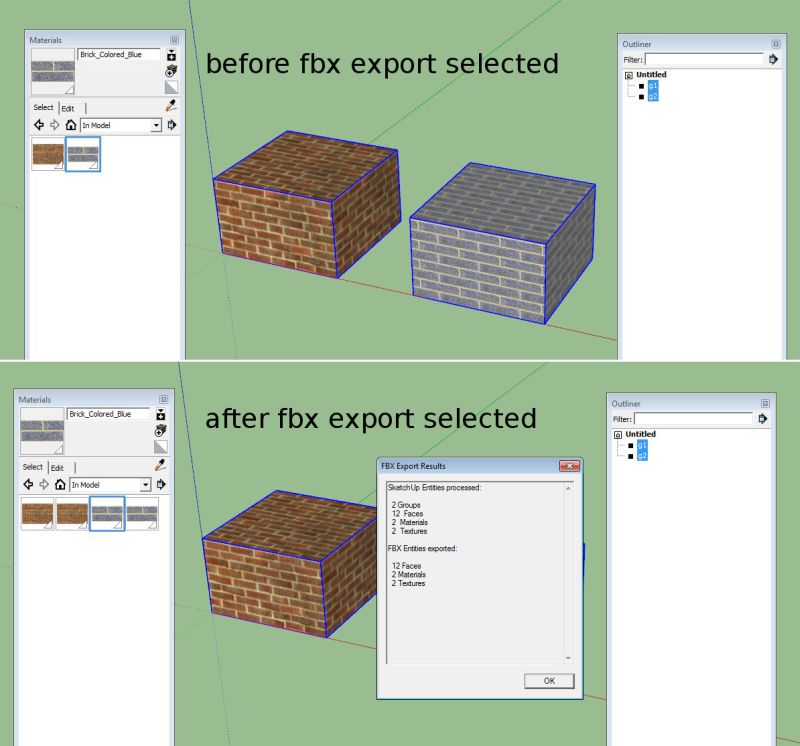
When doing a fbx export using 'export only current selection' the materials are duplicated for those objects every time you do an export (and sometimes crashes Sketchup). Exporting everything (not using the 'export only current selection' doesn't have this problem.