sketchucation logo sketchucation
    • Login
    1. Home
    2. HornOxx
    3. Posts
    Oops, your profile's looking a bit empty! To help us tailor your experience, please fill in key details like your SketchUp version, skill level, operating system, and more. Update and save your info on your profile page today!
    πŸ”Œ Smart Spline | Fluid way to handle splines for furniture design and complex structures. Download
    Offline
    • Profile
    • Following 0
    • Followers 2
    • Topics 101
    • Posts 1,901
    • Groups 2

    Posts

    Recent Best Controversial
    • RE: A little Fun Exercise

      Thanks Jo-Ke πŸ–

      posted in Gallery
      HornOxxH
      HornOxx
    • A little Fun Exercise

      robot3_pose2_HX_1600.jpg Hi All
      finally I took some time for a little fun exercise again. Some robot pretending to be a Roman centurion and I have no idea why πŸ˜‰
      (Everything is native SketchUp with Fredo6's plugins such as FredoScale, Joint-Push-Pull and Curviloft or Anton SΒ΄s Copy Along Curve plugin. The shown image export is made with Affinity Photo 2)robot3_HX_1600.jpg

      posted in Gallery
      HornOxxH
      HornOxx
    • RE: Modelling a tramway

      Prima Jo-Ke πŸ‘

      posted in Gallery
      HornOxxH
      HornOxx
    • RE: Modelling a tramway

      @jo-ke Prima Jo-Ke !!!πŸ‘

      posted in Gallery
      HornOxxH
      HornOxx
    • RE: How to install the English SkUp-version?

      @HornOxx !Solved!
      I finally found it out for myself! πŸ™„

      I had to take out this check mark (but you all knew that already I think πŸ˜‰)
      186943a2-e71c-4d63-a7f8-f26625fad4aa-image.png

      posted in SketchUp Discussions
      HornOxxH
      HornOxx
    • How to install the English SkUp-version?

      ...and another stupid beginner's question :
      I have already installed SkUp 2024 for 3 times now but it is always a German language version.
      However, I would like to use SketchUp in the English πŸ‡¬πŸ‡§ language version and can't find out how to do this.
      Can someone please give me the hint how to do this?

      Best πŸ–

      posted in SketchUp Discussions
      HornOxxH
      HornOxx
    • RE: Modelling a tramway

      @jo-ke πŸ‘ so great!

      posted in Gallery
      HornOxxH
      HornOxx
    • RE: Many projects

      @jo-ke πŸ‘ 😯 Prima Jo-Ke! And i'm always so impressed also by the quality of the surroundings in your "city works"

      posted in Gallery
      HornOxxH
      HornOxx
    • RE: Julia Eneroth's Viewport Resizer / SketchUp 2023

      Hi all - apparently there is a solution to my (for you surely annoying) viewport export dilemma, and that is by using Sketchup's own onboard tools:
      Instead of using the classic 2D export you can use the animation export instead. There you do not export a video file but individual frames, for example as png or jpg with the setting 1 frame per second.
      There you can set a viewport-independent export resolution. I have tested this under all possible settings and various viewport modifications, I always get identical export image results, and these even fit together with a downstream renderer (e.g. Enscape) provided the renderer is set to Sketup's viewport synchronisation.
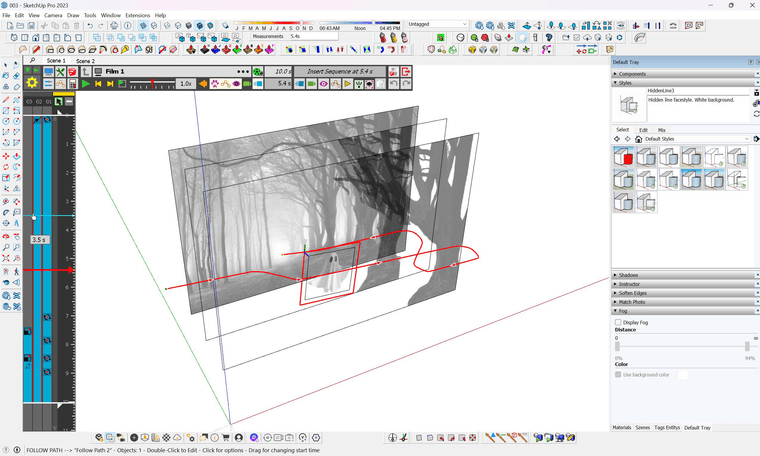
      0036f8a0-bd1f-4375-8acd-a988d30d02be-image.png
      I wouldn't have come up with this obvious solution if Eric M Sargeant hadn't posted his video Batch Exporting Scenes and Styles
      Batch Exporting Scenes and Styles
      So thanks to Eric M Sergeant and all of you here πŸ˜‰

      posted in Extensions & Applications Discussions
      HornOxxH
      HornOxx
    • RE: For fans of aircraft modeling

      @Tru-la-la πŸ‘ wundebar!

      posted in Gallery
      HornOxxH
      HornOxx
    • RE: "Watt" Micrometer

      β™₯ lovely graphics! - is that a combined one with SkUp?

      posted in Gallery
      HornOxxH
      HornOxx
    • RE: Render from WIP.

      😢 BOAHHH and even at this stage, an outstanding piece of work in every respect!
      How great it looks that you are combining (however?!) this AO look with parts that are "normally" renderedπŸ‘

      posted in Gallery
      HornOxxH
      HornOxx
    • RE: areal rebuild

      πŸ‘ πŸ‘ a remarkable project! - I wonder how you managed to integrate this 3D environment around your new portion

      posted in Gallery
      HornOxxH
      HornOxx
    • RE: "Watt" Micrometer

      @Dave-R πŸ‘ very understandable, and all the better that these kinds of things "cross your path [D: ΓΌber den Weg laufen]", as we say here. I feel the same way, I do other (SkUp-)things for my private pleasure than the things I have to do to earn money...

      posted in Gallery
      HornOxxH
      HornOxx
    • RE: "Watt" Micrometer

      @Rich-O-Brien which is true πŸ˜‰
      @Dave, assuming a liking and a at lest basic interest for such really so beautiful technical items, I ask myself, how do you come up with this or that??? (if I had to clear out my very old father's cellar, I could provide you with such material until, letΒ΄s say, up to 2089)

      posted in Gallery
      HornOxxH
      HornOxx
    • RE: "Watt" Micrometer

      ...wunderbar and I love the way you present your "machines" β™₯

      posted in Gallery
      HornOxxH
      HornOxx
    • RE: Julia Eneroth's Viewport Resizer / SketchUp 2023

      TH Darmstadt / Architektur, and a completely digital-free education back then (not even Zuse) πŸ˜‰ This (CAD) topic then came over me very intensively in my first year of work, but thankfully in a company that provided very good training...

      Yes, I agree with you that this issue discussed here has been a flaw since the beginning and yes, it also annoys me that Sketchup never fixed this flaw.

      Again to your script and for information for everyone participating here - in the meantime I played through at least 10 scenarios (a: because this topic is so important to me and b: because I have to simulate the output of my many colleagues and our cross-workplace collaboration) and in all these scenarios your script consistently delivered the same and good output results! Prima! I even included the downstream render output in this test, with excellent results as well.
      Again, Thanks! to All!!

      I'm definitely going to deal with the scripting topic - because that's the only key to solving problems like this!
      faust 07.jpg

      posted in Extensions & Applications Discussions
      HornOxxH
      HornOxx
    • RE: Julia Eneroth's Viewport Resizer / SketchUp 2023

      ...Rich, I will definitely try your approach (first) to get a better understanding of what is going on between your script and the result "in front" since all that is pretty new to me and then continue by trying to tweak the script here and there to find out which are the right "lines" and values which are necessary - what an exciting thing and refreshing to learn always on top of that.
      1000 times thanks for guiding me this far. And if Tig contributes from his almost inexhaustible fundus of knowledge, this is always and everywhere welcome in any case!!!!! ❀️

      @Faust07
      Hi and as always I am very happy to hear from You and when I look around in this fantastic group of people here I ask myself "where on earth did I go to school and was it worth it all these years" 😁 πŸ™„ πŸ˜€
      Yor Script worked out of the Box and and delivered the result I need for my/our workflow.
      I rendered a hiddenline (1920 x 1080) from SketchUp and did the same with the view synchronised Enscape, also in 1920 x 1080. Both graphic components fit together exactly. This means that I can also use the functional renderings from Enscape, such as Material-ID or Depth-mask etc. without any time-consuming fiddling in Photoshop and it also means that every other machine in my team reproduces exactly the same "picture"-result.
      So, thank you too for dealing with my topic and for providing a working script on top of that! ❀️
      3040e6eb-7d53-4a0b-a630-59133d9574f3-image.png

      (πŸ˜‚ Which schools did you all attend?)

      posted in Extensions & Applications Discussions
      HornOxxH
      HornOxx
    • RE: Julia Eneroth's Viewport Resizer / SketchUp 2023

      πŸ‘ many thanks Rich for all the input and also to you πŸ‘ Tig! for your encouragement!
      I have installed everything, learnt that I need the older HotKey version 1 instead of 2, finally installed an editor with line display because of "...It is lines 24 to 27 that..." πŸ˜‰ and of course I immediately realised what potential lies in this systematic approach - wonderful!
      (I originally hoped that this topic could still be dealt with via ruby - I can't do that either (LOL) but it still reads somehow more logically in my opinion)
      And Rich, your script runs wonderfully, but of course doesn't lead to the desired result on the basis of my SkUp setup - but never mind, still great!πŸ‘

      Now I have to get to grips with the script parameters and variables which take into account my typical SkUp setup whichcan be guessed by the screenshot below...
      7fa4cc51-949c-4976-9578-e3b39cad28eb-image.png

      posted in Extensions & Applications Discussions
      HornOxxH
      HornOxx
    • RE: Julia Eneroth's Viewport Resizer / SketchUp 2023

      Great Rich !!! πŸ˜ŽπŸ˜—
      Yes, the principle you are showing here is exactly what I urgently need and which has since been guaranteed by Eneroth's ingenious plugin.
      And even if I have no idea at the moment how I could create such a script, I understand your message correctly: with this method a viewport adjustment e.g. to a desired HD aspect ratio like 960px x 540px could as well be achievable?

      posted in Extensions & Applications Discussions
      HornOxxH
      HornOxx
    • 1
    • 2
    • 3
    • 4
    • 5
    • 6
    • 7
    • 95
    • 96
    • 5 / 96