...wunderbar and I love the way you present your "machines" 
Oops, your profile's looking a bit empty! To help us tailor your experience, please fill in key details like your SketchUp version, skill level, operating system, and more. Update and save your info on your profile page today!
Check out Febhouse | New extensions for Shadow Analysis in SketchUp Download
 H
Offline
H
Offline
Posts
-
RE: "Watt" Micrometer
-
RE: Julia Eneroth's Viewport Resizer / SketchUp 2023
TH Darmstadt / Architektur, and a completely digital-free education back then (not even Zuse)
 This (CAD) topic then came over me very intensively in my first year of work, but thankfully in a company that provided very good training...
Yes, I agree with you that this issue discussed here has been a flaw since the beginning and yes, it also annoys me that Sketchup never fixed this flaw.
Again to your script and for information for everyone participating here - in the meantime I played through at least 10 scenarios (a: because this topic is so important to me and b: because I have to simulate the output of my many colleagues and our cross-workplace collaboration) and in all these scenarios your script consistently delivered the same and good output results! Prima! I even included the downstream render output in this test, with excellent results as well.
Again, Thanks! to All!!I'm definitely going to deal with the scripting topic - because that's the only key to solving problems like this!
-
RE: Julia Eneroth's Viewport Resizer / SketchUp 2023
...Rich, I will definitely try your approach (first) to get a better understanding of what is going on between your script and the result "in front" since all that is pretty new to me and then continue by trying to tweak the script here and there to find out which are the right "lines" and values which are necessary - what an exciting thing and refreshing to learn always on top of that.
1000 times thanks for guiding me this far. And if Tig contributes from his almost inexhaustible fundus of knowledge, this is always and everywhere welcome in any case!!!!! ️
️@Faust07
Hi and as always I am very happy to hear from You and when I look around in this fantastic group of people here I ask myself "where on earth did I go to school and was it worth it all these years"


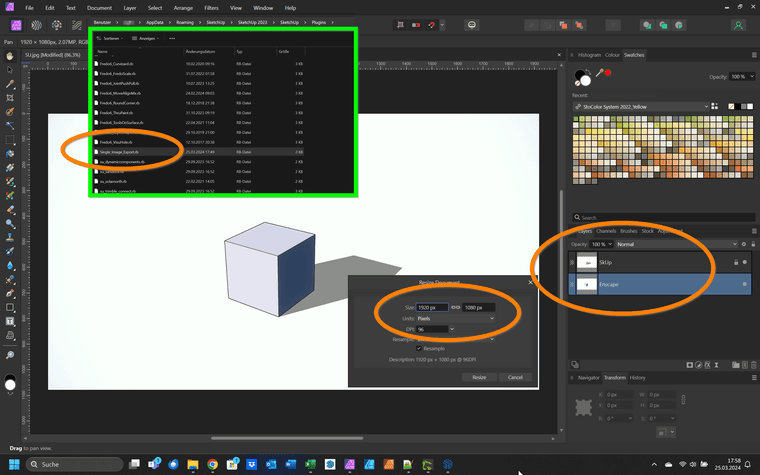
Yor Script worked out of the Box and and delivered the result I need for my/our workflow.
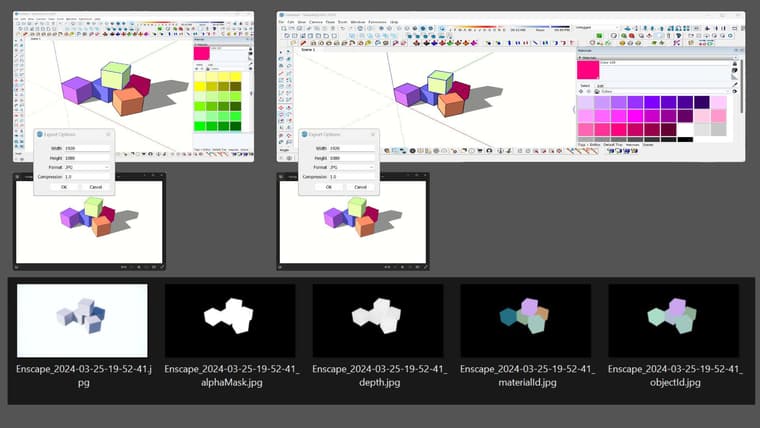
I rendered a hiddenline (1920 x 1080) from SketchUp and did the same with the view synchronised Enscape, also in 1920 x 1080. Both graphic components fit together exactly. This means that I can also use the functional renderings from Enscape, such as Material-ID or Depth-mask etc. without any time-consuming fiddling in Photoshop and it also means that every other machine in my team reproduces exactly the same "picture"-result.
So, thank you too for dealing with my topic and for providing a working script on top of that!️
(
 Which schools did you all attend?)
 -
RE: Julia Eneroth's Viewport Resizer / SketchUp 2023
 many thanks Rich for all the input and also to you Tig! for your encouragement!
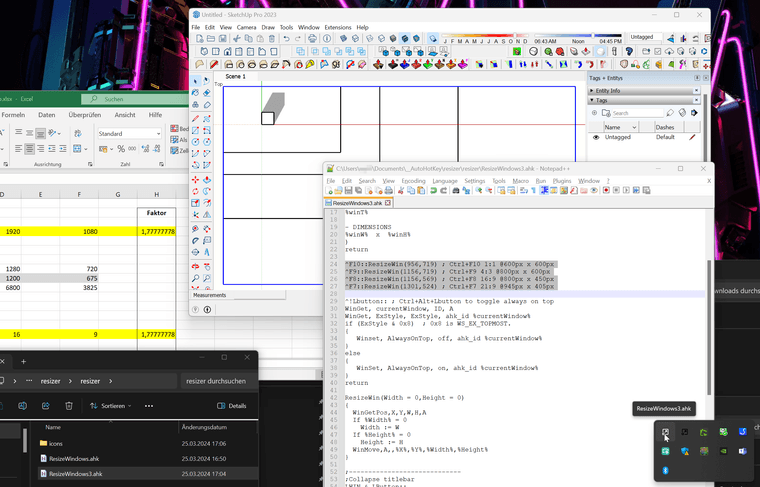
I have installed everything, learnt that I need the older HotKey version 1 instead of 2, finally installed an editor with line display because of "...It is lines 24 to 27 that..." and of course I immediately realised what potential lies in this systematic approach - wonderful!
(I originally hoped that this topic could still be dealt with via ruby - I can't do that either (LOL) but it still reads somehow more logically in my opinion)
And Rich, your script runs wonderfully, but of course doesn't lead to the desired result on the basis of my SkUp setup - but never mind, still great!Now I have to get to grips with the script parameters and variables which take into account my typical SkUp setup whichcan be guessed by the screenshot below...
-
RE: Julia Eneroth's Viewport Resizer / SketchUp 2023
Great Rich !!!


Yes, the principle you are showing here is exactly what I urgently need and which has since been guaranteed by Eneroth's ingenious plugin.
And even if I have no idea at the moment how I could create such a script, I understand your message correctly: with this method a viewport adjustment e.g. to a desired HD aspect ratio like 960px x 540px could as well be achievable? -
RE: Julia Eneroth's Viewport Resizer / SketchUp 2023
Thanks Rich, I gladly will like to try to describe what my concern is
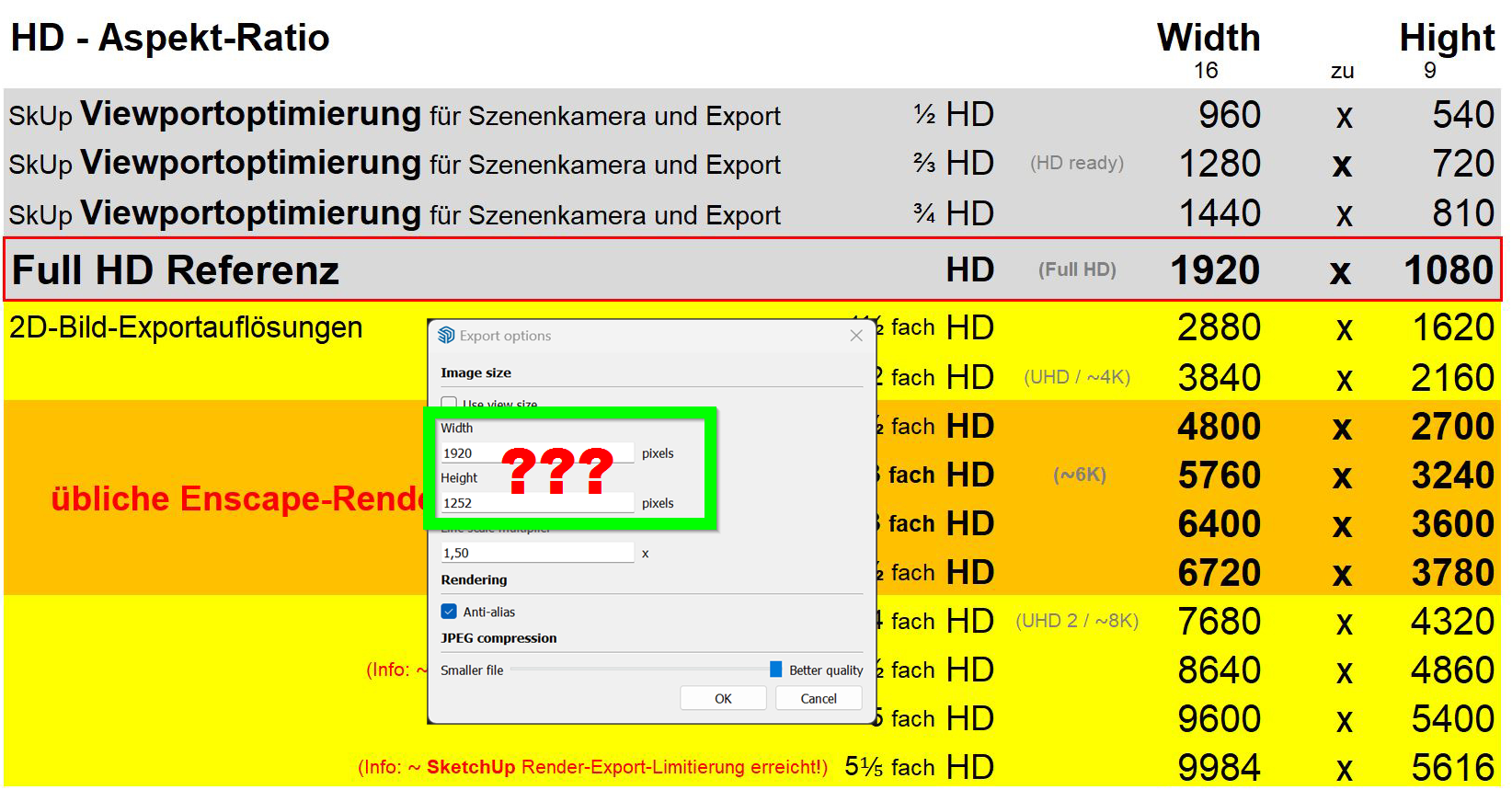
I would like to ensure that any 2D SketchUp export takes place (no matter what format PDF, PNG, JPG etc) always under the same standardized conditions, so to speak, and the result is always the same. I can't even guarantee this on my own machine itself. SketchUp does not allow any viewport-aspect ratio-independent export and even Sketchup scenes cannot solve this dilemma.
ScetchUp always exports its full viewport. However, the viewport itself never stays the same - it changes depending on how my Sketchup is equipped with trays, plugin bars or the screen used etc.
Due to this variance, an exported file always takes on different dimensions. For example, this always brings up all my layouts (in my case mostly within Adobe Illustrator)
Additionally, I always work in a team of around 20 users. Each of us must be able to (re-)produce the exact result that someone else would have produced.
Unfortunately, we/I can not do this because each exported file varies in size from in at least width or height.
Another reason for my desire for a standardized, freely adjustable export output from Sketchup is that I would like to exactly synchronize SketchUp's export with that of any downstream renderer.
So far we have avoided the dilemma described by only allowing any final scene adjustment and 2D-exports in a HD Aspect ratio (or of course a multiple thereof) by only allowing and using Eneroth's Viewport Resicer for exports.
And that's why I wrote above - this plugin is actually one of the most important plugins for me and essential for a defined workflow
I hope I was able to describe what my concern is and I really hope that there is another strategy that has remained hidden from me until now

-
RE: Julia Eneroth's Viewport Resizer / SketchUp 2023
Hi everyone
I found the answer to my question above myself. I obviously overlooked this information for whatever reason.
Such a pity, because I can't find a way to ensure that my scene aspect ratio exports from Sketchup are absolutely synchronised across different Sketchup workstations and their individual other setups and also synchronised with e.g. any downstream renderer...
If anyone has any suggestions for me, I would urgently appreciate any tips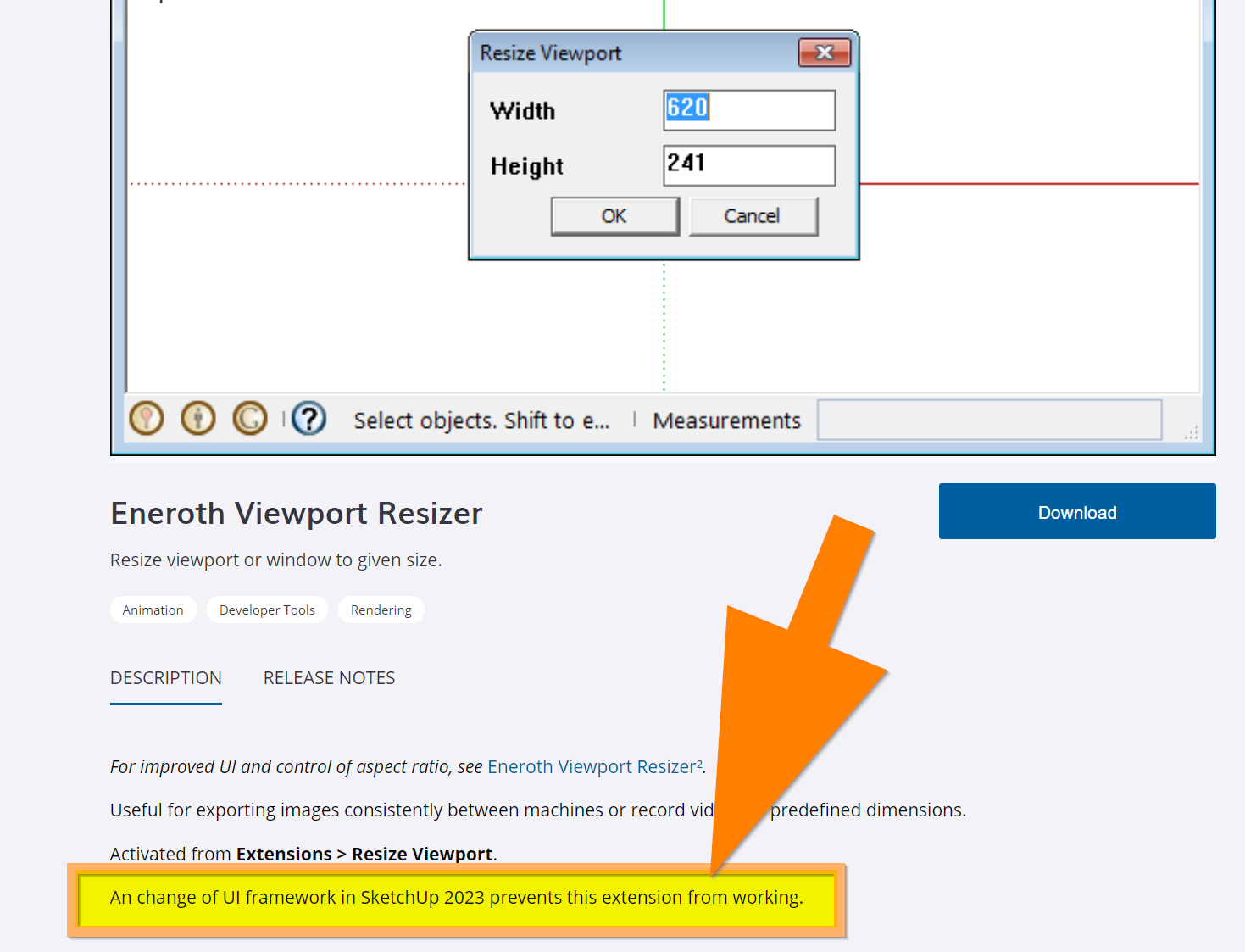
-
Julia Eneroth's Viewport Resizer / SketchUp 2023
Hi All
One of my most important plugins is Julia Eneroth's Viewport Resizer. It has worked for years with remarkable reliability across all versions of sketchup so far. Unfortunately and for the first time this plugin fails in my SkUp 2023 version. Has anyone had any other or better experience and any ideas on how I could get it to work?
(or maybe this plugin simply is not or not yet compatible with SkUp 2023) -
RE: How to get and activate a NEW SketchUp Pro
 ouch me! - you meant the original page, of course.
I had already updated the link to your new page and the obvious disappeared from my perception

many thanks! -
RE: How to get and activate a NEW SketchUp Pro
wonderful and thank you again Rich - your first link is exactly what I was looking for and without your link I still wouldn't be able to find it myself.
(Yes, I bought a Fredo6 bundle already, but these licences are used up in the company where I work. I would now like to buy and use the new licences for myself...(if you hadn't sent me this link - how could I find there myself?)
-
RE: How to get and activate a NEW SketchUp Pro
...yet another beginner's question from me (how embarrassing!)
Hi All again
now that I have the new Sketchup and the extensions relevant to me up and running, I would like to purchase the Fredo6 tool bundle and again I'm failing to do it although I have already done this somehow some years before.
I know that I need the latest Libfredo and I know where I can download the Fredo6 tool. What I don't find out is: how and where do I buy the licences for it?again, Best & thanks for any support

-
RE: How to get and activate a NEW SketchUp Pro
Rich O Brien and @sketch3d-de
Thank you Both so much for all these helpful tips and, above all, for your patience.
With your guidance above I have actually got the thing up and running!!!
(I always behave like a neandertal in such activation and licensing affairs)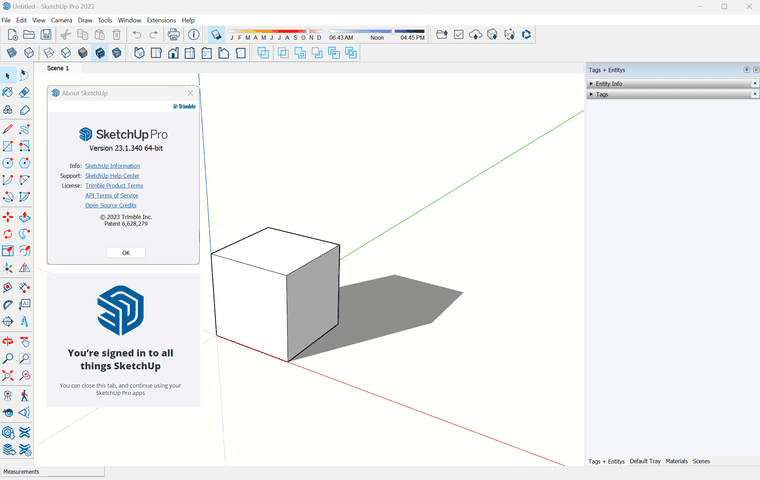
-
How to get and activate a NEW SketchUp Pro
Hi All
I'm certainly not a newbie but I'm opting for this newbie section of this forum in this case because I just bought the latest Sketchup 2023 Pro (1-year subscription) for my personal use.
I have never done this privately before as I have always used SkUp 2017 Make so far. And since all my company's current pro versions are installed and managed by the company´s it department I have no idea what I have to do now...My (first) 3 questions are
1.
the purchase of the Pro version worked perfectly - but where do I get the software from? I can't find a download link anywhere.
2.
Where can I get the licence key (or is there another way of activating)?
3.
How can I control that I get an English language version then?Best & thank you very much for any support
-
RE: Retro calendar
@l i am said:
Very mice mate, can we expect a full desk top with a green glass bankers lamp etc
 and an old fat cigar ashtray should not be missing on this bankers desk top either
 a nice work Tru-La-La!
-
RE: Messy Video export
...thanks again - and yes, it is probably a miserable codec. It's a shame that Sketchup is willing to accept that a laborious task (by man and machine) is useless by this shortcoming.
Luckily you introduced and remembered me to the "single frame method" I put the frame bundles directly into my timeline within Adobe Premiere Pro and it worked perfectly and above all in the quality to be expected right from the start... -
RE: Messy Video export
...suuuper Rich - this export approach results in a so much better result - thank you very much
-
Messy Video export
Hi All
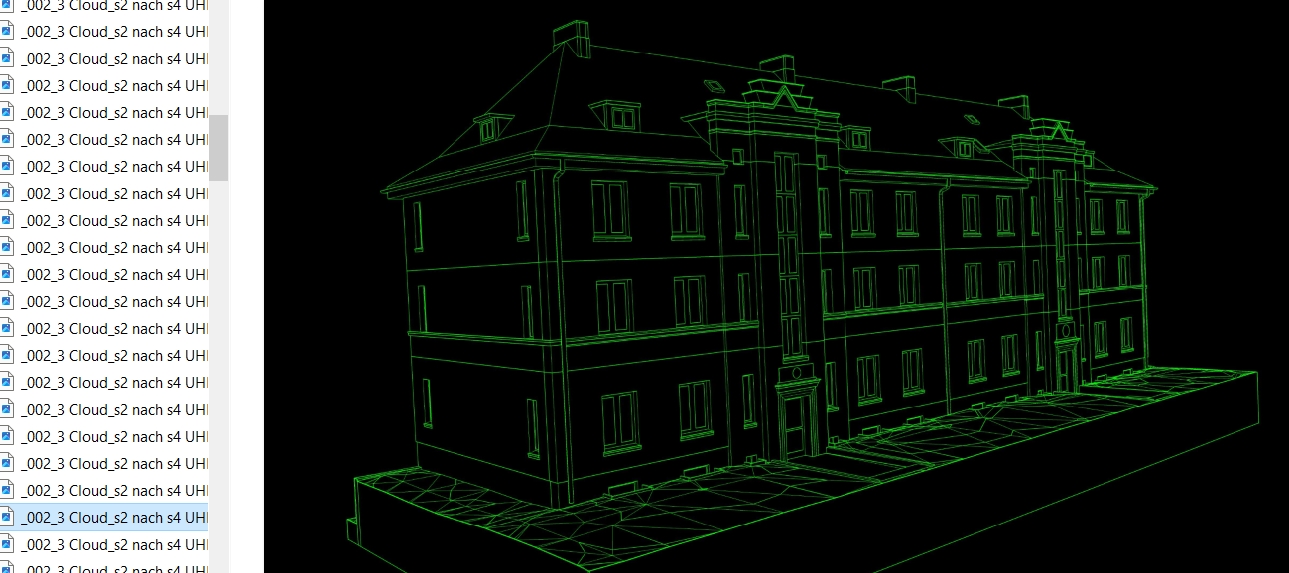
Whenever I export video sequences from SketchUp, the lines "smear" after the animation as hopefully can be seen in the screenshot.
I hope someone here has an idea how I can get this out better?