A Great work! – & thanks for the many pictures of the doing process.
Oops, your profile's looking a bit empty! To help us tailor your experience, please fill in key details like your SketchUp version, skill level, operating system, and more. Update and save your info on your profile page today!
Check out Febhouse | New extensions for Shadow Analysis in SketchUp Download
 H
Offline
H
Offline
Posts
-
RE: SubD examples and models
-
[Plugin] MaterialFinder6
Hi All
I have released a second plugin ‘MaterialFinder6’.
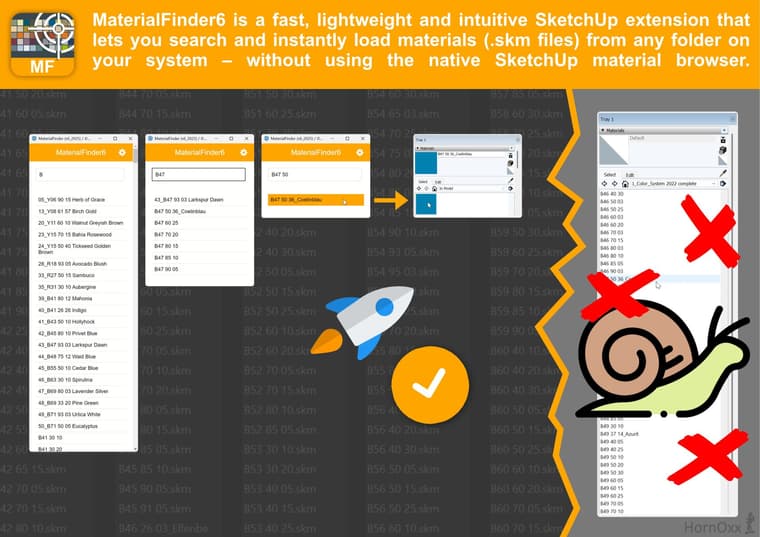
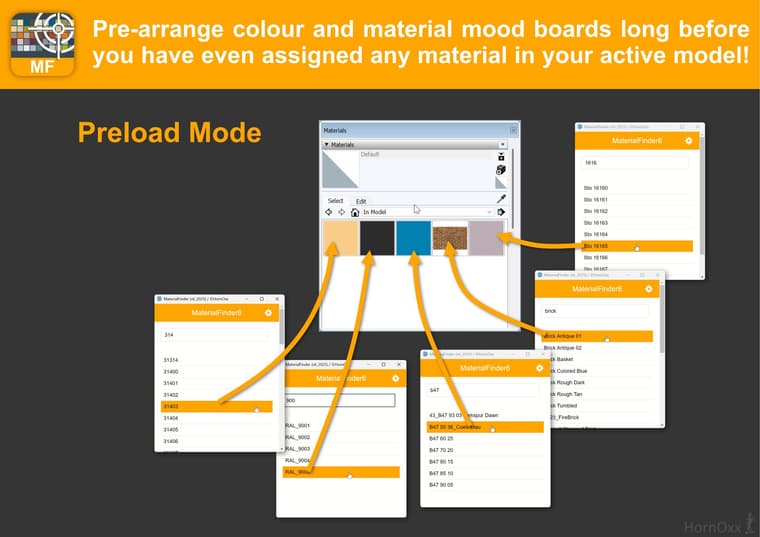
The plugin finds and lists searched SKM materials stored on your computer in real time and loads selected materials instantly into the ‘In Model’ area of your material browser before you have even applied a material to any model itself.
The plugin bypasses the non-existent material search option of the native SkUp material browser and accesses the material you are looking for directly from your assigned hard drive location or another assigned file storage location.!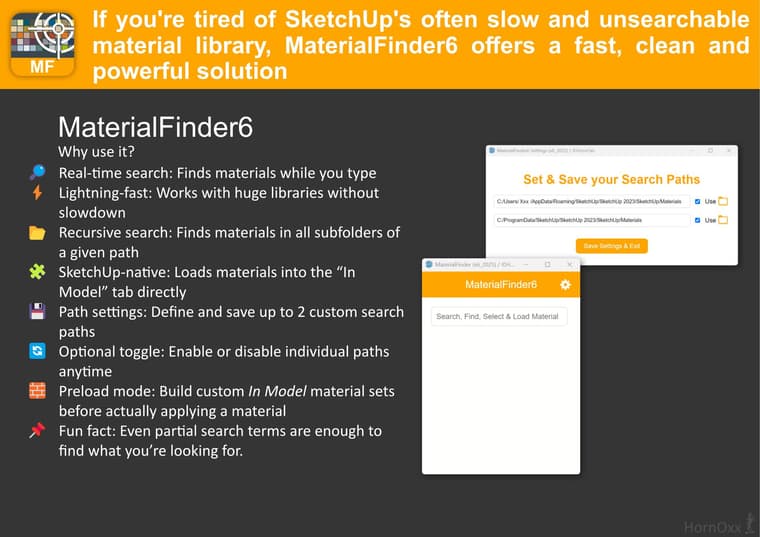

-
RE: A Mahogany Lowboy
a great model!! (At the latest with these legs I would have a lot to think about, and they wouldn't have been made yet
 )
) -
RE: ViewportBuster - my first SketchUp Plugin
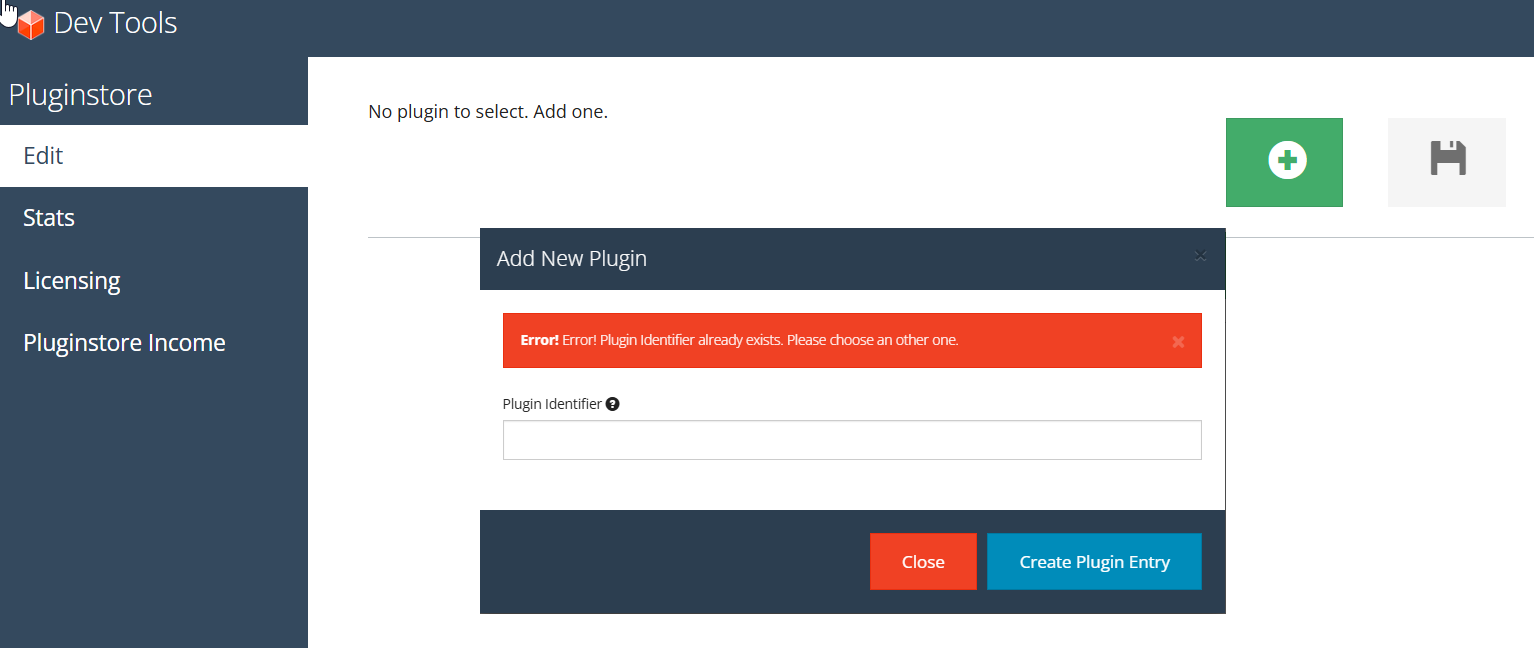
sorry, I have really no idea what or how to do there. Just saw this page for the first time
-
RE: ViewportBuster - my first SketchUp Plugin
@Rich-O-Brien
because I don't know how to do it -
ViewportBuster - my first SketchUp Plugin
Hi all
Yesterday I actually managed to release my very first SketchUp plugin
"ViewportBuster".
Eventually it became what I wanted, what I needed and what I was able to achieve at all it passed the guidelines of the SketchUp Extension Store and especially I am happy to share my tool as one possible PNG-exporting solution with this community, especially because my previous used plugin solution came from this place here!https://sketchucation.com/plugin/2902-viewportbuster
ViewportBuster is available as a free plugin.The target group for this Plugin are those who rely, like me, on a cross-team but nevertheless synchronised image data export out from native SketchUp.
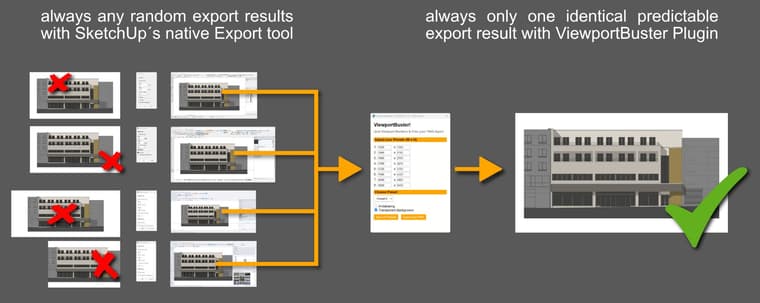
ViewportBuster is the small PNG exporter tool that can support all those across workplaces of different people and their individual UI setups and the correspondingly always different viewports to ensure an always predictable and consistent identical PNG export result which can even be automated to a certain extent by using individually editable presets.
Such a standardisation and synchronisation of export image data can be advantageous for everyone, but especially for those who work in larger teams and feed their image data into any downstream and equally automated production process. This could be pre-configured layout tools (e.g. InDesign) or web applications etc...
(I have released ViewportBuster for Windows versions only - simply for lack of any Mac test environment)
For me this was a pretty long, exhausting but also interesting and inspiring journey and I have not only learned a lot but above all had a lot of fun!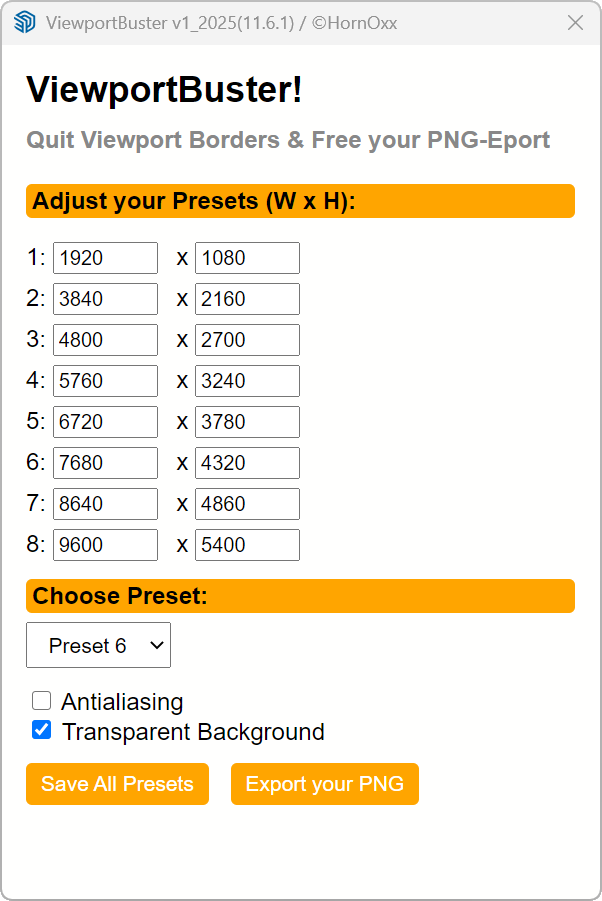
-
RE: Many projects
a nice restrained sense of detail in the washing machine picture!
-
RE: SubD examples and models
@Rich-O-Brien said in SubD examples and models:
Tony Hawk's
that's right! I completely forgot about that guy!!

-
RE: SubD examples and models
 Boahhhhh !
Respect Panixia - the project and your presentation here are impressive! -
RE: How to remove non-existing but listed Material Libraries?
@Rich-O-Brien
thank you for this useful and correct advice for most people.
We, on the other hand, are decentralised across Europe and many other countries and do not share a common server drives at the moment.
Another very important point is that various material pallets relate to specific product lines which may only be used in certain countries. This allows me to better delegate responsibility, maintenance and fine tuning for use to the users themselves... -
RE: How to remove non-existing but listed Material Libraries?
Hi everyone and thank you for your interesting tips and information on this topic.
I have never really understood this directory topic for SketchUp materials - luckily it has worked so far.
What was always confusing for me was that there are 2 path directions which are so similar that they are confusing:- the AppData direction
- the User \ MyUser direction
During installation, SketchUp creates directories for both directions as shown in the screenshot. Well, I assumed that it didn't matter which path direction I chose as long as I tell SketchUp to use the correct path under Preferences > Materials.
Of course, I noticed myself that SketchUp's default installation direction is the AppData direction; I would prefer the User direction, which has to do with the fact that I have to create directories for a lot of employees, among other things. I am responsible for maintaining the material libraries and I have admin rights to the MyUser path, but not to the AppData direction for reasons beyond my control.
maybe I'm completely on the wrong track with my "MyUser"-direction choice?
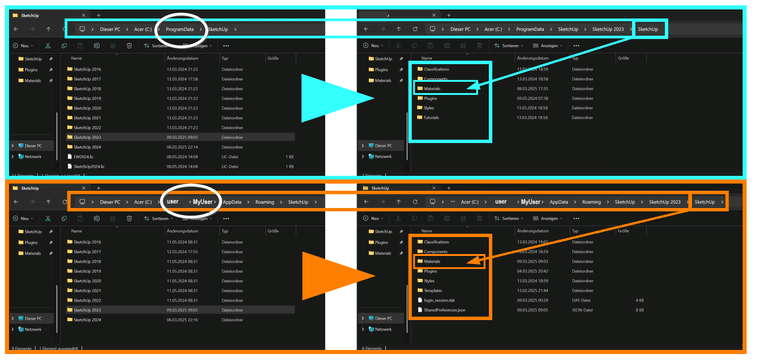
-
RE: Modelling a tramway
I am also so impressed
Do you know what's really bad JoKe? Of course the building plays the main role - but I constantly look at all the things around it and ask myself ‘how does this guy do it?!?
Probably a thing among us here, knowing about the effort and skill it takes to do it all in this quality I guess
Yes, great -
RE: How to search and find a specific material in a huge material library?
@fredo6 said in How to search and find a specific material in a huge material library?:
Can you leave the Ruby Console open when launching ThruPaint. There may be some errors displayed.
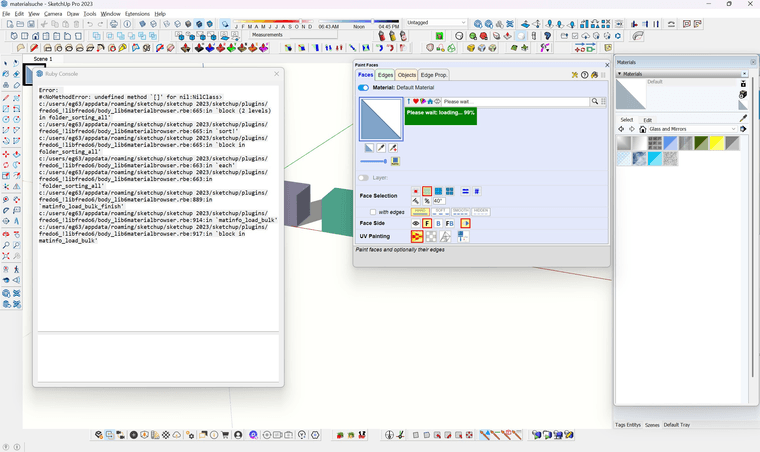
hi and thanks Fredo6 - I did as you said and this is the message in the Ruby console (I´ll add the message as a txt-File)Ruby Error.txt
-
RE: How to remove non-existing but listed Material Libraries?
 thank you both for this clarification - I'm already in a state like in the film ‘Groundhog Day’. I had just deleted that! - hadn't I? - not?...
So no timeinvestment in the library cleaning project tomorrow
-
RE: How to search and find a specific material in a huge material library?
thanks a lot for this hint Rich - this option in ThruPaint never occurred to me.
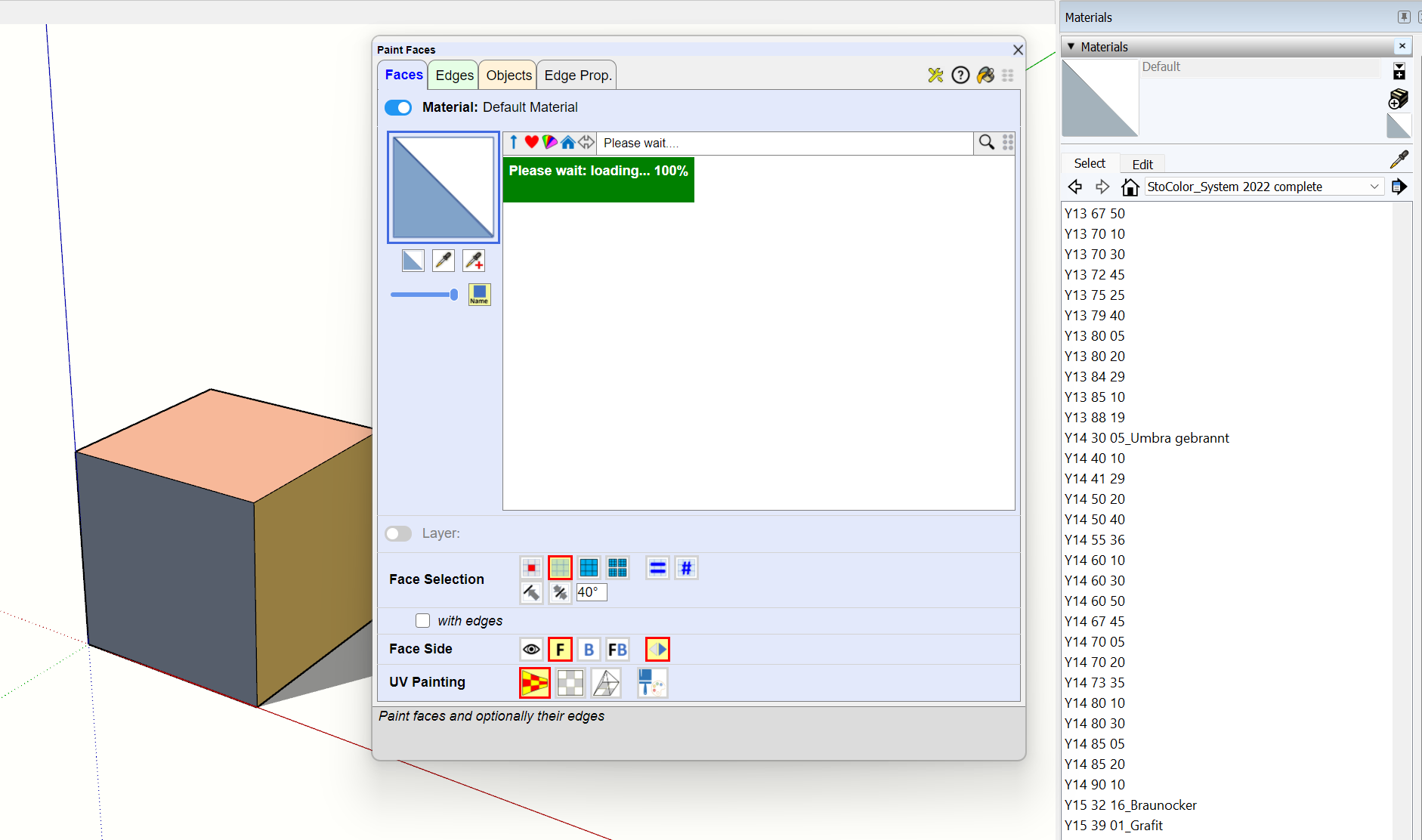
Unfortunately, ThruPaint is not able complete this task even after more than 10 minutes but remains stuck at this 100% status and freezes.
(which btw would also be a period of time in which I would have already finished my work several times with the scroll method which I was hoping to oppose ).