I was about to ask. Where is the proxy mesh like the one in Artisan? So the work flow involves making a proxy; subdividing; un-subdivide; then resubdivide? Each time you make a change? So toggle back and forth? Seems a little cumbersome and it does need a static proxy mesh like Artisan's version.
Oops, your profile's looking a bit empty! To help us tailor your experience, please fill in key details like your SketchUp version, skill level, operating system, and more. Update and save your info on your profile page today!
⚠️ Important | Libfredo 15.6b introduces important bugfixes for Fredo's Extensions Update
 Offline
Posts
-
RE: Ghost outline of proxy mesh
-
RE: Rotate Tool: Sketchup 2017
I suppose the last procedure in the video posted here does the trick. Have to set the plane then an click on a corner.
https://sketchucation.com/forums/viewtopic.php?f=15&t=67891&p=621944&hilit=+rotate+tool
-
Rotate Tool: Sketchup 2017
When I set the rotate tool on a particular plan in Sketchup 2017 and it seems to get glued to that plane with a dotted line connected to the axis where I set it on and seems to snap along that plane.
This is while setting the plane and holding shift and the left mouse button down.
On Sketchup 2015 however I can set the plan and freely move about the rotate tool without any snapping. Again holding the shift and left mouse button down.
Am I missing something here and is there a new procedure?
-
RE: Make 2017 Toolbars Lose Docking & Displays Undocked Toolbars
OK, gave it a go. I should make it a habit of "run as administrator" which I've done before.
Thanks again, Dave.
-
RE: Make 2017 Toolbars Lose Docking & Displays Undocked Toolbars
Thanks Dave.
I reset all the toolbars and it's back to normal. Didn't install as administrator. I installed Sketchup Make 2017 in late July and this didn't happen until last week and then just yesterday. Other than the usual bug splats is the only real bug I noticed.
So this happened three months and about two weeks after I installed.
If I repair Make I won't lose any other settings or extensions will I? I should know the answer to this question already.
-
Make 2017 Toolbars Lose Docking & Displays Undocked Toolbars
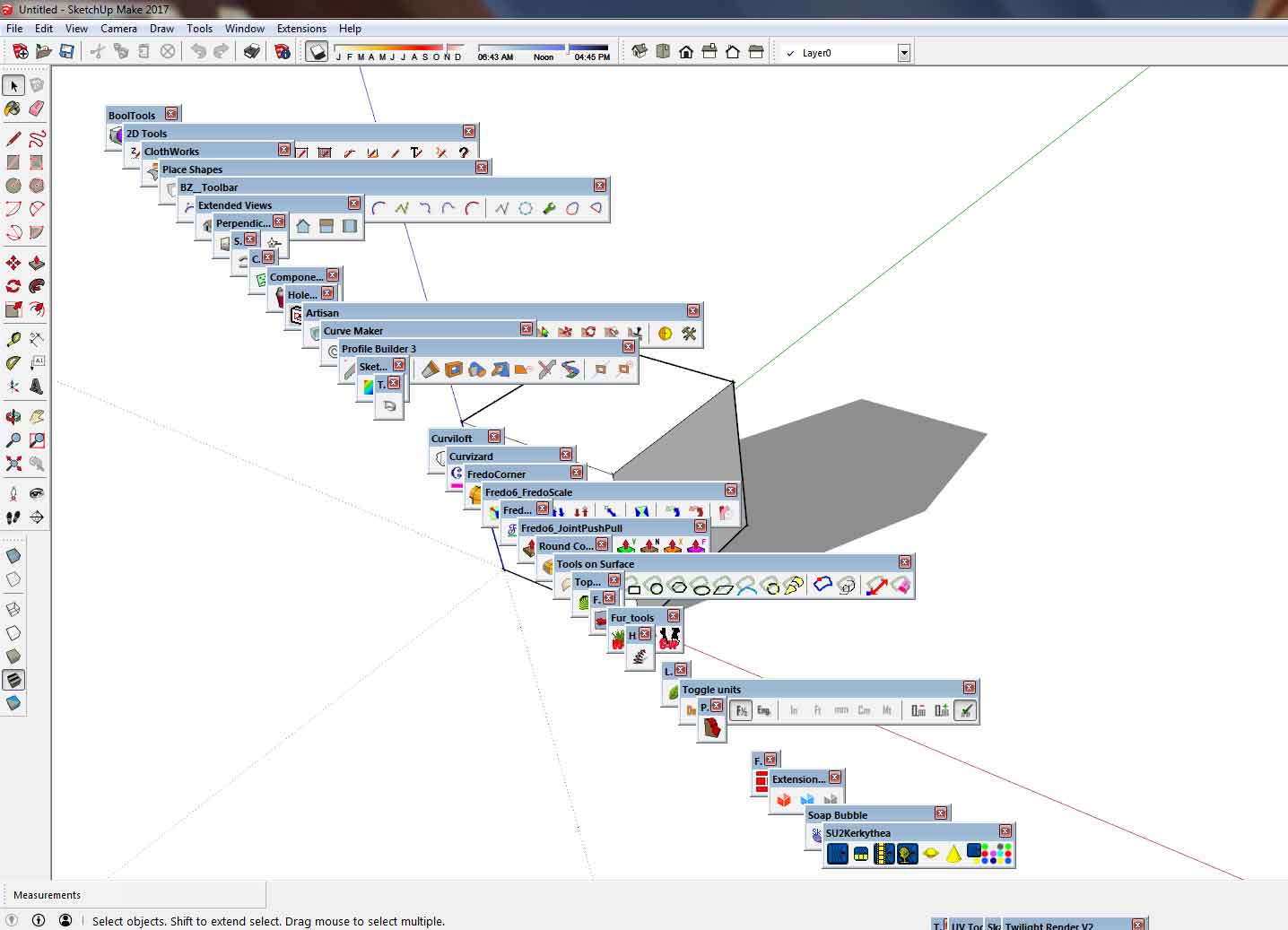
For the second time Sketchup Make 2017 bugs out and loses most of my toolbar placements and displays toolbars as shown on the attached image.
I didn't check to see if this was already discussed but thought I'd post this regardless.
Is there a fix or is this just permanent short of upgrading to 2018? Assuming it was fixed. Rather tedious having to reset everything. Is there an extension that saves toolbar placement?
This is just the second time now and it's not a frequent problem. I just reset the toolbars and everything acted normally.
-
RE: 2018 Basecamp
$500 for a basic ticket.
Advertising a $199 a night hotel in tony Palm Springs, California.
Now add air fair, car rental, and meals.
Seems rather ironic for the year 2018.
I think next year they should hold it in Monaco.
-
Plugin Inquiry - Arc with Segment Lengths Constrained
I'm curious if there's a plugin that can draw arcs with a specific segment length constraint that you plug in.
-
RE: SketchUp 2018
What is the future for Sketchup?
Will Sketchup 2018 be the last desktop based software only to be replaced by a web based software like Sketchup Free?
How will this affect Sketchup Pro versions or will the Pro version also be web based.
I find web based apps to be fraught with many issues including application crashes; memory hungry web browsers; data limits for those without a DSL connection including people of lesser financial means to sustain a cloud based connection without eating into data limits.
How will this affect extension development and will extension developed for Sketchup Free work with versions at or below Sketchup 2018.
Generally speaking I'm sure Sketchup 2018 should have at least another 3 years of life in it. Many people are in fact still using Sketchup 8.
-
RE: [Plugin] ClothWorks v1.8.0 - 28 Apr 2024
Thanks Anton.
Not sure if this will help but it looks like "SCFLicense_ClothWorks_this_computer.txt" in the "SCF Licenses" gets re-written at first and then changes every time you check the license status.
The first dozen or so letters inside that file corresponds to a directory created in the Window temp directory which contains a .tmp file with a different name.
If the latest .tmp directory is deleted you will lose the license and have to start all over again after seats are lost.
That would explain the CCleaner problem someone mentioned earlier in this topic since CCleaner will delete all contents of the temp directory. It's also common for a lot of Windows users to clear that directory.
-
RE: [Plugin] ClothWorks v1.8.0 - 28 Apr 2024
Did a clean install of Sketchucation Tools. Didn't work. It's dependent on what's in the temp directory.
-
RE: [Plugin] ClothWorks v1.8.0 - 28 Apr 2024
Anton,
It creates a random named directory in the temp directory which rolls over on re-start of Sketchup to a new directory name. Each has a .tmp file.
Sometimes it doesn't roll over and create a new one.
If I completely delete my temp directory contents it loses the license. Returns when I undelete the last .tmp file with random directory name.
-
RE: [Plugin] ClothWorks v1.8.0 - 28 Apr 2024
Anton,
Well, believe it or not it lost the license again. Was practicing with it last night and this morning and I just went back and it's not licensed again. Didn't touch anything so to speak and didn't run anything like CCleaner.
I did however clear my temp directory.
I went back and restored what I deleted from the temp file and the license came back.
License should be reliant on what's in the temp directory. Let me see if I can localize the file in the temp directory.
@anton_s said:
Gus,
I can see the seats went back up to two. If seats fill up again, send me a private message for an alternative solution.
Anton
-
RE: [Plugin] ClothWorks v1.8.0 - 28 Apr 2024
Anton,
Thanks. Looks like it took this time around but I killed one seat after deleting the following:
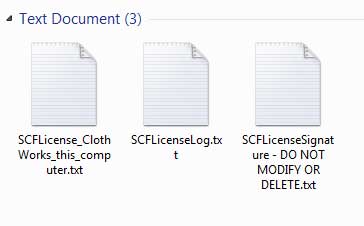
Those three files returned and I let them remain and it's still licensed after restart.
This is from page 5 of the install instructions.
@anton_s said:
Gus,
I reset your licence. Please refer to Licencing Manual, Known Issue section, starting at number 2 for further instructions: https://drive.google.com/open?id=1QLzrBm5Qy7ZQh56HNqRl_LjqxNhgd9dO
Anton
-
RE: [Plugin] ClothWorks v1.8.0 - 28 Apr 2024
Howdy,
LTNS. Great plugin.
Having problems licensing this. I submitted the license several times now and followed instructions to delete the three files per page 5 of 5.
When I restart Sketchup it's not licensed again.
So I tried again.
I exceeded seats and have requested a restart and will try again.
Had the latest Sketchucation tool installed but installed the latest version just in case. Didn't seem to make a difference.
License is located in C:\Users\Asus P8P67 Deluxe\AppData\Local\SCF Licenses.
-
RE: Fix for Profile Builder Previews in SU2013
@krisidious said:
Yes... That fixed it. Thanks Gus.
Tested it on SU 8 and it works there too so it's at least backwards compatible to that version. Someone, maybe one of the Trimble employees, should contact Dale Martens or Smustard as to the fix. I can give them contact information if they need it.
-
RE: Reasons why to go on SU 2013 ...
So basically Sketchup is now owned by Bain Capital.

-
RE: Fix for Profile Builder Previews in SU2013
Forgot that I was looking into this last night. Here's the original source.
-
RE: Fix for Profile Builder Previews in SU2013
Found a solution. Go into ...SketchUp\SketchUp 2013\Plugins\ProfileBuilder directory and replace wz_jsgraphics.js with the latest version uploaded here in zip form. Unzip it of course.
-
RE: Model created by SU 8 can't be open by SU 2013. HELP my work
@jerrywz68 said:
I have a model which was created by SU 8 Pro. This week I got SU update to 2013 version.
Problem comes that I can't open this file (see attachment) from SU 2013, but SU 8 Pro can open that.
Totally I have another two files in the same case.
Can anyone let me know what part is wrong? I was planning to uninstall SU 8 Pro then use only SU 2013. But now I have to keep both of them.
Any hint would be appreciated.
Was causing an APPCRASH on my SU Make (SU 2013). Went into the skp file in SU 8 and re-saved each of the material jpgs in PS. Re-opened in SU Make and all is well. Something is wrong with one of your material texture images. Here's the new file or you can try re-saving them yourself.
Edit Note: for some odd reason the wood material texture picked up the stainless steel material texture. Replaced skp file.