sketchucation logo sketchucation
    • Login
    1. Home
    2. Gus R
    3. Posts
    Oops, your profile's looking a bit empty! To help us tailor your experience, please fill in key details like your SketchUp version, skill level, operating system, and more. Update and save your info on your profile page today!
    ⚠️ Important | Libfredo 15.6b introduces important bugfixes for Fredo's Extensions Update
    Offline
    • Profile
    • Following 1
    • Followers 2
    • Topics 144
    • Posts 1,060
    • Groups 2

    Posts

    Recent Best Controversial
    • RE: Guitar String Bump Mapping Attempt

      @jiminy-billy-bob said:

      Mak sure you keep a bitmap in the diffuse slot, otherwise you'll lose the UV mapping.
      A bitmap with the same gray color you want, but with the same size as your bump map.

      Thanks, was considering this might be a possible solution last night.

      posted in V-Ray
      Gus RG
      Gus R
    • Guitar String Bump Mapping Attempt

      Probably ahead of my learning curve for Vray here but I'm trying the demo out and wanted to test it on my Stratoaster model.

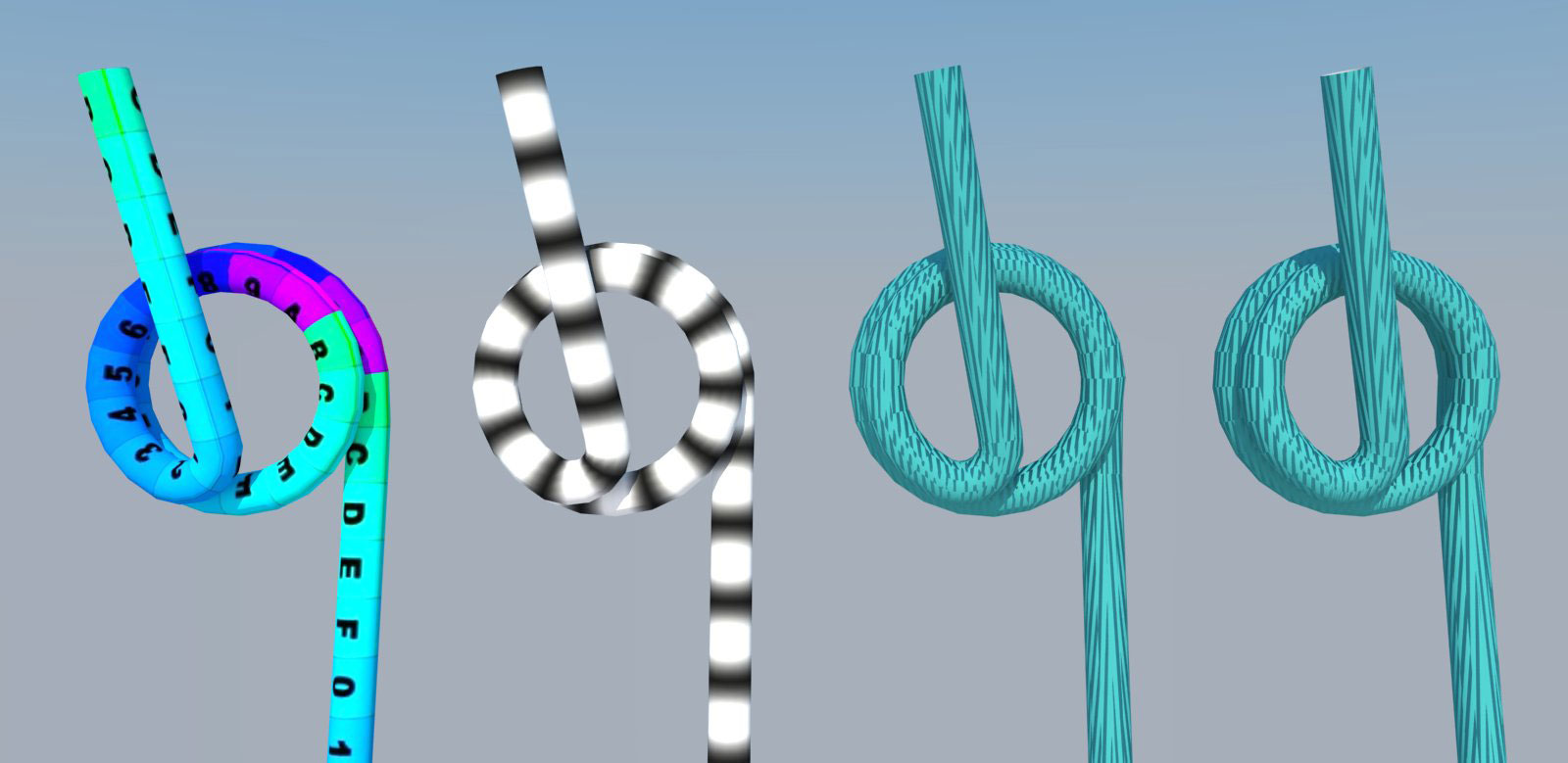
      Starting from the left I tube map the string with SketchUV. I test the bump map on the second one. Everything looks good so far. Then I add a bump map using default mapping values and the bump map does not align with the SketchUV mapping. Further to the right I try triangulating the face to no avail.

      Strings.jpg

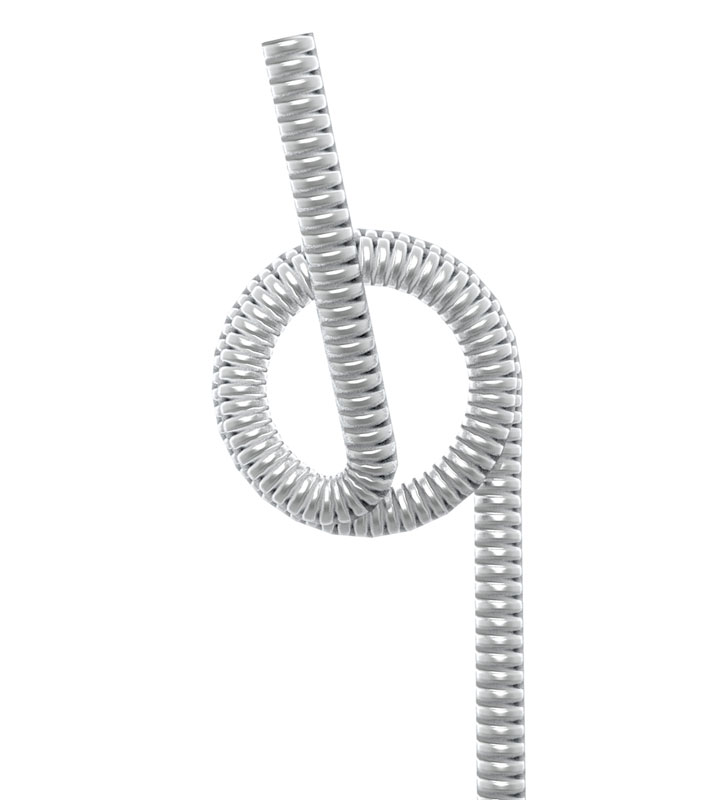
      Below is the end result, from Kerkythea, that I'm aiming for which is done by bringing in the SketchUV textures into KT (each with the name of E, A, D for wound strings) and then applying a metal material and then adding the bump map.

      Strings-2.jpg

      This is the bump map.

      string bump3.jpg

      Here's the SU file for the Low E string if you want to give it a shot.

      Low E Wound String.skp

      Tried everything I know so far but no luck. I know I'm missing a switch or two here.

      posted in V-Ray render plugins extensions
      Gus RG
      Gus R
    • RE: Texture Mapping Curtains

      @rich o brien said:

      @Gus

      Looking at this again there is some stray geometry getting unwrapped

      http://sketchucation.com/forums/download/file.php?id=105623&mode=view/rokbox.jpg

      you can see it in the bottom right corner

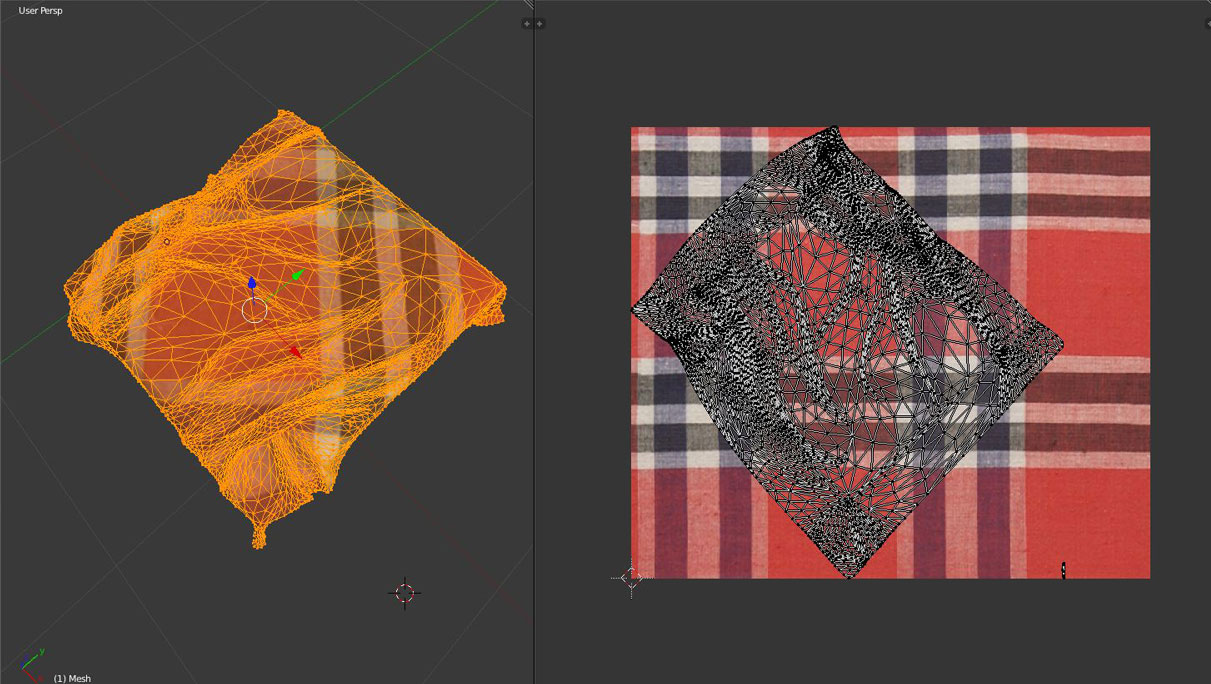
      Rich, I found a fix by uninstalling Blender 2.63 and upgrading to 2.67. Works now. Thanks for your help.

      Blender-2-67.jpg

      posted in SketchUp Discussions
      Gus RG
      Gus R
    • RE: Texture Mapping Curtains

      @rich o brien said:

      @Gus

      In the UV editor hover over the unwrapped mesh and press L to select it

      R to rotate it

      If you can give me a link to that cloth as I can't find it now...so I can investigate it.

      I'm sure I'm missing something here

      Thanks, was practicing the rotation as well. Reset Blender to factory settings as well. Here's the link to the model.

      posted in SketchUp Discussions
      Gus RG
      Gus R
    • RE: Texture Mapping Curtains

      @rich o brien said:

      Are you using SketchUV Gus?

      Did you explode the model to remove it default axix position?

      Did you remove the mats applied to the group and not the geometry?

      Opened the skp. Removed the material from the group. One iteration of Artisan smoothing. Applied material. Exported UV with SketchUV within the group not moving or having rotated anything. Imported obj into Blender. Scaled it down. Right click and smooth. Tabbed into edit mode and click U and then UV unwrap. Then I switch over to texture mode and it's at 45 degrees. Tried it again with a fresh download of the skp in case I moved anything earlier.

      posted in SketchUp Discussions
      Gus RG
      Gus R
    • RE: Texture Mapping Curtains

      @rich o brien said:

      @unknownuser said:

      what does everyone else do when they need to texture map an organic object

      Learn how to UV map or start a discussion here πŸ˜‰

      Try clicking my signature you never know what sh!t turns up in there

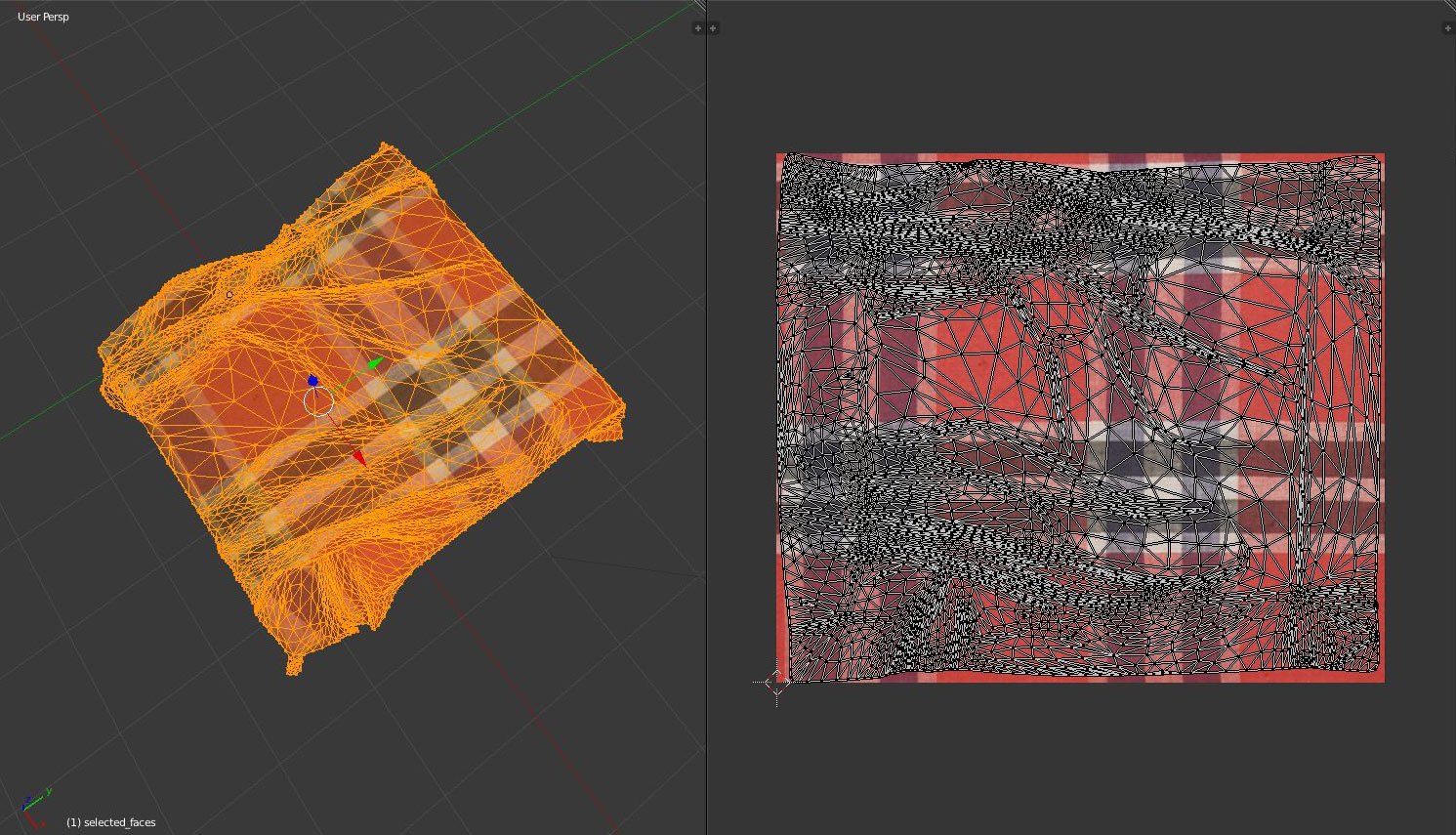
      Rich, great tutorial video. For some strange reason it's importing into Blender at a 45 degree angle. Not changing any of the texture positions in SU nor the position of the model.

      Blender-UV.jpg

      posted in SketchUp Discussions
      Gus RG
      Gus R
    • RE: [Plugin] FullScreen v5.1.3 (25 April 2024)

      @anton_s said:

      Version 2.0.1 ( May 8, 2013 )

      • Added show/hide/close dialogs and floating toolbars
      • Added set menubar on close checkbox option
      • ~Fixed the corrupted window bug, after show hidden popups; now windows can be connected, uncoupled and refitted.
      • Stabilized the css file.
      • Extended title text features, added onCaptionChanged observer.
      • Optimized script

      See first post πŸ˜‰

      Just discovered this plugin thanks to the update. This is really nice Anton. πŸ‘

      posted in Plugins
      Gus RG
      Gus R
    • RE: Grand Tetons: Fredo's Topo Shaper

      @mitcorb said:

      Wow, Gus:
      Excellent work. You certainly put that plugin to work. πŸ‘ πŸ‘

      By the way, is that "ACME APEX" Premium Quality Duct Tape on that cord jack, or just your run of the mill quack tape? πŸ˜„

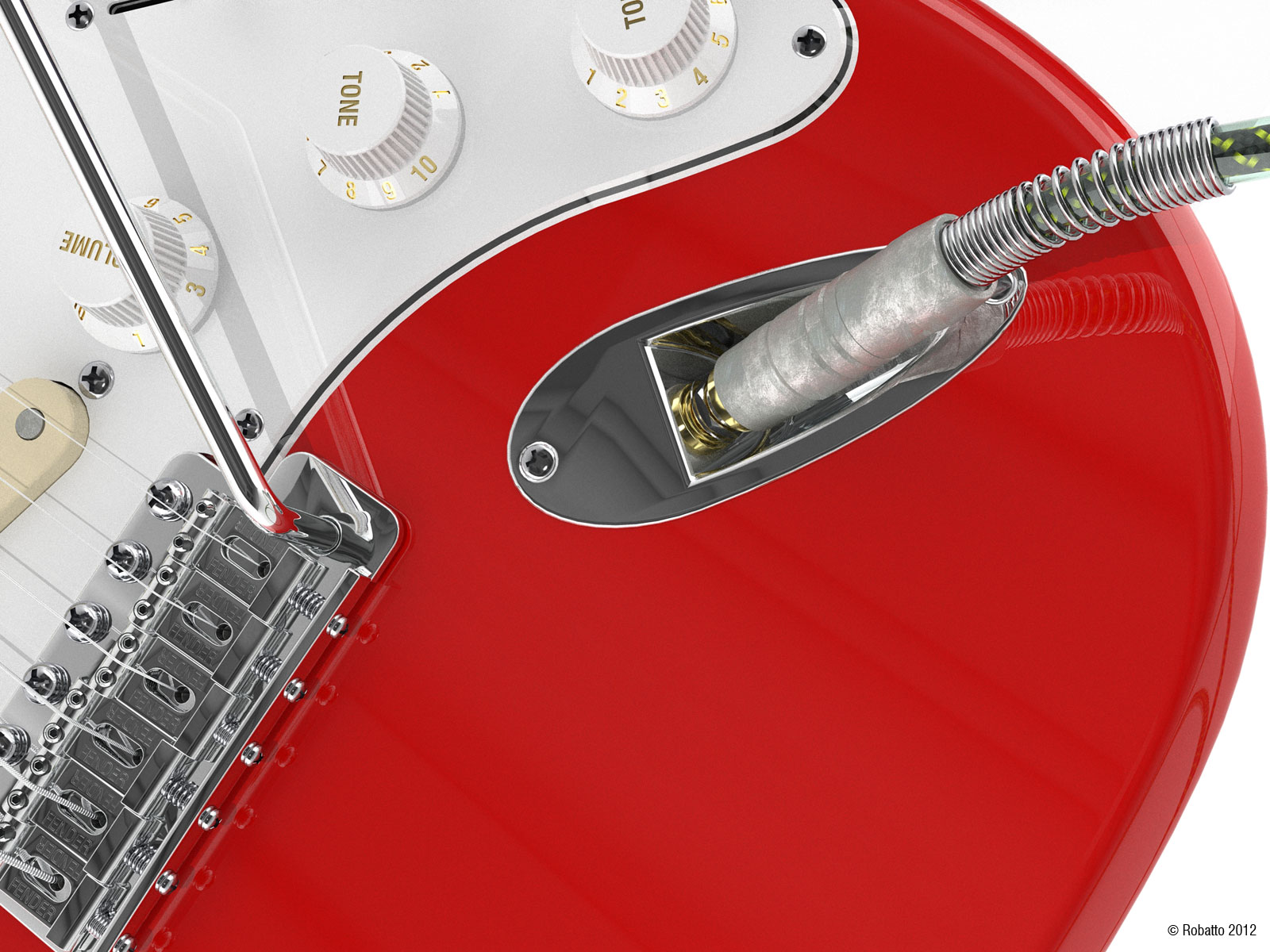
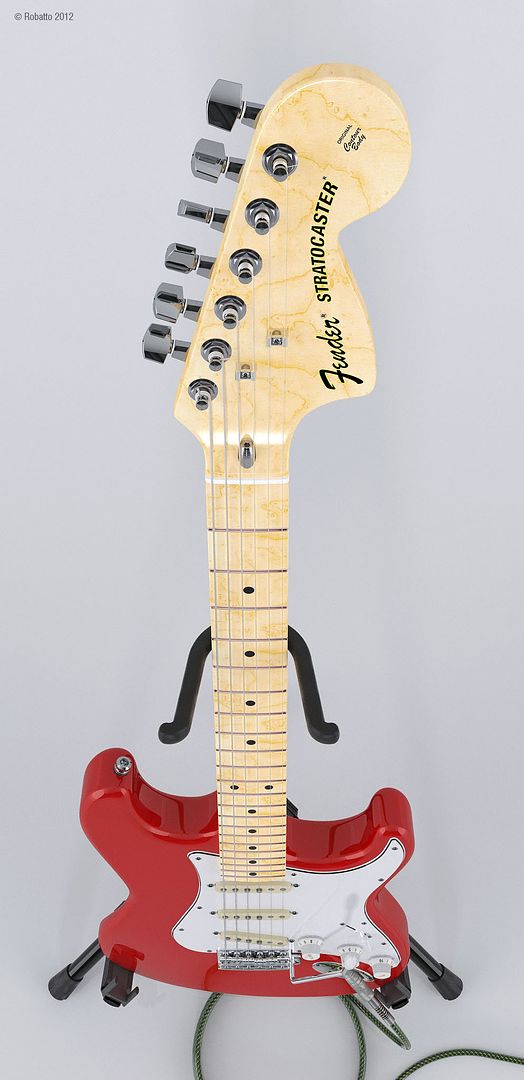
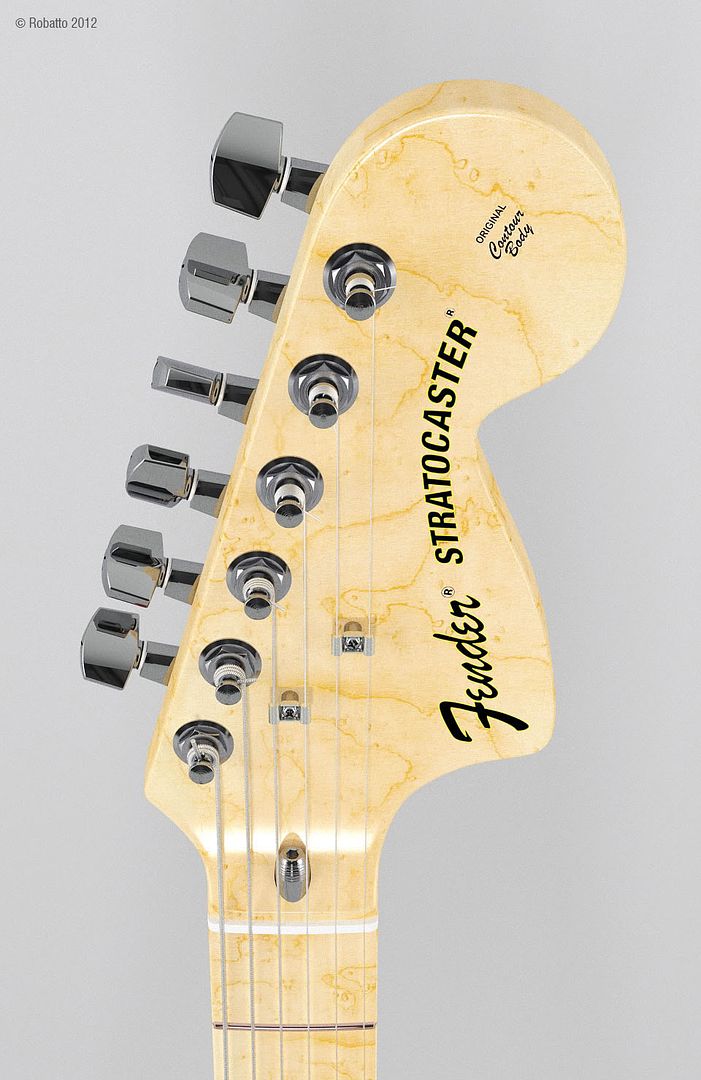
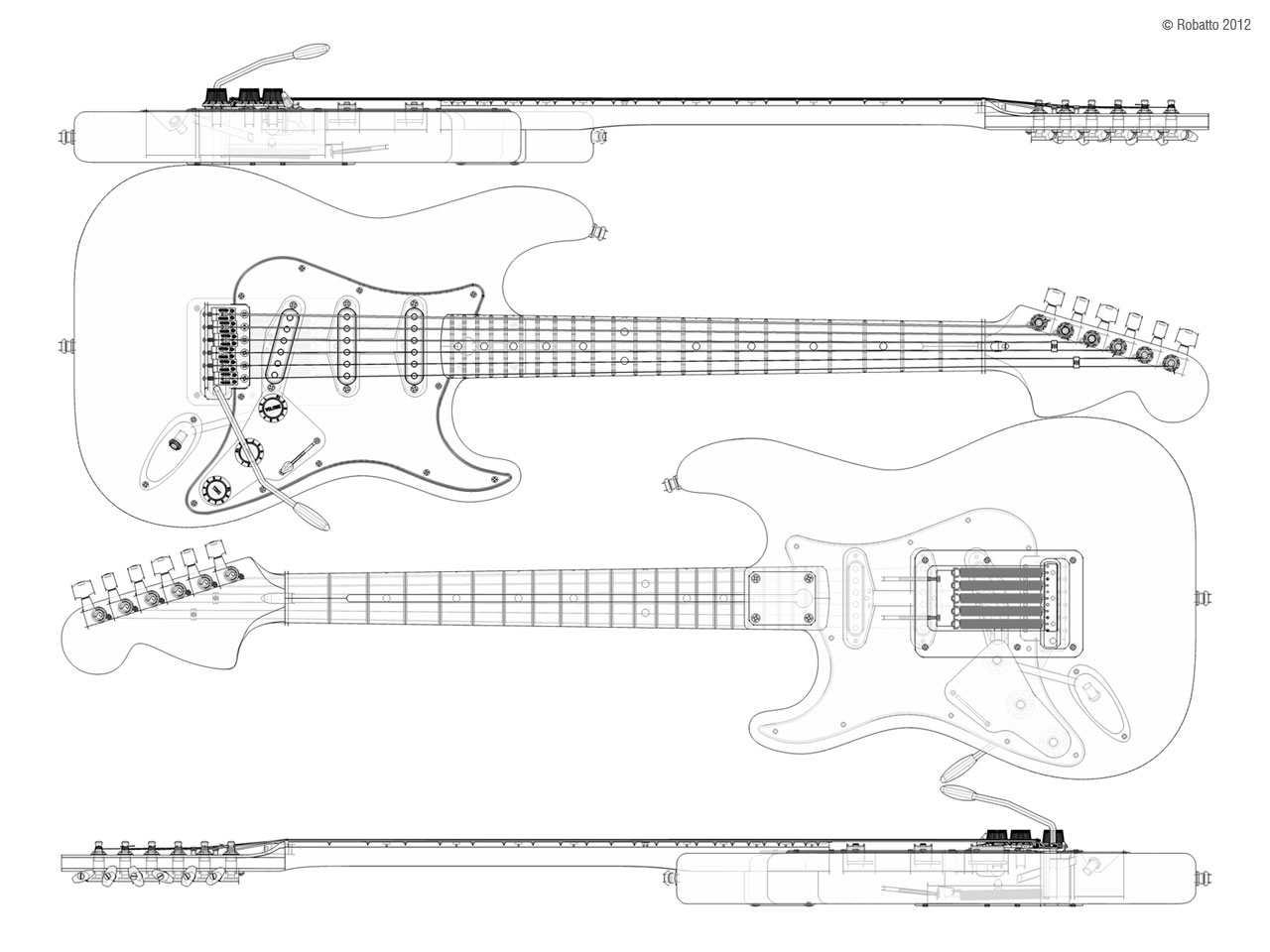
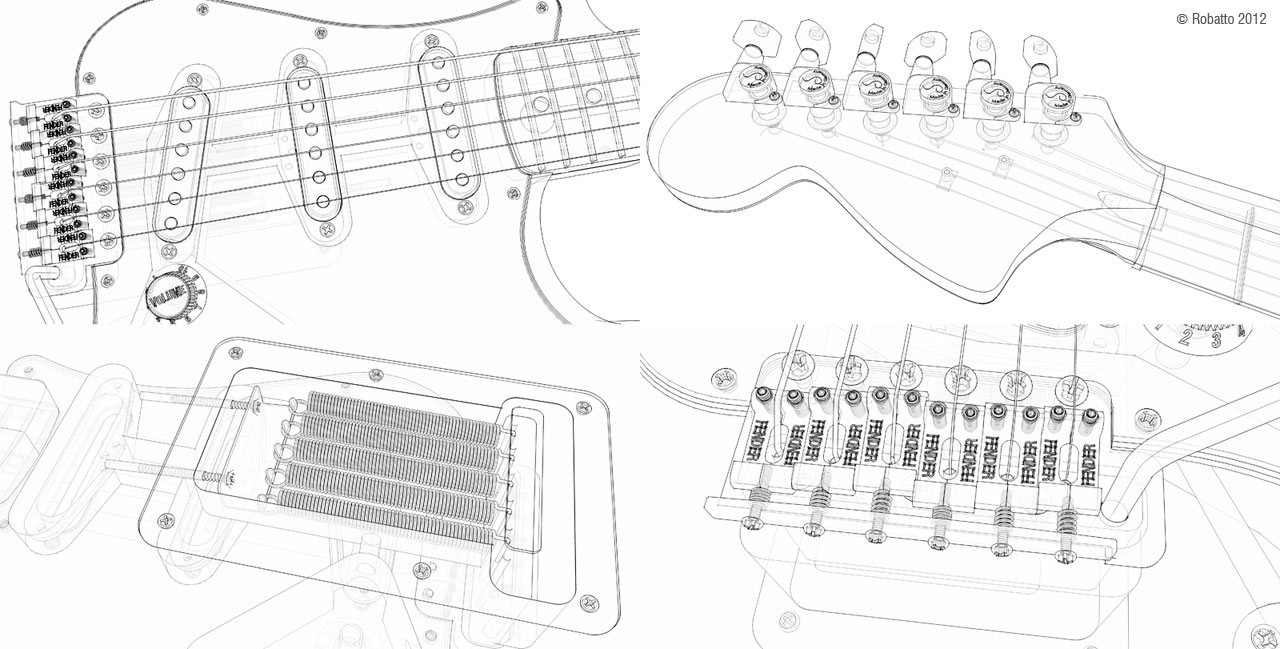
      Thanks! Forgot to answer your question. That's just supposed to be a weathered metal plug casing. From my Stratocaster model.

      Robatto-Strat-17.jpg

      I know you were kidding. Was just testing TopoShaper to see if it could do an arch top. Close.

      posted in Gallery
      Gus RG
      Gus R
    • RE: Grand Tetons: Fredo's Topo Shaper

      @unknownuser said:

      Gus,

      This is a impressive example and I am glad to see it seems to work.

      And thanks for describing the whole process. In my first design, I assumed the starting point would be clean contours with elevations. Then I realized that a large part of the workflow was about cleansing the contours from the DWG import and I introduced the cleanser.
      Now, I think I should maybe think about adding a tool to transform a flat contour map into an elevated contour set.

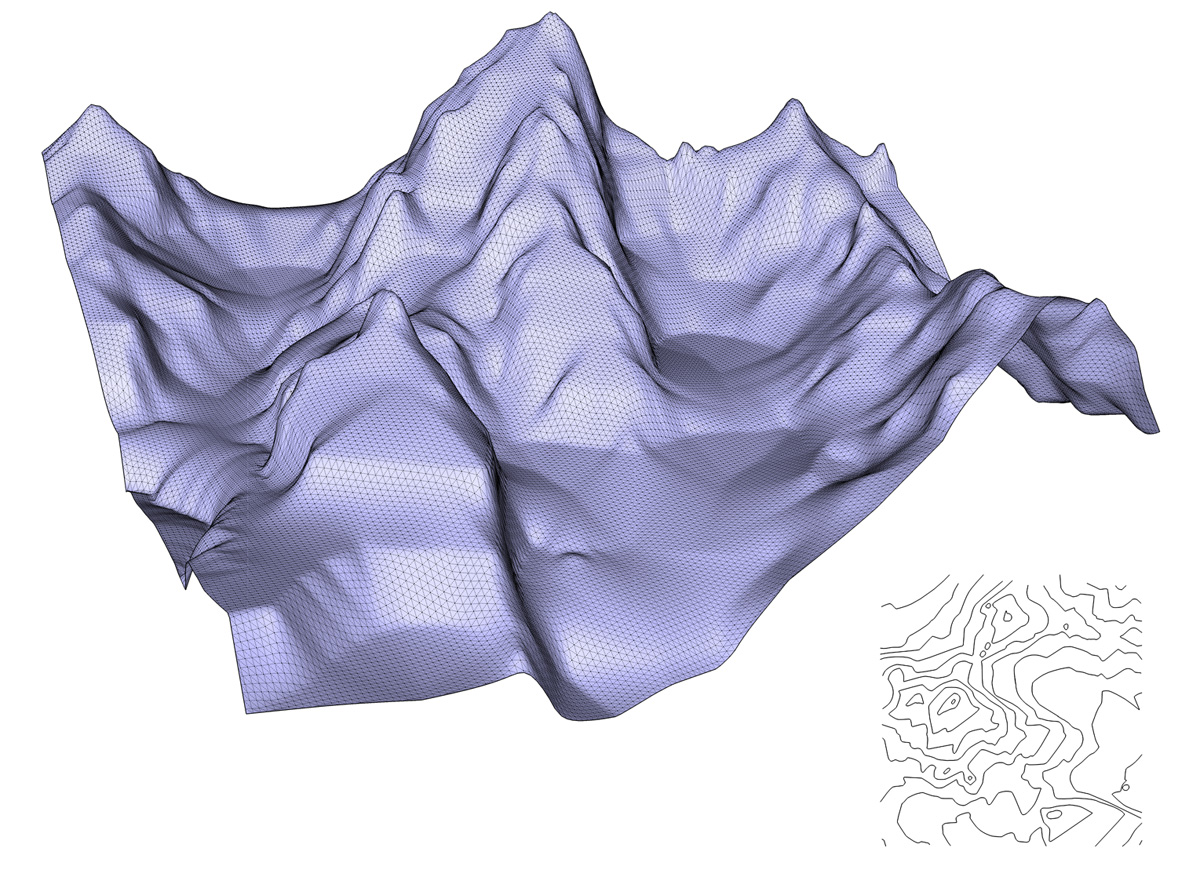
      Also, would you mind sending me the model of contours. On the picture, I see that you have some sharp slope breaks and flattish basins. Currently TopoShaper is based on linear interpolation, and the few trials I made for a more sophisticated interpolation to get more smoothing did not reveal productive (long calculation time and artefacts). But I could try again on your model.

      Finally, if you don't mind, I'd like to refer to your thread about these beautiful Colorado mountains in the main post of TopoShaper to illustrate the possibilities of the plugin of less conventional terrains.

      Thanks

      Fredo

      Thanks to everyone for the compliments.

      Fredo, sure, you could use this as an example for your main post. I attached the topo here. The elevation intervals are 400 feet. The USGS map was based on 80 foot intervals at 5 each for a total of 400 feet for the thicker lines which was easier to create. That will result in some loss of details.

      I was thinking about perhaps adding a feature where you could add a point for a sharp peak perhaps. Otherwise, increasing the grid to the max (anything close to 200) will result in sharper peaks. On the USGS maps the closest you'll get to a peak will be a small elliptical topo line at the top of the summit.

      The Grand Tetons (Grand Teton National Park) are in Wyoming, just south of Yellowstone National Park. Other than that, great plugin. Another good thing about this plugin is that you can leave SU while it's processing and won't freeze up SU. Thanks!

      ➑ Correction. Here's the correct topo.

      Grand Teton Topo Correct Version.skp

      posted in Gallery
      Gus RG
      Gus R
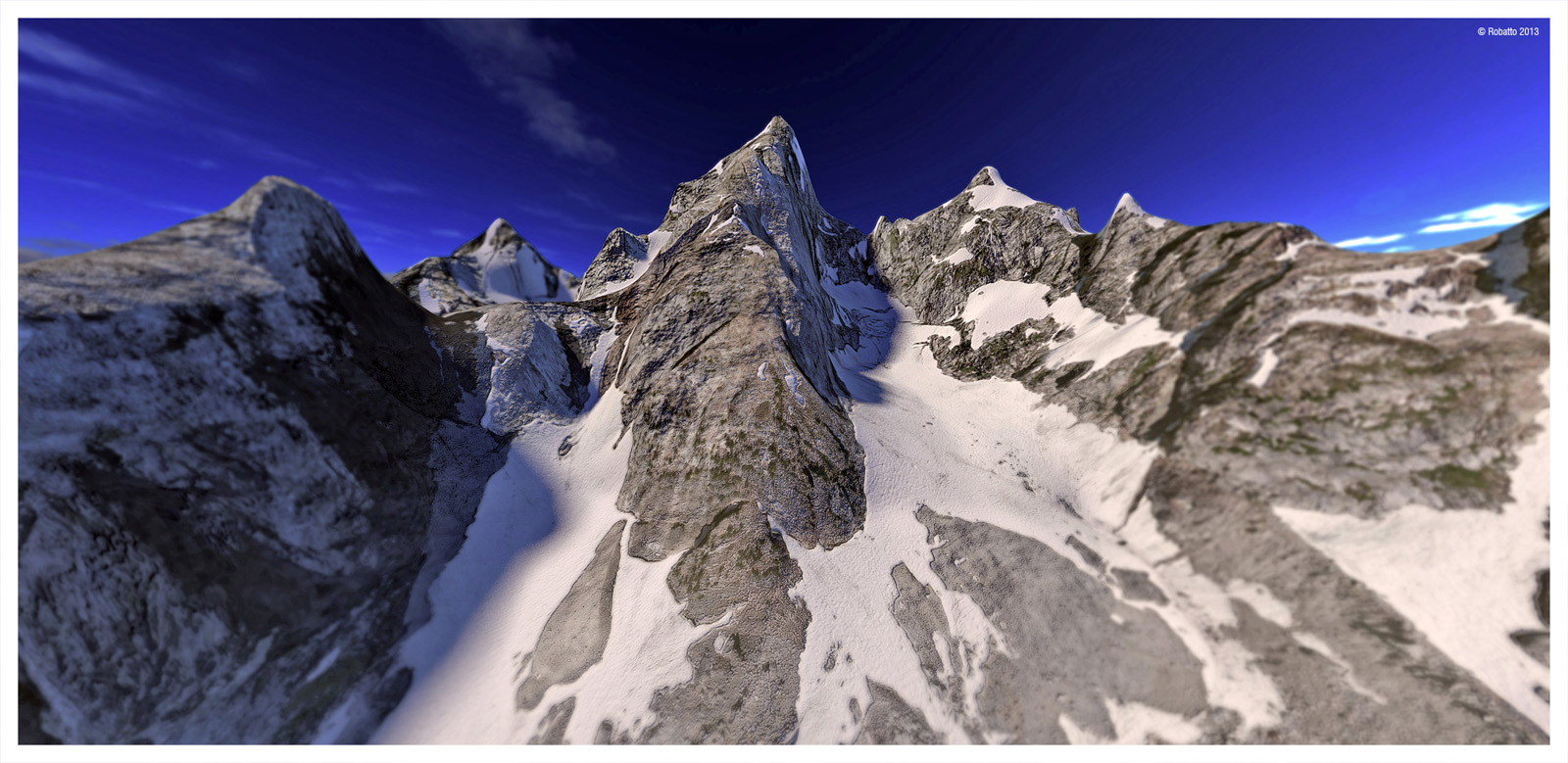
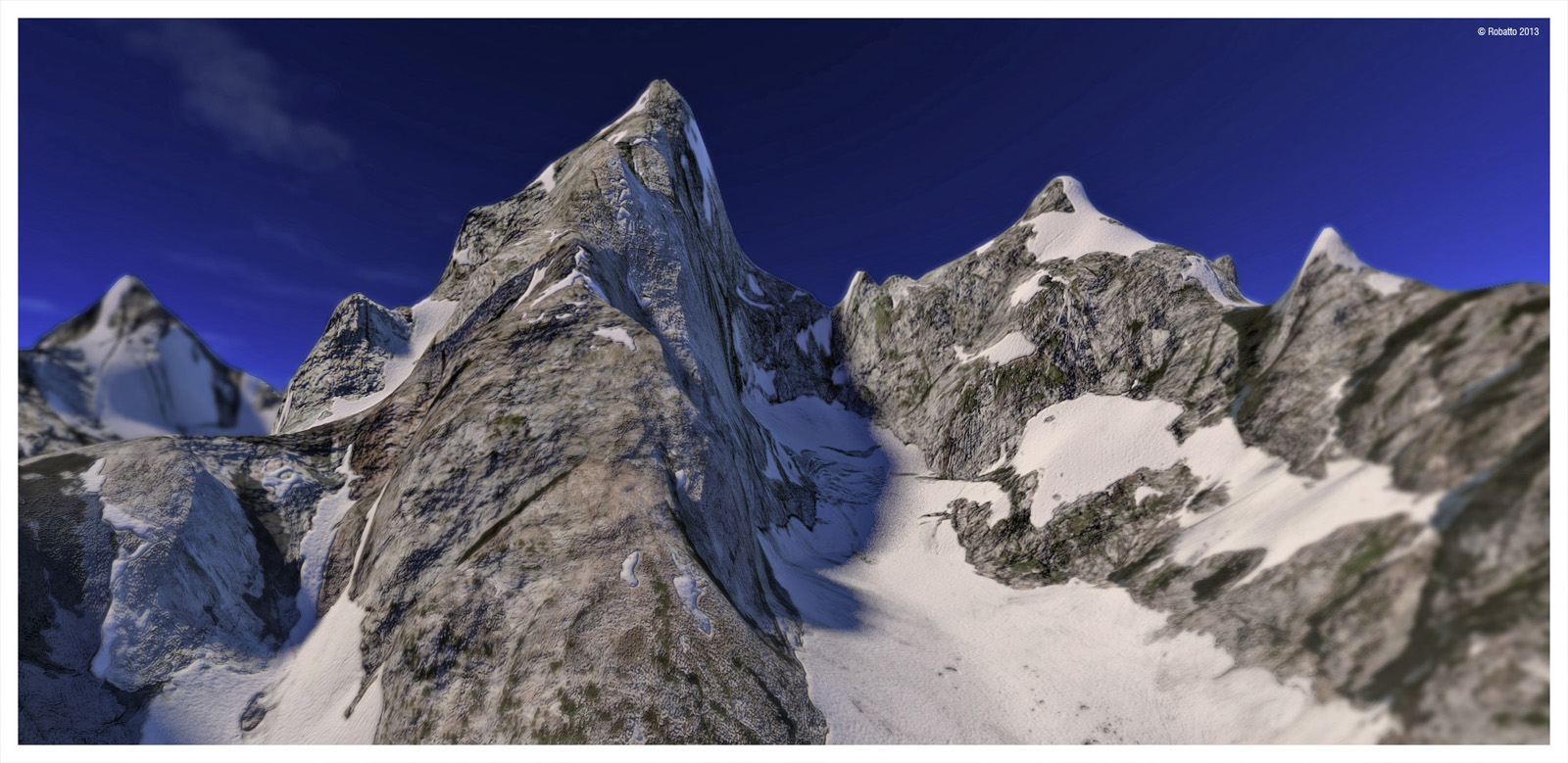
    • Grand Tetons: Fredo's Topo Shaper

      Robatto-Tetons-01.jpg
      Robatto-Tetons-02.jpg
      Robatto-Tetons-03.jpg

      Fredo, Topo Shaper works great. Tried it out with a topo of the Grand Tetons which I created using the following steps.

      1. Grabbed a topo map of the Grand Tetons from USGS.

      2. Isolated the topo layer in the PDF and then printed that to file.

      3. Cleaned up in Photoshop removing numbers and reconnecting topo lines.

      4. Saved PDF and then ran through a trial version of Scan2CAD to convert it to a cad dwg.

      5. Imported 2D cad drawing into SU 7 then opened in SU 8.

      6. Add face to line work and then pushed or pulled each segment by 80 feet appropriately.

      7. Cleaned up and deleted faces to isolate the topo line.

      8. Ran it through Topo Shaper.

      I ended up doing 3 versions. One covering a wide area and finally settling on this highly detailed model. The textures if from Bing maps which I stitched together after taking screen shots of areas. A painstaking process I suppose. This one is using approximate 1" = 100' zoom. I then touched up (clone stamped) areas to get rid of shadows. Created bump maps for rocky areas and glaciers. Rendering is using Kerkythea. Topo lines are 400' in elevation.

      posted in Gallery
      Gus RG
      Gus R
    • RE: [Plugin] Helix along curve

      Fantastic plugin. Thanks.

      posted in Plugins
      Gus RG
      Gus R
    • RE: Furniture Models

      Very nice. Thanks for sharing.

      posted in SketchUp Components
      Gus RG
      Gus R
    • RE: GE Monogram Appliance Collection - Components

      You're welcome Mistro11, Ricalbur, and andybot.

      posted in SketchUp Components
      Gus RG
      Gus R
    • RE: Fender Stratocaster - Finished

      Couple more views.

      http://i1244.photobucket.com/albums/gg573/Gus_R/2cf20698.jpg

      http://i1244.photobucket.com/albums/gg573/Gus_R/b9588fe0.jpg

      posted in Gallery
      Gus RG
      Gus R
    • RE: Some UK/Euro Artic/Semi trailers for you all

      Very nice. Thank you.

      posted in SketchUp Components
      Gus RG
      Gus R
    • RE: Trimble Strat

      @unknownuser said:

      Nice render and model! 😎
      Seems in the trimble Logo there is not the little white line that we see on a triangle's angle of your model πŸ˜‰

      http://www.compasstoolsinc.com/store/images/uploads/Trimble_Logo.jpg

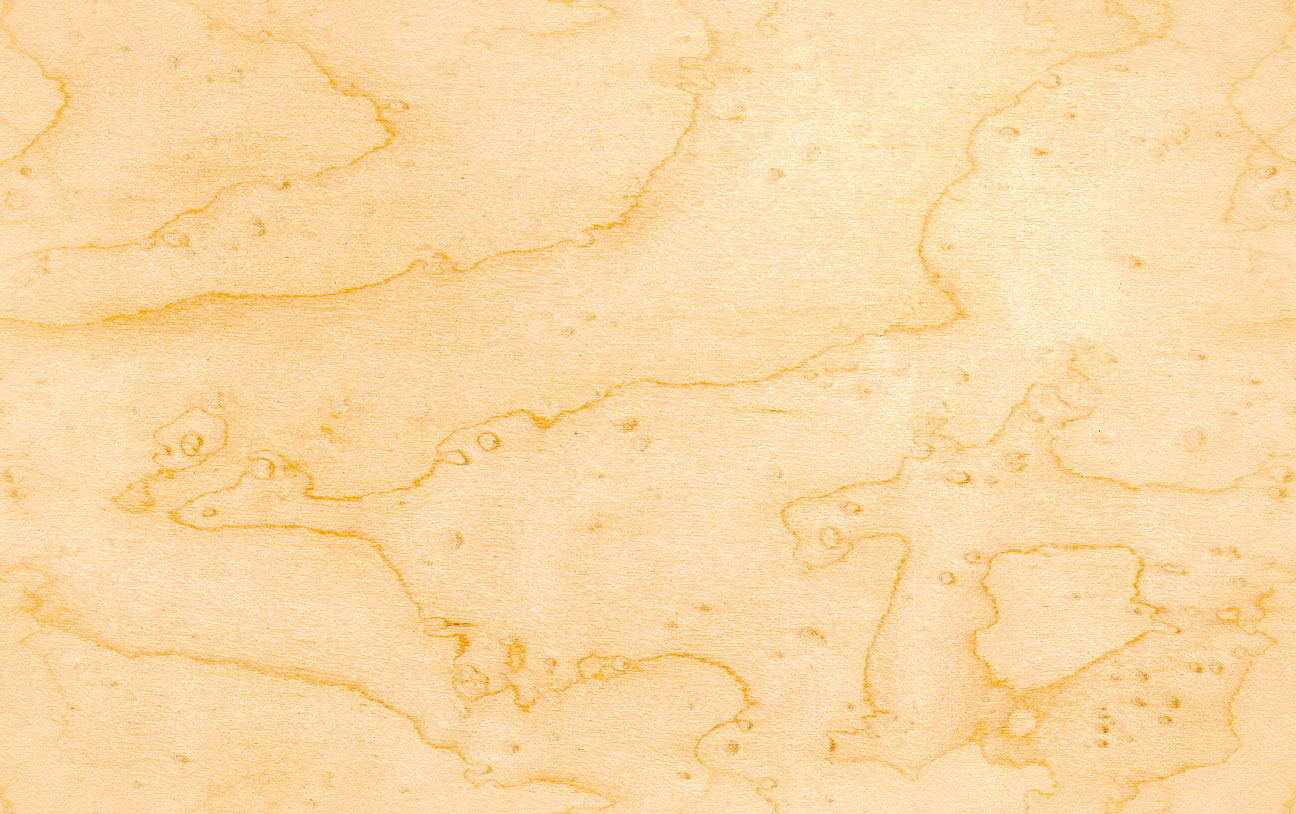
      You're right. I didn't notice that last night. Added a reflection procedural to the logo and didn't notice anything so I kept on working. Good eyes and thanks. Fixed it in Photoshop. Thanks Aerilius. The neck wood is simply a box map. Haven't been able to make a perfect UV mapping as of it yet. The wood texture is birdseye maple which you can see below. Used Richard Rosenman's "Tiler" in Photoshop to create a seamless texture. http://www.richardrosenman.com/software/downloads/


      birdseye_maple.jpg

      posted in Gallery
      Gus RG
      Gus R
    • Trimble Strat

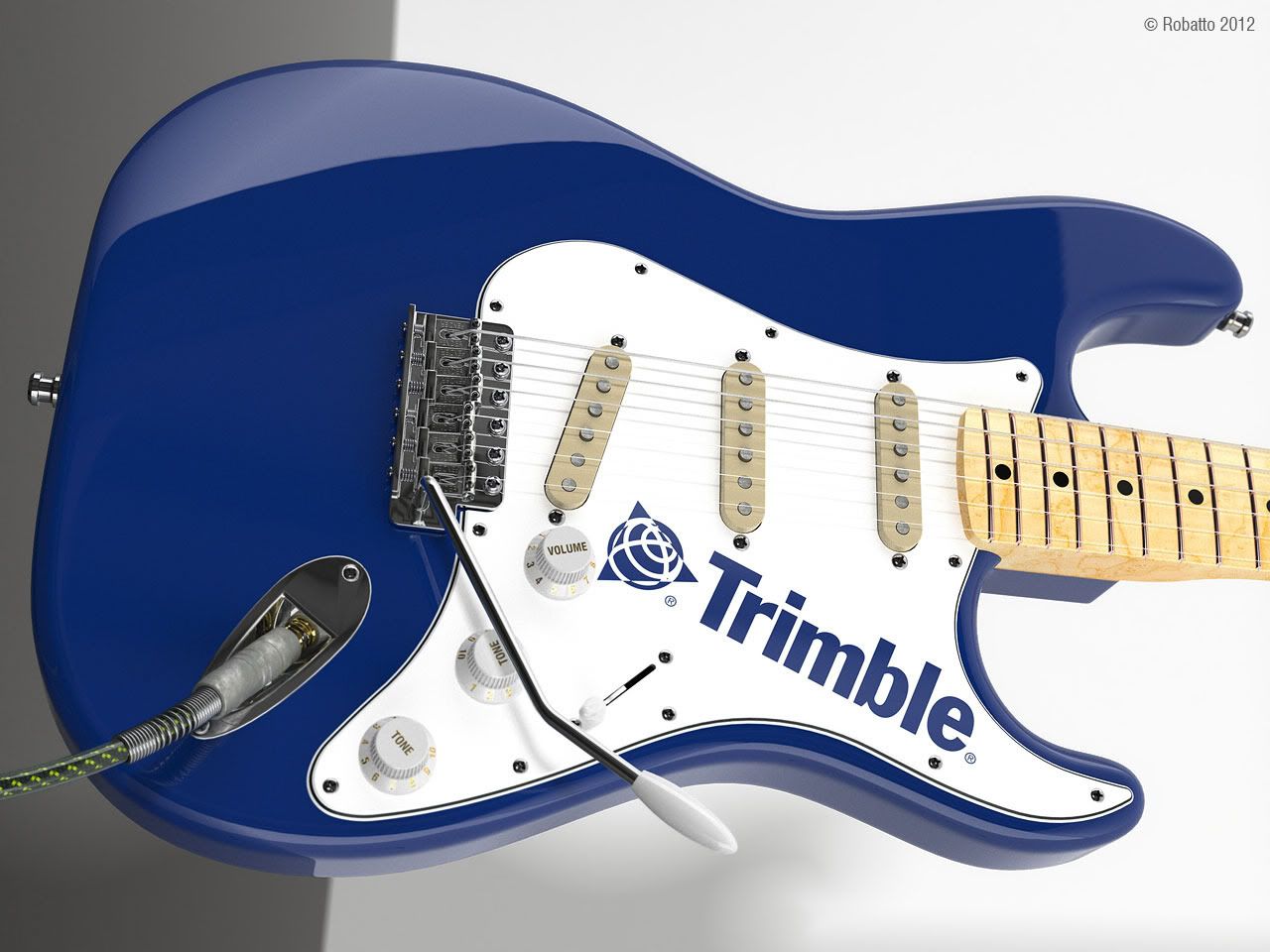
      Thought maybe the Trimble people would get a kick out of this.

      On a technical note. 122 passes in MLT (BPT) Kerkythea. The text is simply a material attached and located in Sketchup using an image of the Trimble logo found on the web. Using just the top of the pickguard as the material. I make another copy of the jpg material texture which is black and white and save. This is used for the clip map. In KT I make a copy of that material which has the white plastic material applied. I then go back and add the clip map jpg as the clip map to the first material which has the logo material attached from SU. Then I invert that black and white clip map. You can pre-invert that clip map prior to this. Apply and close.

      The blue finish on the body is from a "Car Paint" blue which I then adjusted the defuse color output using the eyedropper on the Trimble blue.

      The yellow and black casing on the cable was mapped using SketchUV. Body and neck, again, was done using Artisan. Much use of RoundCorner 2.1c. I created string profiles in Profile Builder and also mapped those with SketchUV. Using KT always remember to triangulate.

      Medium strings which is how I like to play. Everything is to scale but at 10X. I'll go anywhere from 10X to 100X. Sometimes even bouncing back to 1X works better.

      http://i1244.photobucket.com/albums/gg573/Gus_R/2be6f386.jpg

      http://i1244.photobucket.com/albums/gg573/Gus_R/2a713a9f.jpg

      posted in Gallery
      Gus RG
      Gus R
    • RE: 2 Fields,2 different moods

      Looks great. You can almost feel the atmosphere.

      posted in Gallery
      Gus RG
      Gus R
    • RE: Fender Stratocaster - Finished

      Thanks Arqpadao.

      Here's some more SU output.


      Robatto-Strat-19.jpg


      Robatto-Strat-20.jpg

      posted in Gallery
      Gus RG
      Gus R
    • RE: GE Monogram Appliance Collection - Components

      You're welcome Majid and Mike. It's partly for all the great plugins I've gotten at Sketchucation over the years.

      posted in SketchUp Components
      Gus RG
      Gus R
    • 1
    • 2
    • 43
    • 44
    • 45
    • 46
    • 47
    • 52
    • 53
    • 45 / 53