Works great on SketchUp Pro 2021 and updated on SketchUp 2017. Not getting those weird temp files anymore in 2017. Trying to practice with the gift wrap tutorial from above which is probably a skip and a jump on the learning curve.
Oops, your profile's looking a bit empty! To help us tailor your experience, please fill in key details like your SketchUp version, skill level, operating system, and more. Update and save your info on your profile page today!
⚠️ Important | Libfredo 15.6b introduces important bugfixes for Fredo's Extensions Update
 Offline
Posts
-
RE: [Plugin] ClothWorks v1.8.0 - 28 Apr 2024
-
RE: Been a while
Thanks.
Lumion looks like a great program but it's out of my price range. I've seen some great flower collections such as those from Vizpark or Xfrog but the skp or component sizes are gigantic and not really workable within SketchUp given the density required for residential flower plantings.
@pmolson said:
Thank you all for the comments.
To answer the questions...
Hornoxx - That new Picture was taken of me when I was a firefighter at Mcmurdo Station, Antarctica while serving in the United States Navy.GusR - The plants & shrubs are all native Lumion objects. They work out great because one does not have them in the sketchup file so the model does not get bloated with 3d plats and trees.
I do not use a wall plug in. I model them and each wall is an individual group, or component if they repeat.Bryan K, Mike Amos, JO-KE, nlipovac - Thank you!
-
RE: What is happening in the USA?
@mike lucey said:
I had been looking at the results coming in from the so called 'swing states' and was shocked at what was coming to light. Some of the security video evidence was very frightening. Particularly the 'after hours' activity that took place with no watchers.
Mike
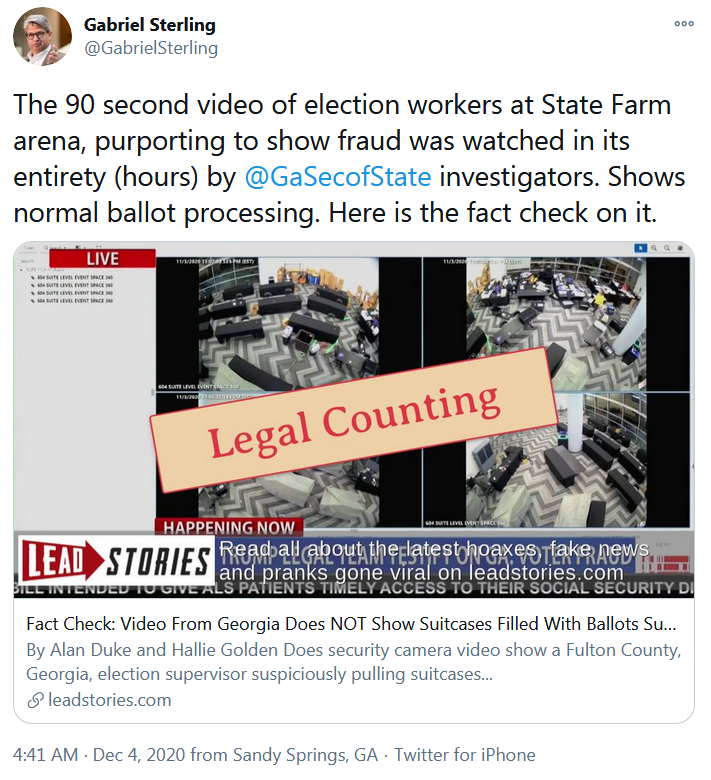
The 90 second video has already been refuted and debunked by Republican officials.
Reports:
No 'mystery ballots' hidden under table in Fulton County, Georgia investigator swears in affidavit
Video:
Furthermore, even today:
Federal appeals court turns down Donald Trump push to overturn election results in Wisconsin
The decision was written by a Trump appointed judge. This brings Trump's court appeal at 1 and 59 with even the Supreme Court having decided not to hear the Texas lawsuit.
-
RE: Been a while
Looks great. I really like the lake home.
Where did you get the flowers and shrubs and what kind of wall building plugins are you using if any?
-
SketchUp Pro 2021
I finally stopped procrastinating and got a SketchUp Pro 2021 subscription. Couple of observations:
-
Faster than my SketchUp 2017 set-up.
-
Fresh install of plugins went smoothly. Only a handful of plugins didn't work and only one payware is yet to be updated.
-
A lot of new features for me to learn like Layout, creating Dynamic Components, and creating my own Styles.
-
I'm using Windows 7 and it's working fine. Had few bugsplats but that could be anything. I have yet to put this through the ringer of course.
-
It's remarkably similar to previous SketchUp versions. Basic operation are identical.
-
Some old plugins still work including one I'm using from 2005.
Like I said I still have to put this through the ringer to find out what plugins don't work that isn't noticeable when you start SketchUp. Including the operating system that I will update as soon as I can afford a new machine. If you have the $299 I think you should go for it. Overall everything is working well.
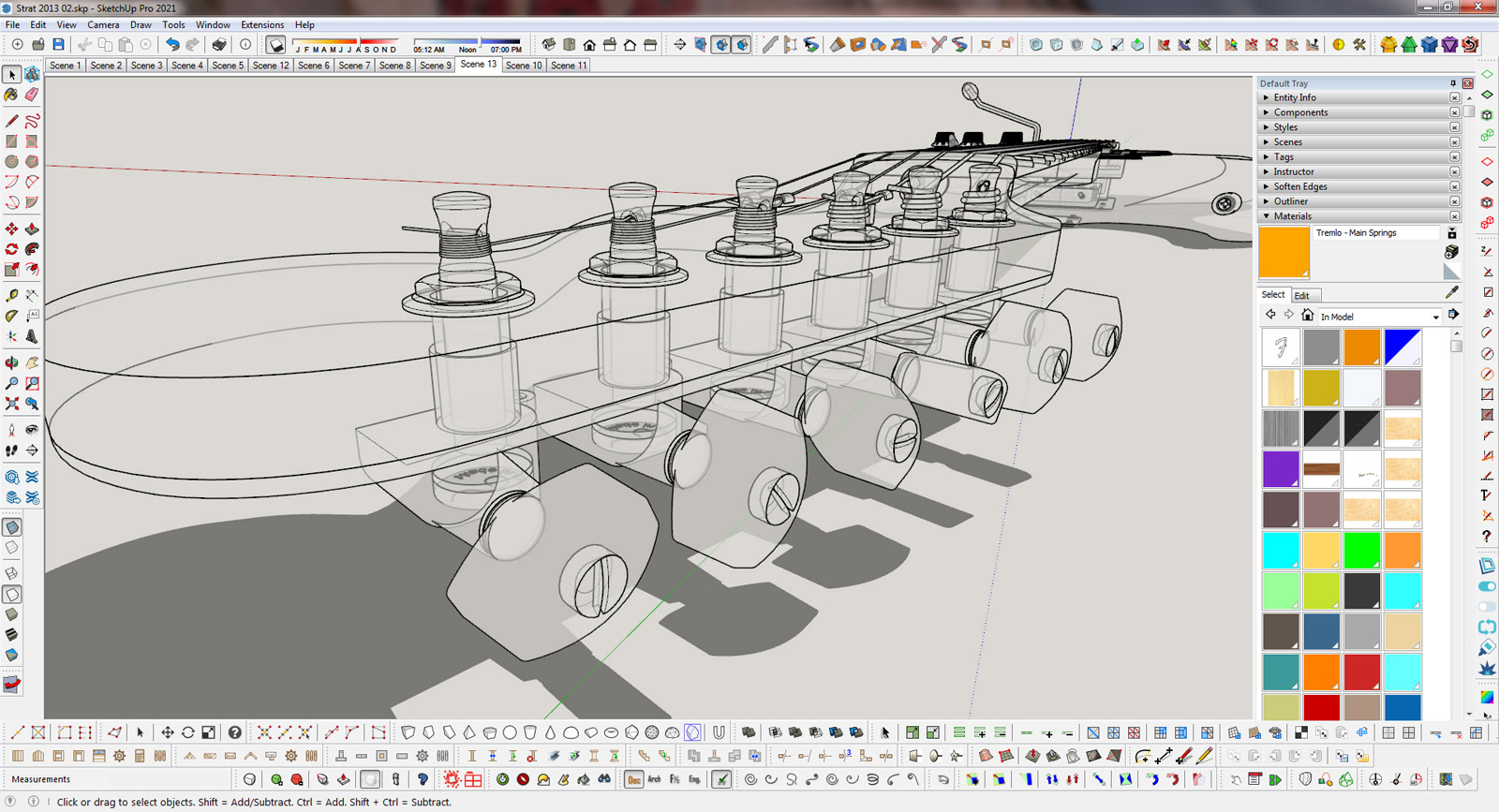
Here's a screenshot. As you can see it looks familiar with previous version. I might have to cut down on all the menus I docked in the screen which I placed mainly for show.

-
-
RE: Orgelf's works. second topic.
Great work Orgelf. Meticulous in detail and whimsical in design. Too many words to describe.
Looks like you spend countless hours on this.
Do you use a mouse for input?
-
RE: Remove Unused Edges
Thanks. Installed that (which I've used on 2017) before finding the old ruby. "Erase Stray Edges" works the same way.
So far installing plugins in SU 2021 has been relative a piece of cake. Including the payware without even having to re-register any licenses.
@dave r said:
You might want to have a look at Thom Thom's CleanUp3. It can clean up more than just unneeded edges.
-
RE: Remove Unused Edges
That was it, thanks. It's a 15 year old ruby named "cleanup_model.rb" that's in my 2017 plugins directory. Got used to using it. I basically copy and pasted my SU 8 plugins directory into the the SU 2017 plugins directory. I thought it was a default plugin because it was under "edit."
The good news is it works in SU 2021.
@box said:
That must be an extension, certainly not a default tool.
-
Remove Unused Edges
Testing out SketchUp Pro 2021 and was wondering where "Remove Unused Edges" under the "Edit" menu went. Been using SketchUp 2017.
-
RE: Black Friday deals
Does it? I was thinking that might be the case. Thanks. Will look into it.
@sketch3d.de said:
@gus r said:
Was going to get SketchUp Pro 2021 but I see I need to upgrade to Windows 10.
Windows 7/8 is officially not supported anymore but does (currently) work flawless.
-
RE: Black Friday deals
Picked up:
Mind Sight Studio's Double Cut
Evil Software Empire Vertex Tools
All on sale.
Was going to get SketchUp Pro 2021 but I see I need to upgrade to Windows 10.
-
RE: Medeek Wall Plugin
OK, thanks.
@medeek said:
This should be moved to the Truss Plugin thread but correct the hip sets are not yet editable. Common trusses and other truss types are see details here:
Medeek Design Inc. - Medeek Truss Plugin Changelog
Medeek Design Inc. - Medeek Truss Plugin Changelog
(design.medeek.com)
Enter a Ctrl-F and then search for the term "edit". This will show you which assemblies have had the edit function enabled.
-
RE: Medeek Wall Plugin
OK, I tried with all three and I can't edit any of them.
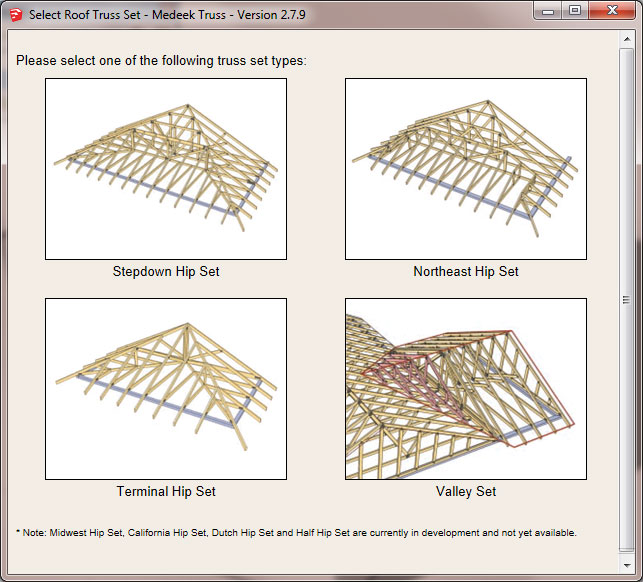
Stepdown, northeast and terminal.
I just tested the 3 using default settings.
@medeek said:
@gus r said:
Nathaniel,
I have a question.
Does right mouse button "Edit Truss Assembly" work with a "Truss Assembly?"
Yes, but not every type of truss assembly is editable yet. The most common are but I am still working on quite a few of them.
-
RE: Medeek Wall Plugin
Nathaniel,
I have a question.
Does right mouse button "Edit Truss Assembly" work with a "Truss Assembly?"
-
RE: Medeek Wall Plugin
Sold!
This is a great suite.
@medeek said:
We’ve all had a trying year these last few months but somehow, thanks to our customers, we’ve managed to keep up the good fight and are still actively developing our extensions here at Medeek Design.
In recognition of the overwhelming support I have received from the SketchUp community these last few months I will be immediately offering 40% off of the mdkBIM bundle price using the coupon code GIVETHANKS20. (ends Dec. 1, 2020).
This will reduce the bundle price from $170.00 USD to $102.00 USD. This promo code does not apply to any of the extensions purchased separately or to the electrical plugin. The offer also ends on Dec. 1 and no rain checks will issued thereafter.

-
RE: [Plugin][$] RoundCorner - v3.4a - 31 Mar 24
@gus r said:
What's the scoop on FredoCorner?
I just got a window to update and I went to the Pluginstore and downloaded RoundCorner_v3.3a.rbz and that was the wrong one so I found another page and downloaded FredoCorner_v2.0a.rbz which seems to be the right one.
Checking for updates didn't indicate anything other than the library.
It works now.
Not enough sleep.

-
RE: [Plugin][$] RoundCorner - v3.4a - 31 Mar 24
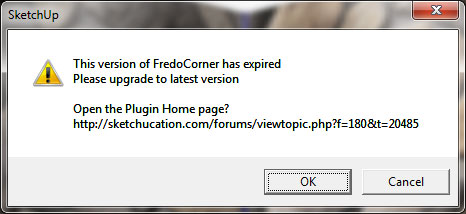
What's the scoop on FredoCorner?
I just got a window to update and I went to the Pluginstore and downloaded RoundCorner_v3.3a.rbz and that was the wrong one so I found another page and downloaded FredoCorner_v2.0a.rbz which seems to be the right one.
Checking for updates didn't indicate anything other than the library.
It works now.
-
RE: [Plugin Library] LibFredo6 - v15.6c - 10 Dec 25
@fredo6 said:
Strange. It seems you don't have some fonts installed and default to Arial Narrow Black.
Did this happen with v10.7a only ?
What do you get for dialog boxes used by other plugins than mine?
I have Arial Narrow. It's Windows 7 Pro if that matters. Was fine before v10.7a.
Other dialog boxes are fine.