No there is not a direct option to do this. There is an .fbx importer floating around, or try collada. I found the best method is Deep Exploration through the .rh extension. Export out of Max as .rh and then use DE to convert to .skp. Expensive option, but works very well.
Oops, your profile's looking a bit empty! To help us tailor your experience, please fill in key details like your SketchUp version, skill level, operating system, and more. Update and save your info on your profile page today!
Check out Febhouse | New extensions for Shadow Analysis in SketchUp Download
 E
Offline
E
Offline
Posts
-
RE: Import .MAX into Trimble Sketchup with textures
-
RE: Import pdf
I could be wrong, but I believe .pdf import is only for Mac. I don't see the option on windows.
-
RE: :Police Precinct:
Wow Jason, really nice work. You really captured the feel of an old city building. Spot on!

-
RE: 3D Studio Max - Extrude Edges in Given Direction?
Using the constraints can also be helpful.
Yes, for me too. Modeling in Max is an entirely different logic base than modeling in Sketchup. Sketchup is more free to express as you do when sketching, however once you really wrap your head around the logic of Max, it is also pretty ingeniously designed. It is a lot harder to be as precise in Max without an underlying CAD plan and I especially miss inferencing and the overall simplicity. It seems though, where sketchup starts to fail, Max begins to shine.
-
RE: 3D Studio Max - Extrude Edges in Given Direction?
Which version are you using? If you have graphite tools, you can use Step Loop + Shift. Or just select the middle edge segment and use Grow Selection. There is not a standard Select Curve between verts (corners) tool that I know of. For me, it's easiest to just select the entire edge loop and switch to top view / wireframe and hold to alt to drag / deselect the unwanted edges. You could also select the verts and hold control while switching to edge mode and it will convert the vert selection to edges.
BTW - Shift Move to extrude edges works with Edit Mesh as well.
-
RE: 3D Studio Max - Extrude Edges in Given Direction?
Edit Poly > Edge Mode > Preselect Edge > Shift + Move. Wont work on an edge which supports more than one face, i.e. a box. If you delete one of the connecting faces, it will work. Or you can extrude the edge, move it into place, then continue with the Shift + Move technique.
-
RE: Nice breakdown of V-Ray material properties
I bought this tut when it first came out, along with the Exterior scene creation one. Austris does a great job in applying logical principles to Max and Vray. I highly recommend!
-
RE: [Plugin] Pen Tool +
@brookefox said:
Not to play the rat here, but wouldn't that be best implemented as a 'begin (within) new group model now' thing, rather than something limited to line creation?
Most of the Tools on Surface from Fredo come with an option to create within a new group. I use that one quite a bit, but those tools don't always work as expected when not drawing on a surface. It's easy enough to just draw two lines, group them, open the group, then delete the lines and you're in a group where any native tools apply. I just figured most modeling starts with the line tool, so if that initiated the group, you could continue with any other tools from within it and be ahead of the game. I use this most often when tracing perimeters for contours or use with instant site grader plugin.
-
RE: [Plugin] Pen Tool +
Rich, ever think about adding a "Group Draw"? Standard line tool that that creates a group upon initial click and draws all lines in that group? Would be useful for me quite often.
-
RE: Plugin (virtual chisel) to draw pits and hills along path?
Boolean subtraction using Solid Tools.
-
RE: Terrain from contours - improve on native 'from contours'?
@unknownuser said:
@brookefox and EarthMover,
Thanks for the feedback. I'll see if I can release something beta in the coming days.
Fredo
Hey Fredo,
Any chance on seeing this beta plugin in the future? Could really use it on a few projects I'm working on. If not, no worries, I know you are busy.
Thanks.
-
RE: WIP render with free software
Welcome to the site Victor. The grass looks superb. Great illustration that FREE does not always mean worse.
-
RE: A better offset for non coplanar faces !?
I think best case scenerio would be for Fredo to add a function to Offset on Surface which will perform multiple offsets at once on all "hard" edges in an organic shape. Perhaps a request is in order.
-
RE: Generate face from closed spline object
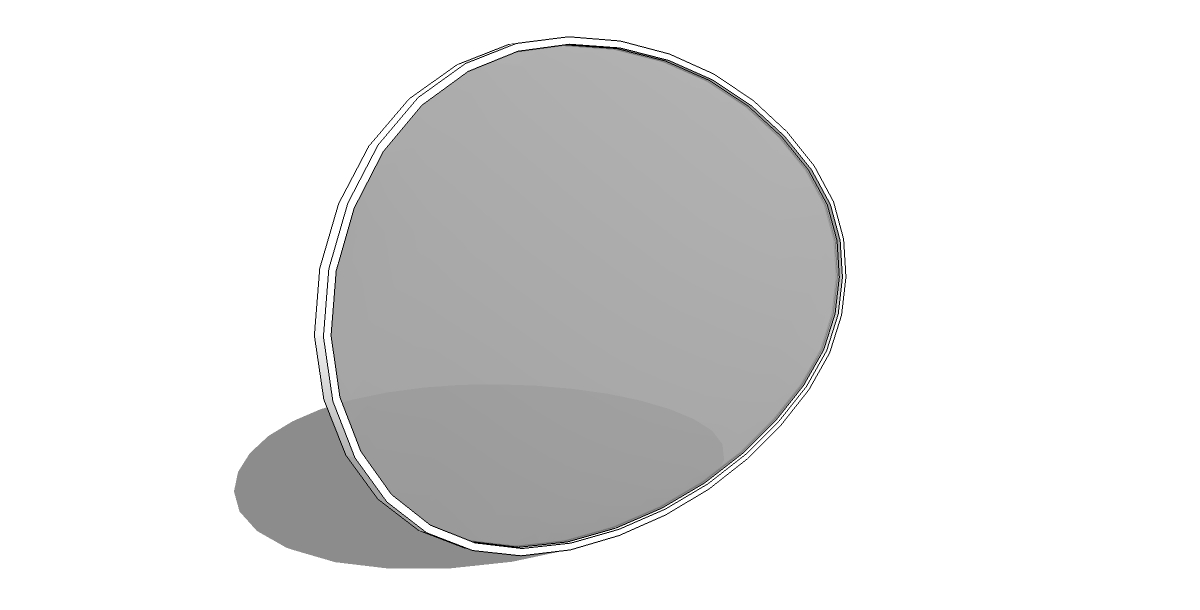
Soap Skin & Bubble works perfectly with the orientation as drawn. (Just skin, no bubble) Quick follow me to make the frame and Joint Push Pull to create the pane depth.
-
RE: Creating grooves from lines over a round shape ?!How to ?
Could you perhaps use TIG's Lattice Maker to make the cutting solid? Not sure how "solid" the lattice is, but it's worth a shot.
-
RE: Creating grooves from lines over a round shape ?!How to ?
Try using Protrude from Jim F. It can do the offsets all at once and then extrude the inner faces, leaving you with grooves where the edges were. It will not recess the edges from their current position though, so you may have to scale it down slightly first. Just tried it on a geodome and it worked perfectly.
EDIT - Strike that, just realized your dealing with non planar surfaces. Can't see any other way than the tedious way.
-
RE: [Plugin] ZoomWindowSelect_dj.rb Ver. 1.0.2
Thanks for sharing. I'd love to see a tool with two options. One, zoom to geometry under cursor (without selecting) and two, center screen to cursor. If I could set up two shortcuts with these options, it would speed up navigation tremendously.
-
RE: [plugin] Rotated Box [updated 30-Mar-2014]
Thanks Sam.
This is a great tool. Would be a super effective technique to create a more comprehensive (& interactive) set of primitive tools similar to in 3ds Max http://heartlessg.com/node/20 Something long overdue in Sketchup. -
RE: Big trouble with terrrain...
I would make sure you clean up the CAD layers. Delete the ones that aren't necessary, moving them to the default layer and then rebuild the layers as applicable to Sketchup. Try using ThomThom's Cleanup tool to erase stray lines and close small gaps.
Regarding the Drape tool. You can also try TIG's Super Drape plugin. (Check plugin index) Personally I gave up on Drape a long time ago. I use another method that I found to be much more reliable and faster.
Try this instead of drape -
-
Copy the outline edges of the surface to be draped.
-
Create (if not already) a group of the terrain to drape onto
-
Open the grouped terrain
-
Paste in place the outline edges previously copied
-
With the outline edges selected use "Extrude Edges by Vector" (TIG's Extrusion Tools) and extrude the edges on the blue axis until they completely penetrate the terrain.
-
Hit the space bar to exit the tool and on exit choose to keep the extrusion grouped.
-
Right click on the group and choose Intersect > "With Context"
-
Delete the Extrusion group and you should have remaining a drape of the original profile.
I've done this hundreds of times with zero bugsplats, whereas Drape seems to splat or loose geometry 50% of the time.
-