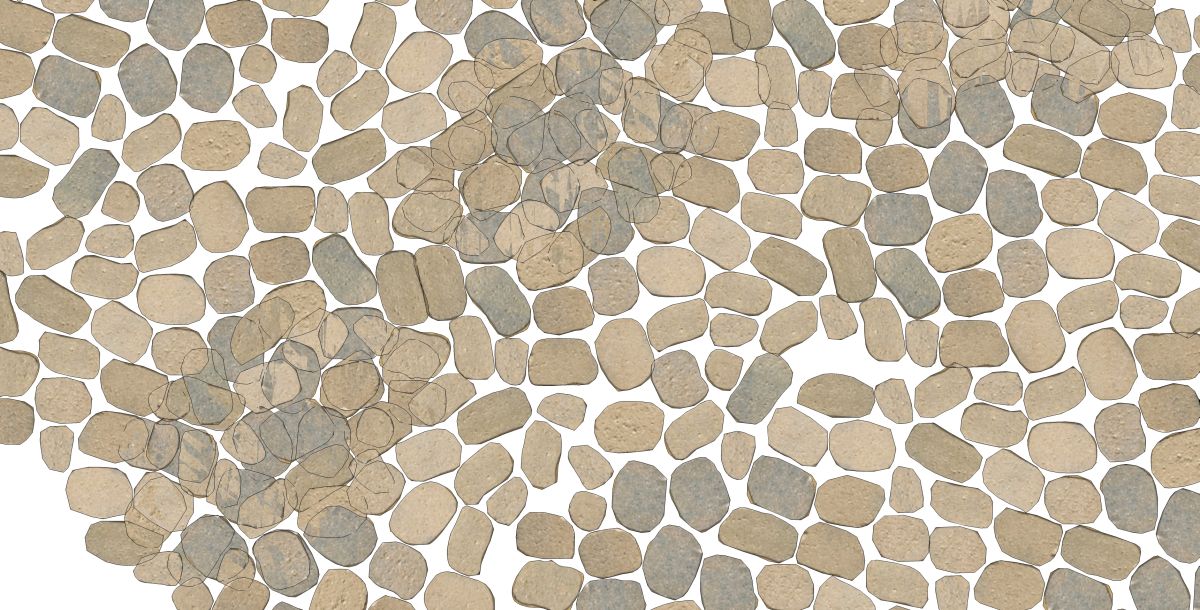
Looking for a plugin to remove components or groups which overlap within a selection. Regardless of name and definition.
Hoping to sort out placement of irregular shapes in a more efficient manor.
Thanks in advance!
 E
Offline
E
Offline
Looking for a plugin to remove components or groups which overlap within a selection. Regardless of name and definition.
Hoping to sort out placement of irregular shapes in a more efficient manor.
Thanks in advance!
Thanks Paul, these are great. Very generous share!
 Love it. Big fan as well. Vase of lilies would be awesome!
Nothing has soured my taste for this software more than the greyed menu issue. This is the best news of the year!!!!
Try using Fredo's Thru Paint using the "Natural UV" method. It will maintain continuity if you drag paint between the two surfaces. Look for the yellow bounding box to know the textures are aligned. http://forums.sketchucation.com/viewtopic.php?t=42089
Acrobat Pro also saves directly to .jpg, .png or .tif. If it's a vector .pdf, I use Illustrator as well to convert to .dwg.
Triple IPA! That's my kind of beer, 'er I mean ALE!
My current favorite - http://www.3floyds.com/wp-content/uploads/2009/08/dreadnaught.jpg
Paul, try either Component Stringer or Shape Bender, both by Chris Fulmer.
Thanks Kris. Upgraded this morning.
There are a few plugins to aid in edge selection. Thom's Quad Face tools is great.
I'm also enjoying the Curve select tool that comes with SketchUV - http://forums.sketchucation.com/viewtopic.php?f=323&t=44501&start=15
Fredo's Hover Select is another good one - http://forums.sketchucation.com/viewtopic.php?t=18916
Thom's Select Curve is also a good one to shortcut - http://forums.sketchucation.com/viewtopic.php?t=31091
I'm doing around 45-50 a week at my full time gig, supporting 3 designers and handling all the visualization and marketing tasks. (This is our busy season) Also working freelance another 10-15 per week with another dozen spent on product development stuff. That's just the bill pay work. The real work is out in the yard managing my 12 acre property and working in my gardens. Desperately longing for more 3D play time, but the family comes first. Free time is usually spent reading, writing and researching.
Reasonable upgrade costs are acceptable, but false advertising is not. It's been a lot of carrot dangle marketing and it's frustrating. When you buy a software based on logical deductions via statements and promises, and those are flip flopped and your investment is devalued, then one has a right to complain. (These guys are worse than Mitt Romney!) After all, you buy that right with your purchase. Lumion became Lumion Basic, now Lumion Ulimate has also become Lumion Basic (mid relased from 2.1 to 2.2) and Lumion Pro will next become Lumion Basic and Lumion Enterprise will be released. After all it's Act3D and it is the same marketing pattern they used for Quest 3D. http://quest3d.com/forum/index.php?topic=54036.0
Definition of Ultimate - (adjective) - "representing a limit beyond which further progress, as in investigation or analysis, is impossible" - "last; furthest or farthest; ending a process or series" - "highest; not subsidiary" (noun) - "the final point; final result" - "the best, greatest, or most extreme of its kind." (Even the name was false advertising)
They have a right to do as they wish with their software and people can take it or leave it, I suppose. Bottom line is this, just know when you purchase Lumion, you are not purchasing future development of the program, however you are purchasing the development done previously and all future development (evolution), besides bug fixes and cosmetics, will come with a hefty price tag. As long as that is the understanding going in, then I am okay with it. I just don't want to be misled. (And also people have a right to be warned and informed)
The coming years will see a huge advancement in realtime raytracing and as that happens the cubemap cartoons will have to evolve or die. One day we will be looking back and laughing at the psuedo realtime graphics of today.
Yeah, once again with the bullshit! As a Lumion 2 Ultimate license holder, I'm extremely annoyed by this second round of price hikes after being promised certain things as an Ultimate user. 
 I think as the technology improves in realtime, the prices should come down and the free market should keep the gauging to a minimum. Not triple in price in less than two years!!! Lumion is now ridiculously overpriced, especially when it is nothing but an "extension" based animation program, which needs separate software to model. Even Autodesk doesn't pull these kind of bait and switch tactics as the Lumion team. If I didn't have so much invested in it, I would be inclined to drop it on principle alone.
Nice job! The interiors are just stunning. A few could use a little vertical shift to straighten out the FOV, but overall, very photorealistic! What did you use to create the terrain out of quads like that?
I suspected as much. A general solution would spend more time inspecting than processing I suppose. Grooves on a single (non-extruded) face should be quite simple, but I imagine the code would vary from solving the edges that turn corners. Edges that support co-planar faces and turn corners is a different procedure than those that turn corners and support non-planar. Also edges that form a "C" as opposed to closed loop would be processed different as well. Could there possibly be a prompt to help the script identify the situation before the process runs? It appears there is an overwhelming desire and need for the (universal) script, across many different industries, but I certainly understand the nature of edges in sketchup and the inability to identify them as they have no "normals" like faces do. I'm however, still hopeful for a solution.
Hey Sam, here are a bunch of different groove scenarios, which all fail with the current plugin, some causing crashes. Thanks again.
I would suggest ThomThom's CleanUp plugin. Tick "Merge CoPlanar Face" and set the smoothing angle to 35 degrees. - http://forums.sketchucation.com/viewtopic.php?t=22920
You could also just select the outer edges and use Fredo's Curviloft Skinning function. It works well for situations like that. http://forums.sketchucation.com/viewtopic.php?t=28586 If you must use a plugin...but as TIG said...it's also easily done by hand.
I certainly will Sam. I have a bunch of billable work to finish up with at them moment, but will get you some test models as soon as I'm done. Unless someone else has time.
C'mon people.....get your grooooove on! 