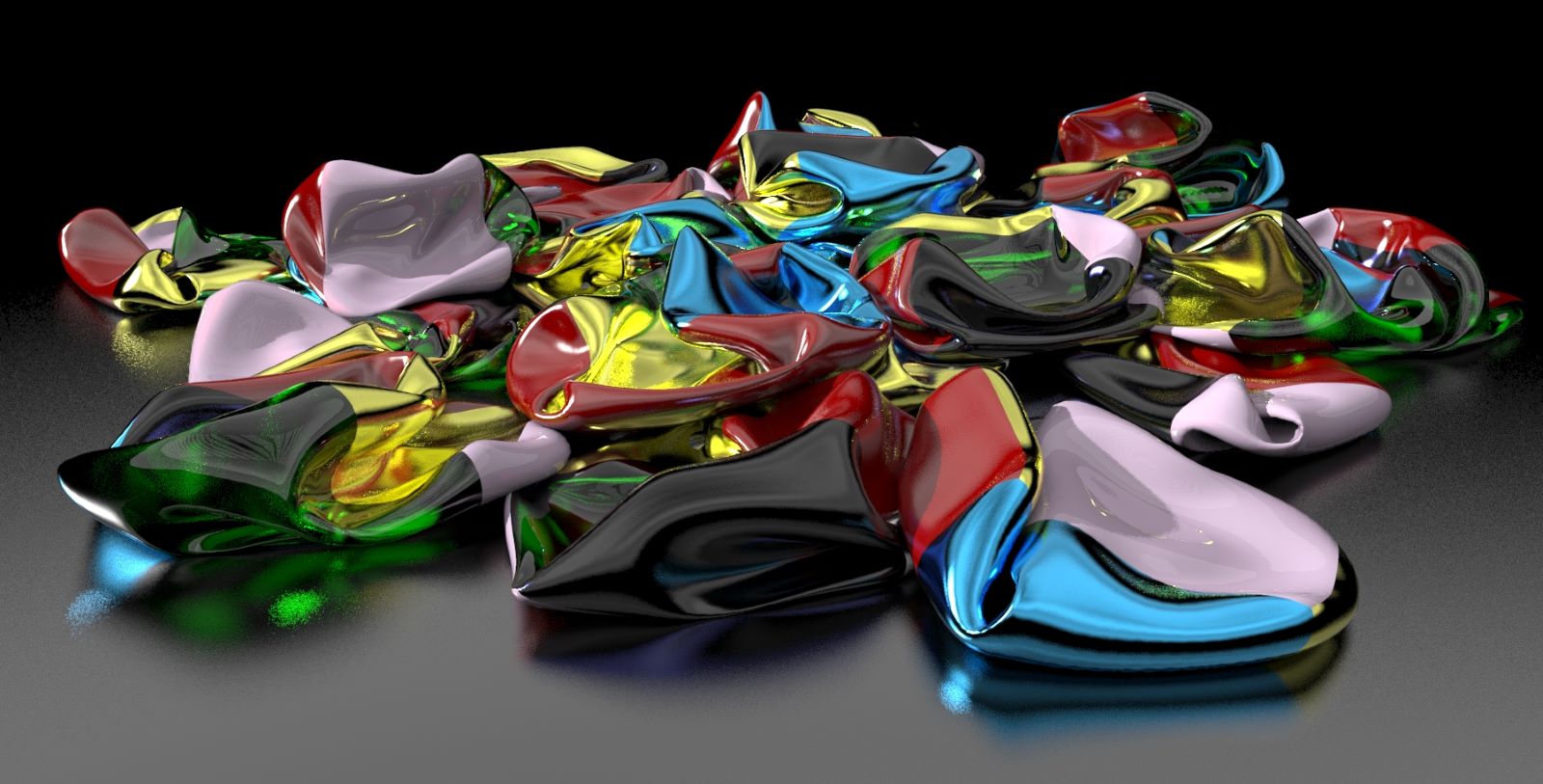
Nothing like a good thought though. 
Oops, your profile's looking a bit empty! To help us tailor your experience, please fill in key details like your SketchUp version, skill level, operating system, and more. Update and save your info on your profile page today!
Urasik Extensions | Lots of new extensions to check out Learn More
 Offline
Posts
-
RE: 3D into 2D?
I haven't tried it, but Tig's Shadow Projector may be the trick for this.
Position the object perpendicular to the sun and project the shadow to become geometry. -
RE: Some tips and tricks from out of the Box
Yeah, there's one tip in there I hadn't thought of using in this way before.
-
RE: Sharing Models With Customers
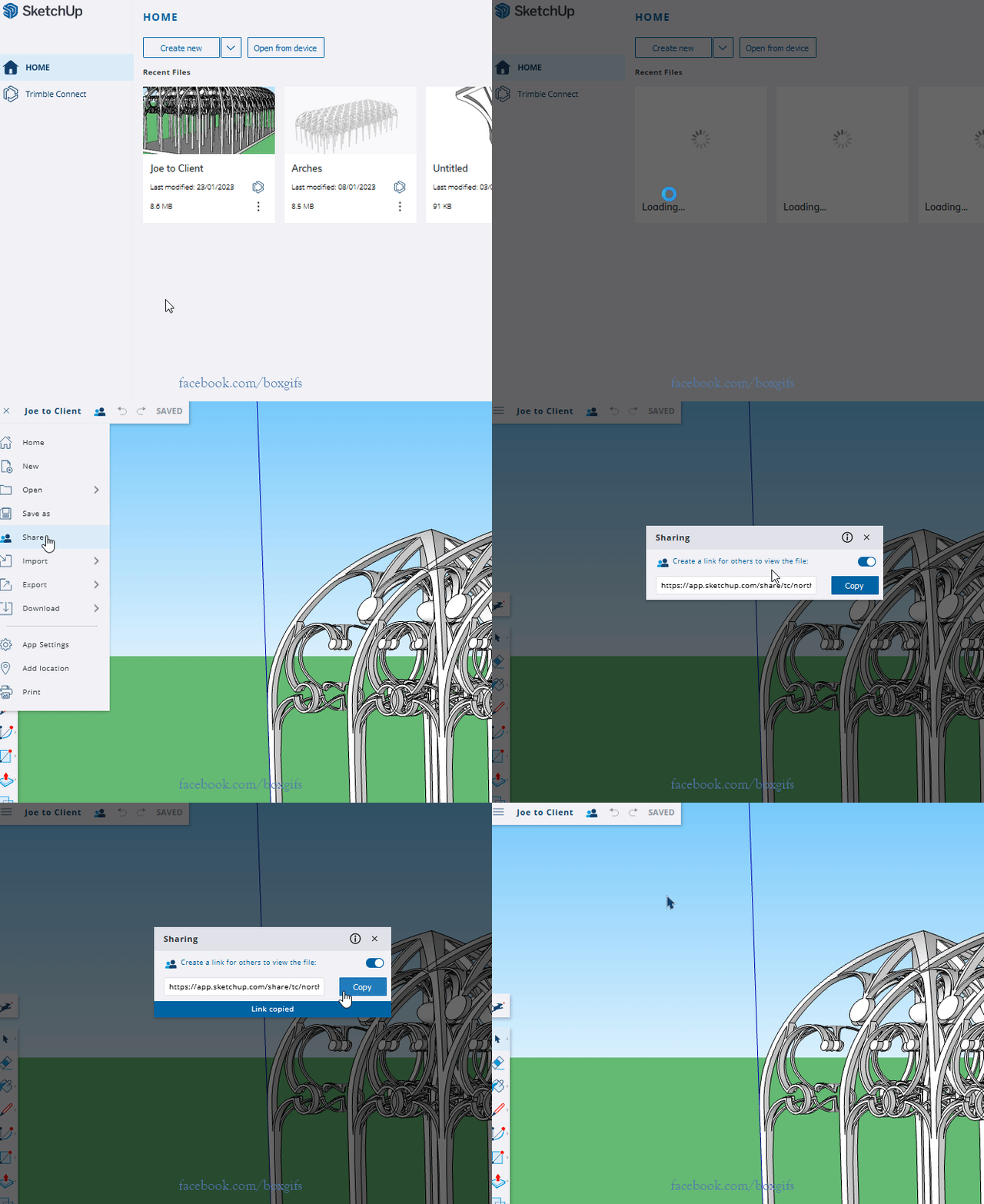
As I said elsewhere.
Click to view animation.
-
RE: Sharing Models With Customers
Something else I didn't realise about this sharing option, if you edit the model and save it the same link will reflect the changes.
So the client only needs to have the one link. -
RE: Sharing Models With Customers
There are various Trimble Connect sharing options available now.
Probably the simplest option for you would be to upload your model to the web version and then use the 'Share' option that has recently been added.
It will give you a link that you can sent to clients that allows them to view and orbit around the model, with no editing and nothing to download.Here I created a model with 3 scenes for you to check out what the result would be if you sent it to a client.
https://app.sketchup.com/share/tc/northAmerica/261pr0odgFM?stoken=molTOUytK3a-dgtFOuzIki64FBrNuzzO6h20UjhwufCO4AFcqFWe5S52xHUEwH9m&source=web -
RE: Help with this Bezier profile drawing.
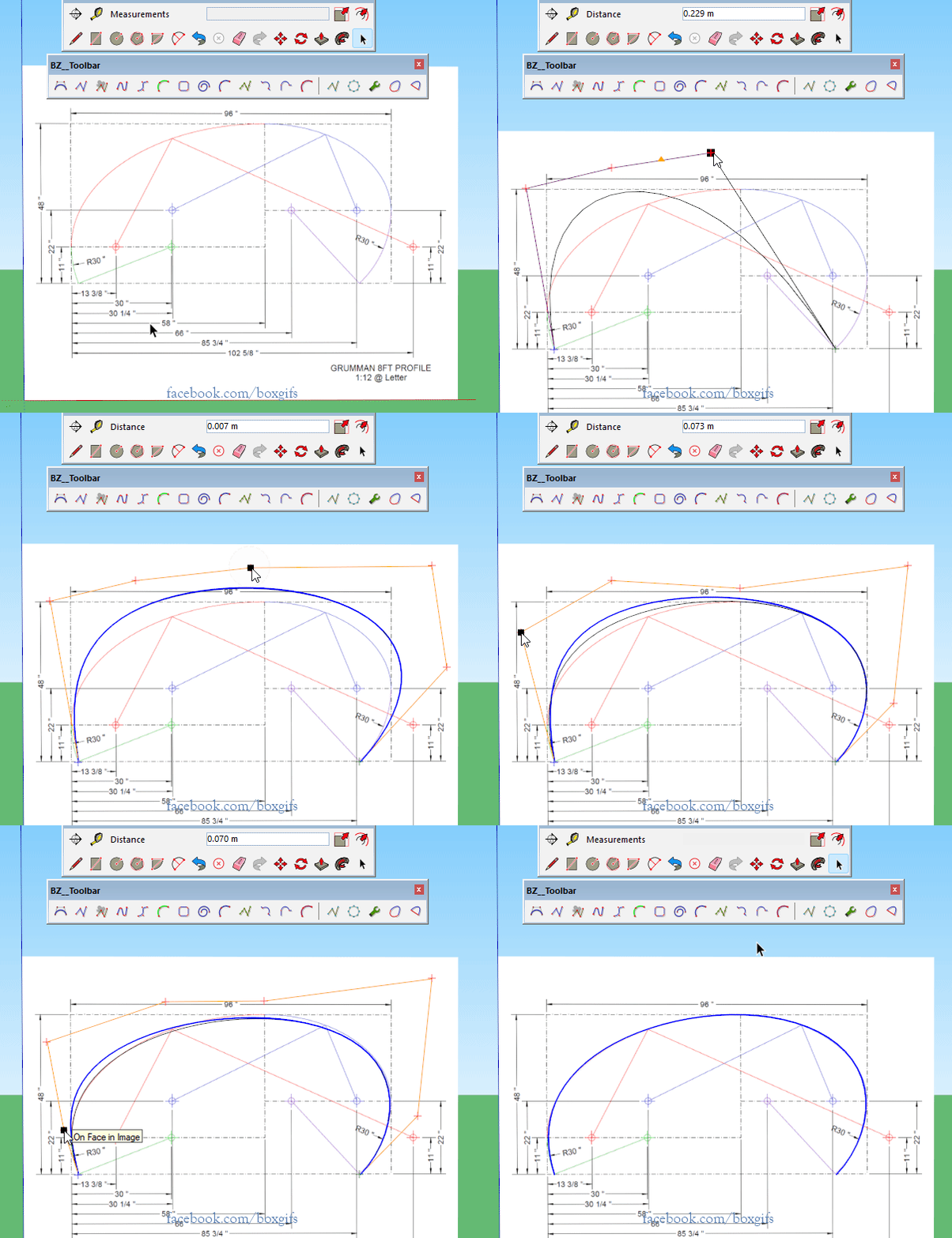
If you just want to have the basics for a Classic Bezier.
Single click start and end position
Single click control points starting need the beginning
Double click to place last control point
While control points are active type the number of segments and an s, in this case I typed 48s, and hit enter
Click and drag the control points to shape the curve
Double click to add or remove control points
Click off the the controls to complete
Use the Edit icon on the toolbar if you wish to go back to edit mode.
-
RE: Round corner interface bugged
Update the Libfredo helper file.
-
RE: Some tips and tricks from out of the Box
It's been a while.
Just seeing if this 4min video will load. -
RE: AI Image Generation
Oh My Dear God, six fucking pages of this AI gibberish. How many more
-
RE: Scottish Stout
If you want to match the actual bottle that are too dark to see the contents, which makes for a simple render.
-
RE: Screens in windows
Looks like you have hidden object in those locations and have View/Hidden Geometry or Hidden Objects turned on.
-
RE: SubD examples and models
There is a lot more skill involved in making a shape that matches something in the real world than there is in my random musings.

-
RE: Best Way to Align Faces within Groups?
Watch Dave's gif again, it's the glue to function and the alignment of the axes.
-
RE: Best Way to Align Faces within Groups?
Your component dialog is opening offscreen, when you first click make component, Press alt and spacebar together, then tap m, then tap any arrow key, then move the mouse without clicking until the dialog appears, click to place.
-
RE: Closing Mesh / Surface Boarders Problem - Help!
I almost linked just to the plugin but felt the rest was also worth reading.
-
RE: Closing Mesh / Surface Boarders Problem - Help!
Someone posted a calculation for the optimum segments per arc somewhere, if I find it I will give you a link to it.
But basically its sort of a combination of things. No I'm not saying 45 for a 45 degree arc, I was using that as a quick reference, meaning a circle of 360 segments is 1 segment per degree, which if the circle is small is pretty tiny. 900+ is really tiny.
So there need to be a it of give and take, if the fitting you attached is all you want in the model and you have a fast computer and are happy to wait for it to do things a bit, then it is fine.
But by reducing the number of segments you will get a much more workable model, go too far down and you will see faceting. So its a balancing act. Finding the appropriate level of detail to take full advantage of the printing technology while maintaining a workable environment. The most I generally use is 96, but then I'm generally working with fdm which normally needs some finishing. I have gone higher for specific jobs, or used SUbD to go very smooth but it's a good place to start. Best to work in multiples of twelve so you have better control of your cardinal points etc.
I'm not intimately familiar with resin printing, I imagine it can be more detailed than a basic fdm, but there will still be a 'resolution' below which it will be pointless.
If you have the option you could send them some test prints to get an understanding of how the finish will look depending of number of segments. A couple of simple rings of varying detail.
You can also still model larger, I think you have the model scaled so that what is probably 48mm in the real world is 4.81m in the model? You could up this to 1mm=1m. The larger the size the less issue with tiny faces(within reason, too big is bad too). Model as if every mm is a metre. I assume you are sending them .stl files, these are unitless, so if they import your .stl and say the units are mm then that's what they will be.I just checked a real world segment length for one of your circles (assuming it is the size I think), it would be 0.185725 mm. I don't know whether a resin printer can see this small in an arc.
-
RE: Closing Mesh / Surface Boarders Problem - Help!
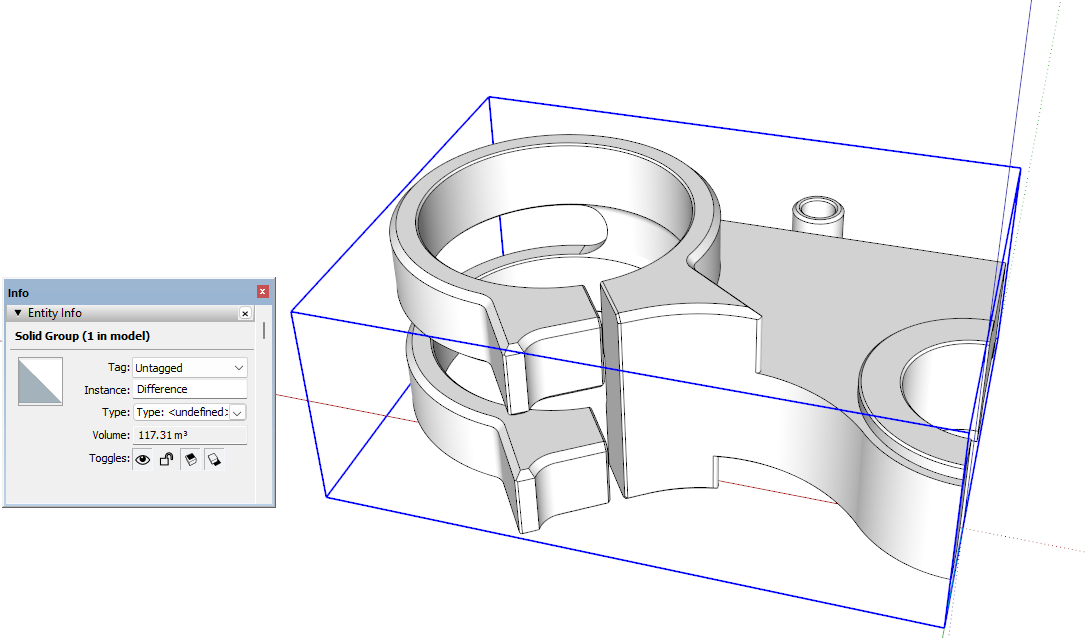
I was able to close the holes in your mesh by carefully joining the relevant endpoints to form the faces. In a couple of them it was simpler to remove an edge and restitch.
But your real issue is too many, let me repeat that, way too many segments in your curves. You have over 900 for a circle, there are only 360 in a compass. Having so many segments will slow your model down and make the tiny face issue a problem, even when working large.
But none the less a careful edit makes it a solid.
-
RE: SubD examples and models
What happens when you SUbD some cubes then hit them with Clothworks.