⚠️ Important | Libfredo 15.6b introduces important bugfixes for Fredo's Extensions Update
  • Cut through roof

    5
    1
    0 評價
    5 貼文
    102 瀏覽
    D
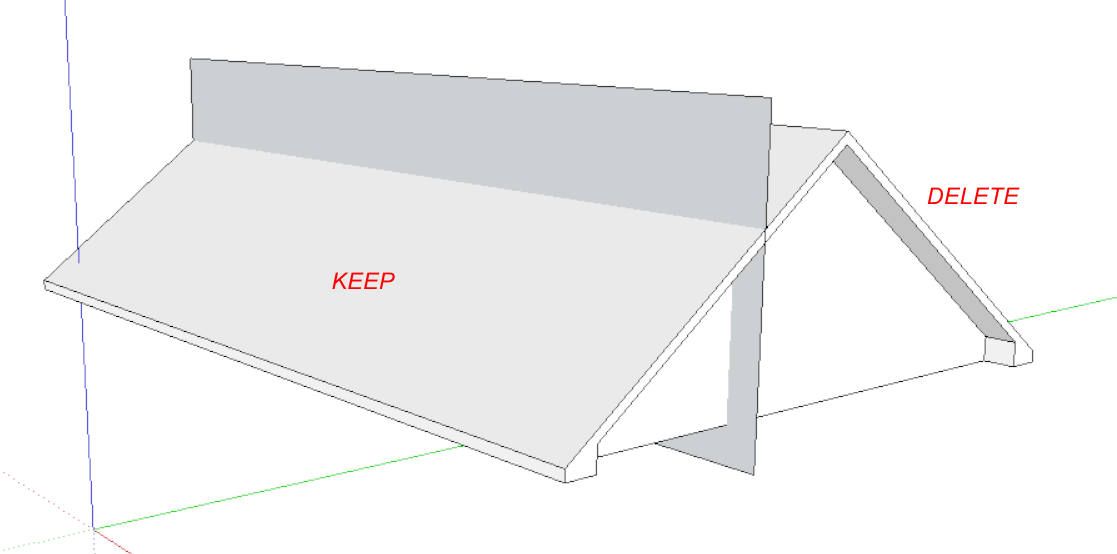
    @Dave-R said in Cut through roof: Explode the vertical face, use Edit>Cut to cut it to the clipboard, open the roof group for editing, hit Edit>Paste in place. Then select all, use Intersect Faces>With Selection and erase the unwanted stuff. Thank you !
  • Components do not save

    7
    1
    0 評價
    7 貼文
    170 瀏覽
    D
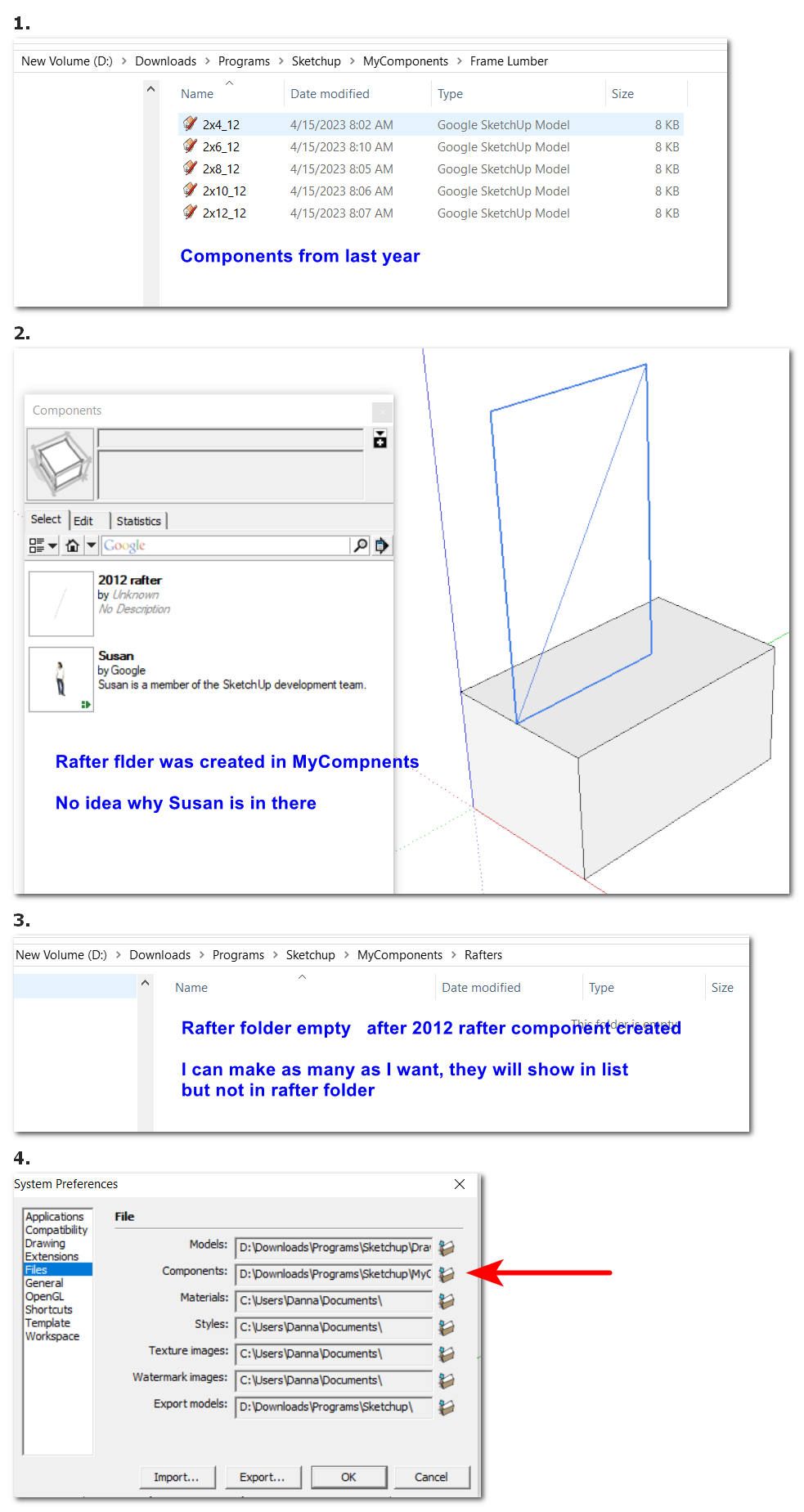
    All my programs are on my C:drive. Created / saved files go to a folder on a larger D:drive. Old habit I guess.
  • Component confusion

    8
    1
    0 評價
    8 貼文
    189 瀏覽
    D
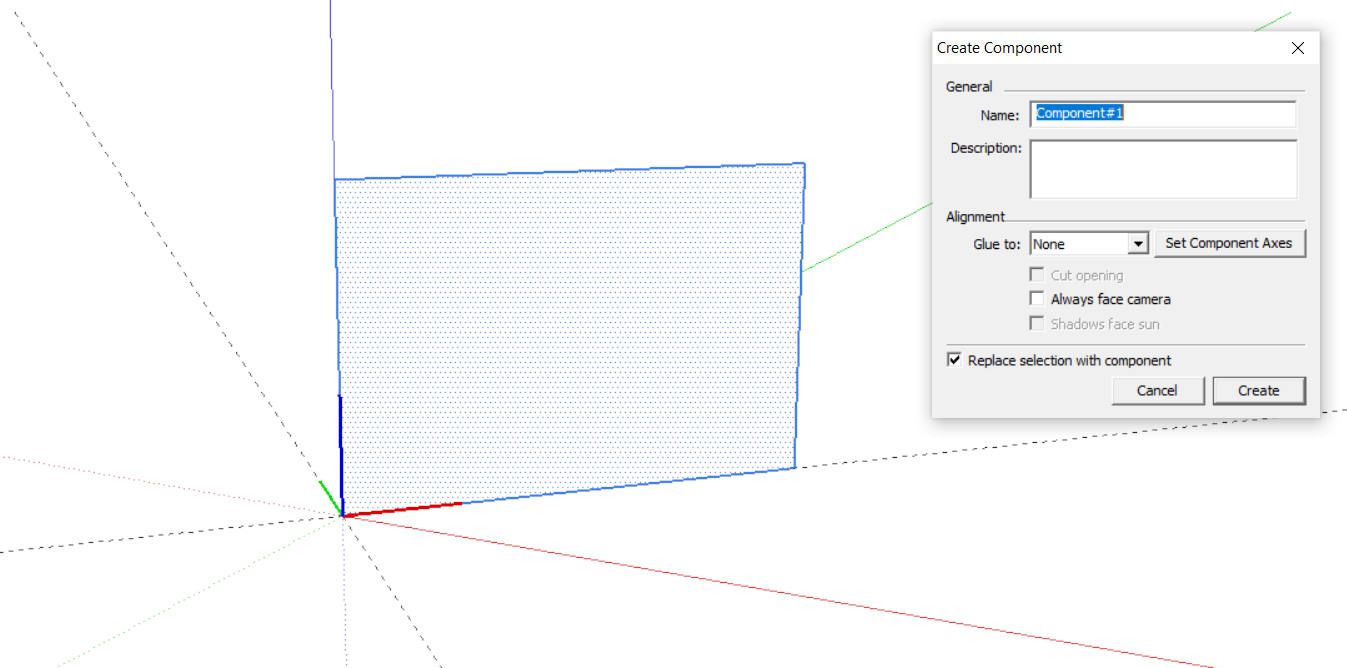
    @Dave-R said in Component confusion: @danna Look at the orientation of the axes in my screenshot. Give the component gluing in the Create Component panel. I had tried glue vertical before, but was having trouble setting correct axis. Thanks ... working now.
  • Sorry - An error occured in the communication with Sketchucation

    Solved sketchucation license
    6
    1 評價
    6 貼文
    224 瀏覽
    TIGT
    @Yarun It's a Firewall setting in your computer's security settings [or Network security settings, or your AntiVirus tool settings] *sketchucation.com* should be set in the whitelisting...
  • Tape Measure Modes

    Solved
    5
    0 評價
    5 貼文
    137 瀏覽
    L
    Ok, thanks! Well, in the newest version, which I'm using, it measures, resizes and creates guidelines in both modes. The only difference that I can see is that it only creates guide points in the second mode.
  • Default template and trays

    sketchup
    8
    0 評價
    8 貼文
    2k 瀏覽
    D
    @djh I saw in a different post of yours that one must reboot. Now, it works - I open with my custom toolbar and trays.
  • New member

    4
    1 評價
    4 貼文
    122 瀏覽
    L
    Welcome
  • Hi, I am New Here

    4
    0 評價
    4 貼文
    127 瀏覽
    L
    Basically what others have said with the addition of watching some beginners tutorials on you tube of which there are many, of just have a go, when you get stuck ask a question if you get stuck. We have all been beginners so we get it
  • How to construct a funnel

    13
    0 評價
    13 貼文
    440 瀏覽
    Dave RD
    @Alohaa said in How to construct a funnel: @Dave-R PLA it biodegradable and food-safe! I was doing some reading about that. While PLA may be food safe, the dyes used to color it may not be. Several articles I read also indicate that the hot end nozzle may not be food grade and could impart toxins into your prints. One article for example: https://www.wevolver.com/article/is-pla-food-safe
  • Sketchup Make 2017

    3
    0 評價
    3 貼文
    218 瀏覽
    E
    @Dave-Yeah, I forget since then. It's really the time I start again to use skp haha. I mostly forget everything. Btw, I found one on Google so I'm using it now. Things begins to come back Thank you
  • Looking to buy new laptop to run sketchup!

    5
    0 評價
    5 貼文
    155 瀏覽
    Rich O BrienR
    @Natural-Edge said in Looking to buy new laptop to run sketchup!: has anyone got a good recommendation that might be in a similar price bracket. XMG in the EU are solid devices and customisable If you're in US it Eluktronics
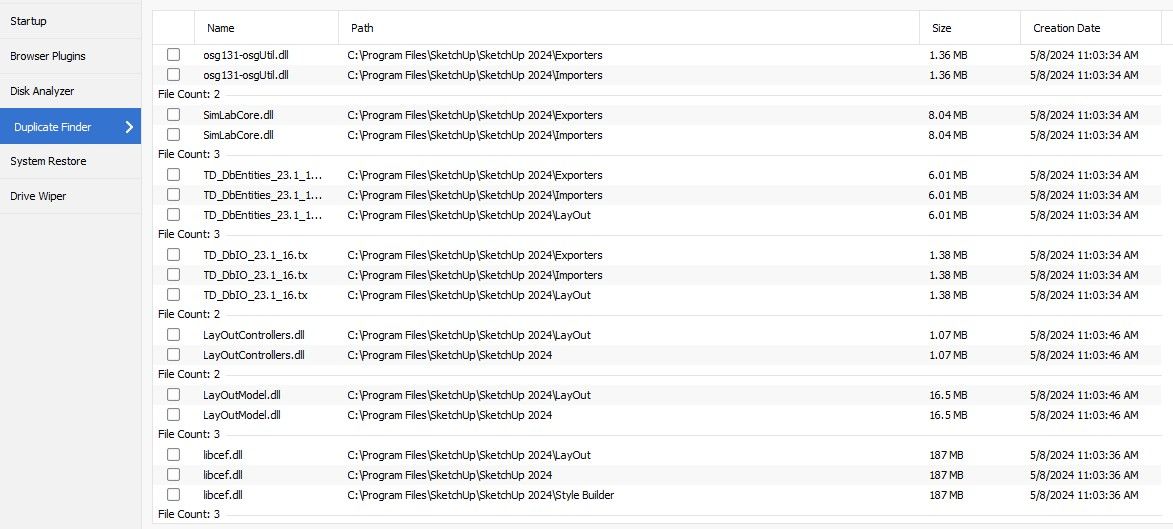
  • Can one delete duplicate files from the hard drive?

    3
    1
    0 評價
    3 貼文
    80 瀏覽
    D
    @TIG Thank you.
  • LibFredo6 glitch ... can't install Roundcorner

    2
    0 評價
    2 貼文
    55 瀏覽
    TIGT
    @Tula-Woodworking Have you restarted SketchUp to sync everything ? Have you installed the SketchUcation Tools needed for licensing ? Assuming you are using Windows - have you installed Sketchup properly ? Double-clicking the installer's exe file to 'Run' it is not enough, even if your user account has admin powers - doing so can cause unpredictable issues, often around permissions and file access. It can be repaired without needing to re-install SketchUp - do the following... It will leave any installed files etc unaffected... Close SketchUp. Find its installer exe file - usually in your Downloads folder [down load a new copy if you no longer have it]. Select the exe file's icon, right-click > context-menu > Run as administrator When prompted choose Repair. When it finishes restart SketchUp. Any improvement ?
  • Camera import and control

    sketchup
    23
    0 評價
    23 貼文
    5k 瀏覽
    TIGT
    @mbarker I've replied to you in a PM I just tried it on v2024 and it works fine... although most of it is over a decade old ! It imports a text file with a camera-view on each line. The camera-view entry must be as follows... name,xeye,yeye,zeye,xtarget,ytarget,ztarget,rollangle,fovangle there can be an optional value added after 'fovangle': ,image But you probably aren't wanting to use that. The values in the entry must be separated with the constants that are set in the RB file: Edit the ICVSEP and ICDSEP constants to suit your typical file's locale value-separator [' ',;:\t] and decimal.separator [. or ,]... In the example I show it's as a comma , separator and a . You might use a space or ; and a , to suit locale. Please check you are setting up you file correctly. As I said it works fine given the correct input. To attach an RB file just drop it into the message TIGimportcamera.rb There are donation buttons against many authors entries in the PluginStore and ExtensionStore³
  • FREDO SCALE NOT WORKING

    7
    1 評價
    7 貼文
    141 瀏覽
    fredo6F
    @NIX1995 Do you mean it works now?
  • Viewer

    2
    0 評價
    2 貼文
    77 瀏覽
    Rich O BrienR
    @djh Only tool I know of is 3DBrowser which has implicit support for skp files. https://youtu.be/LiKCZul4ucA I've tried it a few years ago and while useful I found it not too approachable. I recommend trialling before buying.
  • Looking for 3D models

    4
    0 評價
    4 貼文
    145 瀏覽
    E
    @gullfo I think MakeHuman don't gives a standard shape for muscles. We have to create our own muscles I guess on MakeHuman. Btw, I'll try both. Thank you !
  • Can't uninstall Sketchup 2023

    Solved
    2
    0 評價
    2 貼文
    191 瀏覽
    F
    No on my Windows 11 laptop the 2 entries are present. If an application is not visible in the list of applications, it could be for several reasons, what I would do first is check in the registry if the entry in "HKEY_LOCAL_MACHINE\SOFTWARE\Microsoft\Windows\CurrentVersion\Uninstall ", once you do a search on "SketchUp 2023" which for my part with the latest version gives the following result "HKEY_LOCAL_MACHINE\SOFTWARE\Microsoft\Windows\CurrentVersion\Uninstall{6af6b504-1cb0-504c-f20f-061179014e6d}" If you find that without any approach, look at the line named UninstallString and take the value MsiExec.exe /I{6af6b504-1cb0-504c-f20f-061179014e6d}. in my case. Executing this command starts the sketchup setup. If you don't find anything, I would reinstall sketchup 2023, simpler than manual cleaning. There is another one for troubleshooting at Microsoft https://download.microsoft.com/download/7/E/9/7E9188C0-2511-4B01-8B4E-0A641EC2F600/MicrosoftProgram_Install_and_Uninstall.meta.diagcab But it is a tool that requires a certain amount of experience, so be careful, it is necessary to take some precaution, such as a backup system at least, see an image of the disk.
  • anamorfosi

    4
    0 評價
    4 貼文
    191 瀏覽
    L
    @tuna1957 said in anamorfosi: @luisto Did a bit of searching. Found some older posts asking about this. It led to the suggestion of a couple of plugins. TIG’s “Projection to Ground and Didier Bur’s “Projections”. Check into them. Mille grazie.
  • 3D text fonts problem

    2
    0 評價
    2 貼文
    93 瀏覽
    Dave RD
    @pace514 I installed the font and tried it. It shows up as Lato Hairline and it does work for me as 3D text. It's very thin. How tall is your text supposed to be? [image: 1711936895933-screenshot-3_31_2024-9_01_41-pm.png]

Advertisement