How would you expect it to orient to a vertex? A single point doesn't have any direction by itself.
Oops, your profile's looking a bit empty! To help us tailor your experience, please fill in key details like your SketchUp version, skill level, operating system, and more. Update and save your info on your profile page today!
🔌 Smart Spline | Fluid way to handle splines for furniture design and complex structures. Download
 Offline
Posts
-
RE: [Plugin][$] Vertex Tools
-
RE: SubD examples and models
@pbacot said:
I notice that the promotional material for SketchUp came with a picture of a model that is obviously NOT created using the tools provided in SketchUp. I guess this is common for SW promotions....
Oh really? Was that part of an email?
I want to find out who made that model so I can repost it on SUbD's page. -
RE: SubD examples and models
@hornoxx said:
and you will add your "Charger" from page 1 here then which you have never finisedh, equipped with slide cucks(?) instead of tyres

Touche!
Yea - I keep getting distracted by new ideas to new tools...

-
RE: [Plugin][$] JointPushPull Interactive - v4.9a - 02 Apr 25
Thank you very much for these updates Fredo!
-
RE: Anti-aliasing & edge selection
Maybe it's model specific... can you share a model?
-
RE: SubD examples and models
Thank you very much for this detailed breakdown of your workflow.
-
RE: SubD examples and models
I don't doubt it's of German origin. But I found it amusing that the titles were so different

Though... I don't quite "get" the German name... -
RE: [Plugin][$] JointPushPull Interactive - v4.9a - 02 Apr 25
Let me know if there's anything I can help with in supporting quads.
-
RE: [Plugin] QuadFaceTools
Version 0.13.1
- Improved OBJ import - handles OBJ files with unexpected W value for its UVW coordinates.
-
RE: [Plugin] QuadFaceTools
Version 0.13.0
-
Improved OBJ importer.
-
Handle different encodings.
-
Also look in "map" and "maps" directories when searching for textures.
-
Handle files referring to materials without a .mtl companion file.
-
Fix line segment import.
-
Support OBJ files with negative indicies.
-
Add a Quad-Edge Tool to mark edges as Quad Edges.
-
Unhide the experimental Offset Loop Tool
-
Dropped compatibility for SketchUp 2013 and older.
-
-
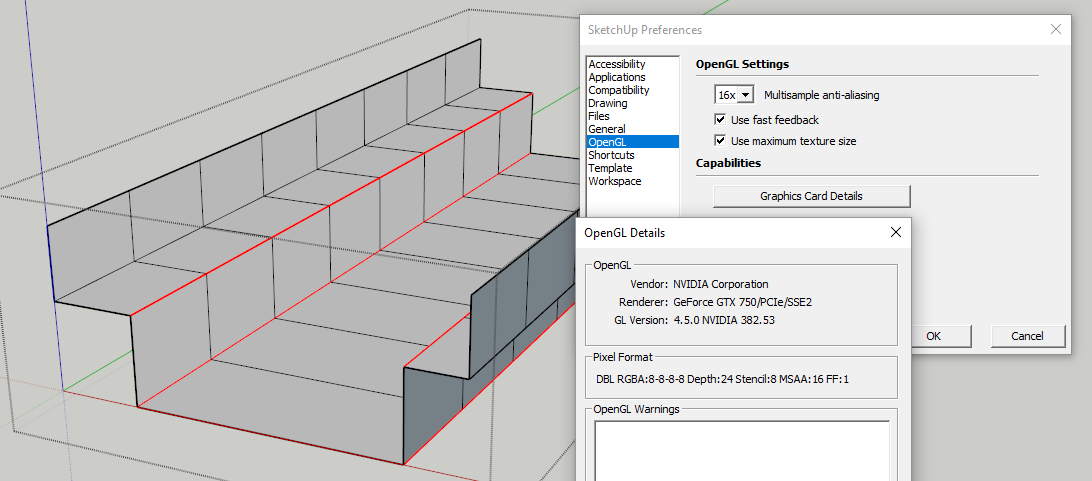
RE: Anti-aliasing & edge selection
Hm... What graphic card and driver are you using?
What is your screen resolution? -
RE: SubD examples and models
@vanpi said:
I saw a lesson on modeling a car rim in a blender. I decided to repeat it in a SketchUp.
Very nice! I'm happy to hear that workflow from other software packages could be transferred into SketchUp.
-
RE: SubD examples and models
Yea, it would be too complex to code understanding of such asymmetric mesh I'm afraid.
-
RE: SubD examples and models
@cuttingedge said:
its been my practice to subdivide, and yes exploding at times, quadifying autofolded faces (takes a long time dealing with the diagonals).. It can be a pain with complicated meshes
 . .. Even with perfectly done quads can all of a sudden triagulate when you toggle subd.
SUbD will preserve quads from the original mesh. You will only see triangles if you have n-gons. (Note that quads from SUbD's process will be triangulated internally. But you can use QFT to toggle off triangulation of coplanar faces.
@cuttingedge said:
I wish autofold can be totally disabled..and wish loops can be moved by dragging instead of adding and removing...
AutoFold cannot be disabled because it kicks in when a planar face is transformed such that the points are no longer planar. There is no way around that
I second your wish for better loop adjustment control. A while back I did start on experimenting with better tools for that. Not complete, but there is an Offset Loop tool in latest QFT. (Though that's only for inserting new ones. Being able to move existing ones would be nice.)
@hieru said:
Would it be possible to have a tool similar to crease, where you select two loops and SUbD doesn’t subdivide between those points?
Thinking about it, that sounds almost impossible to implement....just throwing it out there.
SUbD is using OpenSubdiv for the subdivision process - I don't have that kind of control Also the algorithm wouldn't be able to cope with exceptions like that.
-
RE: SubD examples and models
Yea, due to how the SketchUp API is - SUbD have to create entities for the subdivision. At some point during development I had a small polygon optimisation in that coplanar quads was not triangulated. But that turned out to be bad for performance when doing stuff like adjusting creasins - as SketchUp's Auto-fold have too much overhead when it kicks in. Also, in order to keep the subdivided entities in sync with the control mesh I cannot omit entities.
So as things are now you would have to optimise the subdivided mesh yourself once you are confident you won't need the control mesh any more.
Ideally I wish I could hook directly into the viewport - intercept how instances were drawn. But alas, that's not possible with the current API.
-
RE: (Q) make planar differences
They are behaving similarly. Back when they were added the connection between QFT and VT wasn't as close as it was now. Now that VT is QFT-quad aware the functionality is overlapping.