sketchucation logo sketchucation
    • Login
    1. Home
    2. thomthom
    3. Posts
    Oops, your profile's looking a bit empty! To help us tailor your experience, please fill in key details like your SketchUp version, skill level, operating system, and more. Update and save your info on your profile page today!
    πŸ”Œ Smart Spline | Fluid way to handle splines for furniture design and complex structures. Download
    Offline
    • Profile
    • Following 0
    • Followers 8
    • Topics 628
    • Posts 16,952
    • Groups 4

    Posts

    Recent Best Controversial
    • RE: Version 2.1 is out - SUbD in multiple languages

      @numerobis said:

      subdivision is still much slower for me when the "SUbD Entity Info" window is opened 😞

      What SUbD version? (Is this new to 2.1?)

      (Btw, can you start a new thread for this?)

      Also, can you elaborate? The time it takes to subdivide a mesh takes longer if Entity Info is open?
      Also increase/decrease?

      What SU version?

      What OS?

      Does it happen on all models?

      (Please add this to the new thread.)

      posted in SUbD
      thomthomT
      thomthom
    • RE: SubD examples and models

      @collage architecture said:

      I'm now trying to add more detail to it,and hope someday in my spare time I could make a tutorial of the making of in Chinese.

      Let me know if you create that tutorial, I'll share it on SUbD Facebook and Twitter page. (Maybe I should add a new section on the site for external tutorials...)

      posted in SUbD
      thomthomT
      thomthom
    • RE: SubD examples and models

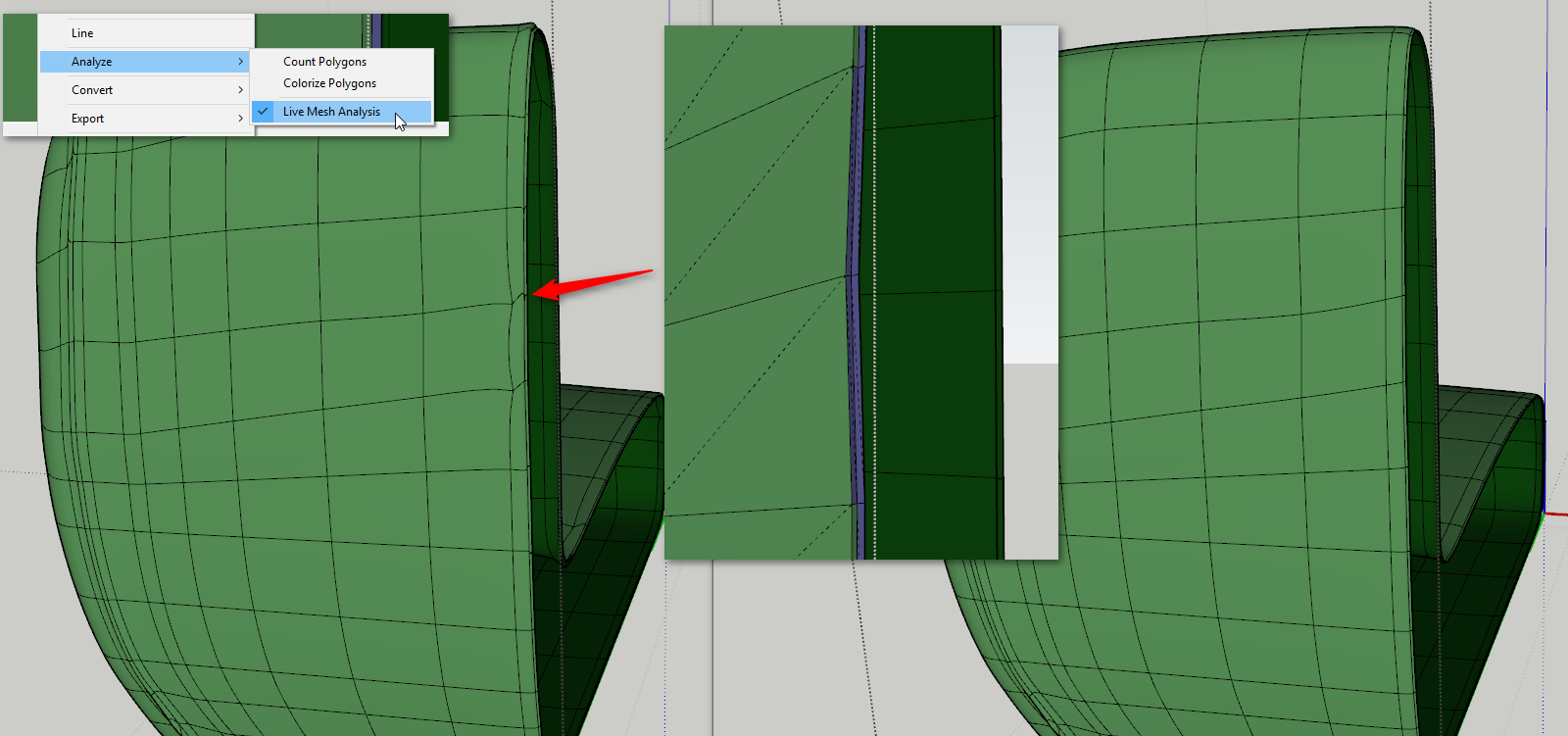
      I noticed some irregularity in the subdivided mesh. So I wanted to poke into the control mesh. I turned on QuadFace Tool's Live Analysis Mode that highlights quads as green and triangles as blue.

      I found some triangles that looked like they should be quads. Once I converted the triangle-sets to quads the subdivided mesh had more regular lines:

      2017-05-21_21h00_23.png

      posted in SUbD
      thomthomT
      thomthom
    • RE: SubD examples and models

      That's a really nice chair model - and render!
      Do you still have the original control-mesh? I was trying to play around with the model on 3d warehouse, but I wasn't able to toggle off subdivisions.

      posted in SUbD
      thomthomT
      thomthom
    • Version 2.1 is out - SUbD in multiple languages

      changelog-2-1.png

      Change log: http://evilsoftwareempire.com/subd/changelog/2.1

      New Features

      • SUbD can now be translated.

      If you want to see SUbD translated in a language not yet supported, leave a comment. Bonus points if you can recommend an extension translator for that language.

      Improvements

      • Added ability to toggle subdivisions globally for the current model.

      Fixes

      • SUbD now respects the locked property. An mesh cannot be subdivided if it's locked or any of its siblings are locked.
      • Open instances can now be subdivided again without having previously been subdivided.
      • SUbD's Entity Info dialog should now correctly update under Mac after closing and reopening the dialog.
      posted in SUbD render plugins extensions
      thomthomT
      thomthom
    • RE: SubD examples and models

      @tuna1957 said:

      Back to trying to wrap my head around quad modeling again. Decided to step back to some less complex stuff to try and get a better handle on using QuadFace Tools and SubD properly. Modeled a vase I actually own.
      This was a real good exercise in learning the various functions of QuadFace Tools, adding rings and loops ( or is that loops and rings ? ) , using the grow selection tools and such. Would suggest just simpler stuff like this for "newbs" like me to get a good handle on using Thom Thom's great tools.
      Posting a quick render and a shot of the model thru it's "stages".

      That's a really nice example for how effective a few polygons can be. πŸ˜„

      posted in SUbD
      thomthomT
      thomthom
    • RE: Fluid freehand

      @box said:

      Hmm yep, I see the issues involved.
      What about if the freehand line could somehow be converted into one of fredos beziers.
      ie: draw a line as fast or slow as you like but when you stop it makes a smooth curve based on a certain number of control points? more points in the slow section and less in the fast section. or a predetermined number spread over the length of the curve, but smooth.

      Yup, that should work. Though there is many ways to convert to a curve. I suspect in most cases you want a smooth curve that is as close as possible to the original.

      posted in Developers' Forum
      thomthomT
      thomthom
    • RE: Fluid freehand

      The stylus tool I'd been tinkering with was a means to quickly generate meshes - mainly focused on quads. The idea was that you'd trace an image and build your quads from that. (Or create new topology on top of existing geometry.)
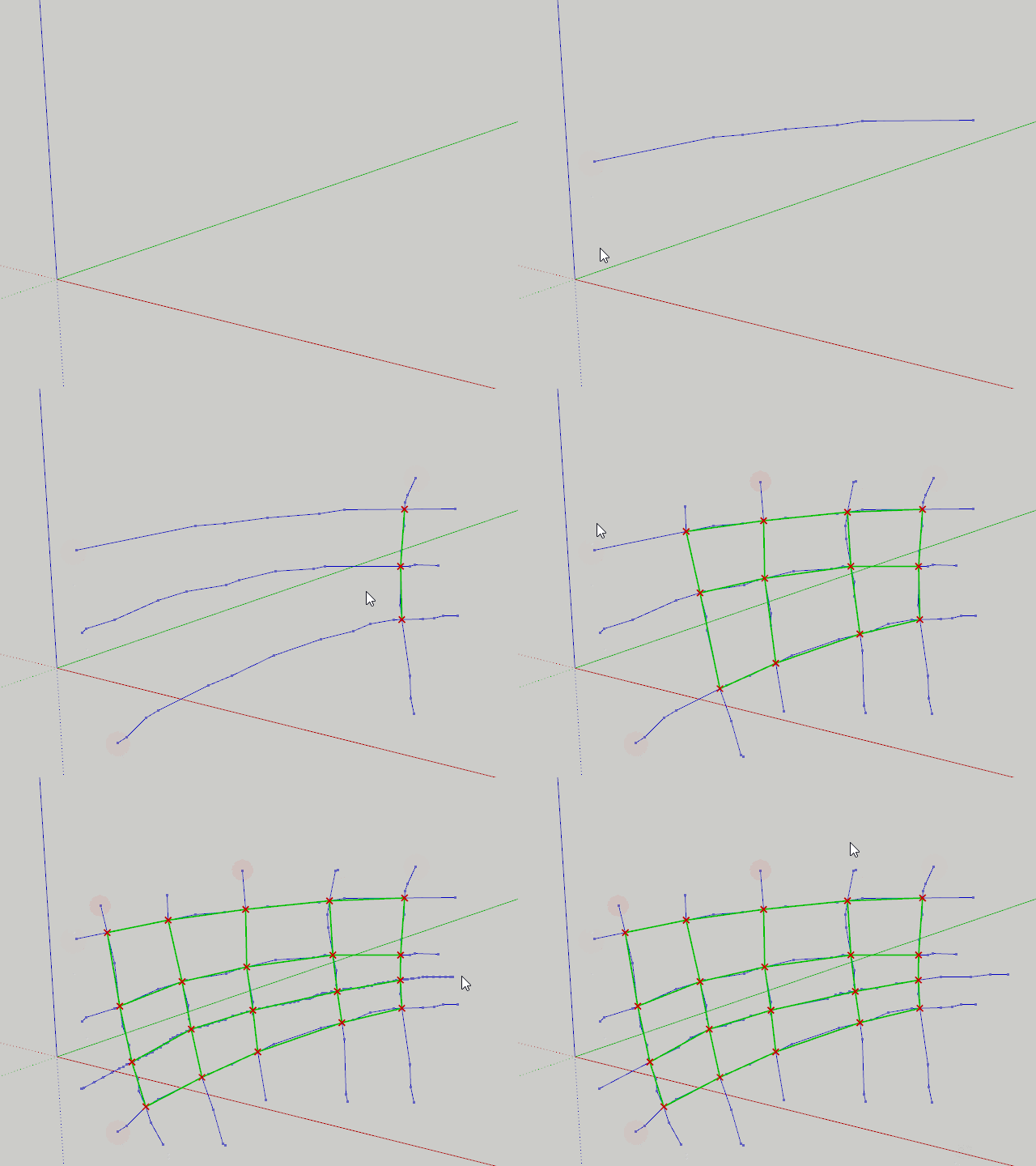
      Stylus.gif

      I'm not sure how easy Box' request would be. At least with what control you have from the SU API. Because the smoothness of the points depend on how quickly you can receive the input. In my stylus I collect points as fast as I receive callbacks. And as you can see it's still somewhat jagged:
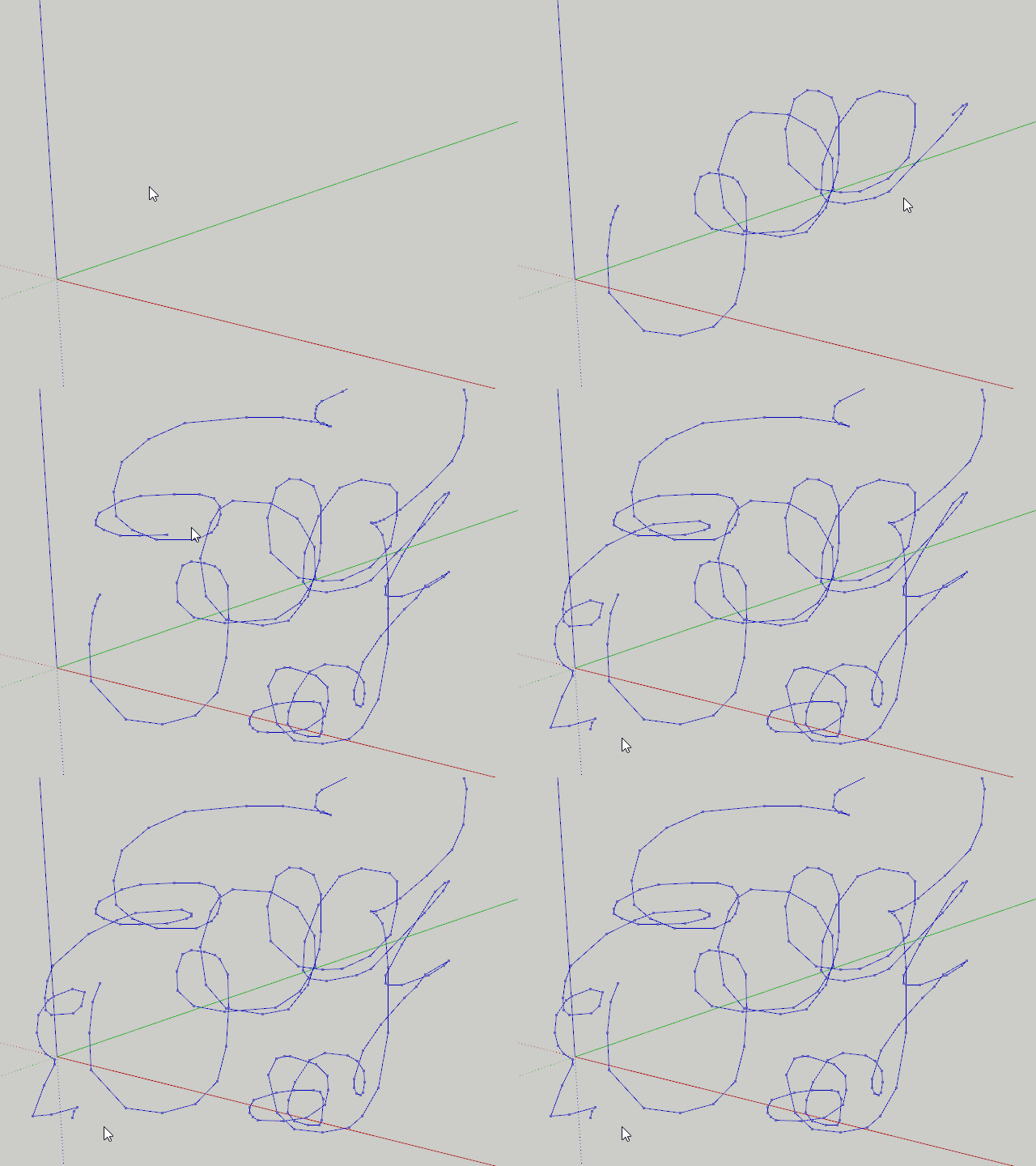
      StylusDraw.gif

      Granted, it'll be more jagged the more I do during mouse movement and drawing to the viewport. Maybe it could be improved. But I think that in general, with user input like this you need to interpolate in order to get smooth result.

      I actually had a similar conversation a couple of weeks ago, while talking to some VR developers in a co-working space nearby. They were playing around with VR presentation tool in Unity and had added a tool to do drawing in the VR world. But also there you had the problem of jittery input

      Same thing, if you move fast you got fewer more jagged points, if you move slow you get more points (not necessarily smoother, as your hand create jitters) It all boils down to how quickly you are able to sample input.

      posted in Developers' Forum
      thomthomT
      thomthom
    • RE: [BUG] SU mesh Validity Check error

      Have you noticed any patterns that lead up to this?

      Also:
      What SU version?
      What OS?

      posted in SUbD
      thomthomT
      thomthom
    • RE: [BUG] SU mesh Validity Check error

      Not something I've seen or can recall hearing about before.

      That error seems to indicate an issue with the entity ID of some entities - which is something only SU assigns.

      I would need a way to reproduce in order to figure out what might be going on.

      posted in SUbD
      thomthomT
      thomthom
    • RE: [BUG] SU mesh Validity Check error

      What SU version?
      What OS?
      You mention both SUbD and QFT. Do you have some steps that reproduce? A model saved?

      posted in SUbD
      thomthomT
      thomthom
    • RE: Reversed Selection Behavior

      Hmm... that is strange, if you convert to plain mesh SUbD should not be interfering...

      Can you show a video/gif of what you observe? Maybe we are talking about different things?

      posted in SUbD
      thomthomT
      thomthom
    • RE: Reversed Selection Behavior

      When you have a subdivided mesh and you perform selections SUbD will try to expand the selection of the sub-entities to match the original control-entities.

      Unfortunately the API was lacking some feature to implement this to match SU's original behaviour. However, recently I think this has become possible. I have an issue logged to improve the box-selections.

      posted in SUbD
      thomthomT
      thomthom
    • RE: [Plugin][$] Vertex Tools

      @bob james said:

      1.2.10
      The program doesn't go into an error state. It's still active, but won't let me select any more vertices.

      When this happen, can you open the Ruby Console and see if you get any error messages appearing there?

      posted in Plugins
      thomthomT
      thomthom
    • RE: [Plugin][$] Vertex Tools

      What version of VT do you currently have installed? V1.2 have an error reporter built in so it should pop up an error dialog where you can submit the error and a message (similar to SU's BugSplat dialog).

      posted in Plugins
      thomthomT
      thomthom
    • RE: [Plugin][$] Vertex Tools

      What Bob just said. With an added question of; does the BugSplat happen when Vertex Tools is the only extension loaded?

      posted in Plugins
      thomthomT
      thomthom
    • RE: SUbD Modeling Comp anyone?

      1000 polys will be an interesting restriction which should produce some interesting solutions to optimise the mesh. πŸ˜„

      posted in SketchUp Discussions
      thomthomT
      thomthom
    • RE: Vertex tools

      @jql said:

      @thomthom said:

      Great feature suggestions! I've logged them all for review.

      Do keep them coming! πŸ˜„

      You're talking about the gizmo inferences?

      I hope so...

      That and all the other suggestions. πŸ˜„

      posted in Plugins
      thomthomT
      thomthom
    • RE: Vertex tools

      @cuttingedge said:

      The current merge tool collapses the selection into a single point which is the average position of the selection.

      Doh! I'd forgotten that I have this tool in the dev-build of VT2... (Thought it was part of 1.2...)
      2017-03-22_15h31_46.gif

      posted in Plugins
      thomthomT
      thomthom
    • RE: Vertex tools

      Great feature suggestions! I've logged them all for review.

      Do keep them coming! πŸ˜„

      @cuttingedge said:

      3.To be able to merge vertices with snapping. Should be able to select which
      vertices move and which one stay. (Maybe locking a vertex will make it stay)

      How would this be different from the existing merge tool?

      posted in Plugins
      thomthomT
      thomthom
    • 1 / 1