sketchucation logo sketchucation
    • Login
    1. Home
    2. SJS66
    3. Posts
    Oops, your profile's looking a bit empty! To help us tailor your experience, please fill in key details like your SketchUp version, skill level, operating system, and more. Update and save your info on your profile page today!
    πŸ”Œ Smart Spline | Fluid way to handle splines for furniture design and complex structures. Download
    Offline
    • Profile
    • Following 0
    • Followers 0
    • Topics 37
    • Posts 120
    • Groups 1

    Posts

    Recent Best Controversial
    • Drape tool not working

      I'm trying to drape a cylinder onto a sandbox TIN & my drape tool doesn't seem to be working. I even tried draping a simple circle but no difference.

      Why isn't my drape working. It seems to pick the objects OK but no result.
      Anyone else experiencing issues with draping?

      posted in SketchUp Bug Reporting sketchup
      SJS66S
      SJS66
    • RE: Any good video/playlist covering SketchUp "best practice"?

      One more for the list.

      Link Preview Image
      SketchUp Tutorials by Daniel Tal - DanielTal.com

      3D Modeling, Software, Courses and Resources Scroll Down for 3D Modeling Software & News PlaceMaker PlaceMaker is how to start all your 3D site, urban and architecture projects. Seamlessly integrate Google Earth data, ultra-high-resolution Nearmap and Hexagon aerials, in your SketchUp and Revit. From terrain and roads to building massing’s and water bodies, PlaceMaker provides...

      favicon

      DanielTal.com (danieltal.com)

      posted in SketchUp Discussions
      SJS66S
      SJS66
    • RE: [Plugin] PomPi (Pompous Piping 2016 RC2018 )

      G'day mate. You should check out Houdini 17.5 (SideFX). It is a tricky program to learn at first but it's awesome fun to use once you get the hang of it. Non-destructive procedural modelling is awesome in it's power. I reckon you'd love it. You can get Houdini Apprentice License (free). Let me know if you do & I'll send you a pipe generator that works of curves that you can drag around & your pipe network updates accordingly. So cool.

      Cheers.

      posted in Plugins
      SJS66S
      SJS66
    • RE: 20 Reasons for SketchUp artists to consider Blender

      Check out Blender Guru YouTube Videos for another good Blender learning resource.
      https://youtu.be/VtUQNMV50Hc

      posted in Corner Bar
      SJS66S
      SJS66
    • RE: OnClick swinging Plumb-bob

      Unfortunately non of the physics extensions are compatible with SU 2019.
      Sounds like another good reason to switch to Blender;-)https://sketchucation.com/forums/viewtopic.php?f=179&t=69981

      posted in Dynamic Components
      SJS66S
      SJS66
    • OnClick swinging Plumb-bob

      Hi all.

      I know this might be asking a bit much, but I was wondering if you could use OnClick animateslow or animatecustom to make a plumb-bob swing like a plumb-bob (on all 3 axis) until it stops swinging like it would in reality.

      I've attached a basic test plumb-bob model, if anyone wants to download & play with it. I know I can make it swing back & forth on different axis at different times & can get it to position itself on different axis but not sure how to make it swing through multiple axis at the same time, say in a spiral back to plumb like it would in reality. I had a few goes but it ended up kind of doing my head in a bit. I think I need a fresh outlook on it. So I thought I'd share to see if anyone else has some spare time & save me from going crazy like a coconut...that boy needs help.
      https://youtu.be/pajL2jFFX2Q

      I've included a plate at the top of the plumb-bob string to help in orientating it at a few angles etc. I also saved as a SU2018 version & can save as earlier if needed.

      Cheers.


      Have fun!

      posted in Dynamic Components sketchup
      SJS66S
      SJS66
    • RE: Dynamic Component Rotate & Scale?

      Hi mattw0711, it would probably be easiest if you attached the .skp file or some screenshots at least. It's just easier for people to understand exactly what your trying to achieve. I'm pretty sure it wouldn't be too hard to do. There are some other posts on using OnClick animate on multiple objects & some example files to download as well. Here's the link to one.
      https://sketchucation.com/forums/viewtopic.php?f=79&t=69391
      Not sure how relevant it is to what your trying to achieve. Cheers.

      posted in Dynamic Components
      SJS66S
      SJS66
    • RE: 20 Reasons for SketchUp artists to consider Blender

      Blender 2.80 has been officially released. Just updated the SketchUp Forum as well. Such a cool program & it's working nice & slick these days. Hard to compete with something that's free. Might make a few others pick up the game a little one can hope.

      Havagoodweekend πŸ˜„

      posted in Corner Bar
      SJS66S
      SJS66
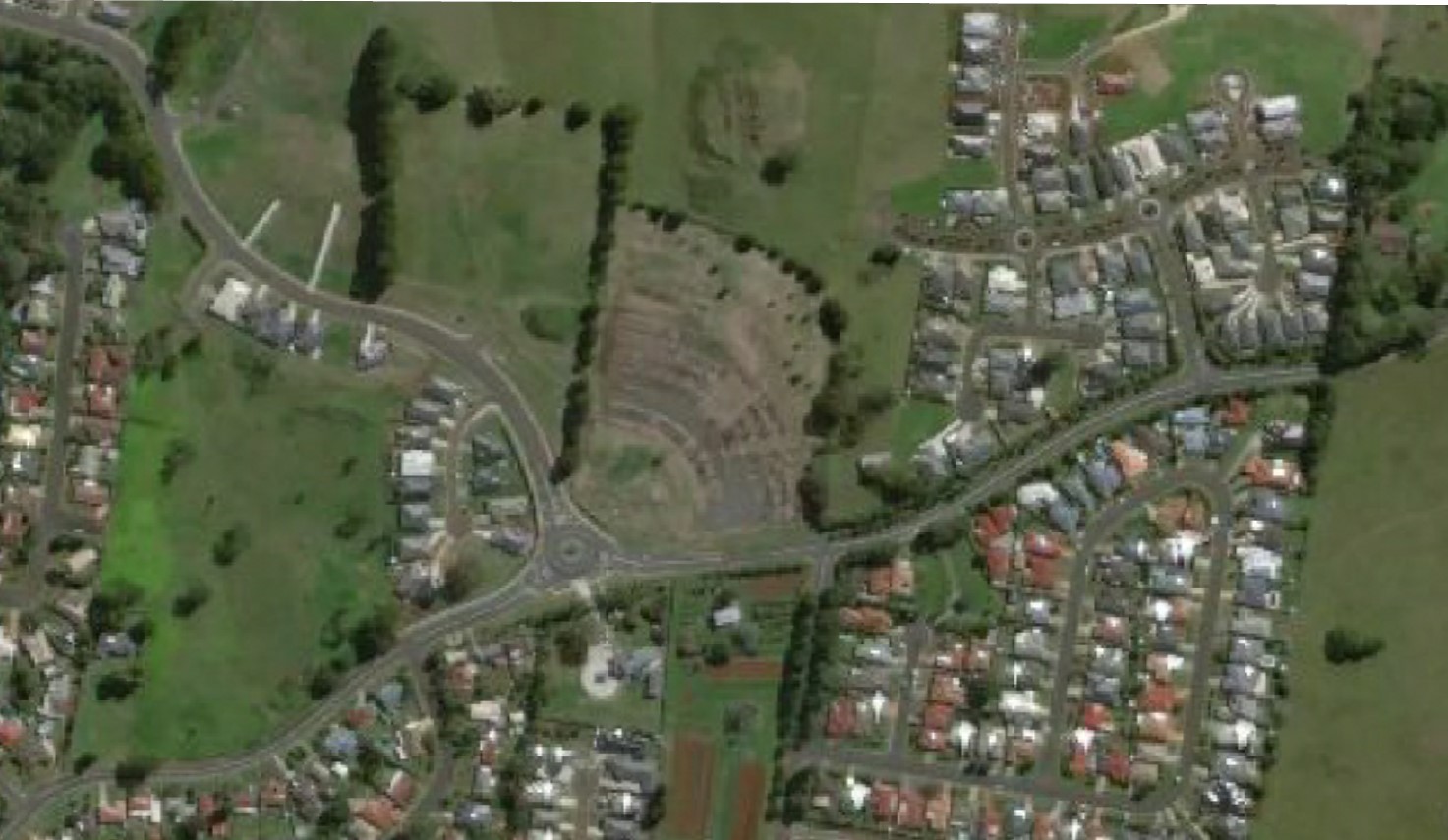
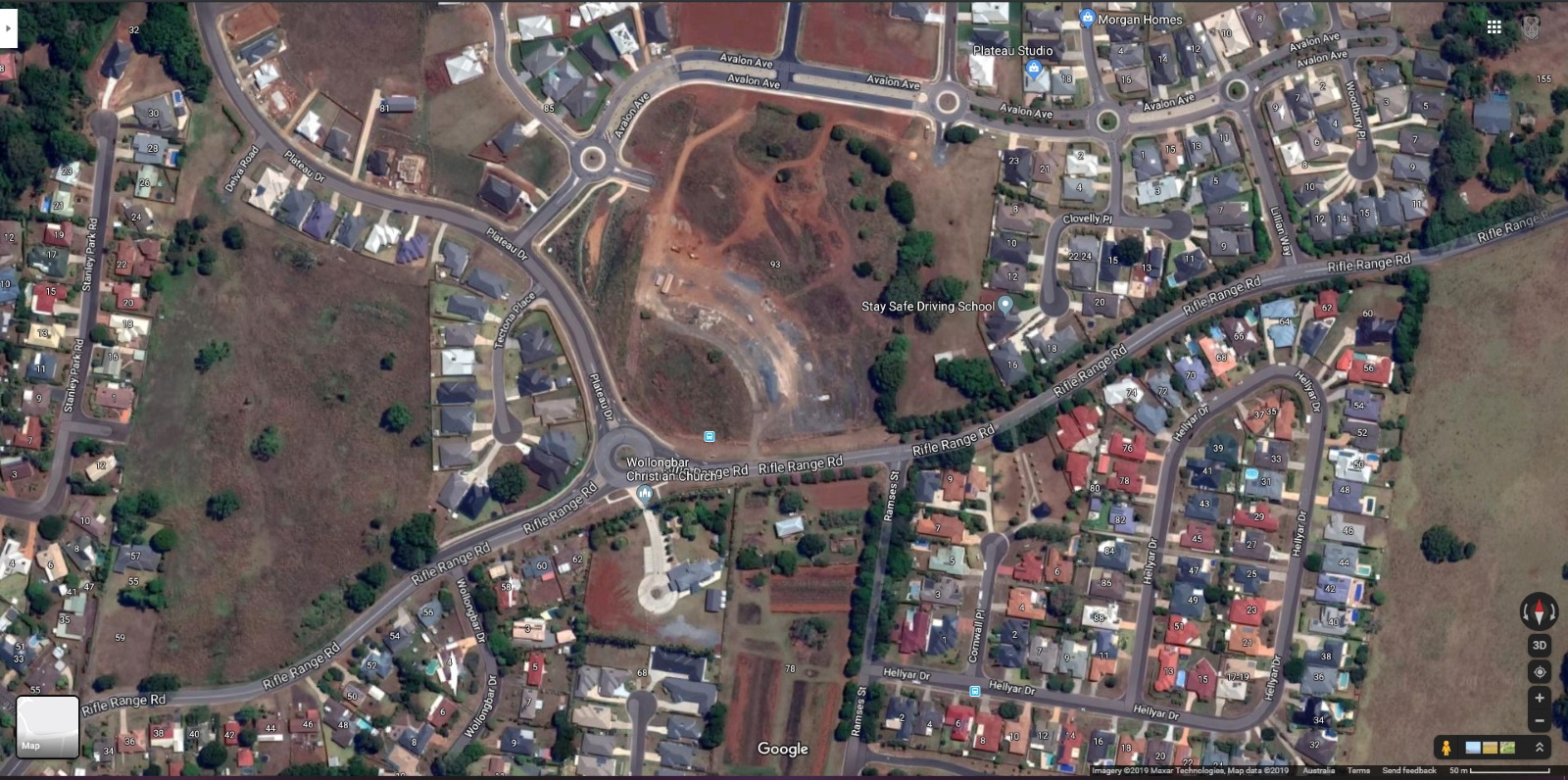
    • Google Snapshot doesn't match Google Earth images - PITA;-)

      It's a shame the Google Snapshot image you get when Geo-locating a model in SketchUp doesn't match the image in Google Earth. I realise you can use the GE image as a texture for the Google Terrain but it's just a PITE. πŸ˜›

      Oh yeah, I just realised there's 2 pages of Smilies

      We need to add an Aussie flag on there.


      SU Google Snapshot 01.jpg


      GoogleMaps Satellite SUC.jpg

      posted in Google Earth sketchup
      SJS66S
      SJS66
    • RE: Referencing DWG in Sketchup and export to GE

      @pbacot said:

      PITA

      Ha, hate to say it but I had to google it....lol.

      Just to save other dummies like me doing the same PITA = Pain In The Arse

      πŸ˜›

      posted in Google Earth
      SJS66S
      SJS66
    • RE: [Plugin] PomPi (Pompous Piping 2016 RC2018 )

      Hi dezmo, awesome plugin. Just installed & took it for a test run & finally I can make pipes easily. I'd shout you a coffee & even some cookies but I need some paid work making pipes to afford it first πŸ˜‰ πŸ˜›

      posted in Plugins
      SJS66S
      SJS66
    • RE: Inverse Selection - where is it?

      InverseSelection is awesome. How'd I go so long without it? Thanks TIG.

      posted in Developers' Forum
      SJS66S
      SJS66
    • RE: Dynamic Retaining Wall copy issues

      Thanks pcmoor, your a legend.

      I just checking it out now. Thanks for doing that. I do struggle with the DC functions. Once I have an example I'm usually right but they seem hard to find, & trying to work it out using the support documentation usually means I end up using trial & error, which tends to make a dog's breakfast of things:-) I managed to get the sleepers to copy on X axis yesterday by making own sub-component like you did, but then had issues getting my posts to copy to right spots & issues with post lengths not matching wall heights etc. I like how you calculated the REMAINDER. I like how your brain works, obviously a lot better than mine..lol.

      Cheers mate.

      posted in Dynamic Components
      SJS66S
      SJS66
    • Dynamic Retaining Wall copy issues

      Hi guys, been a while since I made a DC in SU & I'm having some issues.

      I'm trying to build a dynamic retaining wall using the same size timber sleepers for posts.

      I've managed to get the sleepers to copy up on the Z axis & the post to adjust it's length & position on Z axis as well, relative to the height of the wall (I've included the buried part of the post in it's total length, as you would if really building it). I've also got the post to copy along the X axis to the end of the sleepers plus half the post width to allow overlap for the next section of the retaining wall sleepers to fix behind.

      Now, I'm not sure if this is the best way of making a parametric retaining wall, & I'm sure there are probably better ways, which I'd be interested to see. However, I'm keen to try to get this one to work & hopefully learn some tricks in regards to dynamic components. I don't want to make it too fancy but it would be good if I could get this to one to work.

      So, using what I've got so far, I can't get the post length/position on Z axis to match the wall height. I've set up the sleepers so they copy up according to the Wall Height but can't get the post to adjust to match the top of the sleepers.

      Also, I can't get the sleepers to copy along the X axis. I've tried but because I've already copied up on the Z axis, when I try to copy along the X axis, my copies move, not copy. I tried making the sleeper copies a sub-component in themselves to copy them along X axis, but when I did that, the Sleeper component disappears in the component attributes (bug?).

      Anyway, I've attached the file if anyone is interested in helping. If anyone has any queries or suggestions don't hesitate to chuck em at me. Appreciate any help. Cheers.
      SleeperWall_Build.skp

      posted in Dynamic Components sketchup
      SJS66S
      SJS66
    • Extension Manager is broken

      I've come to realise that SU Extension Manager is a piece of **** software. It won't update TT_LibΒ² for some reason. Says it can't download files. I've just wasted about an hour trying to fix it! Why do I always have to fix SketchUp's extensions? Starting to think SU Extension Manager couldn't manage to organise a root in a brothel with a fist full of fifties;-)

      posted in SketchUp Bug Reporting sketchup
      SJS66S
      SJS66
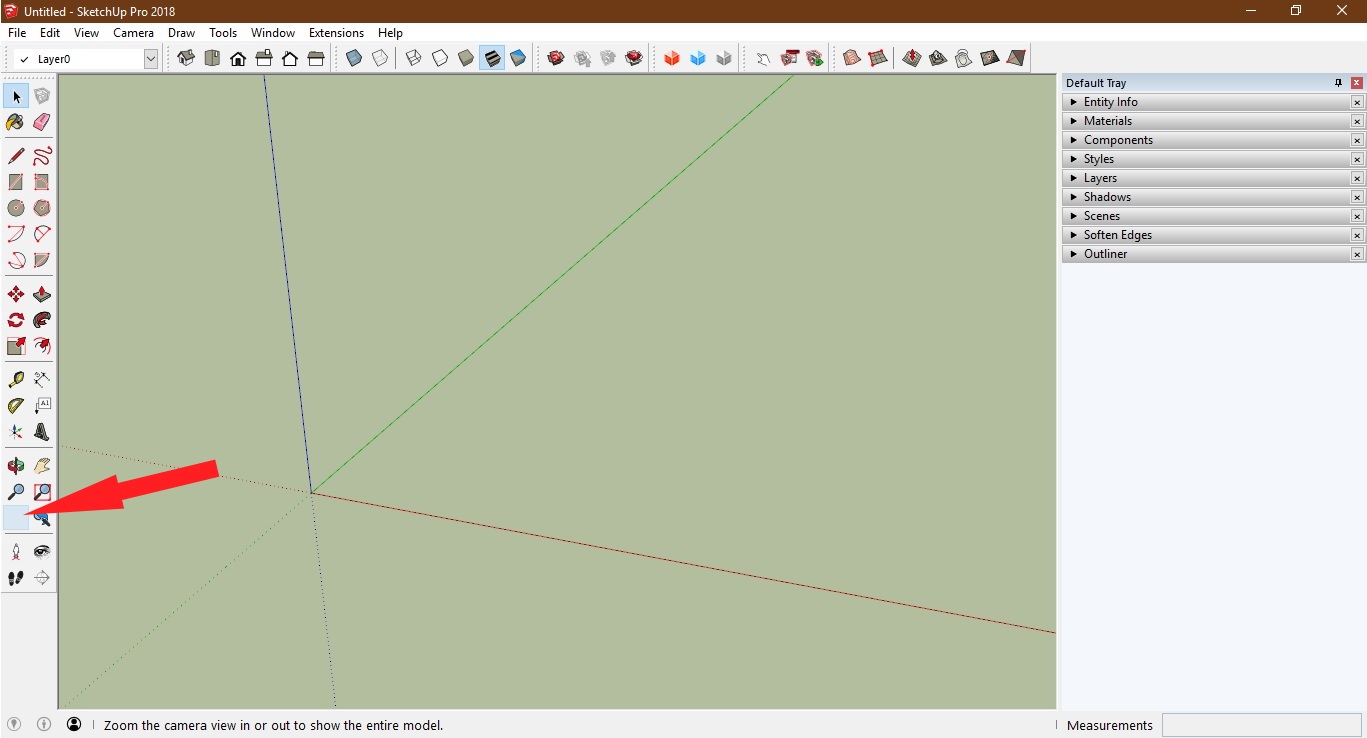
    • Zoom to Extents tool icon blank

      I just noticed my Zoom to Extents tool bar icon is blank.
      ZoomToExtents_Blank-.jpg
      It still works but be nice to get the icon back?
      Any suggestions?

      posted in SketchUp Bug Reporting sketchup
      SJS66S
      SJS66
    • RE: WIP?

      I always liked the weather report from the chopper in Good Morning Vietnam...."It's hot & wet..."
      πŸ˜‰

      posted in Newbie Forum
      SJS66S
      SJS66
    • RE: WIP?

      Thanks.

      posted in Newbie Forum
      SJS66S
      SJS66
    • SU Rock using Structure From Motion Photogrammetry

      I made a rock using Structure From Motion photogrammetry. I used VisualSFM for dense point reconstruction from photos, MeshLAB to build mesh and UV Map texture image, then baked it in Blender so can then import into SU with Textures. Just working out how to make the file size a bit smaller without compromising on texture resolution etc. Need to do a low poly model with a high poly texture baked on....I'm getting there. Check out the video.
      https://youtu.be/L_zFb1SQTE8

      posted in SketchUp Components sketchup
      SJS66S
      SJS66
    • WIP?

      Here's a complete noob question;-) What does WIP stand for? I'm referring to the WIP forum in the SketchUp Community Forum > Gallery > WIP. Had a quick sticky, & I'm guessing "Work In Progress"?

      posted in Newbie Forum sketchup
      SJS66S
      SJS66
    • 1
    • 2
    • 3
    • 4
    • 5
    • 6
    • 2 / 6