It's very cool, but I'm still very uneasy about it... Are we the last of the horse buggy makers?
Oops, your profile's looking a bit empty! To help us tailor your experience, please fill in key details like your SketchUp version, skill level, operating system, and more. Update and save your info on your profile page today!
🔌 Smart Spline | Fluid way to handle splines for furniture design and complex structures. Download
P
Offline
Posts
-
RE: Nvidia Meshtron
-
RE: Rayscaper, My trip down the road to adjumacation.
The raw Sketchup vioew will demonstrate what I mean when I mention textures not making it into Rayscaper.
The SketchUp viewport has four coat hangers; in the Rayscaper viewport, there are six. Were these screenshots captured at the same time?
Which textures are you referring to? A user may configure a totally different look for a material in Rayscaper, so the one-to-one correspondence isn't always a given.
Cheers,
Thomas -
RE: Very small residence.
Good results. It's hard to position a camera in those narrow spaces. Another idea might be to position the camera outside on the sides of the house and use the near clip plane in the camera to cut away the walls.
-
RE: Rayscaper, My trip down the road to adjumacation.
Great results, @Mike-Amos. Nice showcase of Rayscaper.
 The oven in the staircase is unique, but I guess you have to put it somewhere in tiny homes.
The different results between CPU and GPU lighting are an outstanding bug. The CPU uses a different, more sophisticated light selection algorithm that's harder to implement on the GPU. As a result, the light looks different in some situations. It's on my TODO list.
Cheers,
Thomas -
RE: Japanese Palace render
@L-i-am, those are Fantastic renders! The koi carps in the pond make it a lot better; the water looks fake in the first version. Does that place exist?
I hope you are doing okay health-wise!
Cheers,
Thomas -
RE: Philips with Rayscaper
Wow, those are some very nice results! What are the render settings you used for these? We might learn something here.
Yes, sometimes crashes to save image and always crashes File/Setting (sketchup 22 -24)Capture.JPG
I will have a look at this. Do you have a way to reproduce this reliably?
Cheers,
Thomas -
RE: Rayscaper, My trip down the road to adjumacation.
It's getting there. I would pick a warmer light color and make that interior light less strong.
Thanks for that, how did you rename the lights tho'?
Rayscaper takes the name of the light components. You can rename them in the outliner:
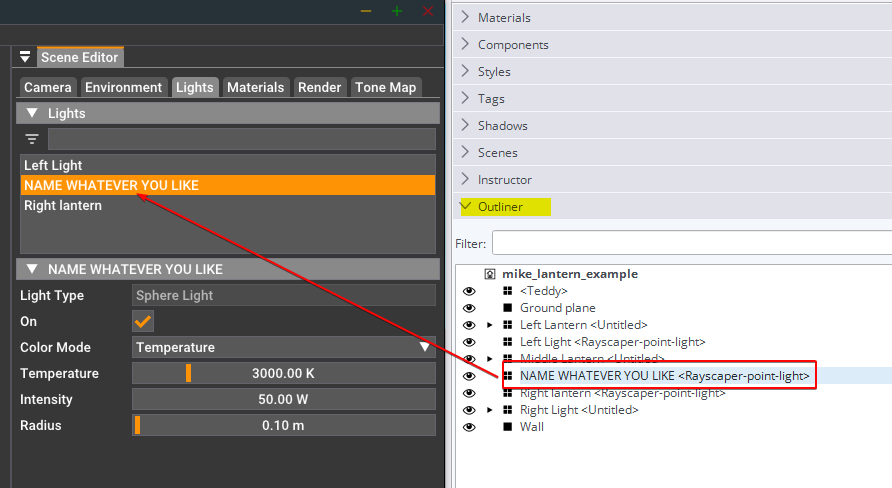
The same for materials, Rayscaper takes the names of the SketchUp materials.
Cheers,
Thomas -
RE: Rayscaper, My trip down the road to adjumacation.
You would want to place the sphere lights (point lights) in the middle of the lanterns. If you place them inside the bulb, then add some transparency to the light bulb.
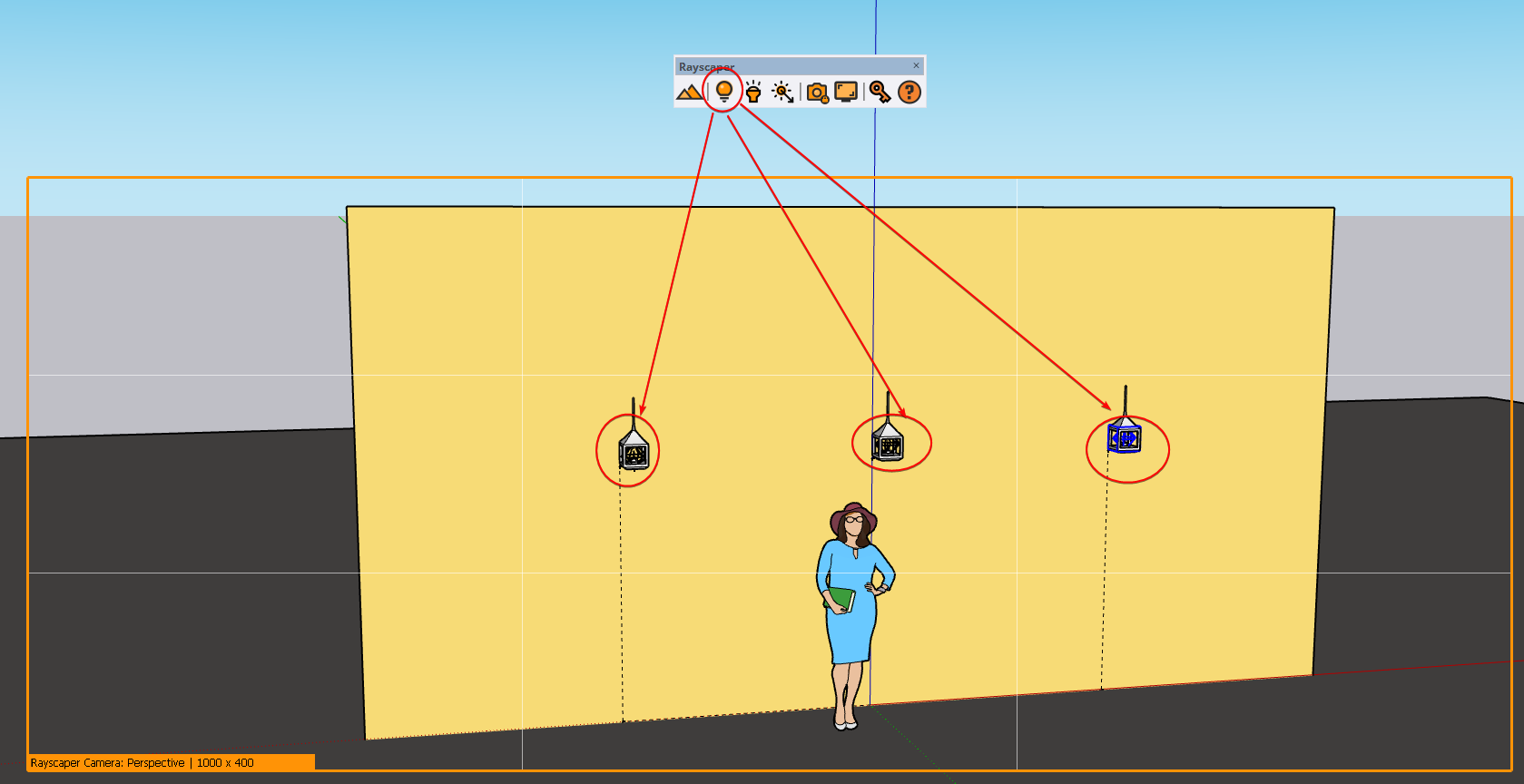
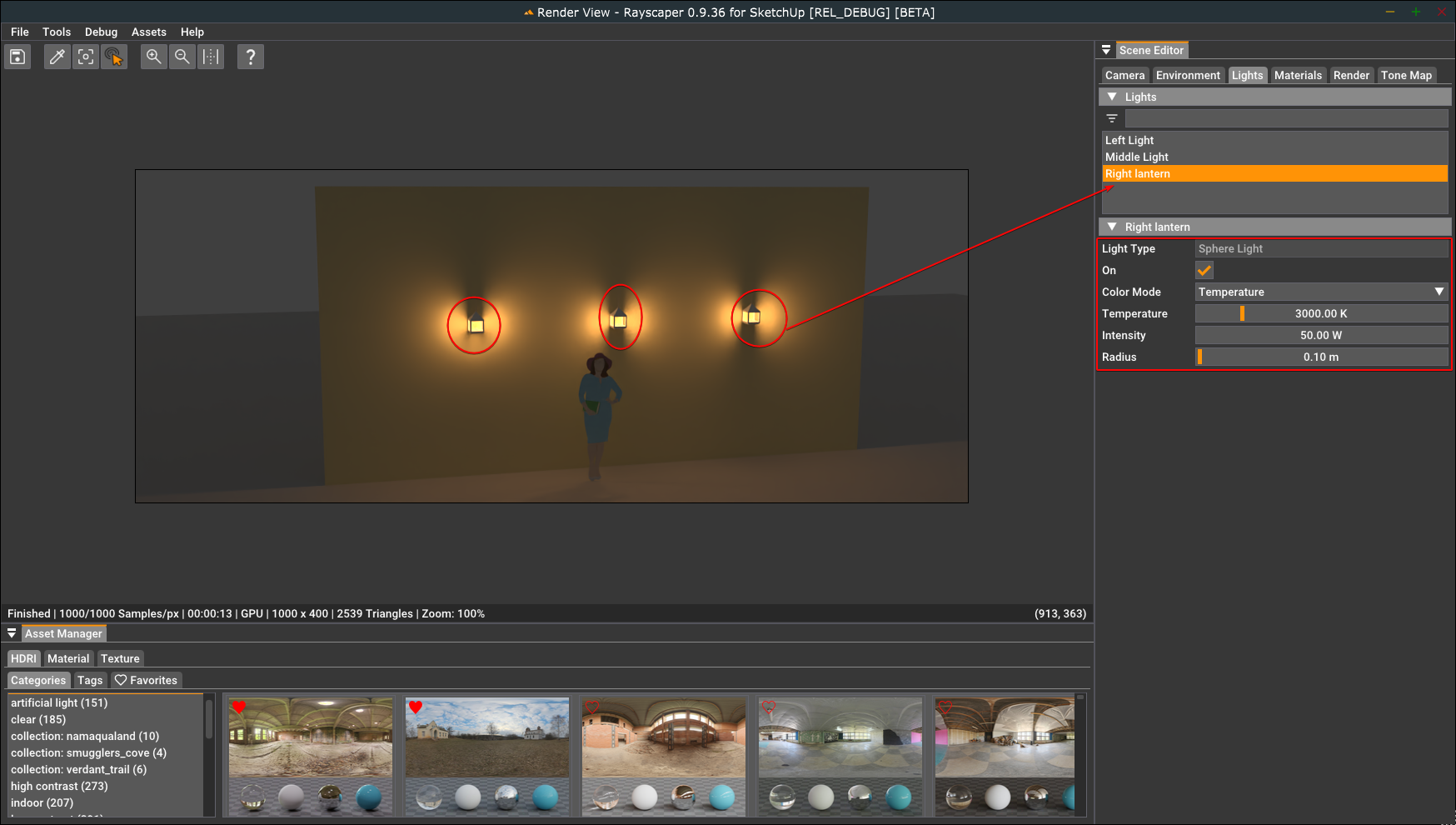
I attached an example (mike_lantern_example.skp) of how to configure sphere lights. In the scene below, I have three lights with the following configuration:
- Light temperature 3000K to get a warm color.
- 50W power for each light.
- Radius of 0.10m to make the shadows softer.
I dimmed the environment to low strength to make the lights stand out.
Light configuration in SketchUp:
Light settings in Rayscaper:
Result:
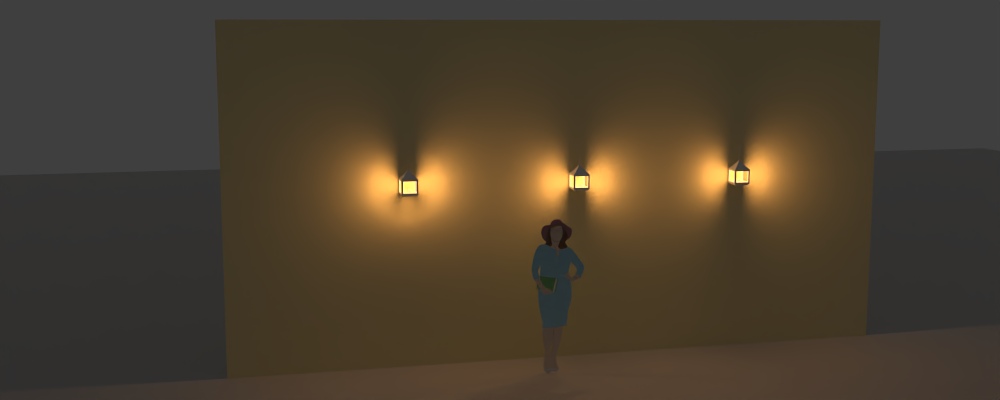
That should help you tune the lights in your scene.
Regards,
Thomas -
RE: Rayscaper, My trip down the road to adjumacation.
@Mike-Amos Nice result! Those lanterns could use some sphere lights for extra effect.
-
RE: Rayscaper New Releases
Hey, Rayscaper users!
Another release!
Rayscaper 0.9.36 Beta is available in the SketchUcation store. More fixes and improvements. As always, I recommend upgrading to the latest version.
What Changed?
Improvements
Auto Focus
- Add autofocus for DOF to the perspective camera. With autofocus, Rayscaper will automatically use the distance to the center 3D point in the rendered image as the focus distance (if possible).
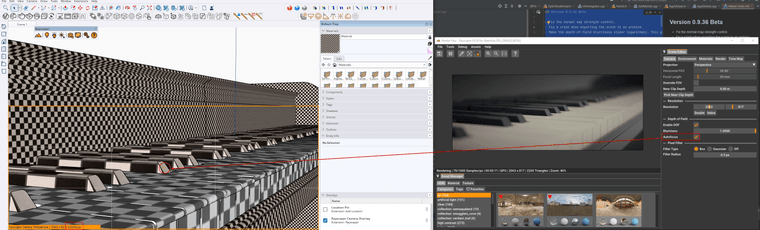
- Make the depth-of-field (DOF) blurriness easier to control. The range goes from 0 to 1, but if you need more blur for
your scene, you can punch in a higher value directly in the slider text box (CTRL + click). - Make the depth-of-field blurriness slider logarithmic. This gives more control for low blur values.
Bug Fixes
- Fix the normal map strength control.
- Fix a crash when exporting the scene to an archive.
Spotlights with a falloff of zero would not render on the CPU. This release fixes that.
Help me build the community

I'm on Twitter (X) now: https://twitter.com/Rayscaper3d/ - Please follow the @Rayscaper3d that will help me grow the community and spread the word about Rayscaper!

If you like Rayscaper, please share your renders (final or work-in-progress, it doesn't matter)! This is super motivating and will help me showcase its capabilities to new users.
Happy Rendering!
-
RE: Philips with Rayscaper
@alvis said in Philips with Rayscaper:
Not a bad start. I'm not sure if I like him. Easy to get used to, simple user interface. Several times Sketchup crashed trying to save the result. I need to think
Hey @alvis
That's a great start!
Easy to get used to, simple user interface.
Great to hear!
Several times Sketchup crashed trying to save the result. I need to think
That's not good. Do you remember the steps that triggered this? It would be a great help to fix this bug!
Cheers,
Thomas -
RE: Interior render.
@Mike-Amos Great result! How was the transition, Twilight <> Rayscaper? Things I can improve?
Cheers,
Thomas -
RE: Rayscaper, My trip down the road to adjumacation.
@Mike-Amos very nice, I like the concept.
-
RE: Piano with Rayscaper
@Gus-R don’t know about your mood but the renders are yummy indeed!
-
RE: Piano with Rayscaper
Not following, what's the backstory behind the name Robatto?
-
RE: Piano with Rayscaper
Wow, that's a fantastic render. Love the realism, and the great use of depth-of-field.