@Mike-Amos I don't know what happened, but it should be fixed now. I uploaded version 0.9.27 beta to the extension store:
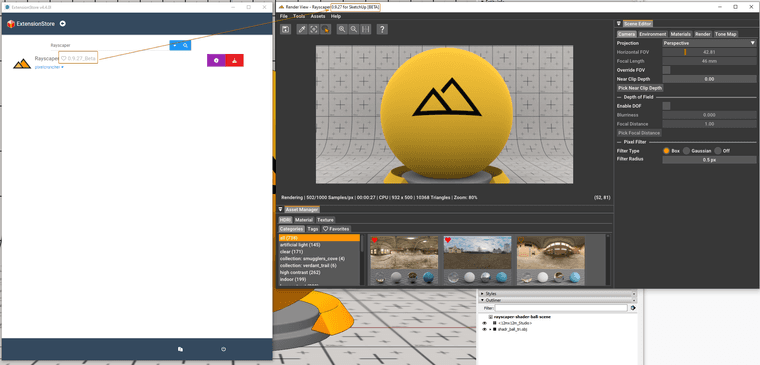
Can you check if you can upgrade to 0.9.27 beta?
Cheers,
Thomas
@Mike-Amos I don't know what happened, but it should be fixed now. I uploaded version 0.9.27 beta to the extension store:
Can you check if you can upgrade to 0.9.27 beta?
Cheers,
Thomas
Hey, Rayscaper friends!
Rayscaper 0.9.27 Beta is available in the SketchUcation store. Some fixes and improvements. As always, I recommend upgrading to the latest version.

I'm on Twitter (X) now: https://twitter.com/Rayscaper3d/ - Please follow the @Rayscaper3d that will help me grow the community and spread the word about Rayscaper! 
If you like Rayscaper, please share your renders! This will help me showcase its capabilities to other potential users.
Happy Rendering!
@Mike-Amos it should be available, I will have a look in the morning it’s likely a mistake on my end.
I have shared several renders on the Rayscaper Learning-Practice thread. If you think any of them are worth posting somewhere, feel free. The ones I have shared so far are inspired by @majid and his book.
Thanks @ntxdave - which book by @majid are you referring to?
Again, I think it would be good (better IMO) if you started your own forum. Another idea might be to get Rich to set up a category on SketchUcation for Rendering and then a subcategory for Rayscaper (but that might bypass some SketchUp users).
At some point, that decision will be made. But right now, there's not that much interest in Rayscaper yet. However, having a Rayscaper forum might help attract users. I'm a programmer, so I always feel like improving the software, but at some point, I will have to step out of my comfort zone and start marketing it 
Hey @ntxdave ,
Good progress there!
To answer your questions:
I had to close down Rayscaper and then relaunch it because there is no way in Rayscaper (at least that I could find) to restart the render process. Suggest that you add a button (or some kind of link) that would restart the render process and take notice of any changes in the SketchUp model.
If this is about material modifications, they don't automatically propagate to Rayscaper. Only new material is converted to a Rayscaper material, and you can subsequently edit it there using more sophisticated, realistic material controls.
If you want to reset your material and load the settings from SketchUp, the Reload button is for you. This will pull the latest changes from SketchUp:
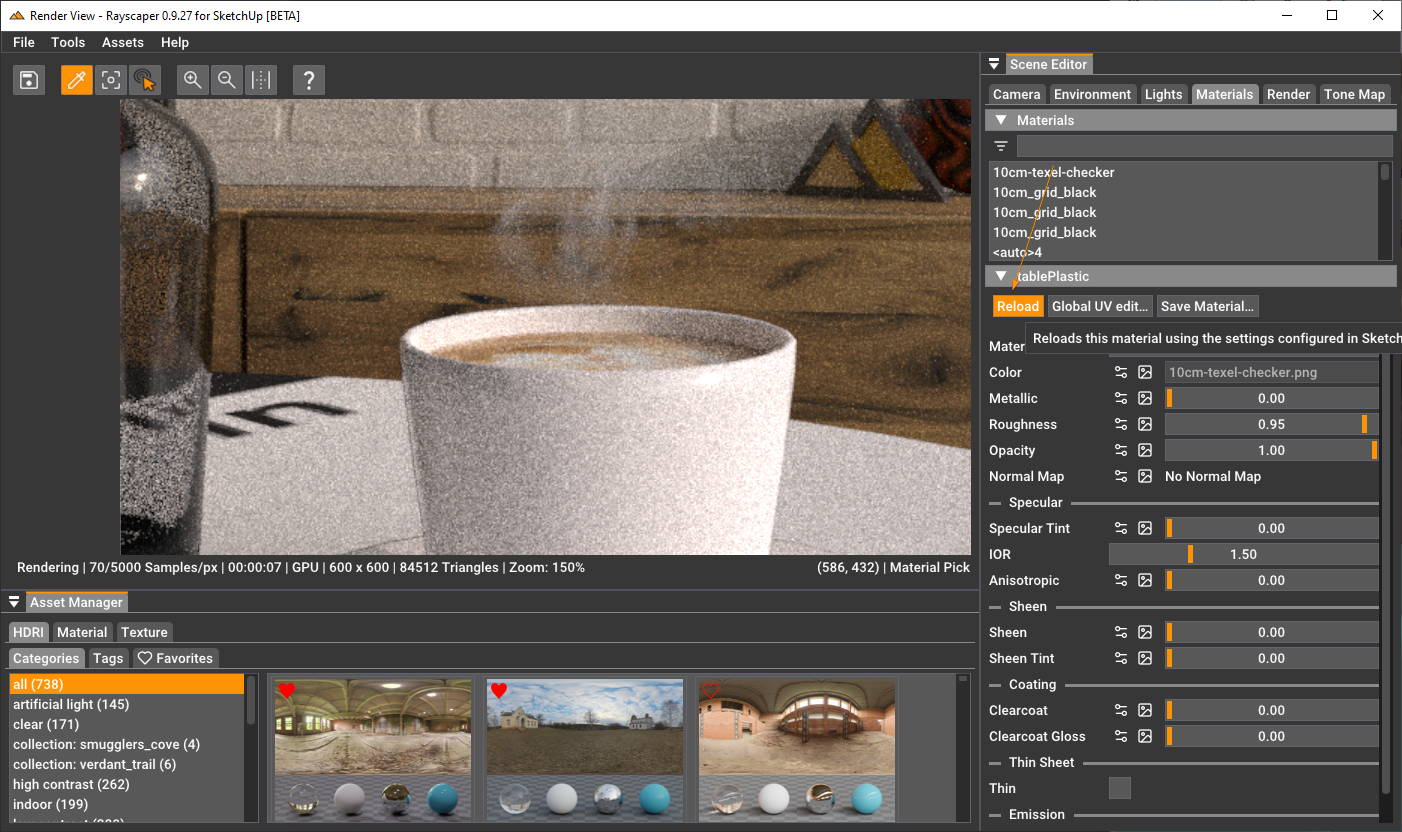
If you make changes to geometry, they should immediately propagate to Rayscaper. If not, that's a bug, and I'm always happy to receive reproducible steps for getting into this state. That helps me fix these kinds of bugs.
When I switch over to the SU model, the Rayscaper screen kind of disappears. I then had to "reopen" (probably not the correct term) screen but that is probably actually pretty normal. I would not want the Rayscaper render window to keep me from being able to go back to my SU screen view. So, not sure what to say about this.
Correct, Rayscaper goes to the back of the SketchUp window. I tried to implement it so that it always stayed on top of the SketchUp window in a previous version, but that was buggy, so I ripped it out and needed to revisit this part. For now, you can use this tip: https://community.sketchucation.com/topic/163907/rayscaper-keep-window-always-on-top
Cheers,
Thomas
This is a quick tip for those who want to keep the Rayscaper window always on top. You can do this with a nifty utility called Microsoft PowerToys.
CTRL + WIN + T. The window should have a colored border and stay on top.CTRL + WIN + T.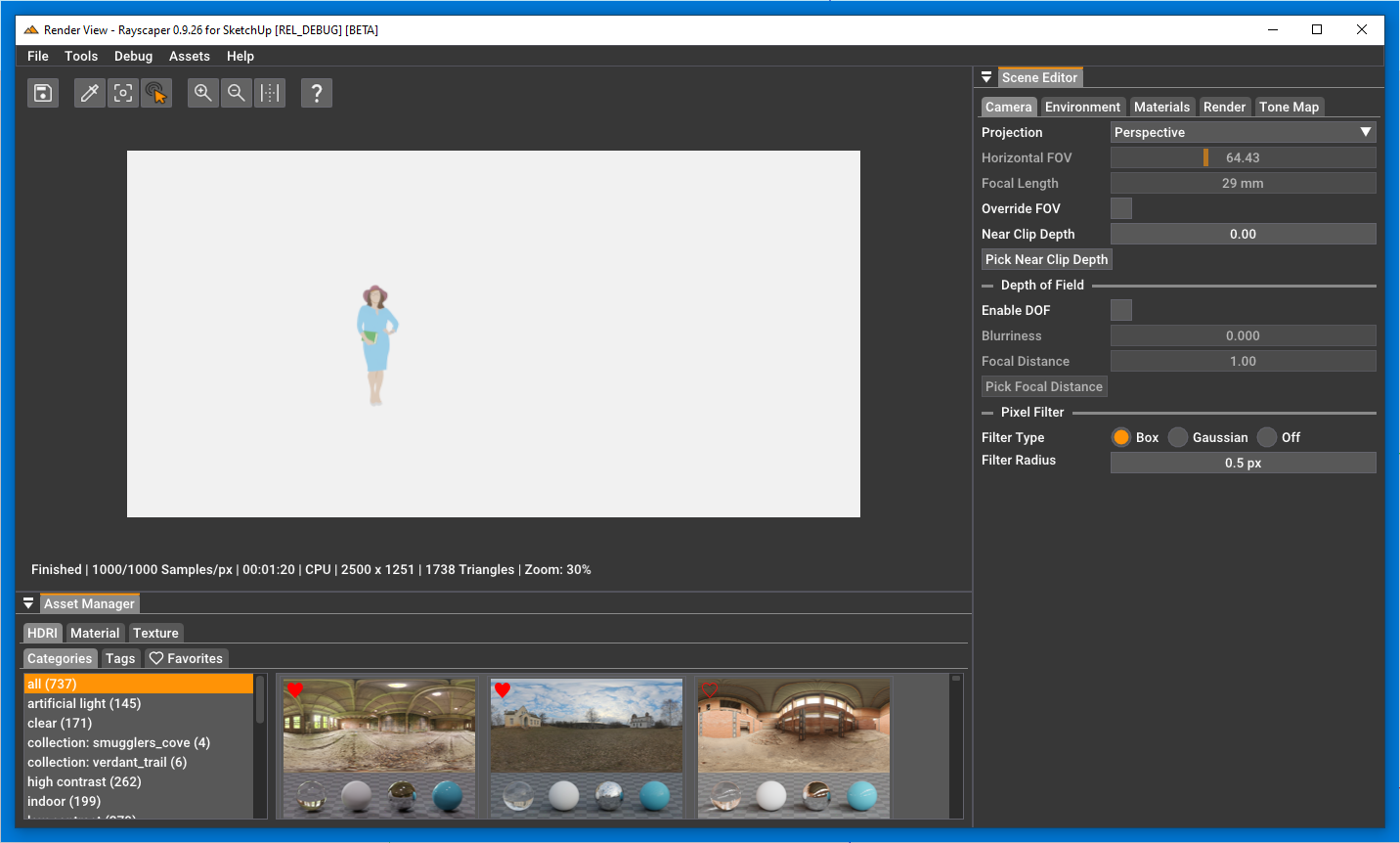
Will work for other windows as well, not just for Rayscaper 
Looking forward to the car render!
@ntxdave Thanks for confirming!
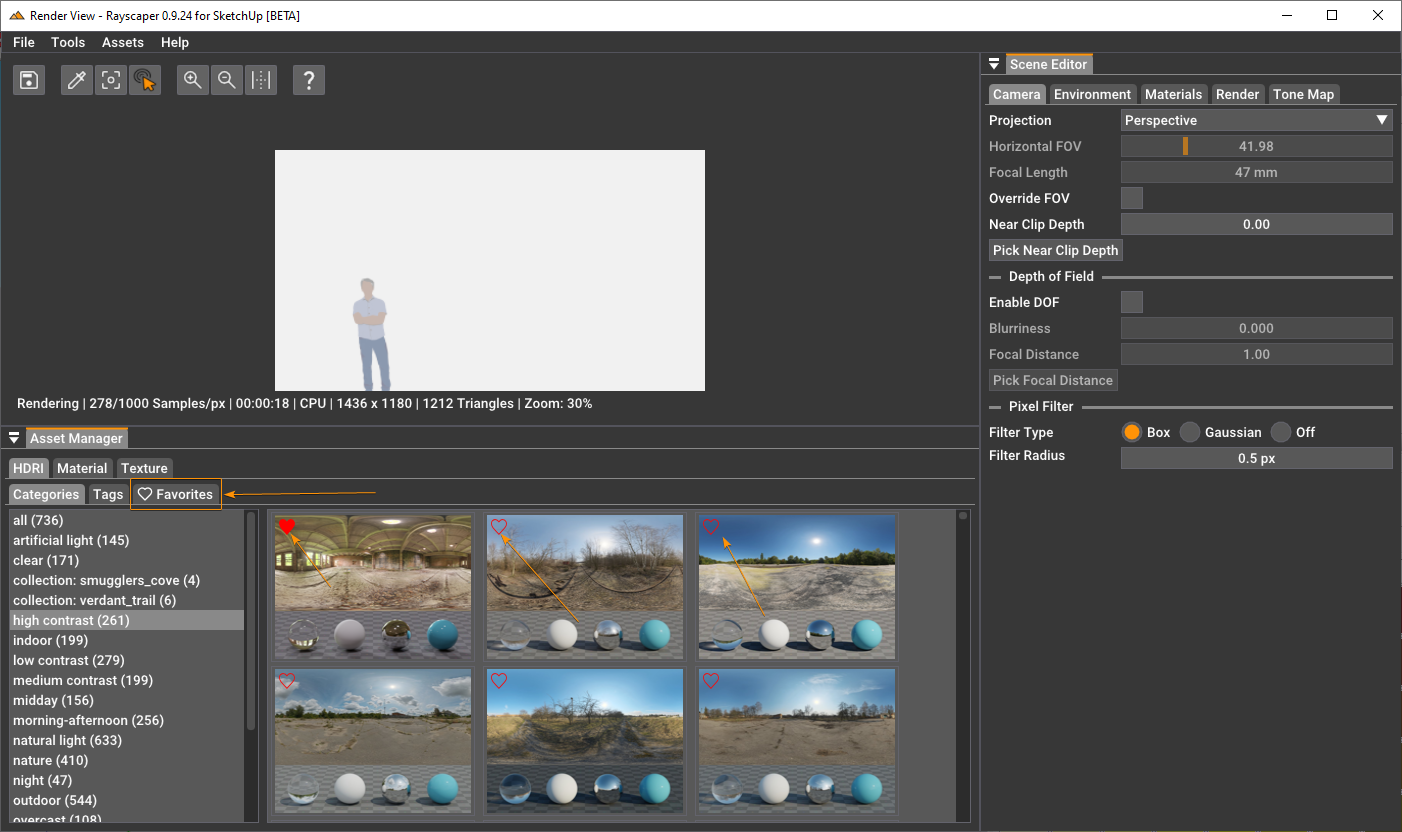
You can click the heart ( ) again to unfavorite. The heart will become unfilled again, and the HDRI (or texture, or material) will be gone from your favorites tab.
@ntxdave I released a new version: https://community.sketchucation.com/post/1609639. It should render now. Do you mind confirming that it works now for you?
Cheers,
Thomas
Hey folks,
There was an issue with the previous release (0.9.25 Beta). Rayscaper would refuse to render and stay idle. This is fixed in version 0.9.26 Beta. You can get it from the plugin store.
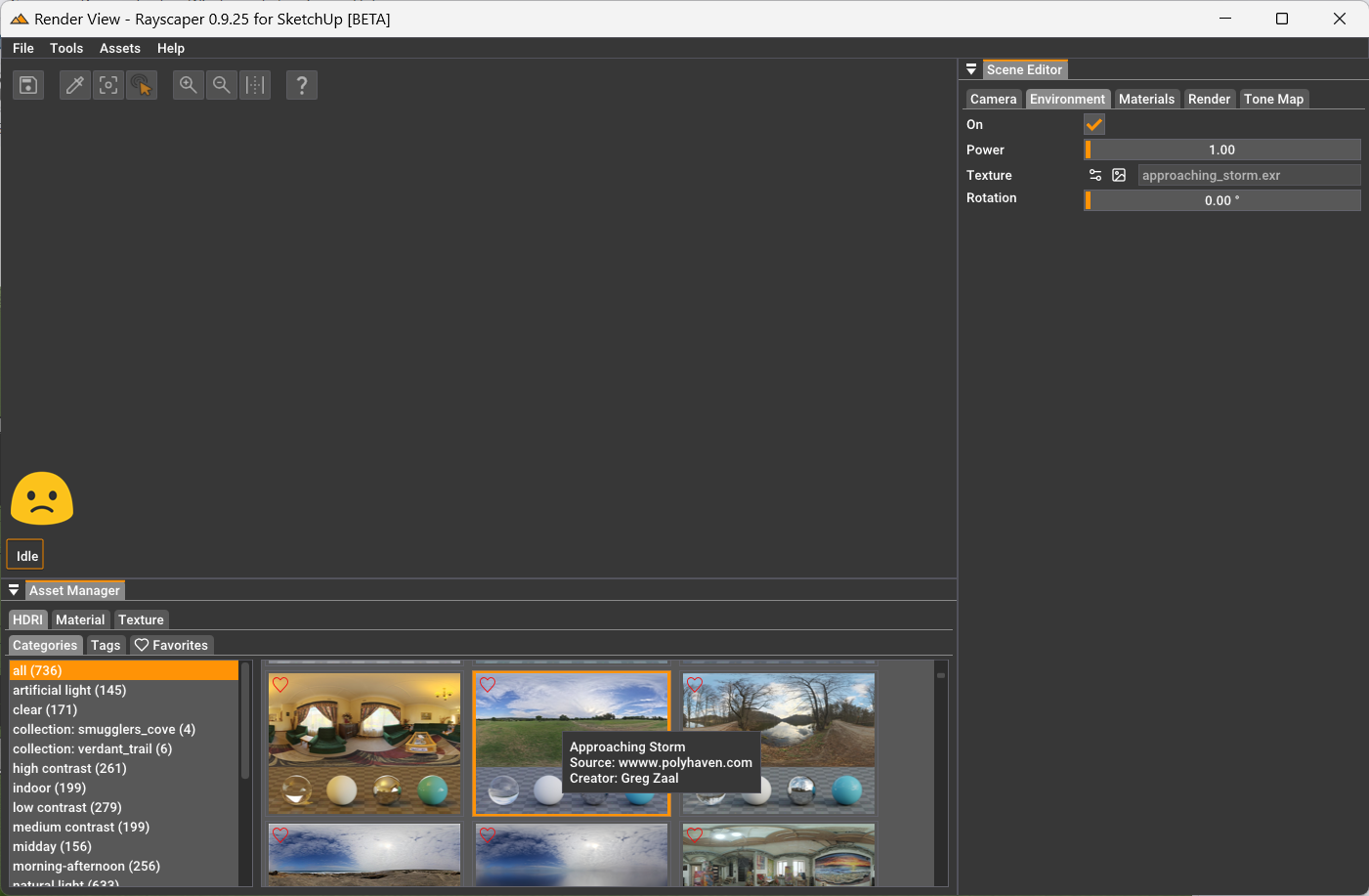
The render result not appearing is definitely a bug. Will post an update on that tomorrow. Sorry about that. Anyone else seeing the same issue?
On the HDRI image thumbnail, there’s a heart ️ icon in the top-left corner you can click to favorite an HDRI.
@ntxdave can you post a screenschot of what you see when selecting a HDRI from the asset manager?
Hey, Rayscaper friends!
Rayscaper 0.9.25 Beta is available in the SketchUcation store. Some fixes and improvements. As always, I recommend upgrading to the latest version.
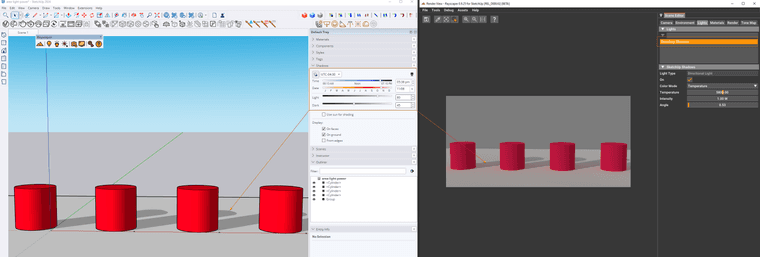
You can now create a directional light in Rayscaper that is directly coupled to the SketchUp shadows feature. You can enable this feature from the Rayscaper menu:
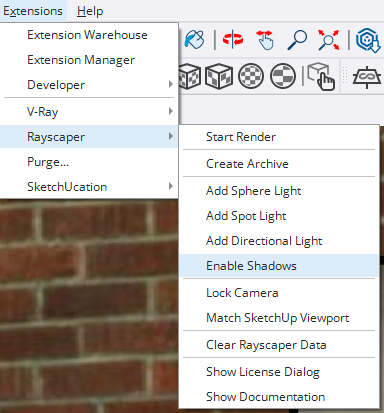
Enabling this creates a new directional light that syncs with the SketchUp shadows controls.
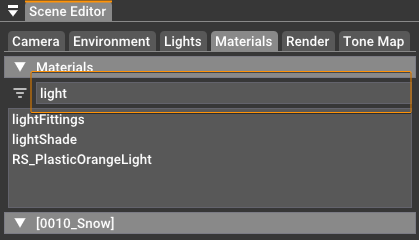
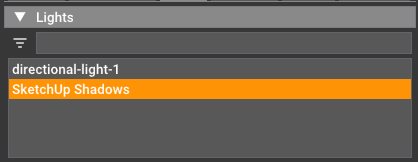
Type some text in the filter box to filter in your lights and materials lists:
I'm on Twitter (X) now: https://twitter.com/Rayscaper3d/ - Please follow the @Rayscaper3d that will help me grow the community and spread the word about Rayscaper!
If you like Rayscaper, please share your renders! This will help me showcase its capabilities to other potential users.
Happy Rendering!
I was unfamiliar with these assets, but I love the attention to detail and the craftsmanship! Thanks for sharing some details.
@majid I think even the use of the textured "cards" looks very nice. It's a good trick for faster render times and protecting SketchUp from becoming very slow. It's also a good test to prove that you don't need the latest high-end hardware to get good visualizations with Rayscaper.
@ntxdave Apologies. I should have attached a screenshot. You can only favorite assets directly from the asset manager window.
Is approaching_storm.exr your HDRI file, or is that one you dragged & dropped? Currently, there's no feature yet to save your own HDRI files or textures in the local material library. I have that on the future roadmap.
You can identify the HDRI using the environment tab. That should show you the filename, and a thumbnail of the image. Is that what you are looking for?
You can favorite an HDRI using the  icon. And you can find them again under the "Favorites tab" (HDRI > Favorites) in the asset manager.
Great work @majid - Love the house and love the renders. Also a great showcase for Rayscaper exterior renders.