Take care @majid !
Oops, your profile's looking a bit empty! To help us tailor your experience, please fill in key details like your SketchUp version, skill level, operating system, and more. Update and save your info on your profile page today!
Check out Febhouse | New extensions for Shadow Analysis in SketchUp Download
P
Offline
Posts
-
Message from Majid
Hey folks,
Just wanted to let you know that @majid is safe and trying to ride out the rough times.
Let's keep him in our thoughts.
Dear Thomas, I hope you and your lovely family are doing pretty fine. After weeks of internet blockage, now the only working service is "gmail" though not fully functioning! Reached out to say we are doing fine and hope it passes with minimum life-loss heading off a better world, brighter minds and more peaceful communication despite all intolerance and dogma we are witnessing. Take care and convey my best regards to your lovely ones and friends on Sketchucation. Regards. -
RE: Rayscaper New Releases
Hey, Rayscaper lovers (and haters?),
Rayscaper 0.9.8 is available in the SketchUcation store . It has more improvements, so we recommend upgrading to the latest version
What Changed?
-
Fix a self-intersection bug causing dark lines in CPU renders.
-
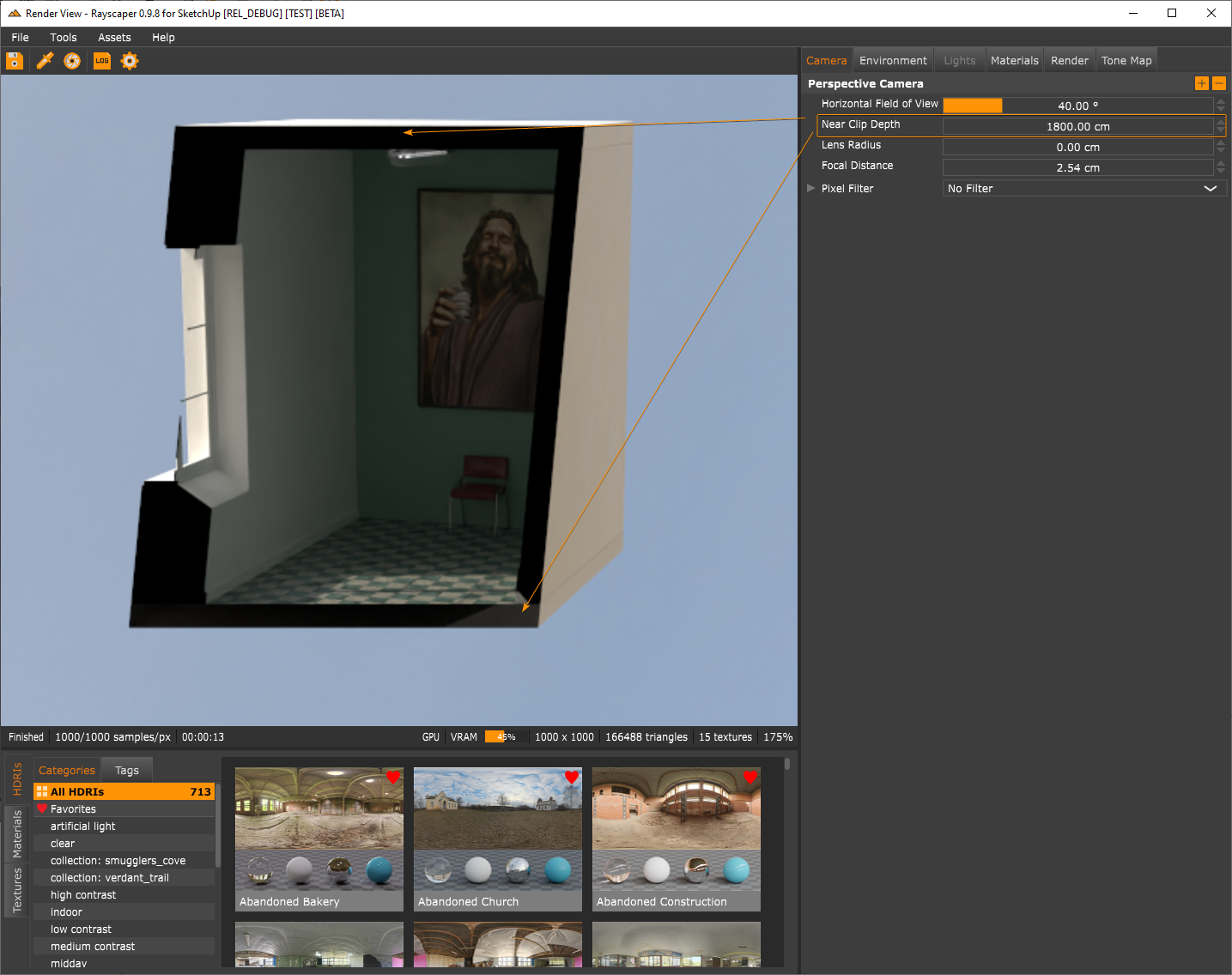
Add support for a near-clipping plane to the camera. With the near-clip plane, you can configure a near-clip plane at a distance orthogonal to the camera, and Rayscaper will cut away all geometry before the clip plane. It's not as powerful as section cuts (which are planned), but it can help for some use cases.
-
Improve the sliders in Rayscaper:
- Every slider now supports dragging.
- Scrolling is consistent across sliders. Each mouse scroll wheel increment/decrement will step up/down by one slider step value. Holding shift will step up or down with 10x the slider step value.
-
Make global illumination (GI) the default render method for new scenes. Using approximate GI as the initial render method might give new Rayscaper users the wrong impression because of its non-physical hacks and limitations.
Happy Rendering!
-
-
RE: Rayscaper, My trip down the road to adjumacation.
Hey @Mike-Amos ,
As @Rich-O-Brien mentioned, the metal material is a physically correct metal shader. So, there's no accurate artistic control. Rich made a metal library available, and I will also put that in the next release. For complete artistic control, the Disney material is what you want.
I will have a look at the picking bug. Out of curiosity, is the material directly painted on the faces, or is it painted on the object?
Cheers,
Thomas -
RE: Lamp on table
@Rich-O-Brien What an amazing result! Keep those Rayscaper renders flowing

-
RE: A piece from my real job, not really sketchup related.
@Box Thanks for sharing those pictures. It must be a hard life for sure
I assume this is somewhere in Australia based on the Whitsundays reference. -
RE: Rayscaper New Releases
Hey, Rayscaper users!
Rayscaper 0.9.10 is available (0.9.9 was a test release) in the SketchUcation store. More good stuff so we recommend you upgrade to this version.
What Changed?
- Support for SketchUp 2024.
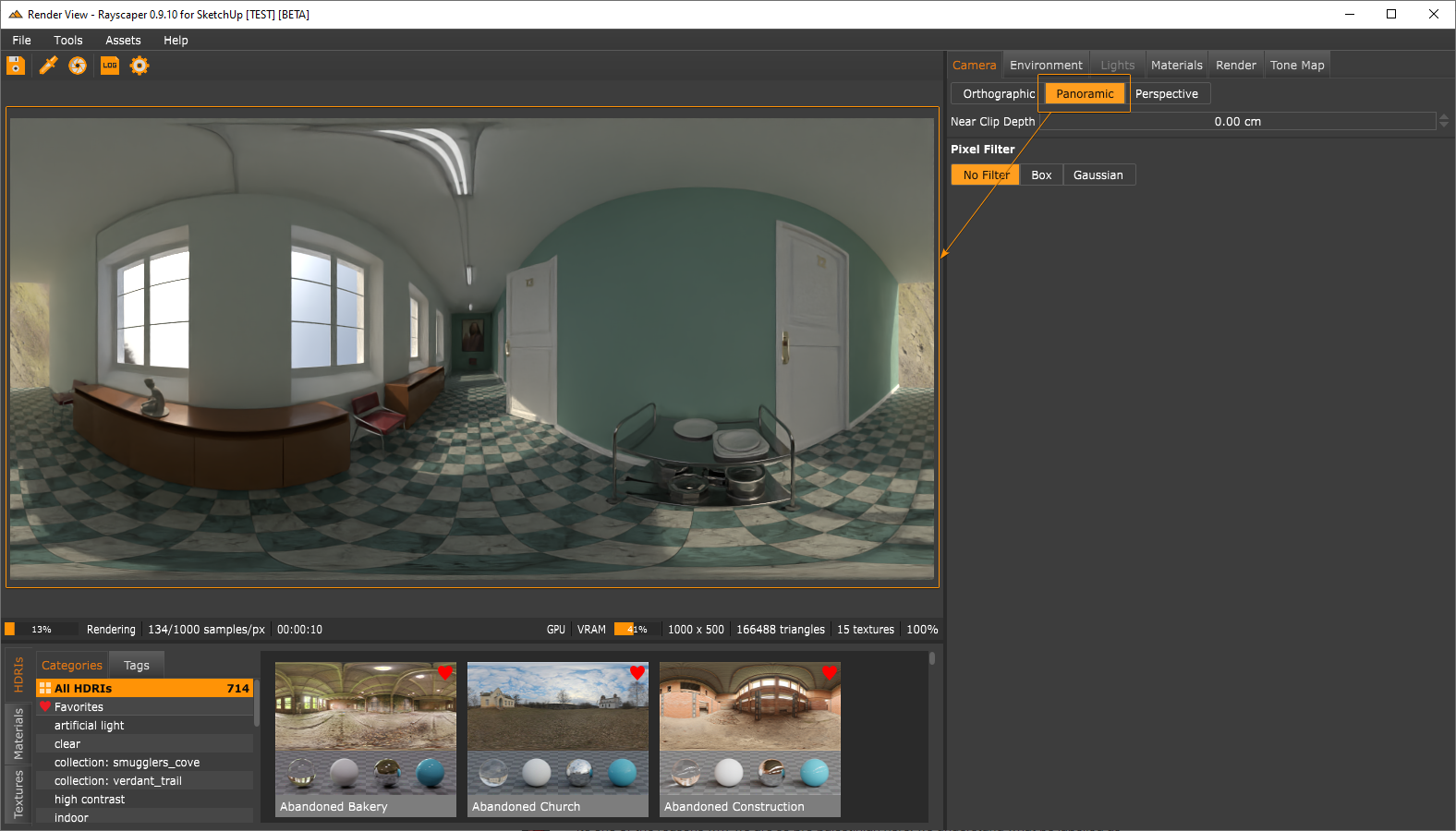
- Add a panoramic projection mode to the camera.
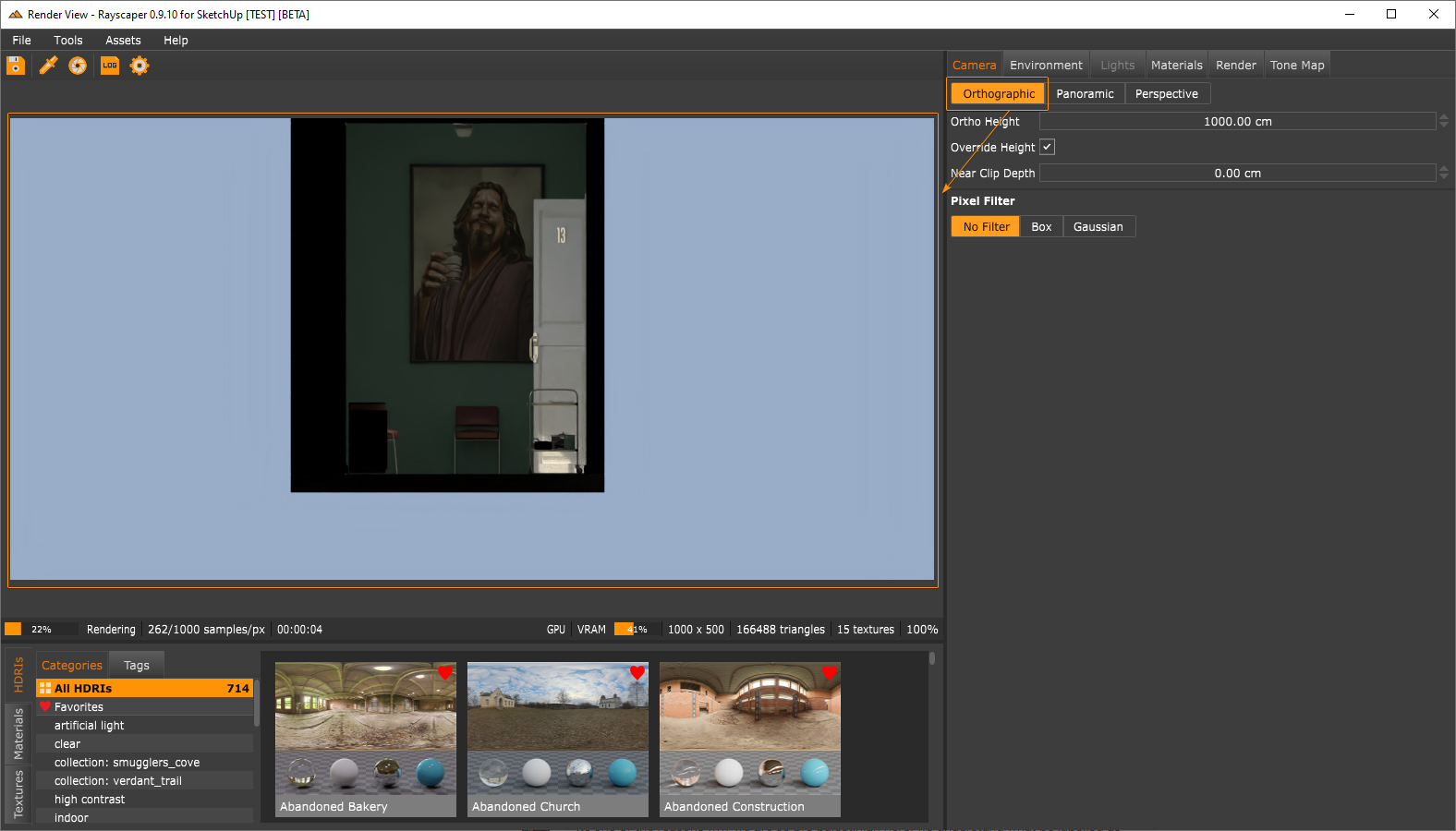
- Add an orthographic projection mode. The camera is the Rayscaper equivalent of the parallel projection in SketchUp.
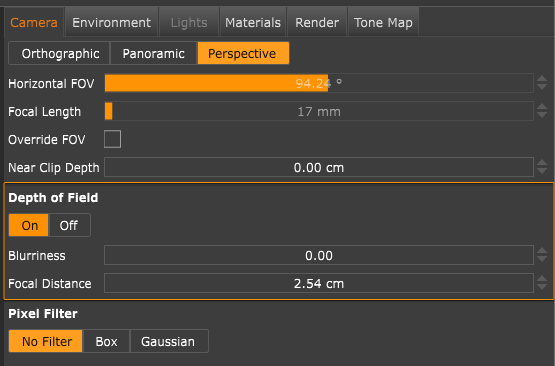
- Optionally sync the SketchUp field-of-view with the Rayscaper perspective camera. Note that the FOV in SketchUp differs from the value displayed in Rayscaper because SketchUp uses a vertical FOV value while Rayscaper uses a horizontal FOV.
- Add a focal length control to the perspective camera. This is coupled to the horizontal FOV. I introduced this for users who prefer to work with focal length instead of FOV.
- Add a toggle to turn DOF on/off explicitly.
- Express the depth-of-field effect with a blurriness value instead of lens radius. This should make it easier to control the DOF effect.
- Bugfix: Ensure the rendered image keeps panning when the render restarts. Before this change, the panning would reset on every render restart, which was annoying.
Happy Rendering!
-
RE: RayScaper
Very nice renders, they make for excellent Rayscaper marketing materials
-
RE: Living Room by FYM.
I would like to set GPU as the render default please, is this in the timeline?
Yes, this is in the timeline. @Rich-O-Brien asked for something similar. The idea is to save a particular configuration as the default and then load your preferred configuration whenever you set up a new scene. So, let's say your preferred default is "Approx GI" + GPU rendering. Every time you set something new up from scratch, that would be your starting default.
Also, the hearts un favourites (HDRI) seem to breed like bunnies on a motorway centre reservation. Can this be turned off please?
That's a nice way of describing it
It's definitely a bug. The next release contains a big UI rework, and this should be fixed. Tap my shoulder if it isn't after the next release.The orange and white (?) checker on the 'all HDRIs title here, what is that? Aberrant or intended?
Another bug, should be gone in the next release.
-
RE: I need a model of a cushion
@majid Hang in there friend, an opportunity for someone as talented as you will come.
-
RE: Rayscaper New Releases
Hey, Rayscaper users!
Rayscaper 0.9.13 is available (0.9.11 and 0.9.12 were internal test releases) in the SketchUcation store. There is more good stuff, so I recommend you upgrade to this version.
What Changed?
- Fix flaky material picking. Sometimes, material picking would not work, or pick the wrong materials. This is fixed.
- Fix a cursor problem after viewport dragging; sometimes, the hand cursor would not go away.
- This release also features a simplification of the user interface:
- Add more readable icons for the Rayscaper window.
- Improved editors for the scene settings with more intuitive controls.
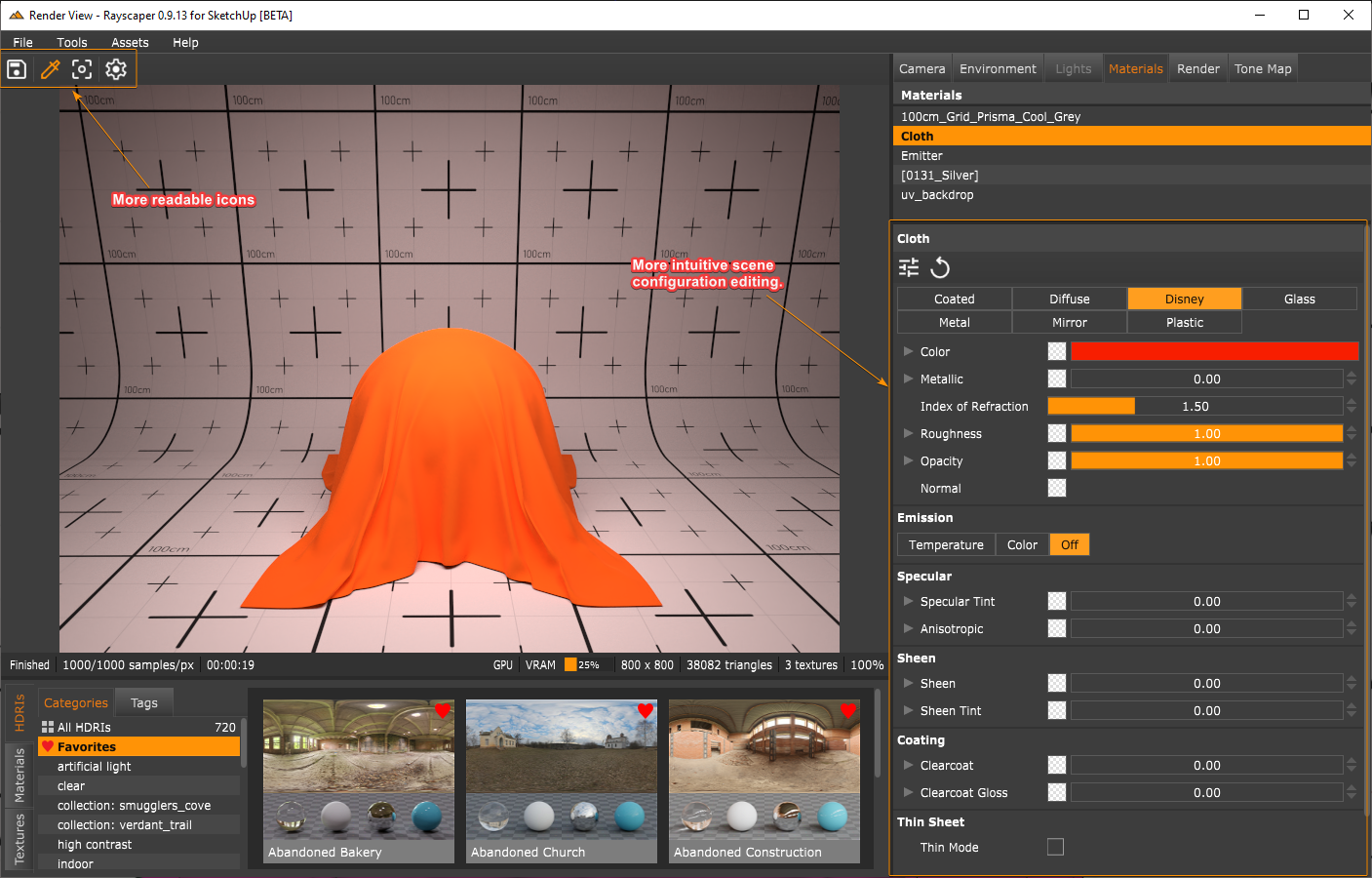
Reworking the editors was a significant code change, so let me know if something is not working or some things don't make sense to you. I'm here to help!
I'm also on Twitter (X) now: https://twitter.com/Rayscaper3d/ - Please follow the @Rayscaper3d that will help me grow the community!

Happy Rendering!
-
RE: RayScaper
-
RE: I thought I would share this good news
Great news, on to better days, and keep up the good fight!
-
RE: Rayscaper New Releases
Hey, Rayscaper friends!
Rayscaper 0.9.15 is available (0.9.14 was an internal test release) in the SketchUcation store. A lot of fixes and new things so I recommend you upgrade to this version.
What Changed?
Improvements
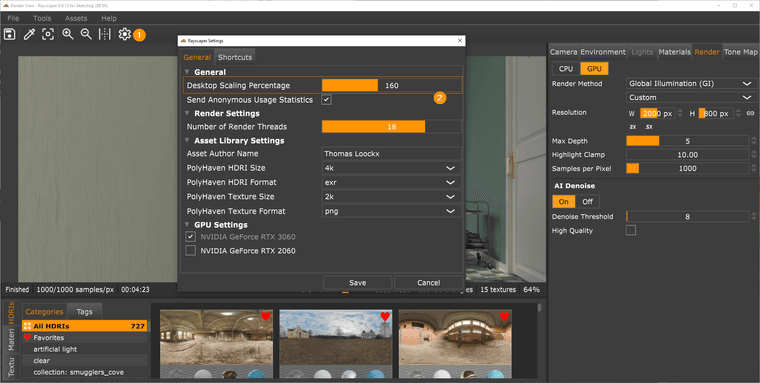
Desktop Scaling
Some users complained that Rayscaper was not legible on high-res, especially with display scaling enabled. I added a configuration option to scale the user interface to make it more readable on such displays.
Fast Tone Mapping
Improve the speed of the tone mapping operations. All operations now run in real-time, even on big render resolutions.
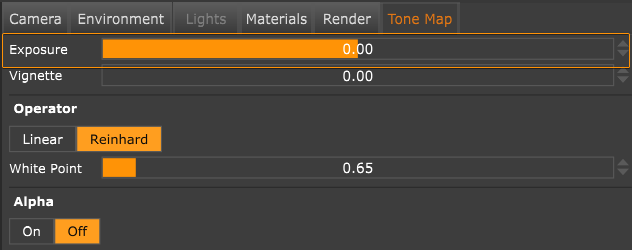
More Intuitive Exposure Control
Make the exposure slider more intuitive. Negative values darken the image, and positive values brighten it—an exposure step value of one doubles or halves the brightness. A value of 0 means a neutral exposure.
More Zoom Controls
Add zoom controls to the Rayscaper toolbar and the option to fit the viewport.

Fewer Watermarks
Although Rayscaper is commercial ( and I think it is a very affordable piece of software
), I also wanted to reduce the watermarking to improve the experience for free users.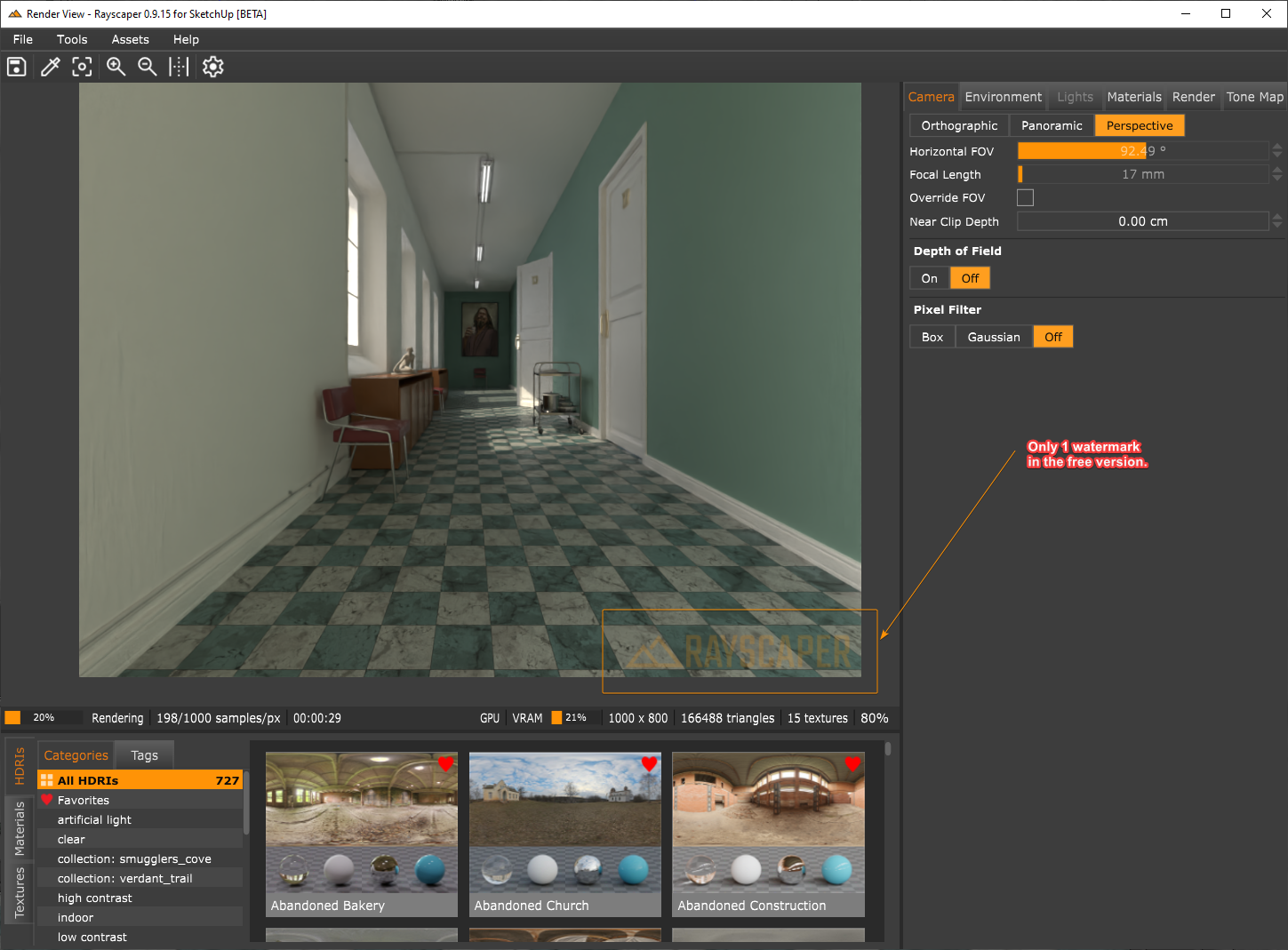
Bug Fixes
- Add the option to scale the user interface. This makes Rayscaper a lot more legible on high DPI displays.
- Bring back the capability to configure the following texture types (cc: @sashapepperspray):
- Noise Texture
- Uv Texture
- Mix Texture
- Checkerboard Texture
- Bring back the double-sided and fake emission controls for light-emitting materials (cc: @majid).
Help me build the community

I'm on Twitter (X) now: https://twitter.com/Rayscaper3d/ - Please follow the @Rayscaper3d that will help me grow the community and spread the word about Rayscaper!
Happy Rendering!
-
Rayscaper - Keep window always on top
This is a quick tip for those who want to keep the Rayscaper window always on top. You can do this with a nifty utility called Microsoft PowerToys.
- Install PowerToys.
- Bring the Rayscaper window to focus and hit
CTRL + WIN + T.The window should have a colored border and stay on top. - To turn off this behavior, again, hit
CTRL + WIN + T.
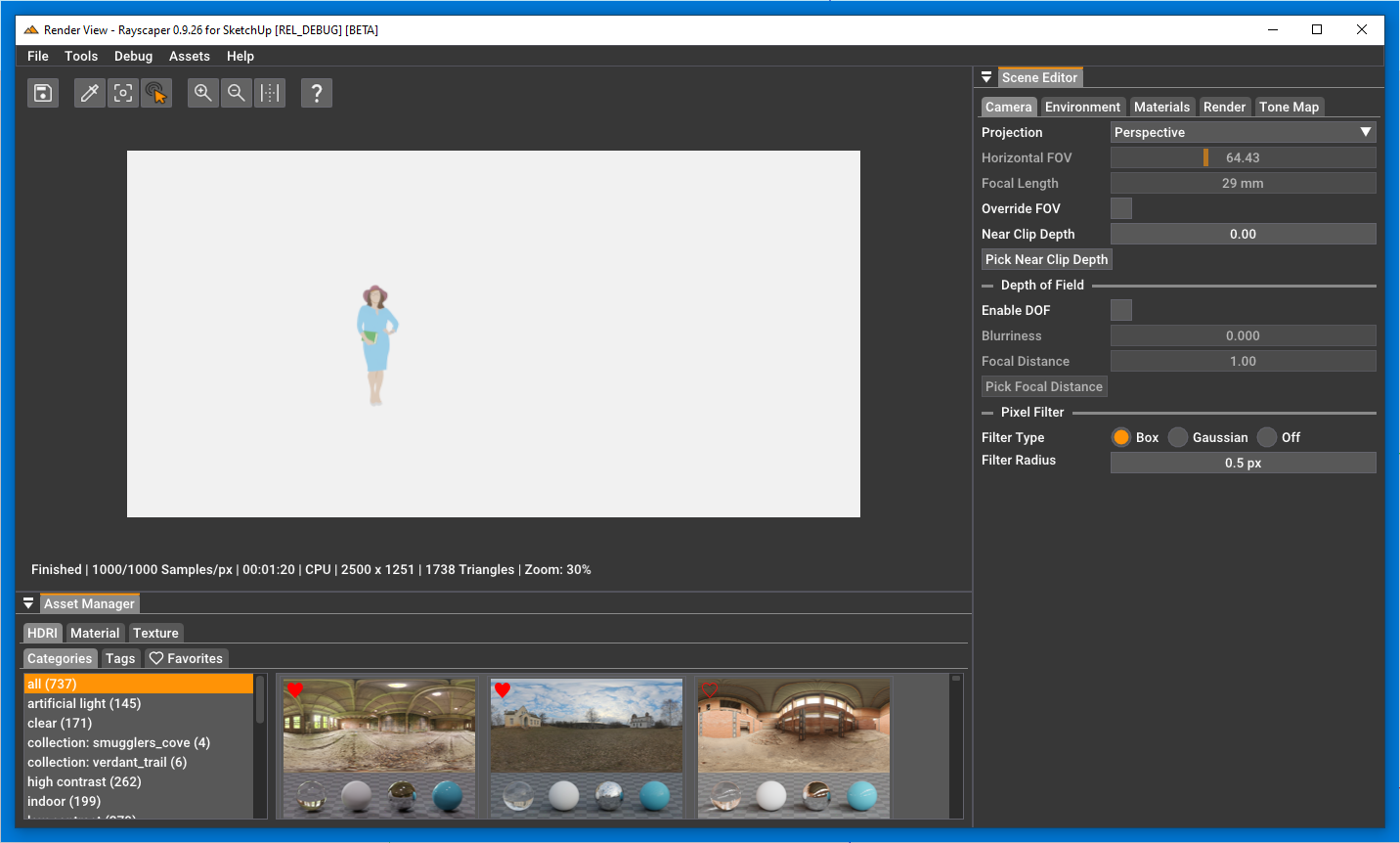
Will work for other windows as well, not just for Rayscaper
-
RE: Rayscaper New Releases
Hey, Rayscaper users!
Another release, finding my groove!
Rayscaper 0.9.34 Beta is available in the SketchUcation store. More fixes and improvements. As always, I recommend upgrading to the latest version.
What Changed?
Improvements
Pause/Resume
Works as advertised. Pauses the render and resume at a later time.
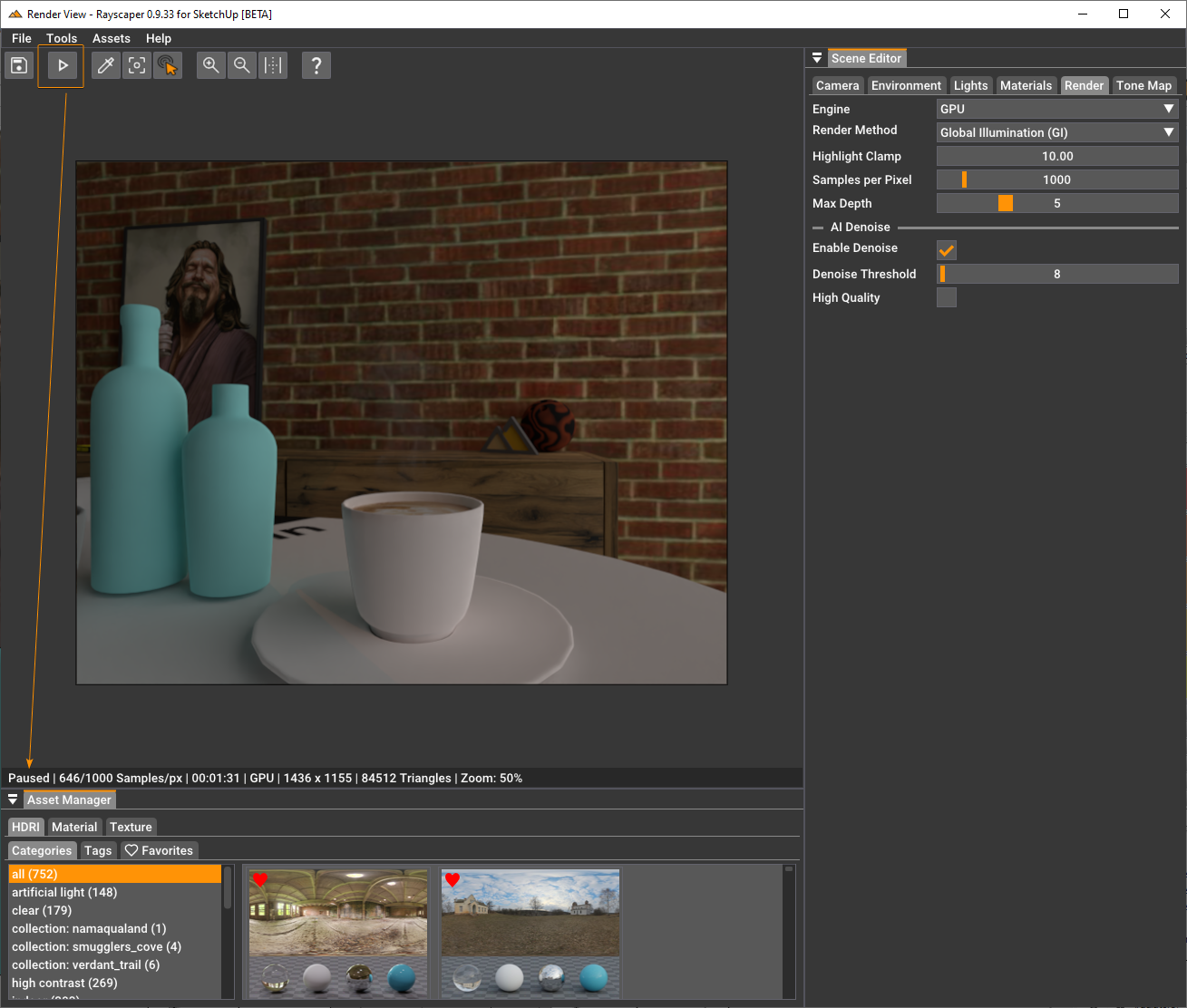
- Internally, Rayscaper uses the meter as the scene unit. I made that more explicit in some inputs by having a unit. I will follow up with a feature to configure display units for folks who like something different than meters.
- Improve the speed of the picking operations.
- Display the material we are hovering over when dropping a material/texture on the viewport. This makes it clear where the dropped texture or material will apply.
Bug Fixes
- Fix the specular tint texture slot. Loading an image in this slot would load it in the normal map texture
slot. - When applying a custom material (i.e., from the material library) and subsequently modifying the material. These
changes would not persist on saving. This is fixed in the current release. - Fix a scrolling/clipping issue in the render viewport.
- Lights would get an empty name after modifying the light component (for example, moving the light). This is fixed.
- Fix an application freeze caused by light selection.
Help me build the community
I'm on Twitter (X) now: https://twitter.com/Rayscaper3d/ - Please follow the @Rayscaper3d that will help me grow the community and spread the word about Rayscaper!
If you like Rayscaper, please share your renders (final or work-in-progress, it doesn't matter)! This is super motivating and will help me showcase its capabilities to new users.
Happy Rendering!
-
RE: Rayscaper New Releases
Hey, Rayscaper users!
Another release!
Rayscaper 0.9.36 Beta is available in the SketchUcation store. More fixes and improvements. As always, I recommend upgrading to the latest version.
What Changed?
Improvements
Auto Focus
- Add autofocus for DOF to the perspective camera. With autofocus, Rayscaper will automatically use the distance to the center 3D point in the rendered image as the focus distance (if possible).
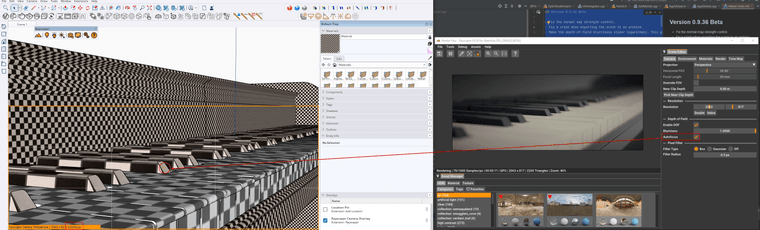
- Make the depth-of-field (DOF) blurriness easier to control. The range goes from 0 to 1, but if you need more blur for
your scene, you can punch in a higher value directly in the slider text box (CTRL + click). - Make the depth-of-field blurriness slider logarithmic. This gives more control for low blur values.
Bug Fixes
- Fix the normal map strength control.
- Fix a crash when exporting the scene to an archive.
Spotlights with a falloff of zero would not render on the CPU. This release fixes that.
Help me build the community
I'm on Twitter (X) now: https://twitter.com/Rayscaper3d/ - Please follow the @Rayscaper3d that will help me grow the community and spread the word about Rayscaper!
If you like Rayscaper, please share your renders (final or work-in-progress, it doesn't matter)! This is super motivating and will help me showcase its capabilities to new users.
Happy Rendering!
-
RE: [Plugin] Lightbeans
Nice resource! I should ask if they want to make them available in Rayscaper.