sketchucation logo sketchucation
    • Login
    1. Home
    2. Humpmetwice
    3. Posts
    Oops, your profile's looking a bit empty! To help us tailor your experience, please fill in key details like your SketchUp version, skill level, operating system, and more. Update and save your info on your profile page today!
    πŸ”Œ Smart Spline | Fluid way to handle splines for furniture design and complex structures. Download
    Offline
    • Profile
    • Following 1
    • Followers 0
    • Topics 66
    • Posts 409
    • Groups 1

    Posts

    Recent Best Controversial
    • RE: Could a plug-in like this be possible

      @gullfo said:

      something like dynamic components for walls and ceiling may be easier than scripts - setting the individual side and roof members then extending and positioning. maybe several sets to cover your bases.

      I thought about dynamic components as well but just not what I was looking for but may be what I end up with!

      @mitcorb said:

      Would "Profile Builder" have any relevance here? Or, is this about a parametric script, with predetermined components?

      Yeah I think its just another way of using components or groups in "Profile Builders" case, still have to move,flip, and rotate in position something I was hoping the plug-in set up would Handel.

      Thanks Kurt

      posted in Plugins
      HumpmetwiceH
      Humpmetwice
    • RE: Could a plug-in like this be possible

      @chrisglasier said:

      Strangely I just wrote this post about this sort of thing yesterday. Of course it is not much use to you in the short term but it provided me with a much better link for the Sketchucation example here - so hopefully it might help in the longer term. Thanks for that!

      Loner term cause its way over my head but thanks for the links maybe one day I'll try!

      @tig said:

      In a way you answered your question in the question...
      House-Builder does the very same thing with rectangular timber sections - you just want a version that uses pressed-metal sections instead - e.g. Z or C or T shapes ?
      A little more involved to get the right section-type, with the right sizes, in the right orientation and in the right location - BUT clearly it's doable...
      So for a 'wall' you pick the x/z sizes [from which the 'orientation' is calculable] and a dialog asks for section-type off a drop-down list and a max.spacing in inches.
      The parts are added to suit.
      You could make each of your sections a 3d component 1" long, then x-scale them to suit the lengths required... then you could have a scheduling-method that would get the x-scale of each part taken as inches long for the 'cut-list'... So group 'wall#1' might have 5 number 'Z-2x8' horizontal rails at 55" c/c...

      I was pretty sure it could be done just like House builder but didn't have a clue how House builder worked. I was thinking that the plug-in pulled from a liberty of components and adjusted them to what you selected in the pull down menu and adjusted them again to what you did on the screen. Here again way over my head, it was just an idea I thought would help alot of metal building people like myself out. I really have no business even trying to write something like this, I think I would confuse myself to no end let alone the people that might want to use it!

      Thanks Kurt

      posted in Plugins
      HumpmetwiceH
      Humpmetwice
    • RE: Could a plug-in like this be possible

      @driven said:

      hi

      have you had alook at http://sketchup.engineeringtoolbox.com/ it got lots of useful structural engineering type stuff.

      john

      Yeah I've looked at that and I have all the parts and pieces to put one together just not in a plug-in type setting like the house builder plug-in. I wasn't wanting to use just a lot of components, I was look for a menu type deal where you set your spacings for the wall girts, roof purlings and maybe the frame locations. With a couple clicks you have your building without the frames but with their locations. Then you could add the frames later. Maybe an option or to for openings like windows and doors but there again add the framing later. Sheets and trim maybe but I think you could add that later as well because it would vary so mush.

      @chris fullmer said:

      It would be do-able, but probably would have to be done by someone who understands the industry pretty well. Or some really close colaboration between a plugin author and someone in the industry. Its a bit out of my league of things I'm familiar with for example, but it is do-able

      I was pretty sure it could be but like you said someone would have to have knowledge of both and I only have the knowledge of one. If things hadn't been so hectic here lately I might try it LOL! That was a joke but might commission someone to help me with it or write it for me.

      posted in Plugins
      HumpmetwiceH
      Humpmetwice
    • Could a plug-in like this be possible

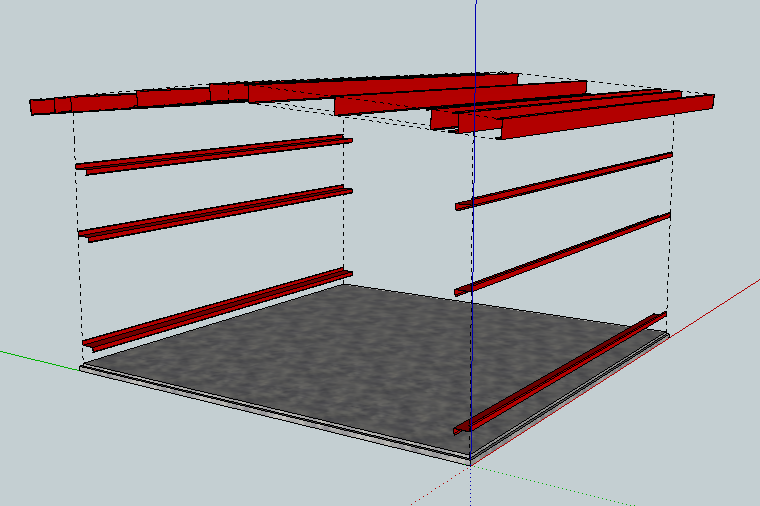
      I was thinking a plug-in like the House builder plug-in would be really useful for people like me thats in the metal building industry! To use cold form instead of wood studs with options for the walls like bypass or flush. I think the posts would have to be done separate because they vary so much but could maybe add something for the locations. Same for the roof, just options for purlin size,type and spacings with the standard option for pitch and the rafters can be added after. The pic below is kinda what I'm talking about but alot more advanced. Just an idea.

      Thanks Kurt


      2011-07-02_191512.png

      posted in Plugins
      HumpmetwiceH
      Humpmetwice
    • RE: 3D Warehouse question

      Gaieus you were right because they all show the 3D option now....

      Thanks alot!

      posted in Newbie Forum
      HumpmetwiceH
      Humpmetwice
    • RE: 3D Warehouse question

      @gaieus said:

      Those images for the swivel function are generated by the WH software but models are queued so sometimes it takes a while for it to create them. A couple of more days maybe and they will appear.

      I think (hope) that, that is maybe it! Thanks for keying me in to that!

      @booman said:

      it may have to do with the complexity of the model too. google warehouse limits all uploaded models to 10 Megabytes, but you can still have a very complex model with a lot of faces/polygons and be 10 Megs.
      I have tried to upload models with high quality materials that were under 10 Megabytes and the warehouse would error each time

      I could understand that as well but the models in question are pretty simple and small in size. Not even a half a megabyte, so I don't think thats the problem. I was worried because I've been using the upload with a custom thumbnail and that was the reason but then I check some of the other models done the same way and they have the view 3D option. Its just some do and some don't.

      Thanks Kurt

      posted in Newbie Forum
      HumpmetwiceH
      Humpmetwice
    • RE: 3D Warehouse question

      Some are models I've uploaded in the last day or so. Doing the same thing and one with have the option and the other won't. It has me yet again confused!

      posted in Newbie Forum
      HumpmetwiceH
      Humpmetwice
    • 3D Warehouse question

      Why do some models at the warehouse have a 3D view option and others don't?

      Thanks Kurt

      posted in Newbie Forum sketchup
      HumpmetwiceH
      Humpmetwice
    • RE: V-Ray standard background

      Giving up for a while, nothing I've tried so far has done anything. The only way I can do it is to look more down at the model. It's very aggravating for me right now!

      posted in V-Ray
      HumpmetwiceH
      Humpmetwice
    • RE: V-Ray standard background

      Thanks Tom for the help but I'm still not getting anything to work right, I gona look into trying a background environment map and go from there. The version is 1.48.89.7 and thanks for the tip to add that because I didn't realize it was so important.

      Thanks Kurt

      posted in V-Ray
      HumpmetwiceH
      Humpmetwice
    • V-Ray standard background

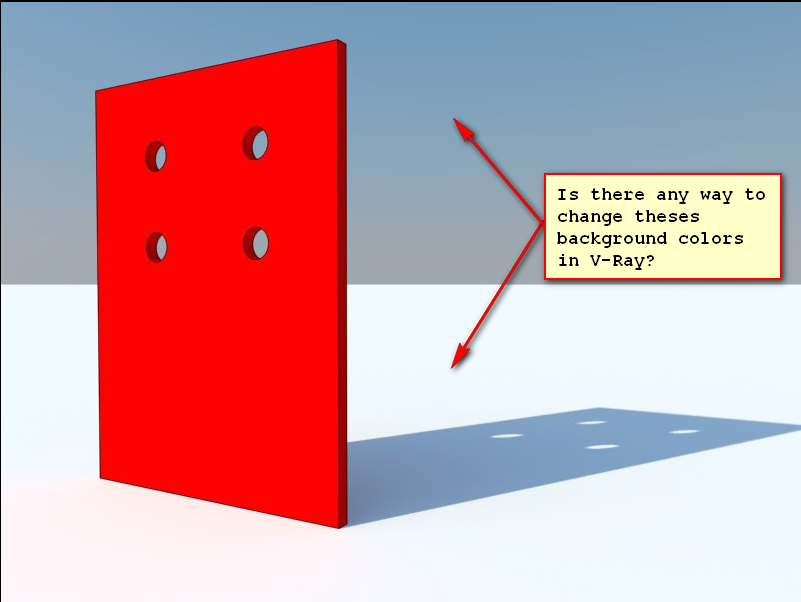
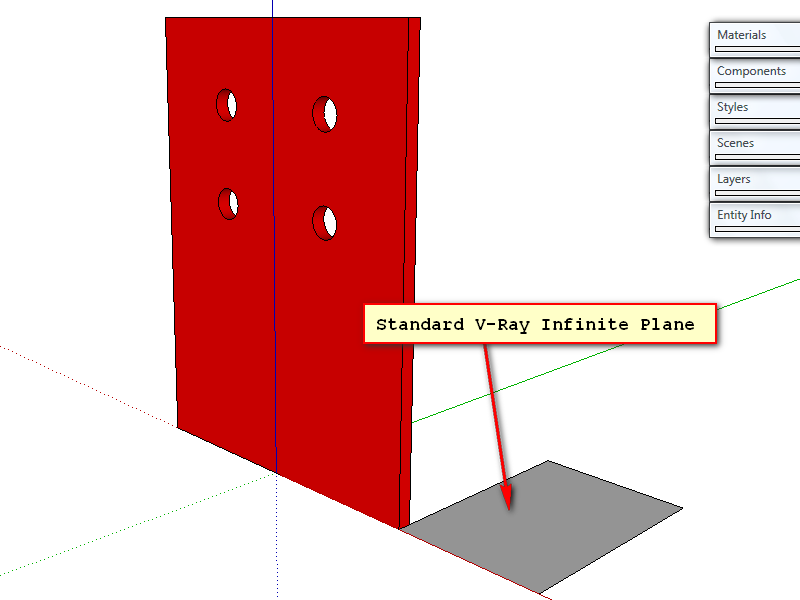
      I'm using the standard V-Ray Infinite Plane and don't ready have the know how to make a studio with lights that will work, so it would really be nice if there were a way to change the background color to one single color. The image will help get across what I'm trying to do.The first one is the rendered version and the second is the set up in Sketchup. Any help would be greatly appreciated!

      Thanks Kurt


      CP1 Test.png


      CP1 Test2.png

      posted in V-Ray render plugins extensions
      HumpmetwiceH
      Humpmetwice
    • Thumbnail image

      Is it possible to change the thumbnail image of a SU file to an image of your choosing? Something like the [Plugin] Upload model with custom thumbnail but for the file on your hard drive that you click to open the file.

      Thanks Kurt

      posted in Newbie Forum sketchup
      HumpmetwiceH
      Humpmetwice
    • RE: Solid conumdrum

      Not real sure what I did other than exploding it and making it a component again but it shows a solid now.


      is-it-a-solid.skp

      posted in SketchUp Discussions
      HumpmetwiceH
      Humpmetwice
    • RE: Better Renders

      Sorry for not getting back sooner but got a little side tracked. Although there are a lot of helpful tips and tricks from everyone this all is a bit over my head right now but will still strive to do better renders.

      Thanks Kurt

      posted in Extensions & Applications Discussions
      HumpmetwiceH
      Humpmetwice
    • RE: My house project

      really impressive work an inspiration to an old metal building detailer!

      posted in Gallery
      HumpmetwiceH
      Humpmetwice
    • RE: Better Renders

      @unknownuser said:

      You've got a very good start. Looks like you mostly just need to keep adding details.

      You might continue tweaking the materials as well. The wood and flooring look overly smooth and shiny. They should probably both be less reflective and adding a bump map to the flooring will help add some more realism

      -brodie

      Thanks Brodie, I was thinkin the same thing about the shininess but went with it. I have no clue as to how to add a bump map! I'll have to look in to that one and see if I can find some "how to videos " to direct me in the right direction.

      posted in Extensions & Applications Discussions
      HumpmetwiceH
      Humpmetwice
    • RE: Re: Some Funny Pics.

      Not really funny


      Useless Bullshit.jpg

      posted in Corner Bar
      HumpmetwiceH
      Humpmetwice
    • Better Renders

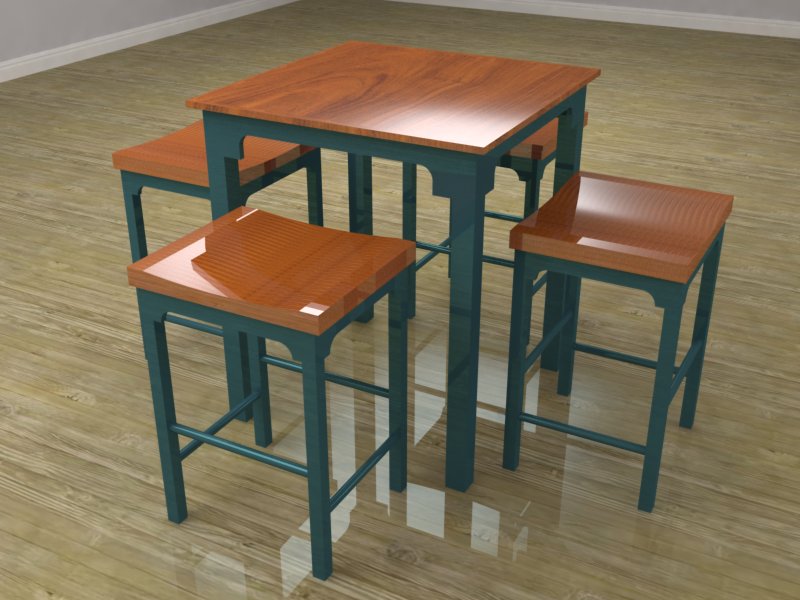
      I've been working,reading and watching all I can to make better renders. I know this doesn't compare to some I've seen here but this is the best I've done so far with v-ray. The exterior renders still confuse the heck out of me!


      Pub Table.jpg

      posted in Extensions & Applications Discussions extensions
      HumpmetwiceH
      Humpmetwice
    • RE: Shoe Storage Bench

      Nice work Dave,I like the first one better tho.

      posted in Woodworking
      HumpmetwiceH
      Humpmetwice
    • RE: Table I built

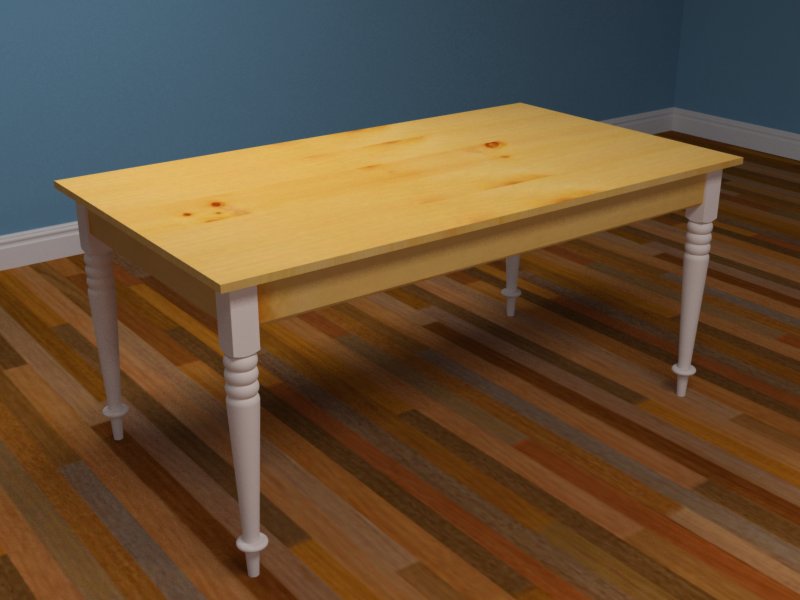
      I just bought a lay but the legs were also bought, I caught a deal on them and couldn't refuse. I'm not about to try and turn something like that yet!In school so long ago I was able to make a bad and a bowl but nothing like a table leg. I'm using V-ray to render everything.I took your suggestions and made a little room then rendered it.The choice of floor was kinda bad but my primary focus was on the table itself so I think it looks a little better, nothing like some I've seen here though! Also thanks Slimdog, I try to use SU on everything I build in some shape or form!


      Table.jpg

      posted in Woodworking
      HumpmetwiceH
      Humpmetwice
    • 1 / 1