Did you try right clicking a skp file in Explorer click "open with" and choosing SU 2022 and checking off "always use this app...?"
Oops, your profile's looking a bit empty! To help us tailor your experience, please fill in key details like your SketchUp version, skill level, operating system, and more. Update and save your info on your profile page today!
⚠️ Important | Libfredo 15.6b introduces important bugfixes for Fredo's Extensions Update
 Offline
Posts
-
RE: Windows: Clicking on .skp file opens in 2019 instead of 2022
-
RE: Thrupaint
Fredo,
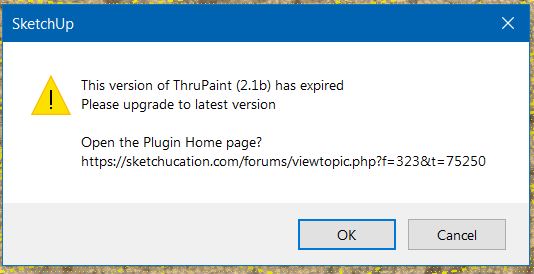
I got a message "this version of Thrupaint expired" and to update to the latest version 2.1b. I installed that and I'm still getting that message. I even uninstalled Thrupaint and tried again. LibFredo is version 13.4a. It shows Thrupaint as 2.1b installed.
-
RE: Paypal compromised?
Google "Chrome thinks I'm in a different country."
-
RE: House render, looking for input before I render
Looks like you fixed the background trees which was something I was going to suggest. Looks good but I'm seeing some things that might need work.
-
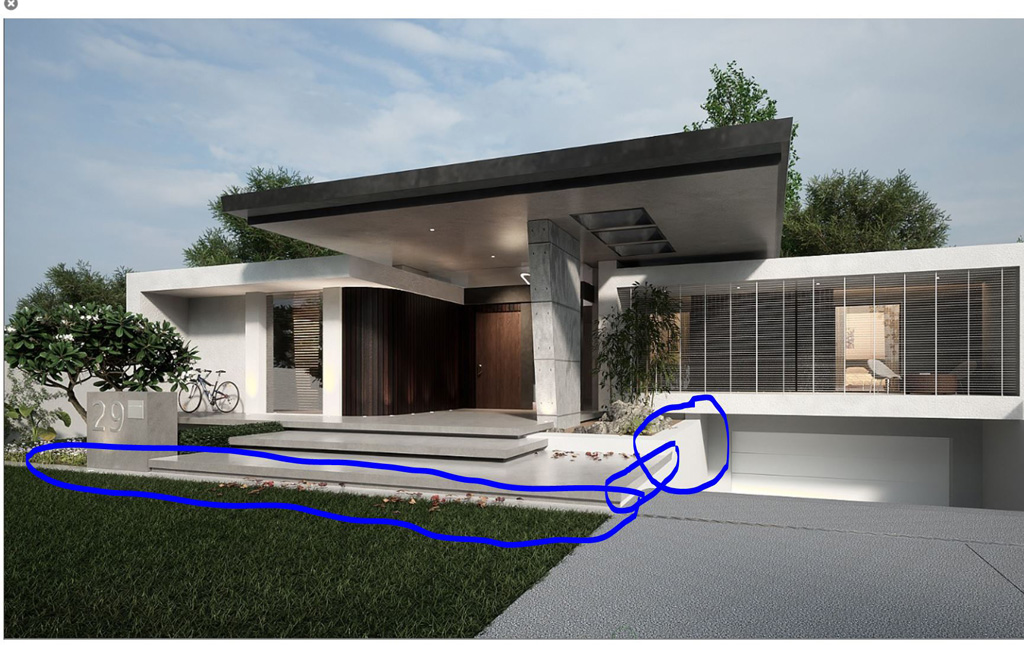
The retaining wall to the left of the garage door looks too bright and almost like it has an emitter. Perhaps tone down the reflectance value of that texture. I think maybe if you replaced it with the same material as the steps might work good.
-
The right edge of the steps makes me nervous seeing how it looms over the driveway and looks like a safety hazard. Possibly add a guardrail there with horizontal elements that match the style of the house. Also try pulling out the end about 4" to the right so there's a shadow below that edge. Right now it's flush.
-
The walk way in front of the steps needs to be wider somewhere around twice as wide.
-
Brighten up the grass.
-
Maybe replace the garage door material with the one you're using for the entry door but oriented horizontally.

-
-
RE: Using the projection tool
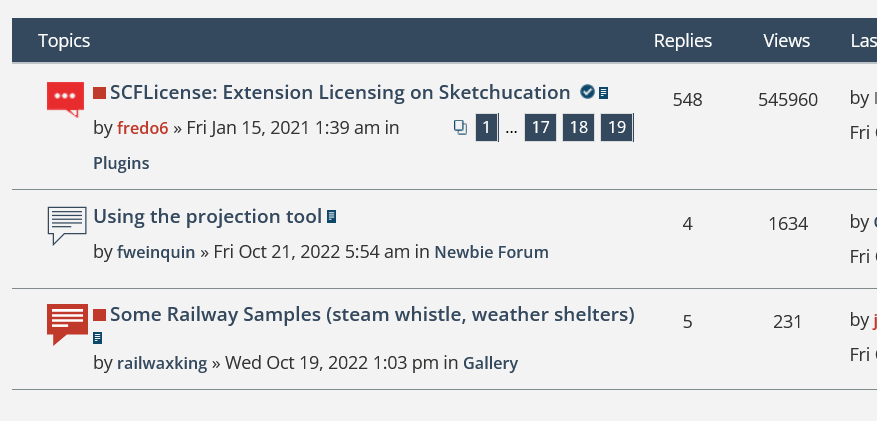
How are these view counts possible? I deleted my cookies and it's still showing up like this. Probably just a glitch.
-
RE: Using the projection tool
Here it is after using Eneroth Flatten to Plan which took less than a second.
-
RE: Using the projection tool
I used flatten.lsp to flatten topography in Autocad. Topography is often drawn to scale so while plan elements might be at elevation 0.00 you'll have topo lines something like 5,000 feet above that.
Try using Eneroth Flatten to Plan which you can get here. I just tested it in Sketchup and it works nicely. You'll have to move whatever you've flattened to Z=0. Make a group of what you want to flatten before flattening.
-
RE: [Plugin][$] ThruPaint - v2.8d - 13 May 25
Rich,
Thanks! I went back and tried again after I posted this and it came back.
I'll paint with Thrupaint and then when I left click it just keeps repainting. Seems like hitting "enter" works great. Don't know what's happening on my end. And now the left click is working easily again.

Anyway, I found this useful video from SketchupEssentials: "ALL of Fredo6's SketchUp Extensions EXPLAINED!"
-
RE: [Plugin][$] ThruPaint - v2.8d - 13 May 25
@gus r said:
How do I activate the manipulation gizmo? The scale, rotate, and translate tool I'm trying to learn a million different things on my end.
Edit: never mind, I got it to work same as always.
OK, I'm still having a hard time with this.
-
RE: Rendering - cheap?
Depending on your budget I would suggest Twilight Render Pro V2 which is $99. If you can afford $280 you can instead get a yearly subscription for Thea Render for Sketchup.
-
RE: Why this warning?
I had to pick out the turtles before they let me sign in. Trimble is working with Big Turtle.
-
RE: Extension for shadow gaps?
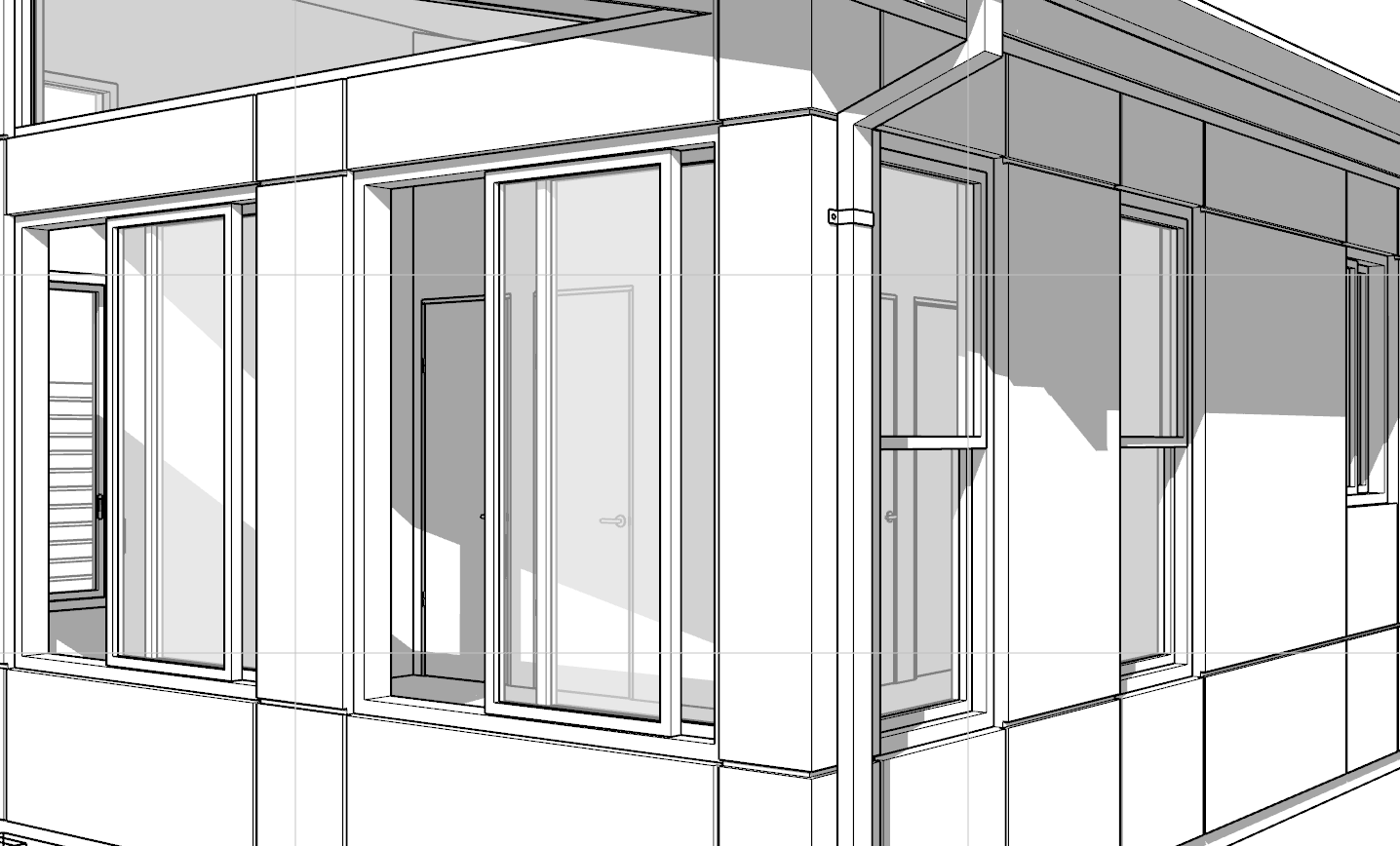
I never really looked for a plugin but what I've done is:
- Layout the vertical offsets (1 or 2 inches) with the construction tool.
- Cut the lines with Zorro.
- Paint the gaps any color.
- Select all with same color in gaps.
- Remove unused edges.
- Select all with same color again.
- Then invoke Fredo's Joint Push Pull to pull the gaps in 1 or 2 inches.
The reason you paint the gaps is to eliminate and lines at intersections. This may sound tedious but it's a lot easier than have to draw lines and then offset each individual line.
You can retain the color within the gaps so you can later change it to any color or material you require. Otherwise, if you remove the color you'll have to select each face of the gaps to apply new material. You can also make a group of those gaps which also makes things easier.
-
RE: [Plugin][$] ThruPaint - v2.8d - 13 May 25
How do I activate the manipulation gizmo? The scale, rotate, and translate tool I'm trying to learn a million different things on my end.
-
RE: Why this warning?
@rich o brien said:
Sign out and sign in.
I get it too occasionally. Mostly when I swap devices. Big brother watches your every move.
Big Trimble. They track us on GPS.

-
RE: Why this warning?
I got that last week so I signed out and signed back in and those warnings stopped. I think this has happened before. Some glitch with the Trimble server.
-
RE: Sketchup crashes when I use any plugin - Please, Help Me
Does this happen with one particular model or even with a new one from a template?
-
RE: [Plugin][$] ThruPaint - v2.8d - 13 May 25
Thanks for the update Fredo. It's all back to normal again. Perfect timing.
-
RE: [Plugin][$] ThruPaint - v2.8d - 13 May 25
Continuing with the Thea Render materials problem the sequence goes like this:
- Double click Thea material and apply material to object.
- Double click again to change material and Thrupaint turns on.
- Paint with Thea material using Thrupaint and it changes.
- Then when I try to paint the object using the Paint Bucket tool it does not change.
- After that I can only change the material through Thrupaint.
I can't change the material in a grouped object unless I use Thrupaint. This only happens in groups. I haven't tried a component yet. Either way I go back to the Thea materials and Thrupaint gets turned on at a second material change.
-
RE: [Plugin][$] ThruPaint - v2.8d - 13 May 25
Thanks Fredo. UV mapping in Sketchup is difficult sometimes even for simple forms.
I have an issue where Thrupaint is invoked when I double click on Thea Render for Sketchup materials. It oddly happens on the second attempt to change the Thea material. If I close down Thrupaint I then can't change the Thea materials unless Thrupaint is turned on. The same thing happens with Sketchup materials after this happens. The paint bucket stops working. I can then only paint an object unless Thrupaint is turned on.