sketchucation logo sketchucation
    • Login
    1. Home
    2. dukejazz
    3. Posts
    Oops, your profile's looking a bit empty! To help us tailor your experience, please fill in key details like your SketchUp version, skill level, operating system, and more. Update and save your info on your profile page today!
    Check out Febhouse | New extensions for Shadow Analysis in SketchUp Download
    dukejazzD Offline
    • Profile
    • Following 0
    • Followers 0
    • Topics 41
    • Posts 5,755
    • Groups 1

    Posts

    Recent Best Controversial
    • RE: Thickness Ruby to make shell?

      I rework it and now it's a closed shell volume:

      by these steps

      1. I started wuth the car body

      2. draw with line tool and close the volume
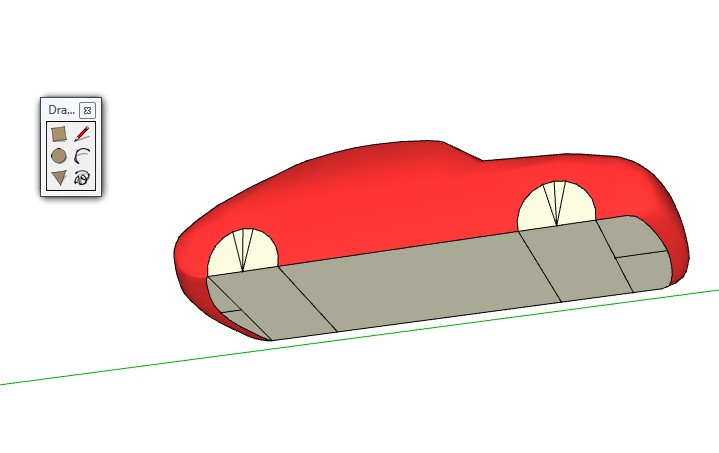
        pic_0157.jpg

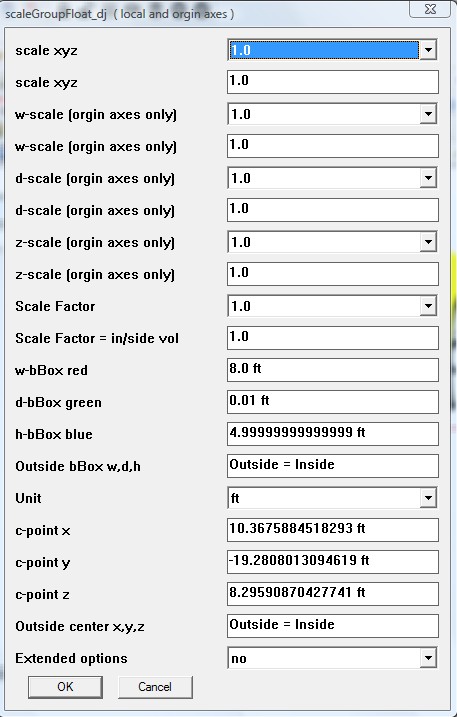
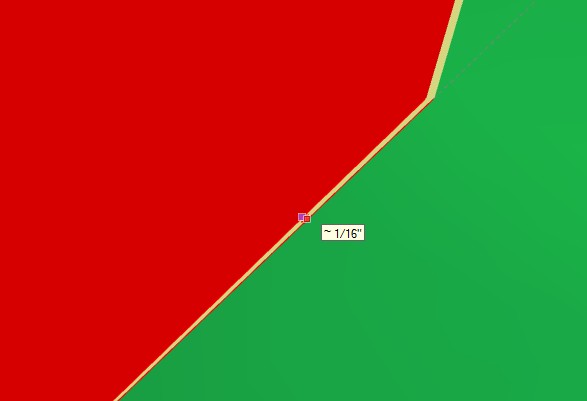
      3. I copy and offset scaled by 1/16 inch as before with scaleGroupFloat_dj
        scaleGroupFloat_dj will create an offset call "shell". the settings shown ealier above

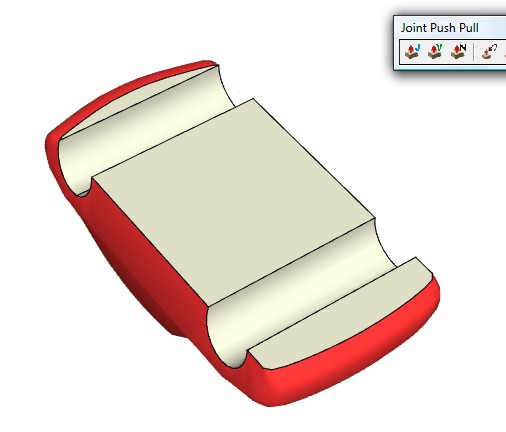
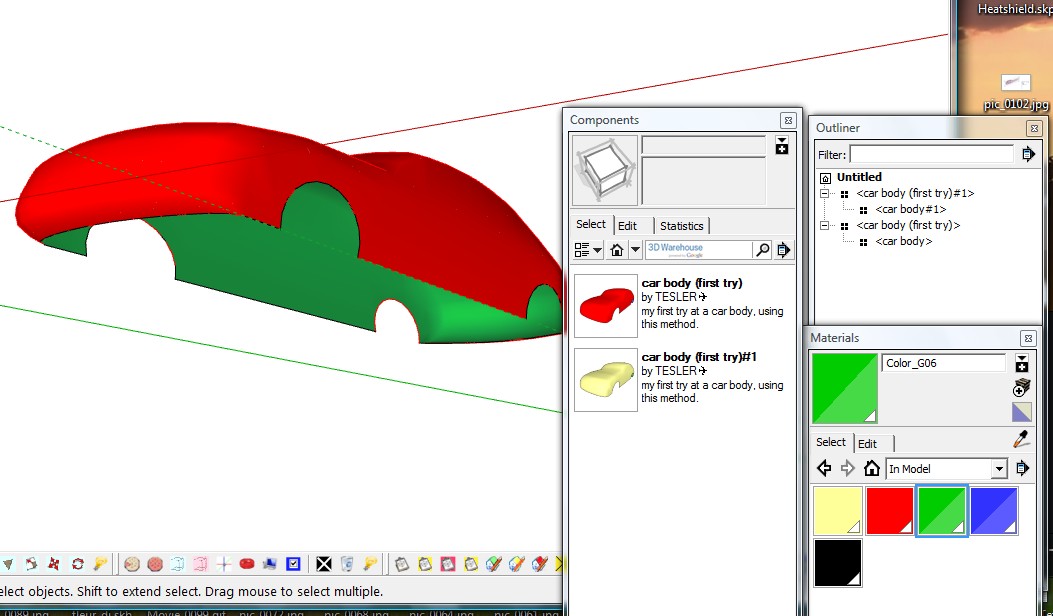
      4 ) I then vector push-pull the wheels acoss
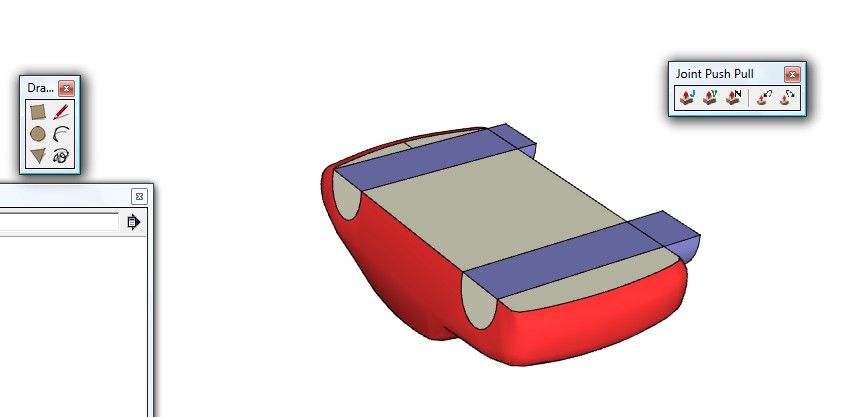
      pic_0158.jpg
      5) right click and used context intersect face to model

      1. cut away
        pic_0159.jpg
        and then cut the bottom interial face of the car
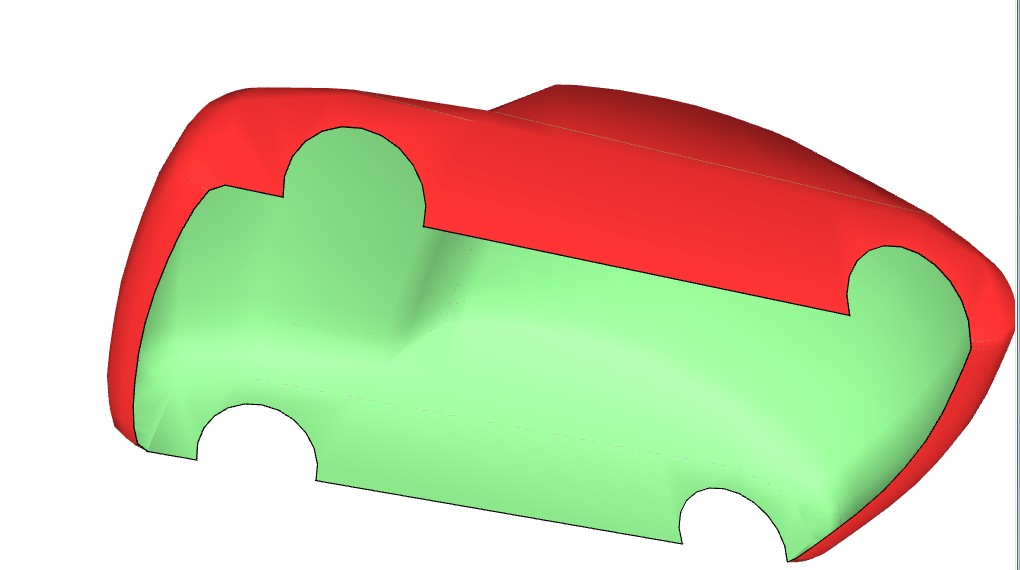
        pic_0161.jpg

      @unknownuser said:

      by marvins_dad » February 27th, 2013, 9:36 am
      Is there a ruby out there that will create an offset or "shell". I have a car shell... 1/6" thick lightweight ... The problem is ... the programs won't simply print along a plane with zero thickness.

      and now marvins
      The Answer:
      yes- Use scaleGroupFloat_dj.rb
      and a vector push-pull tool
      (=to SU push-pull then one end exploded face move by the move tool)
      by the process above you get this
      car+body16_dj.skp
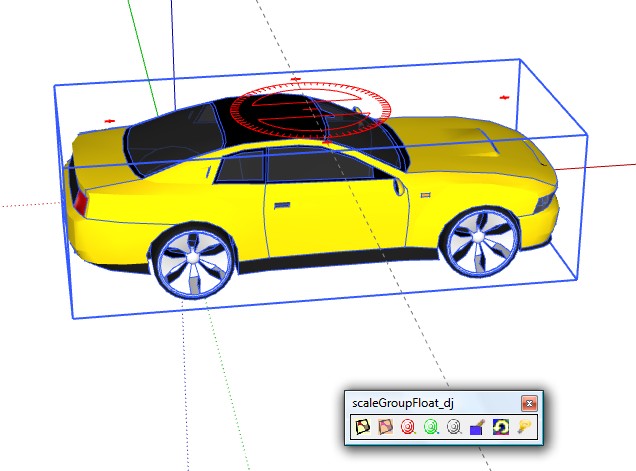
      posted in SketchUp Discussions
      dukejazzD
      dukejazz
    • RE: How to get the bounding box of a CAD car?

      It is true you may not need bounding box corner coordinate of a car in each image to make 3D models to 2D images,

      @unknownuser said:

      by lbsswu » February 28th, 2013, 11:58 pm

      I have some CAD cars and I need to project these 3D models to 2D images, is there a method to get the 2D bounding box coordinate of a car in each image? e.g., the 4 corner coordinates, (x1,y1), (x2,y2), (x3,y3), (x4,y4)

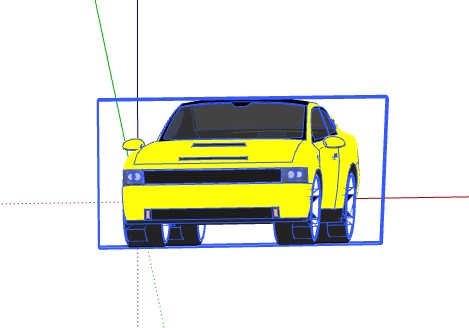
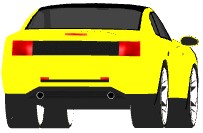
      Yes You can turn 3D models to 2D images,
      pic_0147.jpg
      pic_0151.jpg
      pic_0155.jpg

      method 1) flatten it with scaleGroupFloat_dj Ver 1.6.5
      Copyright Feb 15, 2013
      DukeJazz: by James Cochran
      when color leaves then it flat
      recolor with in model texture
      pic_0156.jpg
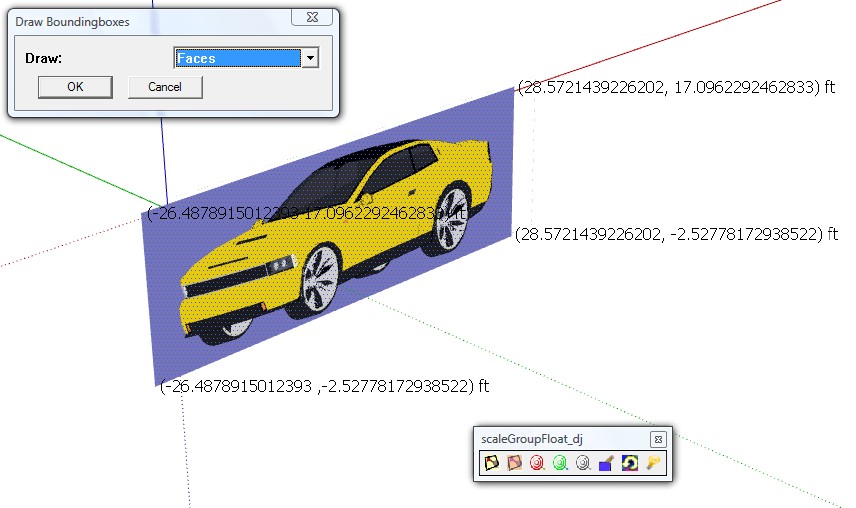
      I use four boxpoints to four corner (boxPoint_dj)
      then readed the c-point to target
      pic_0144.jpg

      method 2) a clip trxture - edit to transpaency background-input image

      There is 2 methods beside mine above to get the 2D bounding box coordinate of a car.(x1,y1), (x2,y2), (x3,y3), (x4,y4)

      method 1) Ruby ATI method is given here for bounding box coordinate
      http://www.sketchup.com/intl/en/developer/docs/ourdoc/boundingbox#corner

      method 2) If you have the SU Pro save a export to VRML and open to notepad, lookie here coordinates

      posted in Developers' Forum
      dukejazzD
      dukejazz
    • RE: Thickness Ruby to make shell?

      scaleGroupFloat_dj Ver 1.6.5
      Copyright Feb 15, 2013
      DukeJazz: by James Cochran
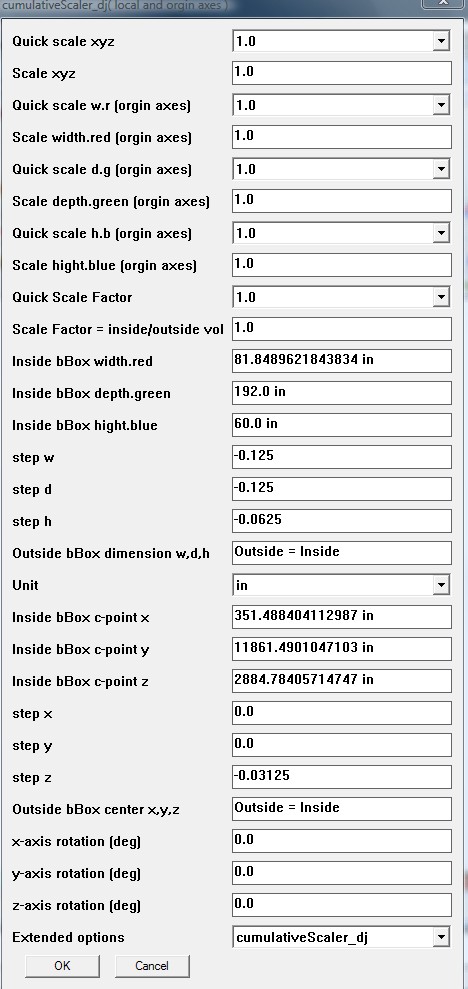
      I have a tool call cumulativeScaler_dj
      it's part of scaleGroupFloat_dj package (doses cumulative xyz, x, y, z, scale,step,move and rotation)

      @unknownuser said:

      by marvins_dad » Yesterday, 12:08 pm
      I can't figure it out...all I have been able to do is an offset.
      Looking to basically create a 1/16" shell.

      pic_0134.jpg

      I figure it for you.

      I found a car body on 3d warehouse
      pic_0132.jpg

      and I work it 1/16 but it's not close yet for a volume

      car+body16_dj.skp


      pic_0138.jpg

      posted in SketchUp Discussions
      dukejazzD
      dukejazz
    • RE: Thickness Ruby to make shell?

      My plugin will make a shell

      [Plugin] scaleGroupFloat_dj Ver 1.6.5 Feb 15, 2013 by dukejazz » May 11th, 2012, 3:36 pm

      scaleGroupFloat_dj Ver 1.6.5
      Copyright Feb 15, 2013
      DukeJazz: by James Cochran
      has a tool call
      cumulativeScaler_dj (now dose xyz x y z scale,step and rotation)
      pic_0127.jpg
      http://sketchucation.com/forums/viewtopic.php?f=323&t=45254&start=15

      posted in SketchUp Discussions
      dukejazzD
      dukejazz
    • RE: Needing help with a dynamic (sizeable) cabinet door

      @unknownuser said:

      woodwork 101 wrote:
      When I adjust the width it seems to work but when I adjust the height the center panel and the top rail move out of alignment.

      I wrote a plugin that will rescale your door call
      scaleGroupFloat_dj, try it, it's free.
      http://sketchucation.com/forums/viewtopic.php?f=323&t=45254
      I try it on your skp file and it work for me.

      @unknownuser said:

      woodwork 101 wrote:
      does anyone know of websites, tutorials, etc for dynamic components for beginners?

      here one
      http://www.sketchup.com/product/dcs.html

      Well that all
      good luck

      posted in Dynamic Components
      dukejazzD
      dukejazz
    • RE: Follow-Me tool problem

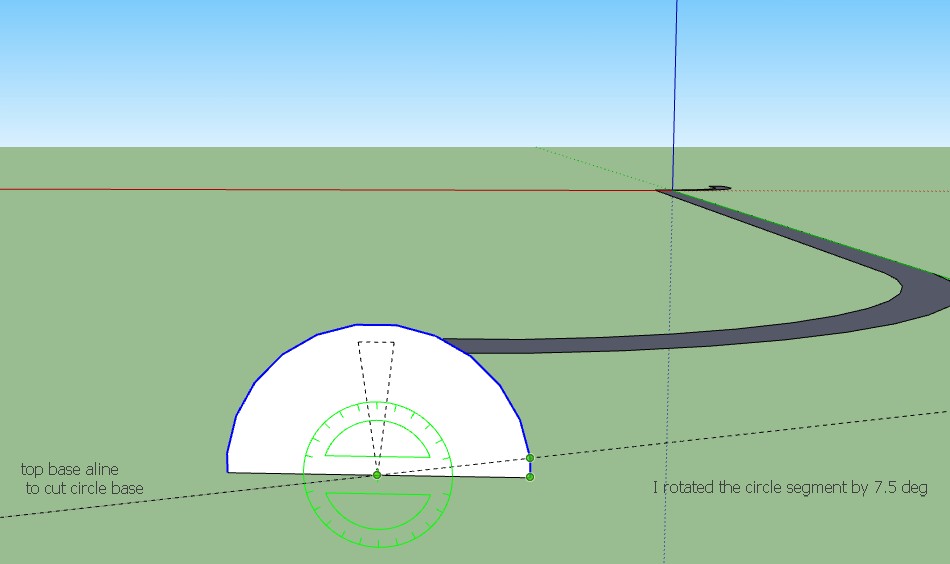
      "I rotated the circle half the angle between vertices. I used a default 24 sided circle so I rotated the circle 7.5 degrees. I drew a line along the red axis to to split the circle in half and deleted the bottom half as well as that diameter line."- Dave

      Dave your right

      Bunnyack here the fix segment
      Heatshield_dj.skp
      pic_0125.jpg

      posted in Newbie Forum
      dukejazzD
      dukejazz
    • RE: Match 2 smoothed polysurfaces on border (terrains) -> solved

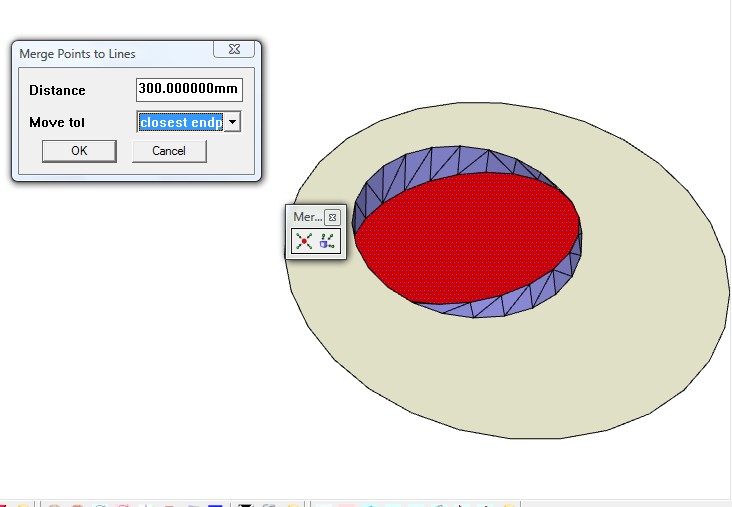
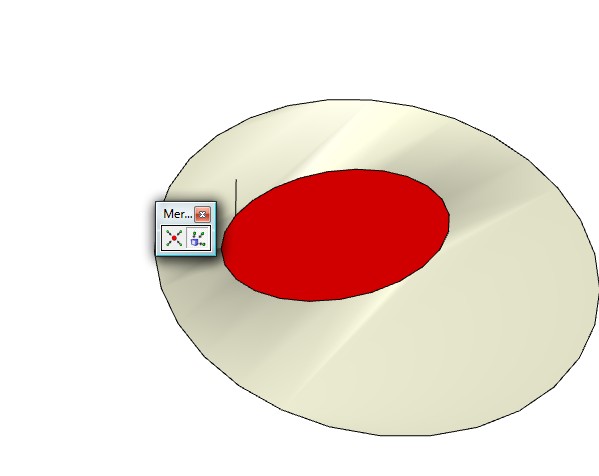
      Hey I found this tool

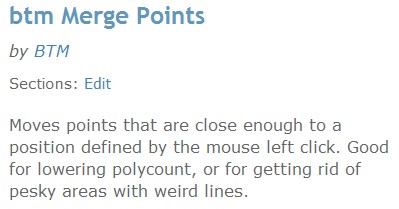
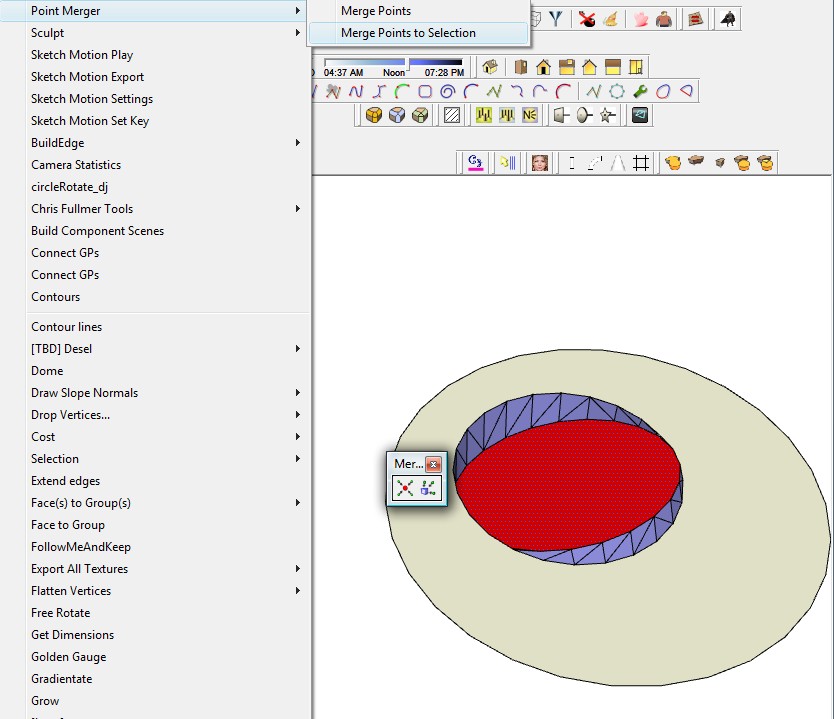
      Point Merger Tools v 1.2
      (25.81 KiB) Downloaded 1021 times
      pic_0094.jpg
      pic_0089.jpg
      I would like to have your example
      but since i don't here
      you can soften inter edges to make two surface of the mesh terrain
      select inter terrain
      max distance of gap
      pic_0091.jpg

      pic_0092.jpg

      now it shoud be good

      if the poly code count to high it will also lower the count, then do what I did above

      posted in SketchUp Discussions
      dukejazzD
      dukejazz
    • RE: Artisan - Subdivide and Smooth causing problems

      Do you have a example jpg you working from

      Here one I found
      water-drop.jpg

      posted in Newbie Forum
      dukejazzD
      dukejazz
    • RE: [Plugin] Another Sketchup v1.6.1 Feb 19 2013

      Update to Mac
      Feb 19, 2012 Another_Sketchup v1.6.2_Mac (no paste in place just paste)

      Sorry I don't own a mac

      Not all api codes run on the mac.
      cmd=Sketchup.send_action 21939;#mac 57637 is one of them (Pc paste in place, Mac paste)

      If this dose not fix it, I need to know the line #no of the error please.

      I have releaed the new version at the above downloads (Another_Sketchup)

      posted in Plugins
      dukejazzD
      dukejazz
    • RE: Help to Make a Curved Object Beveled/more 3d

      by dukejazz » Yesterday, 3:54 pm

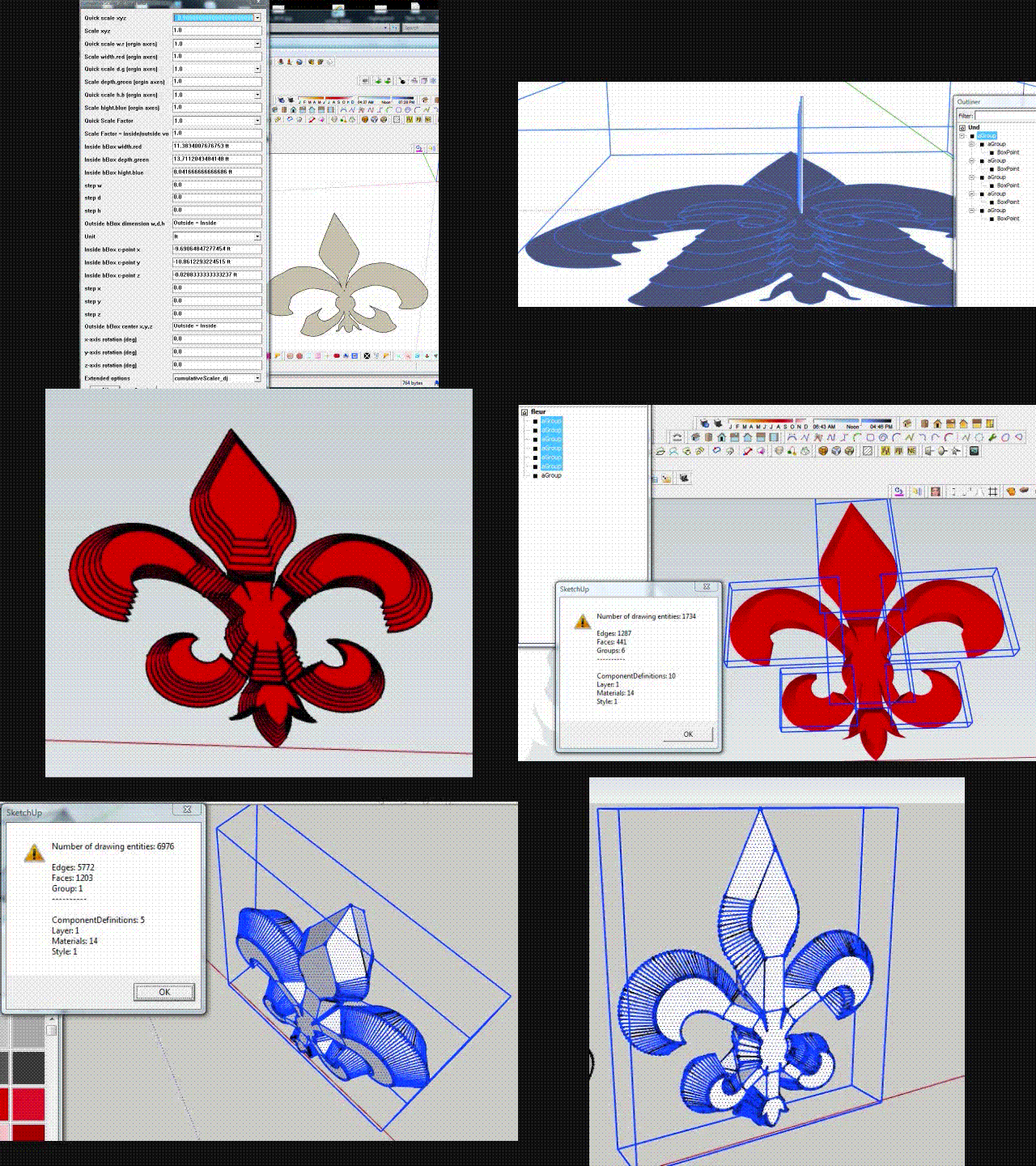
      I build it with
      scaleGroupFloat_dj v1.6.5 bata
      cumulativeScaler_dj
      push pull - cumulativeScaler layers -scale

      frist four frames is meathod 1 )cumulativeScaler layers steps 1X
      others frames is meathod 2) cumulativeScaler layers steps 7X
      last two frames is copy invert meathod

      Movie_0099.gif

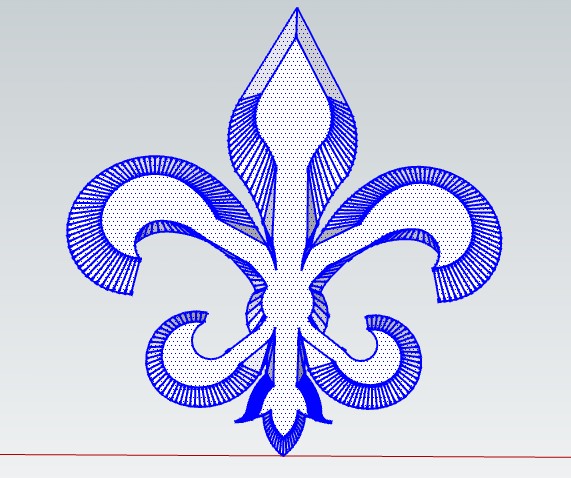
      erase the cut line and bridge line

      fleur_dj.skp

      erase the cut line and bridge line
      pic_0086.jpg

      top surface can be rounded by follow me tool

      posted in Newbie Forum
      dukejazzD
      dukejazz
    • RE: Help to Make a Curved Object Beveled/more 3d

      If you give your skp file I can build it with
      scaleGroupFloat_dj v1.6.5 bata
      cumulativeScaler_dj
      push pull - cumulativeScaler layers

      posted in Newbie Forum
      dukejazzD
      dukejazz
    • RE: Help to Make a Curved Object Beveled/more 3d
      1. put your patten on a flatten cylinder-push pull vector_scale tool_trim outside off
      2. stamp to mesh - sandbox tool
      3. copy and invert -scale
      4. paste in place and trim outside off

      3D appearance

      posted in Newbie Forum
      dukejazzD
      dukejazz
    • RE: What's your beginners tip?

      Tip_dj no 1
      This is my best tip all year of 2011
      by dukejazz on Mon Dec 19, 2011 7:52 am

      When sketchup starts up it doesn't see any hidden ruby files

      (note: With windows explorer toolbar, Tools-folder options-view-show the hidden files = on)

      You can hide what you don't need to load, and unhide the require ones that you do.

      Later with Jim ruby toolbar you can load the hidden ones.
      That's because your telling the script loader about the name, type and location of ea. plug-ins to load...

      thus no need to double buffering of plug-ins in folders by loaders.

      Also the plug-ins are in the folder that are meant to be in.
      😍 win win!

      Jim
      http://forums.sketchucation.com/viewtopic.php?t=1542
      Ruby Toolbar
      pic_0051.jpg
      Download here
      http://sketchuptips.blogspot.com/2007/08/plugin-ruby-toolbar.html

      posted in Newbie Forum
      dukejazzD
      dukejazz
    • RE: SU model in Photograph

      pbacot » Today, 3:02 pm
      " locations (on the terrain) as the photographs, it's difficult to be sure of the scale and relative distances for the new features."

      ANY TIPS? Yes

      tip 1

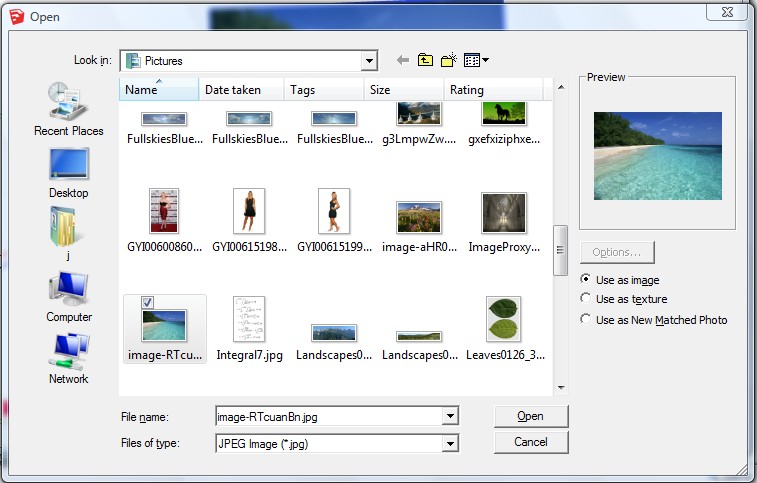
      file -imput-ipg-use as image
      pic_0062.jpg
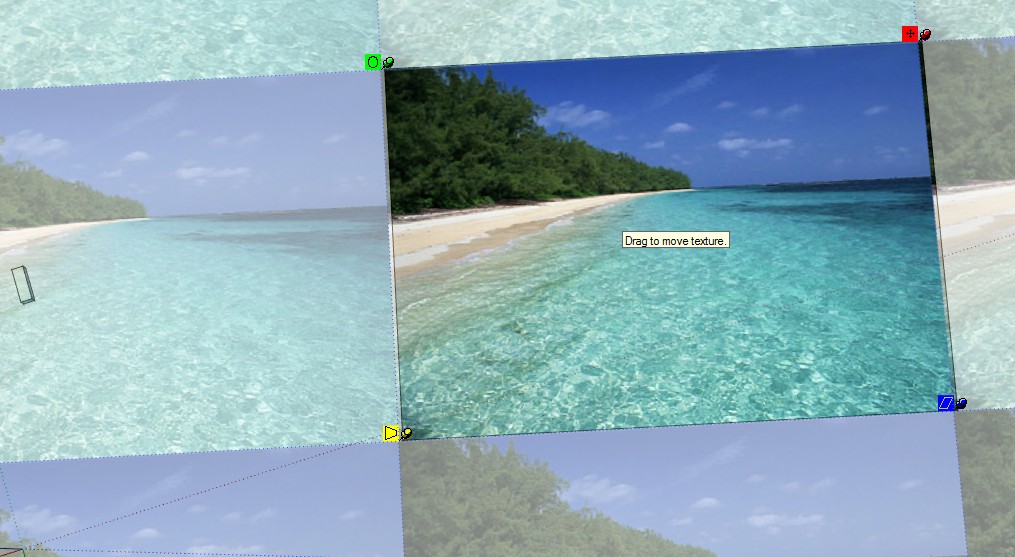
      explode image
      right click
      context - texture -position -(pin tool to make squared)
      pic_0063.jpg

      example above is done on a side view
      but you can do a top ang down botton view too.

      tip 2
      scale with my tool

      scaleGroupFloat_dj Ver 1.6.5
      Copyright Feb 15, 2013
      DukeJazz: by James Cochran

      drop boxpoint_dj on image plain
      select both group,make a new group and scale with scaleGroupFloat_dj
      rotate plain to prospective and then re-flatten view by resizing to .00000001 depth of plain size and then explode (all can be done in scaleGroupFloat_dj)

      place a SU model in the context of a photograph.

      it should fix the size alinement problems

      posted in Post Processing
      dukejazzD
      dukejazz
    • RE: [Plugin] scaleGroupFloat_dj Ver 1.6.5 Feb 15, 2013

      Update:
      Feb 15, 2013; scaleGroupFloat_dj v1.6.5 bata
      -add cumulativeScaler_dj rotation around

      pic_0060.jpg

      Feb 4, 2013; scaleGroupFloat_dj v1.6 bata
      -add cumulativeScaler_dj move around (a step boxpoint)
      -add cumulativeScaler_dj size lenear stepper
      -add cumulativeScaler_dj move lenear stepper
      -fixes
      Movie.gif

      posted in Plugins
      dukejazzD
      dukejazz
    • RE: What's your beginners tip?

      Tip_dj no 14
      Alternet way to restore toolbars prosition
      without using veiw-Toolbar - save toolbars prosition (reg ToolbarsUserCustom-Bar)

      Ok you know that everytime you boot sketchup the tool bars are set the same as you left
      right

      now if you move thing around and if your tool bar get mix up by resizing sketchup bordders and you want to restore toolbars prosition to a standard view (veiw-Toolbar -restore toolbars prosition is ok to use)

      but

      To return to how it was when you started, just start a new sketchup instance then exit out the old then exit the new.

      when you come back toolbar are fix to how they were 😄

      posted in Newbie Forum
      dukejazzD
      dukejazz
    • RE: Lines Not Showing

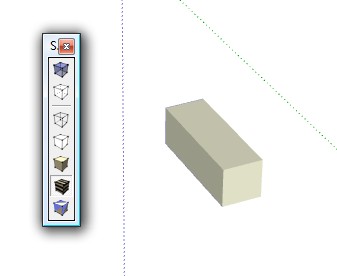
      I re-read what you wrote and my ealier statment is wrong
      the edge would switch on in going thou the
      model with textures or shading the lines
      and in the hidden line, wireframe, back edges or x-ray
      view the view goes completely white. See the screenshots below

      but
      if profile were off
      add hidden geometry were off
      edges are made to guides or smooth
      you will see what you stated sgcrain » Yesterday, 12:59 pm
      pic_0055.jpg
      pic_0056.jpg
      pic_0057.jpg
      if this not the case

      A fast fix next time is using your undo's back beyon the problem

      or restart another sketchup with out closeing the old

      copy model or object to new
      and
      save old model and close old sketchup

      in new
      if it problem go's away it a style problem or state of sketchup

      if it dosn't goes away its a material problem (transparcy on and style edge is by material)

      now when you close the new it refresh reg back to before the old sketch up started
      which is good
      But
      now if you alreadly closed sketchup before starting a 2rd sketchup
      you can load a different model
      or reload a new style
      if the problem still their
      maybe now you have to reinstall sketchup reg by reinstall sketchup

      I which you did.

      posted in SketchUp Discussions
      dukejazzD
      dukejazz
    • RE: Lines Not Showing

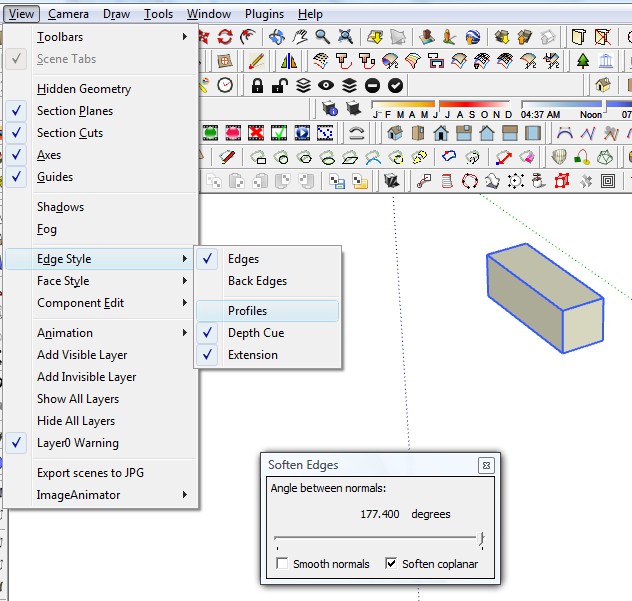
      I think it was menu- view- edge style-edges was turn off

      posted in SketchUp Discussions
      dukejazzD
      dukejazz
    • RE: REQ - Isolate Selection

      Tip_dj no. 13
      The outliner isolation:
      Make all connected to a group, then enter the group edit mode and make sub isolated groups. Open outliner and dragged your isolated selected groups to above top untitled area to Isolate Selection and when done editing drag back or explode if need.

      "EarthMover" - dukejazz
      "Isolate Selection" - Yes (Tip_dj)

      "Looking for a plugin that" - No, not a plugins sorry

      "will isolate whatever is selected in an isolation" - Yes

      "mode and conversely exit out" - Yes

      "isolation and bring back all of the non isolated items."- Yes

      "If possible, when exiting isolation mode, the tool will not affect any previously hidden geometry (geometry hidden prior to enter isolation mode)"- Yes

      "I think currently there are a few option to hide unselected" - Yes hide by context hide

      ", but to revert requires" - Yes select hidden by context _ unhide

      one to unhide all"- Yes select all and hide by context hide || unhide

      Results:

      "probably be quicker than via a script-TIG"

      My point, the outliner is very good tool to have open and to use.-dj

      posted in Plugins
      dukejazzD
      dukejazz
    • RE: Axis lock circle + rotation tool

      a ruby outline
      left button mouse down draw circle
      left button mouse up make a group
      finish with move tool then rotate edege

      posted in SketchUp Feature Requests
      dukejazzD
      dukejazz
    • 1
    • 2
    • 276
    • 277
    • 278
    • 279
    • 280
    • 287
    • 288
    • 278 / 288