sketchucation logo sketchucation
    • Login
    1. Home
    2. dukejazz
    3. Posts
    Oops, your profile's looking a bit empty! To help us tailor your experience, please fill in key details like your SketchUp version, skill level, operating system, and more. Update and save your info on your profile page today!
    Check out Febhouse | New extensions for Shadow Analysis in SketchUp Download
    dukejazzD Offline
    • Profile
    • Following 0
    • Followers 0
    • Topics 41
    • Posts 5,755
    • Groups 1

    Posts

    Recent Best Controversial
    • RE: Re: Some Funny Pics.

      Just draw some extra feelers on those two fellows above with arms with a bigger group of any six pack friends and put them in a heat wave which we are having now out west (117 deg 3 states,@140 deg Palm Springs small airport runway)
      And this what happens

      https://encrypted-tbn3.gstatic.com/images?q=tbn;ANd9GcTJTdwAWFDglaMQpX6uft3IYbCCR8uOnur8QJo0QeQ3BIWJyV7w

      http://www.lol101.com/funnypictures/Misc/Fried_Cockroach_RZKHMG.jpg

      Funny Picture Fried Cockroach | LOL101.www.lol101.com

      http://www.microscopy-uk.org.uk/mag/imgjul05/wd/04-cockroach.jpg

      yea six pack

      posted in Corner Bar
      dukejazzD
      dukejazz
    • RE: [Plugin] Zorro2 (beta)

      HI

      How to cut multi and nested cuts objects


      All you need to do is to expode all groups and componets

      It can't cut a group or componets

      You can edit inside a group that all you can do with a groups or componets
      don't edit outside the boundbox or edit aross a edit lines when cutting

      draw zorro aross to make cut
      using CTRL to cut nest cuts interier

      I hope this helps someone

      posted in Plugins
      dukejazzD
      dukejazz
    • RE: Curiosity between V8 and 2013

      Curiosity between V8 and 2013

      New ver fix icons on the toolbar
      to Download
      http://sketchucation.com/forums/viewtopic.php?f=323&t=46688&p=481622#p481622

      June 18, 2013; projectEditor_dj v1.7 make 2013.m1
      -new scaleGroupFloat_dj full inputbox format
      -new selectAll fix for (Mac and PC)
      -fix icons
      -fixes for make 2013 m1
      -set module to LibAnotherScalePlusDJ
      -changed to self.method
      -move varaibles table to DJ_lib folder,
      -djAnotherLib_dj.rb thus DJ::LibAnotherScalePlusDJ.variables_dj
      -deleted two folder hidden and unhidden

      • WIP working on paste in place function for Mac

      pic_0020.jpg


      pic_0018.jpg


      pic_0018.jpg


      pic_0016.jpg

      posted in Plugins
      dukejazzD
      dukejazz
    • RE: [Plugin] projectEditor_dj v1.8.SU.2013-14

      Web page got mess up, ver 1.7 can now be down loaded. 😄
      Sorry for the wait.

      posted in Plugins
      dukejazzD
      dukejazz
    • RE: [Plugin] projectEditor_dj v1.8.SU.2013-14

      New ver
      History:
      June 18, 2013; projectEditor_dj v1.7 make 2013.m1
      -new scaleGroupFloat_dj full inputbox format
      -new selectAll fix for (Mac and PC)
      -fix icons
      -fixes for make 2013 m1
      -set module to LibAnotherScalePlusDJ
      -changed to self.method
      -move varaibles table to DJ_lib folder,
      -djAnotherLib_dj.rb thus DJ::LibAnotherScalePlusDJ.variables_dj
      -deleted two folder hidden and unhidden

      • WIP working on paste in place function for Mac

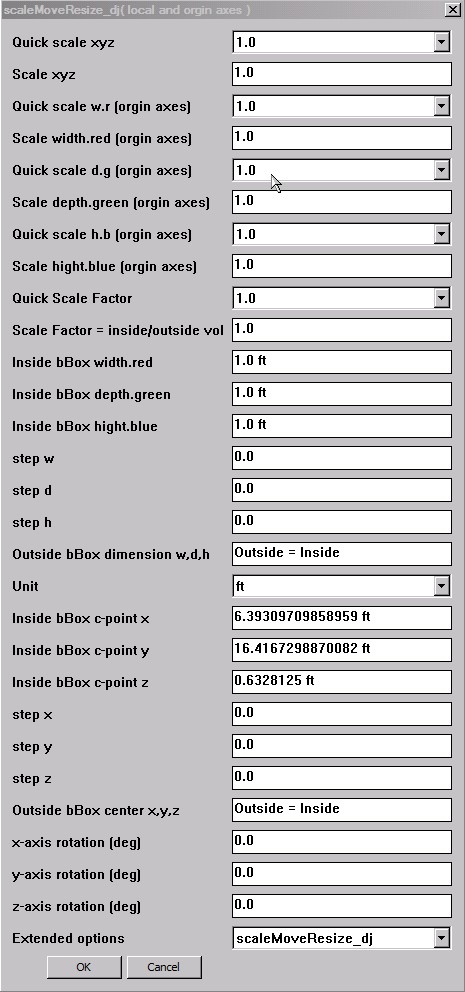
      pic_0015.jpg

      posted in Plugins
      dukejazzD
      dukejazz
    • RE: Re: Some Funny Pics.

      http://ohmyfunny.browntechnolimit.netdna-cdn.com/pictures/2ba8698b79439589fdd2b0f7218d8b07.jpg

      As long as your here that's the way it is.

      posted in Corner Bar
      dukejazzD
      dukejazz
    • RE: How many forum members does it take to change a light bulb?

      LOL 🤣

      I give this 4 light bulb idea

      💭 💭 💭 💭

      posted in Corner Bar
      dukejazzD
      dukejazz
    • RE: Sketchup running slow

      HI

      1. In Window Windows 7 I would use the task Manager go to process - Sketckup - right click - set priority to high

      If something in backgound uses alot of cpu then set their priority to low

      also Find a unused core setting in the a affinity for Sketckup

      2.66 GHZ is your speed limit
      window block share the -cpu- ram-and priority
      it nice You have 12 gig of ram but skutchup uses only about 400M working mem

      Your resource is share with everything on your machine

      Now use the maxium resource amount cpu just below 50% if it hits 50 it the cpu limit of sketchup- since I don't have your machine-this is a guess-I would use lower grarph setting, thier no shader in skutchup

      I would look at sketchup Properties row back some on the modes in compatibility
      when they made the sketchup core it was for a xp-2000 machine

      Basic Window is faster then windows areo

      Since 2006
      Speed of core machine has been 2.66 GHZ

      so your exspectaion iz false = " I thought that it would be super smooth on this machine... "
      your windows is 64 and window 7 thus has not been fully tested for sketchup

      run it in 32 mode

      best thing I said here is item # 1 above this maybe all you need

      posted in Hardware
      dukejazzD
      dukejazz
    • RE: Re: Some Funny Pics.

      My I have this line dance ladies of Sketchup
      It's a time to dance.
      3D Geometric Shapes Dance a Ballet

      posted in Corner Bar
      dukejazzD
      dukejazz
    • RE: Re: Some Funny Pics.

      Mother day with the kids 2013
      Head rest and shut eyes
      Happy Mothers Day Mom all is well
      pic_0002.jpg

      posted in Corner Bar
      dukejazzD
      dukejazz
    • RE: Re: Some Funny Pics.

      Oh yea,
      Bob Ross,
      I get it now.
      pic_0040.jpg

      posted in Corner Bar
      dukejazzD
      dukejazz
    • RE: [Plugin] scaleGroupFloat_dj Ver 1.6.5 Feb 15, 2013

      @unknownuser said:

      by maxvector9 » Yesterday, 1:59 pm

      There is no download link. Where can I download it or is it still in a test fazes?

      Re: Ad blocking add ons
      http://sketchucation.com/forums/viewtopic.php?f=15&t=51766&p=468103&hilit=blocker#p468103
      may be block cookies

      @unknownuser said:

      by zook247 » April 12th, 2013, 1:29 pm
      I was unable to download with IE9, I still don't know why it suddenly won't work with IE9 I tried setting my security way down. The pop up blocker was off. But at least Chrome worked.

      I have been putting in some volunteer work on these plugins for the past year so they are free to down load at this forum.

      http://sketchucation.com/forums/viewtopic.php?f=323&t=46688
      http://sketchucation.com/forums/viewtopic.php?f=323&t=45254&p=404860#p404860

      I have more add on update ideal's to come.

      1. a new type of paste in place that will work for the Mac
      2. a web inputBox for scaleGroupFloat_dj

      I made more memory space available by deleting older ver this may be the problem,
      also re-link the atachment to this page.

      If you still have a problem please let me know.

      posted in Plugins
      dukejazzD
      dukejazz
    • RE: [Plugin] projectEditor_dj v1.8.SU.2013-14

      update:
      April 18, 2013; projectEditor_dj v1.6.5 bata
      add the scaleGroupFloat_dj v1.6.5
      -add cumulativeScaler_dj rotation around

      posted in Plugins
      dukejazzD
      dukejazz
    • RE: Re: Some Funny Pics.

      Jedi pictures - LOL
      http://www.bing.com/images/search?q=Jedi&Form=R5FD18
      pic_0025.jpg

      posted in Corner Bar
      dukejazzD
      dukejazz
    • RE: Problème de spère

      Fabrication sphear

      L'avertissement peut-être un alinement délivrer.

      « AvertissementLes chemin sélectionné ne commence pas ou pas ne s'arrête pas sur la section extrudée.Vous pouvez avoir des résultats inattendus. »

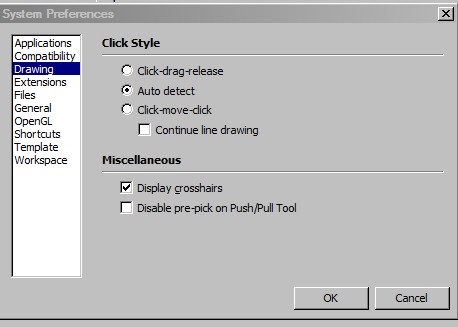
      Le Fix : configuré pour afficher le réticule

      Préférences système-dessin-afficher le réticule
      pic_0002.jpg
      Cela peut vous aider à aline votre cercle pour faire des sphear

      Dans ma méthode 3 et 4 vous montre comment à fo sphears avec affichage de réticule.
      http://sketchucation.com/forums/viewtopic.php?f=15&t=51411

      posted in Français
      dukejazzD
      dukejazz
    • RE: Re: Some Funny Pics.

      The subject; Blue sky and type of contrails.
      pic_0001.jpg
      If you really want to know top right is a rocket,
      and the bottom is something don't see every day 😮

      posted in Corner Bar
      dukejazzD
      dukejazz
    • RE: Better scaling tool and setting a rotation axis in a group

      I check in sketchup help video page and found this

      sketchup Pro people have anchoring
      SketchUp Techniques: Dynamic Components (8:51)

      An introduction to adding attributes to components.

      http://www.sketchup.com/intl/en/training/videos/familiar_with_gsu.html

      posted in SketchUp Feature Requests
      dukejazzD
      dukejazz
    • RE: Better scaling tool and setting a rotation axis in a group

      @unknownuser said:

      In most animation programs setting a locked pivot point is a standard action becasuse skeletons, joints, gears, hinges... all rotate or swivel at a permanently set location. Hopefully this makes more sense.
      xiombarg

      So you saying you what a hinge joints that anchor a point to a localize placement witch hold a group.lock dynamically meshes object, that can be fasion in 4 state of demenions.
      1d to anchor scale on a line with the end points to move it.
      2d to anchor rotation and pulled on a plane, edges or points to scale or move it.
      3d to anchor rotation or push-pulled on a surface points move.
      4d to anchor rotation and pulling on a surface action giving spin, a growing bubble point or collision reation animation

      Well what a order.

      I think is could be done here.

      By whom and when is the question.

      Some of the SU plugins has bits and pieces of you order.

      There is two anchor in SU (sun and billboard)

      but one simple plugin not yet.

      3d max can do this now.

      but not simple and easy to learn either and not free.

      posted in SketchUp Feature Requests
      dukejazzD
      dukejazz
    • RE: Better scaling tool and setting a rotation axis in a group

      @unknownuser said:

      by xiombarg » Yesterday, 10:46 pm

      1. Having the scale tool allow for the scaling of a segmented (divided) line by using the end vertices of a selection as the planar locking points and then have the scaling fall off leading to the averaged center of the selection as the point of least resistance.

      Here a windows method:

      Answer 1:
      Plugin-AnotherSketchupPlus_dj.rb -tool; make group anytime - fix the grouping of the locked instantes groups. thus you can then resize a lock segmented (divided) line group. - nice - 💭
      action: group, lock, group and scale

      @unknownuser said:

      1. Being able to set the rotation point for a group. When grouping, Sketchup already sets two rotation points per plane upon the selected group bounding box, but these need to be user defined rotation points... or have some kind of other grouping tool that will allow the user to set rotation points.

      Answer 2:

      I can set this rotation points using -plugin- scaleGroupFloat_dj.rb -
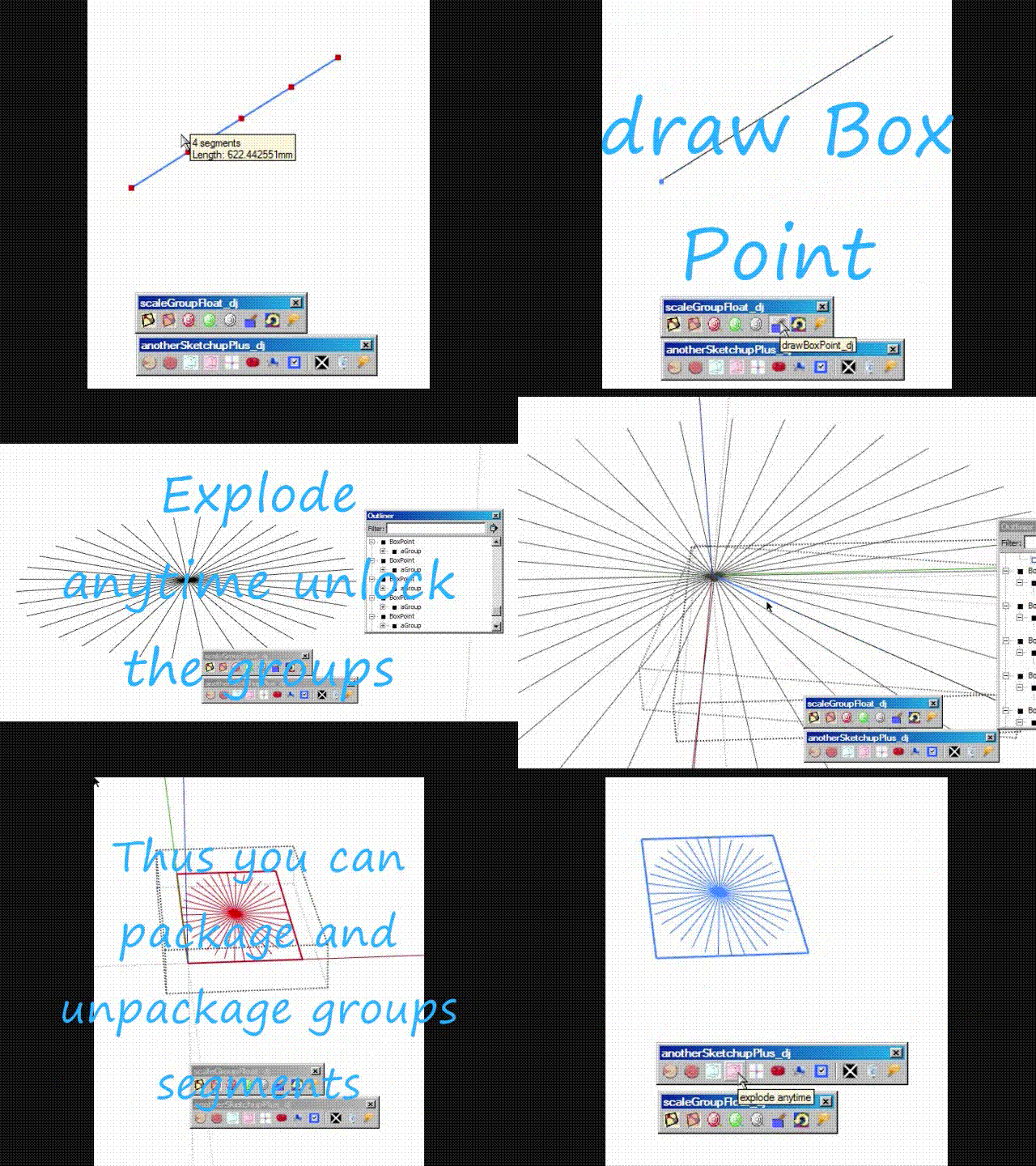
      using this tool drawboxpoint_dj, I can put a small group boxPoint, any place, on the line. Also while still selecting the boxpoint I then set rotation deg to box with cumulativeScaller_dj and enter ok x many times,(box now look like a gear cog)
      Then I drag the group line in between other boxpoint found the listed of outliner. Like magic the line fans out into a custer of lines then I regroup it, now you can use any scale tool to finish the scaling job.

      @unknownuser said:

      For mechanical design this is an absolute must, but for figure design, particularly when doing varieties of poses, this would also be immensely helpful and time saving.

      Movie_0003.gif

      How to scale and rotate a (divided)line segments in PC windows.

      posted in SketchUp Feature Requests
      dukejazzD
      dukejazz
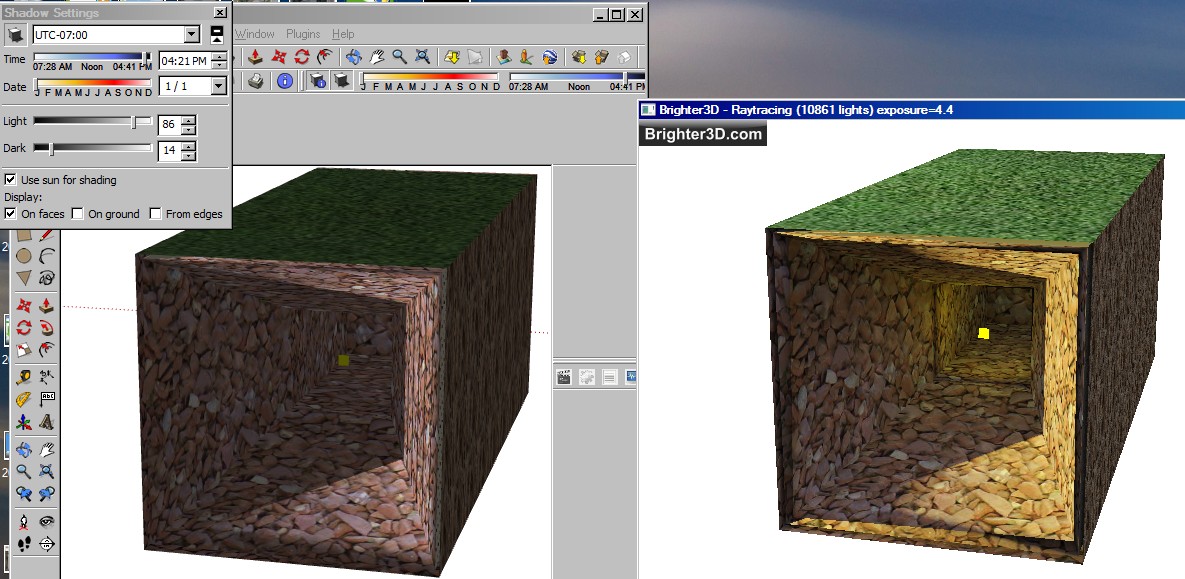
    • RE: New rendering plugin

      Hey every one
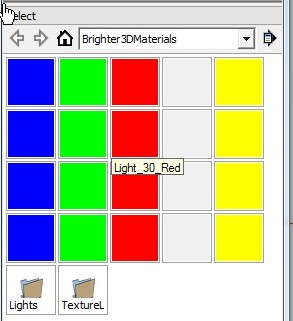
      Use brightness material for lighting
      pic_0039.jpg
      This is what I get when I move my mouse wheel durring rendering it works
      brightness

      pic_0035.jpg
      Where you should go for help.
      http://www.brighter3d.com/start/

      posted in Plugins
      dukejazzD
      dukejazz
    • 1 / 1