sketchucation logo sketchucation
    • Login
    1. Home
    2. dukejazz
    3. Posts
    Oops, your profile's looking a bit empty! To help us tailor your experience, please fill in key details like your SketchUp version, skill level, operating system, and more. Update and save your info on your profile page today!
    Check out Febhouse | New extensions for Shadow Analysis in SketchUp Download
    dukejazzD Offline
    • Profile
    • Following 0
    • Followers 0
    • Topics 41
    • Posts 5,755
    • Groups 1

    Posts

    Recent Best Controversial
    • RE: Sketchup send action for paste..

      I found this awhile back

      send_action code
      21939 Insert clipboard contents at original location.
      http://sketchucation.com/forums/viewtopic.php?f=180&t=23321&start=0

      thus this is a 'paste_in_place'; a send_action code for -pc only (7,1 - 8.m5 ...)
      Sketchup.send_action(21939)

      For the Mac I would like to know too?.

      posted in Developers' Forum
      dukejazzD
      dukejazz
    • RE: Re: Some Funny Pics.

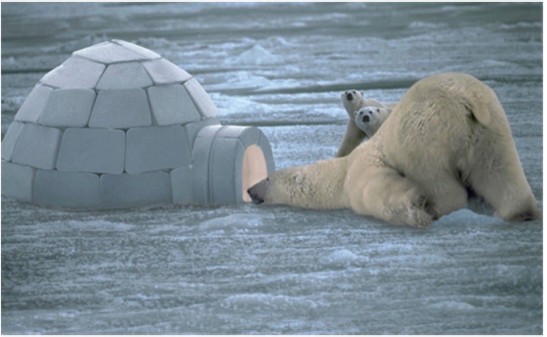
      Hello, I need a baby sitter for my cubs.
      pic_0029.jpg

      posted in Corner Bar
      dukejazzD
      dukejazz
    • RE: SU 9 Wishlist

      I want a better interface for programing
      needs a API paste in place for the Mac like the pc Sketchup.send_action(21939)

      A web inputBox with a real look alike example done by web dialog ruby code
      that works the same with format parmeters as to api inputbox

      Needs some color shaders

      Mac and pc code needs to be the same

      Would like to run all sketchup functions in the menu's at ati codes levels

      posted in SketchUp Feature Requests
      dukejazzD
      dukejazz
    • RE: Quickest/Easiest Way to Create a Sphere?

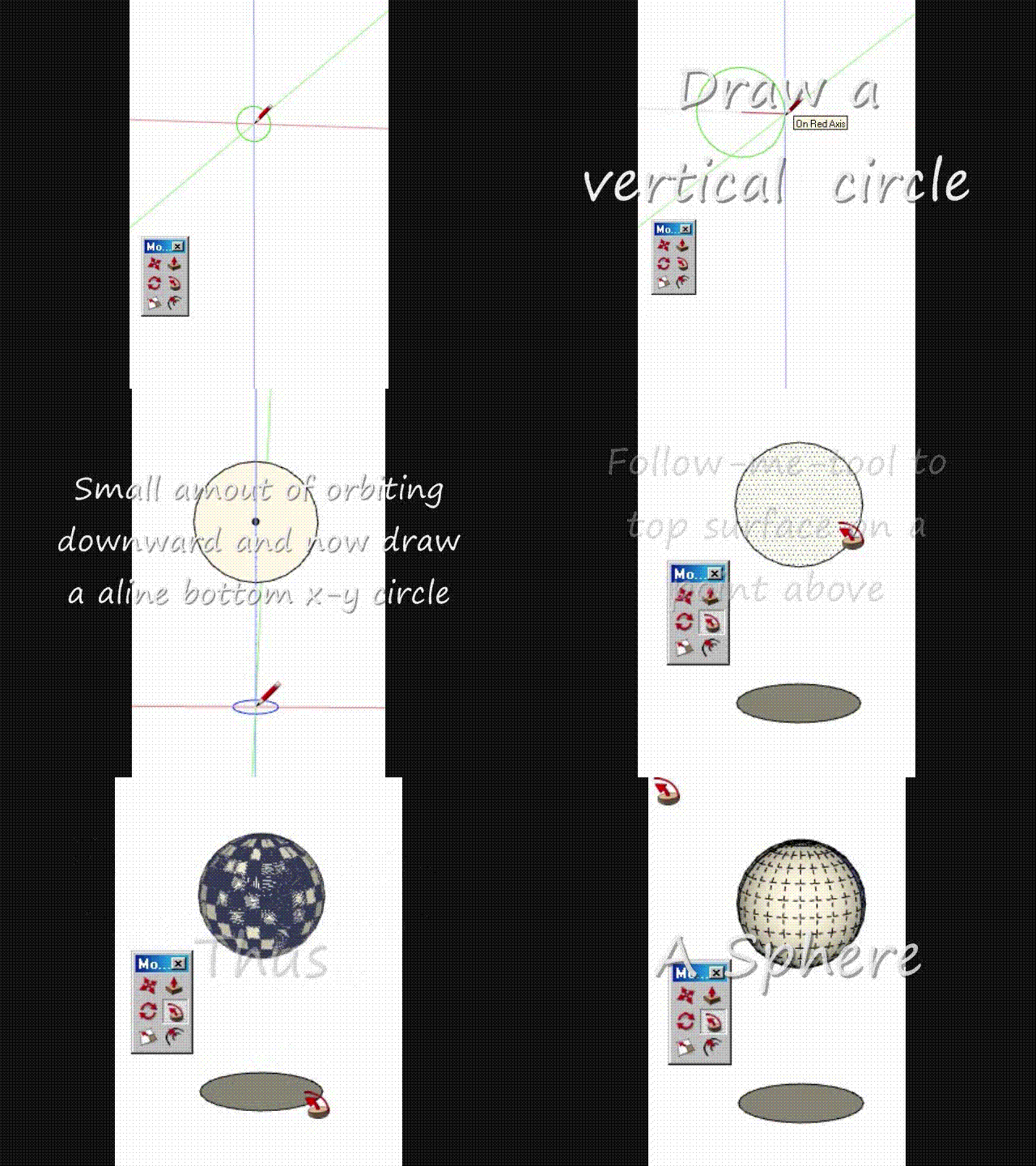
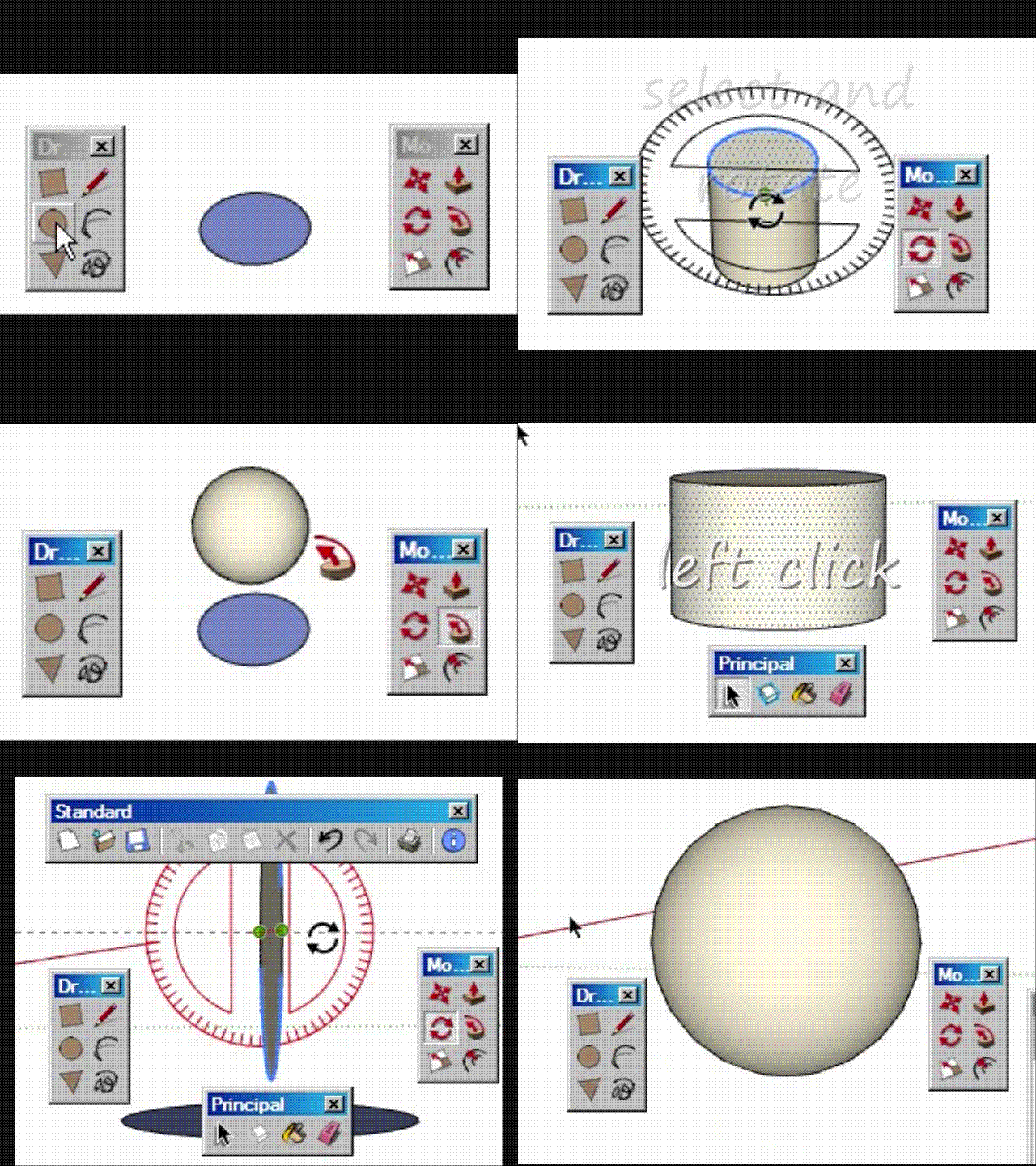
      Easiest and fastest way yet
      only two tools were used with crosshair display on:

      1. 2 times circle tool used
      2. 2 times follow-me tool were used to touch a same aline tangent points
        that's it done.
        Movie_0008.gif
      posted in SketchUp Discussions
      dukejazzD
      dukejazz
    • RE: Quickest/Easiest Way to Create a Sphere?

      @unknownuser said:

      by cmartin » Yesterday, 11:10 am

      I try to get my students to do a sphere, we create a flat circle then create another vertical circle, but first we have to find the center on the flat circle to place the vertical circle. And finding the center is sometimes difficult. I tell them to draw a line in the middle of the circle, but sometimes even that is very difficult because by default, sketchup doesn't always draw the line in the middle. Sometimes its off-center.

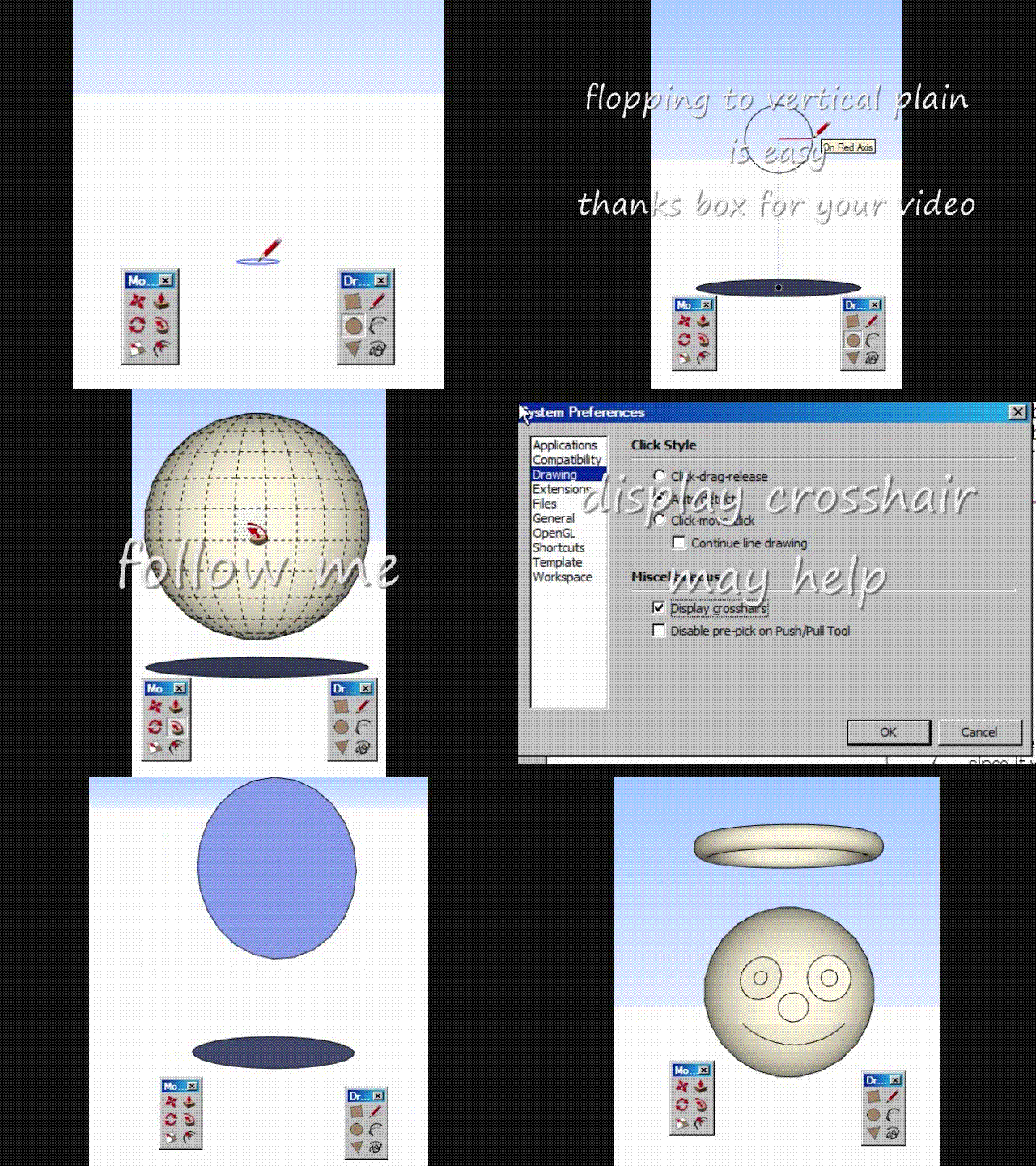
      Have them display crosshairs
      Movie_0004.gif

      posted in SketchUp Discussions
      dukejazzD
      dukejazz
    • RE: Creating SketchUp scene from saved files using Ruby script

      @unknownuser said:

      by MeAd » March 19th, 2013, 8:36 pm

      Dear All,

      I want to create a sketchup file by automatically populating with locally saved 3D sketchup models using ruby script executed from command line.

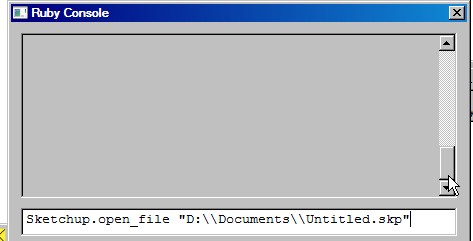
      Here a ruby script executed from command line.
      pic_0298.jpg
      you can populate skp file with a drop down inputbox on a second moditor display then copy and paste to display one.
      A good outline for drop down is my Plugins_loader_dj v1.6
      I have a plugin that can helps you copy and paste to your presentation
      2) Another_Sketchup_dj v1.6
      3) Another_Sketchup_Plus_dj v1.6
      that can be found here
      http://sketchucation.com/forums/viewtopic.php?f=323&t=46688
      projectEditor_dj 1.6
      Copyright Feb 4, 2013
      by DukeJazz: James Cochran

      @unknownuser said:

      I also want to apply a transformation (rotation + translation) on each of the imported models and finally save the sketchup file. For example, I created two files: 'sofa.skp' and 'table.skp'.

      for (rotation + translation)
      [Plugin] scaleGroupFloat_dj Ver 1.6.5 Feb 15, 2013by dukejazz » May 11th, 2012, 3:36 pm
      http://sketchucation.com/forums/viewtopic.php?f=323&t=45254
      scaleGroupFloat_dj Ver 1.6.5
      Copyright Feb 15, 2013
      DukeJazz: by James Cochran

      @unknownuser said:

      I want to load these files onto a new file 'room.skp' after rotating and translating these objects in ruby script. Any ideas?

      1. Another_Sketchup_dj v1.6
      2. Another_Sketchup_Plus_dj v1.6
      posted in Developers' Forum
      dukejazzD
      dukejazz
    • RE: Quickest/Easiest Way to Create a Sphere?

      Any place that not at the origin
      Movie_0003.gif

      posted in SketchUp Discussions
      dukejazzD
      dukejazz
    • RE: Adding thickness to a curviloft skin

      Please upload your skp file

      Are you saying it not a volume yet?

      If it a volume then;

      for windows
      if so for small demensions tickness use
      scaleGroupFloat_dj Ver 1.6.5
      Best high precision 3d scale and move tool yet.
      Makes 3d shell thicknees to any object.

      for mac
      make copy, scale tool and calulator to find ratio (x-2mm)/x rescale and paste in place the old

      posted in Newbie Forum
      dukejazzD
      dukejazz
    • RE: [Plugin] ZoomZoom_dj v2,6 March 17, 2013

      pic_0176.jpg
      Ver. 2.6 March 17, 2013

      • grouping to zoomZoom_dj v3.6, ZoomWindowSelect_dj, ZoomZoom_dj and ZoomVeuw_dj
      • plugins wrap in Module DJ::pluginsName.methodDJ(name space)
      • @variable format (name space) dj_variable
      • plugins are in subject and name order (easy to look up)
      • Name changed from ZoomView_dj to zoomZoom_dj
      posted in Plugins
      dukejazzD
      dukejazz
    • RE: [Plugin] scaleGroupFloat_dj Ver 1.6.5 Feb 15, 2013

      Update:
      Jan 13 2013 scaleGroupFloat_dj v1.5.5

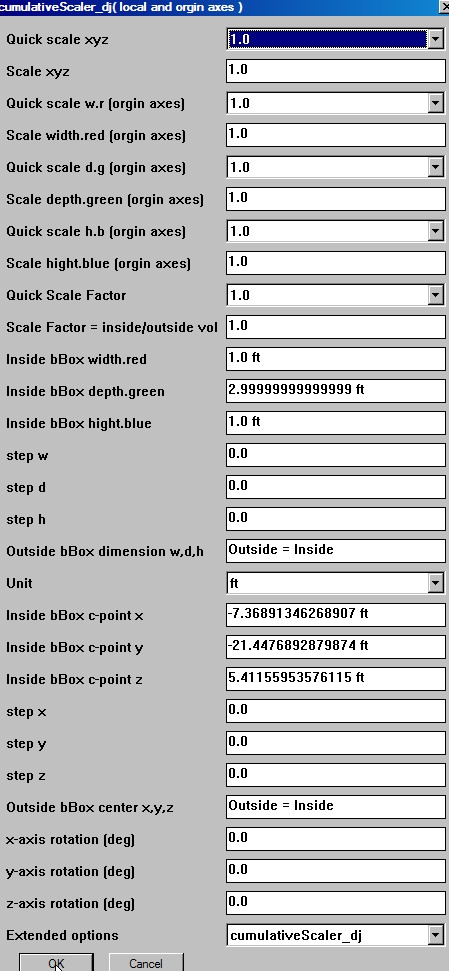
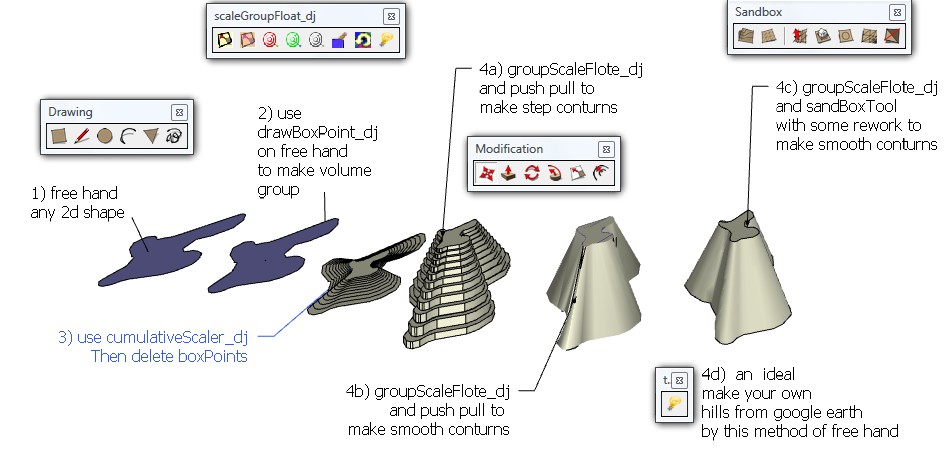
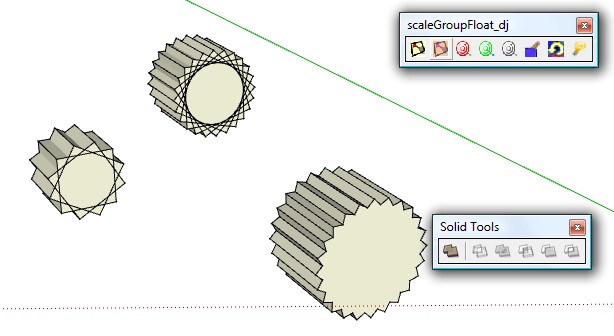
      • expanded cumulativeScaler_dj (now dose xyz x y z scale,step move, step size and rotation)
        new
        pic_0172.jpg

      ...add thickness to objects
      pic_0040.jpg
      ...dolling objects
      pic_0041.jpg

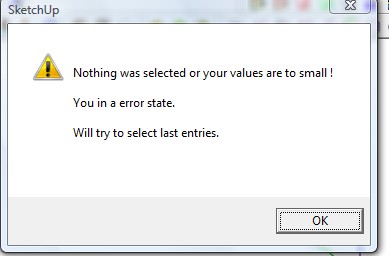
      • fix a better error trap
        pic_0045.jpg

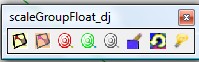
      -added update a repeat move to target auto mode
      (frist pass input box then more pressing the button go to auto mode repeat)
      green target
      pic_0046.jpg
      -added update a repeat readout target auto mode
      (frist pass input box then more pressing the button go to auto mode repeat)
      white target
      pic_0046.jpg
      -added update use save to target to unfreeze the repeat auto modes
      ( this also will fix scaleGroupFloat_dj and cumulativeScaler_dj lock out by auto mode repeat)
      red target
      pic_0046.jpg

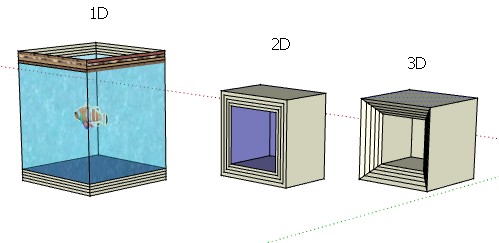
      • added rescale to a very small one demcision (any direction local object) will be flatten to outline wire when you group explode you can then resurface by putting a line accross the retangle.

      pic_0047.jpg

      • added the dropping of a boxPoint to a 1d line or a 2d object to make 3d groups for resizing in on the orgin axes

      pic_0043.jpg

      5

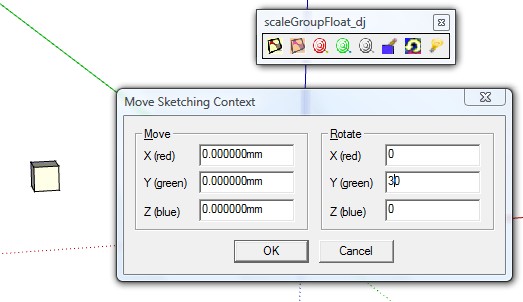
      • added the uses of the axes tool (right click move) to rotate objects by steps of orgin
        pic_0035.jpg
        (works with scaleGroupFloat_dj and cumulativeScaler_dj
        pic_0038.jpg

      pic_0034.jpg

      posted in Plugins
      dukejazzD
      dukejazz
    • RE: [Plugin] scaleGroupFloat_dj Ver 1.6.5 Feb 15, 2013

      Fast alinement of any local axes to the orgin axes

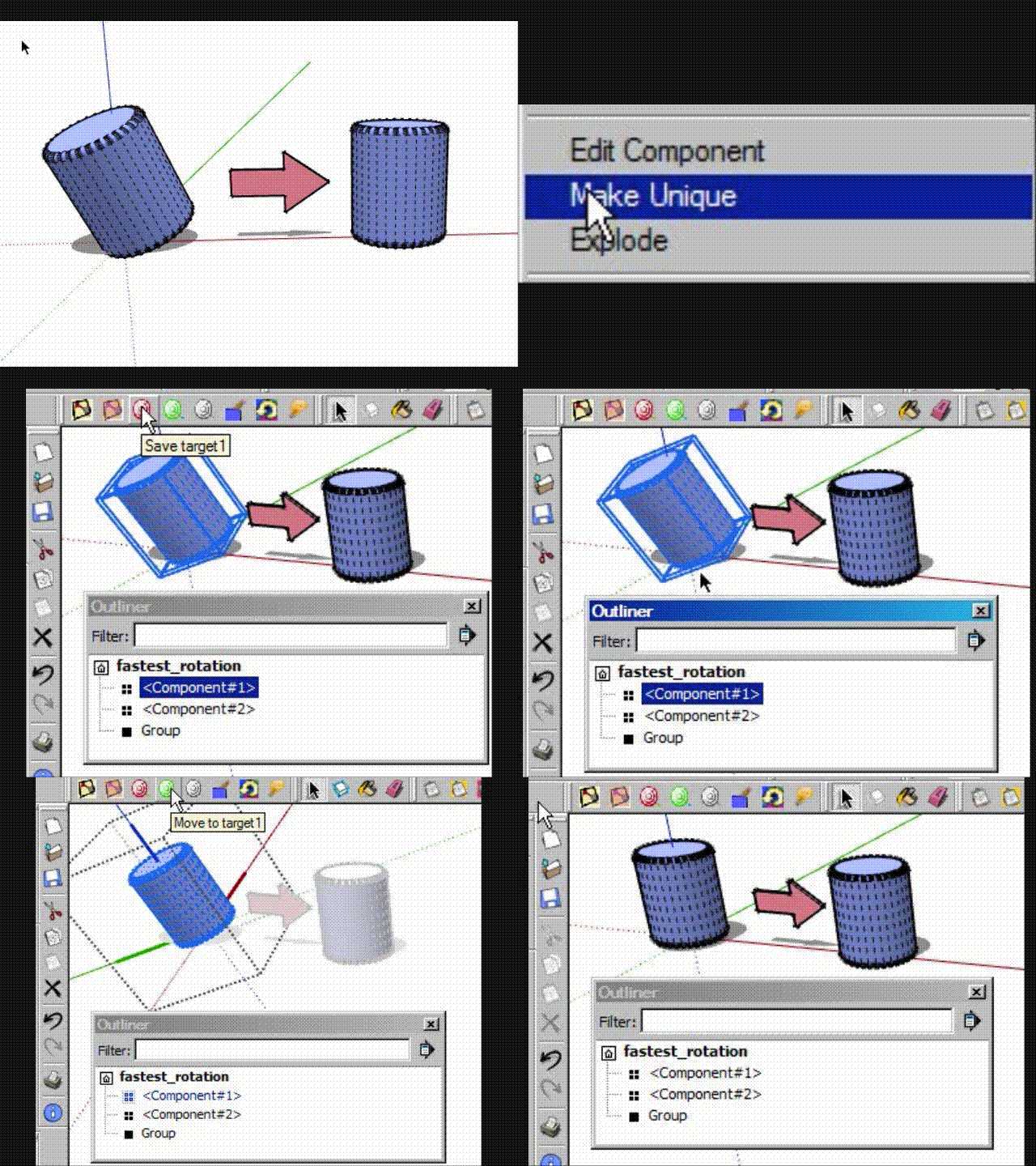
      Here is a fast rotation trick for a rotated component or a group

      meathod: target save and target move

      step 1: Make one component unique.( right click context list for making component unique )

      step 2: Press 1-time left click, the component you want to change. Save target, via scaleGroupFloat_dj (then press ok).

      step 3: Press 2-times with left button this will set axes to the component and 3-times more will edit the selection of the object. Using the Move to target toolbar, via scaleGroupFloat_dj.(now press ok) This will auto aline component to orgin plain. Now select ouside of component area, now your done.

      All above steps is shown here
      Movie_0007.gif

      Also with the axes tool you can aline any local axes side to the orgin axes

      posted in Plugins
      dukejazzD
      dukejazz
    • RE: Fastest rotation?

      Hey
      One component already on the orgin plane this make it easy to do,
      if you have scaleGroupFloat_dj.rb loaded.

      target save and move meathod:

      step 1: Make one component unique. (right click to context list)

      step 2: 1-time left click of the component you want to change. Save target, via scaleGroupFloat_dj (press ok).

      step 3: 2-times left click set axes to component and 3-times more edit select the object of the component . Using the Move to target, via scaleGroupFloat_dj.(press ok), will auto aline component to orgin plain. Now select ouside of component now your done.

      All above steps is shown here
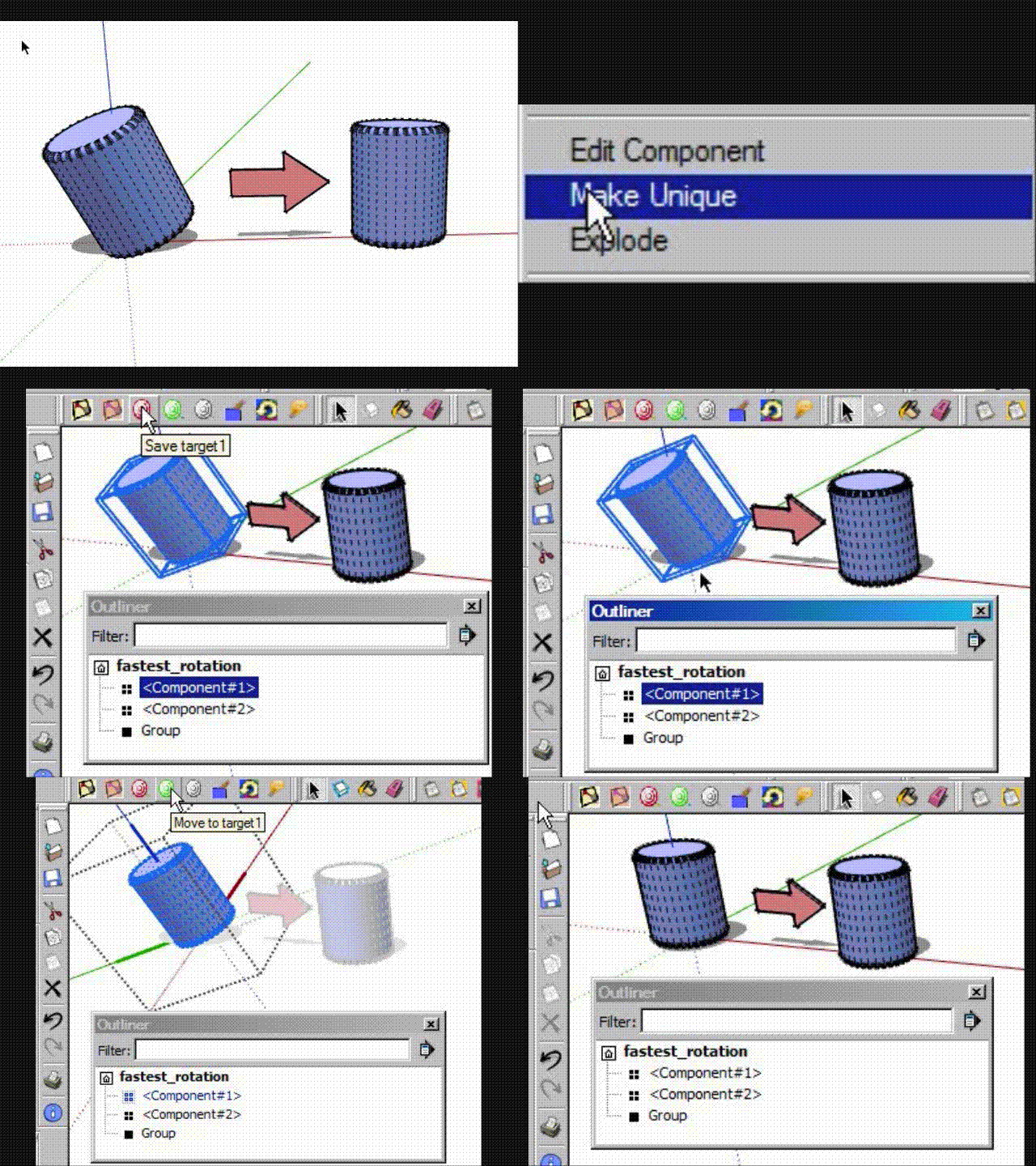
      Movie_0007.gif
      If both were non aline to orgin plain then do other with step two and three too.

      Advance woking of this; just add the axes tool into the mix. then turning object is just a breeze, for those tools that needs to be aline to x-y plain for z axis drops .

      examples usesages to
      [Plugin] Color by Z
      drop
      sandbox.rb
      smartdrop.rb
      TIG-drapematerials.rb
      TIG-Drop Material onto Instances
      tt_component_dropper

      posted in SketchUp Discussions
      dukejazzD
      dukejazz
    • RE: Suggestions for higher quality and more realistic render

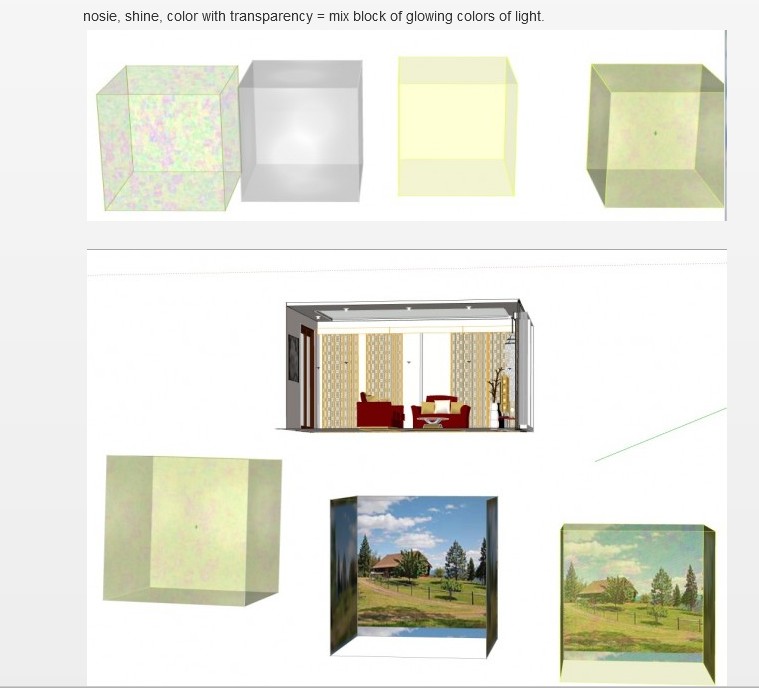
      some example
      bring back air space material and Then using a transpantcy to overlay existing model material

      by dukejazz » July 31st, 2012, 11:56 pm
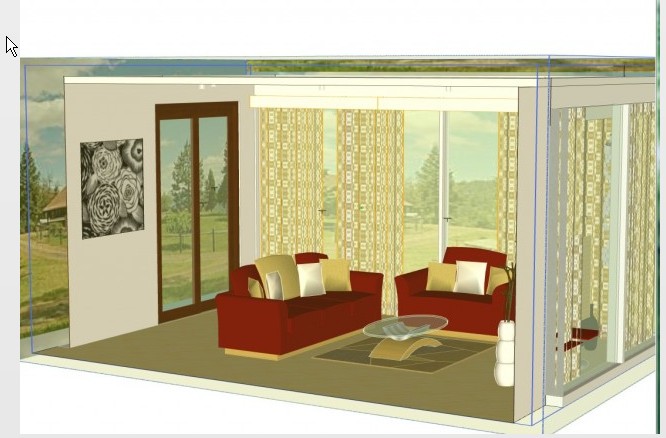
      No rendering, everything is done in sketchup.
      Quick work adding color to objects in your model

      This here is low res but the process can be done in high res too.
      then render.

      http://sketchucation.com/forums/viewtopic.php?f=323&t=45254
      pic_0168.jpg
      pic_0169.jpg

      posted in V-Ray
      dukejazzD
      dukejazz
    • RE: Updates

      This is a register issure

      I know for the free this will work

      HKEY_CURRENT_USER\Software\Google\SketchUp8
      save the old sketchup 8 register key and make 2 copy

      delete old sketchup 8 reg register

      now
      reinstall new sketchup 8 to differnt location
      move a copy of plugins to new sketchup 8
      now it should work for the new and old

      edit old reg to tranfer back setup infor you want to bring forward to new register.

      once in a wild copy plug-ins back to old to keep toolbars link

      posted in SketchUp Discussions
      dukejazzD
      dukejazz
    • RE: Suggestions for higher quality and more realistic render

      suggestions for higher quality when you print

      1. use a picture for texture

      2. use a enlarger to get more pic
        http://graphicssoft.about.com/cs/resolution/a/increasingres.htm

      posted in V-Ray
      dukejazzD
      dukejazz
    • RE: Suggestions for higher quality and more realistic render

      Try some filters on it, by exporting render to photoshop
      bring material back and use a transpantcy to existing model material
      and render again.

      posted in V-Ray
      dukejazzD
      dukejazz
    • RE: Question about coordinate problem at zero

      aspect ratio of some objects won't center on [0,0,0] with snap
      usealy two coordinate ok one not
      try turning off snap

      it still dosn't work
      you might need more precision.
      make sure you object is a group
      it gives 2x precision
      but don't expode complety if your group object smaller .001, it will disapear from view
      hit undo if it doses.

      here a plugin that will shape a object to a better precision
      scaleGroupFloat_dj Ver 1.6.5
      Copyright Feb 15, 2013
      DukeJazz: by James Cochran
      http://sketchucation.com/forums/viewtopic.php?f=323&t=45254

      Info: Best high precision 3d scale and move tool yet.

      add zoro to numbers of lenght
      1.0000001

      posted in Developers' Forum
      dukejazzD
      dukejazz
    • RE: [Plugin] scaleGroupFloat_dj Ver 1.6.5 Feb 15, 2013

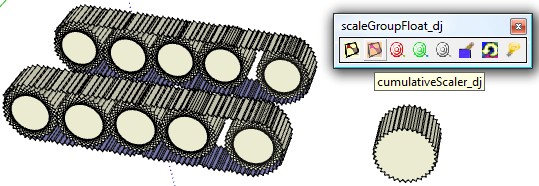
      cumulativeScaler_dj
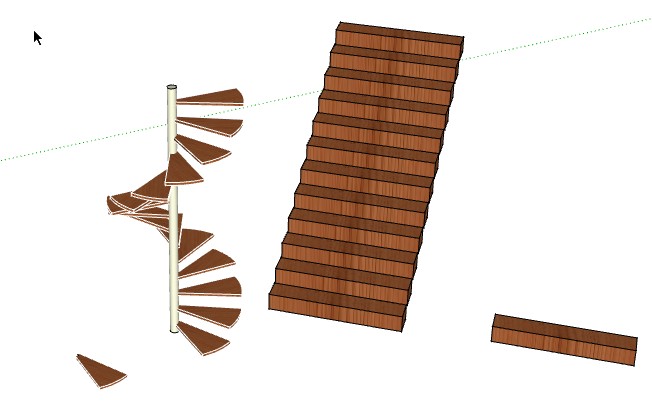
      pic_0167.jpg
      with cumulativeScaler_dj you can step thing to make stairs
      pic_0165.jpg
      To rotate about a edge step I used a bounding small box boxPoint by rotating upward 15x
      then move a step group into bouning box set

      posted in Plugins
      dukejazzD
      dukejazz
    • RE: [Plugin] Boolean--OSCoolean (Dec 2013) for SU 8 up free ver

      Hey joergber

      I have some insight
      with the help of section plain
      the [Plugin] Boolean--OSCoolean (Oct 2010) for SU 8 free ver will works

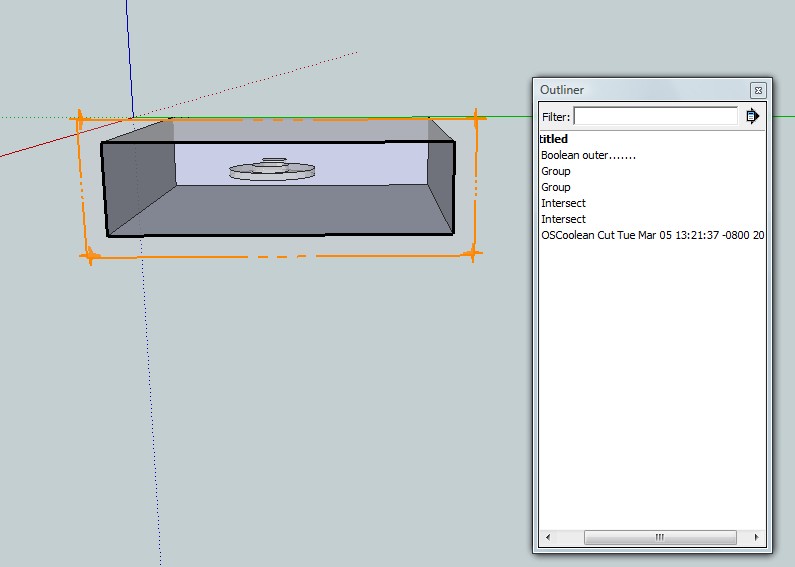
      pic_0163.jpg
      box- inside.skp

      @unknownuser said:

      by joergber » Yesterday, 6:26 am
      Hi,
      I would like to know if it is possible to substract an capsulated group from the surrounding one ...

      Yes
      The smart author gives you both outcome combine and minus as shown above
      most of the time you need a inersection to minus a object with another object
      but in your special case use section plain so you can make a groups of box- inside object
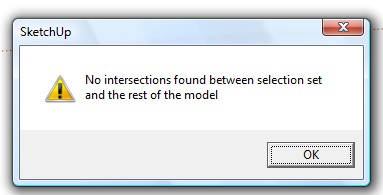
      pic_0164.jpg
      and a manual way to do that?
      is just delete the the inside group object
      wait a min you say it the the inter combine you want
      well manual way uses outliner to put inter object inside outer object group (then explode inter)

      @unknownuser said:

      by gilles » Today, 2:22 pm

      Also, I don't know if it's important for 3D print (if want to print) but i should reverse the faces of the "hole".

      oh yes reverse
      "Many thanks in advance!"
      your welcome
      Dukejazzz

      posted in Plugins
      dukejazzD
      dukejazz
    • RE: Help creating a 2d model of a 3d model

      To process a faces to a 2d or to a 3d model

      1. Copy and then flatten one 3d model to a 2d model with scale tool

      2. draw rectangle on back plain, useing the move tool, move the left corner, by left click and hold buttom of mouse while dragging the rectangle to front plain, above the flatten 3d high spot. Then turn on xray and make a face to 2d model.

      3. Now return face to 3d model with push-pull and paste in place 3d model or vector push-pull witch tranfer flatten 3d detail to 2d model.

      4. Right click and used context intersect face to model

      5. Cut off ends of the pull face or the 2d rectangle edges.
        delete 3d flatten model

      Answer

      You now made a 2d face or a 3d face suface via 1-6

      Now for terrain lines,
      Answer:

      1. draw rectangle on ground plain, use move tool to front left corner, left click hold buttom of mouse while pressing the control key. Now drag the
        rectangle to top plain. type in the indext input box type /20 enter

      2. right click and used context intersect face to model

      3. Cut the 2d rectangle plains edges.

      posted in Newbie Forum
      dukejazzD
      dukejazz
    • 1 / 1