Artisan - Subdivide and Smooth causing problems
-
Hey forum,
I was playing around with artisan trying to create the shape of a water drop. When using Artisans "Subdivide and Smooth" tool, I noticed it was causing a weird deformation in the results it gave me. I'll let the screenshots explain:
This is the basic shape I was using.
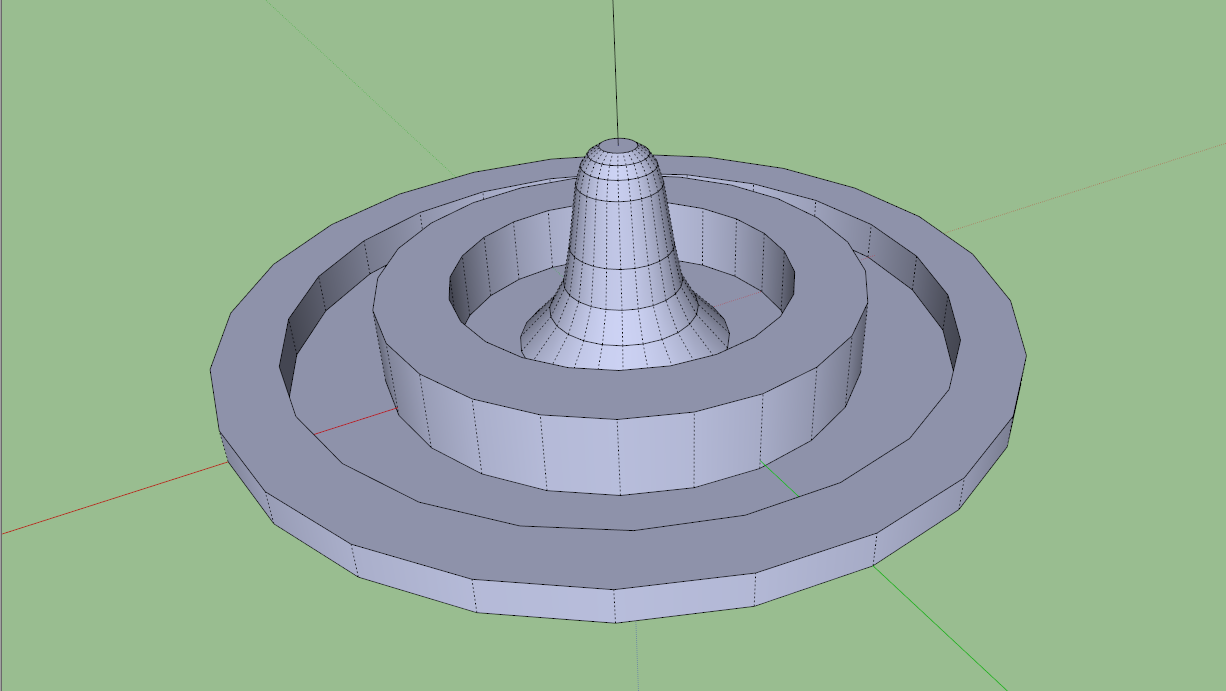
And this is what Artisan gives me, when finished.
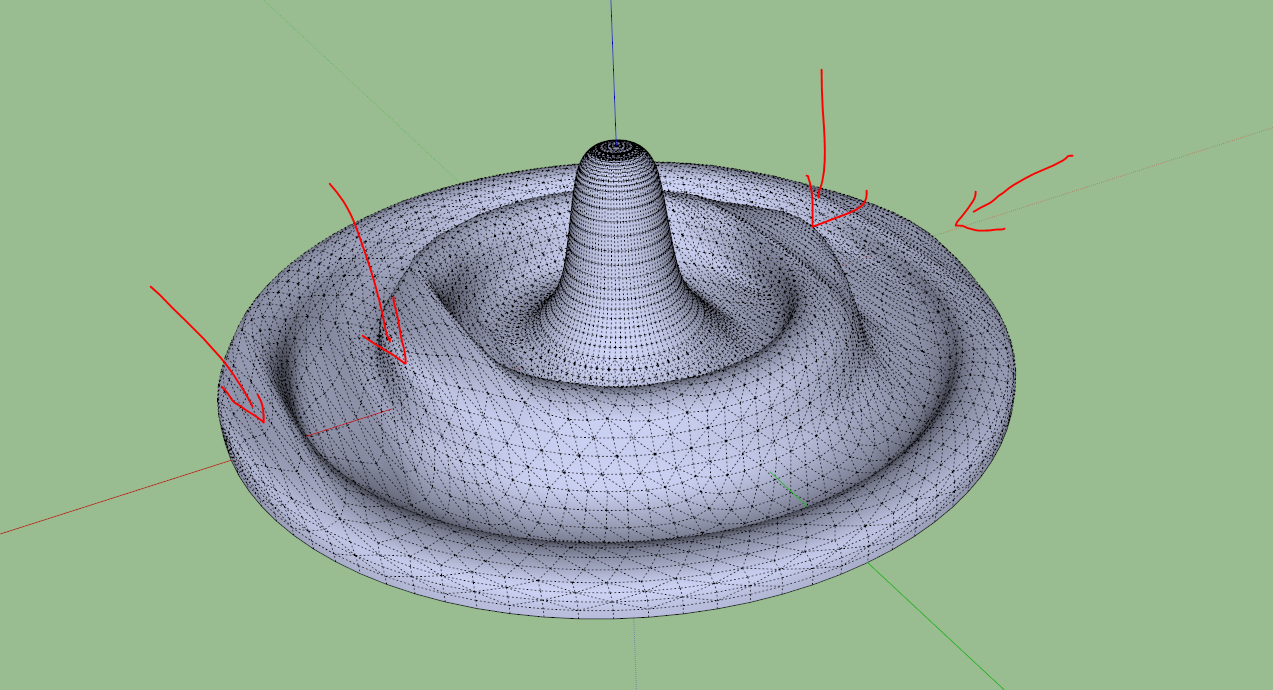
Does anybody have an idea as to what could be causing this? I'm a complete newbie to artisan, using it for the first time today.
Thanks in advance,
Kevin -
Do you have a example jpg you working from
Here one I found

-
@dukejazz said:
Do you have a example jpg you working from
Here one I found
Nah, I was just playing around, no reference images

-
The faces that are 'causing problems' are ngons. A big no-no when subdividing.
-
-
-
No problem

As Rich says you need to avoid n-gons and stick to quads and tris.




Hello! It looks like you're interested in this conversation, but you don't have an account yet.
Getting fed up of having to scroll through the same posts each visit? When you register for an account, you'll always come back to exactly where you were before, and choose to be notified of new replies (either via email, or push notification). You'll also be able to save bookmarks and upvote posts to show your appreciation to other community members.
With your input, this post could be even better 💗
Register Login


Advertisement