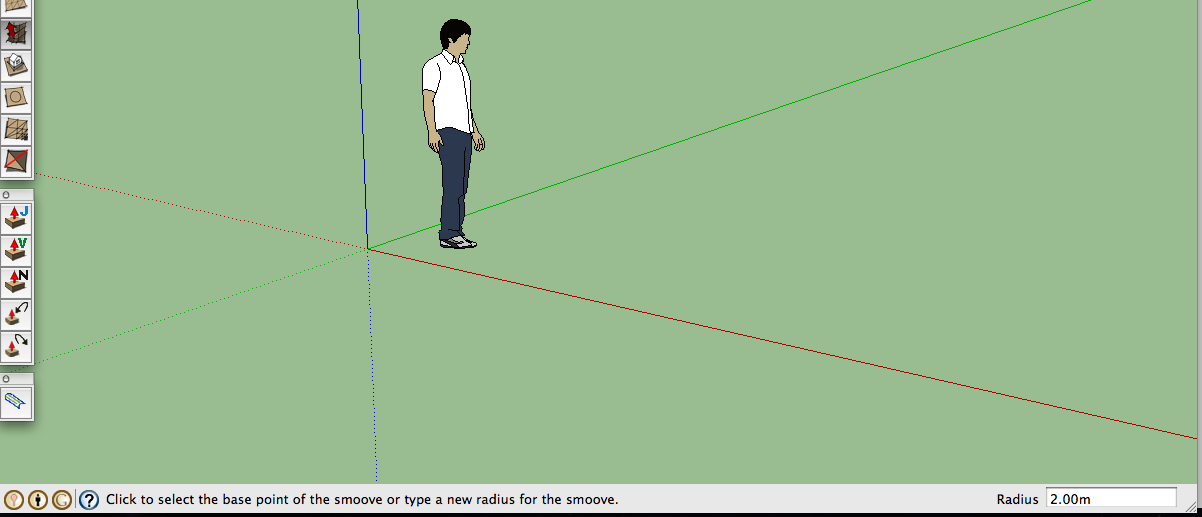
I think this might be the first controllable sketchyphysics walker... I call it: the FunnyWalker. You'll see why. Use W and S, and the up and down arrows, to control it. NOTE: controls are reversed for speed (I don't know why, and there was no way of fixing it). Don't use a joystick, because it will be a bit messed up if you do.
walkertest2.skp
I did cheat a bit by using a gyro though 
Oops, your profile's looking a bit empty! To help us tailor your experience, please fill in key details like your SketchUp version, skill level, operating system, and more. Update and save your info on your profile page today!
Urasik Extensions | Lots of new extensions to check out Learn More
B
Offline
Posts
-
RE: All known scripts
-
RE: All known scripts
@wacov said:
Hmmm... I don't think the distance is less, it's just the joint trying to keep up with the oscillator, which is changing direction before the joint can get where it's supposed to be. Yours is better, but it it still spazzes out when you use a slider or joystick for the control

Just hope Chris comes up with something, or there won't be any controllable walkers...
What spazzes? I didn't see any issues, well except that when the speed is changed it goes back to the original position, if that's what you mean.
-
RE: Fake or Foto?
@thomthom said:
@alan fraser said:
Tower Bridge is very well done; I guessed it was CG only because The Tower of London isn’t floodlit in the background.
To me, it was the repeating texture of the bridge foundation where it meets the water that immediately stood out.
Me, it was the fact that a lot of the beams from the lights were completely out-of place, and very similar, and the bridge even seemed out of place from the background.
-
RE: Color vision test
I guess I have a bad eye for turquoise.
 12, without looking away. my eyese by the end,
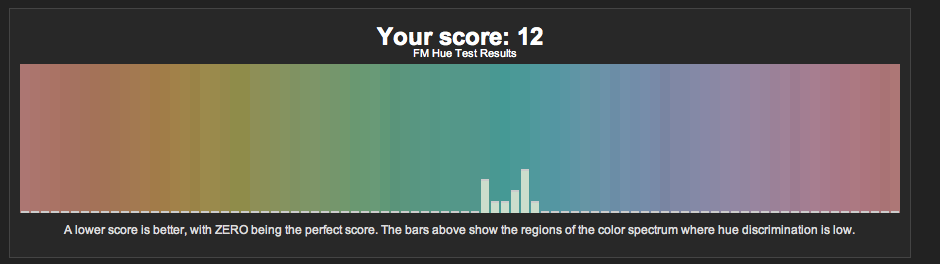
...Is it possible that your display play a role? (I need something to blame )
) -
RE: Deadline hell
the notes after the end:
The characters and incidents portrayed and the names in this movie are fictitious, and any similarity to the name, character or history of any person or company is entirely coincidental and unintentional and please do not sue us for we are nothing more than starving artists with no money.
This film is a work of pure fiction and has no correspondence to historical facts or the buddhist religion.
-
RE: Is there a Sketchyphysics V planned?
@cphillips said:
Breakable joints might appear before SPIV.
Sweeeeeeet. Even if it's not until SPIV, I have a question; Will it be a joint feature, or a new connector joint with breakable abilities?
-
RE: All known scripts
Wacov; your script changes the distance to larger, and speed to slower, the more you move it left.
...So here's a model with a few tries at changing speed only. right one is just plain oscillator(50), middle one works best, but is reversed for some reason, and the order can't be reversed. one on the left is the one that, to me, makes no sense at all, and I think it's a bit funny so I posted it.
test_session.skp
NOTE: use arrow keys. -
RE: All known scripts
Wow. I'm as confused as I'll ever be. I now understand how to write if's, but don't know what they do. I'll have to find out later...
Oh, simple question: How do you make a controller control the speed of an oscillator?I've tried some basics scripts I though might work, as I have no knowledge of scripts whatsoever, and have gotten some pretty... uh... interesting results
(like the object connected to the oscillator flying away when I press the up arrow, and returning when I let go, unless it comes in contact with another object. Then it disappears.)I'm guessing I'd have to use the math.sin (or whatever it was, I forget) script and edit it for it to work, but first I need to know how it works in the first place.
-
RE: Fake or Foto?
True... That, and overuse and 'perfectness' of effects, like field of view, as well as perfectly tiled textures (pattern around radio clock), and perfectly straight edges with no blur; a few things that gave some of them away.
-
RE: The "Duh!" thread (aka the Doh! thread)
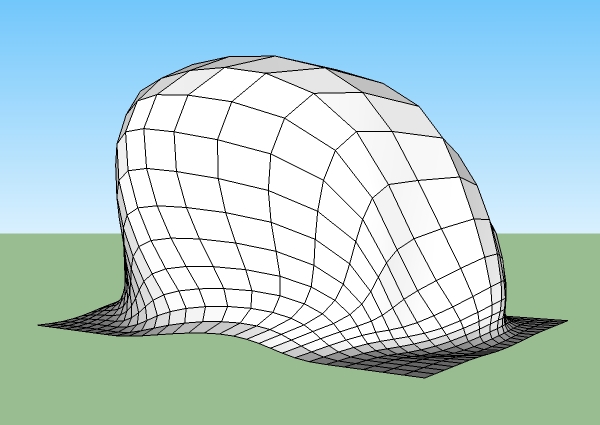
A new "D'uh" for me: holding shift while using the smoove tool: smooves from normals.
-
RE: BEST landscape boulders ?
@unknownuser said:
So . .. what is this "Catmull-clark" of which I hear tell? And is this something I need?
It's like subdivide and smooth (Sort of), in that it... well... subdivides and smoothes. Just not as well. It does it based on where lines are and such, so it's a bit random... which is good for boulders. And it's free. here's the steps showing the boulder after FFD, from catmull-clark to the end of polyreduce...
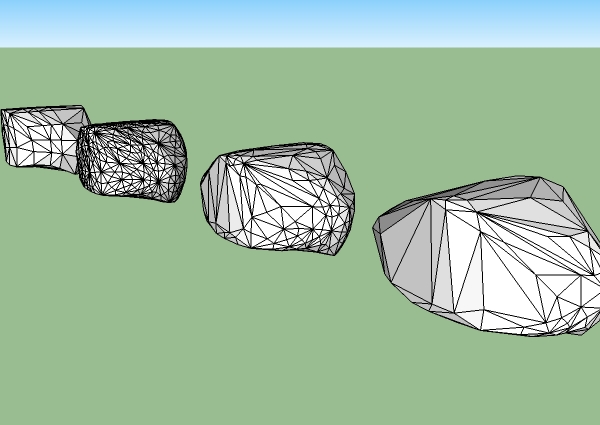
Link to the download page for catmull-clark: http://www.smustard.com/script/Subdivide -
RE: Funny Ads
"We kill for you"
funny!  I wonder if we mention these kinds of words in a topic what the ads will end up as
 -
RE: The "Duh!" thread (aka the Doh! thread)
@teezer said:
I found out today that the rotate tool does the same thing that the move tool does when you hit the Ctrl key. It puts a plus sign next to the cursor and copies the rotated object, leaving the original in place.
Not that I have an immediate use for this -- I just hit it by accident, and there it was...
@unknownuser said:
also a "d'uh" moment from long ago: holding OPTION when moving an object, push/pulling an object, or rotating an object, to duplicate it.
note: these are for mac. Buttons might be different on windows.
I've had plenty of uses for it, my current WIP is 4-way symmetrical, and that makes it easier to place everything in the same place in all directions.
-
RE: [Plugin] SketchUp Animation using mover.rb
Doesn't work right with components for some reason. During the animation, the components in my animation would all switch to have the axis in the original positions between scenes, so all my components would move around to different positions.
-
RE: BEST landscape boulders ?
my personal way of making boulders uses a rectangle, zorro, FFD, catmull-clark, polyreduce, and then texturing.
I make the rectangle, then I use zorro to add more organic subdivisions ( not uniform squares), then FFD to morph it, catmull-clark to get rid of some sharp edges (if you want), then polyreduce to lower the... well... polycount (if that's a real word). Then I texture it with U.V. tools or projected textures, and result:
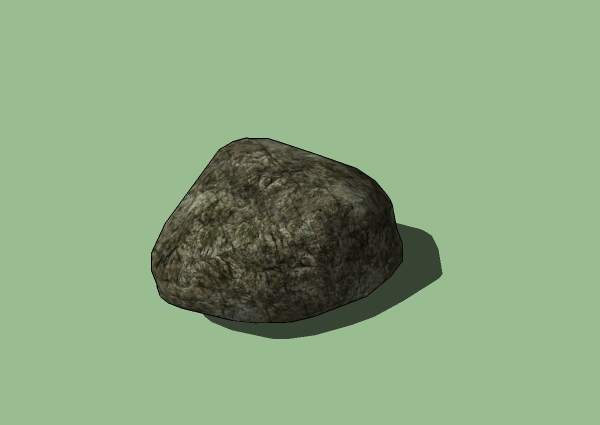
I've got pics of the steps too, but can't post them here yet. -
RE: The "Duh!" thread (aka the Doh! thread)
@unknownuser said:
I just leaned this yesterday and I am kicking myself.
When selecting object I normally went with a box from upper right to lower left drawing a box around things.
Worked fine for months or years.
Try a sweep left to right going over the objects. It has a totally different feel and works like a charm, feels to me at least like it saves a lot of movement. I use a tablet, not sure if has quite the feel with a mouse but it works, try it if you haven't.
This thread is great, and so are all you good people on the forum. I learn something everyday I look here.
Thank you for all,
Right to left selects anything in or touching the selection box, left to right only selects things in the selection box. Is that what you meant? Because it works the opposite way you described for me. Right to left is useful for cleaning up lines after an intersection I find.
-
RE: The "Duh!" thread (aka the Doh! thread)
Some of my first "d'uh" moments when learning about the middle button thing: when using the middle button, hold SHIFT to pan, or hold OPTION to allow the camera to tilt.
also a "d'uh" moment from long ago: holding OPTION when moving an object, push/pulling an object, or rotating an object, to duplicate it.
note: these are for mac. Buttons might be different on windows.
-
RE: SP3 feature Emitters.
@wacov said:
Oooooooooooohhh now that's awesome. Race ya to the first tank game!
...You have over a week of a head start on me
I've already begun making a tank though, and will add emitters later.
%(#808080)[(Can't wait 'til BETA's out for mac )]
for those who want proper tank turning, input something like:(0.5-rightx)*1+(0.5-righty)*2for right wheel motors and
(rightx-0.5)*1+(0.5-righty)*2for left wheel motors.
Then you won't require any servos, and will be able to turn on the spot, like a real tank.
mini tank mockup, without treads or projectiles, just a motor example:
ROD2.skp
An improvement from my last example i posted for something else, this one has the *1 and *2 for multiples of the speed; which allows the wheels on the inside of the turn to go at half speed instead of none, so the tank doesn't slow down as much when turning.
(half speed is really full speed, and full speed is double; I think. I still don't even understand what I did myself too much...) -
RE: Fake or Foto?
10/12 for me too. I got the alligator (or crocodile) and wrench wrong.