for those with darker monitors;
Oops, your profile's looking a bit empty! To help us tailor your experience, please fill in key details like your SketchUp version, skill level, operating system, and more. Update and save your info on your profile page today!
Urasik Extensions | Lots of new extensions to check out Learn More
B
Offline
Posts
-
RE: Textures - Very nice searchable index
Agreed. I've used it more than a few times.
-
RE: SP3 feature Magnets
Could you add a 'range' feature? some magnets are strong, but with very limited range, and some are weak, with a large range. Any chance we'd be able to change these settings?
-
Sketchyphysics in modeling
Has anyone tried to use sketchyphysics to create scenes for models?
I know it can be done, but I haven't seen anyone do it yet. So I decided to. I used a helicopter, and crashed it into a wall, paused when it hit, saved a copy as..., opened the file, deleted the joints, etc, export, render, and result:
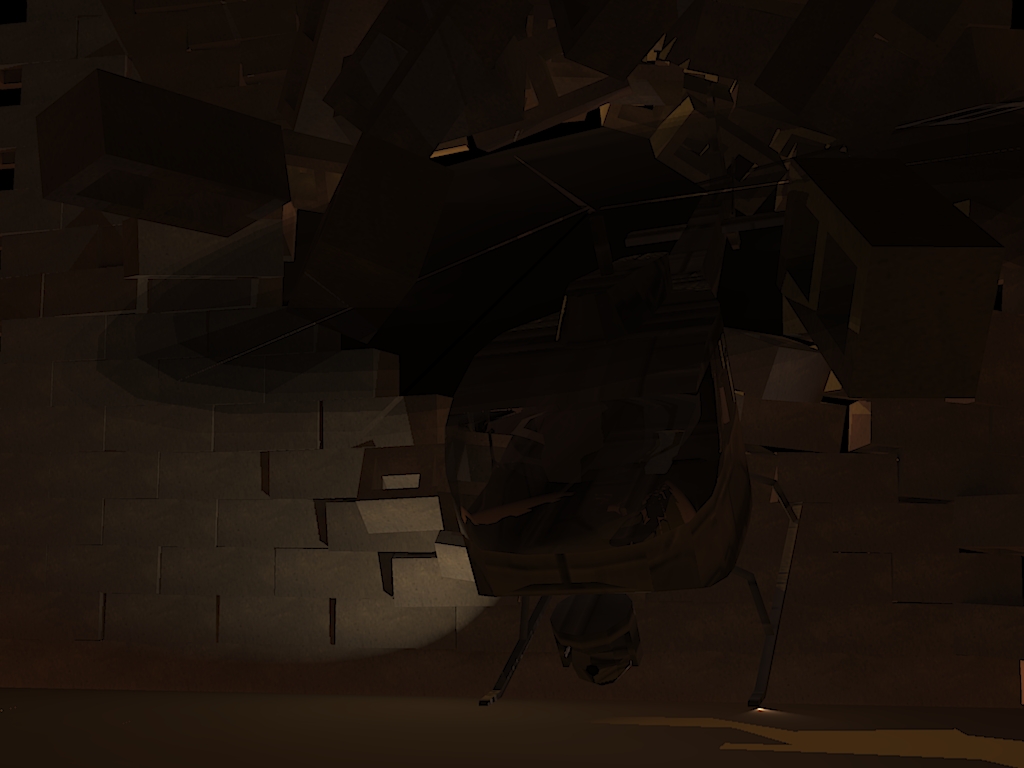
Scene set up with sketchyphysics, rendered with Kerkythea -
RE: Camera Follow Glitch
Bryden, that is not a glitch. the reason this happens is because, when you have the sketchup window selected, the A and S keys are shortcuts to the Arc and Scale tools. next time you click "follow" on an object, make sure to select the control panel before using these keys.
-
RE: Displacement in maxwell
...Or you could use C.Phillips' FFD plugin; it's not made for subdividing for the most part, but does have a feature to subdivide into squares. Just right click the group, choose FFD, NxN, width_, hight_, and length_, the change subdivide to true. The group will be subdivided, and another group with a bunch of guide points will appear, but if you just want it subdivided, you can delete those.
-
RE: SP3 feature Thrusters.
I tried using thrusters in a little game I made. I made a flyable spaceship, with retractable legs/grasper (when retracted above a ragdoll, works best with negative thrust turned on). It's pretty fun to use, but a little tricky to fly

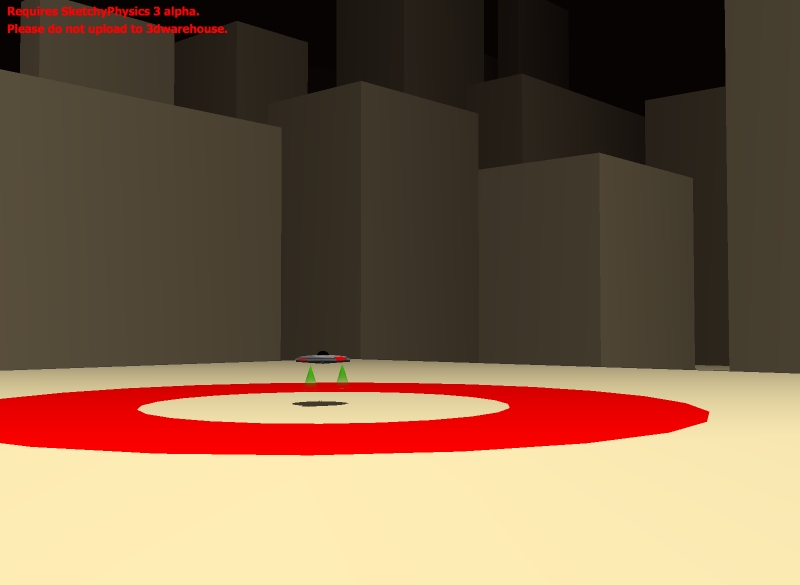
spaceship game.skp
controls:
right X+Y (arrow keys): direction
left Y (W and S): thrust
left X (move only to the right/ D key): legs/grasper
note: green side is front.updated post:
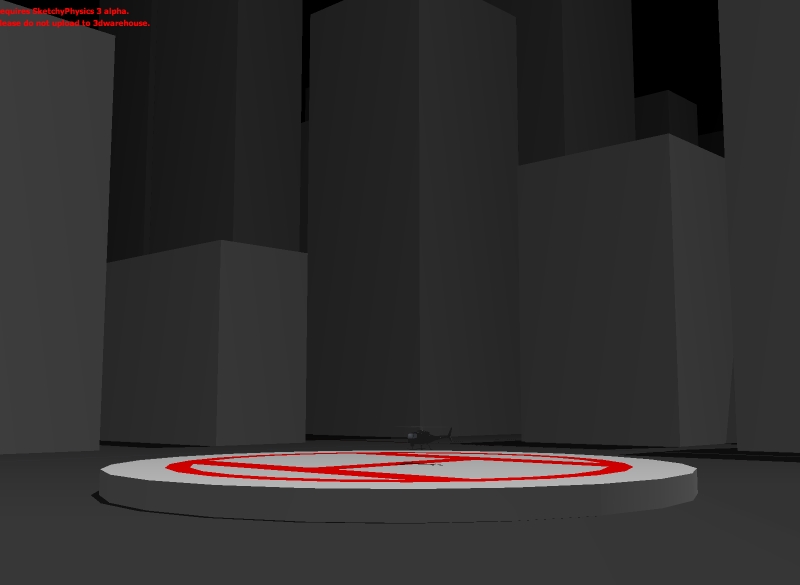
I made a helicopter (model by Google) using a thruster, very easy to fly, accurate, and fairly fast.
I used the script (0.5-lefty)*3500+slider('hover')*4000 to make it easier to fly, so you don't have to tap the thrust constantly, and can set the hover compensation to whatever you want
(I wouldn't go below 35, or above 76 though)
Also, the steering is made to keep the helicopter upright, and you'd have to change the settings for the servos if you'd want it to do flips or anything.
helicopter game.skp
controls:
right Y (arrow keys): forwards+backwards
right X (arrow keys): left+right roll
left Y (W and S): thrust (more, or less)
left X (A and D): left+right turnTo turn, you could either roll while going forwards, turn while idle or moving, or do a mixture of both.
-
RE: SP3 Useful controller scripts
righty-0.5
righty-0.5
right: controlled by right joystick, or keyboard arrow keys. left would be left joystick, or WASD keys.
y: y= up and down. x=left and right.
-0.5: makes .5 of the speed going backwards, in other words, allows reverse. you could also put 0.5- before righty, if the motor is going in the wrong direction.
Oh, and Phy, thanks; but for me, only half the controls were reversed: I managed to fix it after though.
-
RE: SP3 Useful controller scripts
do you know what controller scripts are used to make a keyboard key do an action
(like the spacebar, or letters other than WAS and D),
or for a slider to multiply an object like in the pre-release video?Also, do you know why the script
(lefty-0.5)*300+slider('hover')*150won't work in a thruster controller box? without the '-0.5', it seems to work, but I can't get it to do what I'm trying to.
-
RE: SP3 Alpha 2 bugs
- The second bug I noticed, again, also in SP2 and mentioned before, is that when multiple objects are connected to a controlled joint, only one of the objects will be controllable.
cont.joint.bug.skp
Use the arrow keys or right joystick to see in the example.
- The second bug I noticed, again, also in SP2 and mentioned before, is that when multiple objects are connected to a controlled joint, only one of the objects will be controllable.
-
SP3 Alpha 2 bugs
- the first bug I've noticed, that I also noticed in SP2, is a bug with frozen objects.
Sometimes, when they come in contact with a normal object, instead of unfreezing, they freeze back up when contact is lost.
freeze bug.skp
In this example, there are 16 cubes with thrusters, and a cylinder on a gyro. move the cylinder into the cubes, and you will see them move, the stop when contact is lost. Then, click on a cube; notice how that unfreezes it properly.
- the first bug I've noticed, that I also noticed in SP2, is a bug with frozen objects.
-
RE: SP3 Useful controller scripts
Any chance a guide or tutorial will be made to explain how to use these codes? It doesn't seem like something you could just pick up and figure out in a few minutes. Oh, and what do you type in the box to duplicate the object connected to the joint, like in the preview video?
Oh, and to make thrusters/magnets controllable:
(0.5-righty)*100000
0.5-: not necessary, but allows reverse directions. 0.8- would make it go 80%forward, 0.5- makes it half and half, so neutral means no thrust, and 0.2- would make it go 20% forwards.
right: right or left, which joystick to use/ wasd or arrow keys.
y: x or y, left and right, or up and down.
*100000: a *, and the strength of the thruster/magnet.
-
RE: SketchyPhysics3 Update.
I know I've said this before, but if I can, I would love to be an SP3 Alpha tester for mac.
Also, looking forward to SPIV
 Any chance for breakable joints/connections in SPIV?
 -
RE: Ray Ochoa- My Car WIPs and final renders
I know, but I can't seem to find anything like that for mac. I'll probably find one in a few days though.
-
RE: Post your WIP's here
Looks nice
maybe you should edite the first post, and change the thread name to:
Post your WIPs Here.
I think that adding caps and multiple exclamation marks could be a bit distracting... -
RE: Challenge (animation)
I might go for Cheetah 3D, I don't have a thousand bucks to spend right now. I've used modo, it seems great, but it's a little pricey for me. I'm currently using the demo of Cheetah, and it's fairly simple to say the least.
-
RE: A Fun Little Game, Continued...
Granted. More housework magically happened. You now have more housework, but it's magical.
You now have to unclog a magically clogged toilet, fix the magically broken sink, and change all the magically burnt out lightbulbs.
Isn't it exiting!?!I wish blender had a more user-friendly interface, as easy to use as sketchup. (Maybe then I could start making some animations...)
If not, I could always buy cheetah 3D, but don't know if I should or not
-
RE: A Fun Little Game, Continued...
Granted, but all your responses on this thread have to be at least slightly funny from now on.
I wish for a thousand more wishes.